


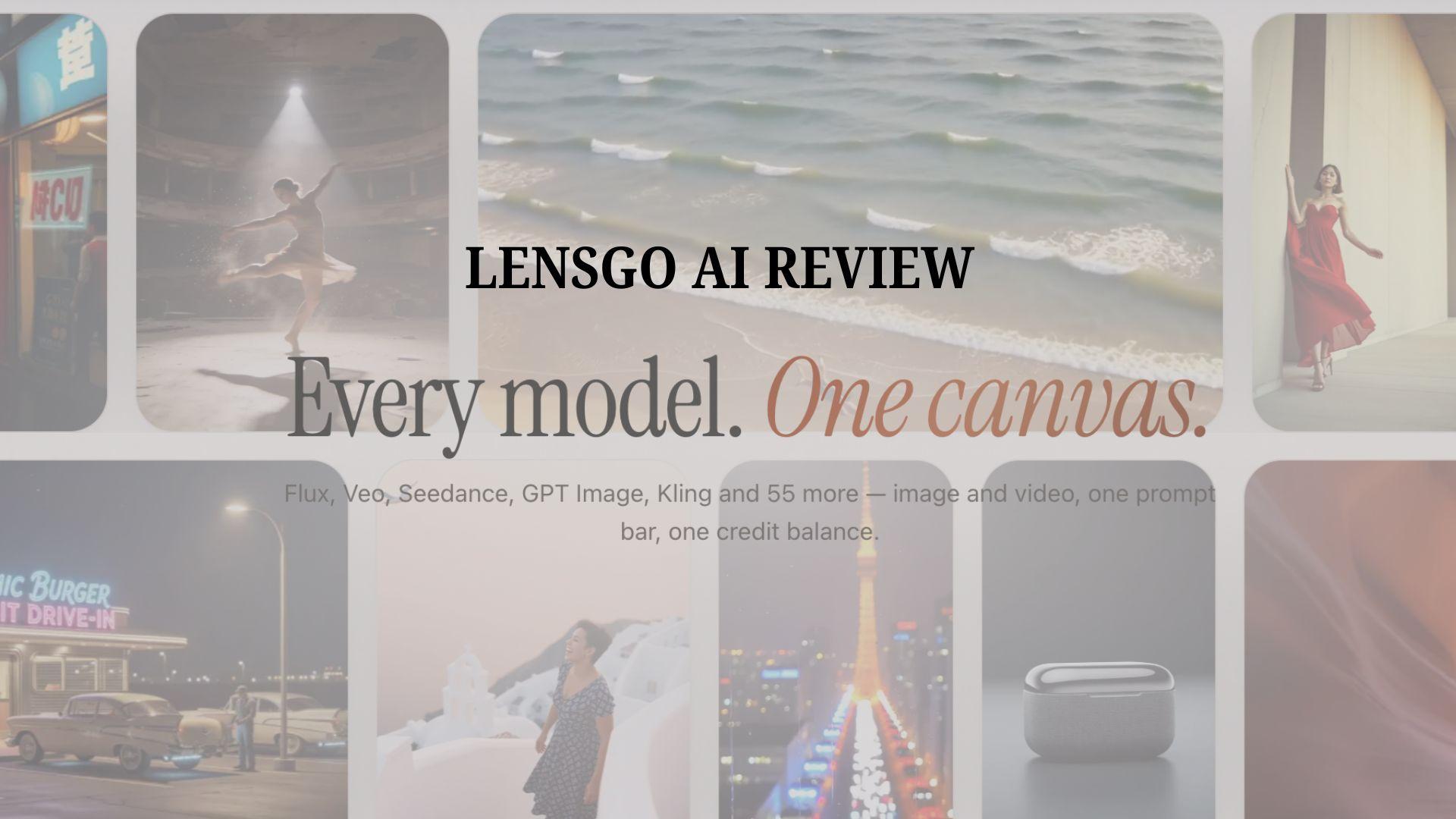
LensGo AI is a tool for creating AI images, videos, and visual transformations. It has gained attention for some of its popular features, including video-to-anime, style transfer, and AI character creation.
While the platform now appears under the Lovino name as the company updates its branding, the same image and video creation tools remain available. This review explores its features, pricing, how to use LensGo AI, and how it compares with its best alternative that offers both AI generation and a complete set of video editing tools.
Part 1. What Is LensGo AI?
LensGo AI is an online platform for creating AI-generated images and videos, or transforming existing visual content. The platform doesn’t focus on just one type of content creation, but it combines several tools for different creative needs.
Who Is LensGo AI For?
- Content creators who want to make short videos, character-based content, or visual experiments for social media.
- Designers and artists who want to explore different styles, concepts, and image variations.
- Marketers and businesses who need product visuals, UGC-style ads, or promotional content.
LensGo AI is primarily focused on generating and transforming content, while users can move the results to a separate editor for final adjustments.
Part 2. What You Can Create with LensGo AI
LensGo AI combines tools for creating images, videos, character content, and visual marketing materials. You can generate new content from prompts or transform existing images and videos with AI.
Generate Images with Multiple AI Models
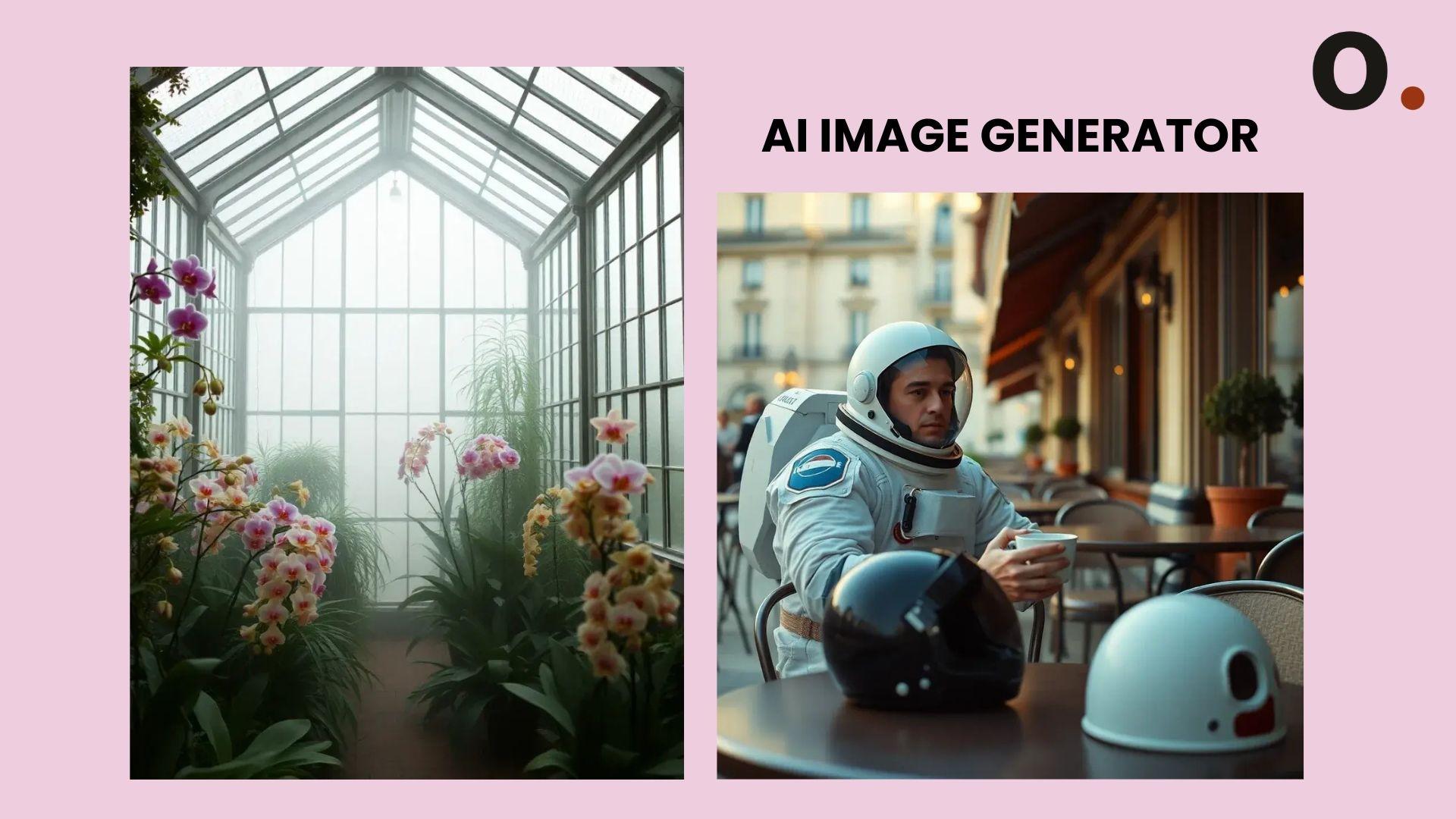
Image generation is one of LensGo AI's key features. The LensGo AI image generator provides access to multiple AI models, so you can create diverse visual styles and qualities from a single text prompt. With LensGo AI image, you can:
- Create images from text prompts using 8 different AI models (FLUX, GPT Image 2, Imagen, Seedream, and more).
- Explore various visual styles and presets for creative projects, social media posts, and design concepts.
- Adjust results based on the desired look and output.
Create AI Videos from Text or Images

In addition to images, LensGo AI can generate videos. The LensGo AI video generator lets you start with a text prompt or an existing image to create short AI videos. It also includes presets and style options to help you achieve different visual styles and motion effects more easily.
With LensGo AI video, you can:
- Generate videos from written prompts or existing images, powered by Seedance 2.0, Veo 3.1, Hailuo 02, Kling V3, and more.
- Animate static visuals and create short-form content for social media.
- Experiment with different video concepts without having to record from scratch.
Transform Videos with AI Style Transfer
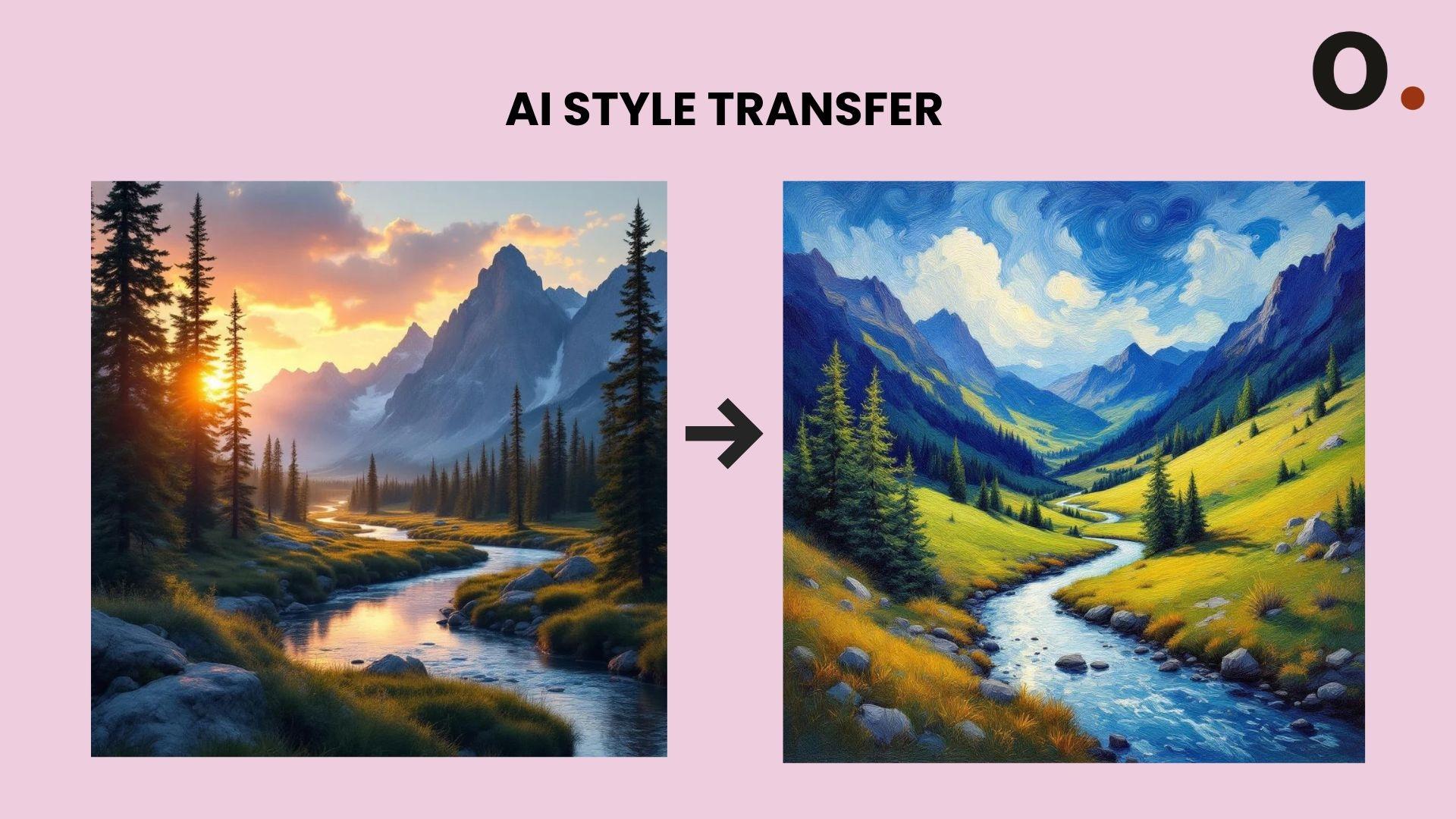
If you already have a video, the LensGo AI Style Transfer feature can completely transform its look while preserving the original motion. It's also the feature behind LensGo AI video-to-anime, which transforms regular footage into anime-inspired or artistic visuals.
- Change the visual style of existing videos while preserving the original motion.
- Create effects such as anime-style transformations and artistic video looks.
Create a Consistent AI Influencer with Lens ID
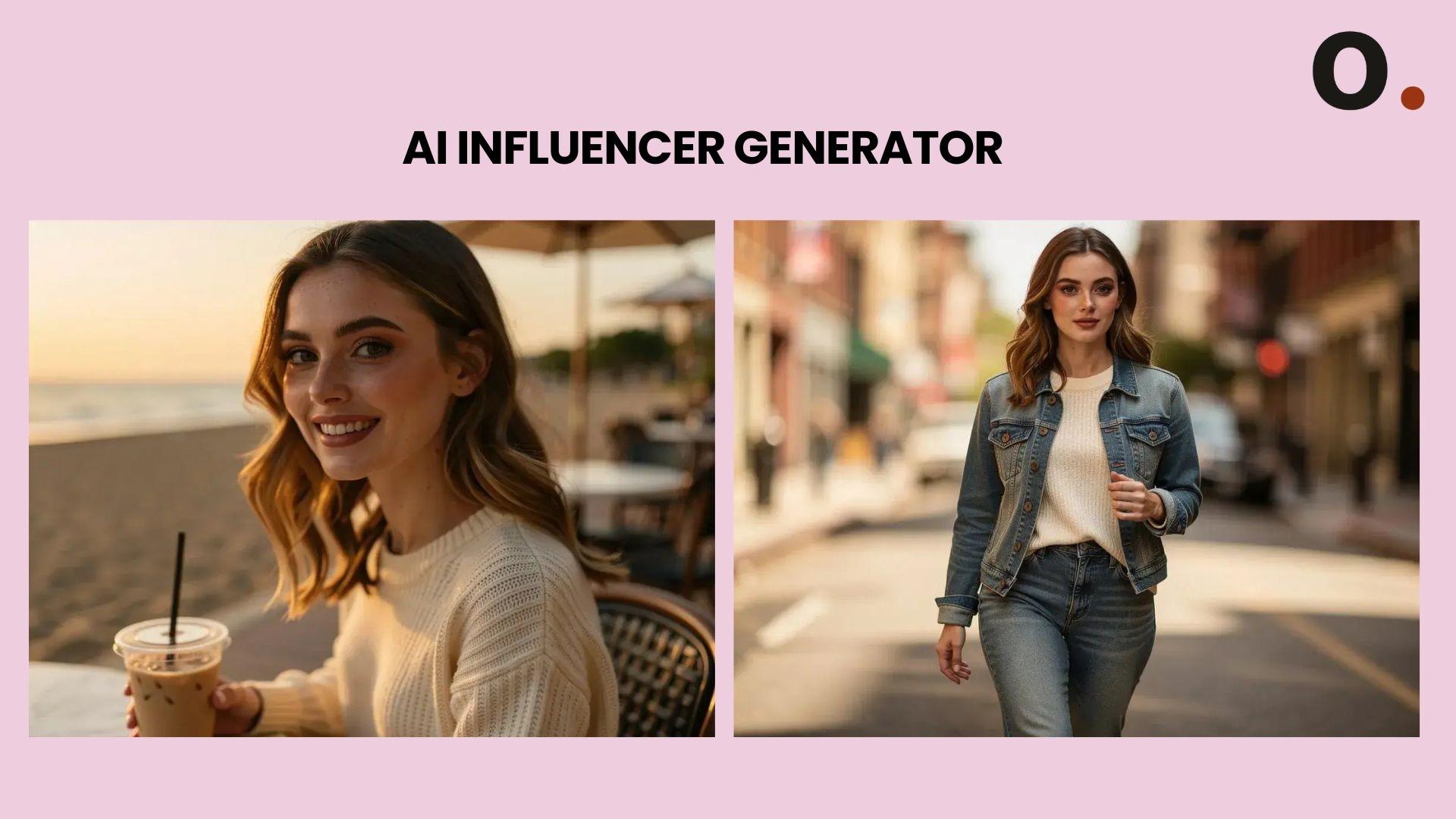
Keeping the same AI character across multiple projects can be challenging. Lens ID helps maintain a consistent appearance, so it’s easier for you to:
- Create characters that recur across videos and images.
- Save and reuse the same character across multiple generations.
- Maintain character appearance across various images and videos.
It’s useful for storytelling, character series, and branded content.
Generate UGC Ads and Marketing Content
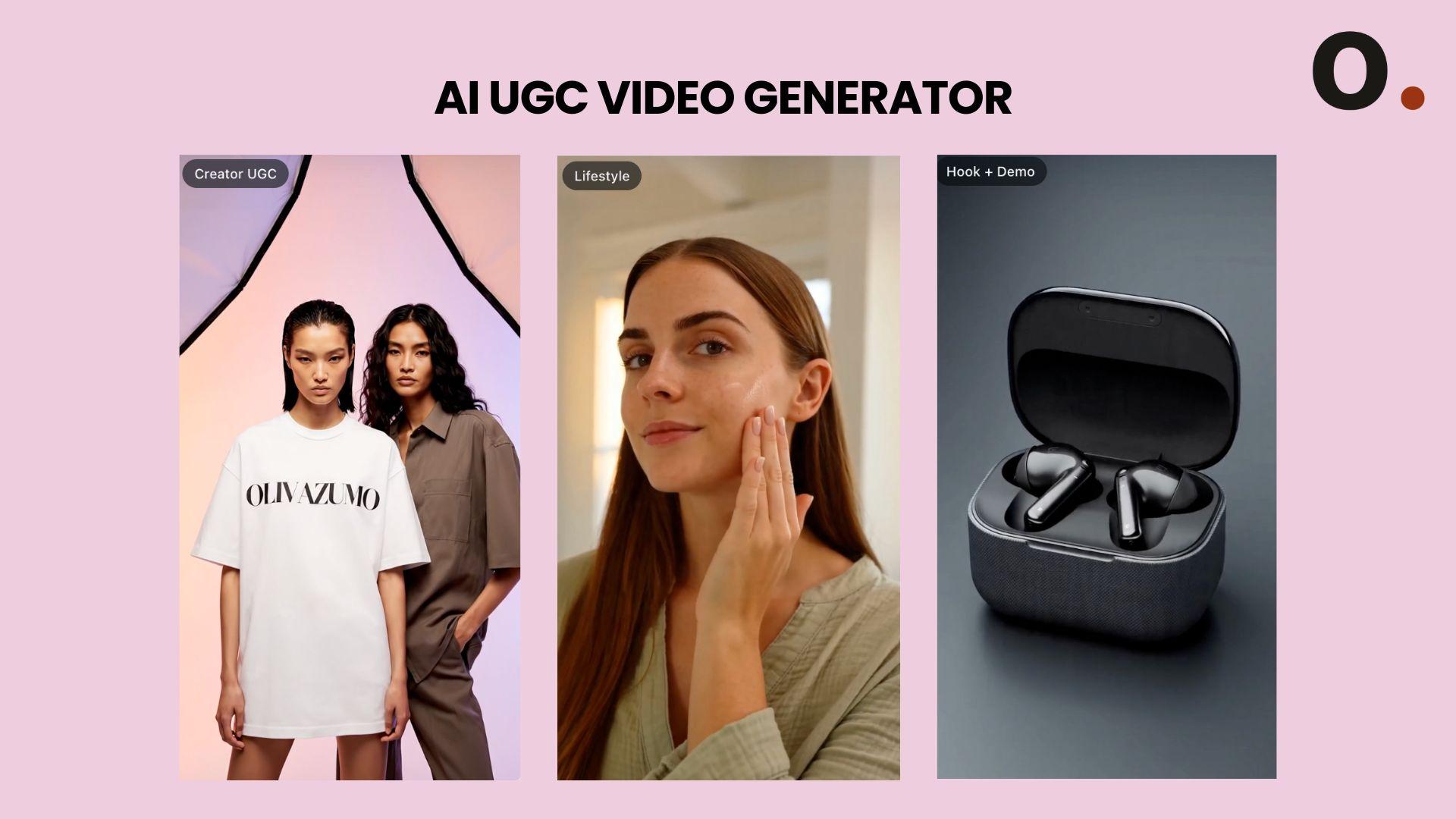
LensGo AI also supports AI-powered marketing content. You can create product videos and UGC-style ads and generate marketing visuals for social media campaigns and promotions without having to record every scene manually.
Speed Up Creation with Iris AI Agent
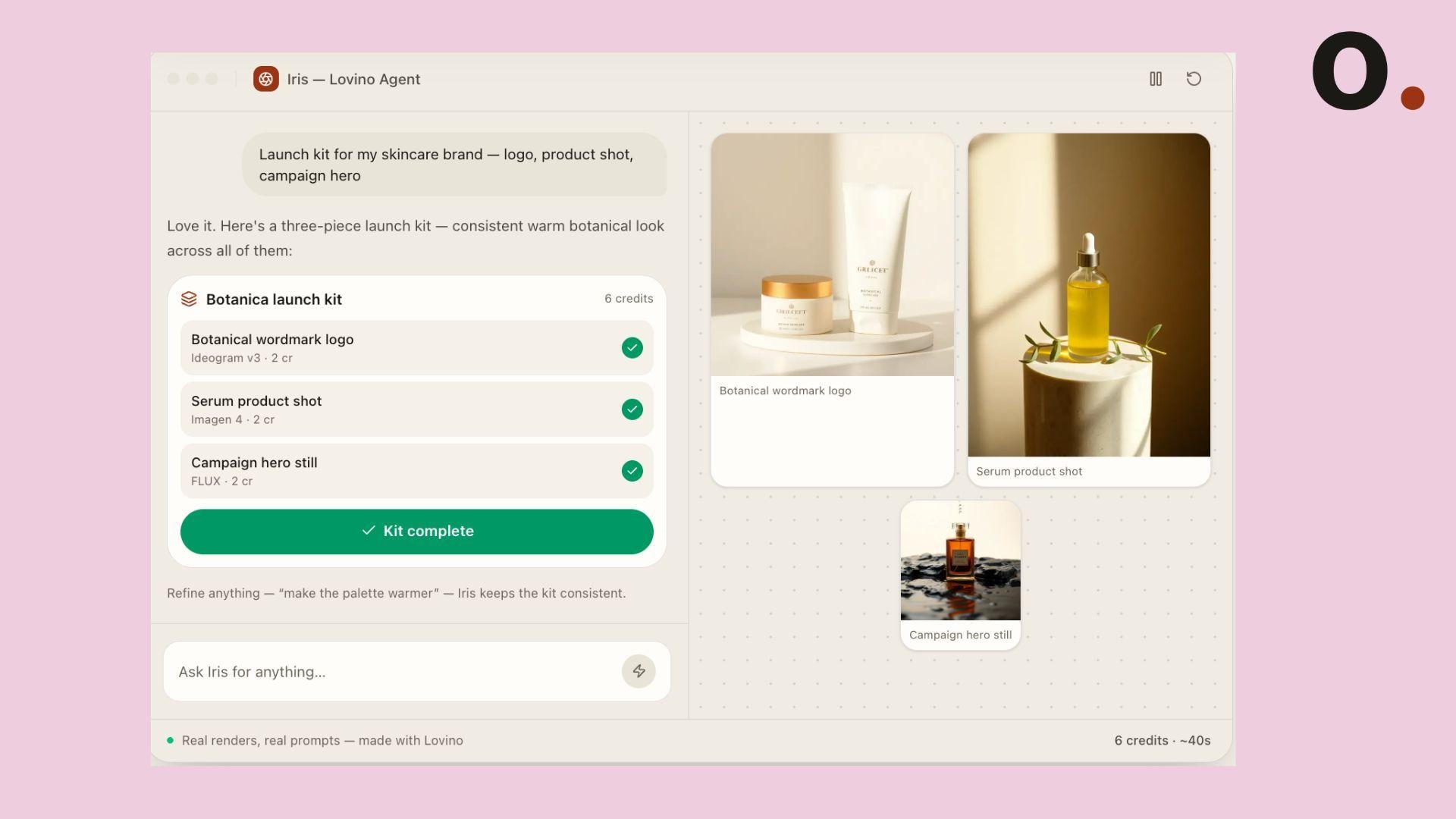
Not sure where to begin? Iris AI Agent helps users develop prompts, discover suitable workflows, and choose the right tools before generating content. This feature can help you:
- Get help developing ideas and prompts.
- Assist with choosing workflows and tools for content creation.
It’s designed for users who want a faster way to plan AI-generated content.
Part 3. How to Use LensGo AI
To start using LensGo AI, you can visit the website at https://lensgo.ai/ and head to the Loveino (LensGo login) page. After that, you can choose the workflow that matches what you want to create. The platform is organized into four main sections.
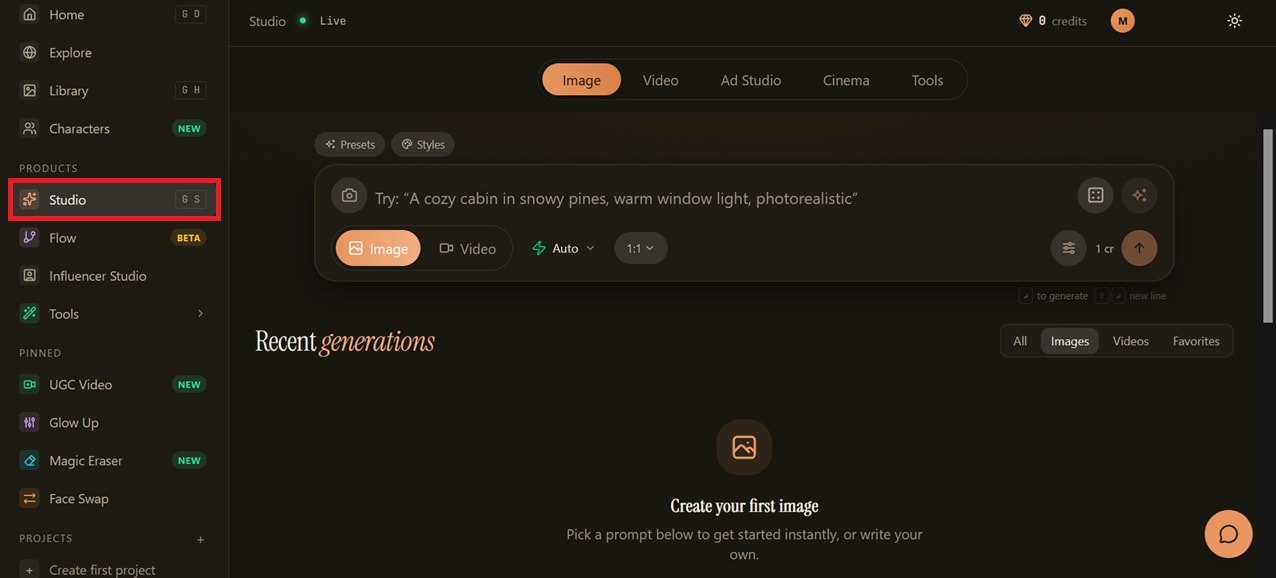
1. Studio
Studio is the main workspace for creating AI images and videos. You can generate content from text prompts or upload existing images to create AI visuals. This section also lets you choose AI models, presets, aspect ratios, and other generation settings before starting a project.
2. Flow
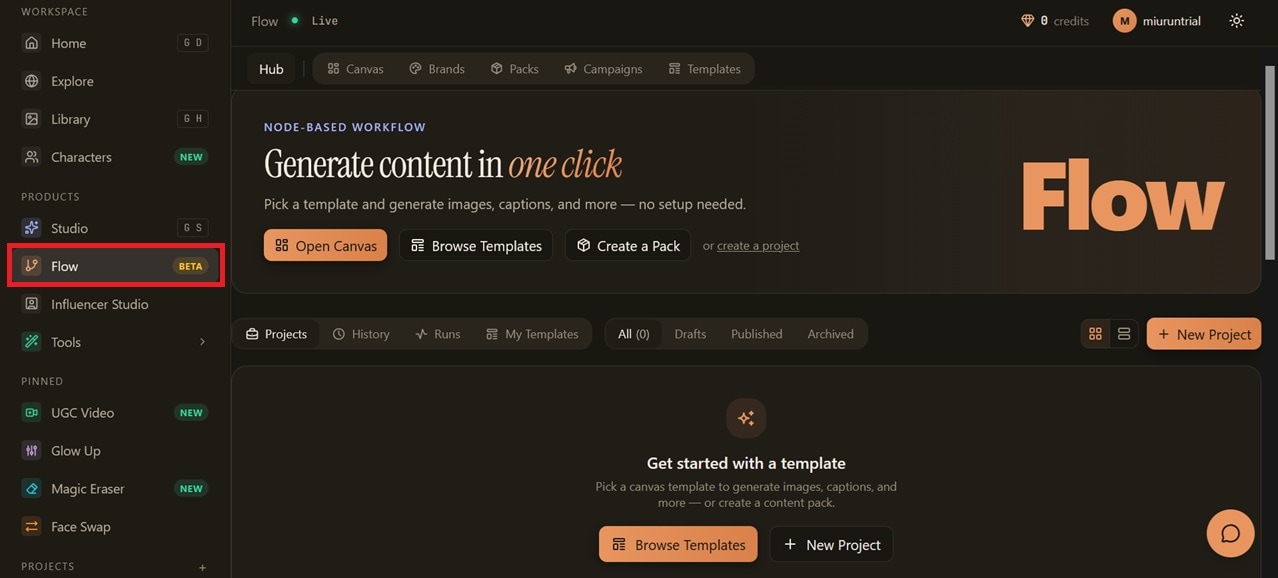
Flow helps you create AI projects using a guided workflow instead of starting from scratch. When you begin a new project, you'll be asked to enter details such as the project name, visual identity, brand voice, and mood board. LensGo AI then uses this information to keep the generated content more consistent throughout the project.
If you want to get started faster, you can also choose from templates or choose from different Pack types, each offering a curated set of prompts, styles, and settings for specific use cases.
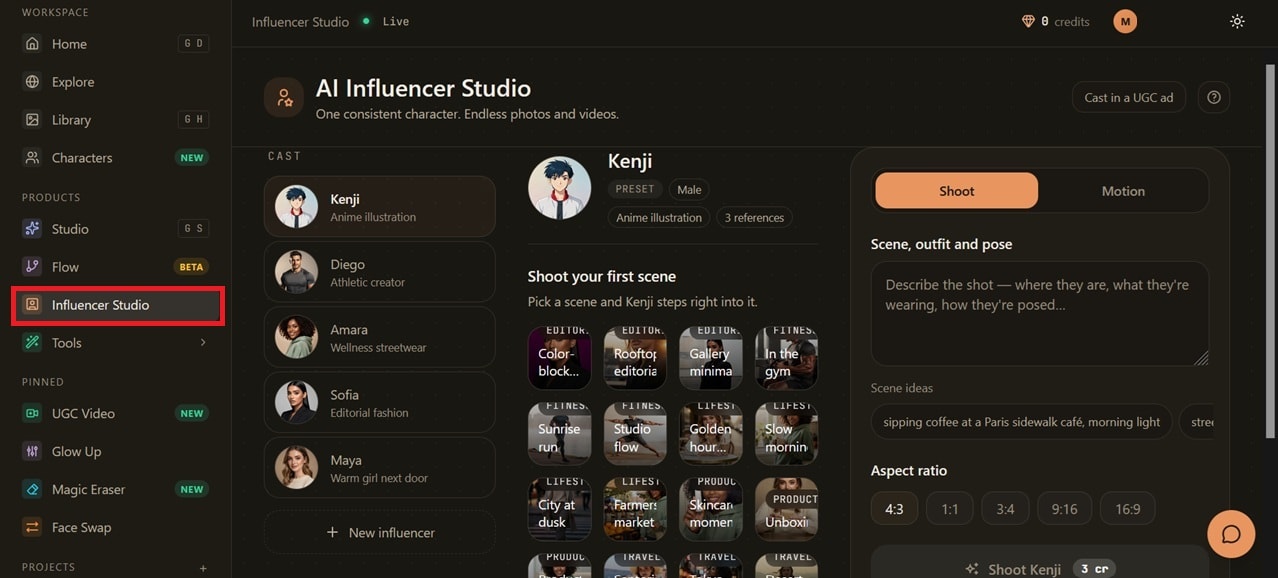
3. Influencer Studio
Influencer Studio is designed for creating AI influencers and virtual characters. You can generate consistent character images, customize their appearance, and use them in image or video projects for marketing, social media, or other content.
4. Tools
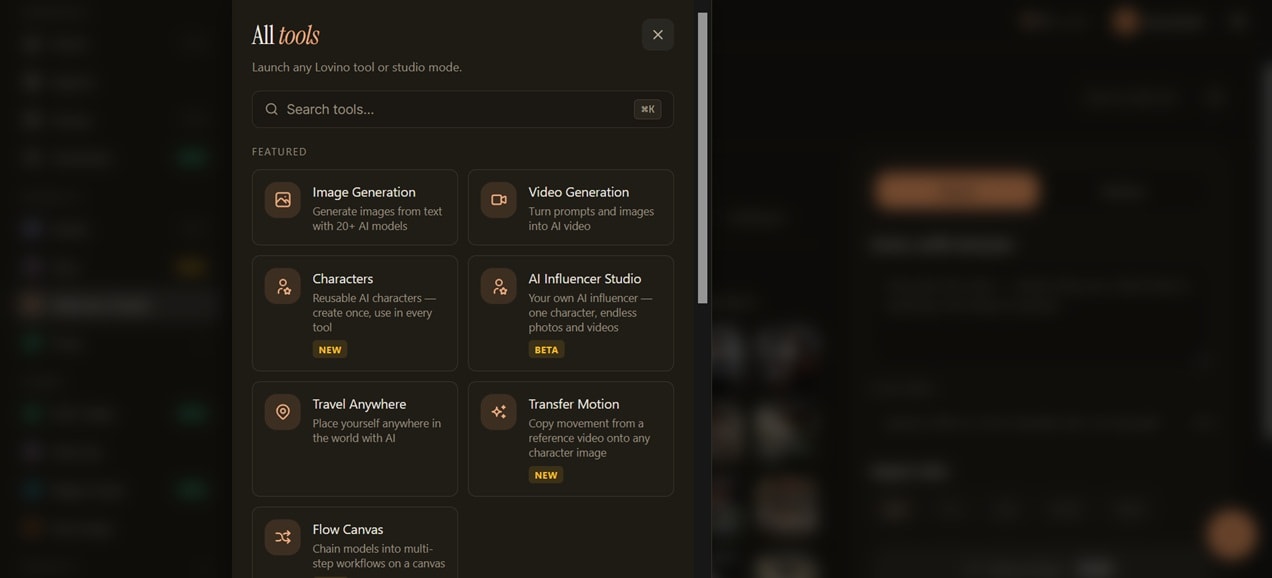
Tools brings together LensGo AI's standalone features in one place. It's a convenient section if you only need to use a specific AI tool without setting up a project.
Part 4. Is LensGo AI Free?
LensGo AI free plan is available for users who want to try its image and video creation tools before subscribing. The platform uses a credit-based system in which each generation consumes credits based on the type of content created.
Free Plan
- Get 3 credits per day after login.
- Access Studio image generation with limited usage.
- Generated content includes a watermark and standard resolution output.
Paid Plans and Credit System
To upgrade your plan, LensGo AI uses a credit system across its creation tools. Credit usage depends on the content type, with images requiring fewer credits than more complex outputs such as videos, UGC ads, and content packs.
Available plans include:
| Traveler | Creator | Studio | |
| Pricing* | $14.99/mo | $19.99/mo or $16/mo (billed yearly) | $39.99/mo or $32 (billed yearly) |
| Monthly Credits | 50 | 120 | 500 |
| Access | Studio only | Studio + Flow | Studio + Flow |
| Resolution | HD | HD | 4K |
| API Access |
*) Pricing is subject to change based on ongoing promotions and updates from LensGo AI.
Which Plan Offers the Best Value?
For most creators, the Creator plan is the most balanced option. This plan provides enough monthly credits for regular content creation while unlocking features that matter most, such as HD exports, no watermark, and access to more creation tools.
The daily 3 credits you get from the free plan are only enough for a few image generations, since most images cost 1 credit each. Or, you can only use it to generate one short video using lower-cost models like Veo 3.1 Lite or Wan 2.2 Fast.
Part 5. LensGo AI Pros and Cons
LensGo AI can be a useful tool for creators who want to experiment with images, videos, and AI-generated visual transformations. However, like other AI creation platforms, it also has limitations depending on the type of content you want to create.
- Supports multiple AI creation workflows
- Easy-to-use video-to-anime conversion and style transfer features
- Lens ID helps maintain character consistency
- Access to different AI models
- Useful tools for marketing content
- Simple browser-based workflow
- Limited control over generated videos
- Video creation can quickly consume credits
- Character consistency isn’t always perfect
- Results are highly dependent on the prompt
- Not a complete video editor
- Better suited for short-form content
Part 6. Best LensGo AI Alternative for AI Video Editing
LensGo AI is mainly used for generating images, creating AI videos, applying style changes, and character-based creations. Once the content is created, users may need a separate editor for tasks like trimming clips, adding music, creating subtitles, or adjusting the final video.
Wondershare Filmora is ideal for creators who want both AI-assisted creation and full video editing. Filmora combines AI tools with a traditional timeline editor, which makes it easier to refine generated content and turn it into a video ready for publication.
 Secure Download
Key Filmora AI features include:
- AI Image-to-Video: Add motion to still images and create animated clips.
- AI Video Generator: Create videos from text prompts.
- AI Smart Short Clips: Find highlights and create short-form videos faster.
- AI Audio-to-Video: Turn audio ideas into visual content.
- AI Subtitle Generator: Automatically generate subtitles for videos.
- AI Translation: Translate video content into different languages.
- AI Voice Enhancer: Improve voice quality and reduce unwanted noise.
- AI Object Remover: Remove unwanted elements from footage.
- Timeline Editing: Manually adjust clips, transitions, effects, and audio.
When to Choose LensGo AI vs Filmora?
- Choose LensGo AI if your goal is to create AI-generated images, experiment with styles, or make character-based videos.
- Choose Filmora if you want to edit, organize, and finish videos with more control after creating the visuals.
Secure DownloadConclusion
LensGo AI stands out for creators who enjoy experimenting with visual ideas, from turning regular footage into anime-style videos to creating reusable AI characters. Its image, video, and style transfer tools help users create different types of content faster, especially when experimenting with new visual concepts.
However, LensGo AI is focused on generating visuals, so the editing process may feel limited for users who want precise control over cuts, audio, or timing. For those projects, Filmora offers a more complete editing workflow. The better choice depends on whether your priority is creating AI visuals or turning them into completed videos.
FAQs
-
1. Is LensGo AI free to use?
Yes. LensGo AI has a free plan with 3 credits per day to try out some of its tools. Free users can access the image generation feature, but exports are limited. For example, they include watermarks and have standard resolution. Paid plans offer more credits and additional features. -
2. Does LensGo AI have a mobile app?
LensGo AI is currently available through its website and can be used in a browser. There is no official LensGo app on mobile listed on its website. -
3. Can LensGo AI turn videos into anime?
Yes. LensGo AI can transform videos into different styles using its style transfer tool, including anime-style effects. -
4. Which AI models are available in LensGo AI?
LensGo AI supports multiple AI models for image and video creation. Available models include FLUX, GPT Image, Veo, Kling, Ideogram, and Recraft. The selection may change as new models are added.
