


 TL;DR:
Mobbi AI is a conversational, credit-based video agent that consolidates top-tier AI models like Sora 2, Kling 3.0, and Veo 3.1 into a single platform for prompt-driven content creation, making it highly cost-effective for solo creators and marketing teams seeking automated story generation rather than manual timeline editing.
● The flagship Story Agent automatically generates multi-scene scripts, storyboards, and layered voiceovers for continuous films, but the 20-credit free tier restricts testing to a single 5-second, 480p video using the Seedance 1.5 Pro model, making paid plans starting at $15 per month necessary for consistent output.
● While the prompt-based interface excels at streamlining tools like Lipsync, Face Swap, and Video Upscaling, users may still encounter slightly robotic physical interactions or minor audio synchronization quirks during rapid background music shifts and fast scene cuts.
● For users who demand precise, frame-by-frame surgical control over cuts and custom audio layering, a traditional desktop timeline editor equipped with built-in generative engines like Wondershare Filmora serves as a more suitable option than Mobbi AI's purely chat-directed workflow.
Ask AI for a summary
 ChatGPT
 Perplexity
 Gemini
 Claude
 Grok
Grok
AI video tools are getting crowded fast, and Mobbi AI arrives at exactly the right moment. Reported by GlobeNewsWire, Mobbi AI video generator was launched in February 2026 by the team at Vega Labs, and this isn't just another basic AI video generator that spits out random footage.
It includes plenty of advanced capabilities and a standout Story Agent for longer video creation. But is Mobbi AI video agent actually useful, or is it another shiny AI tool with a long feature list? Well, this review breaks down exactly what Mobbi AI brings to the table, what it costs, and whether it’s actually ready to replace your editing timeline.
Part 1. Mobbi AI: A Conversational AI Video Agent
Essentially, Mobbi AI feels built for creators who know what they want to make, but do not want to babysit every tiny editing step. So, instead of forcing you to stare at intimidating tracks, cuts, and keyframes, Mobbi AI drops you into a chat box.
The team calls this "vibe editing," and it fundamentally changes how you build videos. You do not only give rigid commands like “cut at 00:05” or “add a transition here.” You can describe the mood, pacing, style, or story direction, and then the AI tries to turn that into an edited result. It is closer to directing an assistant than manually editing every second yourself.
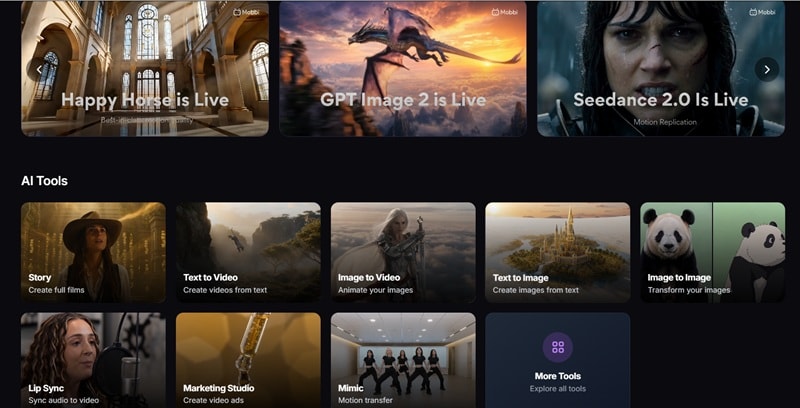
And the smartest thing Vega Labs did here was turn Mobbi into a Swiss Army knife for AI models. Depending on the visual style and motion your project needs, Mobbi AI video generator automatically routes your request to heavy hitters like Sora 2, Kling 3.0, Veo 3.1, Seedance 2.0, Hailuo 2.3, and Wan 2.6.
Part 2. Features Inside Mobbi AI and How They Work
When it comes to features, Mobbi AI is best understood as a creative playground split into four zones: video generation, video editing, image generation, and image editing. The tools overlap a little, but the overall idea is easy to follow. You either start from a prompt, start from an uploaded file, or use a template-style workflow to speed things up.
AI Video Generator
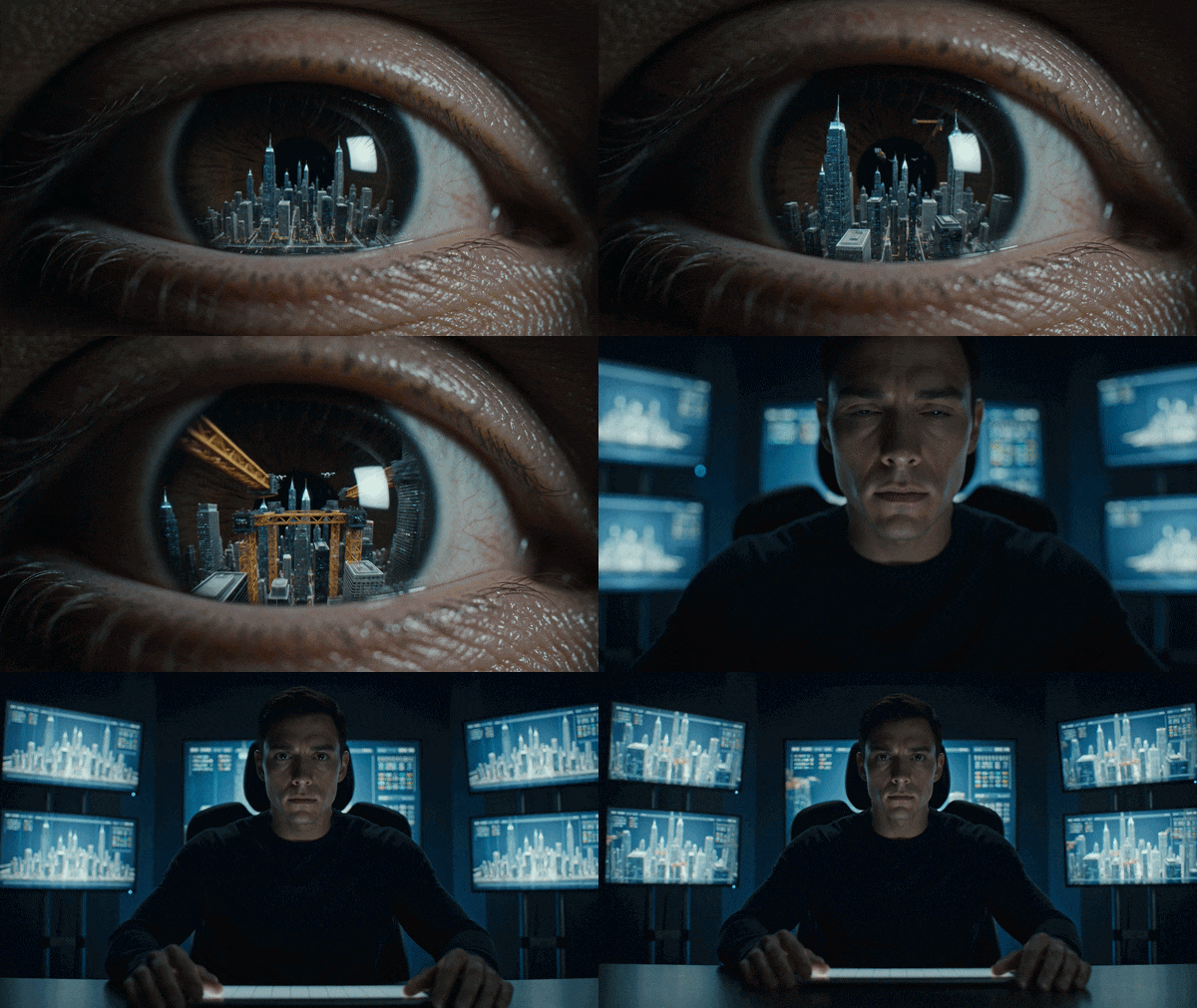
The Mobbi AI video generator is where most users will probably start. You can create videos from text, uploaded images, existing video assets, or story-style prompts. This makes it useful for social clips, product concepts, AI ads, cinematic snippets, animated images, and quick creative tests.
Text to Video
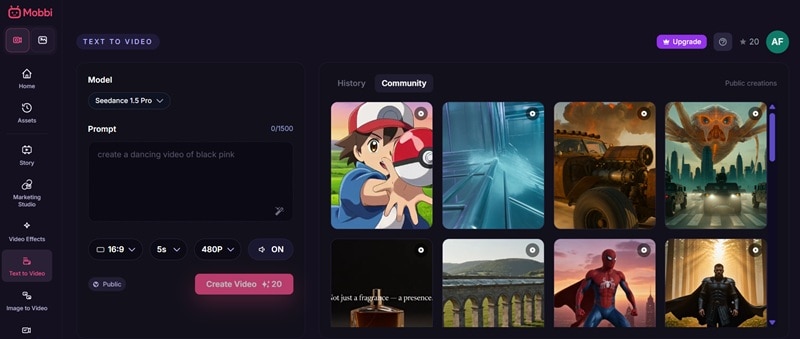
You type in a scene narrative and choose the ideal AI models (like Sora 2 or Kling 3.0) to generate the physical motion. It handles complex physics much better than older generation tools, avoiding the usual visual warping.
Image to Video
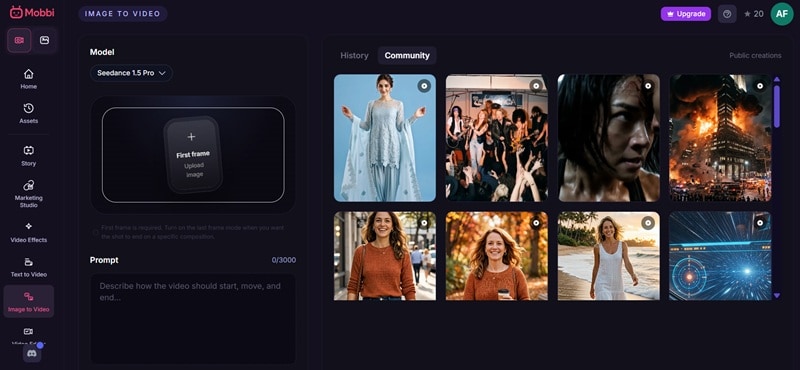
You upload a static shot, like a character design or a product photo, and tell the Mobbi AI how to animate it. This is great for keeping visual consistency because the initial frame is locked down by your own image.
Story Agent

This is the flagship mode for long-form content. Instead of a single clip, you pitch a big concept. The Mobbi Story Agent writes a multi-scene script, generates a consistent storyboard, creates the clips scene-by-scene, layers an AI voiceover, and pieces them into a continuous film.
Marketing Studio
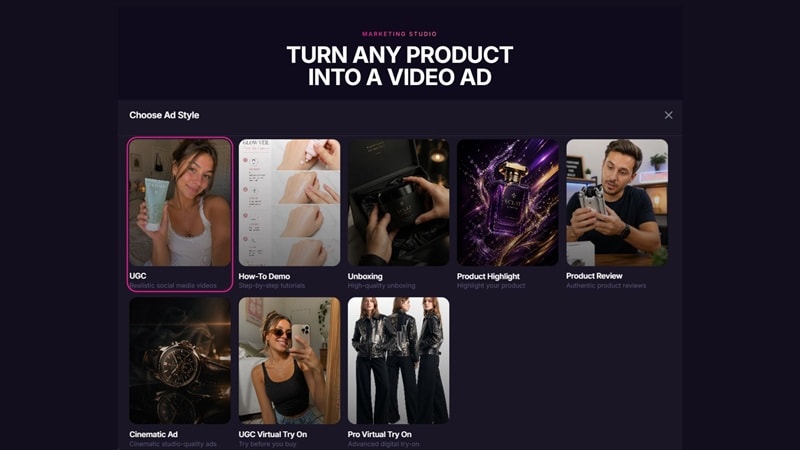
This one is a massive timesaver for businesses. You basically upload a photo of your product and a character avatar, then write prompts of how you want the video to move. There are also plenty of templates across different styles like unboxing, product review, how-to demo, etc.
AI Video Editor
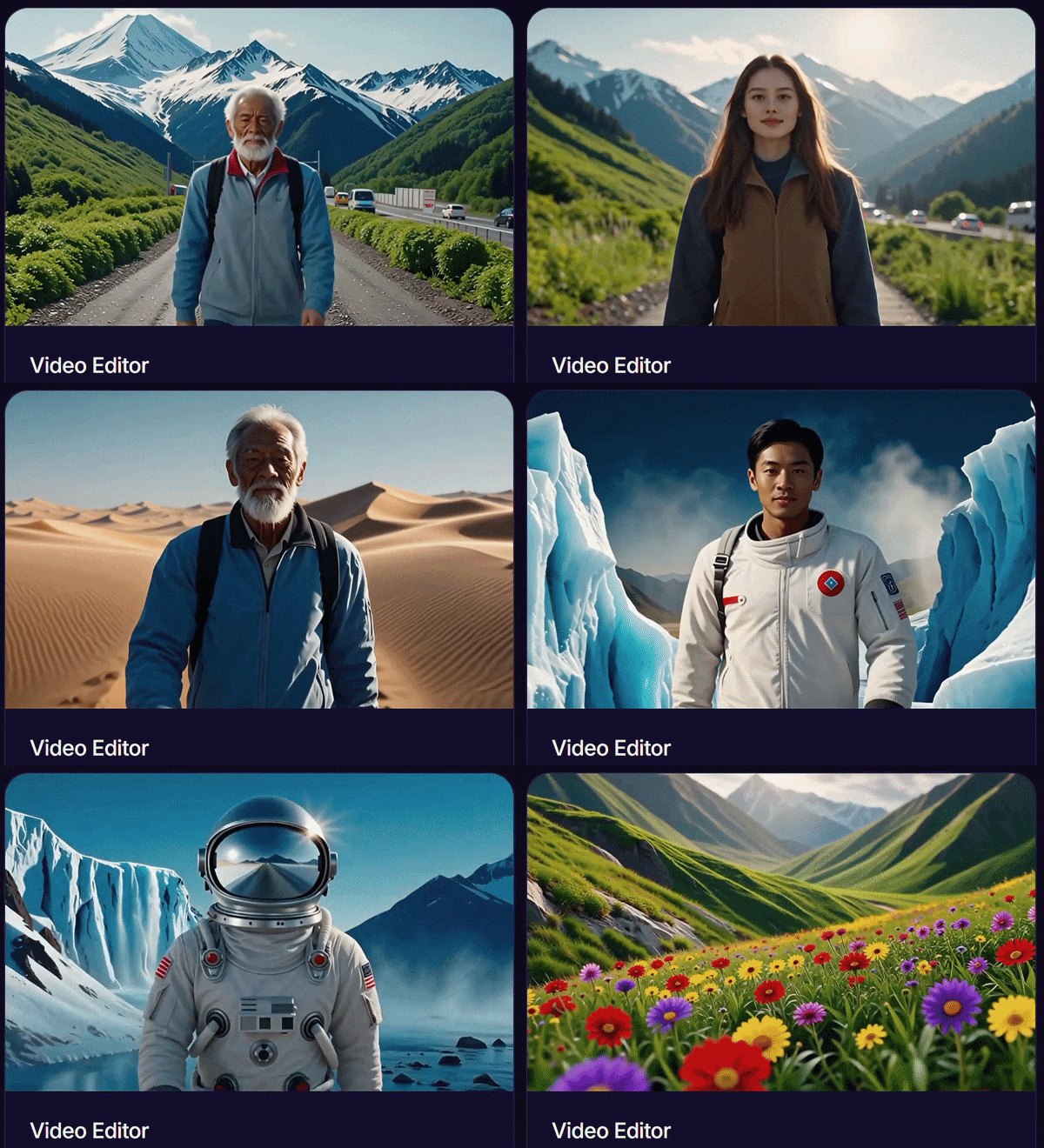
Mobbi AI not only creates videos from scratch. It also includes tools that help modify existing videos, but still use prompt instructions. Here are some notable features:
- Video Editor: You use chat prompts to execute changes like adding cinematic transitions, shifting the pacing, or dropping text overlays onto specific frames.
- Video Upscaler: Cleans up pixelated or low-resolution clips, using AI rendering to upscale footage into sharp, crisp high-definition formats.
- Video Extender: Adds extra seconds onto the beginning or end of an existing clip by analyzing the frame data and accurately predicting what happens next in the motion.
- Lipsync: You upload an audio file or type text, select a character in your video, and the tool matches their lip movements to the spoken words seamlessly.
- Mimic Motions: Forces a character in your video to follow the exact physical posture, dance moves, or body language of a separate reference video.
- Face Swap: Replaces the face of a person or character in a video clip with a completely different target face while maintaining the original lighting and head tilt.
AI Image Generator
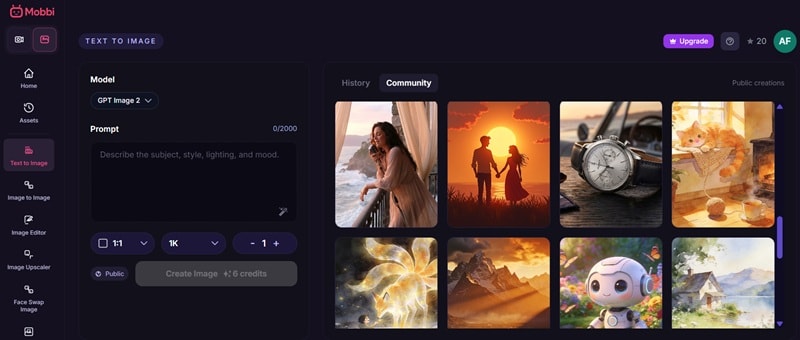
Mobbi AI also includes image tools, so it is not limited to video. This matters because AI video often starts with a strong image. Plus, the image side utilizes top-tier models like Flux, Nano Banana, and Seedream.
- Text to Image: Generates highly detailed photorealistic, anime, or cinematic stills from plain text instructions.
- Image to Image: Uses an uploaded picture as a structural guide, re-rendering it into a brand-new style while keeping the same basic composition.
- Text to 3D: Generates a fully rotatable, textured 3D digital asset from a simple text prompt.
- Image to 3D: Transforms a flat, single-angle 2D picture into a complete 3D object mesh ready for spatial design.
AI Image Editor
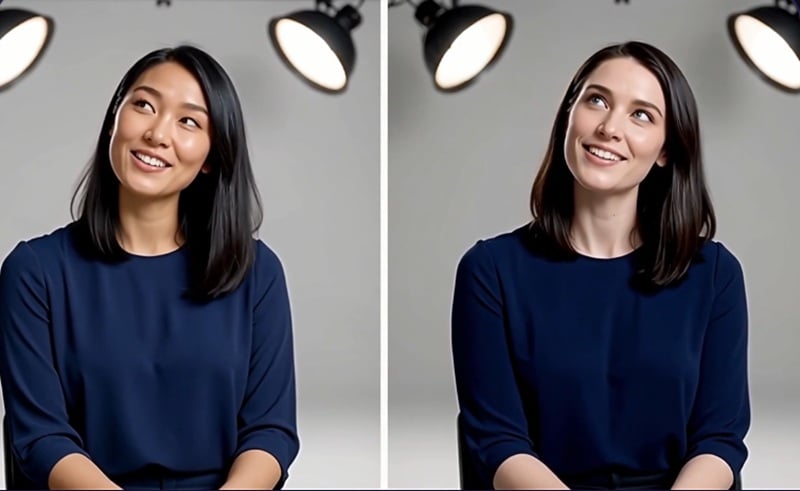
Same as video, Mobbi AI also features tools that let you edit images, but still using prompt instructions. You can fix images, enhance them, swap faces, or remove unwanted parts before turning them into video assets.
- Image Editor: Modifies specific sections of a picture using basic conversational text requests.
- Image Upscaler: Density booster that increases resolution while fixing blurry textures and enhancing facial details.
- Face Swap: Instantly swaps faces on still photos with incredible skin-tone and lighting alignment.
- Inpaint: Allows you to brush over an unwanted object in a photo to erase it completely, or brush an empty area to generate a brand-new object inside that specific spot.
Part 3. Mobbi AI Pricing: How Much Does It Cost?
Mobbi AI pricing runs entirely on a credit-based token system. The amount depends on the tool, model, quality, length, and settings.
Can you use Mobbi AI for free?
When you create a brand-new account, you get 20 free credits to test the waters. It's a nice gesture, but be aware that it's highly restrictive. To put it in perspective, those 20 credits will essentially let you run just one 5-second video generation using the Seedance 1.5 Pro model locked at 480p resolution.
To create consistently, you need one of the paid plans: Basic, Premium, Pro, or Max.
| Basic | Premium | Pro | Max | |
| Price | $15/month | $39/month | $89/month | $279/month |
| Monthly Credits | 300 credits | 1,000 credits | 3,000 credits | 12,000 credits |
| Est. Video Output | Up to 30 videos / month | Up to 100 videos / month | Up to 300 videos / month | Up to 1,200 videos / month |
| Est. Image Output | Up to 300 images / month | Up to 1,000 images / month | Up to 3,000 images / month | Up to 12,000 images / month |
| Parallel Tasks | 2 | 3 | 4 | 9 |
| Story Agent | Included | Included | Included | Included |
| Best For | Solo creator | Social media creator | Small marketing team | Studio or heavy AI user |
Is the Cost Justified?
It depends on how many AI tools you already pay for. If you only need one simple AI video generator, Mobbi AI might feel like too much. A single-purpose tool can be cheaper if you only generate a few clips a month.
But if you look at the landscape of AI tools, buying individual subscriptions to separate platforms will easily run you over $100 a month. By pooling everything into one interface with built-in automated workflows, the Mobbi AI price is actually a massive bargain for indie filmmakers, content agencies, and solo marketers who need to scale output without hiring a massive post-production crew.
Part 4. Pros and Cons of Using Mobbi AI (Review)
Now, let's get into the real deal of our Mobbi AI review. Every tool can sound flawless on paper, but a long feature list does not automatically mean perfect results. The real question is how useful the platform is once you move beyond the first generation.
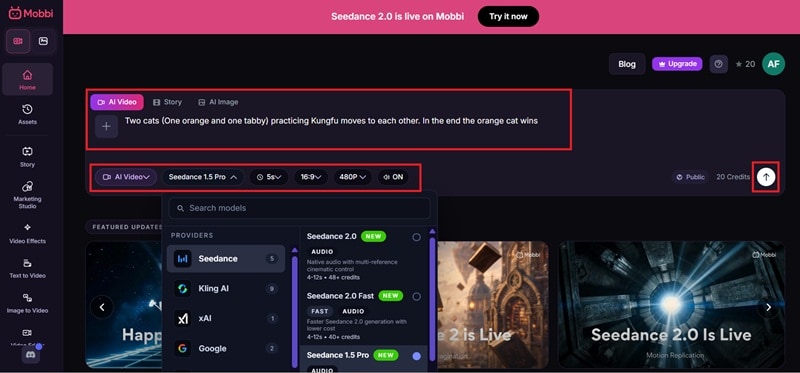
First off, the workflow is very easy. You just need to log in or register for a Mobbi account, and you’ll be headed to their home page. There, simply write down the prompts in the description box. You can choose your preferred AI models, duration, aspect ratio, and sound on/off. Then, hit enter or click the arrow icon.
It usually takes one minute for the Mobbi AI video generator to process it. Once it’s done, click play to preview the result. You can then download the video to save it to your device or share it right away to X or Facebook.
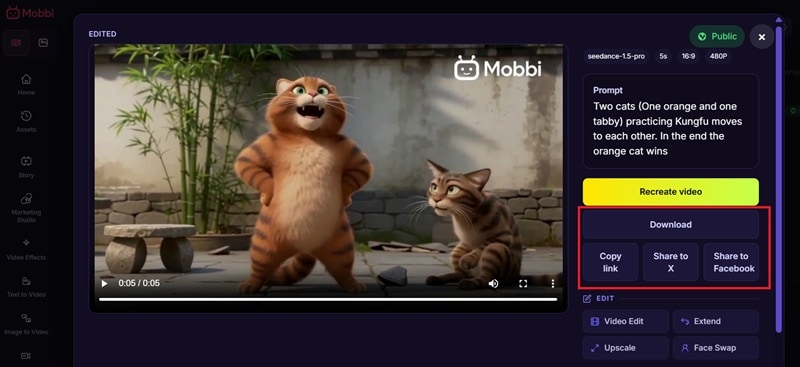
That’s pretty much it! Now, take a look at the short video clip you just made!
Limitations to Consider
- One Dashboard, Many AI Jobs: Mobbi AI combines video generation, image generation, ads, effects, lip sync, face swap, upscaling, and editing tools, so you do not need a separate tab for every small task.
- Insane Multi-Model Value: Juggling accounts for Sora, Kling, and Flux is a nightmare. Mobbi puts them all in one room and hands you the keys.
- Cohesive Storytelling: The Story Agent feature doesn't just throw random images together. It remembers the narrative context from scene one to scene ten.
- True Long-Form Mastery: Breaking past the traditional 10-second AI generation barrier makes creating full explainer videos completely doable.
- Free Tier is a Tease: The 20 free signup credits disappear almost instantly, making it hard to test complex features without paying first.
- Loss of Precision Control: If you are a control freak who needs a cut exactly at frame 24, trying to explain that to a chat agent can sometimes feel less efficient than just dragging a slider yourself.
- Audio Sync Quirks: While the lipsync tool is good, rapid background music shifts or layered voice tracking can occasionally feel slightly disconnected during fast scene cuts.
- Stiff Motion Risks: Even with premium models like Veo and Sora, rapid physical interactions (like two characters hugging or fighting) can still look a bit robotic.
Part 5. Prefer Manual Control? Filmora Offers Multiple AI Models in One Editor
Mobbi AI video generator is great when you want AI to generate, remix, or edit quickly. But if you prefer dragging clips on a timeline, fine-tuning cuts frame by frame, or layering effects manually, a traditional desktop editor might give you that surgical precision better.
But choosing manual control doesn't mean you have to abandon advanced generation features. Wondershare Filmora brings the best of both worlds by building multiple generative engines (Veo3.1, Sora 2, Seedance 2.0, TooMovie 2.5) directly into a traditional timeline workspace.
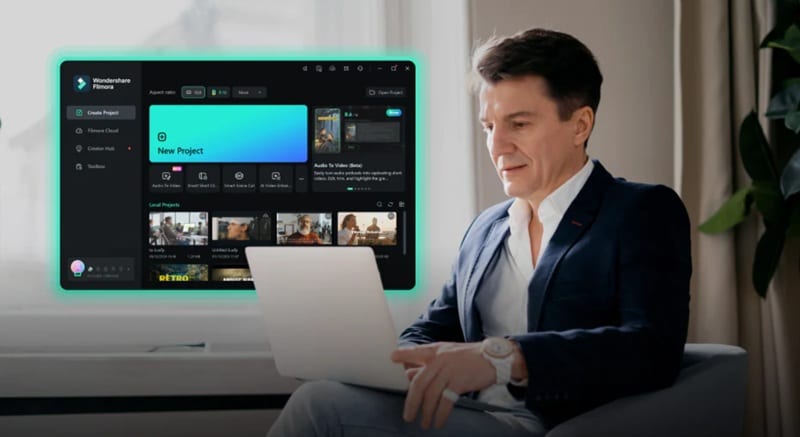
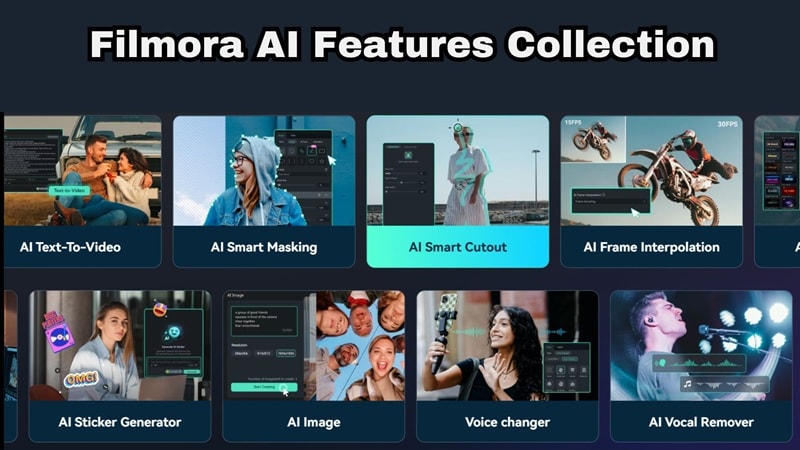
On top of that, Filmora is not just a video editor anymore. It also includes multiple AI tools inside a proper timeline editor, so you can generate assets and still edit them like a normal video project.
 Secure Download
Here are some notable features available:
- AI Video Generator: Instantly builds text-to-video scenes or image-to-video clips to patch gaps in your B-roll footage.
- AI Image Generator: Creates custom backgrounds, digital assets, or reference concept art directly inside your media bin.
- AI Music Generator: Composes completely royalty-free background tracks tailored to your preferred genre, mood, and exact clip duration.
- AI Smart Cutout: Allows you to trace and isolate any subject moving through a video frame, removing backgrounds without a green screen.
- AI Video Denoise: Instantly cleans up grainy video footage and muddy audio tracks with a single click.
- AI Color Palette: Samples the exact color grading and mood from a Hollywood film or reference photo and applies it to your own video clip.
- AI Smart Masking: Dynamically tracks complex shapes across frames for precise visual layering.
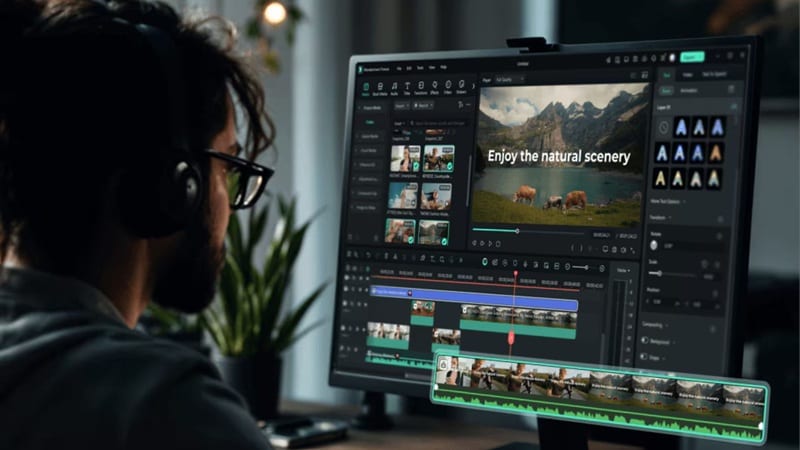
Because these features live inside a standard timeline layout, you maintain total authority over your final output. You can trim clips to the exact millisecond, layer custom sound effects, add stylized titles, and fine-tune pacing without burning through cloud rendering credits every time you want to make a simple edit.
 Secure Download
Conclusion
Mobbi AI video generator represents a massive leap forward for automated video production. By turning top-tier video engines into a unified conversational team, it simplifies the messy process of building complete, structured stories. If you want a fast, intelligent workspace that handles the heavy lifting of scriptwriting and asset matching, this platform is a game-changer.
However, if you want complete, frame-by-frame authority over your cuts, pairing Mobbi AI generation with a timeline editor like Wondershare Filmora is the smarter route. Filmora allows you to generate gorgeous AI assets and custom audio directly inside a professional video editor, giving you total creative precision without losing the speed of modern tech.
FAQs
-
Does Mobbi AI require any software download?
No. Mobbi AI is browser-based, so you can use it online after signing in. That makes it easier to access than traditional desktop editing software. -
How long can videos be on Mobbi AI?
It depends on your plan, credits, model, and workflow. While individual clip outputs depend on the underlying models, the Story Agent can string together scenes to build videos ranging from a quick 30-second short up to long-form projects lasting several minutes, depending on your subscription tier. -
Can Mobbi AI generate a full film or long-form video?
Mobbi AI Story Agent promotes story-style video creation, but you should treat it as a tool for AI short films, structured drafts, and longer creative concepts rather than a one-click replacement for professional film production. Long-form AI video still needs human review, editing, continuity checks, audio work, and final polish. -
What video formats does Mobbi AI export?
Mobbi AI primarily exports in standard, widely compatible formats like MP4, ensuring your videos are ready to upload instantly across social platforms, website hosts, or traditional presentation software.
