Google continues to improve its AI image generation technology with Nano Banana 2.1 in October 2026, an updated version of its popular Nano Banana image model. Designed for image generation and conversational editing, the new release brings improvements to visual quality, text rendering, character consistency, and prompt understanding.
What more is there to uncover about the new model? Read our Nano Banana 2.1 review to get the full breakdown of what it offers, including new features, pricing, a side-by-side with earlier Nano Banana models, prompt tips, and our verdict on it.
Overview of Nano Banana 2.1
| Category | Details |
| Official Name | Nano Banana 2.1 |
| Model ID | gemini-nano-banana-2.1 |
| Model Type | Natively multimodal AI image generation and editing model |
| Underlying Model | Google Gemini 3.6 Flash |
| Input Types | Text and images |
| Maximum Image Resolution | 4K |
| Maximum Reference Images | 14 images per prompt |
| Release Date | October 6, 2026 |
|
Show More
Show Less
|
|
Part 1. What’s New in Nano Banana 2.1?
Nano Banana 2.1 is Google’s latest update to its AI image generation model, officially identified as gemini-nano-banana-2.1. The model is based on Google’s Gemini 3.6 Flash architecture and builds on Nano Banana 2 (Gemini 3.1 Flash Image), retaining its focus on speed and cost efficiency while improving image quality, editing accuracy, and consistency.
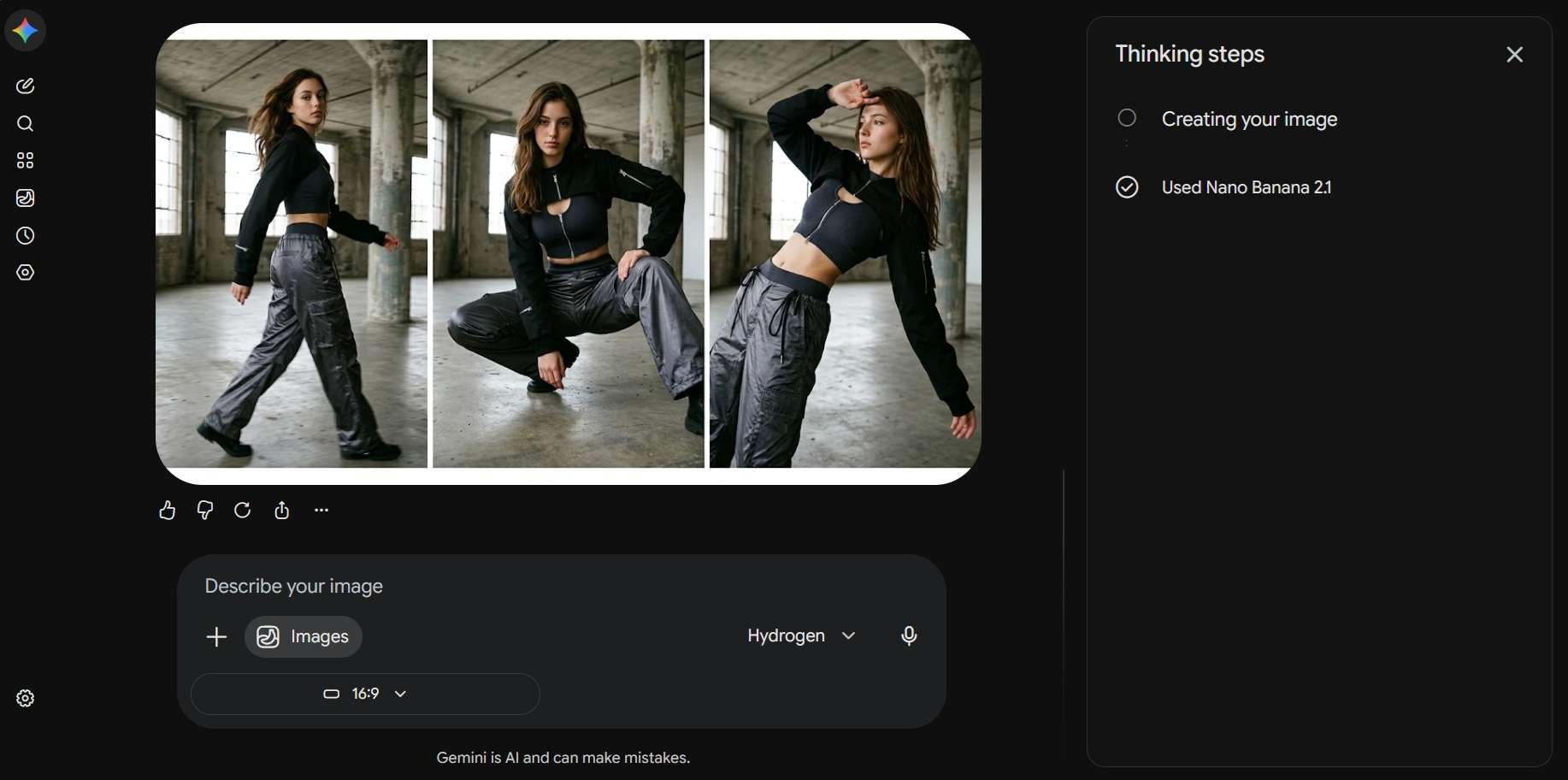
The Nano Banana 2.1 release date was October 6, 2026. Since its launch, the model has introduced several improvements, including:
1. Better Image Quality and Realism
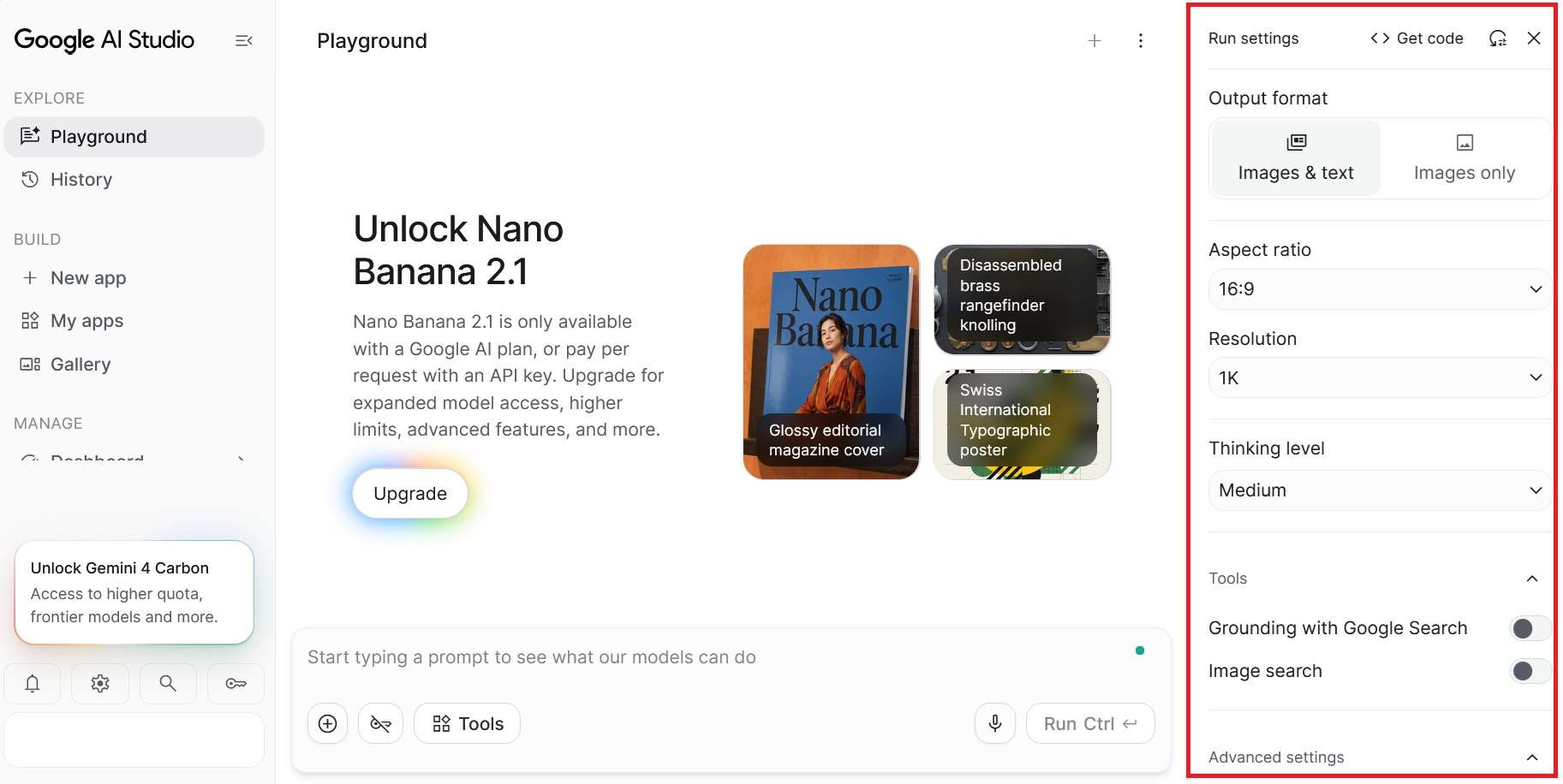
Nano Banana 2.1 produces more realistic images with sharper details and better prompt accuracy. It supports 1K (default), 2K, and 4K output resolutions and follows instructions about composition, objects, and visual details more closely.
2. Better Support for Wide and Panoramic Images
Nano Banana 2.1 reduces tiling artifacts in wide and panoramic images at 2K and 4K resolutions. It supports extreme aspect ratios, including 1:4, 4:1, 1:8, and 8:1, which can be used for banners, panoramic illustrations, and vertical graphics.
3. Improved Text Rendering and Infographic Layouts
As text generation has long been a challenge for AI image generators, Nano Banana 2.1 introduces improvements to text rendering and infographic layout accuracy. It can produce even more readable text and organize visual information more effectively.
4. Multi-Image Fusion With Up to 14 Reference Images
Nano Banana 2.1 expanded multi-image reference support up to 14 reference images in a single generation or editing task. Google specifies support for character consistency across up to four characters and object fidelity for up to ten objects.
5. Grounding With Google Web and Image Search
Nano Banana 2.1 can use Google Web Search and Image Search to ground its image generation. The model can reference information from online sources when responding to prompts involving real-world subjects, but keep in mind that it still doesn’t guarantee every generated detail will be correct.
6. Configurable Thinking Levels
Nano Banana 2.1 also introduces configurable Thinking levels:
- Minimal: Uses less reasoning for straightforward image requests.
- Medium: The default setting, balancing reasoning and generation efficiency.
- High: Allocates more reasoning to complex prompts and instructions.
A higher Thinking level doesn’t automatically guarantee a better image, though. The result still depends on your prompt, reference materials, and how the model interprets them.
Part 2. How to Use Nano Banana 2.1
One of the easiest ways to access Nano Banana 2.1 is through Google AI Studio. You don’t need to install a separate image generation application to start using it. Follow the steps below.
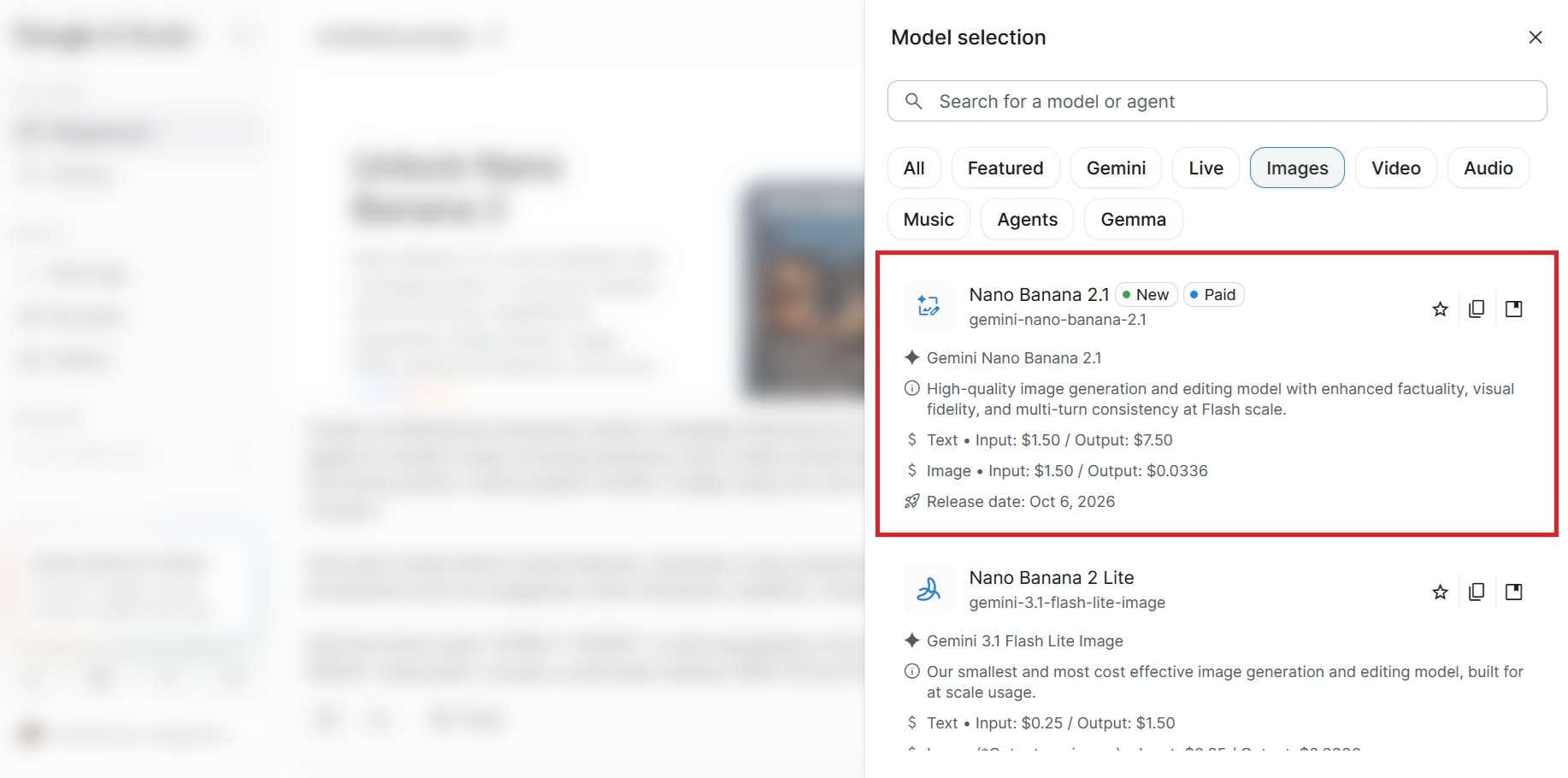
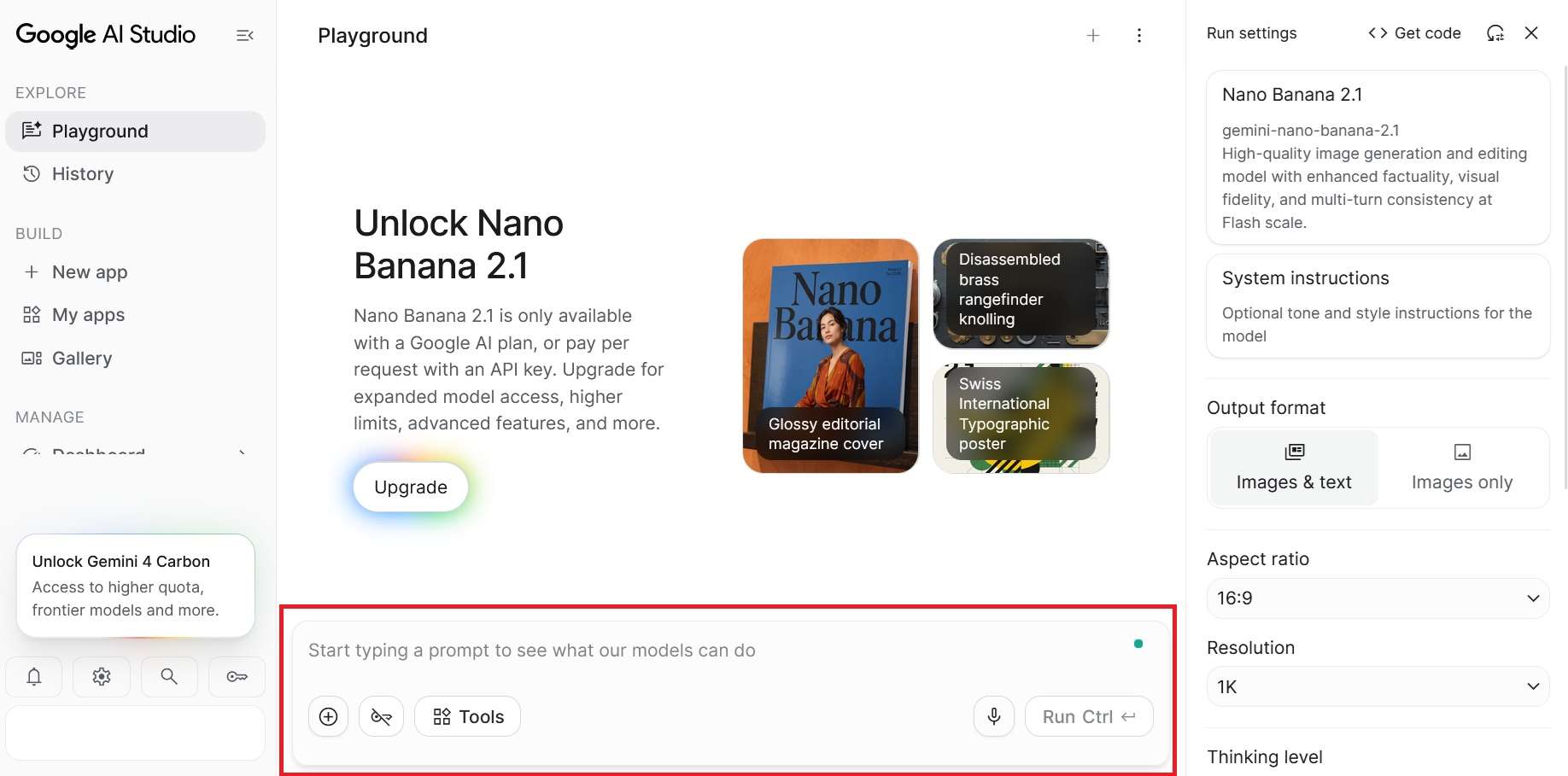
If something doesn't look right, continue the conversation with specific editing instructions.
Nano Banana 2.1 Pricing: Is It Free?
Nano Banana 2.1’s price and availability depend on how you access it. You can use it through Google AI Studio, but API access requires a paid plan. A Google AI Plus subscription also provides higher usage limits for eligible users.
For the Gemini API pricing, usage is billed based on token consumption, including image output tokens. There’s no free API tier for Nano Banana 2.1.
| Feature | Estimated cost |
| Input price | $1.50/1M tokens (text, image, and video) |
| Output price | $7.50/1M tokens (text and thinking); $30/1M tokens (images) |
| 1K image output | $0.0336/image |
| 2K image output | $0.0504/image |
| 4K image output | $0.113/image |
| Grounding with Google Web and Image Search | 5,000 free search requests per month (shared across Gemini 3 and newer models), then $14/1,000 requests |
|
Show More
Show Less
|
|
Part 3. Nano Banana 2.1 vs Nano Banana 2 vs Nano Banana Pro
Before Nano Banana 2.1, Google had already introduced several image generation models that helped establish its name in the AI image generation space, including Nano Banana 2 and Nano Banana Pro. Each comes with its own capabilities and strengths.
So, how much do they actually differ? We put together a side-by-side comparison of Nano Banana 2.1 vs Nano Banana 2 vs Nano Banana Pro for your consideration.
| Nano Banana 2.1 | Nano Banana 2 | Nano Banana Pro | |
| Underlying model | Gemini 3.6 Flash Image | Gemini 3.1 Flash Image | Gemini 3.0 Pro Image |
| Image resolution | 1K, 2K, 4K | 1K, 2K, 4K | Up to 4K |
| Text rendering | Improved text rendering & infographic layouts | 92% character accuracy | 94% character accuracy |
| Image editing | Conversational editing & wide aspect ratio fix | Scene transformation & lighting edit | In-image translation & photo editing |
| Reference images | Up to 14 (4 characters / 10 objects) | Up to 14 (5 characters / 14 objects) | Up to 14 (5 characters) |
| Google Search grounding | Web and Image Search grounding | Live web data grounding | |
|
Show More
Show Less
|
|||
On Arena's image leaderboard, Nano Banana 2.1 is currently Google's highest-ranked image model. It sits ahead of Gemini 3.1 Flash Image (Nano Banana 2), Gemini 3.1 Flash Lite Image (Nano Banana 2 Lite), and Gemini 3 Pro (Nano Banana Pro).
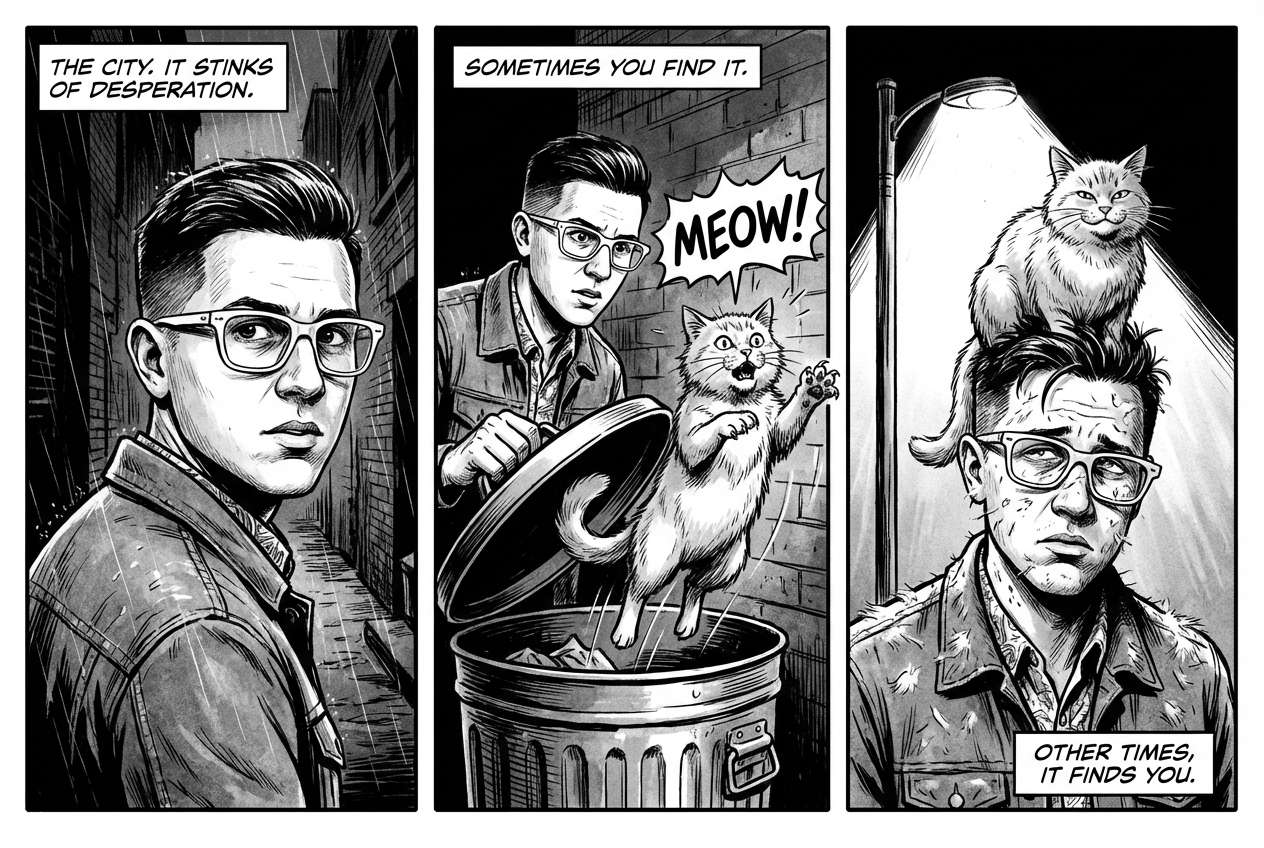
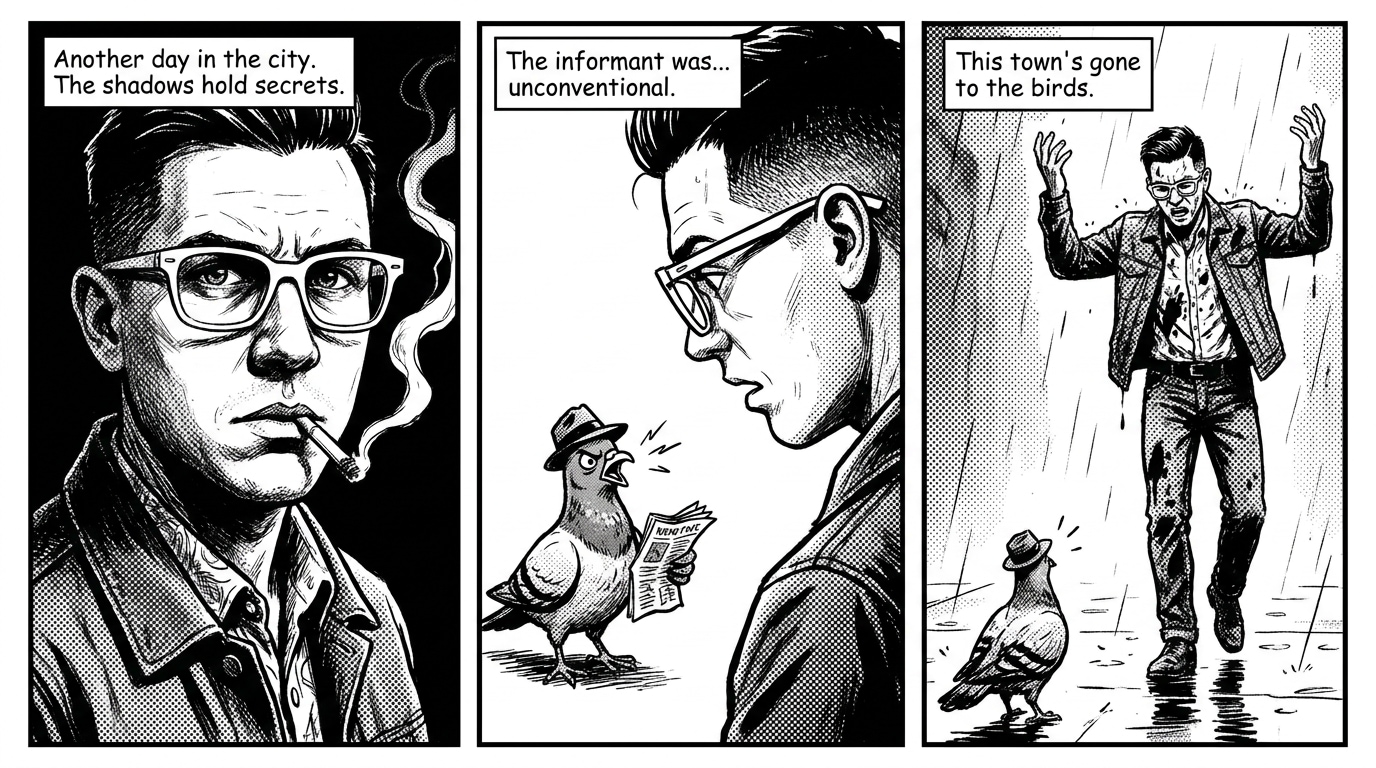
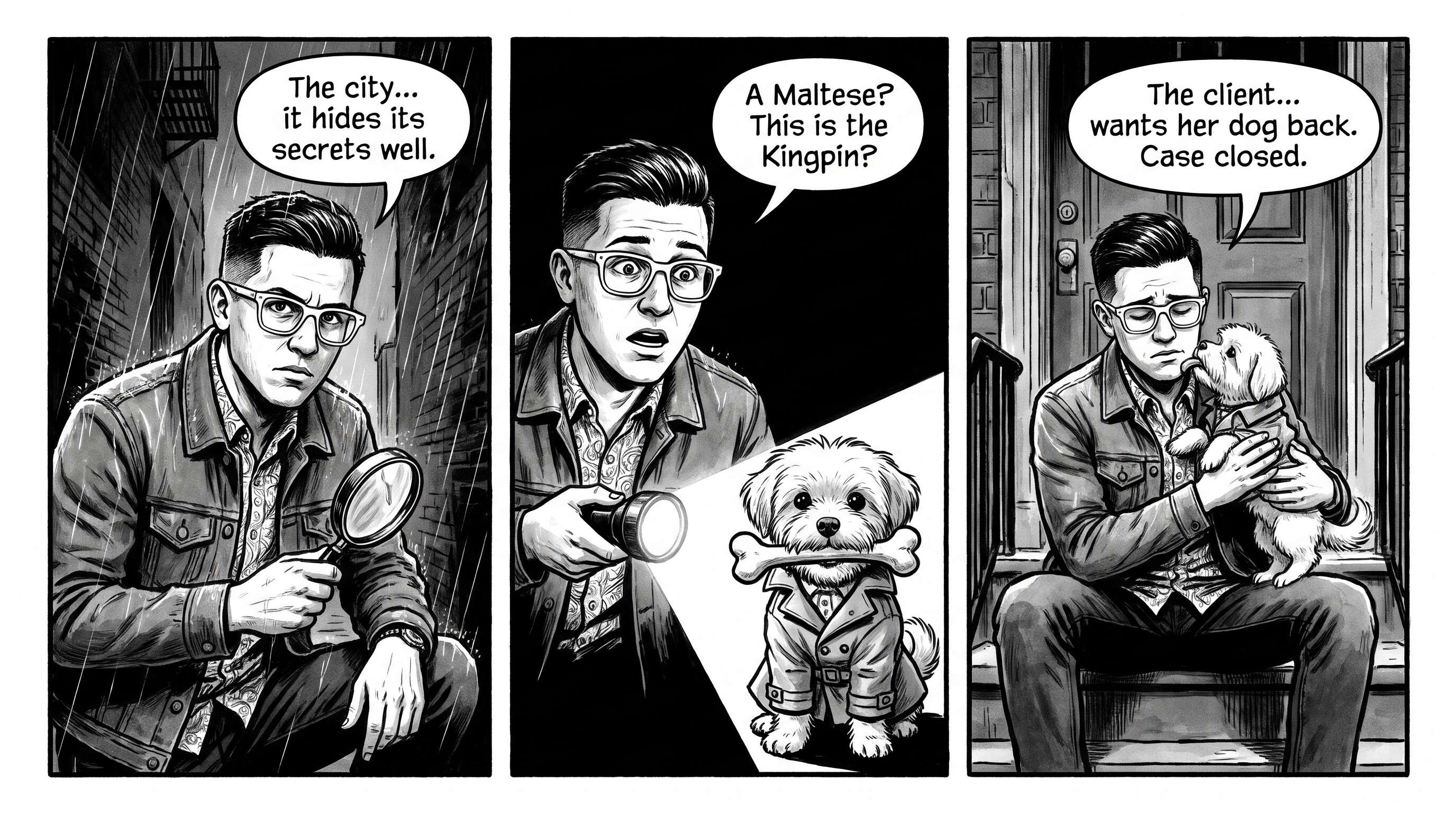
And using the same prompt, we also generated images with all three models to compare their output quality, prompt accuracy, text rendering, and attention to detail.
Nano Banana 2.1:
Nano Banana 2:
Nano Banana Pro:
Part 4. Nano Banana 2.1 Prompt Guide: Tips and Examples
Now, what's the secret behind those impressive images you see from Nano Banana 2.1? If your results don't quite match your expectations, the problem may not be the model, but how you actually write your prompts. Try these simple tips that most creators use to make high-quality images.
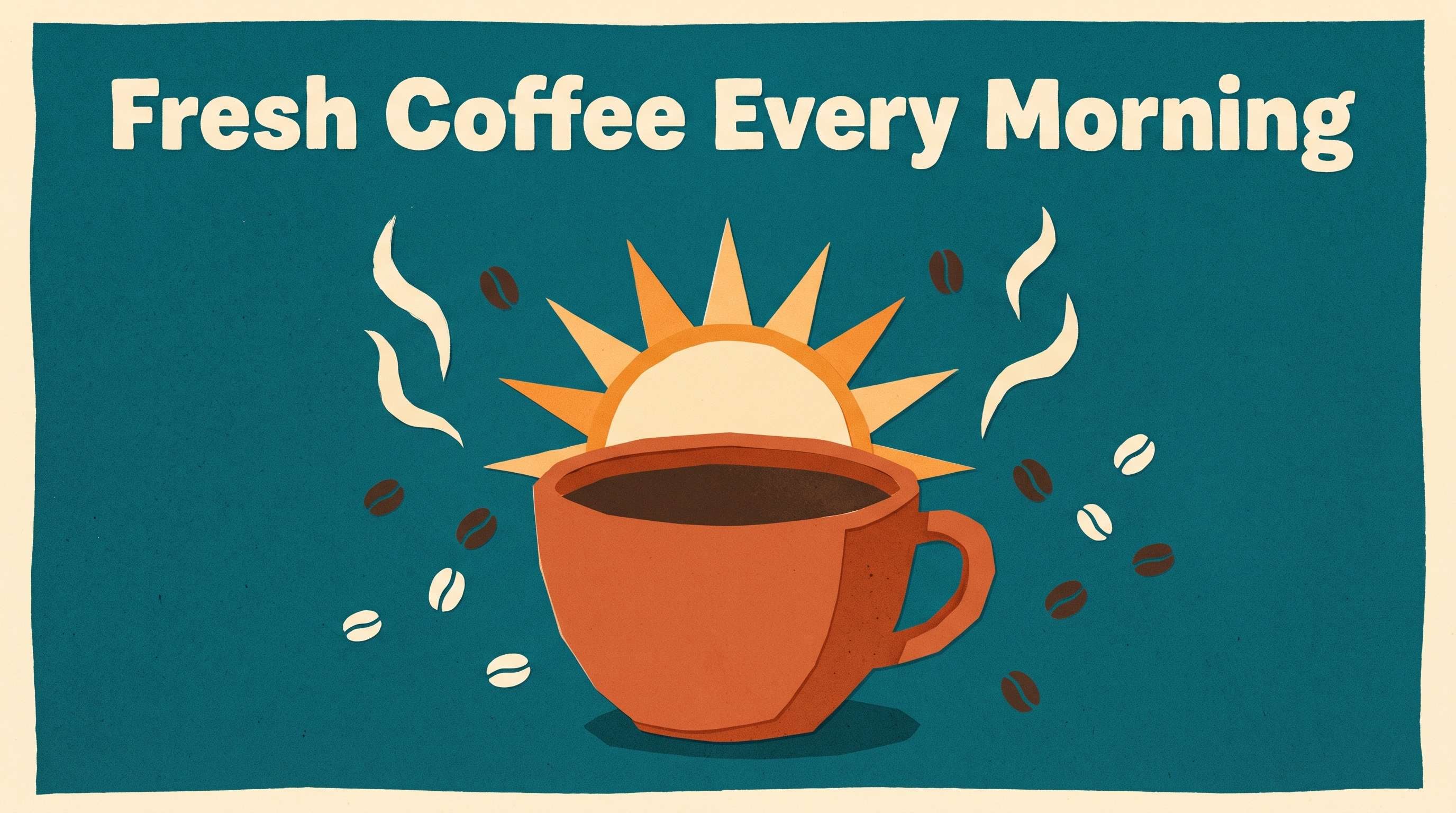
1. Put the Text in Quotation Marks
Want to add specific words to your image? Put them in quotation marks so Nano Banana 2.1 knows exactly what text to include. Instead of saying “Add a coffee headline to the poster,” write “Add the headline ‘Fresh Coffee Every Morning’ at the top of the poster.” You can also describe the font, color, size, and placement.
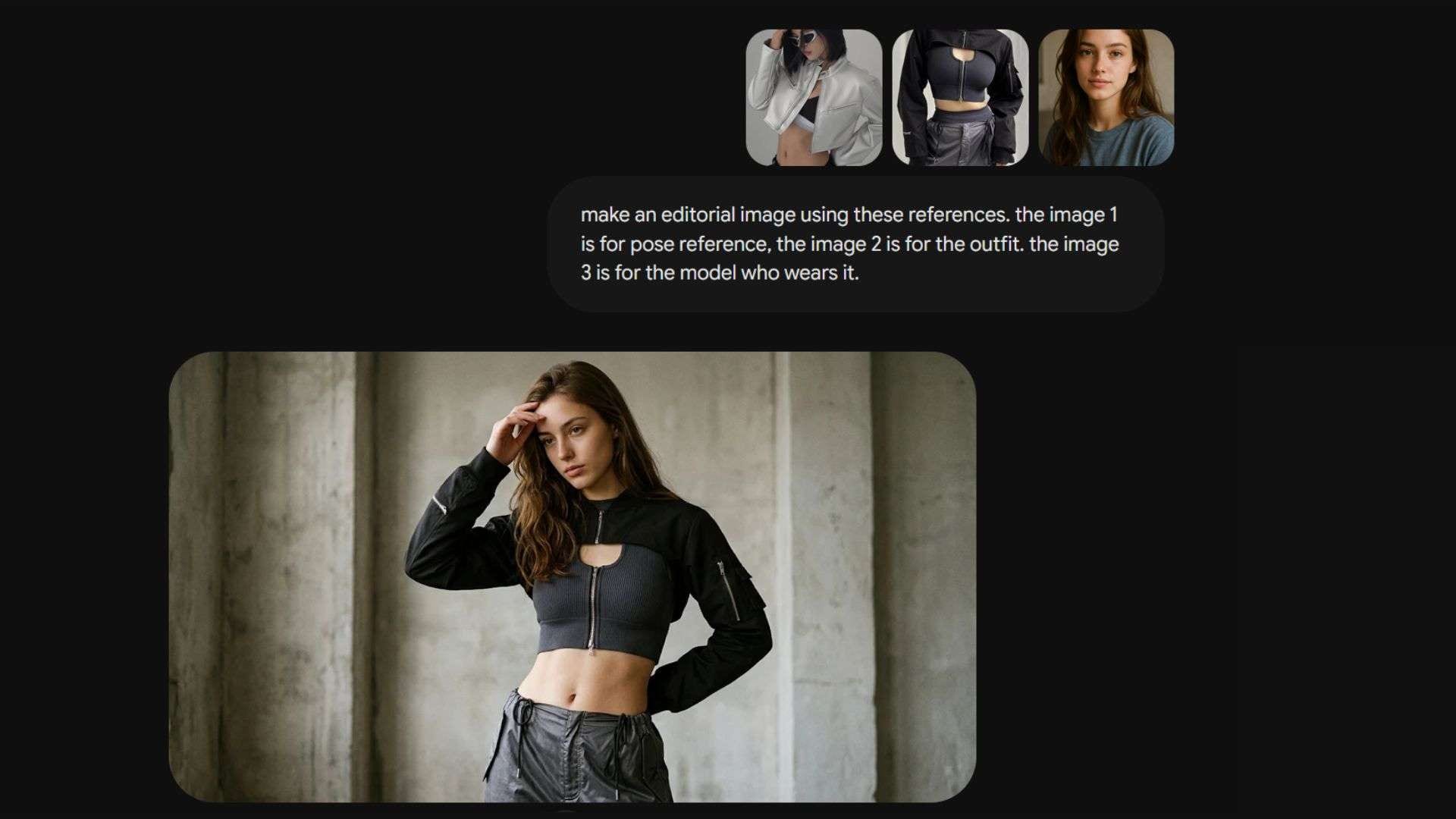
2. Tell the Model What to Take From Each Reference Image
Nano Banana 2.1 supports up to 14 reference images, so make full use of this feature by giving each image a clear purpose! However, uploading them isn't enough. You also need to explain what each image is for to help the model pick the right details.
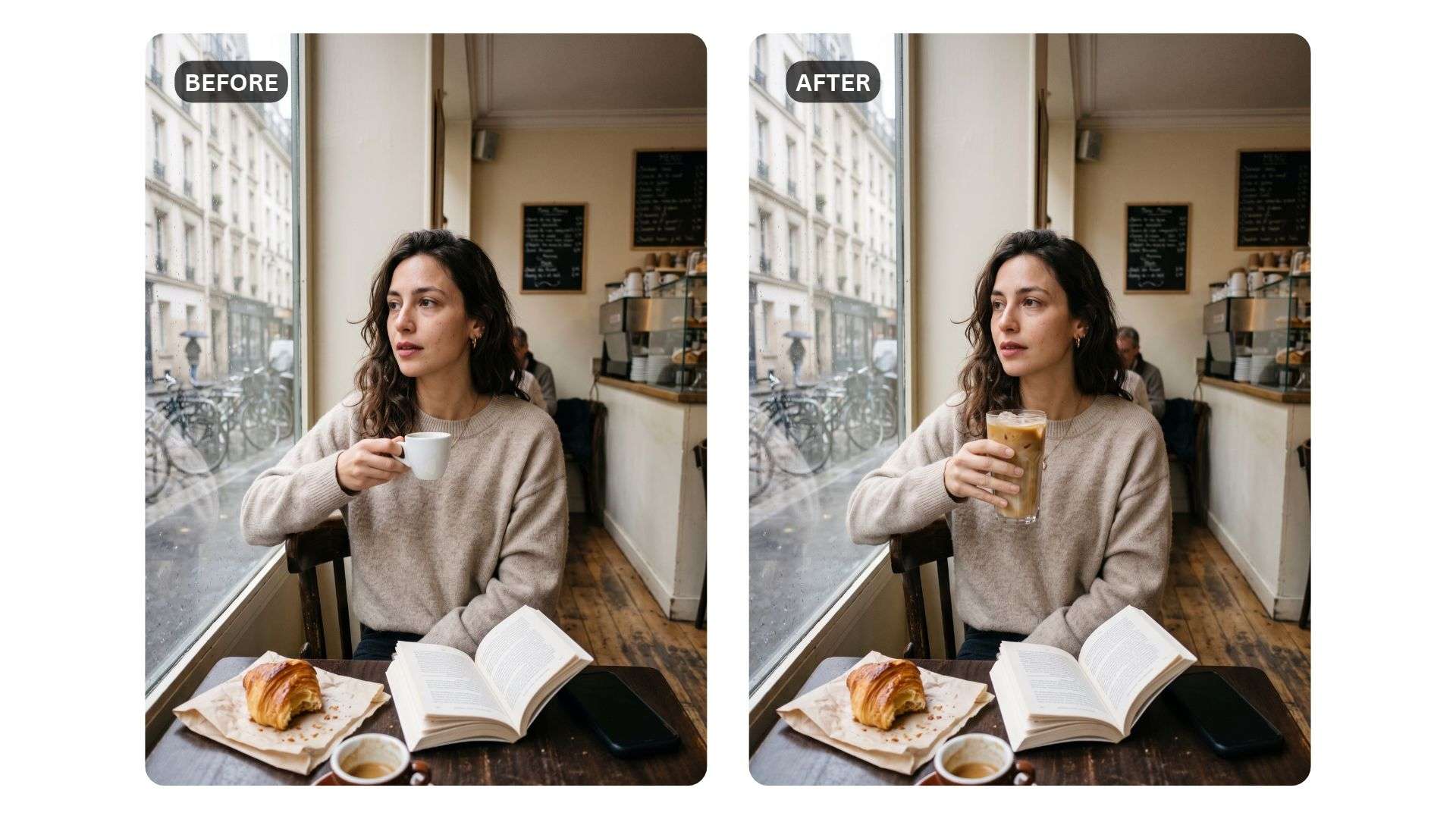
3. Make One Edit at a Time
Got an image you want to tweak? Upload it to Nano Banana 2.1 and ask for a single change, like “Replace the coffee mug with a tall glass of iced latte.” Follow it with one quick sentence naming what should remain the same, like “Keep her pose, the table, and the window light unchanged.”
If you need more changes, run them as separate rounds instead of stacking them in one prompt.
Part 5. Is Nano Banana 2.1 Worth It? Pros and Cons
Based on what we have covered so far, along with user feedback on Nano Banana 2.1 from Reddit and other online discussions, we can say that the model brings several useful improvements to image generation. However, it still has a few limitations worth considering.
We have listed the main pros and cons of Nano Banana 2.1 below to help you decide.
- Faster generation and high cost-efficiency.
- Supports up to 4K resolution output at 1:4, 4:1, 1:8, and 8:1 aspect ratios without tiling artifacts.
- Improved text rendering and layout structuring for infographics and visual assets.
- Multi-image reference capability supporting up to 14 images (4 characters, 10 objects).
- Real-time grounding via Google Web and Image Search for improved context accuracy.
- Configurable Thinking levels (Minimal, Medium, High) for flexible control over prompt reasoning.
- Grounding with search does not guarantee complete accuracy for every generated detail.
- Higher Thinking levels increase processing reasoning without guaranteeing superior image output.
- API usage costs scale with token consumption for higher resolution outputs.
Bonus: Animate Your Nano Banana 2.1 Images with Filmora
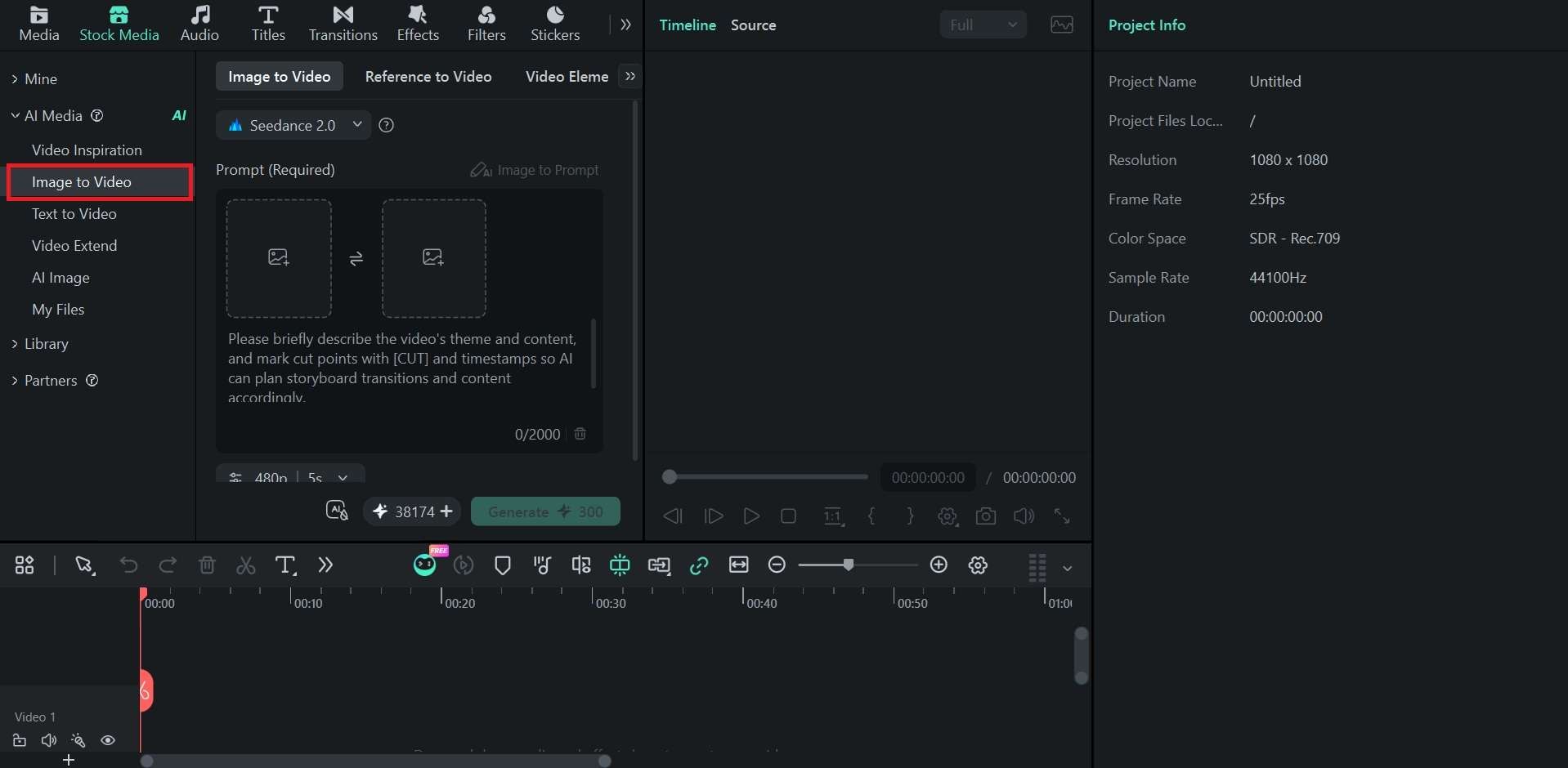
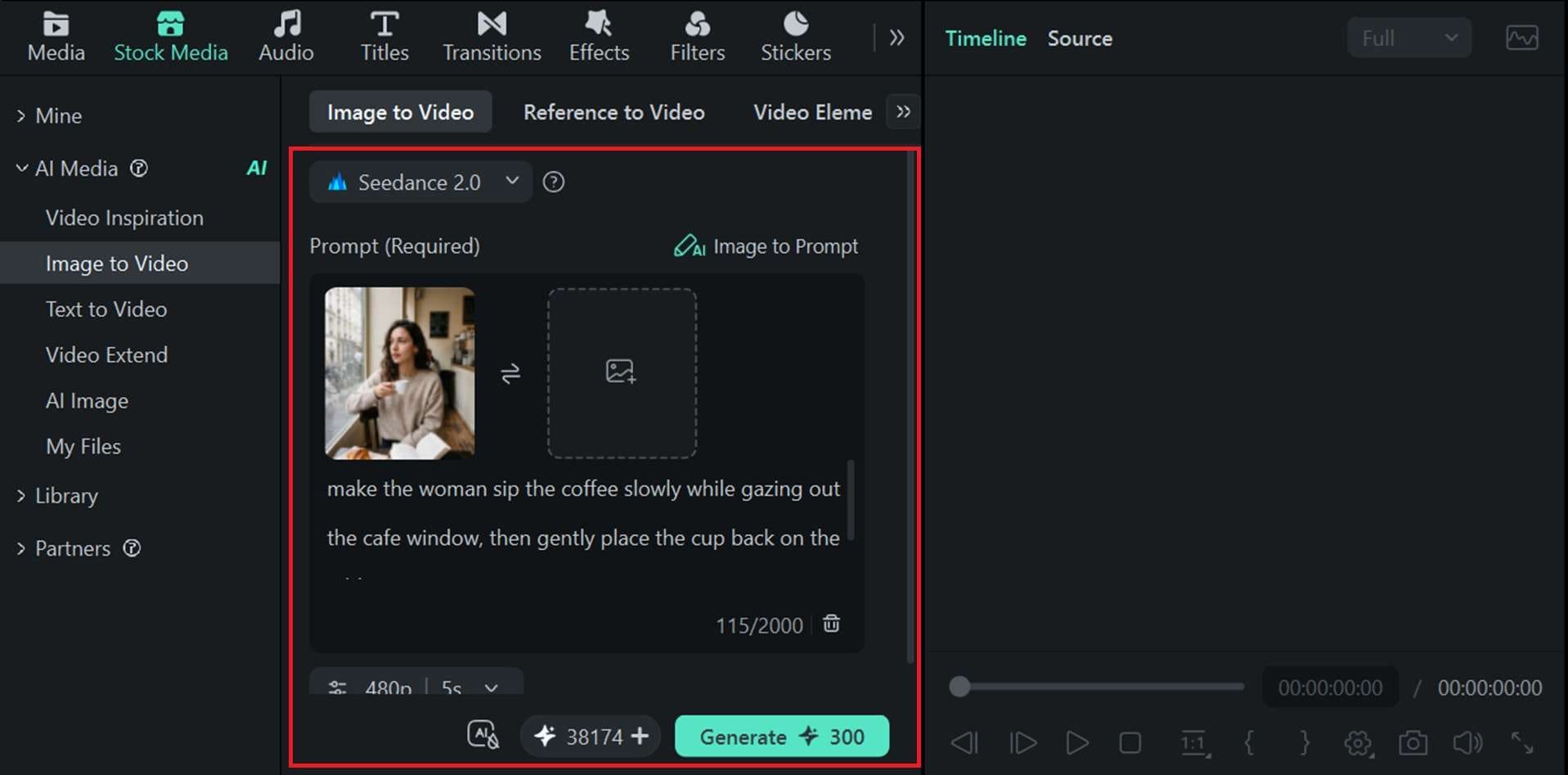
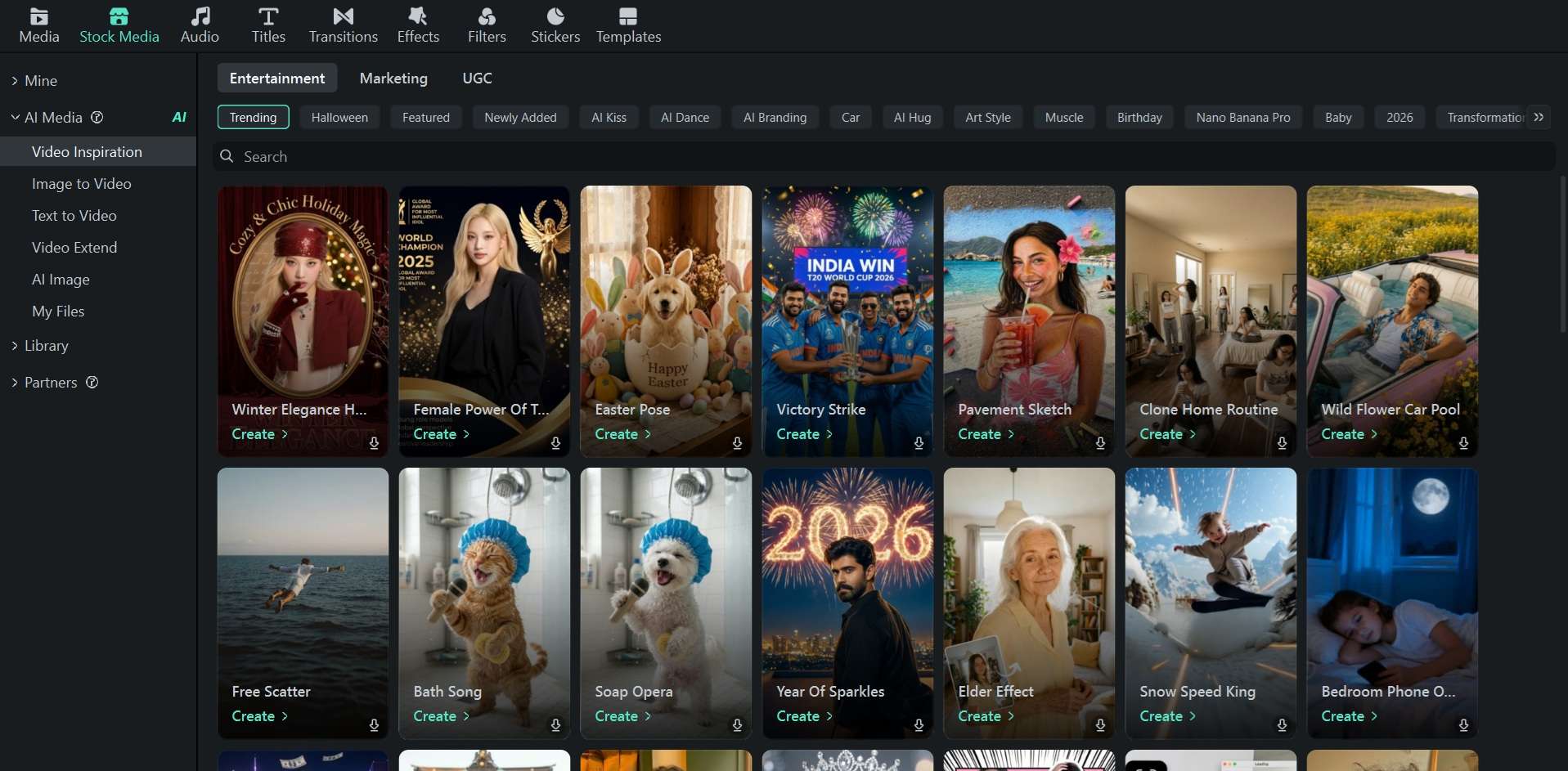
Be it a still image made with Nano Banana 2.1, Nano Banana 2, or Nano Banana 2 Lite, you can give it motion and make it even more lively with Wondershare Filmora. Filmora offers an AI image-to-video feature that can turn your image into a short video with natural movement. It’s supported by advanced models like Seedance 2.0, HappyHorse 1.1, and ToMoviee 2.5 Pro.
Aside from that, Filmora itself supports Nano Banana 2 and Nano Banana Pro in its AI Image generation tool. It goes beyond AI generation by offering a full set of video editing tools, including a multi-track timeline, audio controls, captions, transitions, and visual effects.
How to Animate Nano Banana 2.1 Images
To turn the Nano Banana 2.1 image into an animated clip, you can open Filmora and start creating a new project. Then, follow the steps below.
 Secure Download
Conclusion
Google’s image generation is now even better at producing realistic images, rendering text, and following complex prompts with Nano Banana 2.1. The new update has brought several useful improvements, though nothing major has changed in how the model works.
Overall, Nano Banana 2.1 is still worth trying if you want a capable image generator with more accurate results and flexible editing options. You can also use Filmora to turn your generated images into short videos.
FAQs
-
1. GPT Image 2.5 vs Nano Banana 2.1, which one is better?
On Arena, GPT Image 2.5 currently ranks ahead of Nano Banana 2.1, with GPT-Image-2.5 Sunburst leading the overall image generation leaderboard. However, the better choice depends on what you need.
GPT Image 2.5 focuses more on accurate text rendering, detailed image generation, and following complex instructions, while Nano Banana 2.1 stands out for conversational image editing, character consistency, and combining multiple reference images. -
2. What image formats does Nano Banana 2.1 support?
Nano Banana 2.1 mainly supports common image formats, such as JPG, PNG, and WEBP for image uploads. -
3. Does Nano Banana 2.1 add a watermark?
Nano Banana 2 outputs include SynthID, an invisible watermark, so Nano Banana 2.1 images likely carry it too. However, this watermark won't be visible on the generated image or affect its appearance. -
4. Can I use Nano Banana 1 instead of 2?
For now, you can still use Nano Banana 1 on Google AI Studio. The original Nano Banana is Gemini 2.5 Flash Image (gemini-2.5-flash-image), and it is still listed on the Gemini API at $0.039 per standard image. -
5. How to use Nano Banana 1 instead of Nano Banana 2?
Go to Google AI Studio and choose the original Nano Banana (Gemini 2.5 Flash Image) in the model selection. Then, you can enter your prompt, upload references if needed, and generate as usual. If you use the Gemini API, set the model ID to gemini-2.5-flash-image in your request.