


Digital Applied reports that more than 1 billion people now use AI tools every month worldwide. With so many AI platforms available, finding one that fits your content workflow can be tricky.
If you’re looking for an AI studio to create content for social media, PicLumen is one platform worth exploring. It offers tools for generating images and videos, along with video templates and AI editing features. In this review, we’ll look at PicLumen’s features, pricing, pros, and cons to help you decide whether it’s right for your needs.

Part 1. What is PicLumen?
PicLumen is an AI platform where you can create all kinds of content, from images and videos to music and more. It combines more than 20 leading AI models in one place. Your creations can also become reusable assets, including prompts, templates, and workflows.
The platform also has a built-in community through Explore and Hub. You can share your work, remix other creations, and build an audience on the platform.

Here are some of the things you can create with PicLumen.
| For | What You Can Create |
| Artists | AI artwork, sketches, and illustrations |
| Businesses | Product shots and product videos |
| Marketers | Ads and campaign videos |
| Content Creators | Video concepts and social media clips |
|
Show More
Show Less
|
|
Part 2. PicLumen Features: AI Images, Videos, and More
Now that you have a better idea of what PicLumen is, let’s take a closer look at what you can actually do with it. From AI images and videos to creative workflows, here are the features worth knowing about.
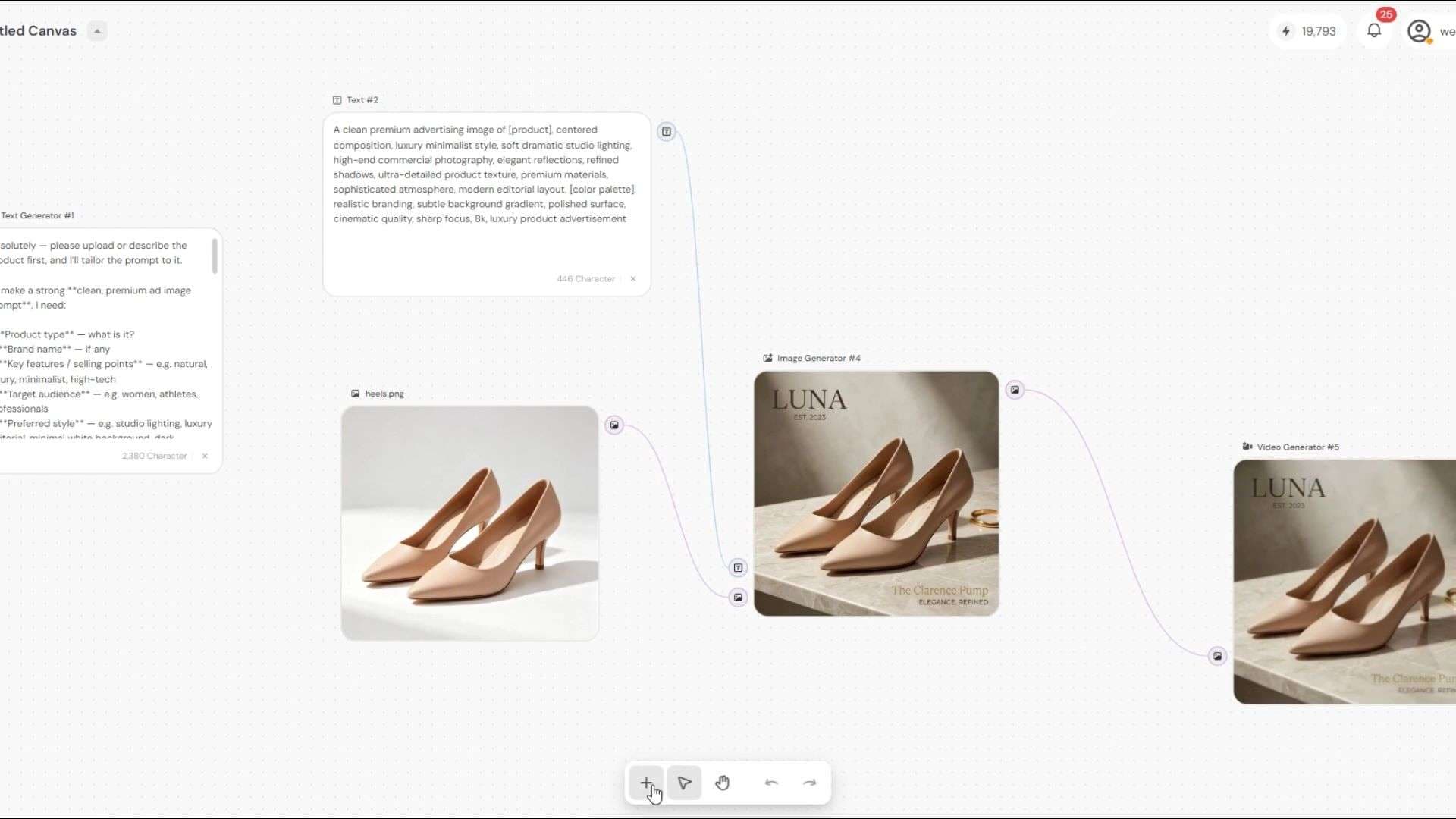
Build Creative Workflows with Infinite Canvas
Infinite Canvas works as a visual workspace where you can build and organize AI workflows. You can build your workflow from scratch, or start with one of PicLumen’s templates if you need a head start. From there, you can connect different steps to create a workflow that takes your idea from one stage to the next.
PicLumen AI Video Generator for Video Creation
If you have an idea in mind but aren’t sure how to turn it into a video, PicLumen can help. With the Video Generator, you can describe your idea in a prompt and let the AI turn it into a video. If you already have a specific visual in mind, you can also try PicLumen image-to-video to animate an existing image or reference.
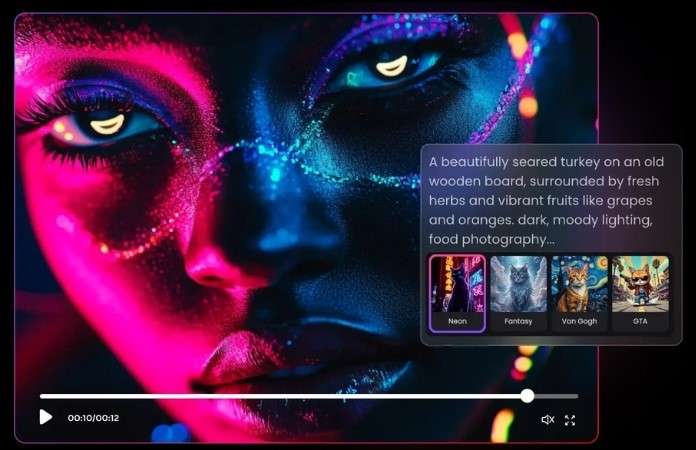
There are multiple AI models to choose from, with video generation of up to 15 seconds depending on the model. Some models can generate audio, while negative prompts let you tell the AI what you don’t want to appear in the result.
Create Visuals with PicLumen AI Image Generator
PicLumen also lets you turn text prompts and reference photos into new images. You can upload up to 16 reference images to guide the result, choose from different AI models, and adjust the aspect ratio based on what you want to create. The platform also supports image generation in up to 4K resolution.

If you want to try the features without logging in, you can use the PicLumen AI Free Image Generator. It lets you generate one image with GPT-Image-2, giving you a chance to see what the results look like before deciding whether PicLumen is right for you.
Recreate Trending Videos with Video Effects
PicLumen provides plenty of Video Effects for you to try. The process is simple. Choose the template you want, upload the images you need, and your video will be ready in just a few clicks.
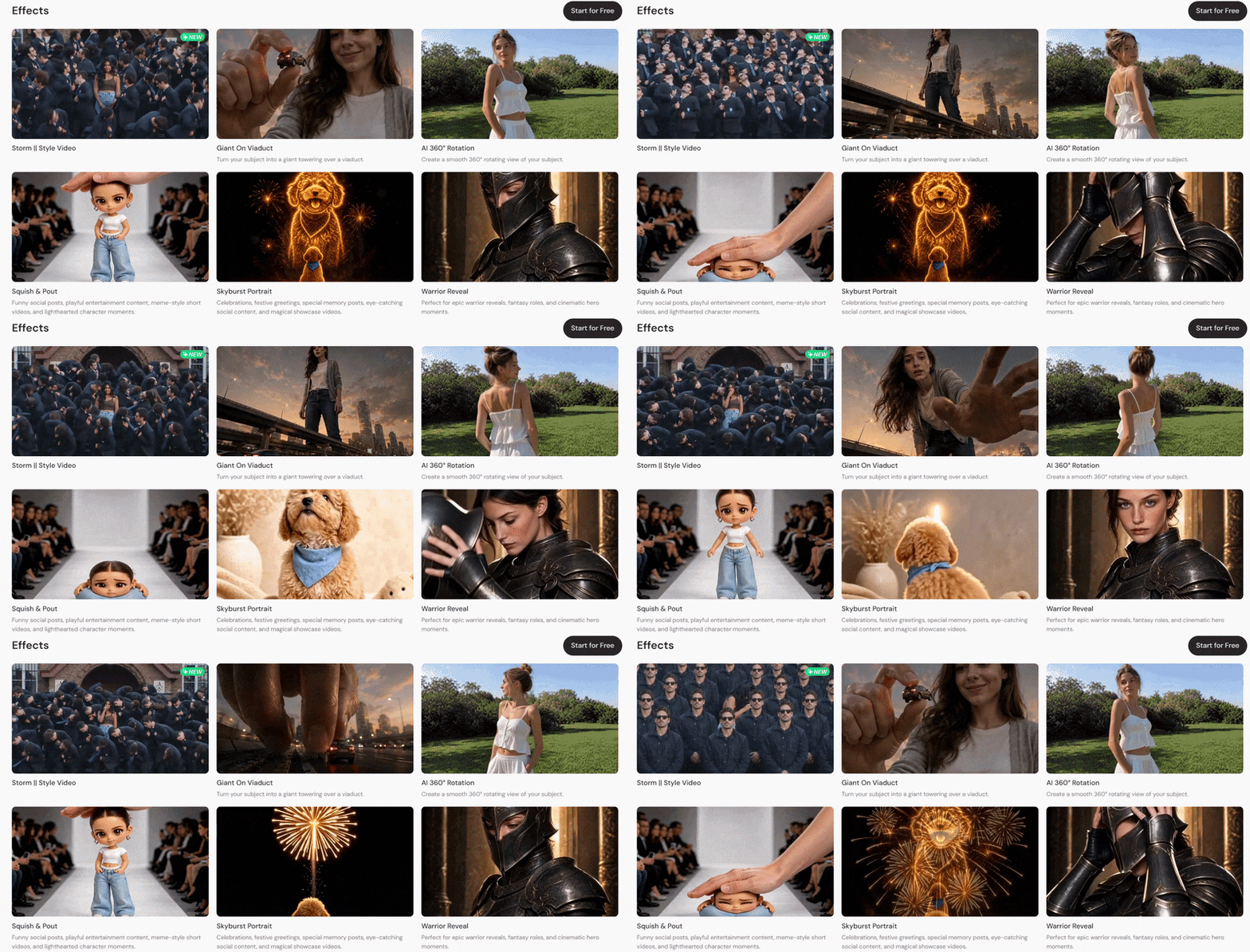
Many of these effects are inspired by viral clips and popular videos on social media. So, instead of recording each shot yourself, you can use your own images to recreate the same kind of video. It’s also an easy way to try popular video styles and see how they work for your own content.
Change and Improve Your Images
If you’re getting bored with the images you already have, PicLumen offers several tools to give them a fresh look. These tools let you make quick changes or give an existing image a completely different feel.
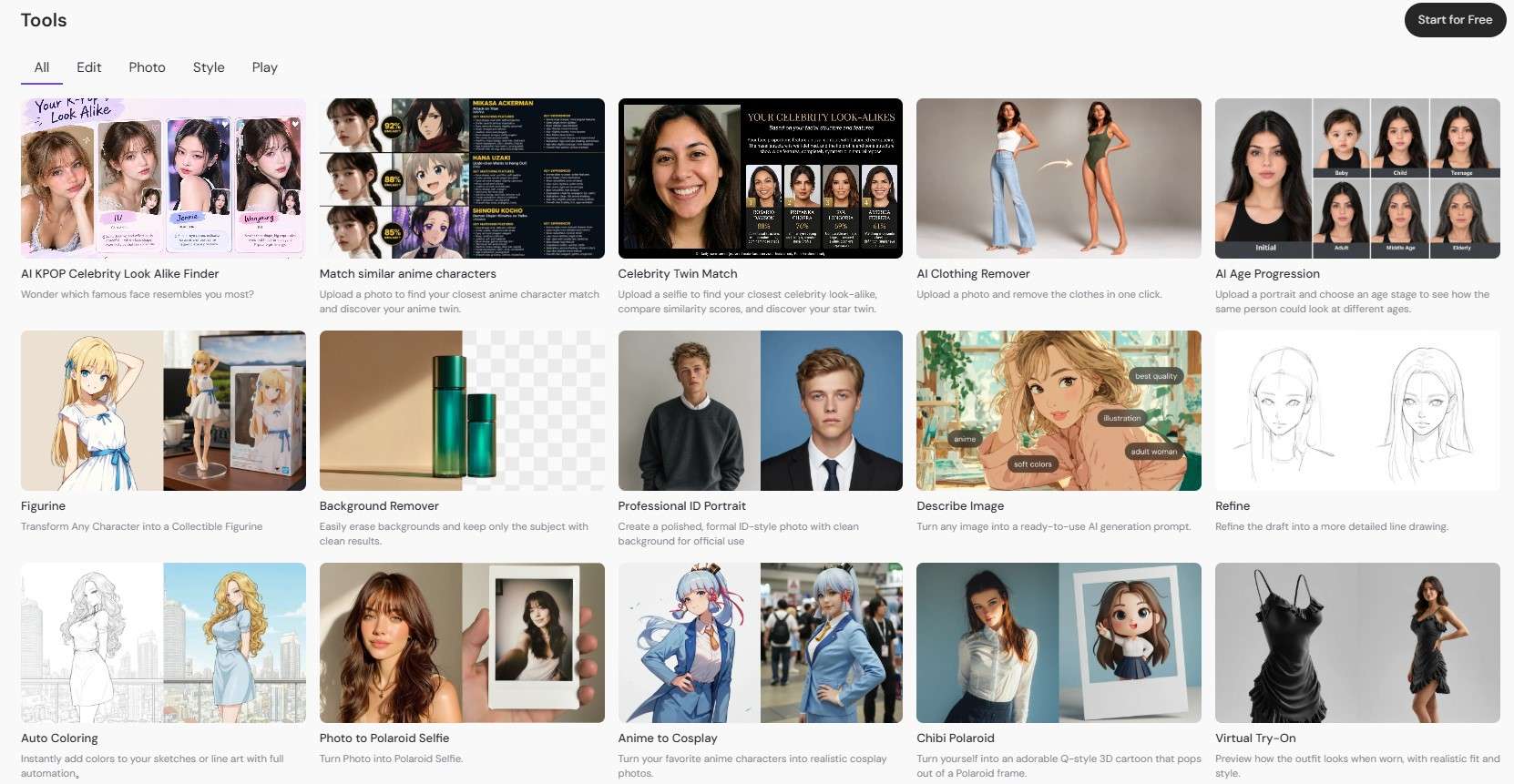
Here are some of the things you can do:
- Background Remover: Remove the background from your image and keep the main subject.
- Image Upscaler: Enhance your image quality and upscale it to 4K for a sharper, clearer result.
- Image Expander: Extend the image to your preferred aspect ratio while AI fills the extra space.
- Restyle Images: Change things like outfits and hairstyles, or give your image a different look, such as an anime or princess style.
Part 3. How to Access PicLumen and Its Pricing
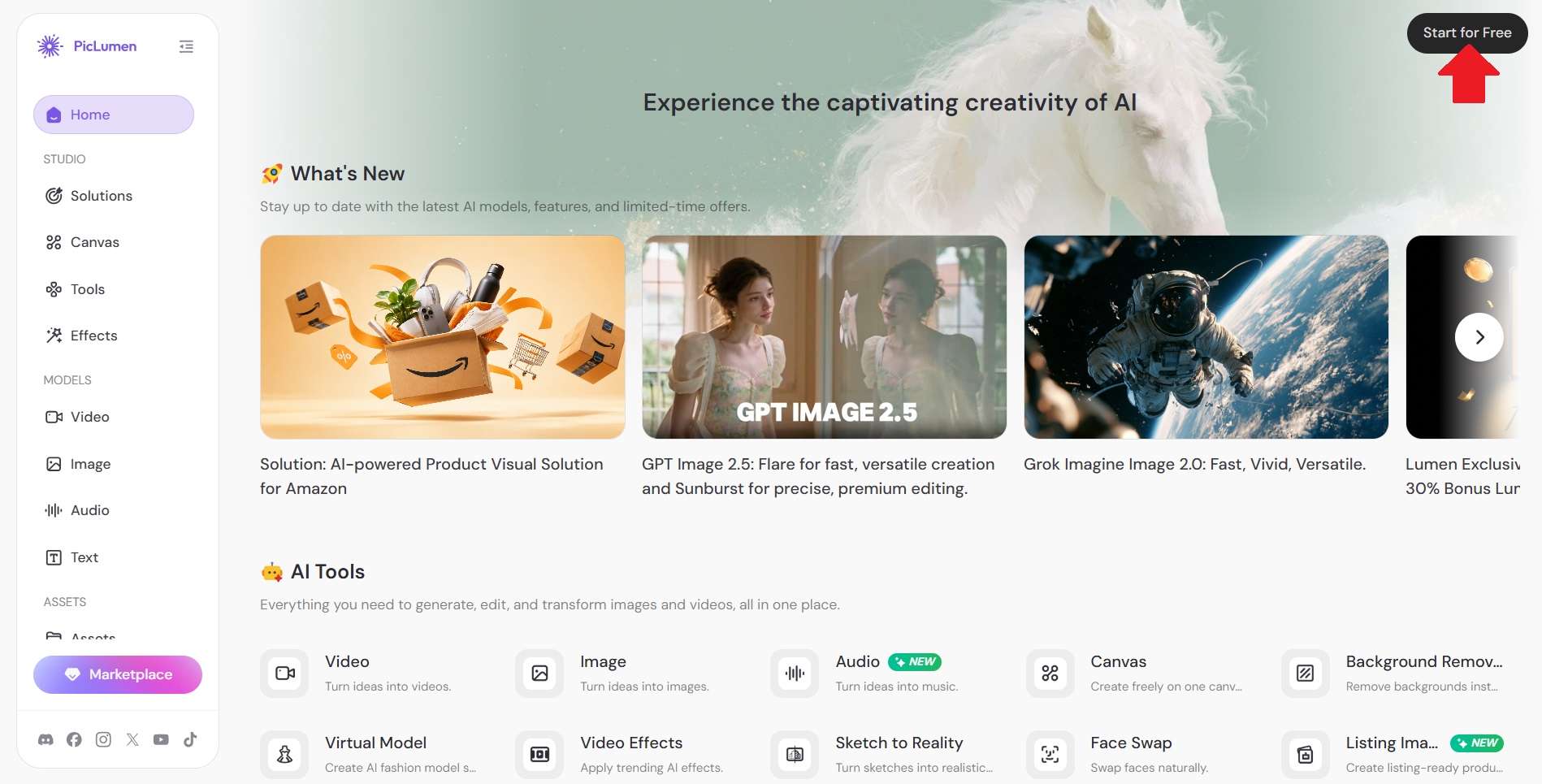
You can access PicLumen AI directly from its website. Just head to https://www.piclumen.com and click Start for Free to begin. Once you’ve completed the PicLumen AI login, you can start exploring the platform and its tools.
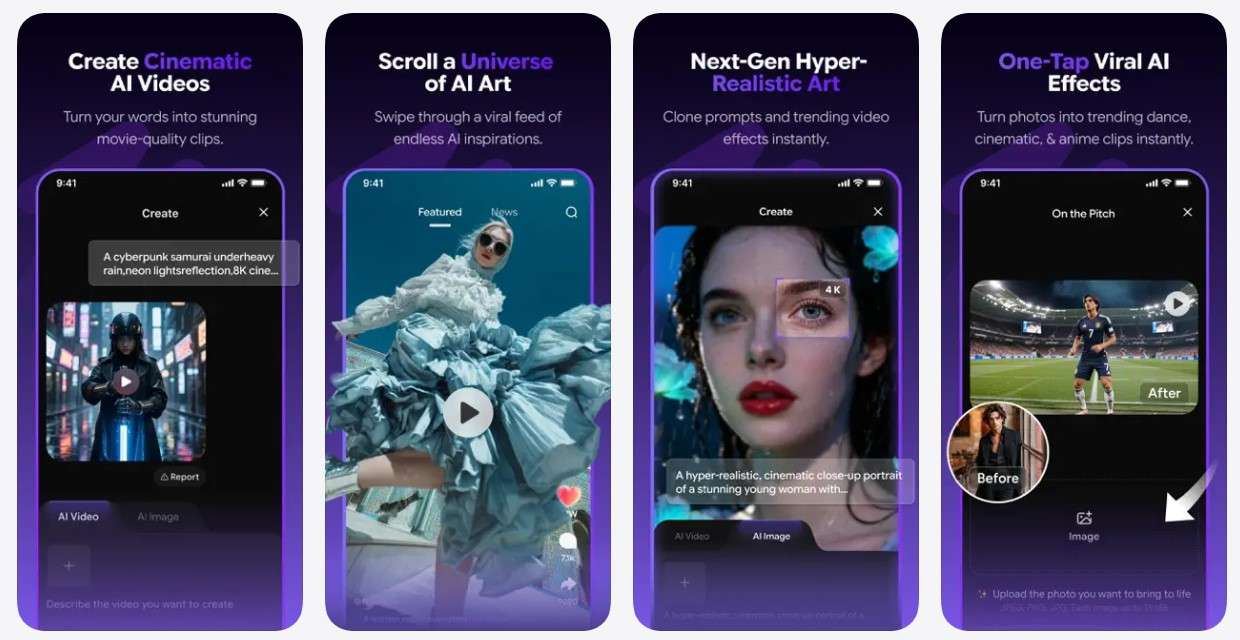
There’s also a PicLumen app for Apple users. However, you won’t find it listed as the “PicLumen AI App.” Instead, the app is called Naivideo - AI Video Generator. It’s available to download on iPhone, iPod, Mac, and Apple Vision.
Is PicLumen AI Free? Pricing Plans
When you sign up for PicLumen, you get 20 Free Lumens every day. You can use these lumens to try PicLumen AI Image Generator and test some of the available AI models. It’s a simple way to test the platform and see if you like the results.
For more lumens and features, you can upgrade to a paid plan. When it comes to PicLumen price, there are four plans to choose from: Lite, Standard, Pro, and Elite.
| Aspect | Lite | Standard | Pro | Elite |
| Monthly Price | $7.59 | $24.99 | $49.99 | $179.99 |
| Lumens | 750 | 2.500 | 6.000 | 25.000 |
| Estimated Generations | 750 images or 30 videos | 2500 images or 100 videos | 6000 images or 250 videos | 25000 images or 1000 videos |
| Generation Mode | Standard | Fast | Turbo | Hyper |
| Infinite Canvas Projects | 10 | 20 | 50 | 100 |
| Max. Nodes per Canvas | 50 | 150 | 300 | 500 |
| Concurrent Tasks | 0 | 2 | 5 | 10 |
| Generation Queue | 3 | 5 | 10 | 20 |
|
Show More
Show Less
|
||||
Part 4. How PicLumen AI Performs: Pros & Cons
So far, we’ve looked at what PicLumen offers and how its plans compare. But there are also a few things to consider before deciding whether it fits your needs. Here are the main pros and cons.
- Test Tools for Free: You can try some of PicLumen’s free tools without signing up, giving you a chance to see the results first.
- Helpful Guides and References: There are plenty of guides and references that can help you learn how its tools work.
- Clean Exports: Images and videos generated with PicLumen don’t have watermarks, even on the free plan.
- Inconsistent Results: Complex prompts can sometimes produce inconsistent or unexpected results.
- Limited Detailed Control: Getting a very specific detail right can take several prompt adjustments.
- Limited Video Editing: You’ll need another video editor if you want to combine your generated clips into one finished video.
Part 5. Complete Your PicLumen Videos with Wondershare Filmora
PicLumen does a great job of generating images, videos, and other creative visuals. But once those assets are ready, you may want to bring them together into a complete video. While PicLumen offers tools for creating and enhancing content, it may feel limited when you need more advanced editing control.
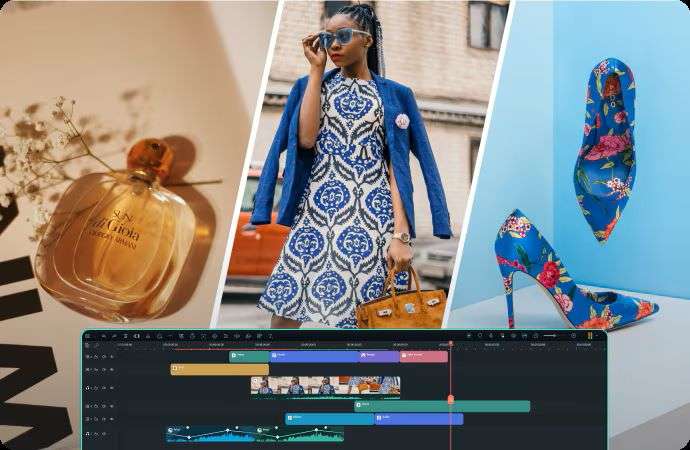
Once you have your PicLumen visuals, you can take them into Wondershare Filmora for the editing stage. You can arrange your clips on the timeline, add effects, make further changes with AI tools, and turn the generated assets into a finished video.
How Filmora Can Help You Finish Your Videos
1. Professional Editing Timeline
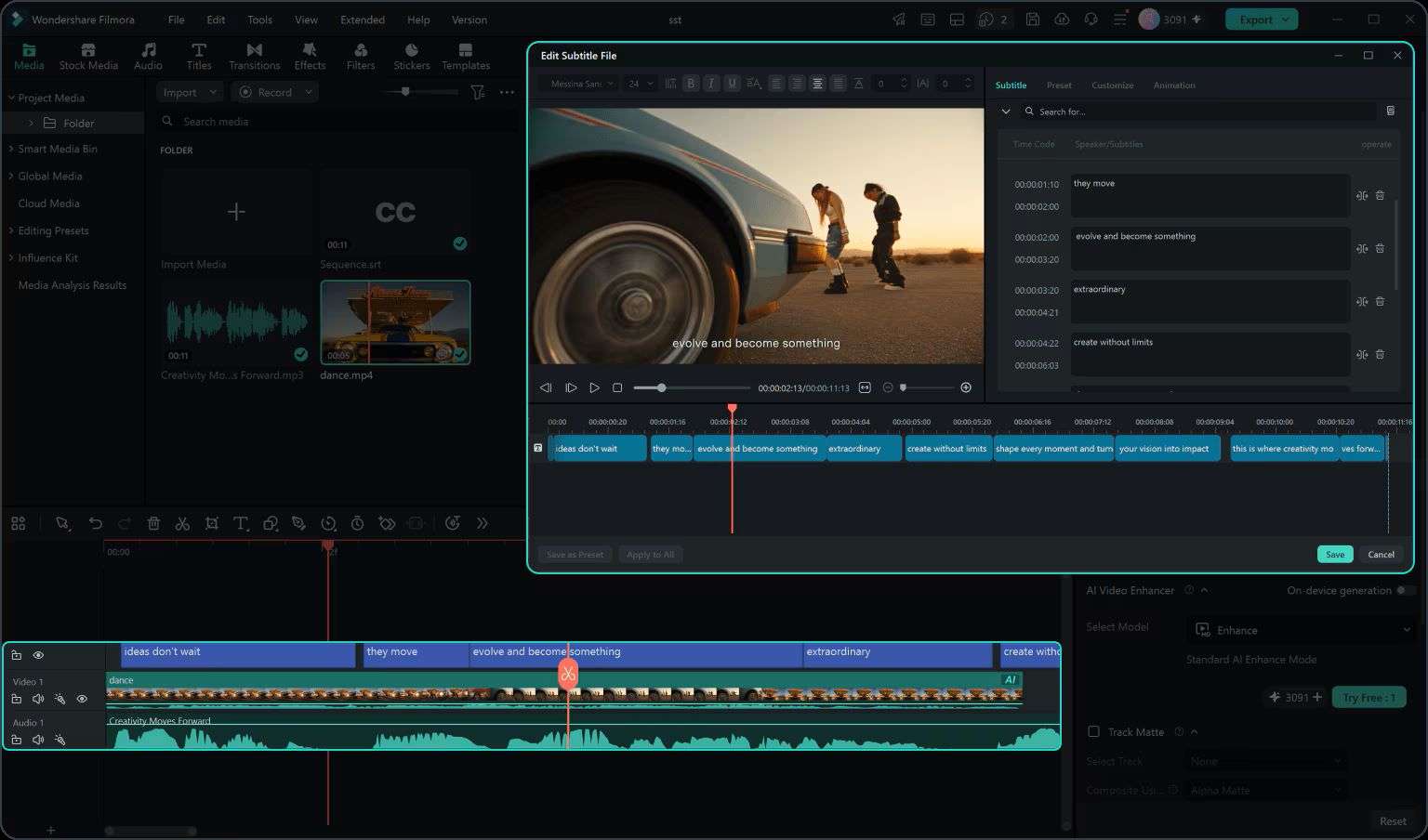
Filmora gives you an intuitive timeline editor. You can arrange your clips, trim unwanted parts, and place each scene where you want it. If you’ve generated multiple AI images, the Image Sequence to Video feature can also turn them into an animated video automatically.
2. Extensive Media Library
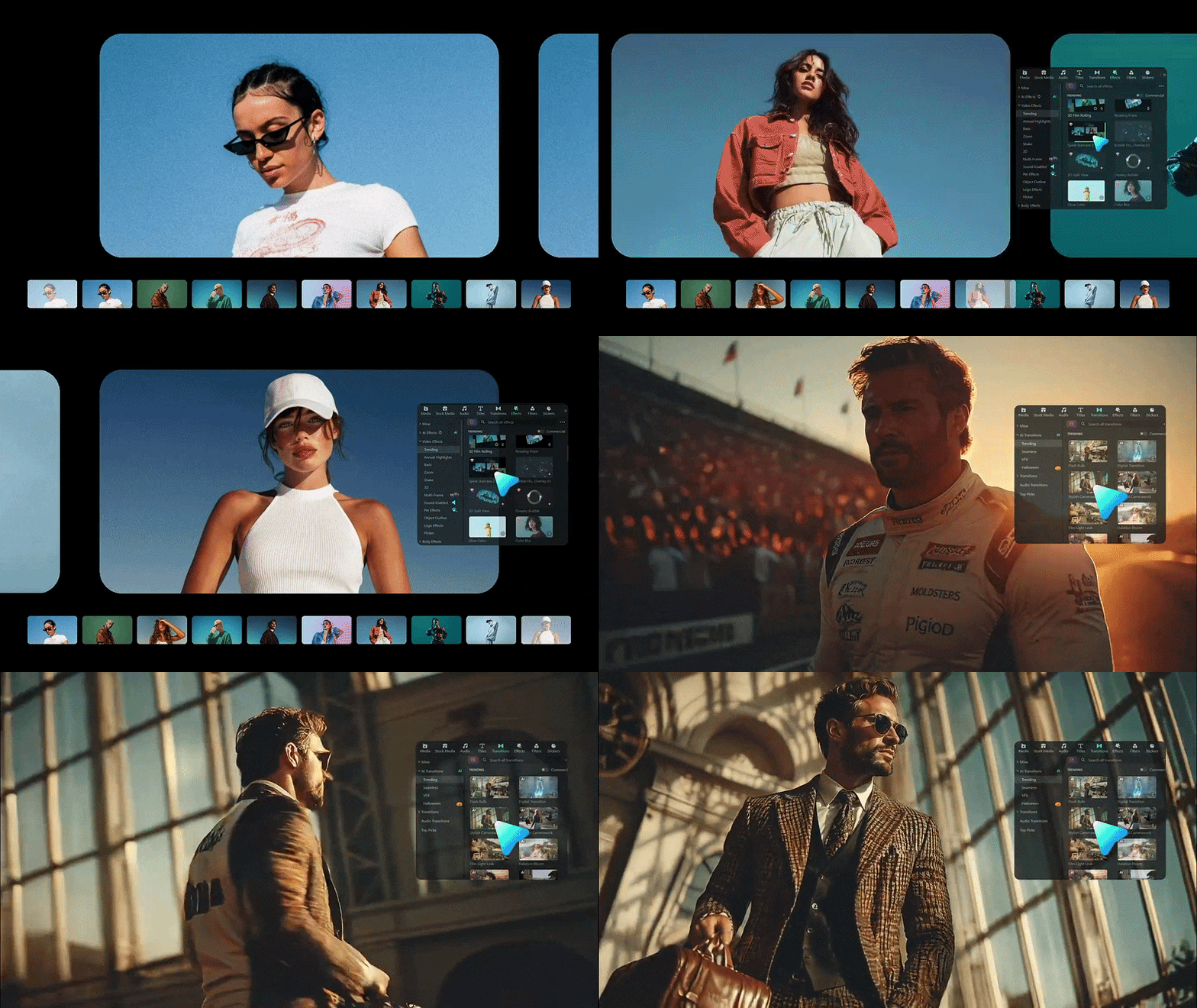
You are free to add more creative assets to your project. Filmora gives you access to a large collection of stock media and royalty-free music to add more elements to your video. You can also choose from different transitions and effects to change the look and feel of your scenes.
3. Upload Your Content With Ease
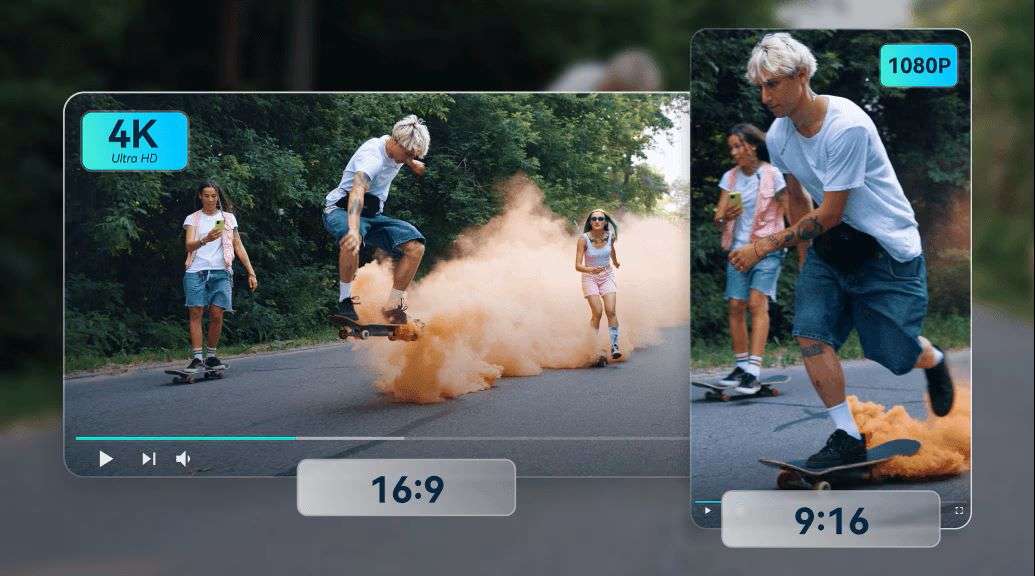
You won’t have any headaches making your videos fit different platforms. Filmora’s Auto Reframe automatically adjusts your video to different aspect ratios while keeping the main subject in focus. This helps you create versions for different platforms without manually repositioning everything.
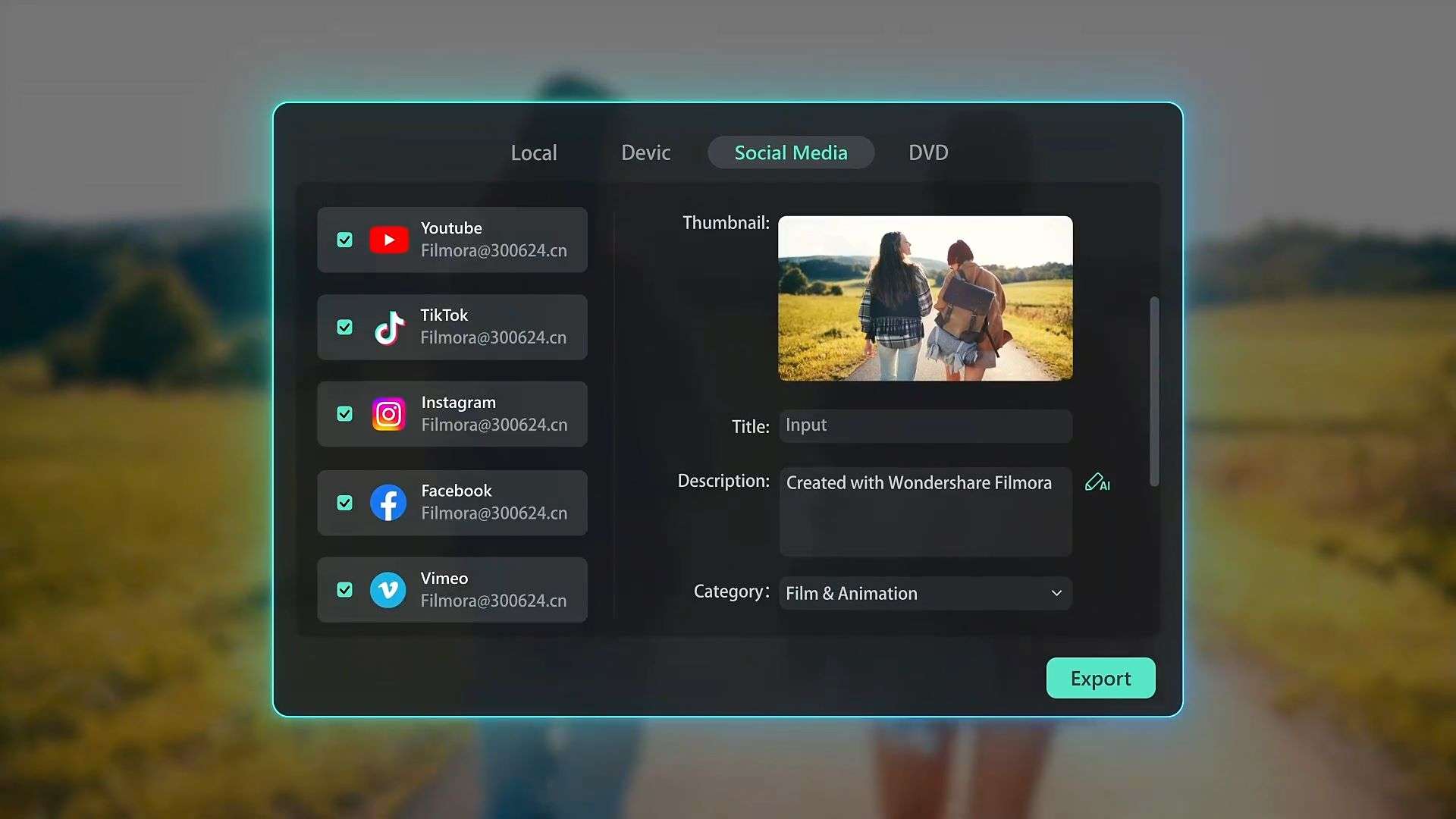
And with Social Content Planner, you can set a date and time for your video to be published once it’s ready. The tool also provides analytics, so you can see how your posts perform after they go live.
 Secure Download
Conclusion
PicLumen puts a wide range of AI creative tools in one place. You can use it to generate images and videos, edit existing visuals, and try different AI models for your projects. You can also test some of its free tools without signing up, so you can see the results before committing to the platform.
For everything that comes after generation, Wondershare Filmora gives you the editing tools to finish the project. You can combine your PicLumen visuals, adjust the timing, add audio and motion graphics, apply transitions and effects, and export the finished video for your social media.
FAQs
-
Is PicLumen available on Android?
Yes. PicLumen is available on Android through APK files provided on its website. -
How to sign up for PicLumen?
You can sign up for PicLumen through its official website. Instead of showing a “Welcome to PicLumen” screen, the platform takes you directly to the dashboard. Look for the Start for Free button to begin the PicLumen login process. Apple users can also download the PicLumen app from the App Store and log in there. -
Does PicLumen generate images without a watermark?
Yes. PicLumen images export without a watermark, including on its free tier.
