


 TL;DR:
Unfold by Squarespace is a beginner-friendly, mobile-only application best suited for creators who need to quickly assemble minimalist social media stories using pre-made templates, but its fixed designs and low export resolution restrict advanced editing.
● The free plan limits customization and applies watermarks to all exports, requiring an upgrade to Unfold Plus for $4.99 monthly to remove watermarks, or Unfold Pro for $12.99 monthly to access a custom Brand Kit, with neither subscription transferable between iOS and Android devices.
● Operating system stability differs significantly; the iOS version runs smoothly, while the Android app suffers from text box bugs and restricts users from importing older images via the native photo picker or Google Photos albums.
● When Unfold's rigid layouts become insufficient, creators should switch to Filmora for desktop scheduling and detailed short video editing, Mojo for animated feed posts, or SCRL for building continuous swipe carousel layouts.
Ask AI for a summary
 ChatGPT
 Perplexity
 Gemini
 Claude
 Grok
Grok
Behind every great post is a careful choice about the right layout, the right font, the right feel. Unfold is the app that tries to handle all of that for you without making it feel like work. Known for its clean templates and minimalist design style, Unfold by Squarespace has been helping creators worldwide build stories, posts, and collages in just a few minutes.
If you have been thinking about giving Unfold a try, this review breaks down exactly what Unfold does to help you decide whether it’s worth the time and space on your phone.
Table Overview of Unfold
| Feature | Details |
| Editing Features | Templates, filters, effects, fonts, stickers, background remover, and collage maker |
| Ease of Use | Beginner-friendly |
| AI Capabilities | AI background remover |
| Performance & Speed | ★ ★ ★☆☆ |
| Value for Money | ★★★☆☆ |
| Accessibility | Available on iOS and Android |
Part 1. What Is the Unfold App and Why Creators Use It
Unfold started as a story-making app, but it has grown into a full content toolkit platform that covers everything from templates to publishing. Owned by a New York-based website building and hosting company, Squarespace, Unfold is free to download with optional paid tiers to unlock more features.
Basically, Unfold handles the design work so you can focus on your content. You pick a template, drop in your photos or videos, and you get a cool layout that would otherwise take hours to complete.
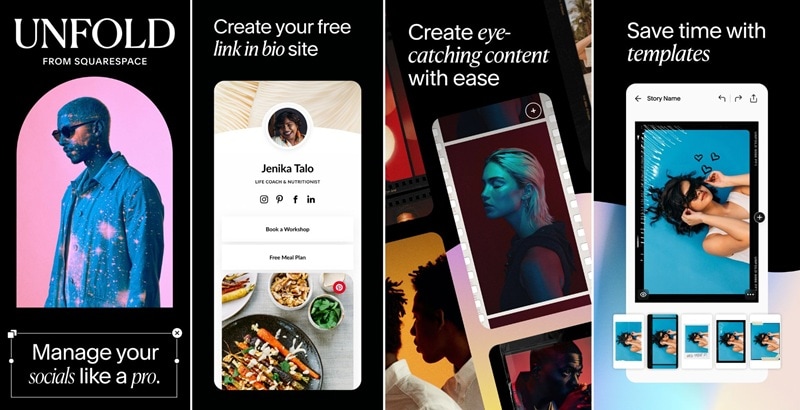
What You Can Create With the App
- Instagram stories. It’s the app's original specialty, with hundreds of templates built for the vertical 9:16 format.
- Instagram posts and carousels. You can make static posts and multi-slide carousel layouts that fit your grid aesthetic.
- Social media collages. Browse many multi-photo layouts to combine images into a single frame.
- Short video layouts. Find Reels templates for Instagram and TikTok, where you import your clips and Unfold assembles them into a cohesive video.
- Branded content. On paid plans, you can enjoy the Brand Kit feature and upload your own logos, colors, and fonts to keep every post consistent with your brand.
How to Download Unfold
Unfold is free to download on both iOS and Android through Google Play and App Store.
After downloading, you can start creating right away, even without an account. You'll need to sign in or create a Squarespace account if you want to publish a Bio Site (more on that below).
Part 2. Inside the Unfold Editor: Main Features
Unfold keeps its editor simple. You won't find the complexity of advanced tools like Photoshop. These features are built to let you drop in your content and customize from there.
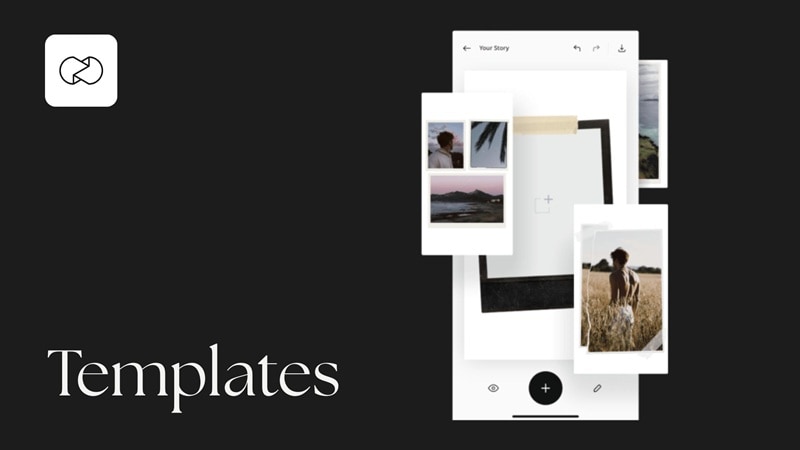
Templates and Layouts
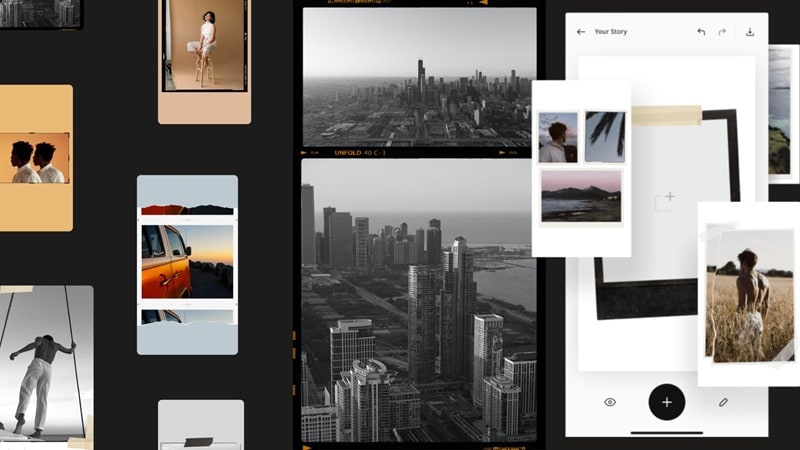
Unfold gives you hundreds of templates across stories, posts, and video formats. These templates are organized into collections. Popular styles include vintage film templates, seamless carousel layouts, minimalist designs, animated templates, and before-and-after formats. You can also use Unfold Collage to make a multi-photo layout.
Photo/Video Editing Tools
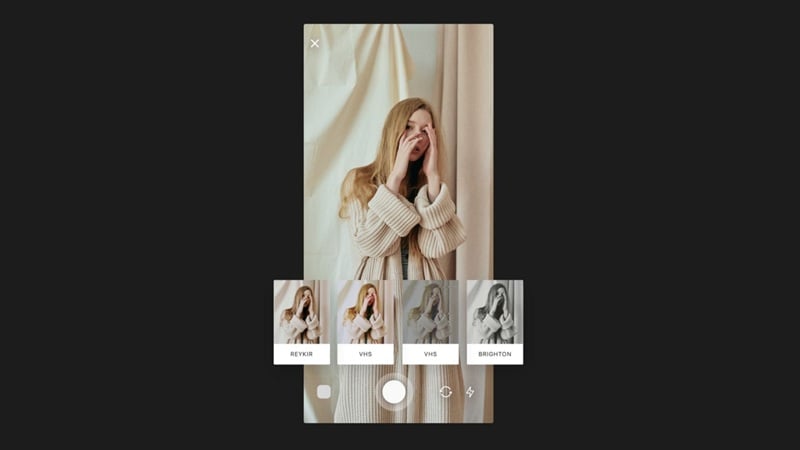
Once you're inside a template, you can start using the Unfold editor. Swap in your own photos and videos, and then adjust their look without leaving the app. The editing tools include filters and effects that come with manual controls to adjust the intensity. You also get text tools with ready-made fonts and styles to match the layout, royalty-free tracks, and AI tools like background remover.
Brand Kit
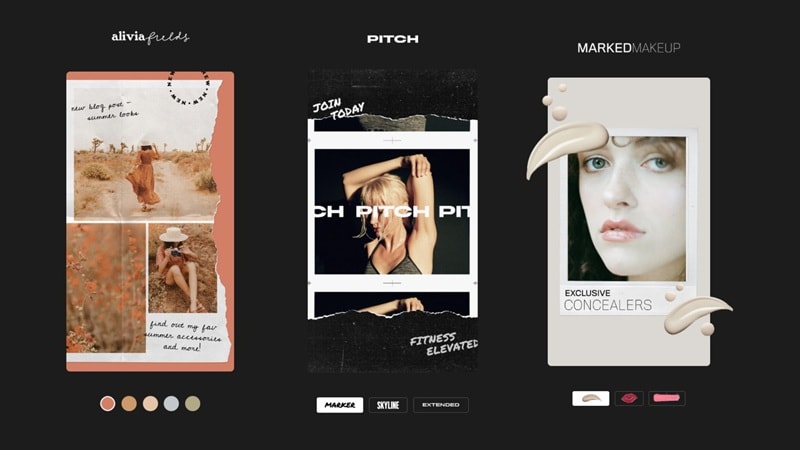
Brand Kit is an Unfold Pro-exclusive feature that lets you store your brand assets in one place and apply them across every piece of content you make. It has three components:
- Colors: Set your brand colors and add them directly to your palette so they're always one tap away.
- Fonts: Upload custom fonts to use in your stories instead of being limited to Unfold's built-in options.
- Logos and stickers: Sync your own logos and stickers into the app so you can drop them into any template without re-uploading.
This feature is especially helpful if you're managing a brand or posting consistently under a specific identity, as it can save you plenty of time making your content consistent.
Bio Site URL
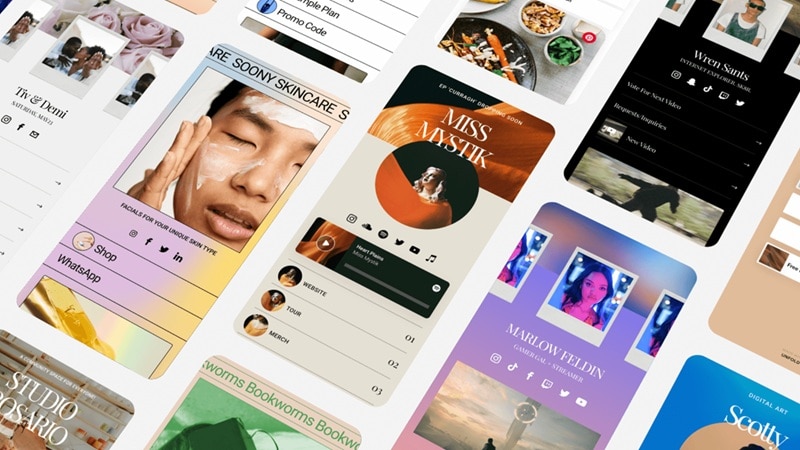
Every Unfold app user, including free users, gets a Bio Site URL and builder at no cost. A Bio Site is a one-page website you can use as your link-in-bio. It supports selling digital products, collecting tips, connecting to PayPal or Stripe, showcasing a portfolio, and linking out to other social channels. Unfold Pro users can manage up to 10 Bio Sites.
Feed Planner
While you can directly share content you made in Unfold to Instagram and other platforms in both Post and Story formats, the app also comes with a built-in Feed Planner. It lets you sign in with Instagram to plan your grid and schedule posts. With this feature, you can preview how it’ll look on your profile and arrange the order before anything goes live.
Part 3. Unfold App Price (2026): Free Plan vs Paid
Unfold offers a free plan for you to test the app before committing, and two paid tiers if you need more templates and tools to work with. The paid plans include Unfold Plus and Unfold Pro, each unlocking a different level of access.
Unfold Price (2026)
| Unfold Free | Unfold Plus | Unfold Pro | |
| Price | $0 | $4.99/mo or $35.99/yr | $12.99/mo or $99.99/yr |
| Templates | Limited templates with a watermark | 400+ templates, no watermark | 400+ templates, no watermark |
| Filters & Effects | Basic | Premium + early access to new collections | Premium + early access to new collections |
| Music | Limited tracks | Access to all tracks | Access to all tracks |
| Bio Site | |||
| Brand Kit | |||
| Feed Planner | Individual account, limited photos | Individual account, unlimited photos | Individual & business account, unlimited photos |
Part 4. What Real Users Say About Unfold (Review)
The Unfold app review from users is mostly positive. On the App Store, it holds a 4.9 out of 5 stars rating based on 158K+ reviews and even carries an Editors' Choice badge from Apple. That's pretty impressive. On Google Play, however, the score sits lower at 4.5 out of 5 based on 176K+ reviews.
The Templates Are the Main Attraction
Unfold templates are genuinely why most people download this app. If you like designs that lean toward a clean, editorial, and film-inspired aesthetic, with minimal layouts and soft grain overlays, you may like this app. The vintage film templates and carousel layouts are among the most popular right now. The library is also broad enough to cover many different styles.
Customization Has Real Limits
Unfold's pre-built templates are both its biggest strength and its biggest constraint. The layouts are good, but they're also fairly fixed. Custom colors are only for higher plans, you can’t resize the layout proportions within a template, and there’s no way to set a default text style across slides.
If you're working on a multi-slide story, you'll need to manually adjust the font, size, color, and spacing on every single frame.
Android Users Have It Rougher
One of the reasons why Unfold’s ratings are lower on Google Play is that the Android experience is noticeably behind iOS. One of the most repeated complaints is that the Android version makes it difficult to select photos from your gallery unless they were taken recently, with no support for Android's native photo picker or organized Google Photos albums.

Unfold for Android has also been reported as buggy, with issues around text box interaction during story composition. The iOS version is more stable and runs more smoothly in comparison.
Quick Verdict: Pros and Cons
- Large, high-quality template library covering stories, posts, Reels, and TikTok
- Clean, editorial aesthetic that looks professional with minimal effort
- New templates added regularly
- Free Bio Site included on all plans, including the free tier
- AI background remover built into the editor
- Unfold+ annual plan is reasonably priced for the template access you get
- Customization is pretty limited, especially on the free plan
- Export resolution is low for anything beyond social media use
- Android experience is noticeably buggier than iOS
- Unfold Pro is expensive for features that mainly matter to brand-focused users
- No desktop or web editor
- One subscription can't be shared across iOS and Android devices
Part 5. Best Alternatives If the Unfold Editing App Is Not Enough
Not quite satisfied after reading our Unfold review? The apps below can be the thing to check out next.
1. For Reels and Short Video Content: Filmora
Wondershare Filmora is the most practical step up from Unfold for anyone focused on Reels or TikTok. Unfold can put your clips into a layout, but Filmora actually lets you edit the footage with better control and customization. It's available on both iOS and Android as a mobile app, and also on Windows and Mac if you want to work on a desktop.
There are plenty of things you can do beyond basic templates. For short-form content, some key tools Filmora gives you are:
- Turn Long Videos into Short (Smart Short Clips): You can turn longer footage into bite-sized clips in just a few taps. Filmora scans your video, picks the highlights, and reshapes them into vertical content for Reels or TikTok.
- Schedule Your Post (Desktop Only): On desktop, you can plan and schedule your content ahead of time. This feature is helpful if you’re posting regularly and want to stay consistent without uploading everything manually.
- Create Videos from Templates: Access more than 3K ready-made templates across categories like Business, AI, Reels, Lifestyle, Music, and more. Just add your clips, and Filmora handles the layout, timing, and effects.
- Instant Reels Maker (AI Auto Cut): Filmora Mobile uses AI Auto Cut to batch analyze footage, select the best clips, and compile them into a smooth reel, with features like dynamic captions, voiceovers, and music sync.
- AI Auto Reframe: Quickly turn horizontal clips into vertical videos while keeping the main subject in frame. With this feature, having the wrong aspect ratio no longer becomes a problem.
These are just a few examples of what you can do. There are many other tools that give you more control and flexibility as your content gets more advanced.
 Secure Download
2. For Animated Feed Posts: Mojo
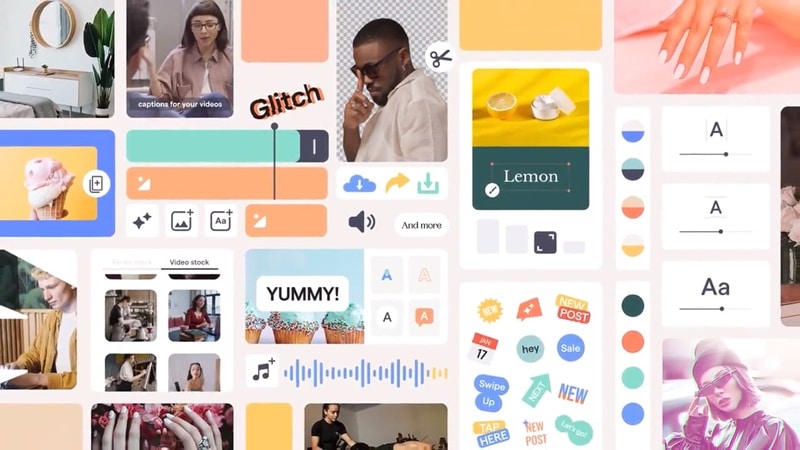
If you are getting a little bored with Unfold templates, you need to check out Mojo. Mojo is built around animation as the main event. With this app, you can create:
- Animated Instagram stories
- Motion feed posts
- Social media promo videos
- Text animations and transitions
3. For Creative Carousel Layouts: SCRL
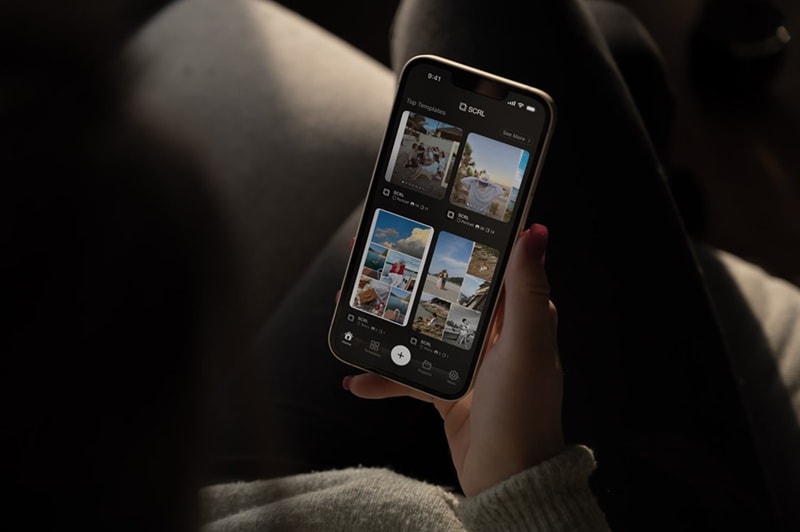
If you’re using Unfold for Instagram, and seamless carousel layouts are a big part of your strategy, you can consider using SCRL. SCRL is a design-focused app that gives you more dedicated tools for that format than Unfold does, especially for creating continuous swipe posts across multiple slides. It's a narrower app overall, but it does that one thing well.
Conclusion
For someone who posts stories regularly as part of their routine, Unfold is an app that’s really helpful to make your posts ready in minutes. You don’t have to think about how to arrange the layout and what font or style to pair it with to make your Instagram posts, Reels, or Stories look good.
The templates are cool, the Bio Site is a useful bonus, and the learning curve is almost nonexistent. The only thing that we're not fans of is the limited customization on lower plans. You get used to it quickly. When you need more control, especially over your footage, switching to something like Filmora may be what you need.
FAQs
-
1. Does Unfold work online?
No. Unfold is only available as a mobile app on iOS and Android. If you visit the Unfold web, you will be asked to download the app. There is no web editor for Unfold. -
2. Does Unfold add a watermark to exported posts?
Watermarks will only appear on exports for Unfold app free users. To remove it, you need to upgrade to Unfold Plus or Unfold Pro. -
3. Is Unfold safe to use?
Unfold is generally safe to use. It's developed by Squarespace, Inc., a publicly known and established company, and it's listed on the App Store and Google Play with transparency about its data practices.
However, the app does collect data. This is fairly standard for free apps, but it's worth knowing before you sign up. Visit Squarespace's privacy policy at squarespace.com/privacy for full details.
