


Old family videos, shaky vlogs, footage shot in bad lighting years ago... Most of us have a folder of clips we wish looked better. UniFab AI promises to clean up those rough edges with tools for AI upscaling, denoising, HDR conversion, stabilization, and more. Its UniFab video enhancer lineup now goes beyond simple sharpening, with both local processing and cloud-based options available.
But does the UniFab video enhancer AI actually make old footage look better, or does it just slap extra sharpness onto bad video? We ran the tool against old, noisy, and low-resolution clips to see if its AI upscaling actually works as advertised. This is what we found.
Part 1. Overview of UniFab AI Video & Audio Enhancer
UniFab is built by the same team behind DVDFab, a multimedia software company that's been making disc and video tools since 2020 under its current AI-focused branding. So, you can say that UniFab AI is their dedicated plunge into AI-powered video processing. It upscales, denoises, colorizes, stabilizes, and converts video using deep-learning models trained on millions of frames.

But the star of the show is still UniFab Video Upscaler AI. The latest version supports output up to 16K and offers four specialized models: Equinox for general footage, Vellum for texture-heavy footage, Kairo for anime and animation, and Titanus for movies and TV content.
Online vs Desktop Tool: Is There a Difference?
You might notice that UniFab AI offers both an online interface and a downloadable desktop software suite. They're not the same experience, and picking the wrong one for your needs can be annoying. Let's break down their differences.
| Feature | UniFab Desktop (Local) | UniFab Online (FabCloud) |
| Installation | Download required (Win/Mac) | None (runs in browser) |
| Maximum Output | Up to 16K | Up to 4K |
| AI Models | Equinox, Vellum, Kairo, Titanus (all 4) | Equinox, with more added over time |
| File Size Limit | No upload size limit | Up to 10GB per upload |
| Batch Processing | Unlimited local batch rendering | Single-file upload limits |
| Cost Structure | One-time module or bundle price | FabCloud credits, pay as you go |
| Best For | Heavy restoration & master file processing | Quick jobs and computers with weaker hardware |
|
Show More
Show Less
|
||
As you can see, if you're serious about restoring old footage or need the sharpest possible output, the desktop app is where the UniFab video upscaler AI really shows what it can do. If you just need a quick fix on a device without a beefy graphics card, the online tool gets the job done without any installs.
Part 2. Key Features Breakdown
It's time to see what UniFab AI actually brings to the table. Before diving into each tool, it's worth understanding the local-versus-cloud split one more time: local tools run on your own GPU with no processing limits, while FabCloud tools lean on UniFab's remote servers and draw from a credit balance instead.

Some features, like the HDR Upconverter, are offered in both flavors so you can pick whichever fits your hardware.
The Core UniFab Video Enhancer AI Toolkit
| Feature | What It Does |
| Video Upscaler (Local) | Pushes resolution up to 1080p, 4K, 8K, or even 16K using four models: Equinox for everyday clips, Vellum for texture-heavy scenes, Kairo for anime, and Titanus for film and TV footage. |
| Denoise AI (Local & Cloud) | Strips out grain and digital noise from low-light or heavily compressed footage while trying to keep fine detail intact. |
| Face Enhancer AI (Local) | Sharpens facial features, brightens eyes, and cleans up expressions, with 2x and 4x resolution scaling options for portraits and interviews. |
| HDR Upconverter (Local & Cloud) | Converts flat SDR footage into HDR10 or Dolby Vision, adding richer color and contrast for a more cinematic look. |
| Smoother AI (Local) | Boosts frame rate up to 120FPS through motion interpolation, useful for smoothing out choppy sports clips or drone footage. |
| Video Converter (Local) | A free format converter supporting 1,000-plus formats, handy for prepping files before or after enhancement. |
|
Show More
Show Less
|
|
Beyond Video Enhancement: The Extra Utility Tools
UniFab AI doesn't stop at fixing pixels. It’s also branched into a handful of cloud-only utility features that round out the suite for creators juggling multilingual content or social clips.
| Feature | What It Does |
| Subtitle Generator (Cloud) | Auto-generates and syncs subtitles using AI speech recognition, cutting down manual transcription time. |
| Video Translator (Cloud) | Translates spoken dialogue into 20-plus languages with AI voice cloning that tries to preserve the original speaker's tone. |
| Video Reframer (Cloud) | Automatically tracks subjects and reframes footage into different aspect ratios for TikTok, YouTube, or Instagram in one click. |
| MusicMeta Converter (Cloud) | Scans, identifies, and fills in missing ID3 metadata tags, artist info, and cover art for audio tracks. |
|
Show More
Show Less
|
|
Part 3. UniFab AI Pricing: One-time License vs Subscription
Pricing is one of the more complicated parts of UniFab AI because you are not simply choosing between "Free" and "Pro." There are individual products, yearly licenses, lifetime licenses, the All-In-One package, and FabCloud credits. To avoid confusion, let’s start with a few individual prices first:
| Module | Lifetime Price |
| Video Upscaler AI | $129.99 |
| Face Enhancer AI | $129.99 |
| HDR Upconverter AI | $129.99 |
| Denoise AI | $109.99 |
| Smoother AI | $89.99 |
| Video Colorizer AI | $129.99 |
| Video Converter | Free |
|
Show More
Show Less
|
|
But if you choose to get the UniFab All-in-One package, it's only at $319.99, with all these benefits:
- All 24 tools
- License for 5 computers
- $30 Amazon gift card
- Free trials on every future release
What's the Deal With FabCloud Credits?
For the browser-based tools, UniFab AI runs on a credit system instead of a flat license fee. New accounts get a free starter allowance to try 2x upscaling, denoising, and detail recovery, and after that you top up with monthly or yearly credit packs.
| Payment Type | Credits Amount | Cost |
| Monthly Subscription | 600 Credits/month | $19.99 / month |
| Yearly Subscription | 600 Credits/month | $199.99 / year |
| Monthly Subscription | 1,000 Credits/month | $29.99 / month |
| Yearly Subscription | 1,000 Credits/month | $299.99 / year |
| One-Time Purchase | 600 Credits | Starts at $16.67 / month |
| One-Time Purchase | 1,000 Credits | Starts at $25.00 / month |
|
Show More
Show Less
|
||
Custom Bundles with UniFab MyCombo
If you only need two or three specific tools but don't want to pay for the complete suite, UniFab offers a MyCombo option on their checkout page. This lets you cherry-pick 4 products (say, the Video Upscaler AI, Video Colorizer AI, Subtitle Generator AI, and Screen Recorder) at a steep discount instead of paying full price for the entire All-In-One suite.
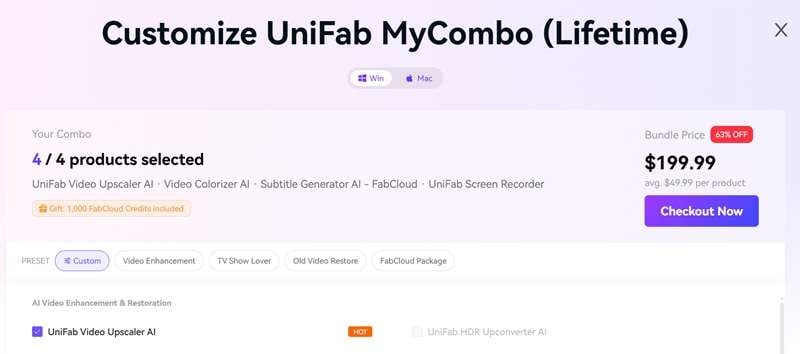
It's a smart middle ground for people who don't need every single feature but still want more than one tool.
Part 4. UniFab Review: Upscaling Results & Performance
For this section of the UniFab review, we ran two test cases through the platform: one low-res, blurry clip, and one old, noisy home video.
Test Case 1: Low-Resolution / Blurry Footage
We fed a soft, compressed 480p web video into the UniFab Video Upscaler AI Equinox model with the target output set to 4K (2160p).

The Result: Edges that were mushy before came back sharp, and background details we couldn't make out originally (like distant buildings) became legible. It's not a magic fix (you can't invent detail that was never captured), but the AI does a genuinely convincing job of reconstructing texture that looks plausible rather than artificial.
Test Case 2: Old / High-Noise Clip
Next, we passed an old nighttime clip shot on an older smartphone camera through Denoise AI.
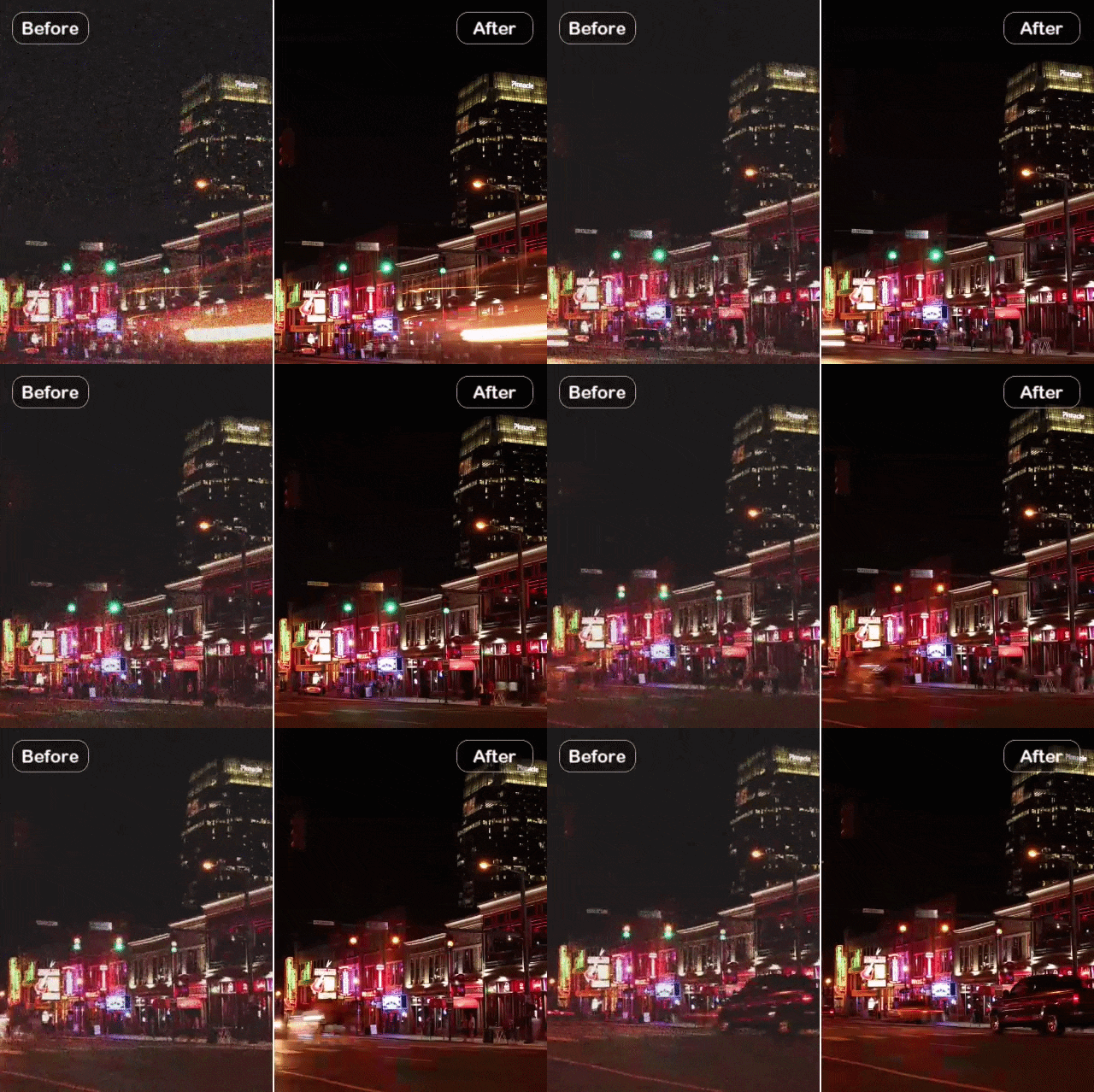
The Result: UniFab AI effectively wiped out the distracting grain within a couple of minutes. There was some softness left in the darkest corners of the frame, which is fairly typical of AI denoising in general.
Interface & Ease of Use
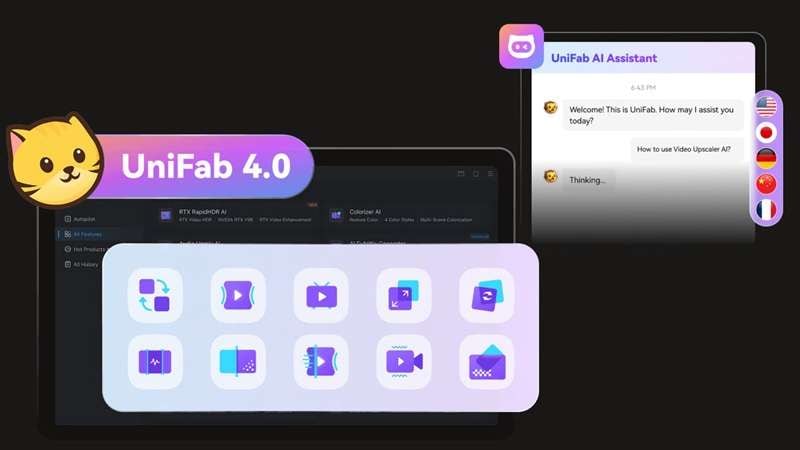
UniFab's interface leans toward simple over flashy. The redesigned UniFab 4.0 layout groups tools into clear categories, and the Autopilot feature is a nice touch for people who don't want to think too hard about which model fits their footage. It's not going to win design awards, but for a tool this feature-dense, keeping the learning curve low is arguably the smarter call.
System Requirements & Performance
UniFab video upscaler AI is hardware-intensive. While the platform supports hardware acceleration from NVIDIA (CUDA/NVENC), AMD, and Intel QuickSync, processing speeds depend heavily on your graphics card.
- High-End Desktop GPU (e.g., RTX 4070 / 4080): Handles 1080p to 4K upscaling efficiently at near real-time speeds (around 24–30 fps).
- Mid-Tier Laptop GPU (e.g., RTX 3050 / GTX 1660 Ti): Processes at roughly 8–12 fps, meaning a 10-minute video takes about 20–30 minutes to complete.
- Integrated Graphics: Not recommended for heavy 4K local AI processing due to slow rendering times.
Our Verdict: Pros and Cons of UniFab
- Straightforward, clean user interface that anyone can navigate right away.
- One-time lifetime purchase options save money over recurring monthly bills.
- The FabCloud option removes the GPU requirement entirely for casual users.
- Huge toolset in one bundle: upscaling, denoise, HDR, subtitles, translation, and more.
- Heavy 4K AI upscaling requires a modern dedicated graphics card for decent speeds.
- Highly compressed or severely damaged source footage can look slightly artificial.
- Frame interpolation (Smoother AI) occasionally creates motion artifacts during fast panning.
- Credit-based cloud pricing can be confusing to estimate upfront.
Part 5. UniFab AI vs Topaz AI: Which One is Better?
When it comes to video enhancing and upscaling, Topaz AI is one name that often sits at the top of the conversation, and for good reason. That said, how does it compare to UniFab video upscaler AI? Let's take a look!
| Feature / Factor | UniFab AI | Topaz AI |
| Pricing Model | One-time lifetime license (from $429.99) or per-module purchase | Subscription only, Personal at $299/year, Pro at $699/year |
| Free Trial | 30-day free trial, 3 runs per module, no watermark | Limited free trial with watermarked exports |
| Max Upscale Target | Up to 16K | Up to 16K |
| SDR to HDR Conversion | Yes, HDR Upconverter AI (local & cloud) | Yes, via Hyperion model |
| Workflow | Clean, preset-focused layout | Professional layout with manual tweaking |
| Platform Support | Windows, macOS, Online | Windows, macOS, Online |
|
Show More
Show Less
|
||
Try Topaz AI Video Enhancer in Filmora
If Topaz's model quality is what draws you in but the standalone subscription and hardware demands give you pause, there's a middle path worth knowing about: Wondershare Filmora now integrates the Topaz Starlight model as part of its video enhancer feature within the editing timeline.
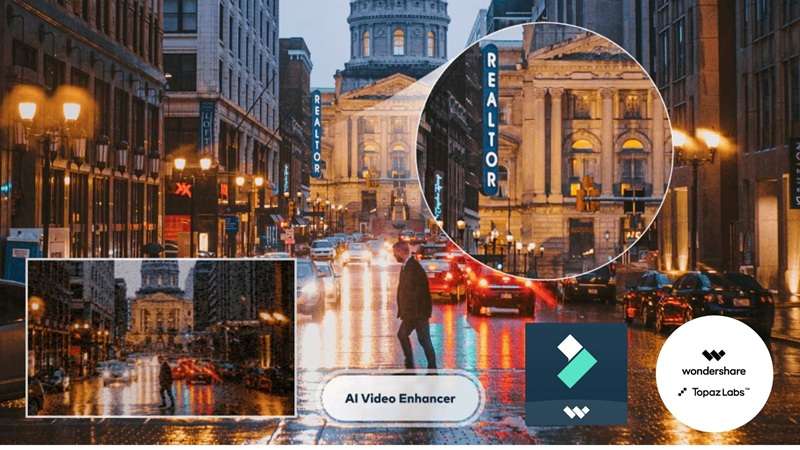
Here’s why this would be a game-changing option:
- No Need for Separate Apps: You can apply Topaz AI upscaling directly on your editing timeline instead of exporting files back and forth between different programs.
- Streamlined Workflow: Upscale, denoise, adjust color, and cut footage inside a single project file.
- Flexibility: Pay for AI enhancement per project or clip length instead of committing to an expensive upfront license.
- Lower Hardware Bar: Cloud-assisted processing options let you run enhancements smoothly without needing an ultra-high-end graphics card.
All-in-One Video Enhancer & Editor
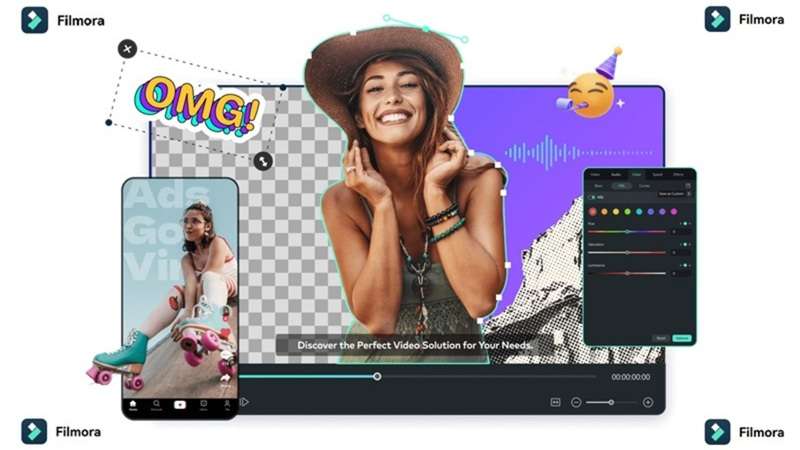
Beyond the Topaz-powered enhancement, Filmora also packs a full editing toolkit for finishing the video after it's upscaled, so the polish and the restoration happen in one place:
- Multitrack Editing Timeline: Layer multiple video tracks, audio overlays, titles, and visual elements seamlessly.
- Voice & Audio Enhancer: Clean up background noise, isolate vocals, and balance audio levels automatically.
- Auto Subtitle Generator: Generate captions for social clips in seconds with accurate speech-to-text conversion.
- Built-in Effects & Templates Library: Access thousands of transitions, lower thirds, titles, and visual filters.
- Wide Format Support: Export directly for YouTube, TikTok, Instagram, or high-bitrate master formats.
 Secure Download
Conclusion
UniFab AI has grown into a surprisingly broad video restoration suite. Its strongest feature is still the UniFab Video Upscaler AI, with 16K local output and specialized models for general footage, textures, anime, and cinematic content. However, the GPU-dependent performance and a steep All-In-One price tag are real considerations.
If you'd rather skip standalone software altogether and get Topaz-grade restoration baked straight into your editing timeline, Filmora is worth a look. Its Topaz Starlight integration, credit-based pricing, and lighter hardware requirements make it an easy way to upscale and edit in a single workflow.
FAQs
-
Do you need a powerful GPU to use UniFab?
Only if you want to run the local desktop tools at full speed, UniFab recommends an NVIDIA RTX 30-series GPU or newer for that. -
Can you edit videos with UniFab?
To an extent, yes. UniFab AI is not solely an upscaler. Its ecosystem includes video conversion and editing-related tools, and the All-In-One package is designed to cover enhancement, restoration, conversion, and other media tasks. -
Is there a limit on video length for using UniFab?
The local desktop tools don't impose a strict length limit, though longer clips naturally take more processing time. The FabCloud (online) tools cap uploads at 10GB per file, which is worth keeping in mind for very long or high-resolution footage.
