


 TL;DR:
Vidflux AI functions best as a centralized, cloud-based generation hub for rapidly prototyping short-form AI visuals using models like Veo 3.1, Kling 3, and Seedance 2, but it requires a separate video editor for timeline adjustments and final polishing.
● Best suited for creators and marketers generating quick social media clips, as it allows seamless switching between multiple text-to-video and image-to-video models within a single browser tab using a pay-as-you-go credit system.
● Lacks granular timeline editing and long-form project support, meaning users must manage their credits carefully across multiple regeneration attempts and export the short clips for final assembly.
● Wondershare Filmora is the recommended alternative for users requiring a complete workflow, as it combines similar multi-model AI generation (including Seedance 2.0, Veo 3.1, and ToMoviee) with full timeline editing, AI audio tools, and up to 8K export capabilities across desktop and mobile devices.
Ask AI for a summary
 ChatGPT
 Perplexity
 Gemini
 Claude
 Grok
Grok
While AI models like Sora, Veo, and Kling each have their own strengths, they comes with its own workflow and credit system. Switching between platforms just to compare results or test different styles can slow down your work.
So, Vidflux AI tries to simplify that by bringing multiple AI image and video models into one online platform. It sounds convenient, especially for creators who want to generate images, create videos, and edit visuals in the cloud. It sounds convenient, but does the output still hold up? We’ll take a closer look at Vidflux AI in our review below.
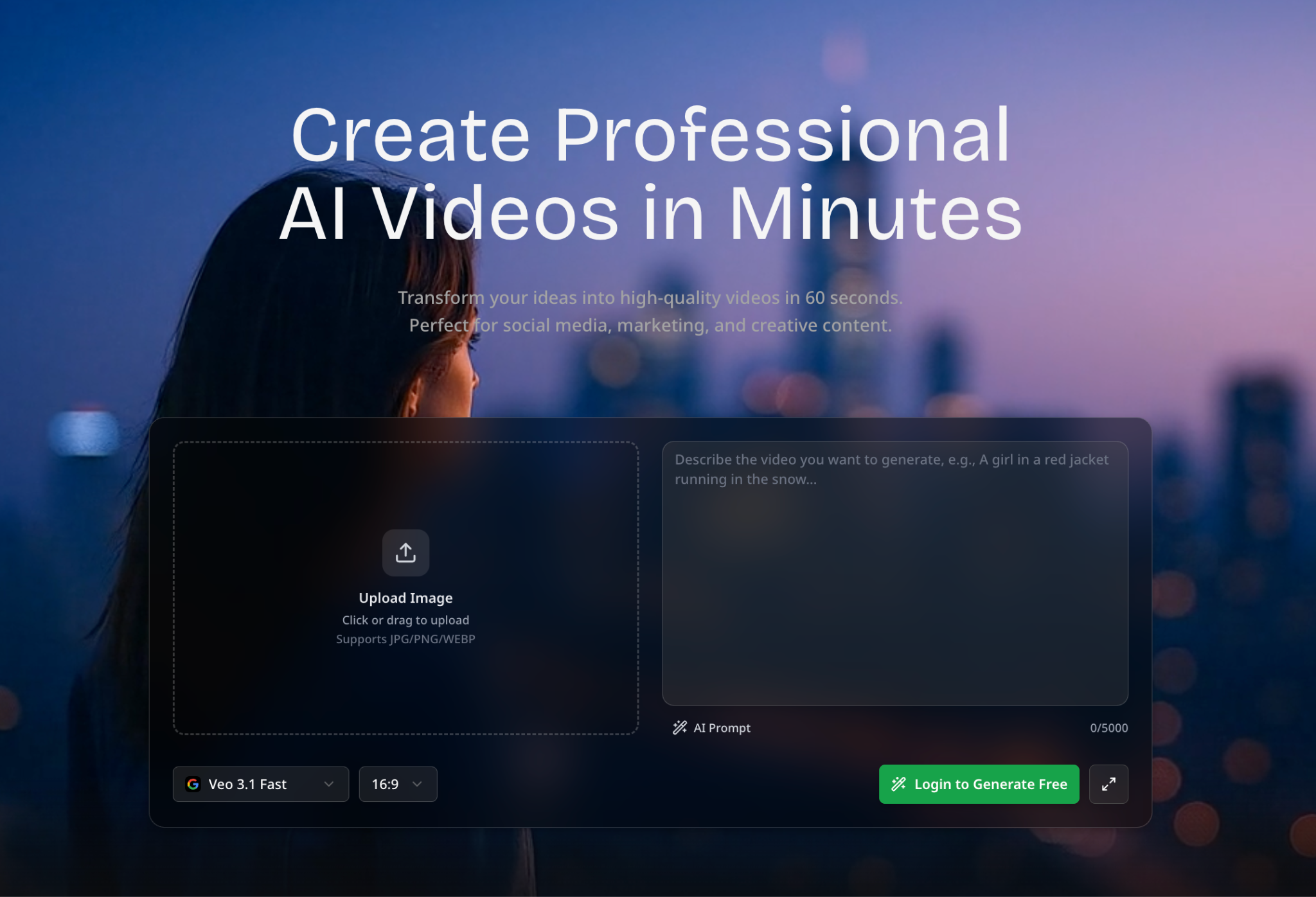
What is Vidflux AI? One Platform, Multiple AI Video Models
Vidflux AI is an online AI generation platform that helps users create videos and images from prompts, uploaded images, or existing video clips. Instead of making users move between different AI video tools, Vidflux AI brings several generation models into one place. So, it is easier to test different styles, compare outputs, and create content without managing too many separate platforms.
The platform works fully online, so there is no software to install. The main appeal of Vidflux AI is its multi-model setup, from Sora 2 to GPT Image 2. This feature gives users more flexibility because each model may perform better for different needs.
Vidflux AI Pricing
Vidflux AI runs on a credit-based system with no monthly subscriptions. You buy credits in packs, and the more you buy at once, the cheaper each credit gets.
| Credits | Price | Price per 100 Credits |
| 500 | $4.98 | $1.00 |
| 2,200 | $18.8 | $0.85 |
| 6,660 | $49.8 | $0.75 |
| 13,300 | $79.8 | $0.60 |
| 36,200 | $199 | $0.55 |
| 139,800 | $699 | $0.50 |
Value for Money
Credit costs per generation vary depending on the model. Video generation runs from 32 credits on the low end (Seedance v1) to 120+ credits for more advanced models like Seedance 2.0. Image generation is cheaper, starting at 20 credits for models like Midjourney and GPT-Image 2, and going up to 40+ credits for Nano Banana Pro.
But since Vidflux gives you access to multiple AI video models, the credit system is actually more economical than subscribing to each AI tool individually. Still, if you are heavy users or content creators producing regular short-form videos for TikTok, Reels, or Shorts, you will likely find the mid-to-large packs more cost-effective over time.
Vidflux AI Features and Capabilities
Vidflux AI tries to make the whole creation process easier, from generating images to turning prompts or still visuals into videos. Here's the breakdown:
AI Image Generator
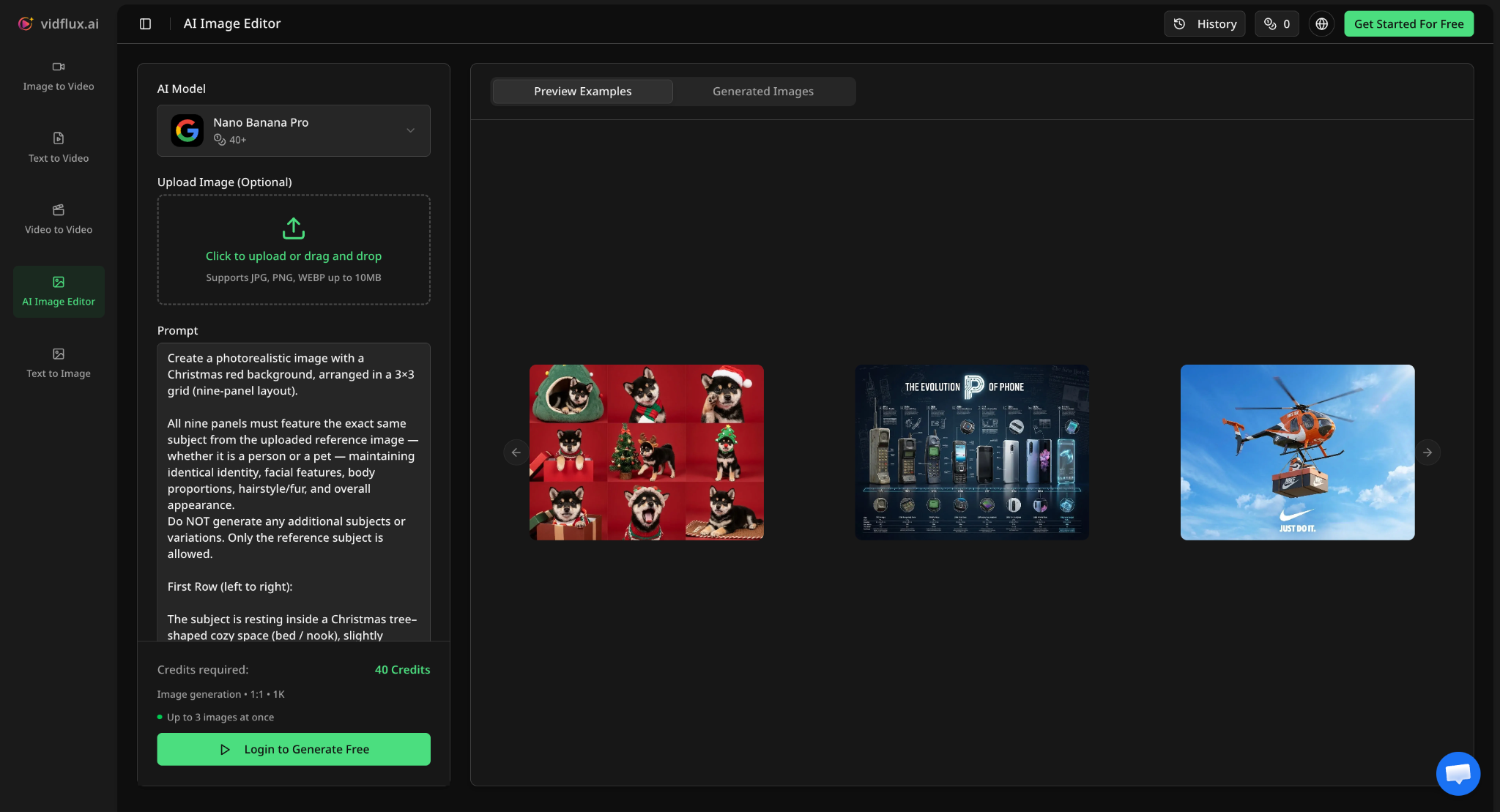
Vidflux AI includes image generation tools for users who want to create visuals from text prompts. Instead of starting with a blank canvas, users can describe the image they want. The tool then uses AI to create an image based on the prompt. It supports common image formats like JPG, PNG, and WEBP for uploads.
- Text to Image: The Text to Image tool lets users generate images by writing a prompt. Users should describe the subject, background, visual style, lighting, camera angle, and mood to get a clear result.
- AI Image Editor: This tool is designed for users who already have an image and want to modify it using a prompt. You can ask the AI to change the background, adjust the subject, add new elements, or improve the overall look of the image.
Supported Models:
- GPT-Image / GPT-Image 2
- Midjourney
- Nano Banana Pro / Nano Banana 2
AI Video Generator
The AI Video Generator allows users to create video clips from text prompts or still images. This is where it shines, especially for users who want short videos for TikTok, Instagram Reels, YouTube Shorts, ads, product demos, or concept previews.
Text to Video
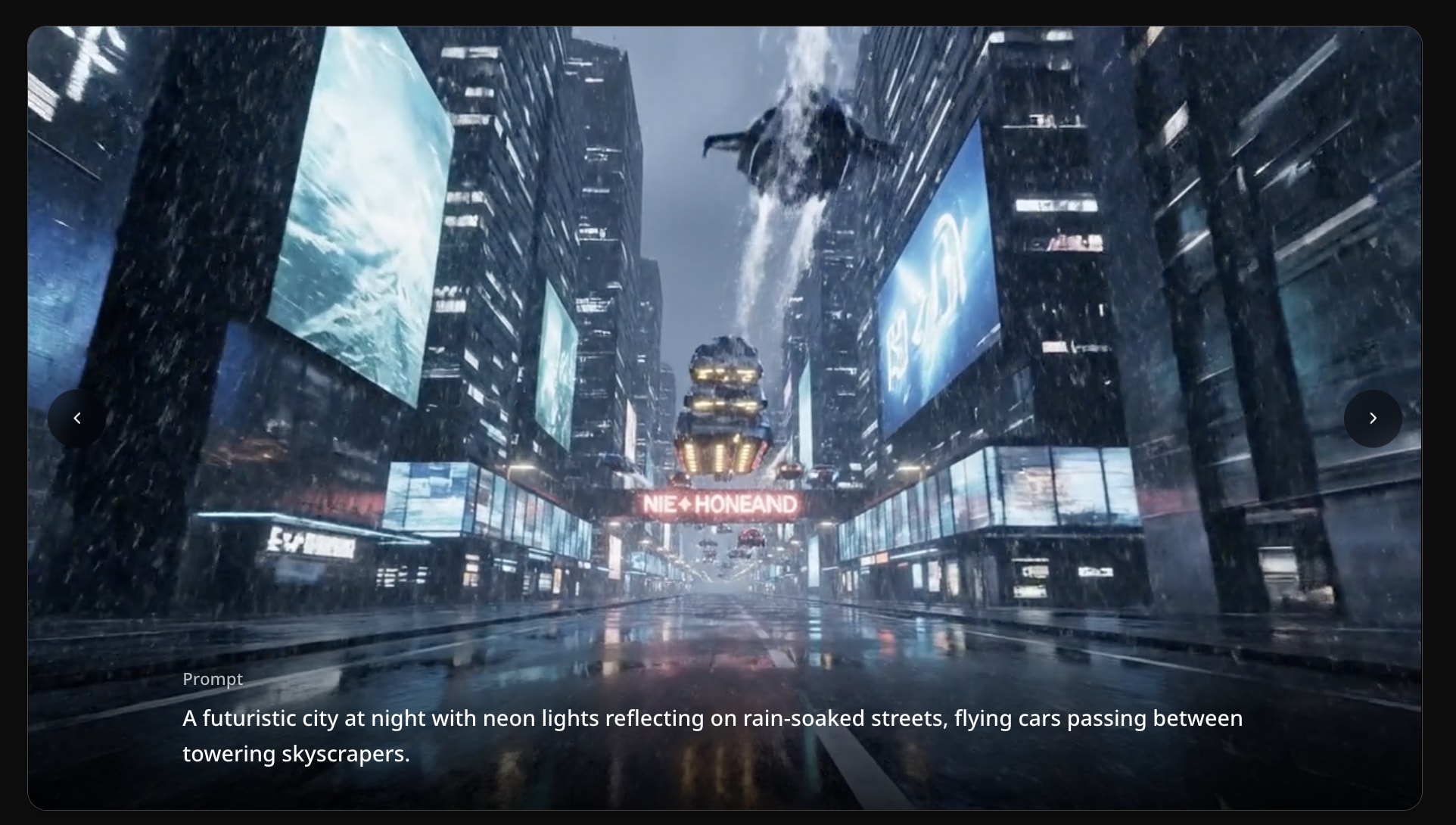
The Text to Video tool lets users turn written prompts into video clips. You describe the scene, action, movement, camera style, and mood, then choose a model and settings. You can customize options such as duration, aspect ratio, and resolution, with common aspect ratios including 16:9, 9:16, and 1:1.
Image to Video
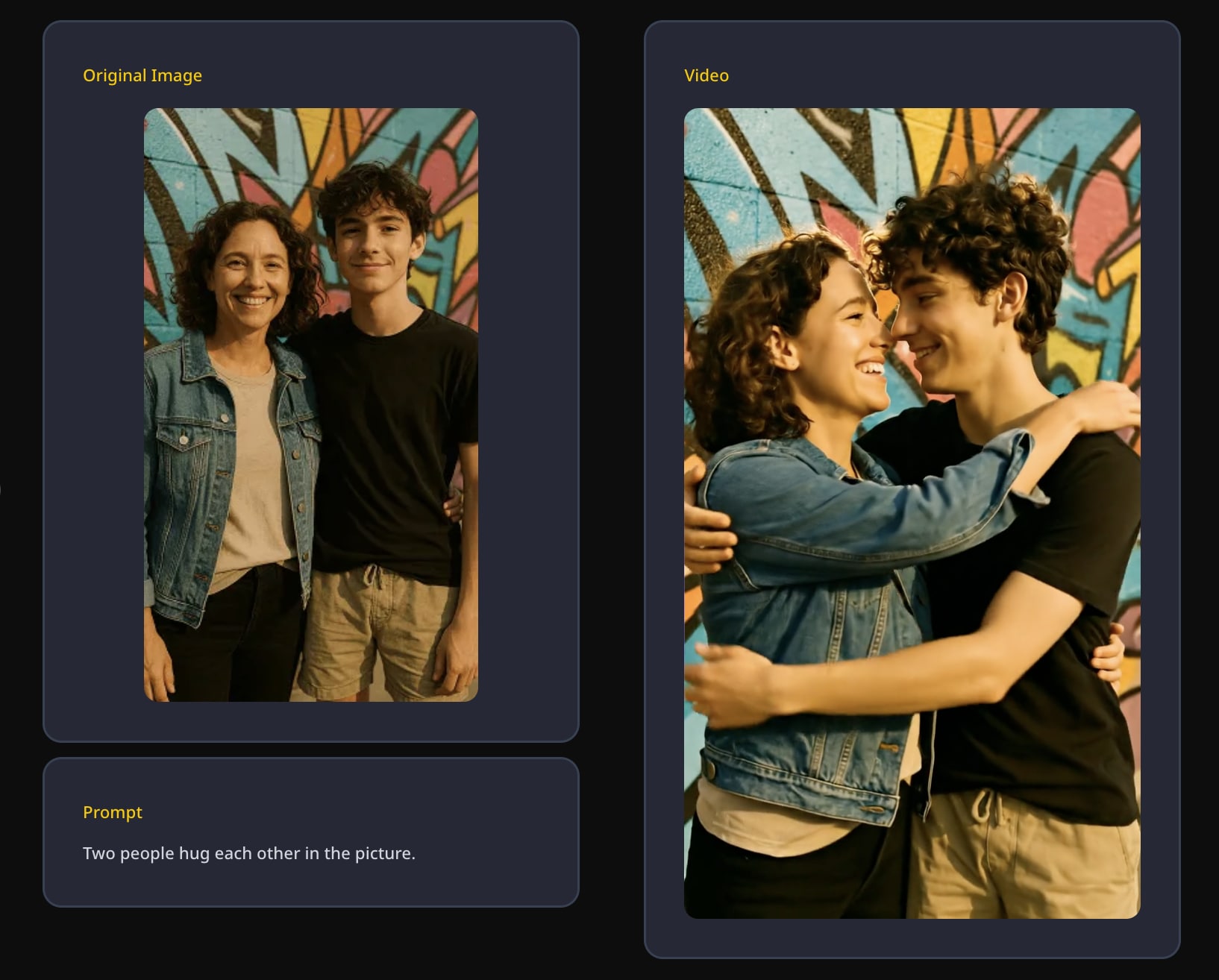
Vidflux’s Image to Video tool lets users upload a still image, add a creative prompt, choose a model, customize settings, and generate a video. Instead of relying only on a text prompt, users can give the AI a visual reference. This feature is especially useful for creators who want more control over the starting frame.
Supported Models:
- Veo 3.1 / Veo 3.1 Fast
- Kling 2.5 / Kling 2.6 / Kling 3 (Standard) / Kling 3 (Pro)
- Seedance v1 Lite / Seedance v1 Pro / Seedance 1.5 Pro / Seedance 2 / Seedance 2 Fast
Video Compressor
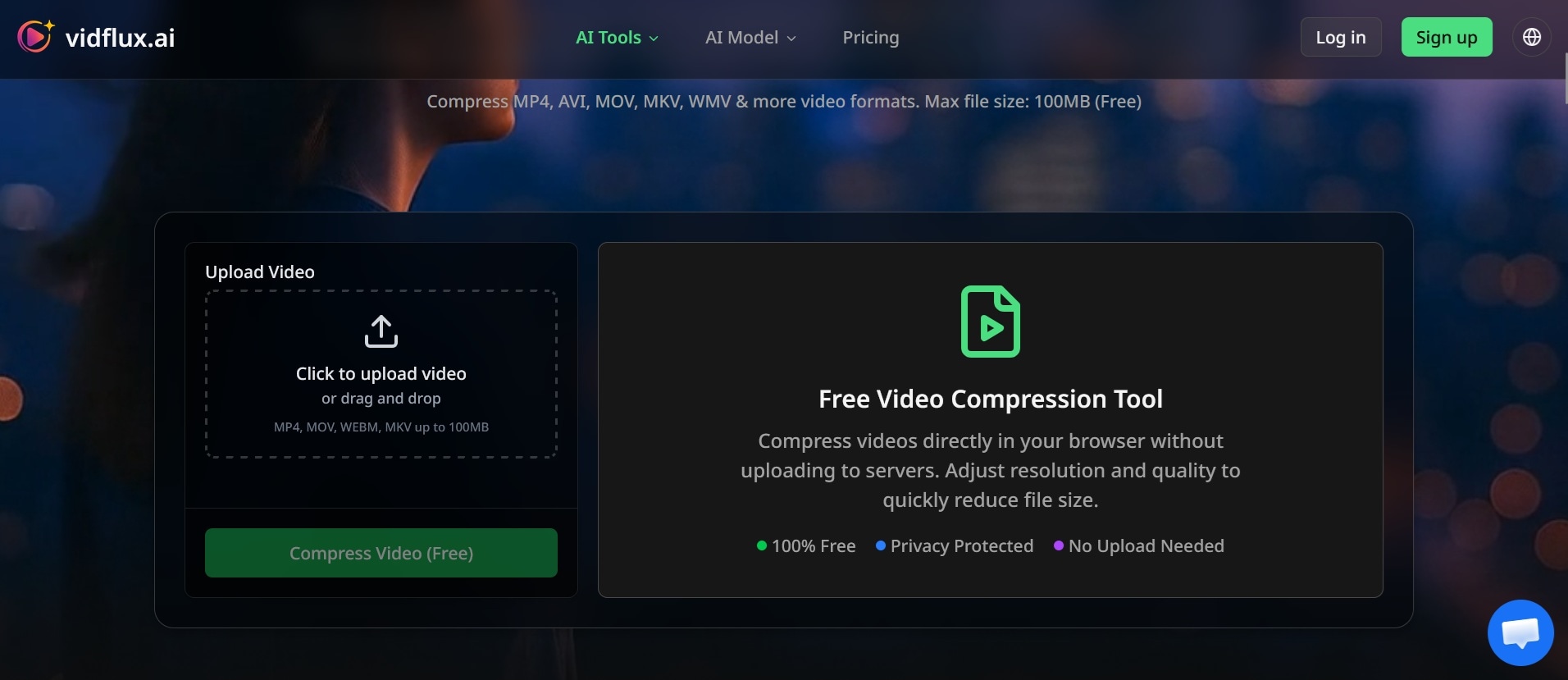
Vidflux AI also offers an online video compressor. You can use it to reduce the video size before uploading it to social media, sending it through email, or sharing it on messaging apps. The tool can reduce video file size by up to 90% and offers settings such as Auto mode, stronger compression, higher-quality compression, and target file size options.
The Vidflux video compressor supports formats such as MP4, MOV, WEBM, and MKV, with free uploads up to 100MB. It is a practical addition because AI-generated videos can sometimes be too large for quick sharing.
How to Use Vidflux AI (Quick Steps)
If you are interested in trying Vidflux AI, follow the steps below.
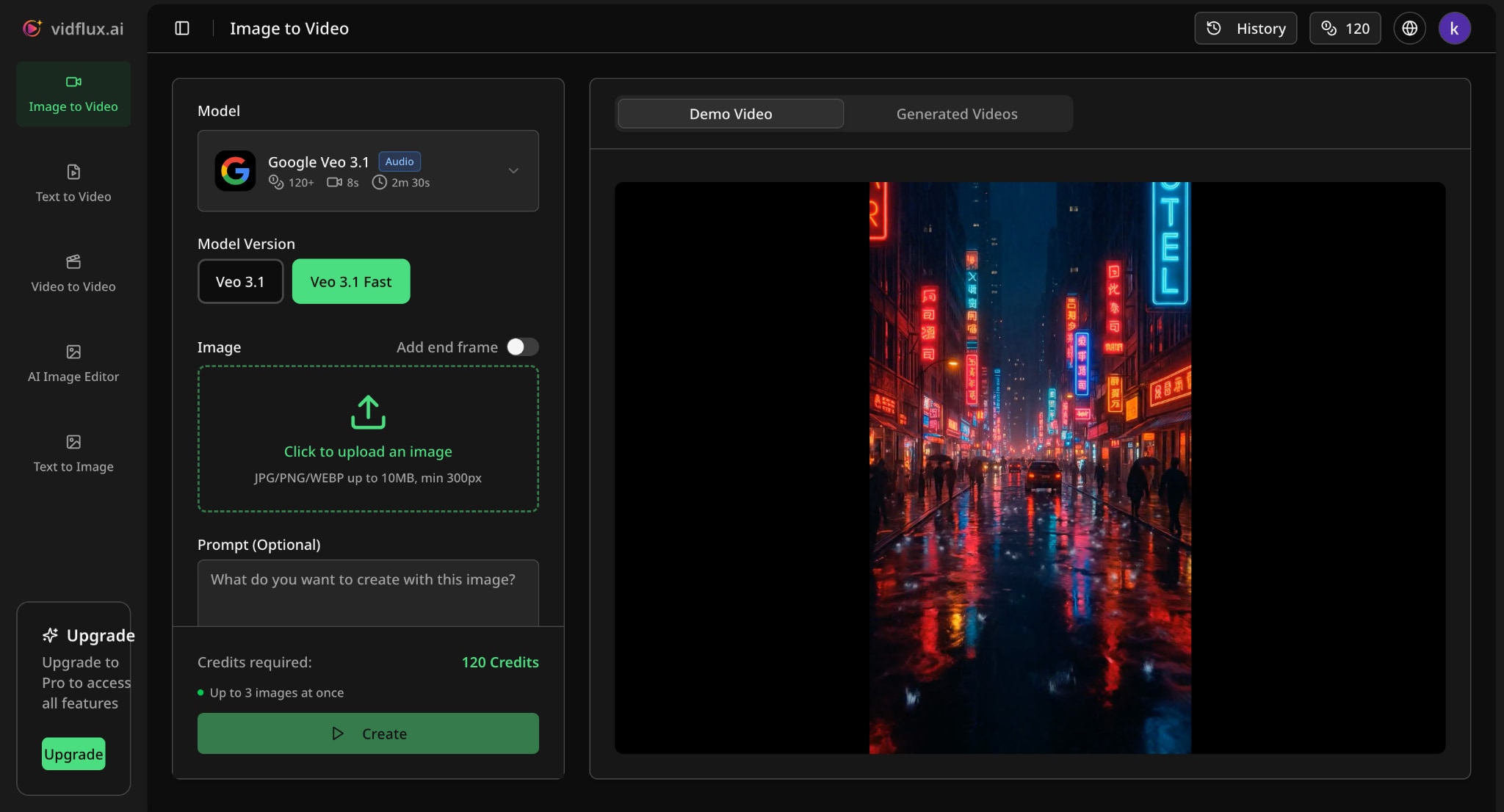
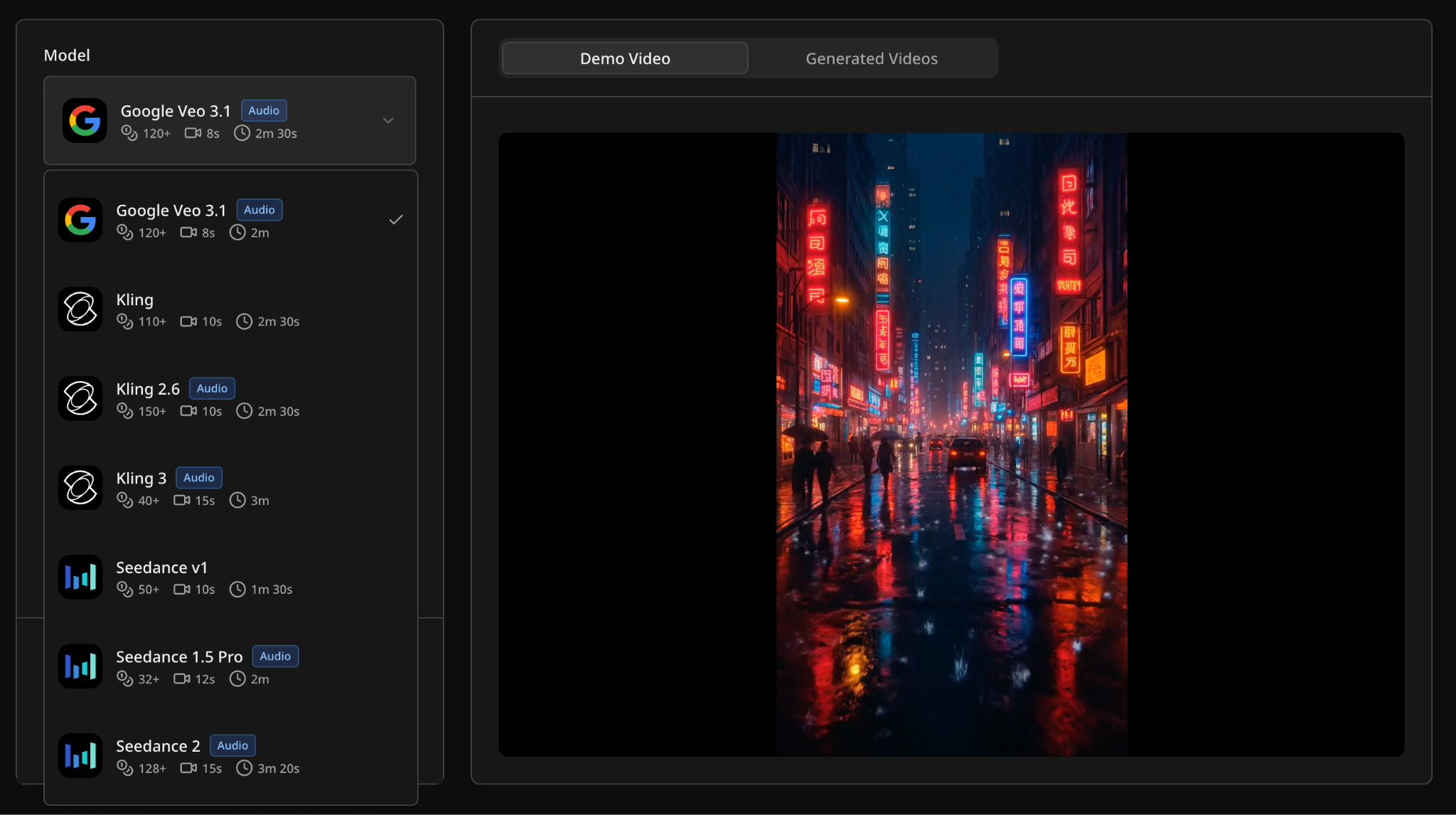
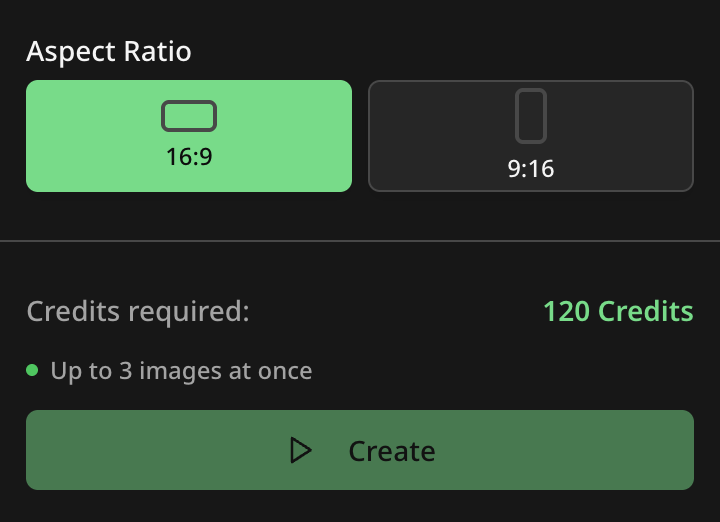
Vidflux AI’s Pros, Cons, and User Review
Vidflux AI works best as a fast AI generation platform, not as a full video editor. Its biggest strength is convenience. With it, you can create images, generate videos, animate still visuals, and test different AI models from one browser-based workspace. The features also show that Vidflux AI is built mainly for quick content production.
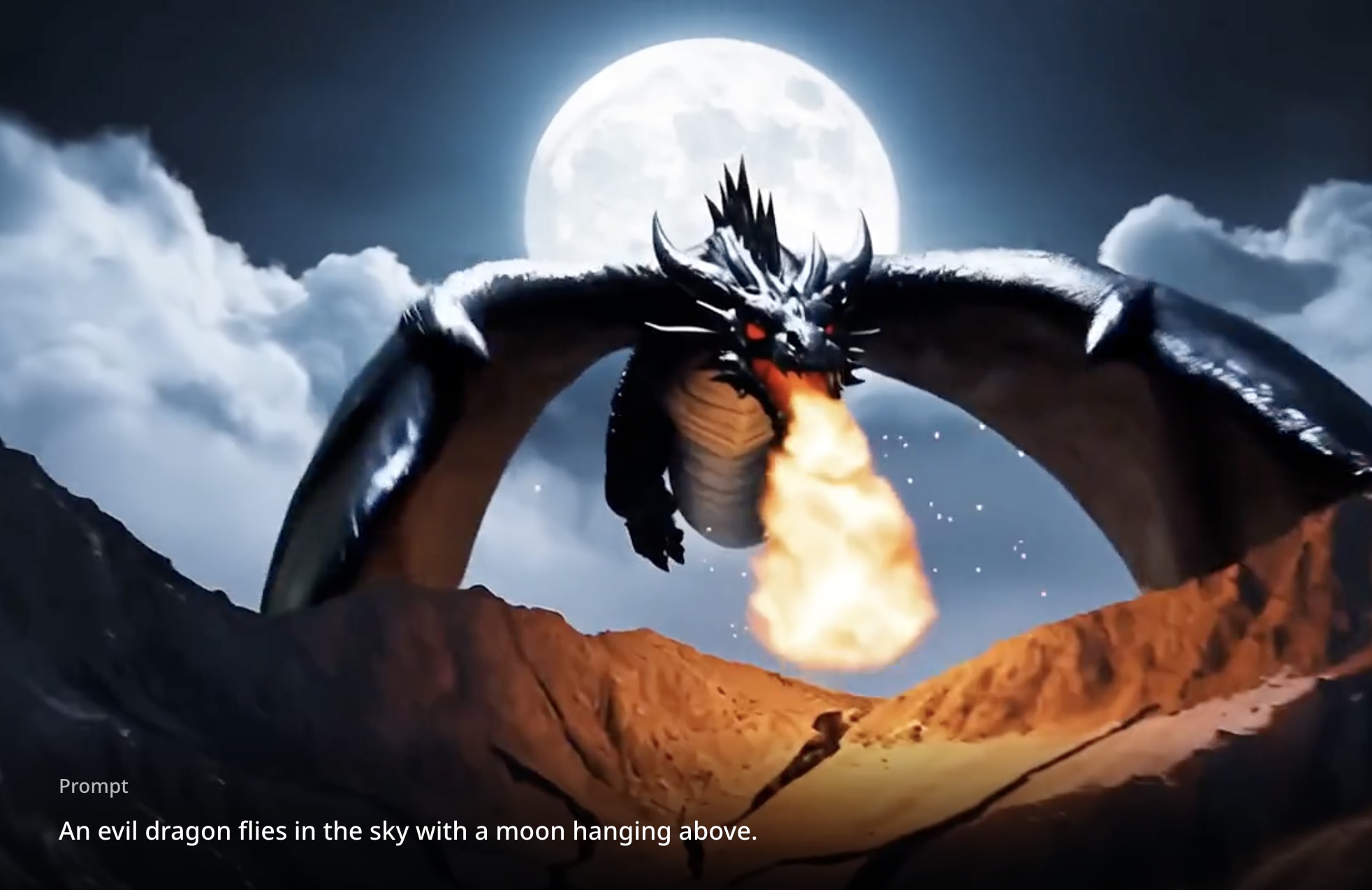
Vidflux AI is also useful for users who want speed and variety. The multi-model setup gives creators more room to experiment with different visual styles, motion quality, and prompt results.
However, Vidflux AI still has limits. It is better for generating short clips than building a polished video from start to finish. Like other AI video tools, the output may need several attempts before it looks right. Users may also need to manage credits carefully, especially when testing multiple models or regenerating the same idea.
Pros and Cons of Vidflux AI
- Multiple AI models in one place. Vidflux AI makes it easier to try different models without switching platforms.
- Simple online workflow. Everything works in the browser, so users do not need to install software.
- Good for short-form content. It is useful for TikTok, Instagram Reels, YouTube Shorts, ads, and quick promotional clips.
- Cloud-based processing. The generation process runs online, which makes it easier for users with basic devices.
- Limited editing control. Vidflux AI is not built for detailed timeline editing, advanced transitions, or frame-level adjustments.
- Results may need regeneration. Users may need to revise prompts or try several models to get the desired output.
- Credit usage can add up. Frequent testing, longer videos, or higher-quality outputs may consume credits quickly.
- Not ideal for long-form projects. The platform is better for short clips than full YouTube videos, films, or detailed brand videos.
- Internet connection is required. Since it runs online, users need a stable connection to generate and manage content.
Who Is Vidflux AI Best For?
Vidflux AI is best for users who want to create AI visuals quickly without learning complicated software. It is especially useful for:
- Content creators running TikTok, Instagram, or YouTube channels
- Marketers and agencies producing product demos, promotional clips, and ad variations at volume
- Small business owners who need video content but don't have a video team or the budget for one
- Filmmakers and brand teams can use Vidflux to prototype visual concepts quickly
- Educators and course creators who want to turn simple ideas, lessons, or scripts into visual explainers
On the other hand, Vidflux is not the right tool for anyone who needs deep timeline editing, granular color grading, or fine control over every frame. For those needs, users will still need a dedicated video editor after generating clips with Vidflux AI.
AI Video Editor Alternative with Multiple AI Models – Filmora
After creating a clip, they may still want to trim it, add music, insert captions, adjust colors, apply transitions, or combine it with other footage. For that type of workflow, Wondershare Filmora is a stronger alternative.
Filmora works better for users who want access to AI generation tools and a full editing workspace in the same platform. It supports AI video creation from text, images, and audio, while also giving users timeline editing tools for polishing the final result.
 Secure Download
What Makes Filmora a Better Fit
Access to multiple AI models
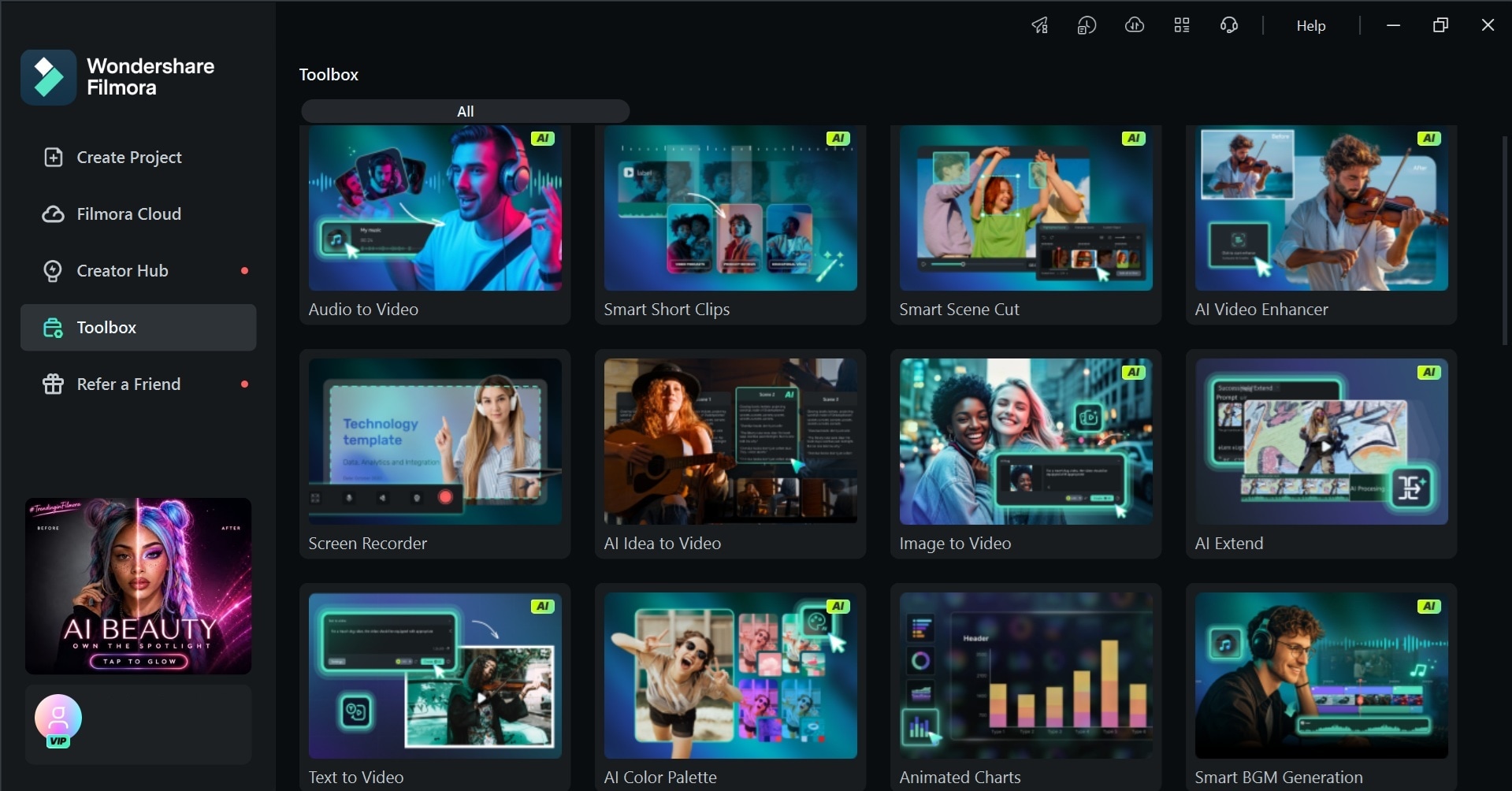
Just like Vidflux, Filmora features an AI Text-to-Video and AI Image-to-Video feature that currently supports multiple models, including Seedance 2.0, Veo 3.1, and ToMoviee. For its image generation, Filmora supports Nano Banana 2 and Nano Banana Pro.
Full editing control after generation
Beyond generation, Filmora lets you edit the video you generate on a full timeline, including cutting, trimming, adding text, audio, captions, transitions, and exporting up to 8K resolution. That matters because AI-generated clips rarely come out ready to publish. Most still need pacing adjustments, titles, music, or branding to make it more complete.
Built-in AI tools beyond generation
Filmora AI feature list also includes tools for video, image, audio, and text workflows, such as AI Text-to-Speech, AI Video Extend, AI Music Generator, Auto Caption, and AI Thumbnail Creator. Those features give users more room to complete a project from start to finish.
Works across devices
Filmora is available is an all-in-one video editing software for desktop and mobile, which makes it more flexible for creators who work across different devices. You can start a project on one device and continue editing later. It also makes Filmora more practical for creators who produce content regularly for TikTok, Instagram, YouTube Shorts, and other social platforms.
Secure DownloadConclusion
Vidflux AI is a practical platform for users who want to explore AI image and video generation without switching between different tools. Its biggest strength is convenience, especially with multiple AI models, cloud-based processing, text-to-video, image-to-video, image editing, and video compression in one place.
However, Vidflux AI is still more of a generation tool than a full editing solution. For users who need deeper control, timeline editing, captions, music, effects, and final polishing, Filmora offers a more complete workflow.
FAQs
-
Does Vidflux AI support long videos?
Vidflux AI is mainly designed for short AI-generated clips. The available video length may depend on the selected model, plan, credits, and output settings. It is more suitable for social media videos, quick concepts, product visuals, and short promotional clips than long-form video production. -
Can I edit videos inside Vidflux AI?
Vidflux AI offers basic AI generation and processing tools, but it is not a full timeline-based video editor. For advanced editing, you may need another dedicated editor. -
Does Vidflux AI support multiple languages?
Vidflux AI can work with text prompts, so users may be able to enter prompts in different languages. But the best results often come from clear and detailed prompts. For more accurate output, especially when using AI video models, English prompts may still give more consistent results. -
Can I use Vidflux AI for commercial projects?
Vidflux AI can be useful for ads, product demos, and promotional content. Still, users should check its latest licensing terms before using generated videos for commercial projects. -
How long does it take to generate a video?
The generation time depends on the selected model, video length, resolution, prompt complexity, and server traffic. Simple clips may process faster, while detailed videos may take longer.
