


 TL;DR:
Vidma Video Editor is a freemium Android application best suited for casual creators needing quick, short-form social media edits, but its rigid preset-based workflow makes it inadequate for complex video projects.
● Operates natively only on Android devices—requiring an emulator like BlueStacks for PC use—and restricts free-tier users with watermarked exports and in-app advertisements.
● Maintains stable rendering up to 4K resolution for short clips utilizing built-in velocity edits and AI templates, but processing speeds and app stability decrease when managing multiple layers or extended timelines.
● Wondershare Filmora is the recommended alternative for demanding workflows, providing advanced users with cross-platform compatibility across Android, iOS, Windows, and macOS, cloud project syncing, and precise multi-track control.
Ask AI for a summary
 ChatGPT
 Perplexity
 Gemini
 Claude
 Grok
Grok
Looking for a simple app for quick edits without slowing you down? Vidma Video Editor is often recommended for everyday video creation, but many creators still want to know if it fits their editing needs.
Before committing to Vidma video editing, it helps to understand what the app actually offers. Can it manage smooth cuts, effects, and exports without performance issues?
This guide reviews Vidma editing in detail, covering features, user experience, and rendering results. You’ll see what it does well, where it feels limited, and which alternative works better for complex projects. Let’s get started!
Quick Overview of Vidma Video Editor
Vidma is a mobile video editing app designed for creators who need quick edits for social media videos. It has an intuitive interface, with a library of AI art styles and trending music, making video creation seamless.
| Features | Details |
| Editing Features | Basic timeline editing, including trimming, splitting, merging clips, adding music, transitions, text overlays, filters, and speed control.It also lets you adjust aspect ratios for social media. |
| AI Capabilities | Auto Caption, Auto Music, Text to Image, Image to Image, Image to Video, AI Kiss, AI Group Photo. |
| Performance & Speed | Vidma editing app runs smoothly for short clips on modern smartphones. Performance may vary with longer timelines or multiple layers. |
| Value for Money | Free version available with watermark and ads. Free version available with watermark and ads. Upgrade to the paid plan to remove the watermark and access premium features and assets. |
| Compatibility | It is designed for mobile editing workflows and available on Android devices. You can download Vidma via the Google Play Store. |
Part 1. What is Vidma Video Editor?
Vidma video editor app is a mobile video editing tool designed for quick content creation on your phone. It combines basic timeline editing with AI-powered features that help speed up the editing process.
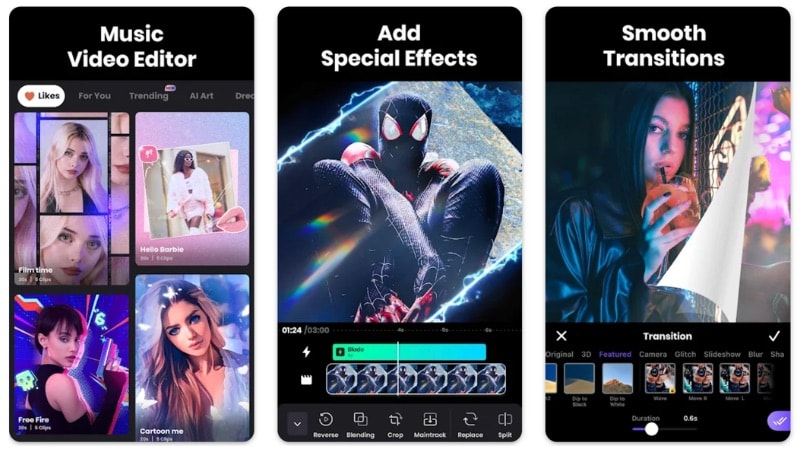
The app suits beginners, casual creators, and social media users who want fast results. It focuses on short-form videos like reels, status updates, vlogs, and trend-based content. Its interface keeps tools easy to access, while built-in templates and AI features make editing more efficient.
Vidma Video Editor Pricing Plans
Vidma follows a freemium model, meaning you can use basic tools for free while premium features require a subscription.
| Plan | Price* | What You Get |
| Free Plan | Free | Basic editing tools, limited effects and assets, watermark on exports, and ads may appear. |
| Monthly Subscription | Varies by region | Removes watermark, access to premium effects, music, filters, and editing assets. |
| Lifetime Purchase | Varies by region | One-time payment for permanent premium access without a recurring subscription. |
*Pricing may vary depending on region, device, and in-app promotions.
Is Vidma Available for PC?
If you are looking for Vidma for PC, there is currently no native Windows or Mac release. It is built for mobile devices and does not offer an official desktop version.
You may find Vidma Video Editor MOD APK files online, but third-party websites can pose security risks, including malware or data issues. If you want to use Vidma Video Editor for PC, you would need an Android emulator like BlueStacks. Even then, performance may not match dedicated desktop video editing software.
Part 2. Key Features and Capabilities of Vidma
Vidma Video Editor offers a mix of basic editing tools and AI-powered features aimed at quick content creation. It focuses on speed, presets, and trend-friendly features that help users finish edits fast. Below are the main capabilities that define what Vidma can actually do.
Video Editor & Maker
The Vidma video editing app handles essential editing tasks smoothly on your phone. It suits everyday projects such as short-form videos, status updates, simple vlogs, and social media content.
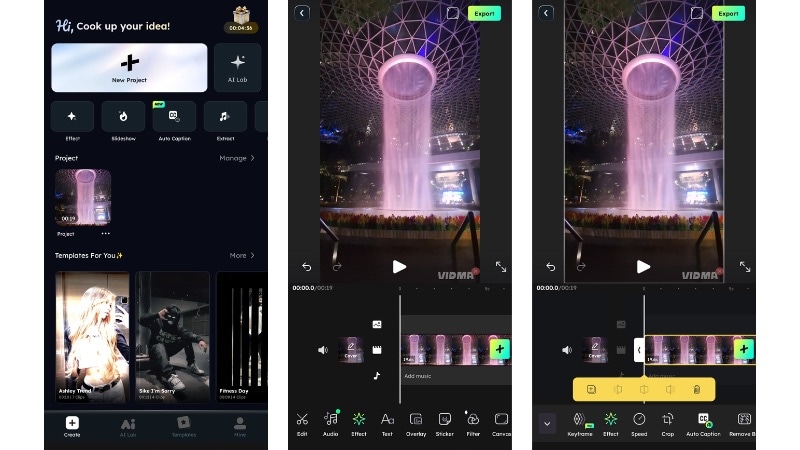
The editor also supports:
- Aspect ratio adjustment for social media platforms.
- Add text, stickers, and transitions.
- Speed control for slow motion or fast playback.
The Vidma editing app also supports multi-track editing, allowing you to combine footage, overlays, and visual elements in a single project.
Edit Videos with Effects & Filters
Video editor Vidma provides a library of visual effects, filters, and preset styles that help improve video appearance.
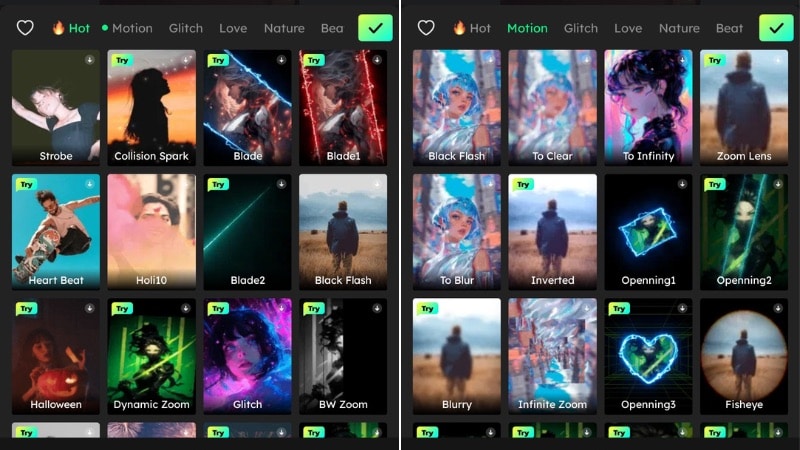
You can use:
- Popular visual effects include glitch, VHS, retro, and motion blur.
- Color settings such as brightness, contrast, exposure, and saturation.
- AI art-style effects and visual overlays.
Most effects in Vidma are preset-based, so you can apply them instantly without advanced editing knowledge.
Music Video Maker
Vidma also works as a music video maker with built-in audio tools. You can add soundtracks, adjust audio, or record narration directly inside the editor.
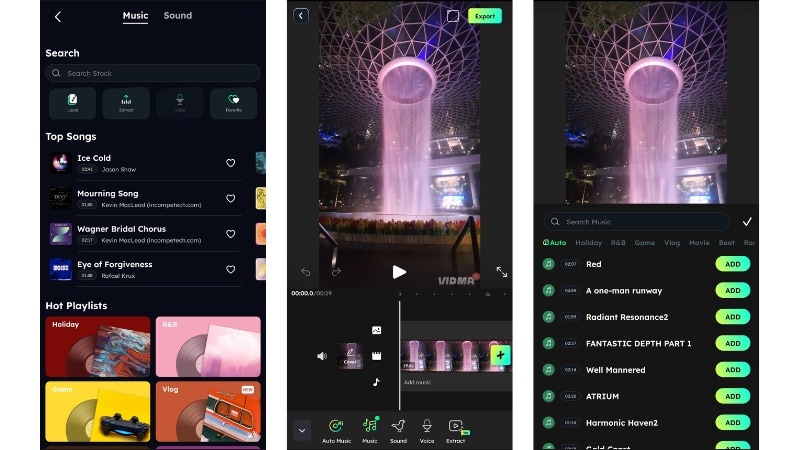
Audio features include:
- Built-in music library and sound effects.
- Import or extract audio from video clips.
- Voice-over recording.
- Trim and edit audio segments.
- Fade-in and fade-out controls
- Sync clips with music beats.
These audio tools help create quick social media videos where timing and rhythm play an important role.
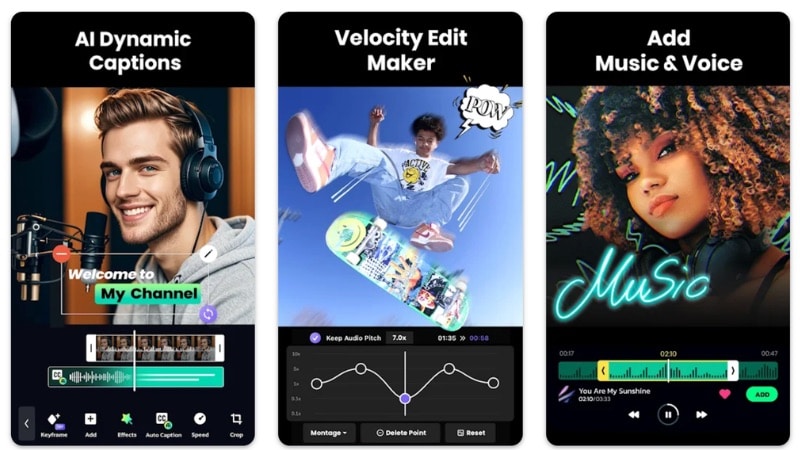
Velocity Edit Maker
Velocity editing is one of Vidma’s trend-focused tools. It lets you change playback speed and create dramatic motion effects often used in short-form videos.
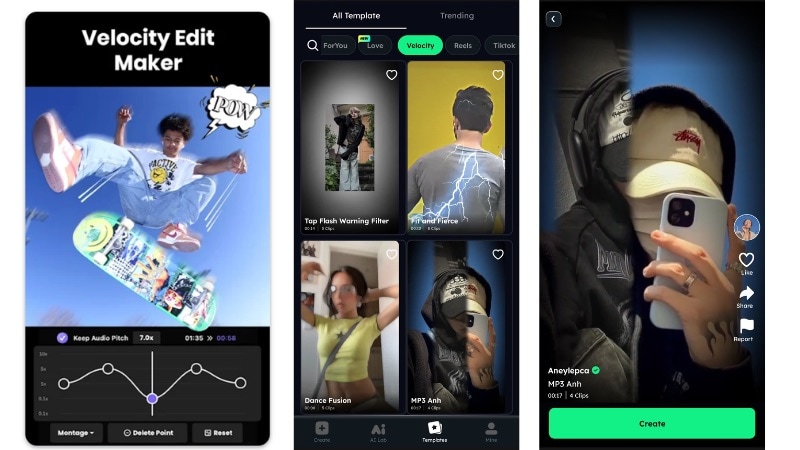
You can use it to:
- Apply preset speed ramp effects.
- Create slow-motion and fast-motion effects.
- Reverse video playback.
- Sync speed changes with music.
- Maintain audio pitch during speed adjustments.
This feature is commonly used for highlight videos and trend-based edits.
Part 3. What It Feels Like to Use Vidma Video Editor
Using Vidma Video Studio is pretty simple. The app is made for quick mobile editing, so you can jump in and start working without much setup. You open the app, add your clips, and start editing right away. The experience centers on speed and convenience rather than detailed editing control.
UI Design: Clean and Beginner-Friendly
The Vidma’s interface is clean and not confusing. Most tools are easy to find, and the icons are clear enough that you can figure things out without much guessing.
The timeline view is minimal and uncluttered, which helps when working on short videos. However, users who expect more advanced controls or detailed settings may find the interface somewhat limited.
Ease of Use: Easy to Learn, but Limited Over Time
Getting started with Vidma Video Editor is quick. Basic tasks like cutting clips, adding music, and applying effects only take a few taps. Even first-time users can put together a short video without much trial and error.
The limits show up when you want more precise control. Adjusting transitions precisely, stacking multiple overlays, or controlling motion with more detail is not very flexible. The app works smoothly for quick edits, but it does not give much room for detailed adjustments.
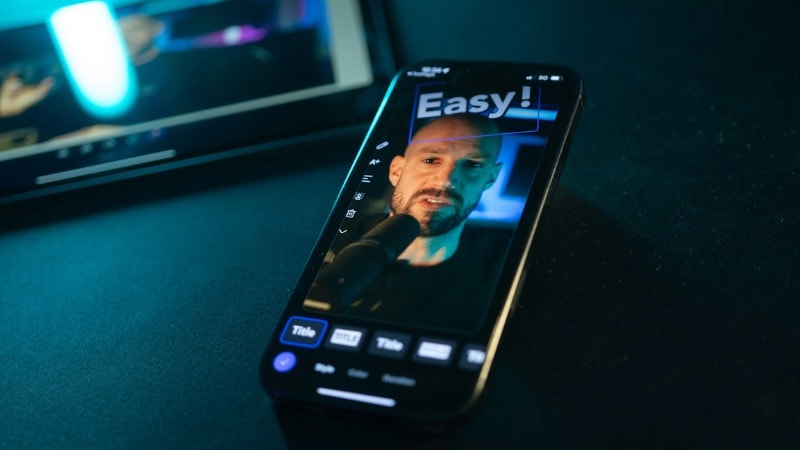
Editing Workflow: Not Built for Complex Projects
For short clips, the workflow in Vidma video editing feels smooth. Importing media is quick, preview playback is responsive, and applying effects usually happens without noticeable delay on most devices.
The experience changes as projects become more complex. Managing multiple elements in one timeline becomes harder, and the controls feel limited. The workflow works best for quick social videos or preset-based edits rather than detailed editing work.
Template Variations: Helpful but Limited in Variety
Vidma editing app provides ready-made templates that help speed up editing, especially for social media content. They make it easier to apply effects, transitions, and layouts without building everything from scratch.
That said, the overall variety is somewhat limited. If you edit frequently, you may start noticing similar transitions, layouts, and visual styles across different templates. They work well for quick posts, but they do not offer much room for customization.
Part 4. Performance & Rendering of Vidma Video Editor
If you plan to download the Vidma video editor app, performance and export quality are important factors to consider. Since the app runs on mobile devices, speed and stability depend on your phone’s hardware and the complexity of your project.
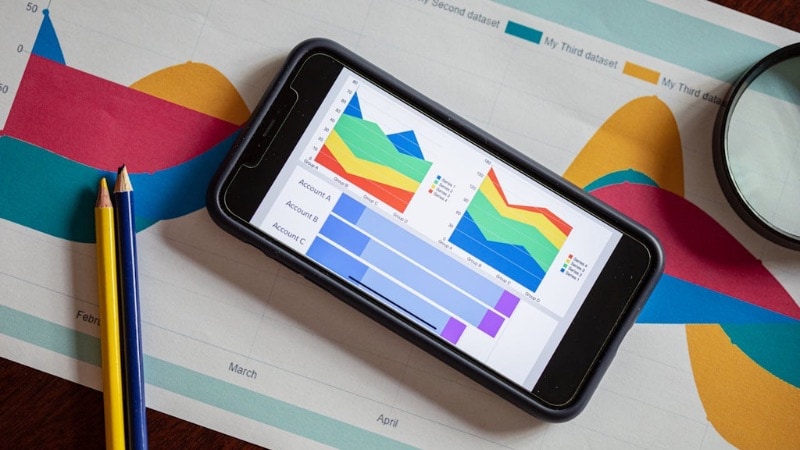
Here’s how Vidma performs in everyday use.
- App Stability and Speed: Vidma editor runs smoothly for basic tasks like trimming clips, adding music, and applying effects. Navigation feels responsive, and preview playback stays stable for short videos. With longer timelines, multiple overlays, or heavy effects, performance may slow slightly, and overall responsiveness depends on your device’s hardware.
- Export and Rendering Time: Export speed in Vidma is reasonable for short videos with simple edits or preset effects. Processing time increases with longer clips or higher resolutions. Rendering performance mainly depends on video length, resolution settings, and the device used for editing.
- Output Quality and Format Support: Vidma lets you export videos in MP4 or GIF format. You can adjust resolution and frame rate using slider controls before exporting. Watermark removal requires a paid upgrade, while aspect ratio settings are adjusted during editing, not export.
Verdict: Is Vidma the Video Editor for You?
Vidma Video Editor works well as a mobile editor for everyday content and quick social media videos. It prioritizes speed and simplicity, making it suitable for beginners and casual creators. However, users who need more control or advanced editing features may find its capabilities limited.

- Easy to use with a clean, beginner-friendly interface.
- Smooth performance for basic editing tasks.
- Supports high-resolution export up to 4K.
- Includes built-in effects, templates, and audio tools.
- Performance may vary with complex timelines or heavy effects.
- Limited control for detailed or complex edits.
- Watermark included in the free version.
Overall, Vidma is a practical choice for quick mobile editing and everyday projects. Meanwhile, more demanding workflows may require a more advanced editor.
Part 5. Vidma Video Editor Alternative for More Complex Editing
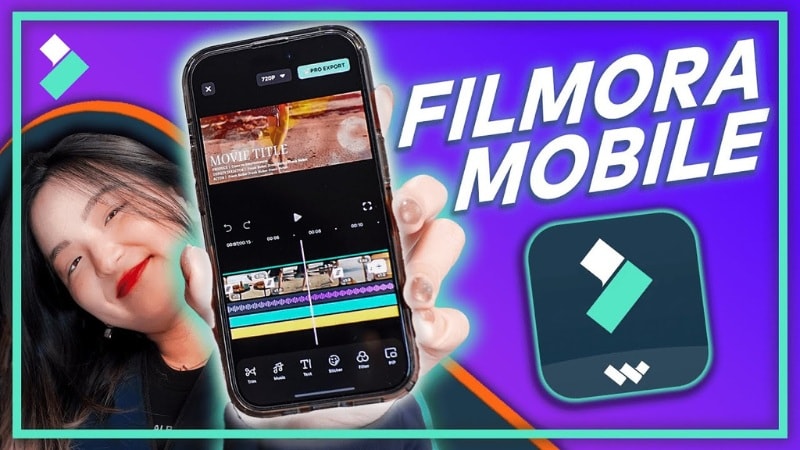
Vidma Video Editor works well for quick mobile edits, but it may not always meet your needs as projects become more advanced. If you want more control, broader features, or cross-device editing, Wondershare Filmora is a video editor worth considering.
 Secure Download
Why Choose Filmora for More Advanced Editing?
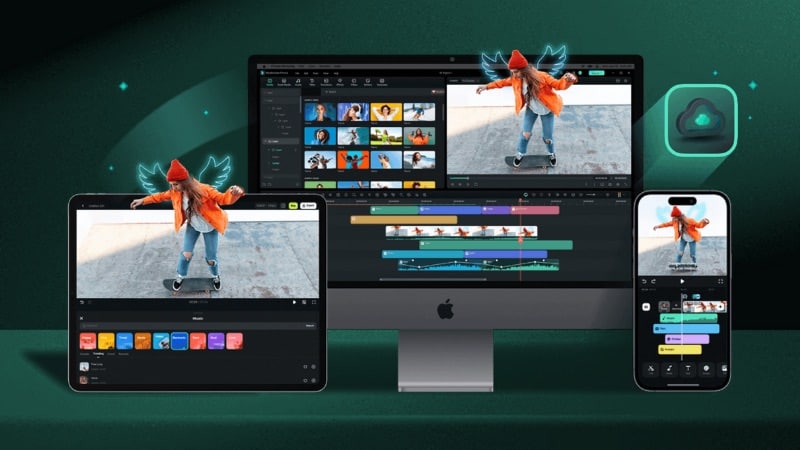
Unlike Vidma, Filmora is available across multiple platforms, including Android, iOS, Windows, and macOS. It also supports cloud storage, allowing you to transfer projects between mobile and desktop for continued editing.
Here are the key features of Filmora:
- Cross-Platform Professional Editor for Beginners: Filmora’s mobile app keeps editing simple, but gives more control than basic editors. You can work with multiple layers, adjust transitions more precisely, and use AI tools for video enhancement. Projects can also be uploaded to the cloud and opened later on a desktop.
- Viral-Ready Templates: Filmora for Mobile provides ready-made templates for reels, intros, and social videos. These templates are regularly updated and offer more variety. You can customize text, timing, and effects, which helps create trend-style content without starting from scratch.
- Social Media Video Maker: Filmora includes tools built specifically for online content creation. You can adjust aspect ratios, optimize videos for different platforms, and use presets designed for reels, shorts, and other social formats.
- Auto Captions for Long and Short-Form Content: Filmora offers automatic caption generation that converts speech into subtitles. This feature works for both short videos and longer content, helping improve accessibility and viewer engagement. You can also edit the text, caption styles, fonts, and adjust timing for more control.
- Make Music-Driven Edits with Auto Beat Sync: Filmora includes an Auto Beat Sync feature that matches video cuts and transitions with the rhythm of background music. This helps create smoother music-driven edits without manual timing adjustments.
- Browse Royalty-Free Assets: Filmora provides access to a large library of royalty-free assets, including music tracks, sound effects, stickers, and visual elements. These resources help speed up production without needing external downloads.
For a quick overview of Filmora Mobile’s latest update and how it helps speed up video creation, watch this video:
Secure DownloadConclusion
Vidma Video Editor works well for quick mobile edits and everyday content creation. It offers simple controls, fast processing, and preset features that help users complete basic edits efficiently. For casual creators, Vidma video editing tools cover most short-form needs without a steep learning curve.
At the same time, Vidma editing may feel limited for more complex projects that require detailed control or advanced features. If you need deeper control or cross-platform editing, a tool like Filmora may be worth considering.
Try the app yourself and see if it matches your workflow and project needs.
FAQs
-
Is there a Vidma online version I can use in a browser?
Currently, there is no Vidma video editor online that runs directly in a web browser. Vidma is mainly designed as a mobile app for Android devices. If you want a browser-based editor, you may need to use other web video editing tools. -
Can I download an old version of Vidma Video Editor?
Some users look for an old version of Vidma Video Editor to run on older phones. While older APK files may exist on third-party websites, they are not officially supported and may cause compatibility or security issues. -
Is Vidma Video Editor available for iPhone or iOS devices?
Although the official website mentions an iOS version, the App Store link may not always be accessible or publicly available. You should check the App Store directly to confirm availability in your region. -
Does Vidma Video Editor work offline?
Yes, most editing features in Vidma work without an internet connection once the app is installed. But some assets, templates, or updates may require an internet connection.
