


 TL;DR:
Vidou AI is a browser-based tool that automates the conversion of static images into 5-second animated videos using text prompts, making it highly effective for rapid social media content but too restrictive for advanced video editing.
● Pricing relies on a non-expiring credit system starting at $15.99 for 300 credits, where each 5-second 720p generation or retry costs approximately 10 credits, which can accumulate quickly if outputs require multiple prompt adjustments.
● The platform restricts generation to short durations and automated motion structures, completely lacking a traditional timeline, detailed customization features, or support for AI avatars.
● Wondershare Filmora serves as a necessary alternative for creators and marketers who require full timeline editing, manual control over pacing, and the structural flexibility to build longer, storytelling-focused videos.
Ask AI for a summary
 ChatGPT
 Perplexity
 Gemini
 Claude
 Grok
Grok
Do you need to turn ideas into short videos without spending hours editing? Vidou AI is designed for this kind of workflow. Its browser-based system converts simple prompts or images into ready-to-post clips in just a few steps, offering a practical solution for beginners, marketers, and short-form content creators working to tight deadlines.
However, the speed comes at a cost. While most of the structure is handled automatically, customization is more limited compared to full video editors. In this Vidou AI review, you’ll see how it works in practice, what features and pricing are available, and where it starts to feel restrictive. It also covers when switching to a more flexible alternative makes more sense.
What Is Vidou AI?
Vidou AI is a browser-based AI video generator that turns static images into short animated clips using simple prompts. The tool is designed to “transform static images into dynamic videos” directly in your browser, without requiring downloads or technical setup.
In practice, the main use case is straightforward: you upload an image or describe an idea, add a brief prompt for movement, and the system automatically generates a short video. The process is simplified into just a few steps, which makes it accessible even if you have no editing experience.
Most outputs are short-form by design. This includes:
- social media clips (Reels, Shorts, TikTok-style content)
- simple promo or product visuals
- animated scenes based on images or concepts
As a result, Vidou AI falls into the category of AI video tools that prioritize automation. It focuses on generating quick results with minimal input, rather than detailed editing. You won’t find a traditional timeline or advanced controls here. Instead, the platform handles most of the structure for you, which keeps the workflow fast but also limits how much you can customize.
Vidou AI Key Features
Vidou AI keeps things straightforward. It’s designed to turn images into short videos with just a prompt, without introducing a full editing interface. Most of the process is handled behind the scenes, so you don’t need to adjust detailed settings or manage a timeline. The features below reflect that approach, with a focus on quick generation and simple inputs.
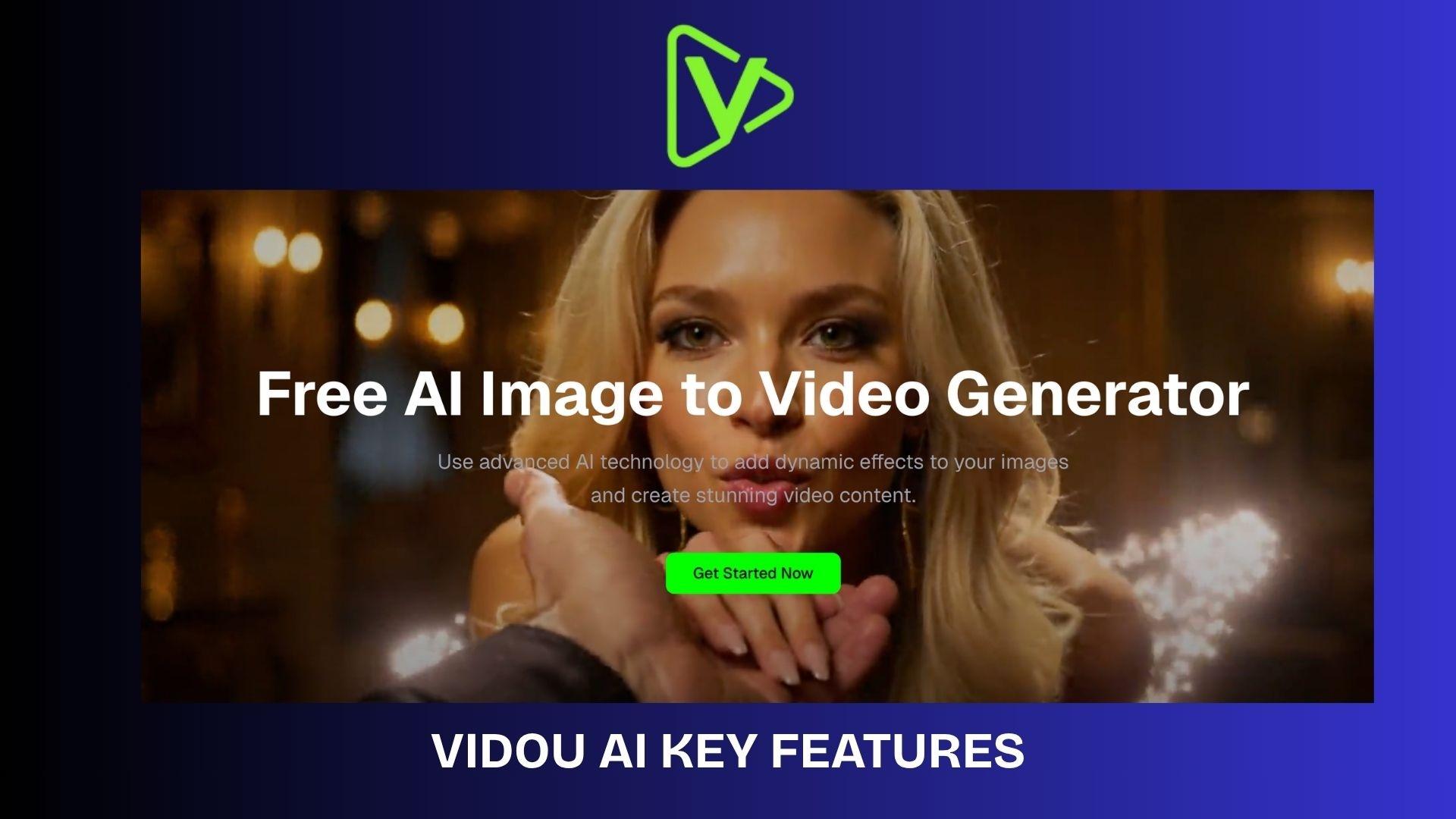
AI Image-to-Video Generation
- Converts static images into short animated videos
- Uses simple text prompts to define motion and effects
- Generates clips quickly (typically a few seconds long)
Prompt-Based Motion Control
- Users describe movement in natural language
- No need for complex scripting or technical input
- AI interprets motion such as zoom, lighting, or animation

Short-Form Output Optimization
- Generates short videos (around 5 seconds)
- Supports multiple aspect ratios (9:16, 16:9, 1:1, etc.)
- Designed for social media and quick visual content
Browser-Based Workflow
- Runs fully in the browser, no installation required
- No login required for basic use
- Files are not stored after processing (privacy-focused)
Fast Generation Engine
- Videos are generated in seconds to under a minute
- Optimized for quick iteration and testing ideas
- No GPU or advanced hardware needed
How Vidou AI Works in Practice
The process in Vidou AI is straightforward and doesn’t require editing experience. Everything happens in a few guided steps:
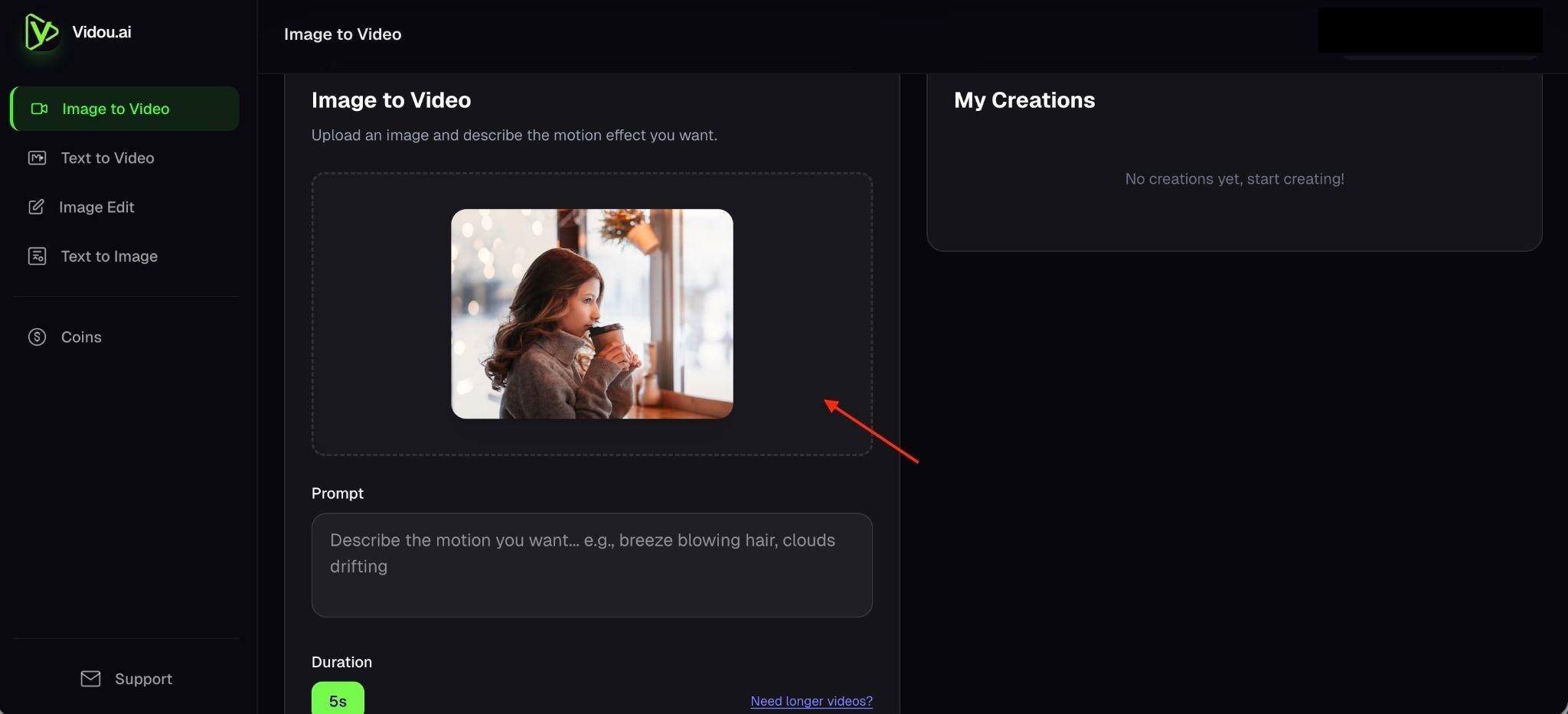
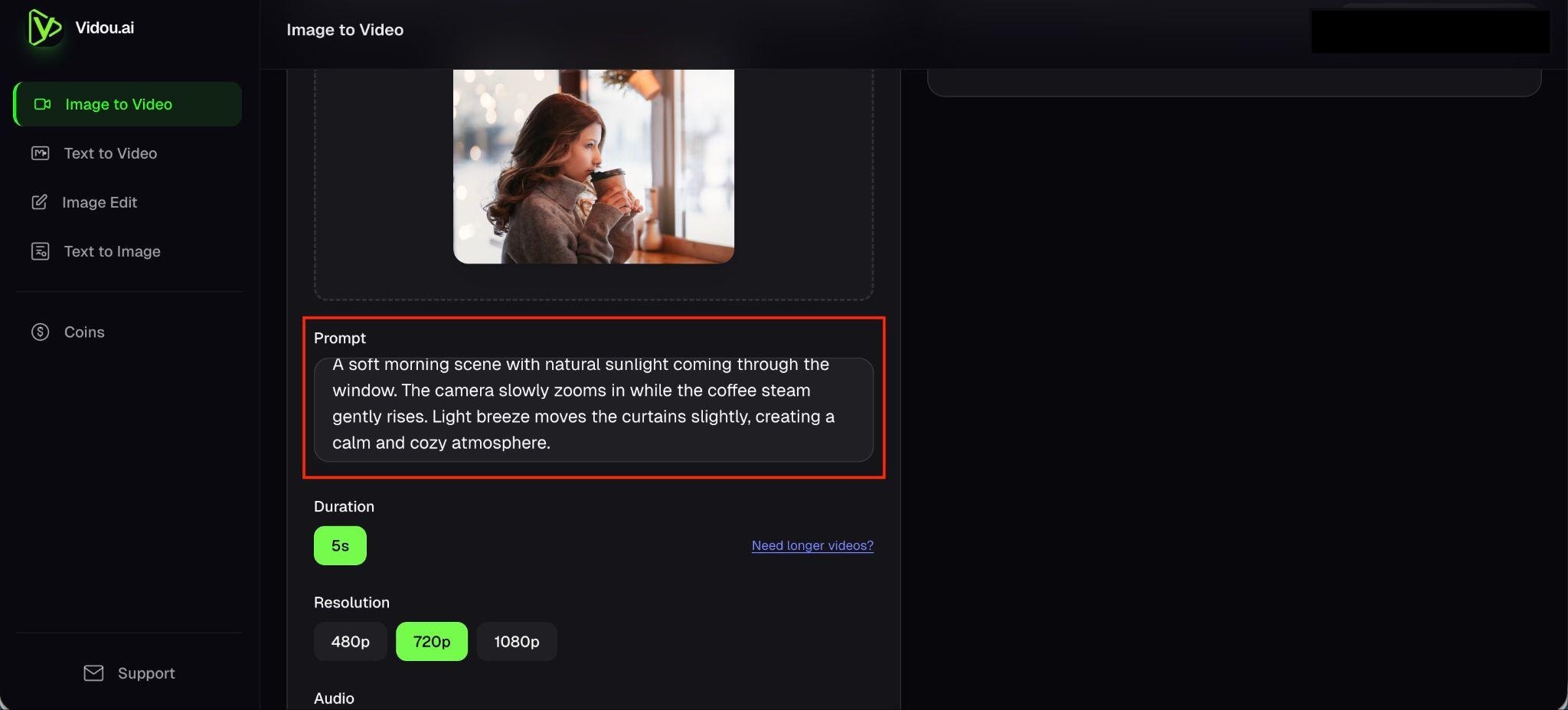
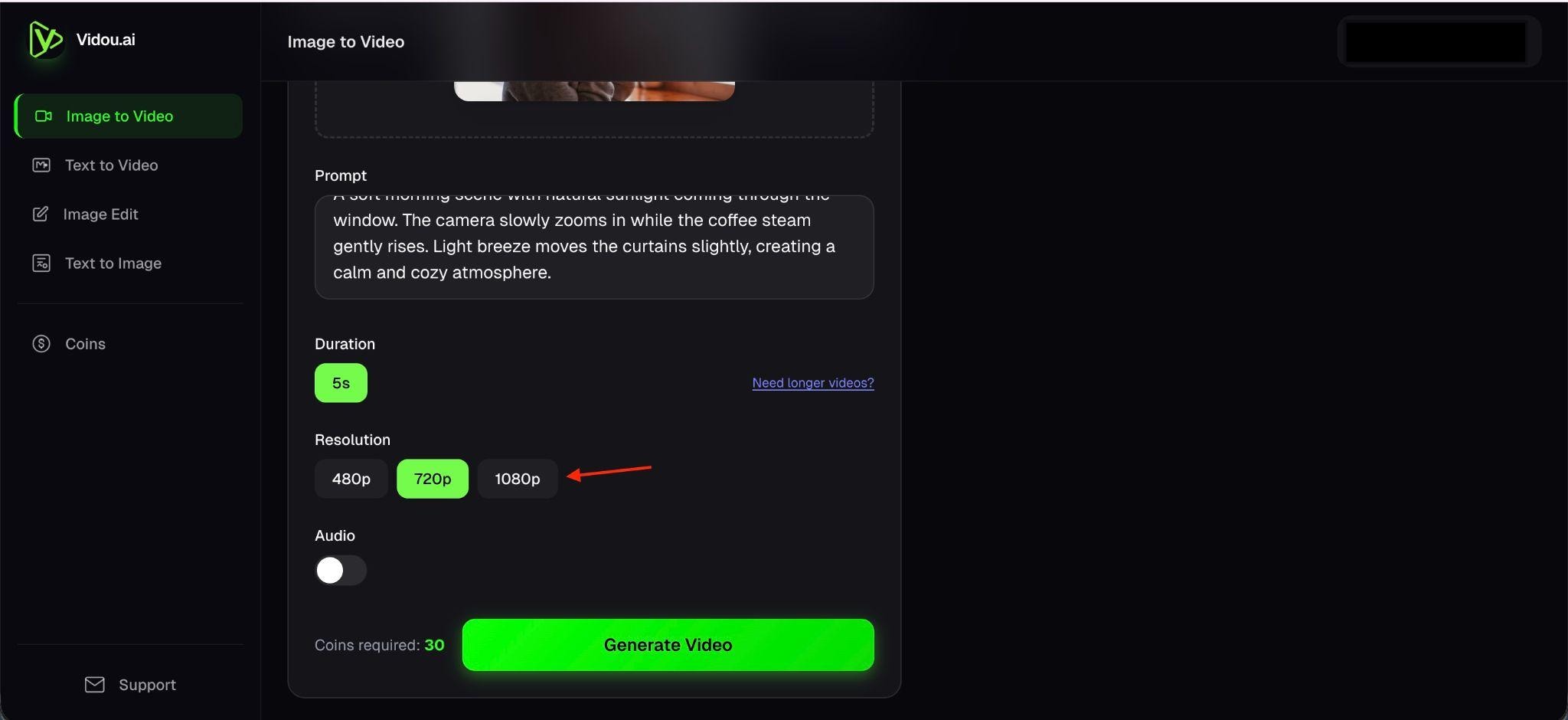
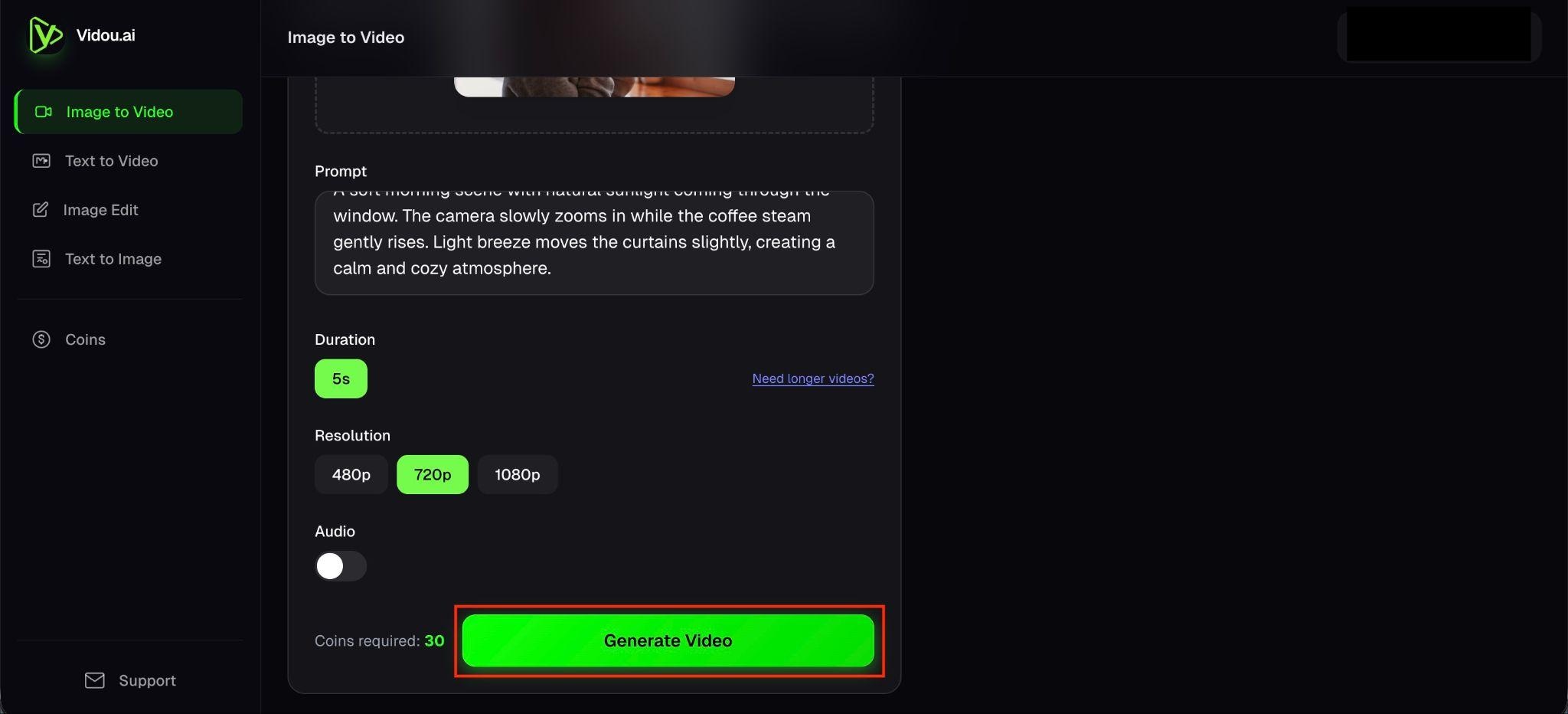
The workflow is quick and easy to repeat, making it well-suited for testing different ideas. However, most of the structure is decided by the system, so there’s limited room to fine-tune details after generation.
Vidou AI Pricing: One-Time Coins, No Subscription
Vidou AI's pricing system uses a credit-based (coin) system, so you only pay when you create a video. The credits you buy have no expiration date, and there are no fixed monthly subscription fees, which makes it flexible but also less predictable if you use it regularly.
Video AI Pricing (2026)
| Plan type | Price | Credits | What you get | Best for |
| Basic | $15.99 | 300 | Standard video generation, basic processing speed, up to 3 Parallel Tasks | Beginners, light use |
| Pro | $29.99 | 1,500 | Faster generation, higher priority processing, up to 10 parallel tasks | Regular creators, marketers |
| Max | $69.99 | 5,000 | Fastest generation speed, highest processing priority, unlimited parallel tasks | High-volume creators |
Key Notes:
- Video generation typically costs ~10 credits per 5-second clip at 720p
- Credits are consumed every time you generate, including retries
- Higher quality or more complex outputs mean higher credit usage
- Output duration is short (around a few seconds per generation)
Vidou AI Pros and Cons After Using It
After using Vidou AI across multiple generations, the workflow stays simple, but the limitations become more noticeable over time.
- Fast video generation. Clips are created in seconds, which makes it easy to test different ideas quickly.
- Beginner-friendly workflow. No editing background is needed, since the process only involves uploading an image and adding a prompt.
- Browser-based access. The tool runs entirely online, so there’s no setup or installation involved.
- Simple input system. A short prompt is enough to generate motion, which keeps the process straightforward.
- Useful for quick content. It works best for short social posts, concept visuals, or simple promotional clips.
- Limited control over the final result. There’s no timeline or detailed editing, so adjustments after generation are minimal.
- Short output duration. Videos are only a few seconds long, which restricts how much content you can include.
- Credit-based usage can add up. Each attempt uses credits, including retries when results don’t match expectations.
- Inconsistent results. Output quality depends heavily on the prompt, and getting a usable clip may take several tries.
- Not suitable for complex projects. Longer videos, storytelling, or detailed branding aren’t supported in this workflow.
Want More Control? Check Out Vidou AI Alternative
After a few uses, Vidou AI starts to feel restrictive. The system handles most of the process for you, which keeps things fast, but also means there’s not much room to adjust the result once it’s generated.
For more flexibility, a full video editor makes a significant difference. Wondershare Filmora is a strong option if you want to move beyond quick generation and have more control over how your videos look and flow.
 Secure Download
Why Filmora Works as an Alternative
- Full Timeline Editing: You can arrange clips, adjust timing, and control every part of the video, rather than relying on pre-generated structure.
- AI Tools + Manual Editing: AI features help speed up tasks, but you still decide how the final video looks and flows.
- Better for Advanced Content: It supports longer videos, storytelling, and branded content beyond short clips.
- Deeper Customization: You can fine-tune visuals, transitions, effects, and overall style without being locked into presets.
Vidou AI vs Filmora
In terms of positioning, Vidou AI is built for fast, automated video generation, where most of the work is handled for you from start to finish. Wondershare Filmora takes a different approach, focusing on editing flexibility and customization, with tools that let you shape, adjust, and refine your content in detail.
Secure DownloadConclusion
Vidou AI offers a simple way to turn images into short videos with minimal effort. The workflow is quick, and getting started doesn’t require editing experience, which makes it useful for testing ideas or creating lightweight social content. The limitations become clearer with repeated use, especially when you need more control over timing, structure, or style.
For that level of flexibility, tools like Wondershare Filmora offer a more complete editing experience. If speed is your priority, Vidou AI has you covered. If control matters more, a full editor will deliver better results.
FAQs
-
What is Vidou AI used for?
Vidou AI is mainly used to turn static images into short animated videos using simple prompts. It’s commonly used for quick social media clips, visual concepts, or lightweight promotional content. -
Is Vidou AI free?
Vidou AI offers limited free credits to try it out, but most features require paid credits. Each video you generate uses credits, so you’ll need to buy more once they run out. -
Does Vidou AI support AI avatars?
There is no clear support for AI avatars in Vidou AI’s current workflow. The platform focuses on creating videos from images, not avatar-based talking videos. -
Is Vidou AI good for YouTube?
It works better for short-form YouTube content such as Shorts or quick visual clips. For longer videos or detailed storytelling, it lacks the editing control needed. -
What is the best alternative to Vidou AI?
A strong alternative is Wondershare Filmora. It offers full timeline editing, more control over visuals, and a combination of AI tools with manual editing, which makes it more suitable for longer, more detailed content.
