


 TL;DR:
Relying on a VivaVideo Mod APK to bypass subscription paywalls introduces severe malware and data privacy risks while often failing to unlock cloud-dependent features, making official in-app purchases or secure alternatives like Filmora the recommended path.
● Modded APKs cannot reliably bypass server-side licensing, meaning premium AI tools often remain broken, while hidden spyware actively targets your device's clipboard data, contacts, and stored passwords despite VPN or antivirus usage.
● If you only edit casually on mobile and want to avoid the $6.99 monthly VIP subscription, VivaVideo offers a legitimate $1.99 one-time purchase strictly for watermark removal without compromising your device security.
● Filmora serves as a superior alternative for users who edit frequently and require multi-device workflows, offering a cross-platform editor for Windows, Mac, iOS, and Android, advanced multi-track timelines, and an ad-free experience even on its free tier.
Ask AI for a summary
 ChatGPT
 Perplexity
 Gemini
 Claude
 Grok
Grok
Despite the obvious risks, many people still search for VivaVideo Mod APK in the hope of unlocking premium features without paying for a subscription, including the ability to edit videos without a watermark. What they don't realize is what's quietly running in the background of that "free" download.
If you've been considering downloading VivaVideo mod APK, read our full breakdown first so you know exactly what you're getting into before it's too late.
Part 1. What Is APK?
APK (Android Package Kit) is the file format Android uses to install apps. Every app you install from the official sources, like Google Play Store, actually comes packaged as an APK. But since Google handles the download and installation process behind the scenes, you never see the file directly.
Now, when you download an APK outside of the Play Store or any official platform, you're doing what's called “sideloading.” This isn't automatically dangerous, but it does mean the app skips Google's security checks entirely. You have no way of knowing what's actually inside the file or whether it's safe.

Not to mention a mod APK, which carries even more risk. “Mod” is short for modified, meaning someone has taken the original app, altered its code, and redistributed it. VivaVideo mod APK, for example, is typically marketed as a way to unlock premium features for free. And they're not hard to stumble across in a Google search, especially if you don't know what to look for.
Some sites package them to look nearly identical to legitimate download pages. But the files themselves are a different story.
Official APK vs. Mod APK
| Official APK | Modded/Cracked Version | |
| Source | Google Play Store and App Store | Third-party websites |
| Security | Verified | Unverified, no security checks |
| Updates | Regular | None |
| Legal Status | Fully legal | Violates copyright law |
| Risk Level | Low | High (malware, spyware, data theft) |
| Support | ||
| Watermark | Removed with paid subscription | Claims to remove it |
| Cost | Free and paid tiers | Free |
|
Show More
Show Less
|
||
Part 2. Why Is Everyone Searching for VivaVideo Mod APK?
VivaVideo is an AI photo and video editor with millions of users worldwide. It has been widely used for making quick social media content. The VivaVideo app download is available on both Google Play and App Store.
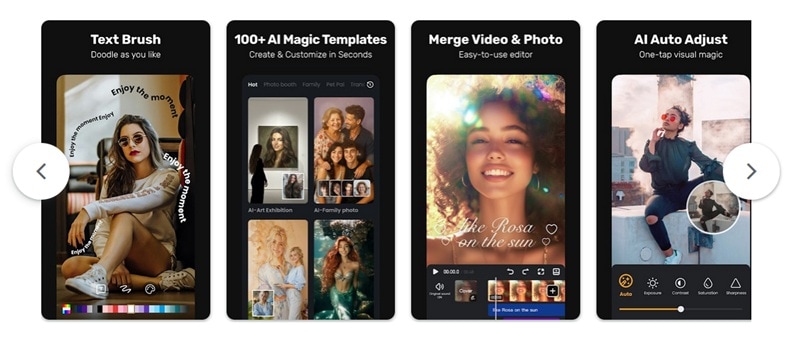
Even so, there's a limited amount you can do for free with the official VivaVideo app. This has pushed people toward looking for workarounds and falling into the trap of a “VivaVideo premium mod APK.” You can only do this much if you are on a VivaVideo free plan:
- Export videos up to 5 minutes long
- Basic editing tools like trimming, splitting, and merging clips
- Access to essential tools, but with a watermark on every exported video
- Ads throughout the editing experience
To remove all of that, VivaVideo charges around $6.99 per month, or $35.99 per year. For someone who only edits videos occasionally, that's a hard sell. So instead of paying, they go searching for a Viva mod APK that promises all the premium features for free. Others look for a VivaVideo crack to skip the paywall.
Part 3. Does the VivaVideo Mod APK Really Deliver What It Promises?
Another issue with a mod APK is that it often works just partially and is never safe. Some modded versions do manage to remove the watermark and unlock features like higher export resolution or access to premium templates. In that narrow sense, the mod "works."
But here's the fuller picture:
- The watermark removal isn't guaranteed. Some mods remove the VivaVideo watermark but replace it with one from the modding site itself. Others offering VivaVideo without a watermark only deliver that in certain export modes. You often won't know until after you've already installed the file.
- Premium features may be partially unlocked at best. Even the latest VivaVideo mod APK couldn't fully crack every layer of the app, especially those that depend on VivaVideo's cloud storage servers. Certain filter packs or AI-powered tools may still be locked or simply broken.
- Stability is a real problem. Modded APKs are typically built on older versions of the app. The app may crash during export, lag on longer timelines, or fail to save your project entirely. If that happens mid-edit, your work is gone.
- It stops working without warning. VivaVideo can push a server-side update that breaks the mod's license bypass. One day it works, the next it doesn't, and there's no support to turn to.
Part 4. What Happens When You Download VivaVideo Mod APK? Is It Really Free?
Before you hit that VivaVideo mod APK download button, you need to be aware of the risks that come with it. The file may be free to grab, but the cost can show up later in ways that are much harder to deal with than a monthly subscription.
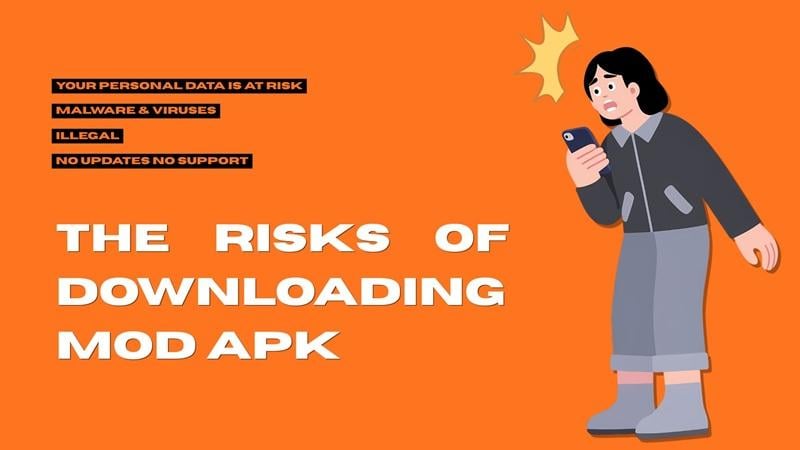
1. Your Personal Data Is at Risk
The VivaVideo Pro mod APK can look and behave like VivaVideo on the surface, but it may be sending data to an external server without you even knowing. Since modded APKs are repackaged by unknown third parties, they can modify the code that quietly collects data in the background, such as phone contacts, location data, photos, stored passwords, and even clipboard content (which often contains copied passwords or banking details).
2. Beware of Malware & Viruses Hidden Inside the APK
Not every modded VivaVideo APK contains malware, but enough do that the risk is real and well-documented. Security researchers have repeatedly found adware, trojans, and spyware bundled inside popular modded apps. It’s especially dangerous if you've disabled the protection to install the APK, which many install guides instruct you to do.
3. It's Illegal (Copyright Infringement)
Not many care enough about this part, but downloading a VivaVideo mod Pro APK is a form of software piracy, so it’s technically illegal. Enforcement against individual users is rare, though. Most companies focus on taking down the distribution sites.
4. No Updates, No Support, Broken Features
Since it's not coming from the official source, modded APKs live exclusively on shady third-party sites. That means no automatic updates, no bug fixes, and no one to contact when something goes wrong when using it.
Part 5. Should You Invest in VivaVideo Pro Version?
After learning the risks of downloading APK VivaVideo mod, you may realize it probably isn’t worth the trouble you can end up with and start thinking of investing in the VivaVideo Pro instead.
VivaVideo Pro is the most reliable and safest way to enjoy its premium features without putting your device at risk. Here's what you get with a Pro subscription:
- Watermark-free video export
- HD and 4K export quality
- No video duration limit
- Access to premium filters, effects, and transitions
- Expanded music and sound effects library
- AI-powered editing tools
- No ads during editing
VivaVideo gives you a few ways to pay, depending on how much you actually need:
| Plan | Pricing |
| VIP Monthly | $6.99/month |
| VIP Annual | $35.99/year |
| Unlock Premium Pack | $4.99 |
| Remove Watermark | $1.99 |
| Unlock HD Export | $1.99 |
| Remove Duration Limit | $1.99 |
|
Show More
Show Less
|
|
From our observation, VivaVideo Pro can be a good choice if you edit short-form videos casually and want a simple mobile editor. If you edit frequently, need more advanced tools, or work across multiple devices, you may find the value lacking at its current price point.
Part 6. Exploring a Better VivaVideo Alternative You Can Try for Free
Before you spend another minute looking for a VivaVideo mod APK, another option worth considering is to try an alternative like Wondershare Filmora as the upgrade your editing workflow actually needs. Filmora is a video editor that runs on Windows, Mac, iOS, and Android, so you're not locked to your phone the way you are with VivaVideo.
 Secure Download
What's important is that Filmora is free to download and offers a free version that lets you try the app first to see if it fits your needs, though there's a watermark on exported videos, among other limitations.
But when you do decide to pay, Filmora gives you a lot more at competitive prices:
- Cross-platform editing. Filmora works on both desktop and mobile. You can start a project on your phone and finish it on your laptop.
- More advanced timeline editing. Compared to VivaVideo, which leans more toward template-driven editing, Filmora supports multi-track editing with greater control over cuts, transitions, and audio mixing.
- A stronger AI toolkit. Filmora includes AI text-to-video, AI background remover, AI audio denoise, AI copywriting, AI thumbnail generation, and many other AI tools that can cut your editing time significantly without requiring any technical skills to use.
- Bigger assets library. On top of Filmora’s Stock library, the app also connects to royalty-free stock from Giphy, Pixabay, and Unsplash directly inside the app.
- No ads. Even on the free plan, Filmora doesn't interrupt your editing session with ads.
Filmora also regularly runs achievement programs and reward events that give you perks like free exports, AI credits, and bonus assets the more you use the app. It's a nice bonus as you get more comfortable with the tool.
If you compare Filmora and VivaVideo side by side, here's how they stack up:
| Filmora | VivaVideo | |
| Platform | Windows, Mac, iOS, Android | iOS, Android |
| Pricing Models | Monthly, annual, or one-time perpetual license | Monthly, annual |
| Free Version | Yes, with watermark and some limitations | Yes, with watermark, ads, and feature limits |
| Watermark | Removed with any paid plan | Removed with paid plan |
| Ads | No ads | Ads present on free plan |
| AI Editing Tools | Extensive | Basic |
| Supported Format | MP4, MOV, AVI, MKV, GIF, and more | MP4, MOV, limited |
| Assets Library | Larger, with royalty-free stock built in | Smaller, mostly locked behind premium plan |
|
Show More
Show Less
|
||
Secure DownloadConclusion
A VivaVideo Pro APK isn't really free. You're just paying with something other than money. What you risk losing, your data, your device security, and your time, is worth a lot more than a monthly subscription.
If you're not ready to pay, it’s better to use the free trial and decide from there. Or, you can consider trying Filmora if you want something with more room to grow. Both are legitimate, both are free to start, and neither requires you to hand your device over to a stranger on a shady download site.
FAQs
-
1. Does using a VPN make downloading Mod APKs safer?
No. A VPN masks your IP address and encrypts your internet connection, but it does nothing to scan or filter the files you download. If a mod APK contains malware, the VPN won't catch it. You're still downloading the same file with the same risks. -
2. Can antivirus software detect VivaVideo Mod APK threats?
Sometimes, but not always. Antivirus apps can catch known malware signatures, but modded APKs are frequently updated and repackaged specifically to avoid detection. On top of that, many mod APK install guides tell you to disable Google Play Protect before installing, which removes your most immediate line of defense. -
3. How do I remove the VivaVideo watermark without paying?
Your two legitimate options are VivaVideo's free trial, which gives you full Pro access, including watermark-free export for a limited period, or the one-time $1.99 watermark removal purchase. Although many sites promise a VivaVideo mod APK with no watermark, they often bundle the file with something you definitely don't want on your device.
