

 TL;DR:
You can generate and apply high-quality AI video backgrounds by combining specific lighting, style, and aspect ratio prompts directly within Wondershare Filmora's built-in generator and matting tools.
● Select the Nano Banana generation mode for rapid background creation, or switch to Nano Banana Pro when you require higher quality and more refined image details.
● Prevent cluttered or unusable images by strictly enforcing negative prompts (e.g., "no text, no watermark, no blur"), defining exact resolutions (16:9 for Zoom, 9:16 for Snapchat, or 4K), and specifying "center empty space" so the background does not obscure your subject.
● To integrate the new scene, place the generated background on the lower timeline track beneath your footage, then navigate to Video > AI Matting to apply AI Portrait for automatic human isolation, or use Smart Cutout to manually brush and isolate products, pets, or full-body shots.
Ask AI for a summary
 ChatGPT
 Perplexity
 Gemini
 Claude
 Grok
Grok
AI backgrounds are everywhere in 2026, but crafting the perfect prompt is still a challenge. Most creators struggle with blurry or off-style results. Whether you need a professional AI background prompts generator for Zoom, viral Snapchat AI background prompts, or high-res AI wallpaper prompts, the right wording is key. This guide provides 100+ best AI background prompts you can copy and use directly in Wondershare Filmora to level up your videos.
Part 1. Best AI Background Prompts by Category
Now that you know why prompt wording makes or breaks your results, let's get practical. Below are 100 best AI background prompts you can copy and tweak for your exact use case.
Tip: Add "16:9, background for video call" for Zoom, and "9:16, vertical" for Snapchat.
1) Professional & Office (Zoom, webinars, client calls)
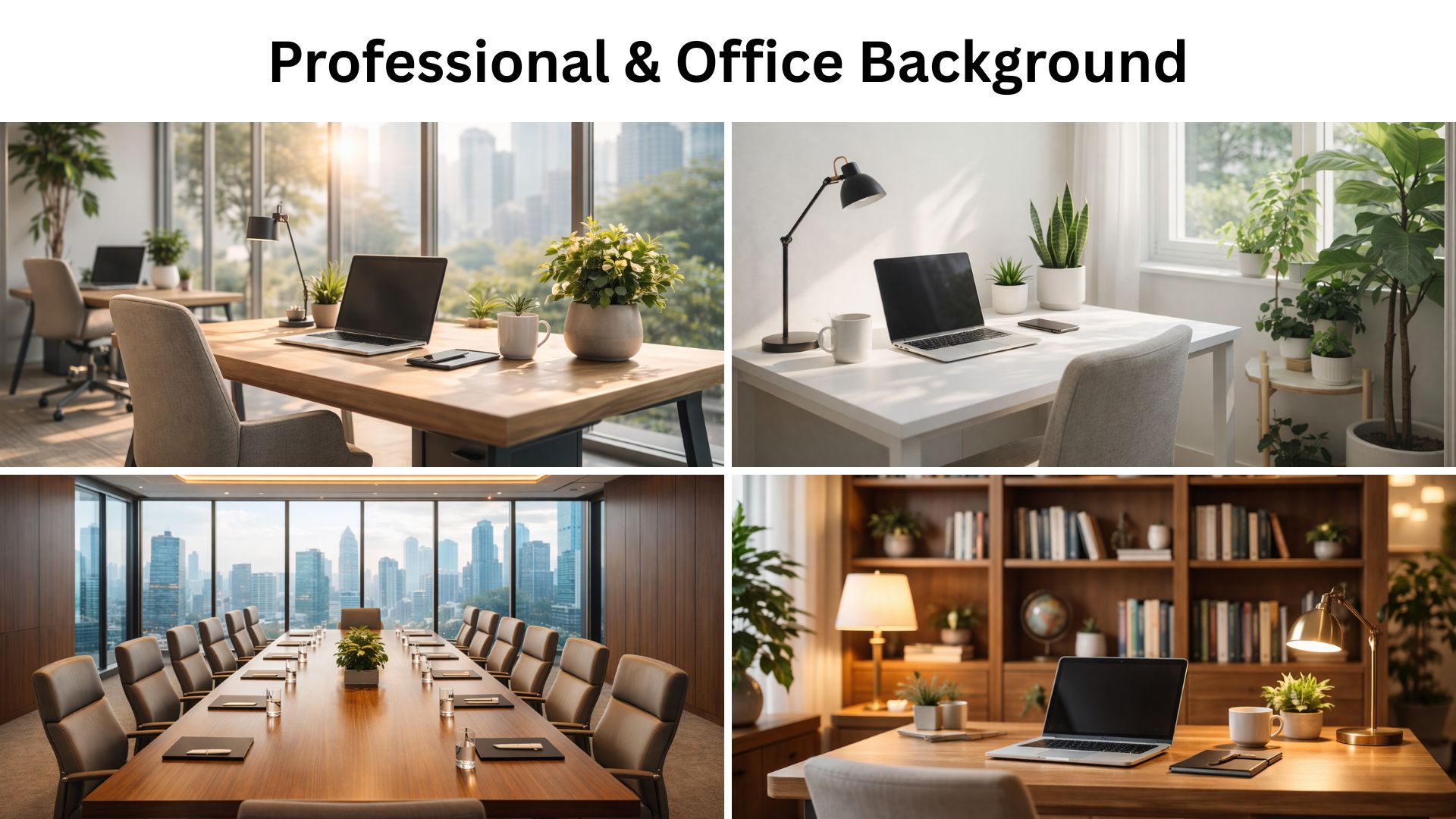
Focus: Realistic AI prompts for backgrounds that look clean and believable.
- Photoreal modern office, glass wall, soft morning light, neutral colors, shallow depth of field, 16:9, ultra clean
- Minimal home office, white desk, plant corner, bright window light, natural shadows, 16:9, realistic
- Executive boardroom, long table, city view, warm overhead lighting, crisp detail, 16:9, photoreal
- Cozy bookshelf office, tasteful decor, warm lamp lighting, subtle bokeh, 16:9, realistic
- Creative studio office, corkboard, sketches, organized shelves, daylight, 16:9, photoreal
- Coworking space background, modern desks, people as soft silhouettes in the distance, 16:9, realistic
- Clean newsroom set, soft key light, blurred monitors, professional tone, 16:9, photoreal
- Modern reception lobby, marble floor, soft reflections, neutral palette, 16:9, realistic
- Tech startup office, neon accent strip lights, tasteful, not too loud, 16:9, realistic
- Corporate hallway with glass panels, depth perspective, soft light, 16:9, photoreal
2) Trending Snapchat AI Background Prompts & Social Media Ideas
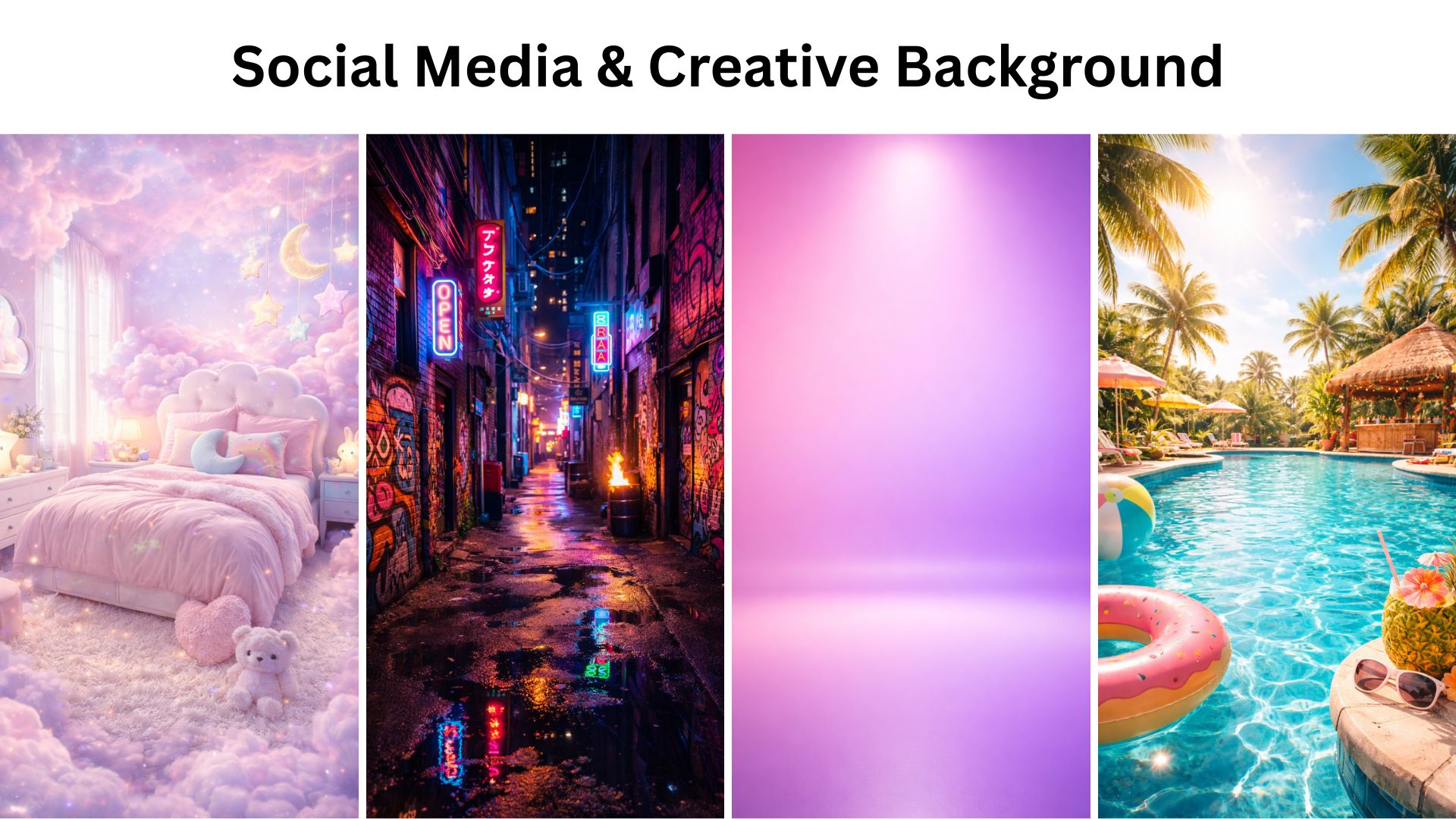
Focus: Social media and Snapchat AI background prompts, bold style, vertical framing.
- Vertical 9:16, dreamy pastel cloud room, soft glow, cute props, high detail, Snapchat-friendly
- Vertical 9:16, neon graffiti alley, cinematic lighting, vibrant colors, sharp focus, high contrast
- Vertical 9:16, glossy studio backdrop, gradient pink to purple, soft spotlight, clean shadows
- Vertical 9:16, "creator desk setup" with LED lights, cozy ambience, RGB but tasteful, realistic
- Vertical 9:16, futuristic hologram stage, floating UI shapes, crisp lighting, great detail
- Vertical 9:16, candy-core room, bright colors, playful shapes, smooth texture, clean
- Vertical 9:16, luxury runway vibe, black glossy floor, spotlights, subtle haze, cinematic
- Vertical 9:16, tropical pool party background, sun flare, vibrant teal water, great detail
- Vertical 9:16, kawaii sticker wall collage, cute icons, clean lines, high resolution
- Vertical 9:16, cyber neon tunnel, reflective floor, sharp perspective, cinematic lighting
3) Nature & Landscape (Wallpapers, calm scenes)
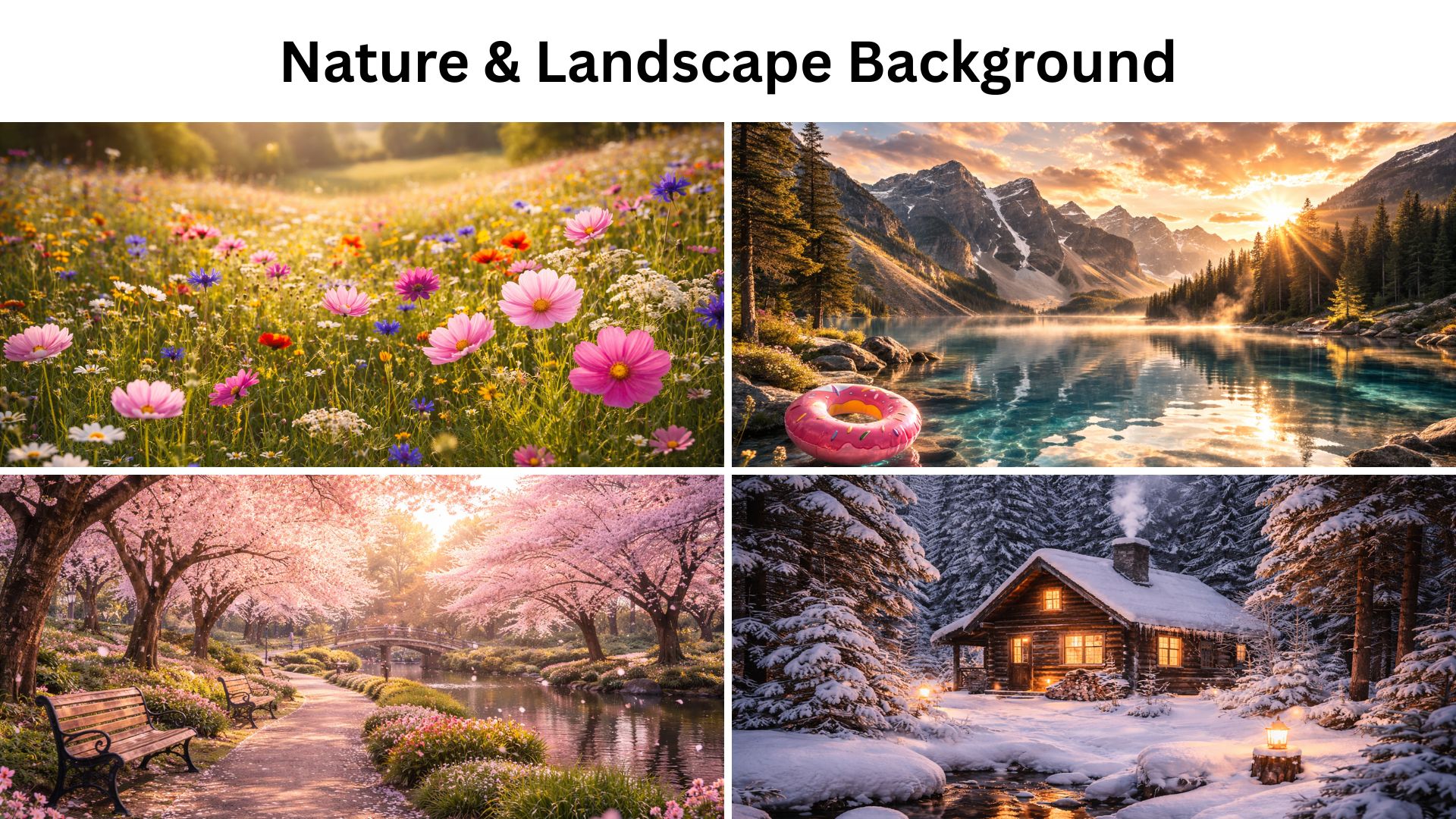
Focus: AI wallpaper prompts and AI prompts for background images with depth and mood.
- Mountain lake at sunrise, fog layer, golden hour lighting, photoreal, ultra sharp, 4K wallpaper
- Tropical beach, clear water, soft clouds, bright noon light, photoreal, 4K wallpaper
- Misty pine forest, moody atmosphere, soft diffused light, cinematic, 4K
- Desert dunes, long shadows, warm tones, minimal composition, photoreal, 4K
- Wildflower meadow, gentle breeze vibe, soft sunlight, vivid but natural, 4K
- Snowy cabin in a quiet winter forest, warm window light, cinematic, 4K
- Waterfall jungle scene, lush greens, natural mist, photoreal, 4K
- Dramatic coastline cliffs, ocean spray, overcast mood, cinematic color grade, 4K
- Night sky with Milky Way above mountains, long exposure feel, crisp stars, 4K
- Sakura park in spring, petals floating, soft pastel sunlight, photoreal, 4K
4) Cityscape & Urban (day, night, travel vibes)
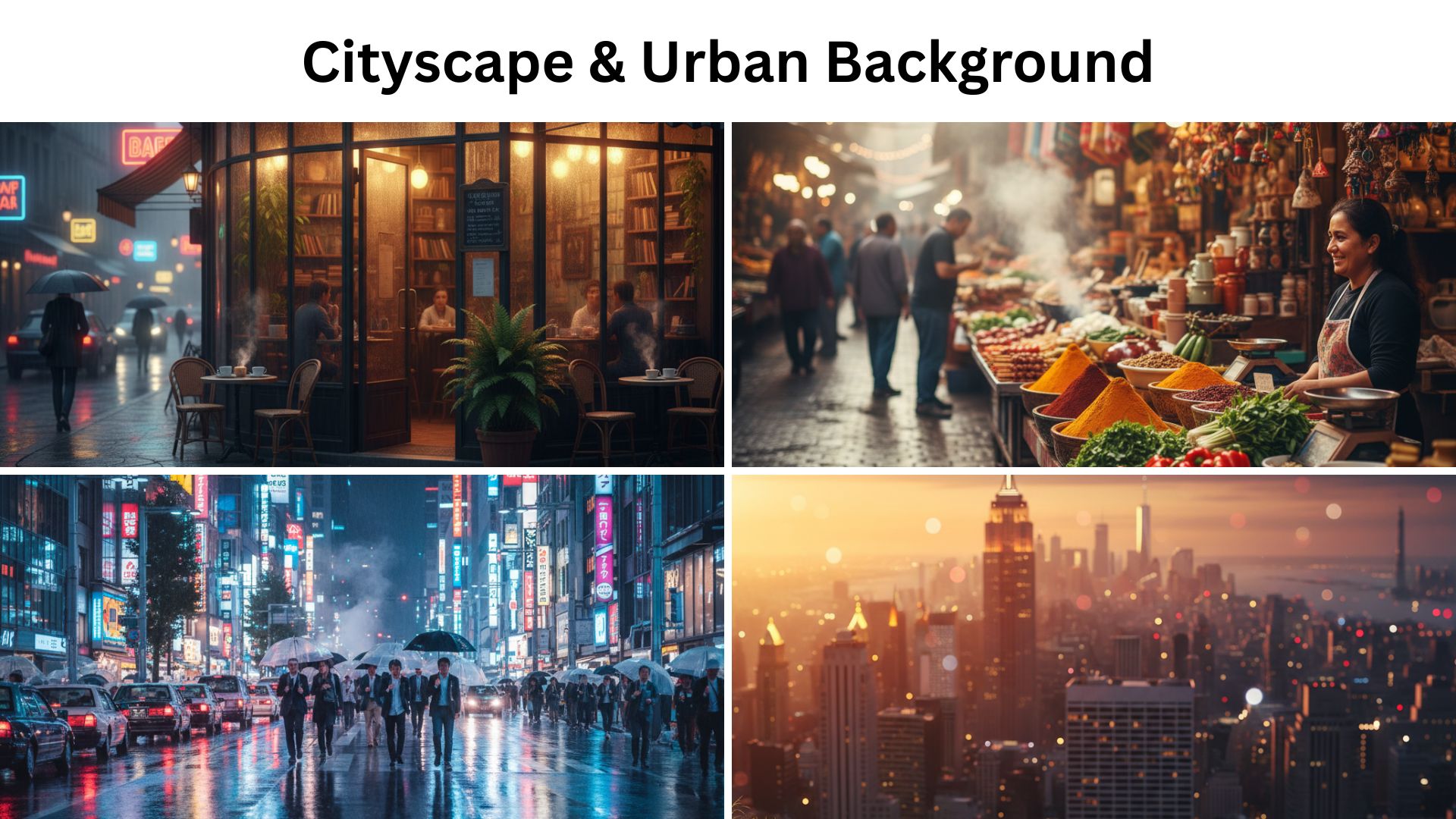
Focus: AI prompts for background images that feel cinematic, modern, and travel-ready without looking fake.
- Tokyo street at night, neon signs, light rain, reflections, cinematic, photoreal, 4K
- New York rooftop view at sunset, warm glow, skyline bokeh, photoreal, 4K
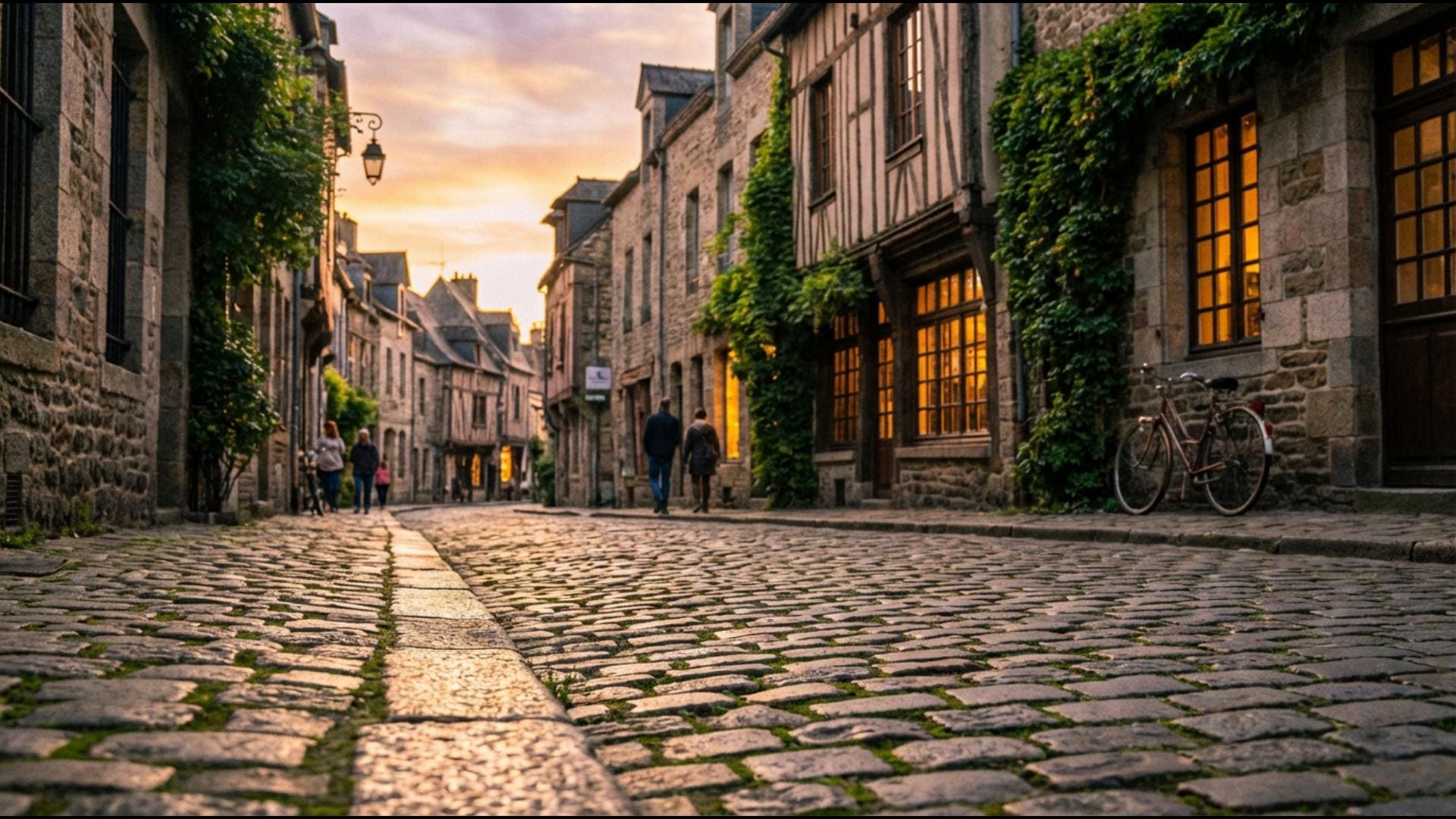
- European old town street, golden hour, cobblestone detail, soft shadows, 4K
- Futuristic city skyline, clean architecture, blue hour lighting, cinematic, 4K
- Cozy cafe street corner, rainy day, warm interior lights, reflections, 4K
- Subway platform, soft motion blur in background, cinematic lighting, realistic, 16:9
- Street market scene, colorful stalls, natural light, depth of field, photoreal
- Minimal modern city plaza, geometric buildings, clean lines, bright daylight, 4K
- Night bridge with long exposure light trails, crisp detail, cinematic, 4K
- Coastal city promenade, pastel sunset, palm trees, relaxed vibe, 4K
5) Cozy Interiors (rooms that feel lived-in)
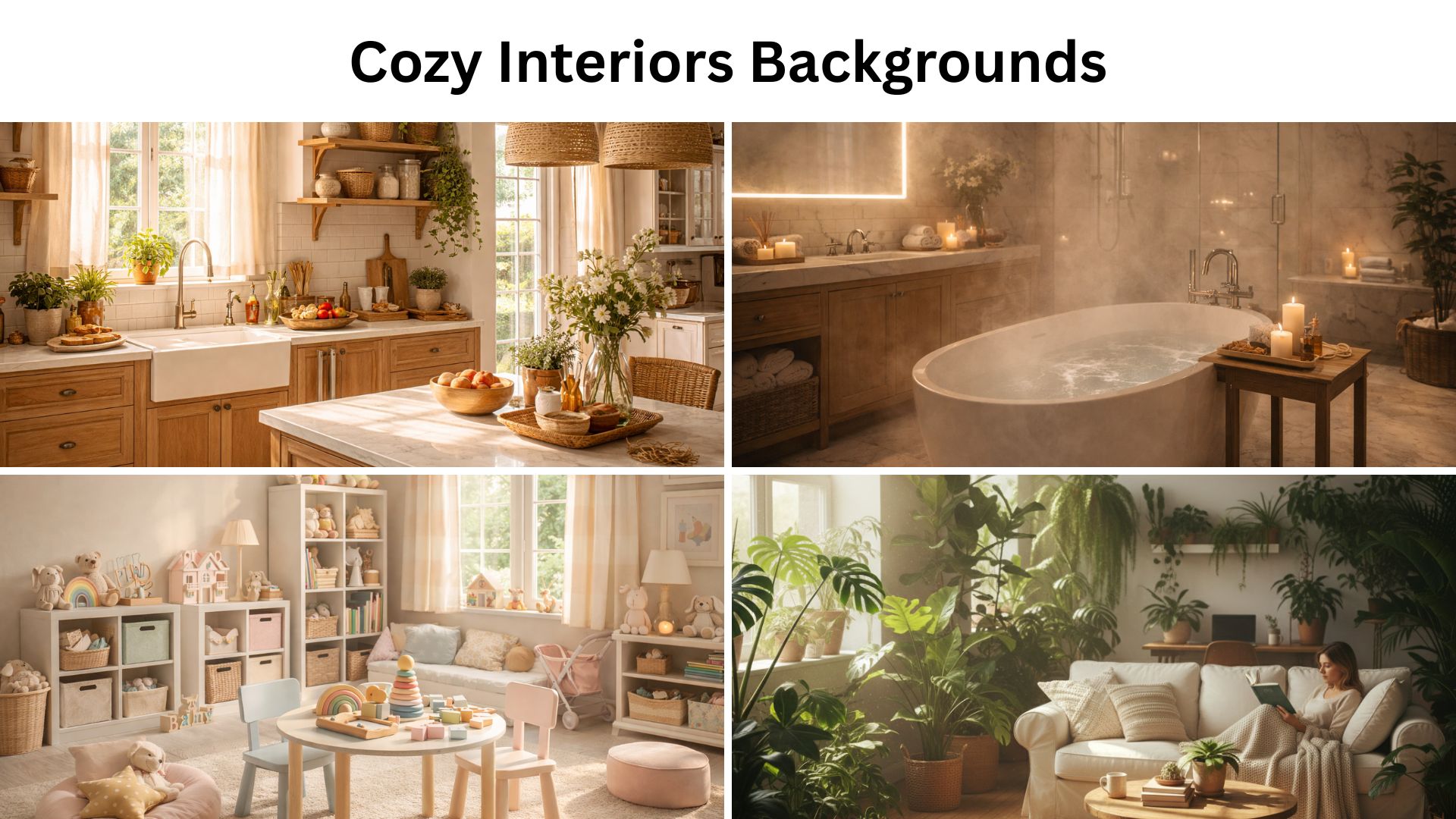
Focus: AI background prompts that add personality and warmth, perfect for casual videos and lifestyle content.
- Warm living room, soft lamp light, textured rug, neutral palette, photoreal, 16:9
- Minimal bedroom, morning sun through curtains, calm tones, soft shadows, 4K
- Aesthetic kitchen, clean counters, warm sunlight, natural wood, photoreal
- Reading nook by window, rainy outside, warm blanket vibe, cinematic
- Modern bathroom spa scene, steam, soft lighting, marble textures, photoreal
- Loft apartment with big windows, city view blur, golden hour, 16:9
- Plant-filled studio room, green leaves, sun beams, cozy, photoreal
- Elegant dining room, candle light, bokeh highlights, cinematic, 16:9
- Kids' playroom, tidy toys, pastel colors, soft daylight, friendly vibe
- Gaming room, LED panels, clean desk, tasteful RGB, photoreal, 16:9
6) Clean Studio Backgrounds (product, talking head, thumbnails)
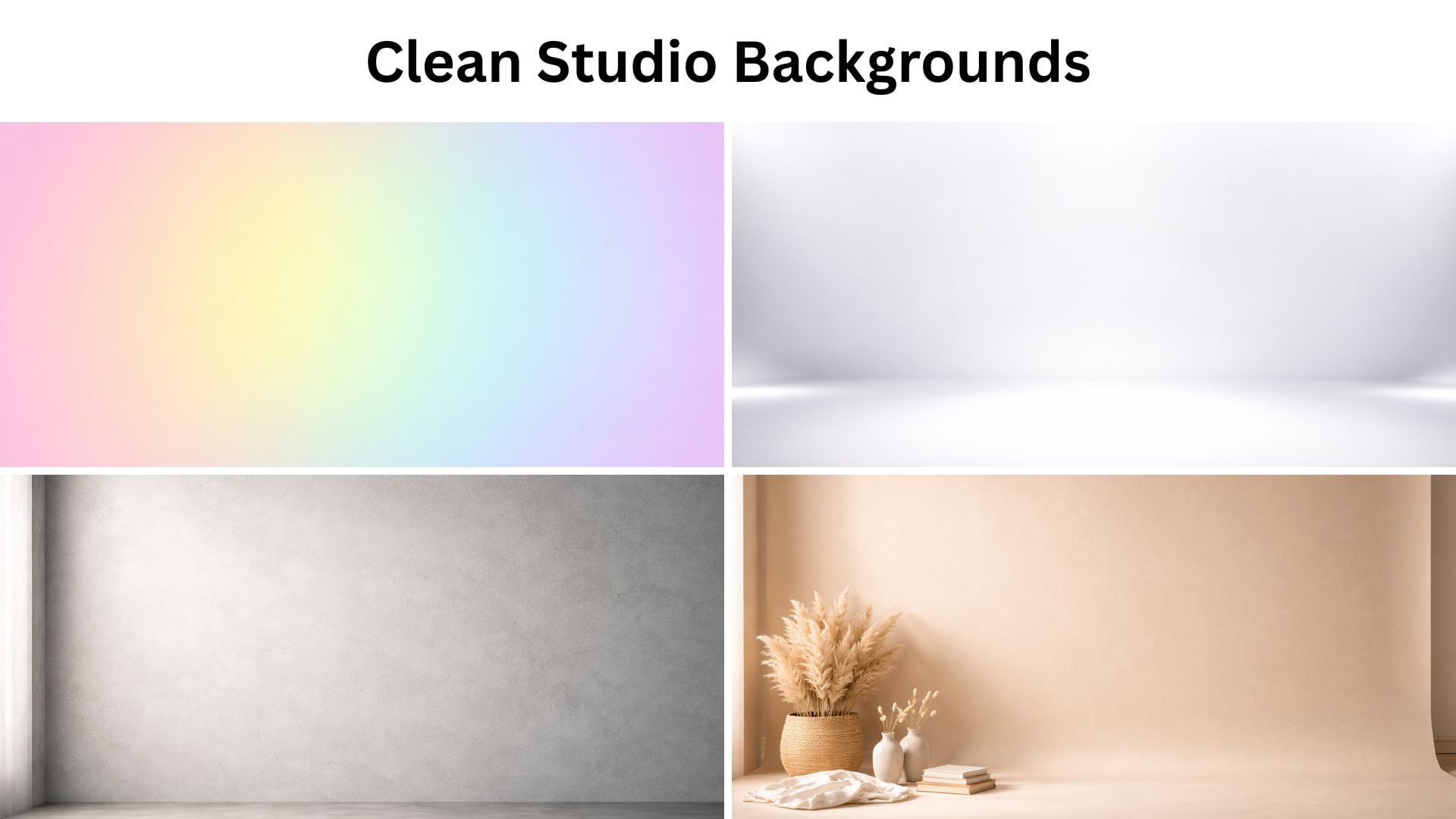
Focus: Best AI prompts for backgrounds that are simple, distraction-free, and easy to match with any video style.
- White seamless studio backdrop, softbox lighting, gentle shadow, ultra clean, 16:9
- Light gray studio wall with subtle texture, soft spotlight, clean shadows, 16:9
- Beige paper backdrop, warm light, minimal props, high detail, 16:9
- Black studio background, rim light glow, cinematic contrast, 16:9
- Gradient studio backdrop, blue to teal, smooth blend, soft light, 16:9
- Soft pink studio background, gentle vignette, clean, high resolution, 9:16
- Minimal concrete wall, soft side light, modern, realistic texture, 16:9
- Glossy floor studio, subtle reflections, spotlight, premium vibe, 16:9
- Pastel rainbow gradient wall, smooth, no texture, clean, 9:16
- Neutral studio with floating geometric shapes, soft shadows, modern, 16:9
7) Fantasy Worlds (storytelling backgrounds)
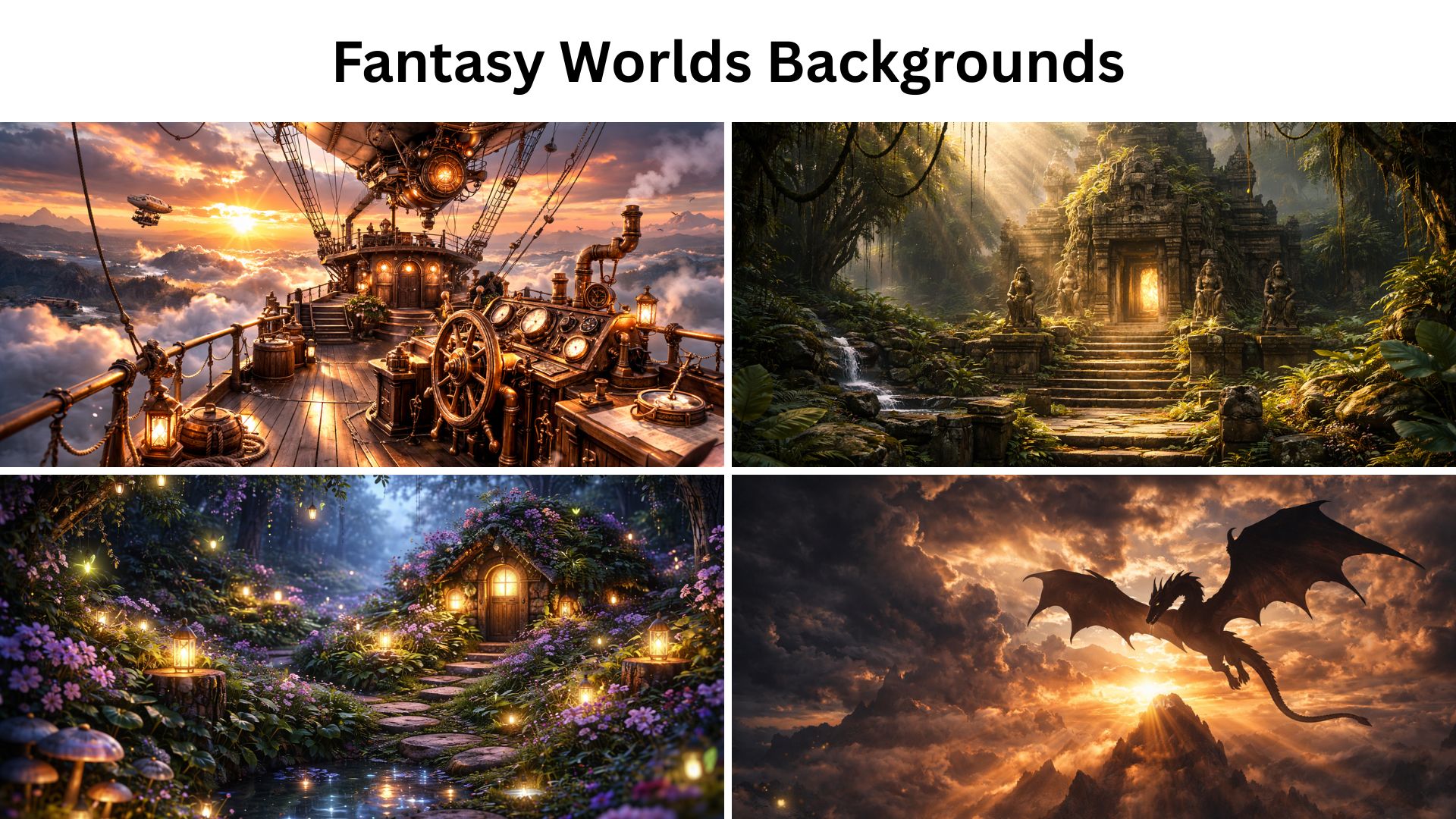
Focus: AI background prompts that instantly set a story mood, perfect for edits, narration, and themed videos.
- Enchanted forest, glowing mushrooms, soft mist, magical light beams, high detail, 4K
- Floating islands in the sky, waterfalls falling into clouds, dreamy lighting, 4K
- Medieval castle courtyard at sunrise, warm glow, cinematic, ultra detailed
- Crystal cave, shimmering walls, blue light, reflective details, 4K
- Wizard library, tall shelves, floating candles, warm ambience, cinematic
- Fairy garden at night, fireflies, soft bokeh, dreamy color palette, 4K
- Dragon silhouette over mountains, dramatic clouds, epic lighting, cinematic, 4K
- Ancient temple in jungle, vines, sun rays, mysterious mood, 4K
- Moonlit fantasy lake, glowing water, soft fog, cinematic, 4K
- Steampunk airship deck, brass textures, sunset sky, cinematic lighting, ultra detail
8) Sci-Fi & Futuristic (tech, space, cyber)
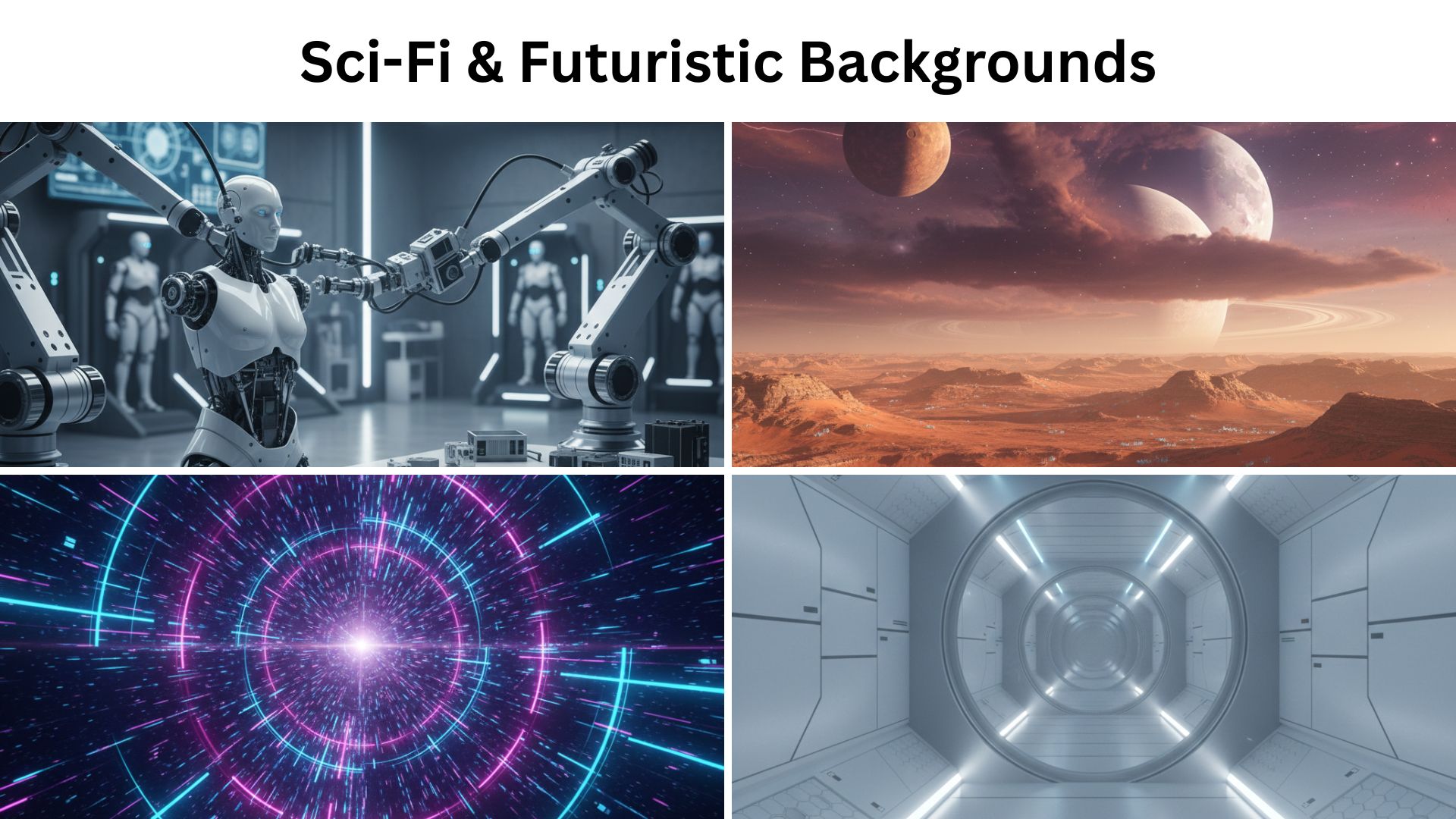
Focus: Best AI background prompts for high-tech aesthetics, cyber looks, and clean futuristic scenes.
- Spaceship corridor, clean panels, soft LED strips, depth perspective, ultra detail, 16:9
- Futuristic control room, holograms, blue lighting, cinematic, 16:9
- Cyberpunk apartment window view, neon city, rain, reflections, 16:9
- Space station observation deck, Earth in view, soft rim light, cinematic, 4K
- Robot workshop, sleek tools, cool lighting, shallow depth of field, realistic
- Neon grid landscape, retro-future vibe, glowing horizon, 4K wallpaper
- Futuristic lab, glass tubes, soft glow, clean white-blue palette, 16:9
- Alien desert planet, two moons, dramatic sky, photoreal, 4K
- Digital tunnel of light, motion feel, crisp lines, abstract sci-fi, 9:16
- Minimal futuristic city, white architecture, soft shadows, clean sci-fi look, 4K
9) Retro & Vintage (nostalgia styles)
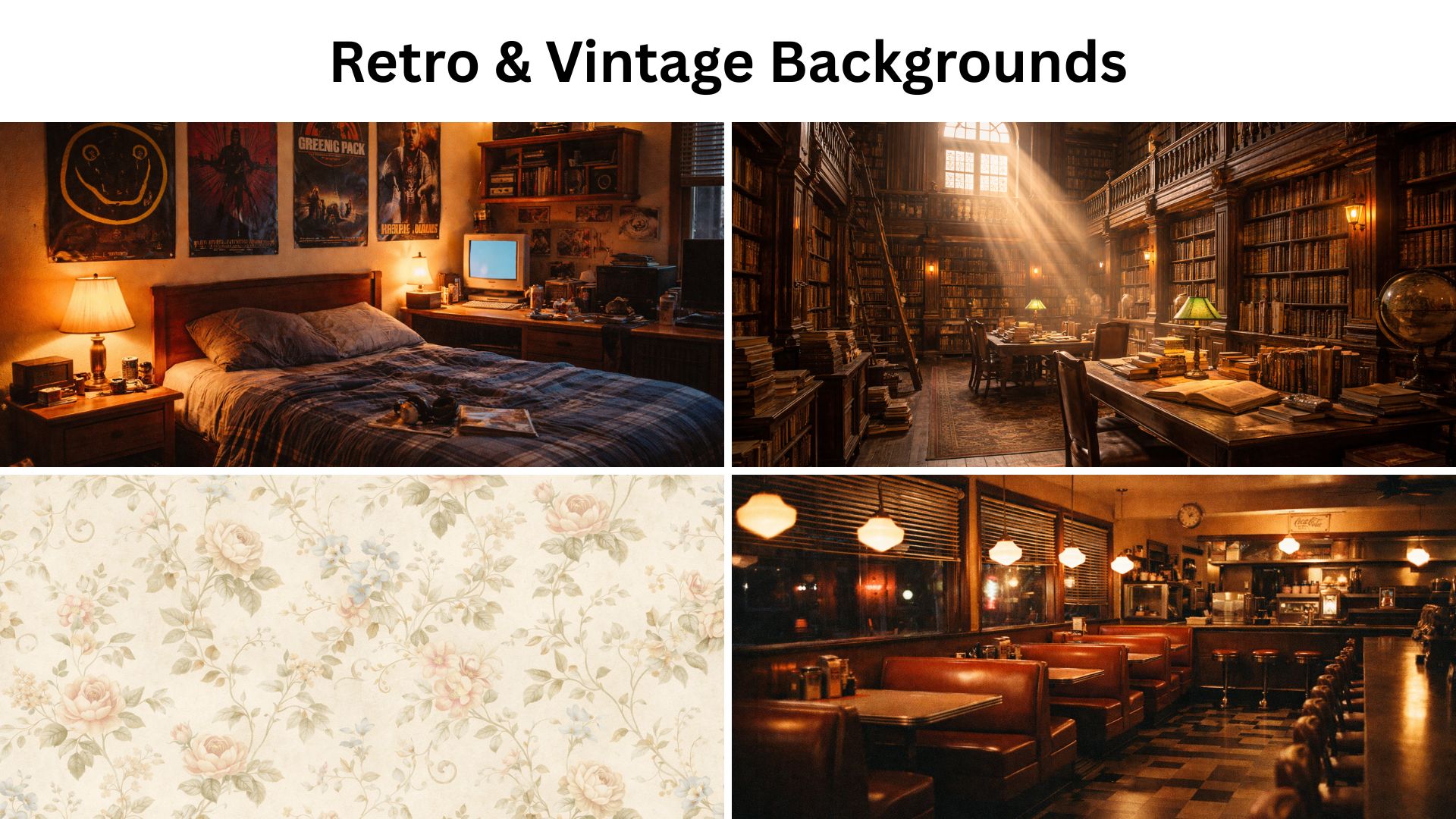
Focus: AI prompts for backgrounds with a throwback style, subtle grain, and classic color vibes.
- 90s bedroom vibe, posters, warm lamp, slightly grainy film look, 16:9
- 80s neon sunset, palm silhouettes, synthwave gradient sky, 4K wallpaper
- Vintage diner interior, red booths, warm lights, film grain, cinematic
- Old library with wooden shelves, dusty sun beams, warm tones, 16:9
- Classic Paris street, soft film look, muted colors, shallow depth of field
- Retro arcade background, neon signs, colorful machines, glossy floor, 16:9
- Film noir alley, high contrast lighting, moody shadows, black and white
- Polaroid-style beach sunset, soft pastel fade, subtle grain, 4K
- Vintage botanical wallpaper pattern, elegant, soft colors, seamless, 4K
- Y2K chrome bubbles on a pastel background, glossy, cute, high resolution, 9:16 wallpaper
10) Abstract, Patterns & Gradients (easy wallpapers that always work)
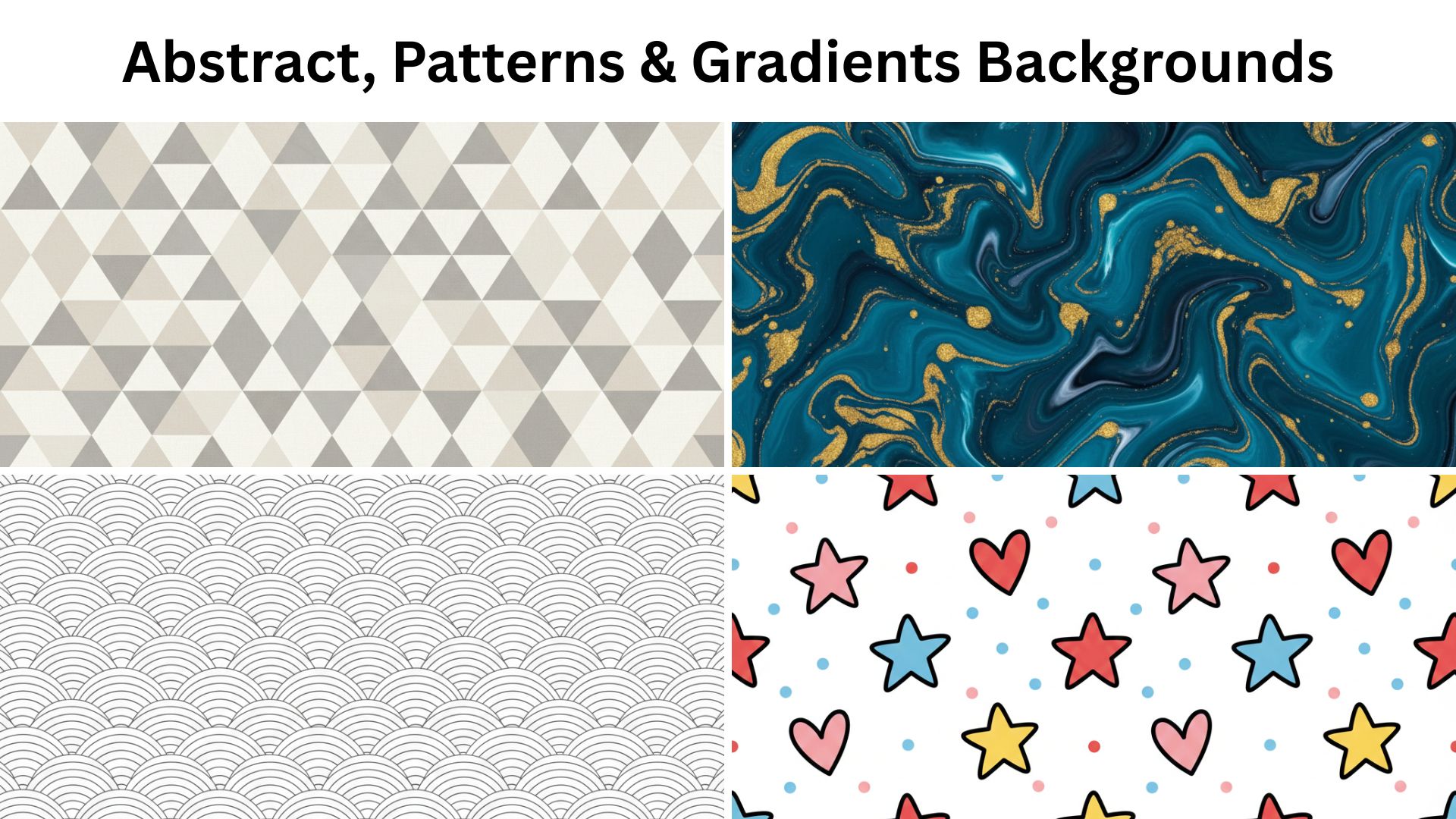
Focus: AI background prompts generator-friendly ideas that render fast, look clean, and work as wallpapers or backdrops.
- Smooth gradient wallpaper, deep blue to purple, soft noise texture, 4K
- Minimal pastel gradient, peach to cream, clean, no text, 4K wallpaper
- Abstract liquid marble swirl, teal and gold accents, high detail, 4K
- Paper cutout layered shapes, soft shadows, modern, clean, 4K
- Geometric pattern, repeating triangles, subtle texture, neutral palette, 4K
- Soft bokeh lights background, warm golden circles, dreamy blur, 4K
- Minimal line art waves, monochrome, clean background image, 4K
- Watercolor wash background, soft edges, calm tones, high resolution, 4K
- Futuristic glassmorphism shapes, transparent layers, soft highlights, 4K
- Seamless cute doodle pattern, stars and hearts, simple colors, 9:16 wallpaper
Part 2. How to Use an AI Background Prompts Generator
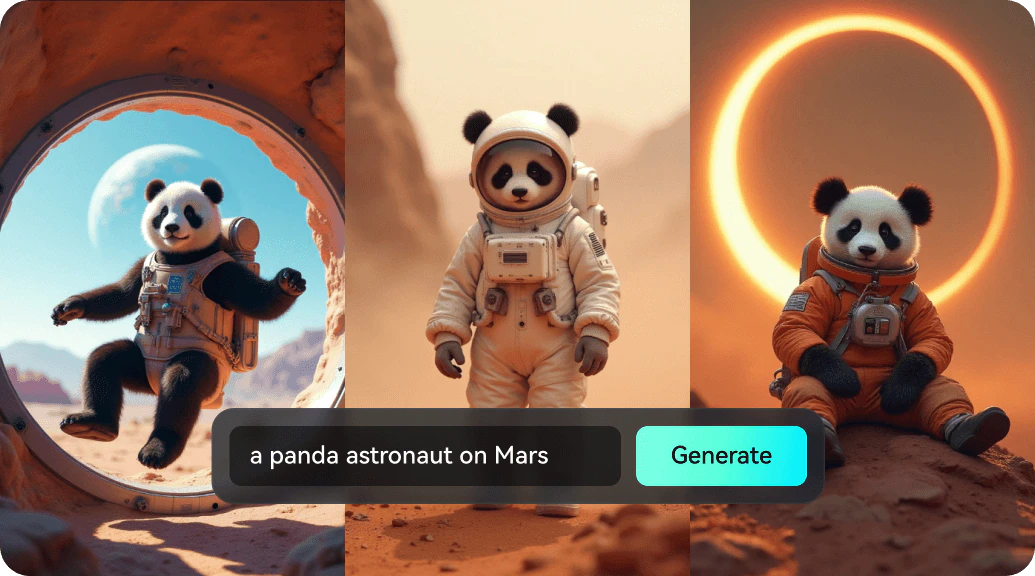
Using an AI background prompts generator like the one built into Wondershare Filmora can save you hours of trial and error. It works like an AI background prompts generator inside your editor, so you can turn your words into background images without switching tools.
 Secure Download
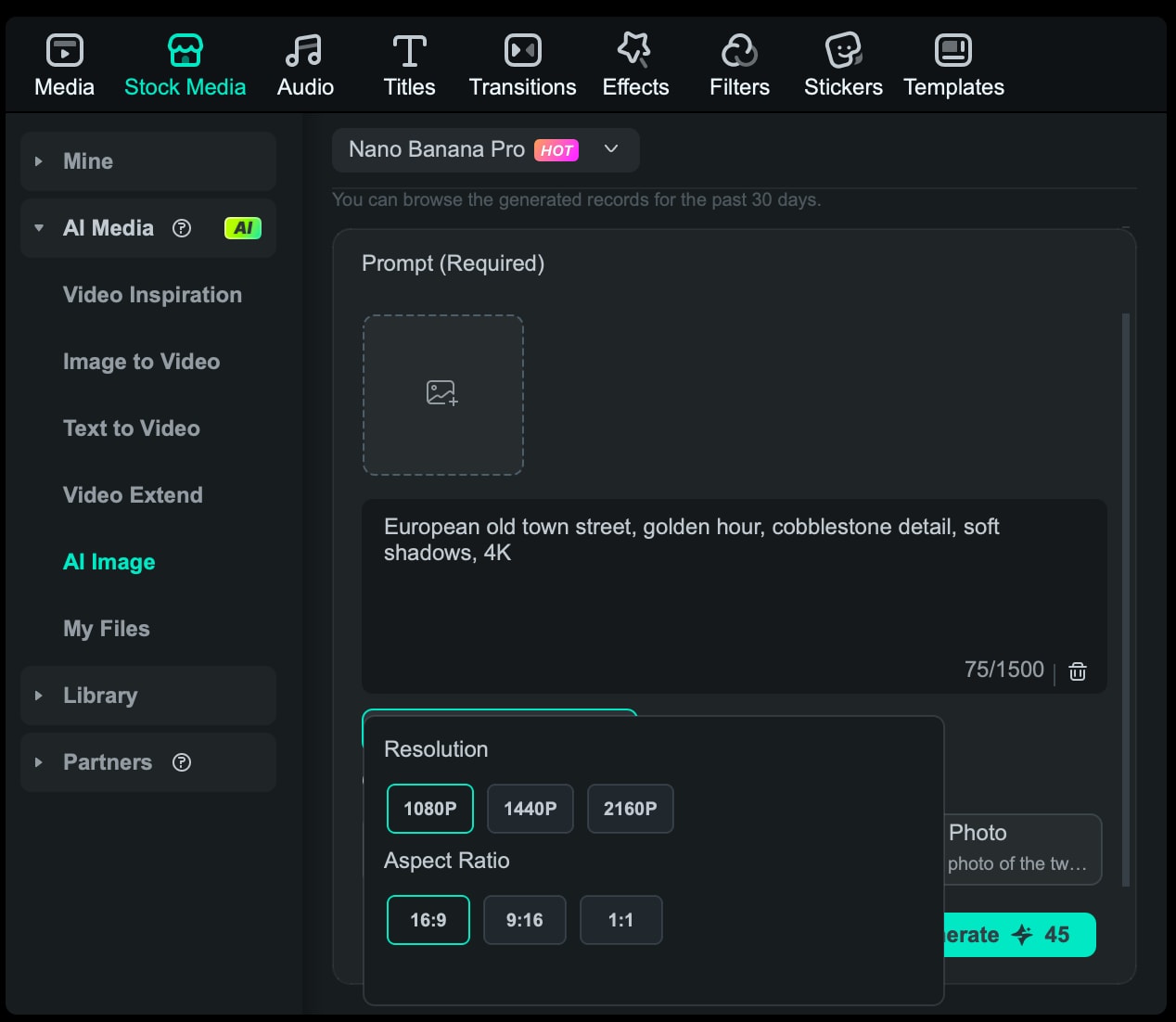
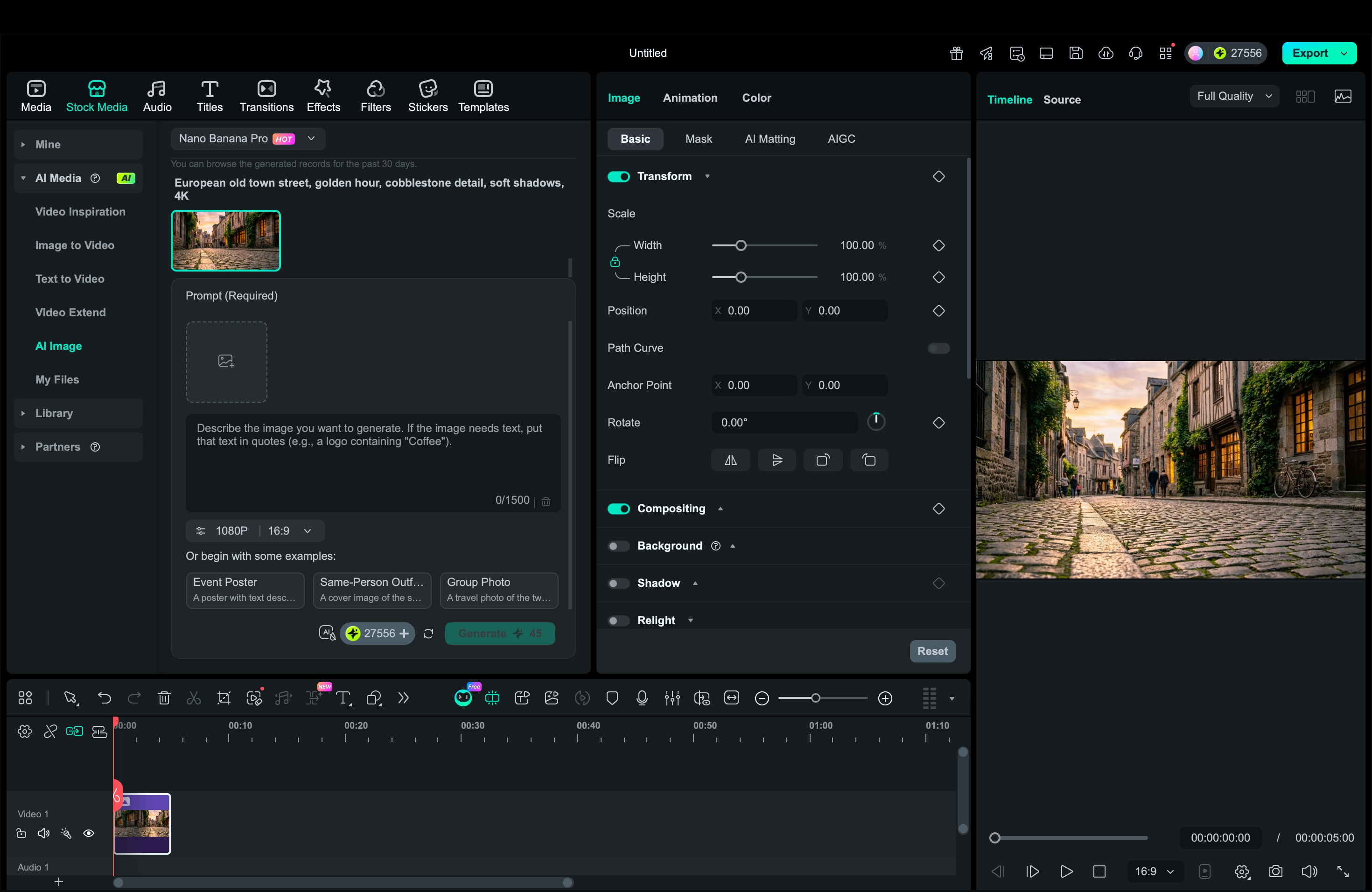
The latest modes, Nano Banana and Nano Banana Pro, help you choose between fast results and more refined detail. Filmora's preset styles help you steer the output faster, so your background can stay photoreal for office scenes, punchy for Snapchat, or sharp for wallpaper-level detail. After generating, you can drop the image straight into the timeline and keep editing in one place.
How to Generate an AI Image in Filmora
Secure Download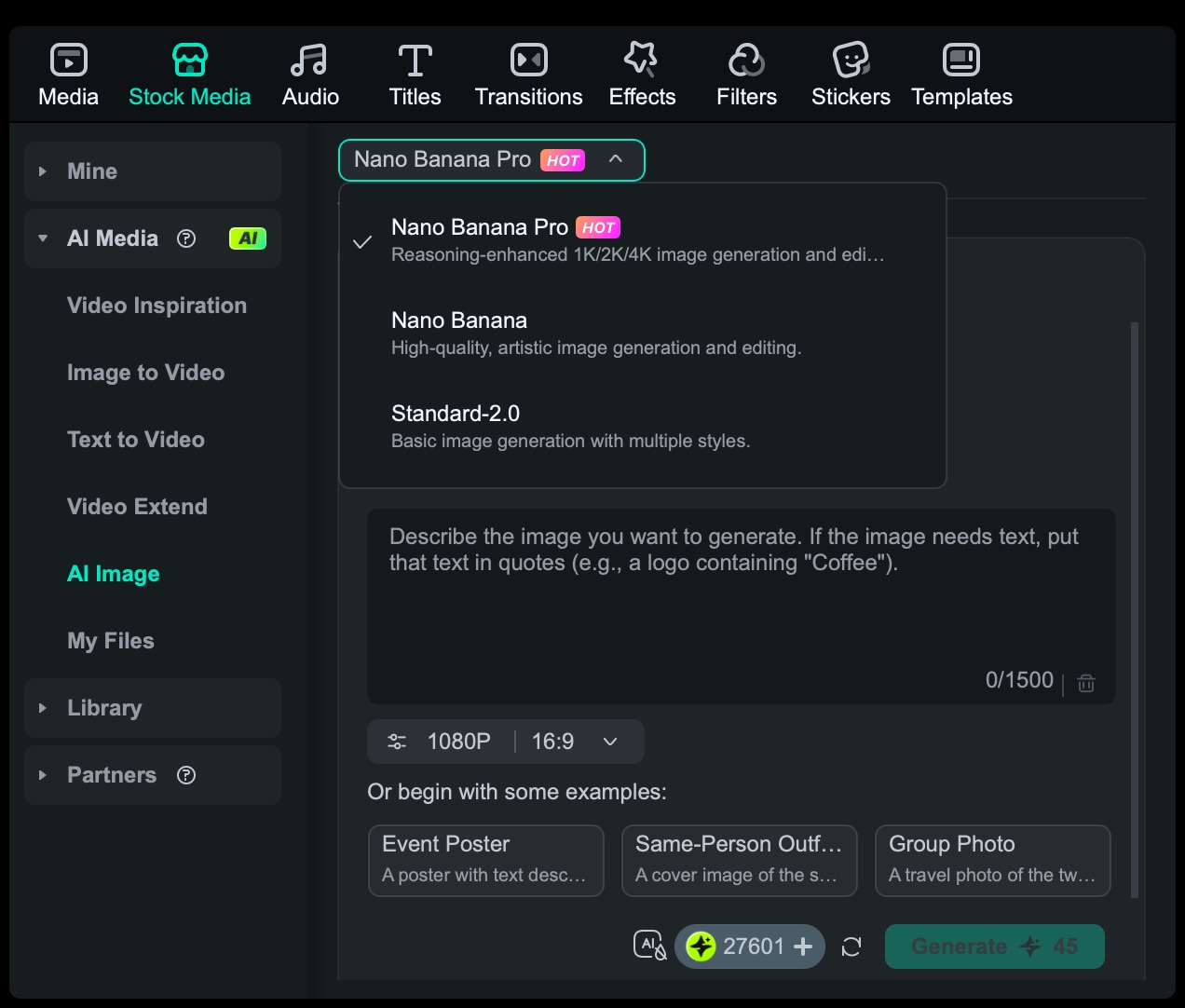
Part 3. 5 Pro Tips for Writing High-Converting AI Prompts
A good prompt does two jobs at once. It creates a background that looks great, and it supports your content instead of stealing attention. Use these tips to turn basic ideas into the best AI background prompts that generate cleaner, more consistent results.
Tip 1: Treat lighting like a setting, not an afterthought
Lighting controls the mood and realism. Add one clear lighting phrase so the generator stops guessing.
💡Try: golden hour, soft window light, studio softbox lighting, cinematic low-key lighting, neon glow, overcast daylight.
Tip 2: Lock your style early (and keep it consistent)
Style is what makes your backgrounds feel like a set, not random images. Pick one style per series.
💡Try: photoreal, cinematic, oil painting, watercolor, 3D render, minimalist, anime-inspired.
Tip 3: Use negative prompts to remove common distractions
Negative prompts are the easiest way to improve quality. They help avoid text overlays, weird hands, and messy artifacts.
- Starter pack: no text, no watermark, no logo, no blur, no low-res, no distortion.
- For backgrounds: add no people if you want the scene empty.
Tip 4: Specify framing and depth so the background supports your subject
If the background is too busy, your face or product gets lost. Tell the AI to keep space where you will stand.
💡Try: center empty space, clean foreground, shallow depth of field, background slightly blurred, minimal clutter.
Tip 5: Add output settings (ratio, resolution, quality) every time
This is the difference between "nice image" and "usable background." It also helps an AI background prompt generator output the right shape on the first try.
Add one of these keywords:
- 16:9, 1920x1080, background for video
- 9:16 vertical, 1080x1920, Snapchat
- 4K wallpaper, ultra sharp
Part 4. Integrating AI Backgrounds into Your Videos with Filmora
Once you've generated the perfect visual using these best AI prompts for backgrounds, the next step is to edit your footage around it so you can use it as an actual scene. The tool that makes this process simple is Wondershare Filmora.
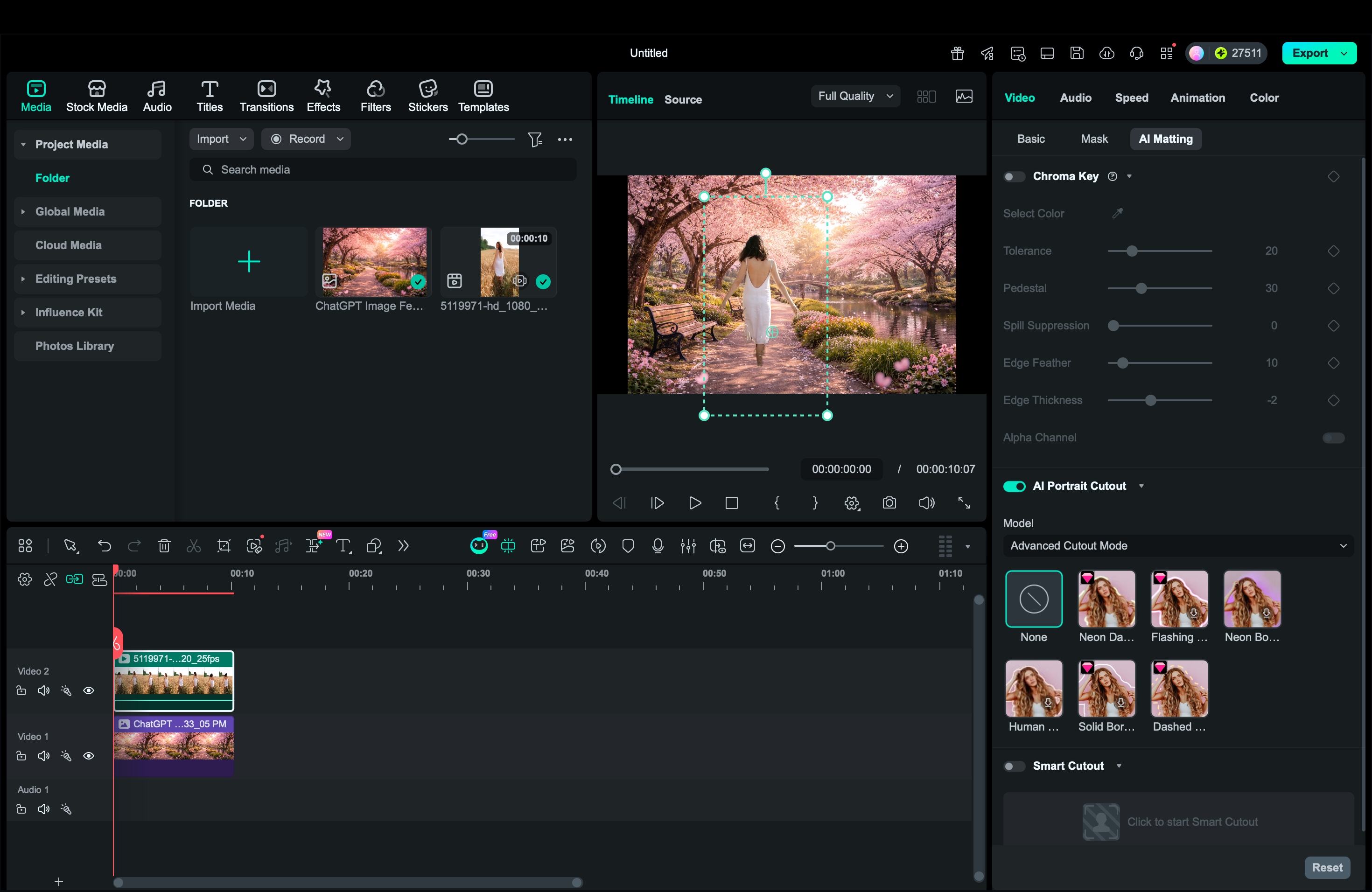
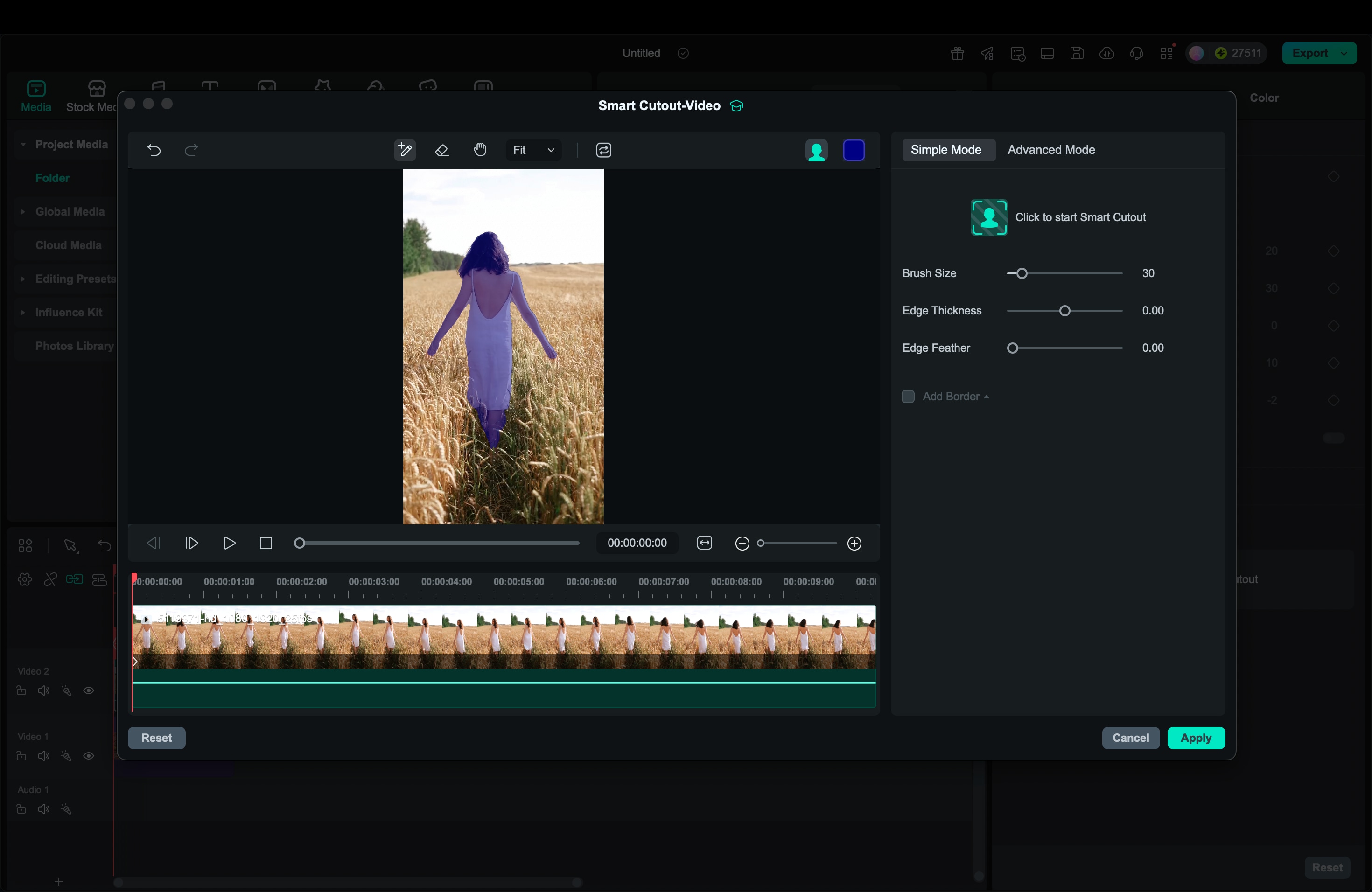
Filmora background removal tools include AI Portrait and Smart Cutout, which let you remove your original background and replace it with your AI-generated background image in just a few clicks. Your AI background can instantly become usable assets for real videos, not just nice images saved on your phone.
Secure DownloadUse Filmora to Replace Your Scenery
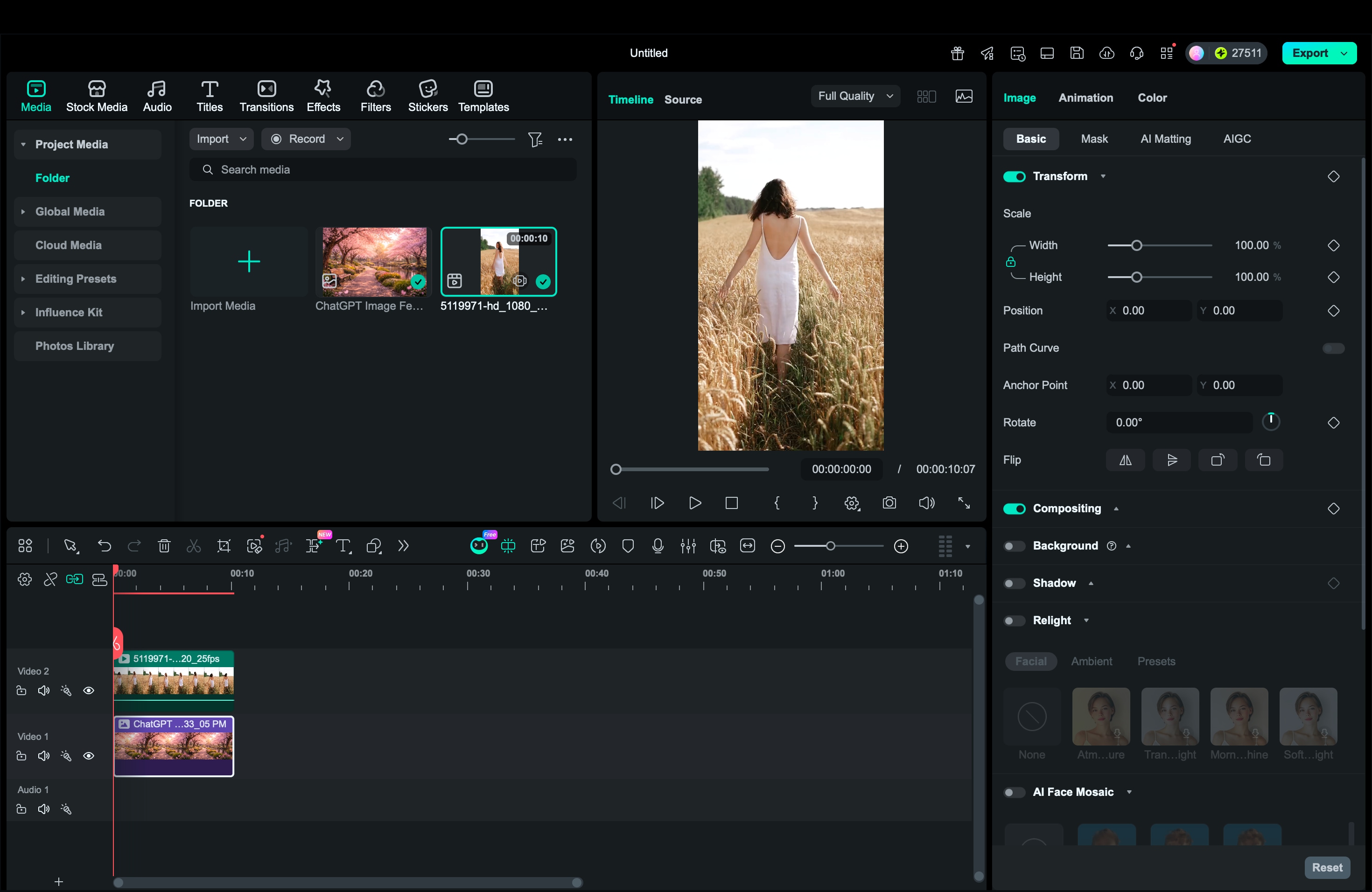
- Place the AI background on the lower video track.
- Put your footage on the track above it.
- Use AI Portrait if your clip is a talking head, interview, or vlog. Filmora will automatically isolate the person and remove the old scenery.
- Use Smart Cutout if your subject is a product, pet, object, or a full-body shot where you need more control. This feature allows you to manually brush over and isolate the main subject.
Conclusion
AI backgrounds in 2026 are only as good as the prompts behind them. With the categories and examples in this guide, you can generate cleaner results faster, from realistic video-call scenes to bold Snapchat AI background prompts and crisp AI wallpaper prompts.
Then, use Filmora's AI Image Generator to create options in minutes, and integrate them smoothly with AI Portrait or Smart Cutout for a natural background swap. Save your best AI background prompts, keep your style consistent, and you'll always have a ready library of background ideas for any video.

FAQ
-
What makes the best AI background prompts?
The best prompts are specific but not messy. Include the scene, lighting, style, and output settings (16:9, 9:16, or 4K). Add a short negative line like "no text, no watermark, no blur" to keep results clean.
-
Why do my AI prompts for background images look blurry?
Common causes are low-resolution output, overly long prompts, or no lighting cues. Add "ultra sharp" and a target size (1080p or 4K), simplify the description, and include a lighting phrase like "soft window light" or "cinematic lighting."
-
How do I keep backgrounds consistent across multiple videos?
Reuse a prompt template and keep the same style keywords. For example, always use "photoreal, soft morning light, clean, 16:9" for office scenes. In Filmora, generate backgrounds in the same mode (Nano Banana or Nano Banana Pro) and stick to one art style.
