


 TL;DR:
Selecting the best iPhone movie app depends on your budget and viewing needs: Pluto TV, Tubi.TV, and Plex lead for free, ad-supported streaming, while Netflix, Amazon Prime Video, and Apple TV+ dominate the paid tier with 4K HDR options and offline downloads.
● Free platforms like Pluto TV and Tubi.TV lack offline download support and interrupt playback with ads, though Plex allows offline viewing if you purchase the $6.99 monthly Plex Pass.
● Apple TV+ restricts its catalog exclusively to 100% original programming, whereas Disney+ limits its variety to major franchises but includes robust age filters and up to four simultaneous streams.
● JustWatch and Movies Box & TV Show do not host movies directly; they serve strictly as discovery aggregators to track new releases, build cross-device watchlists, and locate external streaming links.
Ask AI for a summary
 ChatGPT
 Perplexity
 Gemini
 Claude
 Grok
Grok
Watching movies on your iPhone or iPad is one of the best ways to unwind and escape from boredom. With the right free movie apps for iPhone, you can enjoy a seamless and fun movie-watching experience anytime, anywhere. These apps offer a wide range of films and TV shows, making it easy to find something to suit your mood. However, not all movie apps are created equal—only the best ones can truly enhance your iPhone movie experience.
In this guide, we'll explore the top free movie apps for iPhone, along with some premium options, to help you choose the perfect app for your entertainment needs.
Comparison Table
We have made a table for your reference. It is analyzed by 5 aspects. Hope it is helpful.
|
Android |
iOS |
HD |
Owned by |
Share Video Online |
|
| Plex |
Plex, Inc. |
||||
| Pluto TV |
Paramount Global |
||||
| Tubi.TV |
Fox Corporation |
||||
| JioHotstar |
Disney Star (India) |
||||
| Netflix |
Netflix, Inc. |
||||
| AppleTV+ |
Apple, Inc. |
||||
| Amazon Prime Video |
Amazon, Inc. |
||||
| Disney+ |
The Walter Disney Company |
||||
| MoviesBox & TV Show |
Independent Developer |
||||
| JustWatch |
JustWatch GmbH |
||||
|
Show More
Show Less
|
|||||
Before we show you our list of free and paid movie apps for your mobile devices, here’s a list of the reasons why they made it here in the first place. This should help guide you as you choose from the apps we’ll provide, or those other apps you’ll consider in the future.
- Each of the apps offers a wide genre or set of movies or series. It’s not a secret that these days, streaming services keep their originals from each other. So, the least we want from each app is to have trendy movies or shows so you can keep up with what’s latest.
- Most of the apps below also offer offline downloads. This means that you can bring your phone with you anywhere you go and have an offline copy of your favorite TV shows or movies.
- Price is another consideration. Based on industry standards, we offered those apps that are free, or at least have affordable options, so you can try them all out. After all, most TV apps today require subscriptions. But they don’t have to be that expensive.
- Lastly, the movie apps should also have subtitles in major languages. This, of course, falls to the responsibility of the show’s producers ultimately, but there should at least be the option to have them.
Our Top 3 Picks
Based on the criteria above, here are the top 3 picks that we think will fit your needs the best.
Free and Paid Movie Apps for iPhone
Now, let’s see the 10 free and paid movie apps for iPhone that we chose for you. Note that no streaming app available on iPhone has all the movies and TV shows, but you can choose one that best fits your movie habits or interests. Feel free to check them out.
1. Plex (iOS/Android)
For our first pick, Plex is a versatile streaming platform that is focused on providing users with free live TV, among others. It has 600+ live TV channels that you can access within the app. Aside from that, it offers movies that are provided by the major studios for free. This means that you can access public domain movies quickly within the app.
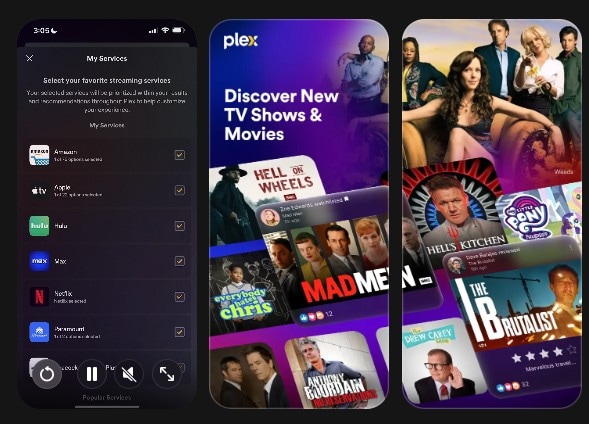
- Access to around 600+ live TV channels, including news, sports, kids, and entertainment channels
- Access to free movies from major studios like Warner Bros, MGM, Lionsgate, and other big producers
- On-demand streaming for TV shows and movies
- Cross-device streaming support for the iOS ecosystem
- Huge library of free content
- Customizable media server support
- Some users report occasional bugs with subtitles and server connections
- Some features are locked behind a Plex Pass subscription
- Free
- US$6.99 per month (Plex Pass)
4.6/5
HD (720p-1080p)
Yes (for Plex Pass subscribers)
2. Pluto TV(Android/iOS)
Pluto TV is a great option among free movie apps for iPhone, offering streaming of both movies and live TV without any subscription fees. The app features an intuitive, easy-to-use interface with access to various genres, including movies, news, sports, and entertainment. Users can browse popular movie channels and enjoy a wide range of films and TV shows, making Pluto TV one of the top free movie apps for iPhone for those looking for free, on-demand content and live channels.
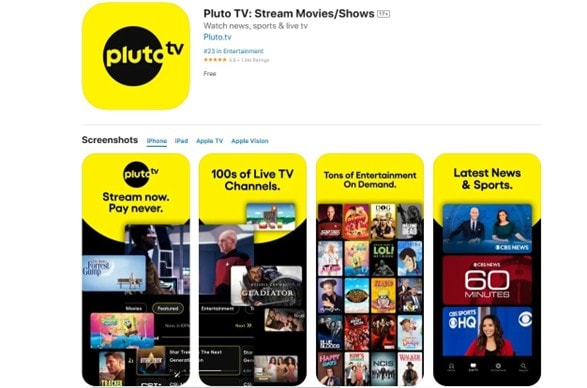
- Access to a vast selection of channels, including movies, sports, news, comedy, and more, with live streaming available
- Completely free with no subscription or authentication required—just open the app and start streaming
- Offers a variety of movie genres, including action, comedy, suspense, and thriller, to cater to different preferences
- Supports on-demand streaming, allowing users to select and watch their favorite movies and shows anytime
- Smooth playback experience, even with slower internet connections
- While ads are present, all streaming content remains free
- Completely free app
- Smooth playback even on slower internet connections
- Contains ads (to keep it free)
- Limited on-demand catalog versus the paid platforms in this list
Free
4.8/5
HD (varies by channel)
Not supported
3. Tubi.TV(Android/iOS)
One of the best free movie app, Tubi TV consist of numerous free TV shows and free movies that are easy to browse and search for your favorite episode of the series or any film. It owns a lot of TV shows, as you can see from its name, and every week, new movies are added to it.
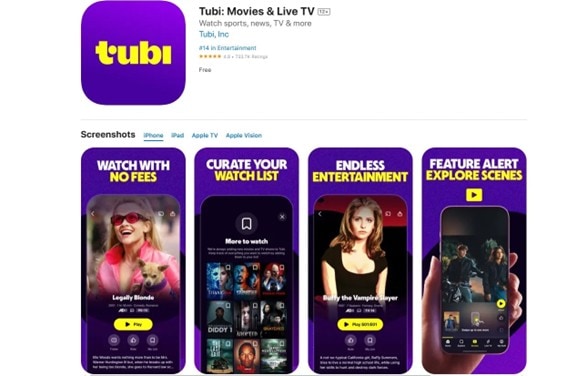
- Completely organized and categorized into particular genres to search and browse easily
- Over 35 categories to narrow down your search
- High definition video quality
- You may share each video on social media platforms like Facebook, Twitter, Pinterest, Tumblr, Reddit, and 200 others while watching
- Rewinding and forwarding are possible, and also include advertisement indicators
- No glitches or slow video buffering
- Once you download the app, you may start watching movies without even creating an account
- The app and the website are quite similar to avoid any kind of confusion for users
- Completely free app with a massive library of free movies or shows
- No account required to start watching shows
- The app is riddled with ads that might disrupt the viewing experience
- No offline download supported
Free
4.8/5
HD
Not Supported
4. JioHotstar(Android/iOS)
Are you addicted to television? JioHotstar is a TV shows and movie watching app on your iPhone that is completely free. It is a slick and easy-to-use app that streams TV shows directly to your iPad/iPhone. Whatever the condition of your Internet, JioHotstar streams TV shows and lets you watch free movies on your iPhone without any glitches. It is the largest video-on-demand platform in both India and the US.
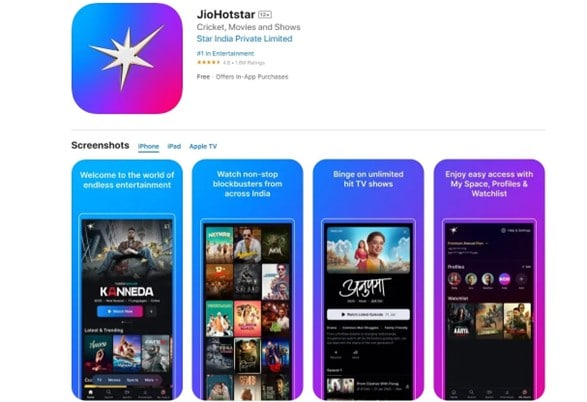
- HD quality streaming TV shows and movies.
- Watch trailers of the latest movies.
- Watch LIVE cricket matches at any time of the day.
- You may start watching videos from the point you stopped earlier.
- A personalized experience by adding content to the playlist.
- Allows you to watch free Bollywood and Hollywood content
- Provides access to Disney+ movies with a subscription
- Not completely free; some content locked behind paid tiers
- Regional availability may vary
- Free
- US $19.99 per month (Premium Membership)
- US $1.49 (Mobile Plan)
4.6/5
HD
Yes (for Selected Content)
5. Netflix(Android/iOS)
Netflix is one of the most popular streaming platforms worldwide, offering a vast library of movies, TV shows, documentaries, and award-winning originals. Known for its high-quality content and diverse genres, Netflix is a go-to choice among movie apps for iPhone. Whether you're looking for the latest blockbusters or classic favorites, Netflix provides an excellent streaming experience on your iPhone, making it one of the top movie apps for iPhone users.
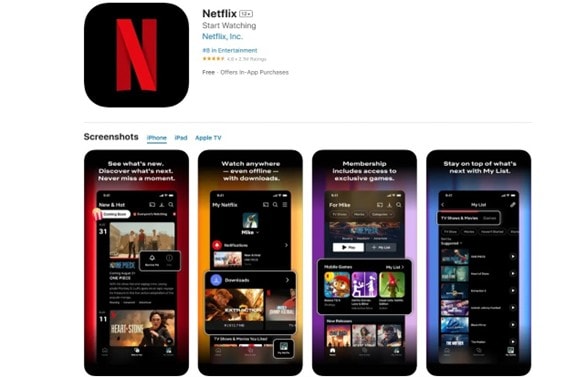
- Access to a wide variety of original series, films, and exclusive content
- Offline downloads for watching on the go
- Personalized recommendations based on viewing history
- Multiple profiles per account for customized viewing experiences
- Regularly updated library with new releases
- Large list of classics and new shows (with award-winning originals)
- 4K high-quality streaming (for higher-tier subscriptions)
- Some titles may vary by region
- Search function by genre does not always show the full catalogue
- US$7.99 per month (up to 1080p resolution)
- US$17.99 per month (Ad-free subscription)
- US$24.99 per month (up to 4K Ultra HD)
4.8/5
Up to 4K HD (higher-tier content)
Yes
6. Apple TV+(Android/iOS)
Apple TV+ is Apple’s streaming platform, featuring an array of original series, movies, and documentaries. With a focus on high-quality productions and exclusive content, Apple TV+ continues to grow its library of unique programming. As one of the top movie apps for iPhone, it offers an exceptional streaming experience, allowing users to enjoy premium, Apple-exclusive movies and shows directly on their iPhone. Whether you’re into drama, sci-fi, or documentaries, Apple TV+ stands out among the best movie apps for iPhone for exclusive content.
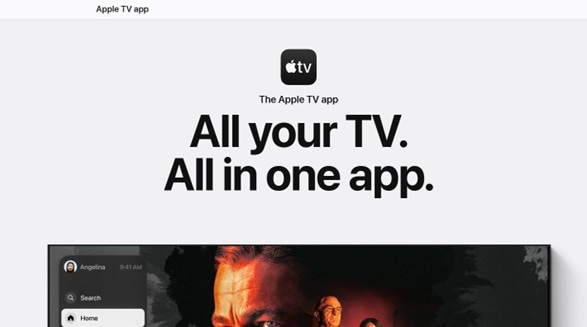
- 100% original programming with acclaimed shows like *Ted Lasso*, *The Morning Show*, and *Severance*
- High-definition video quality with 4K HDR support
- Family Sharing allows up to six people to share one subscription
- Offline downloads for viewing without an internet connection
- Expanding library with diverse genres and regular new releases
- Built-in 4K HDR streaming, no need for higher subscription tiers
- Can be bundled with Apple Arcade, Music, and other services
- Some titles may vary by region
- Search function by genre does not always show the full catalog
US$12.99 per month (seven-day free trial)
4.8/5
Up to 4K HDR
Yes
7. Amazon Prime Video(Android/iOS)
Amazon Prime Video is a comprehensive streaming service offering a mix of popular movies, TV shows, and original content. Prime members can access a vast catalog of on-demand content, along with the option to purchase or rent newer releases. As one of the top movie apps for iPhone, Amazon Prime Video provides an excellent streaming experience, allowing users to enjoy a wide variety of films and shows directly on their iPhone. With its extensive library, it’s a must-have movie app for iPhone users seeking diverse entertainment options.
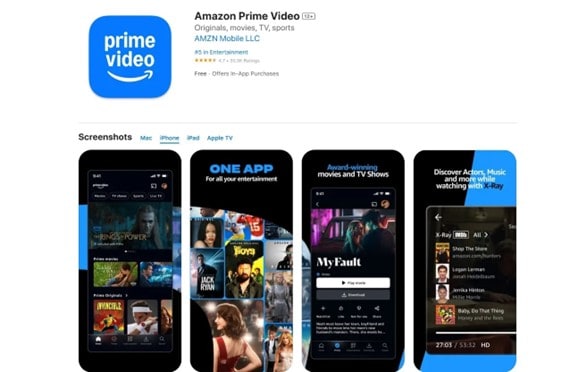
- An extensive collection of popular movies and Amazon Originals
- Access to exclusive series like *The Boys*, *The Marvelous Mrs. Maisel*, and *Jack Ryan*
- Option to rent or buy the latest movies outside of the Prime catalog
- Ability to download titles for offline viewing
- Integration with other Amazon services and content
- Larger catalog versus other competitors
- Subscription can be bundled with other Prime services
- The interface looks more cluttered than other streaming services
- Some titles require an extra rental or purchase price aside from the subscription
- US$8.99 per month (with ads)
- US14.99 per month (Full Prime Membership)
4.5/5
Up to 4K HDR
Yes
8. Disney+(Android/iOS)
Disney+ offers a rich collection of Disney classics, Pixar, Marvel, Star Wars, and National Geographic content. It is a family-friendly streaming service with exclusive releases and a growing selection of original programming. As one of the top movie apps for iPhone, Disney+ provides an immersive streaming experience, allowing users to access a vast library of beloved films and shows right on their iPhone. Whether you're a fan of animated classics or blockbuster franchises, Disney+ is a must-have movie app for iPhone users looking for high-quality, family-oriented entertainment.
- Access to Disney classics and franchises like Marvel, Pixar, and Star Wars
- Family-friendly content with kid-safe options
- Exclusive Disney+ originals, including *The Mandalorian*, *Loki*, and *WandaVision*
- Offline viewing with downloadable titles
- Up to four simultaneous streams on the same account
- Subscription provides full access to Disney, Pixar, National Geographic, and other well-known channels or companies
- Strong parental controls and age filters
- Limited variety outside the big franchises, indie or other movies are not available within the Disney+ subscription, unlike other competitors
- Content can be different across regions
- US$11.99 per month (ad-supported)
- US $18.99 per month
4.6/5
Up to 4K HDR/Dolby Vision support
Yes
9. Movies Box & TV Show (iOS)
For iOS users, Movies Box & TV Show can also be a good pick for discovering shows. Note that this tool is not an app where you can watch movies or TV shows directly, but rather one where you can watch free videos, trailers, and other kinds of promotional content. Where this app shines is its ability to provide you with a tracking method, especially since it notifies you whenever new episodes come out.
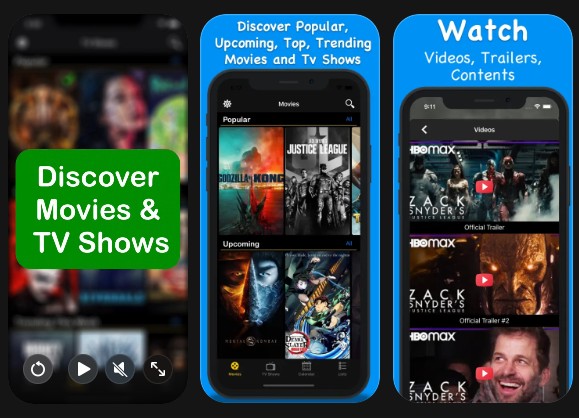
- Discovery categories such as Now Playing, Popular, Top, Trending, Upcoming, and other options
- Quick search for movies and TV series by title
- Supports the creation of watchlists and notifications for new episodes
- Provides a complete list of actors, their profiles, and filmography
- No account login required
- You cannot watch movies directly within the app
- Users report that some movie posters are not showing after saving to the collection
- Free
- US$1.99 per month
- US $18.99 for a lifetime subscription
4.3/5
N/A, not a streaming app
Yes, provides offline access to the movie list.
10. JustWatch
Lastly, we have JustWatch. If you’re having a hard time finding a place to watch a movie or TV show for free, this tool’s main function is to aggregate the different websites where you can watch them. Aside from that, it provides direct access to free streaming sites whenever supported. For paid apps like Netflix or Hulu, though, you’ll have to link it directly to the app.
So, it’s also a great option to watch and discover free movies or shows that you might like.
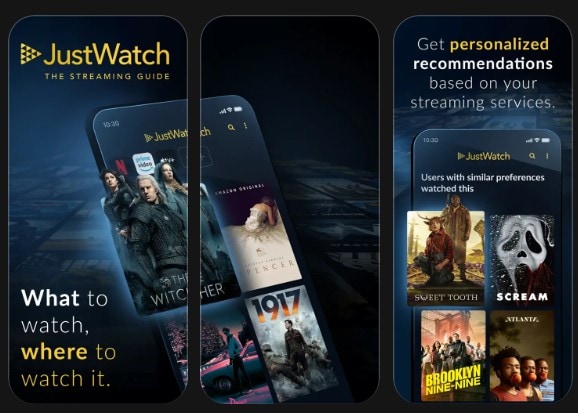
- A discovery app that shows offers from Netflix, Disney+, etc., and filters shows/movies by genre, release year, and subscription price required
- Supports watchlist and syncing
- Direct streaming of free movies available on the internet
- Comprehensive streaming guide with direct link to free sources (if available)
- Cross-device syncing of lists and movie recommendations
- Provides direct movie rental options
- Doesn’t offer free access to movies or TV shows available on paid subscription streaming services
- It can be confusing to determine which movies are free or not
- Free
- US$3.99 per month
4.7/5
SD/HD/4K
Not supported
Beyond Watching: Tell Your Own Story With Filmora
Watching movies or TV shows can greatly inspire people. In fact, many successful creators, authors, directors, or movie makers started by taking inspiration from existing shows. One common thing about these people is that they had the right tools or right skillset to create the movies once the inspiration had hit them.
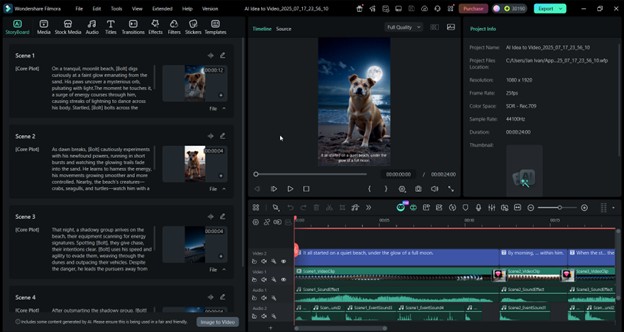
Thus, if you also want to harness your moviemaking creative juices, then it’s time to choose the right tool. This can be Wondershare Filmora. This tool caters to all classes of movie makers, whether a beginner, casual creator, or an expert. Filmora offers a simple drag-and-drop interface with built-in templates and AI functions that you can use to create your first movie or even a short film.
 Secure Download
Here are its key features that we think you’ll love for moviemaking:
- Multi-track timeline editing: Filmora offers ways to layer video, audio, music, sound effects, overlays, filters, and more. Since movies often involve complicated timelines, Filmora has all the tools to make this a lot simpler for moviemakers.
- Advanced audio controls. Audio is half the movie. This tool offers noise reduction, voice enhancements, keyframe volume controls, and even AI-generators if you need music or sound effects quickly.
- Color grading & filters. Color grading is also a big part of moviemaking. Filmora has automated color grading with the help of AI, and in-depth color controls and presets so you can keep different clips consistent.
- High-quality exports. To keep your movie looking sharp, Filmora has up to 4K with high bitrate exports. It also has the default movie frame rate settings like 24fps, 30fps, and 60fps.
- Essential video editing tools. Aside from those mentioned, this app also has motion graphics, green screen tools, text tools, speed controls, time effects, and other AI editing tools like auto beat syncs, smart cutouts, script generators, and scene detection.
If you want to start creating movies, Filmora appears to be an amazing choice because of its simple interface with powerful editing techniques and features. Start creating today!
Secure DownloadFAQs About the Best Movie App for iPhone
-
Are free movie apps on the App Store legal and safe?
Yes, as long as you download the apps directly from the Apple App Store. All apps uploaded to this app market are vetted and screened by Apple. This means that whenever they offer free content, they are offered and made through the proper and legal channels.
-
Can I watch movies offline on my iPhone?
Yes. You can use the apps provided above that offer offline viewing, like Netflix, Amazon Prime Video, Disney+, or Apple TV. Aside from these, you can also directly download movies from a computer and transfer them to your phone’s storage system.
-
How can I improve the video quality of movie apps on my iPhone?
It depends on the app. You can boost your streaming quality by looking for higher-quality options in the streaming app you chose. However, to ensure good video quality, having a fast internet connection is the key, as most apps these days auto-adjust the quality of videos depending on speed.
Conclusion
If you are a true movie buff, looking for free movie apps or a paid movie app for iPhone, check some of the best movie-watching apps from the above list. You will never be disappointed with any of the services mentioned above, giving you complete freedom to watch them anytime and anywhere.
You may also like:
>> 13 Best Christmas Movies for Teens & Tweens
>> 10 Best Inspirational Movies That Will Bring You Hope
