
AI Baby Video Examples & Guides
Explore popular AI baby video applications and creative how-to guides
Loading more AI baby video templates...
 Category:
 Duration:
 Aspect Ratio:
Everything You Need to Generate an Adorable AI Baby Video
A heartwarming ai baby video can turn simple photos into magical, lifelike animations that captivate your audience. Filmora provides an all-in-one suite to seamlessly create these videos. Harness the power of the AI Image generator, which seamlessly integrates highly advanced internal models like ChatGPT/DALL-E 3, alongside the incredibly versatile Nano Banana 2 and Nano Banana Pro for you to choose from.
You don't need to juggle multiple platforms; everything required to generate, animate, and finalize your visuals is right here in one robust editor.
Transform Photos into Lifelike AI Baby Animations
Transform Photos into Lifelike AI Baby Animations
Stop wishing you could see a static baby portrait move. With Filmora's AI Image to Video capabilities, you can upload any baby photo and watch the AI breathe life into it with stunning realism. Leveraging flexible models like Nano Banana Pro, you can also use AI Text to Video to type a prompt and generate beautiful cinematic baby footage entirely from scratch.
- Instant Animation - Transform still images into adorable, moving memories in just a few clicks.
- Model Versatility - Switch between powerful internal AI engines like Nano Banana 2 to match the artistic style you desire.
- High-Quality Export - Render your ai baby video in stunning HD, perfectly optimized for sharing on all social media platforms.
Enhance Cuteness with AI Stickers and Dynamic Effects
Enhance Cuteness with AI Stickers and Dynamic Effects
Generating the footage is just the first step. Elevate your ai baby video by adding delightful, animated elements from Filmora's extensive library of creative assets. Seamlessly blend in charming video effects, from sparkling fairy dust to gentle color grading, ensuring your video captures the warmth and joy of a child's milestone.
- Adorable Overlays - Decorate your footage with cute, interactive AI stickers and playful graphics.
- Smart Tracking - Use motion tracking to pin floating text or animated halos precisely onto the baby's movements.
- Vibrant Color Correction - Instantly brighten up indoor shots and enhance skin tones for a flawless cinematic look.
Generate the Perfect Lullaby or Background Track

Generate the Perfect Lullaby or Background Track
No ai baby video is complete without a soul-stirring soundtrack. Utilize the powerful AI Music Generator to instantly compose a royalty-free lullaby or an uplifting acoustic melody that perfectly captures the innocence of your visuals. Combine this with the intuitive Text to Speech feature to narrate your baby's journey with warmth and emotion.
- Custom AI Soundtracks - Instantly produce emotionally resonant background music tailored to your exact pacing and mood.
- Engaging Voiceovers - Convert written milestones into lifelike, soothing voice narration without needing a microphone.
- Perfect Audio Syncing - Easily align beats, sound effects, and dialogue on a multi-track timeline for professional results.
Frequently Asked Questions About AI Baby Videos
How to Generate and Edit an AI Baby Video in Filmora
Transform your adorable concepts into a stunning ai baby video in just a few clicks. Use powerful AI tools to generate, enhance, and export your magical family creations effortlessly.
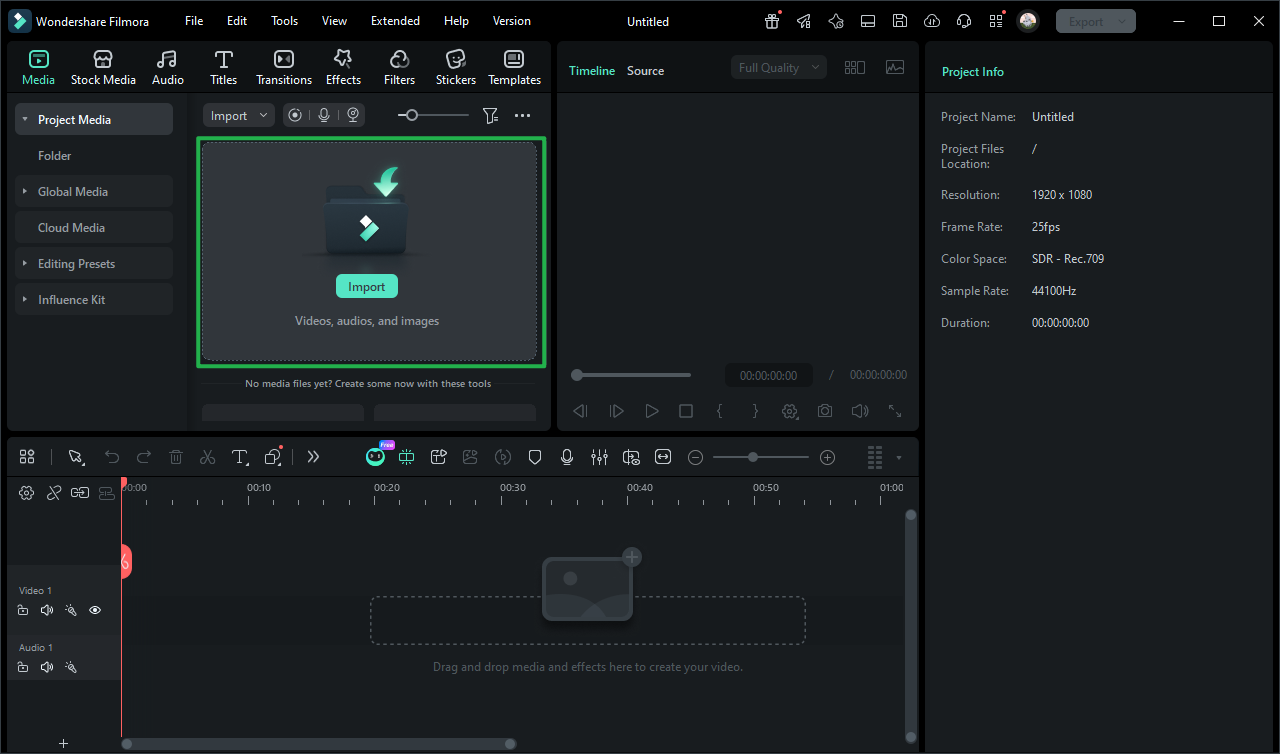
Step 1 Open the AI Video Generator
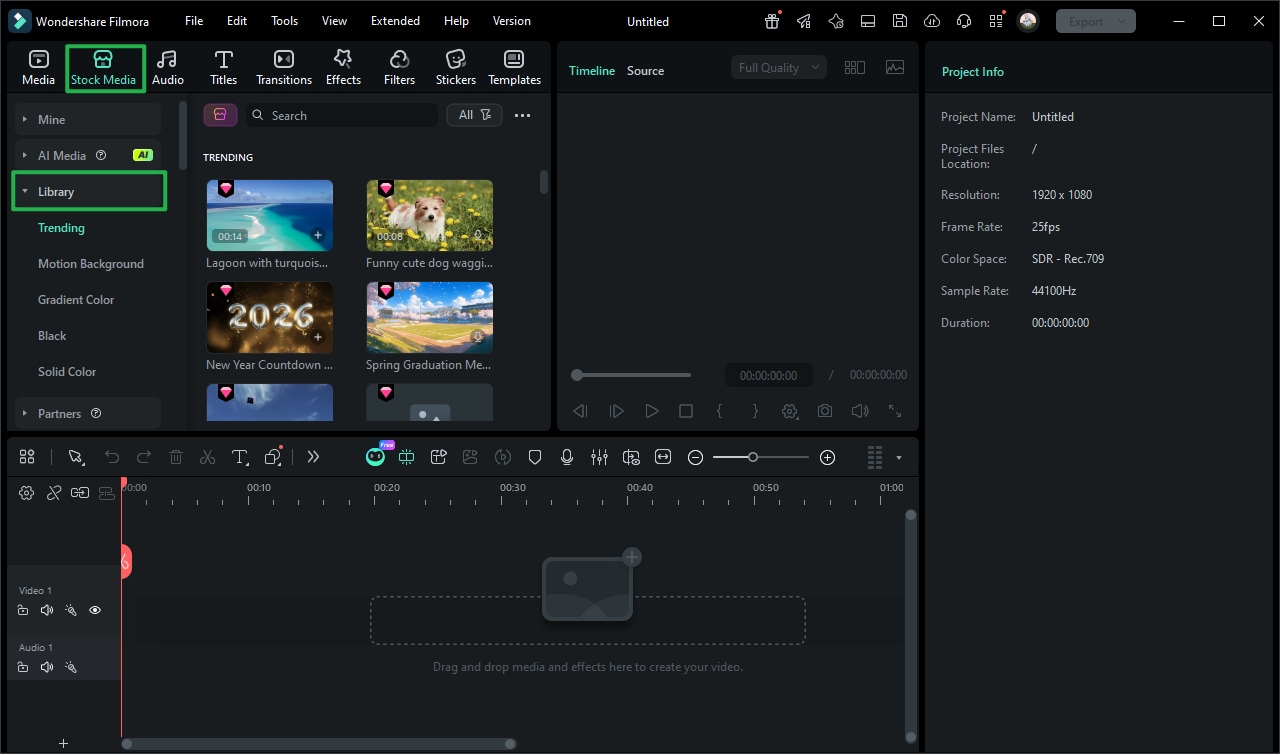
Step 2 Edit and Enhance Your AI Baby Video
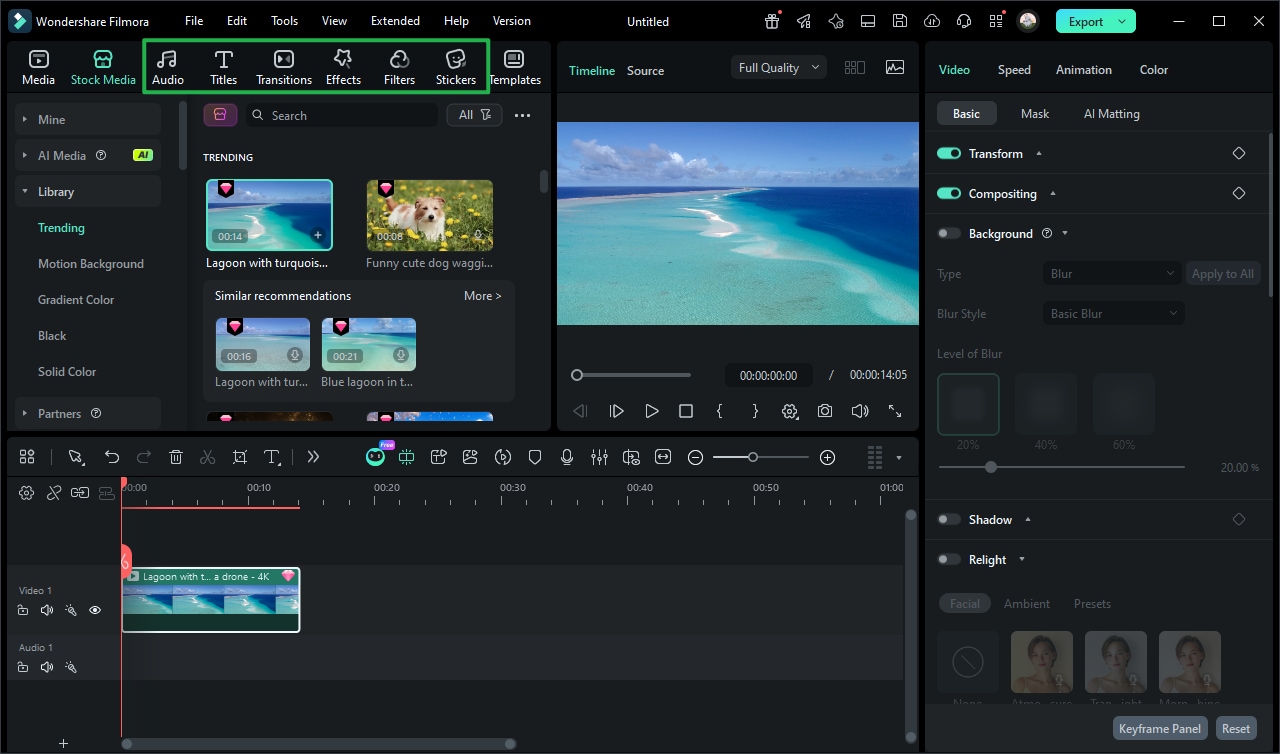
Step 3 Export Your Professional Video
-
1: Open the AI Video Generator
Launch Filmora and navigate to the AI generation tab. Upload your photos or use prompt commands to kickstart your ai baby video project with ease. -
2: Edit and Enhance Your AI Baby Video
Place the AI-generated footage on the timeline. Use creative tools to add color corrections, cute animations, and text overlays to perfect the look. -
3: Export Your Professional Video
Finalize your project with Filmora Video Editor's export tools. Share your stunning AI baby video directly to social media in breathtaking high resolution.
More Than Just an AI Baby Video Creator
Filmora goes far beyond simple generation. You can easily layer adorable stickers to add a playful vibe, utilize the advanced video background remover tool to instantly transport the subject into whimsical, magical settings, and apply smooth video transitions that beautifully stitch together a timeline of precious moments. Create truly immersive memories by fine-tuning the overall brightness, adding dynamic overlays, and employing the Text to Speech feature for engaging narrations. Whether you're building a heartwarming family milestone video essay, crafting a fun TikTok trend, or assembling a cinematic baby shower short film—everything you could possibly need to refine your perfect ai baby video is available in one comprehensive, streamlined workspace.








