Essential Vlog Video Effects & Packs:
Create Content That Clicks
Stop struggling with complex editing and start creating. Our curated library of vlog video effects offers everything a creator needs: from dynamic openers and lower thirds to subtle light leaks and sound packs. Simply pick your favorite vlog effect style, drag it into your timeline, and customize it to match your personal brand. Perfect for YouTubers, travel influencers, and lifestyle vloggers looking to increase engagement.
Loading more templates...
 Category:
 Duration:
 Aspect Ratio:
Tell Your Story with Professional
Vlog Video Effects & Tools
A successful vlog is more than just footage; it's about personality, pacing, and style. Filmora's comprehensive library of vlog video effects empowers you to transform everyday moments into cinematic stories. From reusable desktop assets to seamless transitions and AI enhancements, discover the tools designed to streamline your workflow and amplify your creativity.
Build Your Signature Style with Reusable Vlog Assets

Build Your Signature Style with Reusable Vlog Assets
Consistency is key to building a personal brand. Filmora allows you to save your favorite vlog video effects, color grades, and text animations as custom presets for instant reuse in future projects. Streamline your editing workflow on the desktop and maintain a cohesive look across every episode of your vlog series.
- Custom Preset Saving - Save your tweaked effects and text layouts to use in every new video instantly.
- Cross-Project Efficiency - Drag your signature intro and outro assets directly from your custom library.
- Desktop Power - Utilize the full processing power of Filmora desktop for complex, multi-layer effect rendering.
Seamless Vlog Transitions for Smooth Storytelling
Seamless Vlog Transitions for Smooth Storytelling
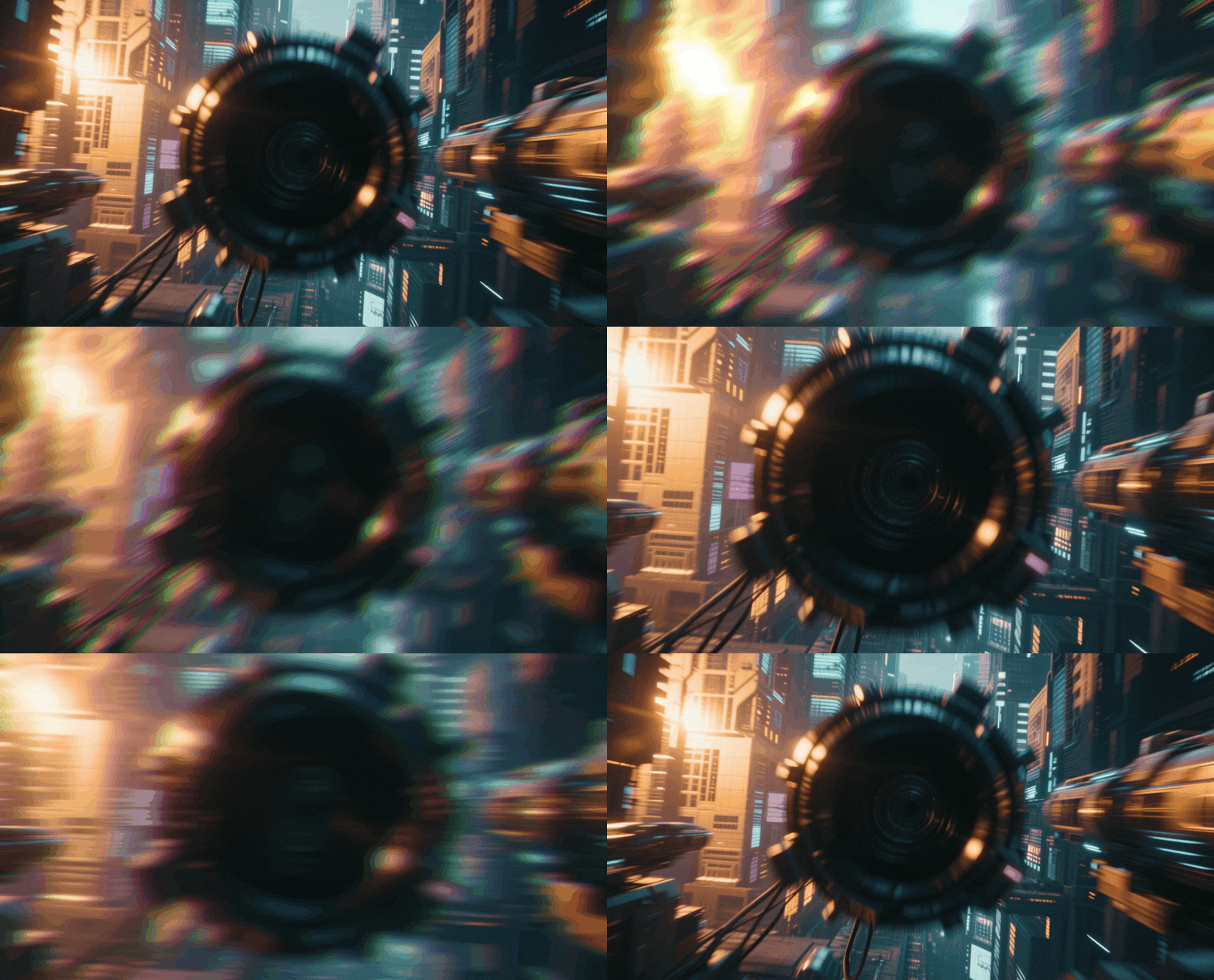
Keep your viewers engaged as you switch between scenes or locations. Our library of vlog transition effects includes whip pans, zooms, and seamless blurs designed specifically for the fast-paced nature of vlogging. Connect your B-roll to your talking headshots without jarring cuts, creating a professional flow that retains audience attention.
- Scene-Switching Magic - Use whip pans and zooms to simulate invisible camera movements between locations.
- B-Roll Connectors - Smoothly blend distinct footage types with aesthetic dissolve and blur transitions.
- Rhythm Control - Adjust transition duration to match the beat of your background music perfectly.
Aesthetic Text & Lower Thirds for Vlogs

Aesthetic Text & Lower Thirds for Vlogs
Communicate clearly without breaking immersion using our designer-made text packs. From minimal lower thirds introducing a location to bold, animated titles for your hook, these vlog text effects are fully customizable. Change fonts, colors, and animations to match your channel's aesthetic perfectly.
- Modern Typography - Access hundreds of trendy, clean, and handwritten font styles popular in vlogging.
- Auto-Animation - Drag and drop titles that already have professional entrance and exit animations applied.
- Brand Customization - Easily tweak colors and sizes to align with your personal brand identity.
Cinematic Color & AI Retouching

Cinematic Color & AI Retouching
Lighting isn't always perfect when vlogging on the go. Filmora's vlog video effects include cinematic LUTs and AI-powered retouching tools to instantly upgrade your footage quality. Fix white balance, smooth skin tones naturally, and apply mood-setting color grades that give your daily vlogs a high-production film look.
- One-Click LUTs - Apply professional color grading presets inspired by popular travel and lifestyle cinema.
- AI Portrait Retouching - Automatically smooth skin and brighten eyes while keeping the texture natural.
- Atmospheric Overlays - Add film grain, light leaks, or lens flares to enhance the mood of your storytelling.
FAQs About Vlog Video Effects
How To Add Effects to Vlogs
Whether you're a beginner or experienced creator, adding effects to your videos with our video effect editor is intuitive and fast.
Follow these simple steps to improve your videos with Filmora's extensive effect collection.
Step 1 Open Filmora and Import Your Video

Step 2 Choose and Apply Video Effects

Step 3 Export or Continue Editing

-
Step 1: Open Filmora and Import Your Video
Launch Filmora on your computer and import the video file you want to edit into the media library. Then, drag it to the timeline to start editing. -
Step 2: Choose and Apply Video Effects
Click the Effects tab in the top toolbar. Under Video Effects, you’ll find multiple effect categories. Select an effect you like and drag and drop it onto your video clip in the timeline to apply it. -
Step 3: Export or Continue Editing
Once you’re satisfied with the effect, export your video or continue editing by adding more effects, text, or music.
Step 1 Open Filmora and Import Your Video
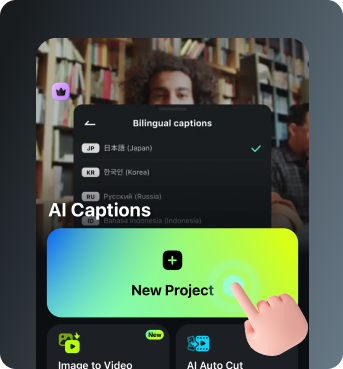
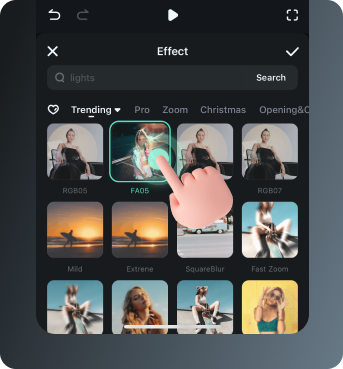
Step 2 Access and Select Your Video Effects
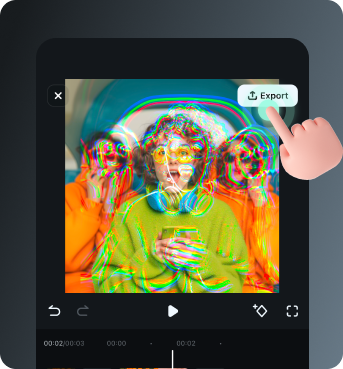
Step 3 Export or Keep Editing
-
Step 1: Open Filmora and Import Your Video
Open the Filmora app on your phone and import the video you want to edit. The clip will be added to your editing timeline automatically. -
Step 2: Access and Select Your Effect
Tap Animation to browse preset video effects and animations. Choose a style you like and apply it to enhance your video instantly. -
Step 3: Export or Keep Editing
After applying the effects, export your video or continue editing with additional animations, stickers, or adjustments.
Explore More Video Effects
From cinematic slideshow effects to dynamic zoom transitions — explore our free, ready-to-use effects for every creative project.