
50+ Slideshow Video Effects & Packs:
Turn Your Photos Into Cinematic Stories
Give your photo slideshows the cinematic polish they deserve. Explore our curated selection of slideshow video effects and motion overlay assets, featuring everything from Ken Burns zoom-and-pan to glitch transitions and film grain overlays. Simply pick your favorite slideshow effect style, drag it into your timeline, and create videos that captivate. Perfect for photographers, content creators, and brands turning photo libraries into engaging social media videos.
Loading more templates...
 Category:
 Duration:
 Aspect Ratio:
Make Every Photo Move with
Professional Slideshow Video Effects
A great slideshow is more than a sequence of photos — it's a story told through motion, rhythm, and atmosphere. With Filmora's library of slideshow video effects, you can add cinematic depth to any photo collection in minutes. From smooth Ken Burns pan-and-zoom effects and glitch transitions to light leak overlays and animated text frames, our drag-and-drop tools make professional-quality photo slideshow effects accessible to every creator.
Ready-to-Use Slideshow Motion Effects

Ready-to-Use Slideshow Motion Effects
Browse a curated library of slideshow video effects built for photos. From the classic Ken Burns zoom effect and parallax depth motion to film grain overlays and cinematic color washes, every effect is designed to give your static images life and movement without complex keyframing.
- Motion & Depth Effects - Ken Burns, parallax zoom, drift pan, and 3D tilt for cinematic photo movement.
- Drag-and-Drop Simple - Apply any slideshow effect to your photo clip in one click — no keyframes needed.
- Multi-Platform Ready - Crisp results in 9:16 TikTok, 1:1 Instagram, and 16:9 YouTube formats.
Slideshow Transition Effects for Seamless Photo Flow
Slideshow Transition Effects for Seamless Photo Flow
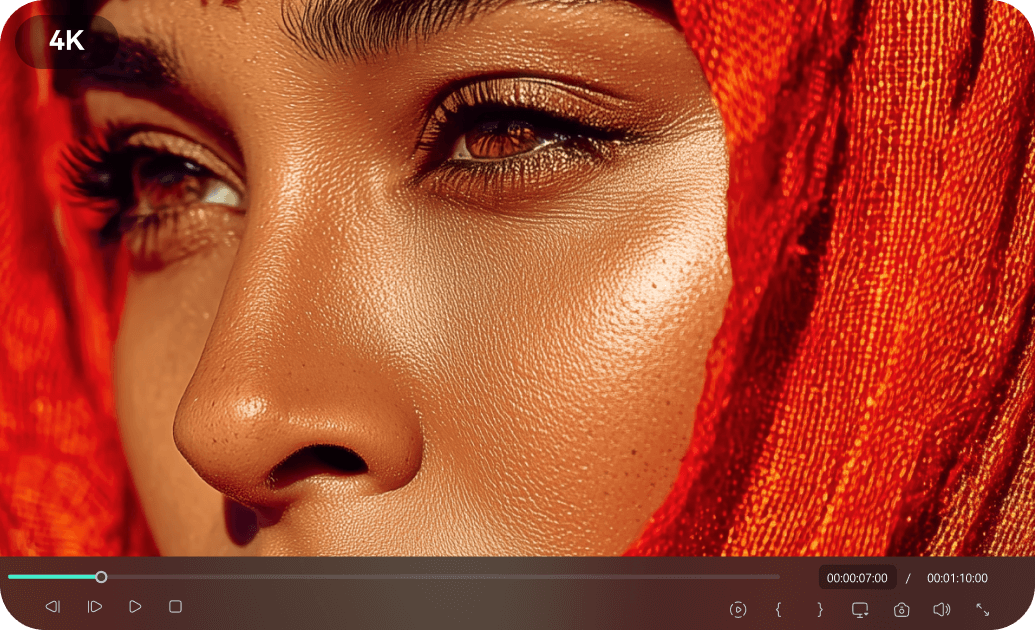
The space between photos is just as important as the photos themselves. Filmora's slideshow transition effects library includes smooth dissolves, energetic glitch cuts, elegant wipes, and immersive zoom transitions — all purpose-built to connect your photos into a fluid, engaging video slideshow. Browse 500+ transition styles and match the mood of any project.
- 500+ Transition Styles - Dissolve, zoom, glitch, whip, morph, and more for every slideshow mood.
- Beat-Sync Ready - Auto-match transitions to music beats for rhythm-driven slideshow videos.
- Fully Customizable - Adjust speed, direction, and blend mode for each slideshow transition effect.
AI-Powered Slideshow Video Maker with Auto Effects

AI-Powered Slideshow Video Maker with Auto Effects
Let AI do the heavy lifting. Filmora's AI slideshow video maker analyzes your photos, selects matching animated slideshow effects, syncs cuts to your background music, and assembles a polished video automatically. Get a complete photo slideshow with effects in seconds — then fine-tune any detail you want to customize.
- Smart Photo Analysis - AI detects faces, scenes, and colors to apply the most fitting slideshow effects.
- Music-Synced Editing - Transitions and motion effects automatically align to your audio's beat and tempo.
- One-Click Export - Render your slideshow video in the exact format and resolution your platform needs.
FAQs About Slideshow Video Effects
How to Add Slideshow Video Effects in Filmora
Create a stunning photo slideshow video in three simple steps. No design experience needed — just import, apply effects, and export.
Step 1 Open Filmora and Import Your Video

Step 2 Choose and Apply Video Effects

Step 3 Export or Continue Editing

-
Step 1: Open Filmora and Import Your Video
Launch Filmora on your computer and import the video file you want to edit into the media library. Then, drag it to the timeline to start editing. -
Step 2: Choose and Apply Video Effects
Click the Effects tab in the top toolbar. Under Video Effects, you’ll find multiple effect categories. Select an effect you like and drag and drop it onto your video clip in the timeline to apply it. -
Step 3: Export or Continue Editing
Once you’re satisfied with the effect, export your video or continue editing by adding more effects, text, or music.
Step 1 Open Filmora and Import Your Video

Step 2 Access and Select Your Video Effects
Step 3 Export or Keep Editing
-
Step 1: Open Filmora and Import Your Video
Open the Filmora app on your phone and import the video you want to edit. The clip will be added to your editing timeline automatically. -
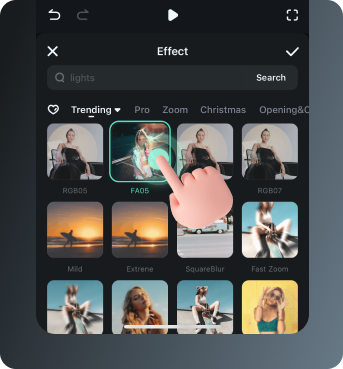
Step 2: Access and Select Your Effect
Tap Animation to browse preset video effects and animations. Choose a style you like and apply it to enhance your video instantly. -
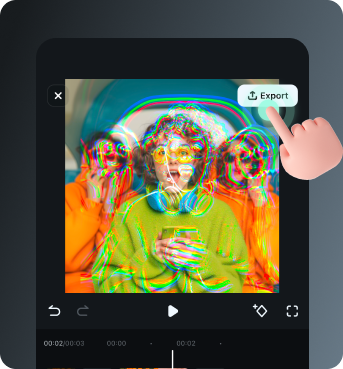
Step 3: Export or Keep Editing
After applying the effects, export your video or continue editing with additional animations, stickers, or adjustments.
More Than Just Slideshow Video Effects
Filmora is your all-in-one creative studio. Beyond slideshow effects, explore AI-powered tools that generate music, remove backgrounds, and create stunning visual effects to keep your content trending all year round.








