

 TL;DR:
For generating dynamic captions that sync text animations with spoken words in short-form videos, Wondershare Filmora provides the most comprehensive word-level animation within a full video editor, while OpusClip excels at repurposing long-form content and VEED offers the best browser-based workflow.
● Choose Headroom or Captions for talking-head videos requiring precise word-by-word treatments like karaoke effects, and select Submagic or ZapCap if you need rapid social media templates with automated B-roll and zooms.
● All evaluated free plans restrict outputs by applying mandatory watermarks, limiting video duration, or capping usage, such as OpusClip's 60 monthly credits that restrict export access after three days or ZapCap's strict three-video monthly limit.
● To prevent distracting visual effects, verify that the selected tool allows manual correction of timing synchronization and utilize functions like Filmora's distinct "Active Words" and "Key Words" settings to maintain text readability on mobile screens.
Ask AI for a summary
 ChatGPT
 Perplexity
 Gemini
 Claude
 Grok
Grok
Not all captions intend to sit quietly at the bottom of a video. Regular auto-captions may make spoken content easier to follow, but dynamic captions can highlight words in sync with timing, movement, and animation to match the speaker's delivery.
You'll often see this style in social media content, as well as podcasts, interviews, tutorials, and UGC, where certain words need a little extra emphasis. To add one to your video, a dynamic caption generator can automatically create, style, and animate them for you. We've compared seven options based on caption animation, customization, editing control, AI features, and free-use limits.
Part 1. What Is a Dynamic Caption Generator?
The key to understanding dynamic captions is in the word "dynamic." A regular auto-caption tells viewers what was said, while a dynamic caption also draws attention to how and when the words are spoken. Rather than displaying every line in the same style, it can highlight words as they are spoken, animate text, change colors, or add movement that follows the speaker's pace.
For example, if you say, "You can edit this video in FIVE MINUTES!" a dynamic caption can make "five minutes" appear in a different color or larger size as you say it. It can also reveal each word one by one instead of showing the entire sentence at once. These effects make important parts of your message easier to notice, especially in short-form videos where viewers tend to scroll quickly.
 Secure Download
Part 2. Dynamic Captions vs. Regular Captions
Both caption types make spoken content easier to follow, but they serve slightly different purposes. Regular captions focus on presenting dialogue clearly and consistently. Dynamic captions add visual cues that react to the speech, such as word highlights, animated text, and changing emphasis.
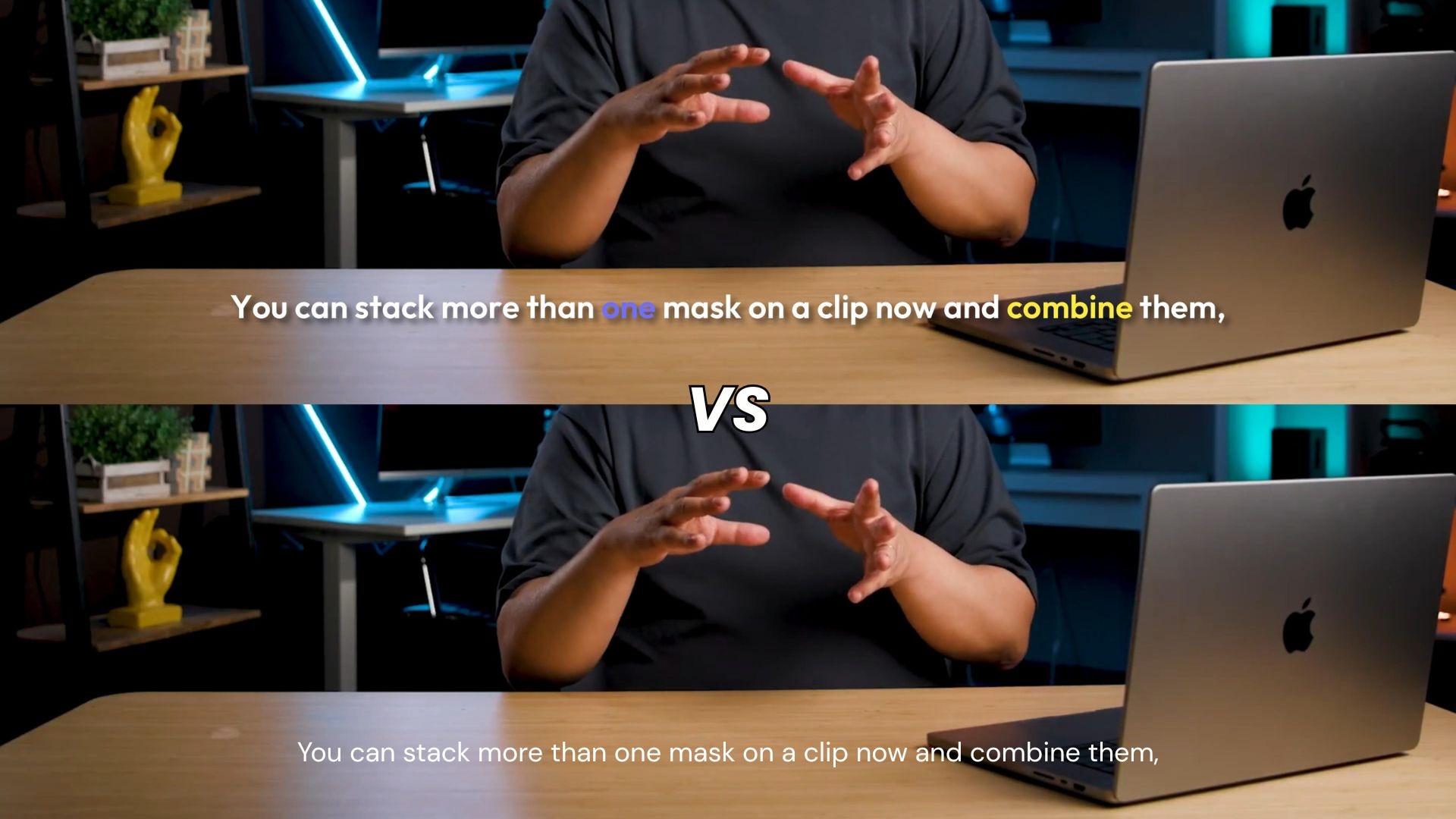
Dynamic Captions vs Regular Captions
| Dynamic Captions | Regular Captions |
| Can highlight words or phrases as they are spoken | Present dialogue in a consistent text format |
| Can use animation, movement, or other visual effects | Usually use simpler text styling |
| Can emphasize key words or moments | Keep the focus on the full dialogue |
| Offer more options for visual styling | Prioritize straightforward readability |
| Work well for Shorts, Reels, TikTok-style videos, and UGC | Suit interviews, tutorials, courses, and longer-form videos |
| May need more styling adjustments to keep text readable | Usually need less visual editing |
|
Show More
Show Less
|
|
Dynamic caption generators can work well when the captions need to follow the rhythm and emphasis of the speech. For videos that prioritize clear, unobtrusive subtitles, standard subtitles may be all you need.
Part 3. 7 Best Dynamic Caption Generators
Caption tools can vary in how much control they give you. Some tools focus on quick animated styles; others combine captions with AI video editing or repurposing features. The comparison below covers caption styles, editing controls, standout features, and free-use limits.
| Tool | Best for | Standout dynamic caption feature | Free option |
| Wondershare Filmora | Customizable dynamic captions | Active Words, Key Words, 100+ templates, and 120+ animations | Free version with watermark |
| VEED | Browser-based caption editing | Animated presets and automatic word highlighting | Free exports with watermark |
| OpusClip | Turning long videos into short clips | Animated captions with AI clip generation and active speaker detection | 60 credits/month, watermark |
| Headroom | Word-level caption animation | Per-word timing, highlighting, and animation effects | Free plan with limited features |
| ZapCap | Caption styling | 26+ styles, keyword highlighting, and animated effects | 3 videos/month, watermark |
| Submagic | Short-form social content | 35+ animated caption templates and word-by-word effects | Free plan with limited features and includes a watermark |
| Captions | Talking-head videos | 100+ caption styles, word-by-word animation, and highlighted words | Free plan with limited features |
|
Show More
Show Less
|
|||
1. Wondershare Filmora - Best for Animated Caption Styles
Wondershare Filmora combines video editing with built-in AI captioning for desktop and mobile. Its Dynamic Caption tool turns speech into timed, animated text that you can add directly to the video timeline. The same workspace lets you edit both the video and captions together.
Filmora also includes 100+ caption templates and 120+ animation presets, along with controls for fonts, colors, backgrounds, keyframes, and 3D text. You can also save custom caption styles as presets and translate captions into 30+ languages.
- Active Words and Key Words
- 100+ caption templates
- 120+ animations
- 13 text keyframe properties
- 3D spatial text
- Multi-speaker detection
- Automatic language detection
- Translation into 30+ languages
- Smart sentence segmentation
- Detailed control over caption styling and animation
- Dynamic captions are part of a full video-editing workflow
- Supports word-level emphasis
- Useful for both short- and long-form videos
- AI caption generation uses AI credits
- Some advanced controls may be unnecessary for simple subtitles
Filmora separates word emphasis into Active Words and Key Words. Active Words highlight the word being spoken, while Key Words emphasize important words or phrases. You can use it to create captions that follow the speaker more easily without manually animating every word.
Free version available, but with a watermark on the export. For more features and watermark-free exports, Filmora offers flexible pricing plans to suit different needs. Check out Filmora's official pricing page for the latest plan details and prices.
Creators who want dynamic captions and full video editing experience in one application

2. VEED - Best Browser-Based Dynamic Caption Generator

VEED offers video editing and caption generation in the browser, so you don't need to install desktop software. Its subtitle tools can turn spoken audio into editable captions and add visual effects. It also works as a free dynamic caption generator for users who want to create captions online.
- Automatic word highlighting
- Animated caption presets
- Glide, Pulse, Fusion, Handwritten, and Whisper styles
- Font, size, and color controls
- Manual word highlighting
- Browser-based editing
- Works directly in a browser
- Quick caption generation
- Easy to change highlighted words
- Good fit for short-form content
- Free exports include a watermark
- Less suited to complex editing than a full desktop editor
VEED can automatically highlight words as they are spoken and provides several animated presets. You can also manually change which words receive emphasis, giving you more control over the final result.
- Free: Available, with a VEED watermark on exports
- Creator: $10/user/month
- Pro: $21/user/month
- Studio Pro: $35/user/month
Creators who want a free dynamic caption generator they can use directly in their browser.
3. OpusClip - Best for Turning Long Videos Into Captioned Shorts
Built around AI video repurposing, OpusClip turns longer videos into shorter clips for social media. Dynamic captions are part of the automated editing process, allowing creators to caption clips alongside other edits. It works well for podcasts, interviews, webinars, and long-form videos.
- Animated caption templates
- Custom fonts and colors
- Automatic caption synchronization
- 20+ supported languages
- AI-powered clip creation
- AI reframing
- Brand vocabulary support
- Combines AI clipping and captions
- Useful for repurposing long videos
- Supports different social formats
- Free plan available
- Less focused on detailed caption animation than dedicated caption tools
- Captioning is part of a broader AI video platform
The caption tool fits more naturally into OpusClip's larger workflow. You can start with a podcast, interview, or YouTube video, create shorter clips, then add animated captions without moving between different tools.
- Free: Available, with 60 credits/month. Supports up to 1080p, includes a watermark, and becomes unavailable for export after 3 days
- Starter: $15/month with 150 credits/month and no watermark
- Pro: $29/month with 3,600 credits/year when billed annually, plus no-watermark exports
Podcasters, interview creators, and YouTubers who need captioned short clips from longer videos.
4. Headroom - Best for Word-Level Animated Captions
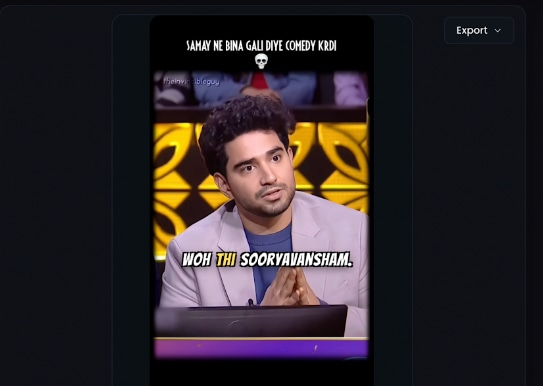
Headroom focuses on AI-powered editing for short-form and talking-head videos. Its Dynamic Captions tool generates timed captions from spoken audio and includes an editing workspace to refine them. The platform emphasizes animated, word-level captions rather than basic subtitle generation.
- Word-by-word timing
- Karaoke-style captions
- Rolling captions
- Slide-in animation
- Per-word editing
- Caption positioning and styling
- 18 languages
- Strong word-level control
- Several animation styles
- Good fit for talking-head content
- Supports Hinglish
- More focused on short-form and talking-head videos
- Free usage is limited
You can choose different ways for words to appear and move, including karaoke-style, rolling, and slide-in captions. Each word can also be edited and repositioned.
- Free: Available for 10 mins, 1080p resolution
- Lite: 299/month, 60 minutes/month, up to 2K, 3-minute videos
- Pro: 799/month, 240 minutes/month, up to 4K, 5-minute videos
- Agency: 1,999/month, 720 minutes/month, up to 4K, 10-minute videos
- All paid plans include Dynamic Captions
Creators who want word-level dynamic captions for talking-head, UGC, and short-form videos.
5. ZapCap - Best for Customizable Dynamic Caption Styles
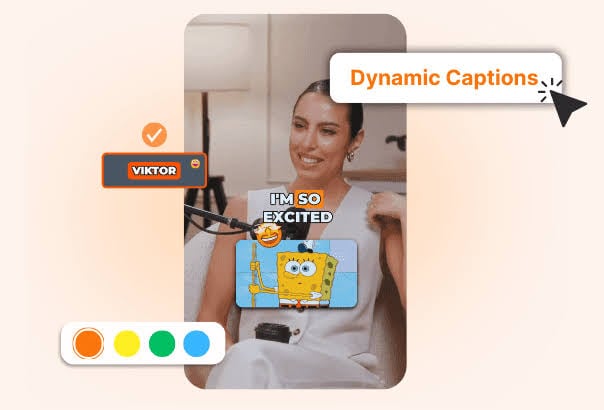
ZapCap focuses on creating stylized captions for social media videos. After you upload a video, you can generate captions and refine their appearance through the platform's caption editor. It also provides an API for developers and businesses that need to add caption generation to automated workflows.
- 50+ languages
- 26+ caption styles
- Keyword highlighting
- Animated effects
- Customizable templates
- Emoji support
- API for automated caption workflow
- Large selection of preset styles
- Quick to customize
- Keyword highlighting
- Useful for social content
- Free plan has a limited number of videos and AI credits
- Custom templates are not available on the free plan
ZapCap is convenient for creators who want a recognizable caption style without manually creating animations. Its preset library covers different visual treatments, and creators can customize the generated captions.
- Free: Available for 3 videos/month, up to 1 minute each, with a watermark
- Starter: $10/month, 15 projects/month, 2-minute videos, 3 custom templates, no watermark
- Pro: $20/month, 50 projects/month, 5-minute videos, 5 custom templates, no watermark
- Agency: $40/month, 200 projects/month, 10-minute videos, 10 custom templates, no watermark
Creators looking for a free dynamic caption generator with ready-made styles and quick customization.
6. Submagic - Best for Social-Media Caption Effects
Submagic targets short-form content with AI tools for captions and video editing. Its caption generator transcribes spoken content and turns it into dynamic captions that fit social media formats. Caption creation works seamlessly with other editing tools for adding visual elements to short videos.
- 35+ animated caption templates
- Word-by-word animation
- 123+ languages
- Custom fonts and colors
- Brand styling
- Text-based caption editing
- AI B-roll and zooms
- Designed specifically for short-form content
- Fast animated caption workflow
- Strong branding options
- Additional social-video editing tools
- Full feature access requires a paid plan
- Less suitable for complex timeline editing
Submagic doesn't just provide basic subtitles with word-by-word animations and a range of visual effects. Caption creation also includes tools for B-roll, zooms, transitions, and sound effects.
- Free: Available for 3 videos/month with animated caption styles, and exports include a watermark
- Starter: $19/month, 45 credits/month (up to 15 videos), videos up to 2 minutes
- Pro: $39/month, 120 credits/month (up to 40 videos), videos up to 5 minutes
- Business: $69/month, 300 credits/month (up to 100 videos), videos up to 30 minutes
TikTok, Reels, and Shorts creators who want dynamic captions with other social-media editing effects.
7. Captions - Best for Talking-Head Videos
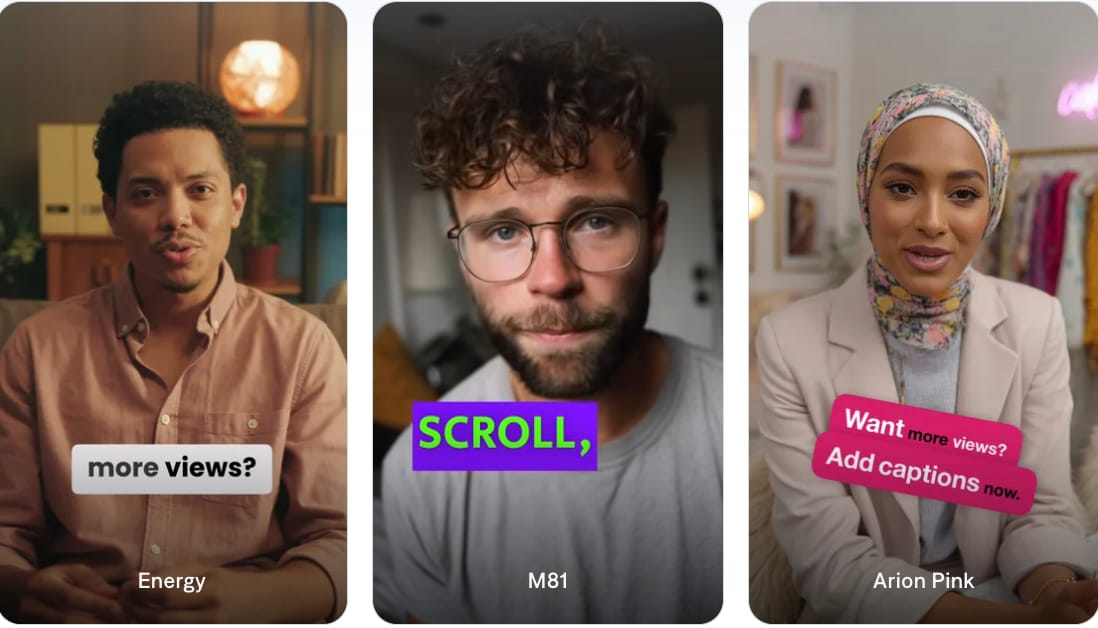
Captions focuses on AI-assisted video creation for spoken and social media content. The app automatically transcribes dialogue and adds animated captions, with editing controls available after generation. Captioning also sits alongside other AI tools for editing talking-head and social media videos.
- 100+ caption styles
- Word-by-word animated captions
- Highlighted words
- Bold caption stacks
- Animations and effects
- Custom fonts, colors, and layouts
- 100+ languages
- Automatic caption synchronization
- Wide variety of animation styles
- Well suited to talking-head videos
- Supports many languages
- Includes other AI video tools
- Advanced features require a paid plan
- More focused on social and creator content than traditional video editing
The platform offers ready-made caption styles designed specifically for talking-head content. You can use word-by-word treatments, highlighted text, or stacked captions without manually creating the animation.
- Free: Available with basic editing and caption tools, including captions in 100+ languages and 1 caption template
- Free plan includes no AI usage credits
- Max: $24.99/month with 500 AI credits/month
- Scale: $139.99/month with 1,400 credits/month
Creators making talking-head videos, personal brand content, and social clips who want animated captions without manually creating them.
Part 4. How to Choose the Best Dynamic Caption Generator
All of the dynamic caption generators in our list offer some form of dynamic captioning, but their free features, editing controls, and pricing are different. Compare these details based on how often you create videos and how much control you want over your captions:
- Check word-level synchronization. Dynamic captions should follow the speaker closely. Poor timing can make animated captions distracting or difficult to follow. Make sure you can correct timing when automatic captions are off.
- Look beyond the number of templates. A large template library may seem impressive, but flexibility matters more if you want captions to match your video style. See if templates can be adjusted after applying them.
- Make sure captions remain readable. Dynamic effects shouldn't make the words harder to read. This matters even more on small phone screens and videos with busy backgrounds. Preview captions on a phone-sized screen before exporting.
- Check editing flexibility. Automatic caption generation saves time, but errors still happen. Good editing controls make it easier to fix them without starting over. Check if you can edit words, punctuation, and timing.
- Check the free limits. A free dynamic caption generator may come with limits that affect the final video. Sometimes, not all free plans include the features you need, and paid tools offer better value if you create videos regularly.
Secure DownloadBonus: How to Create Dynamic Captions in Filmora
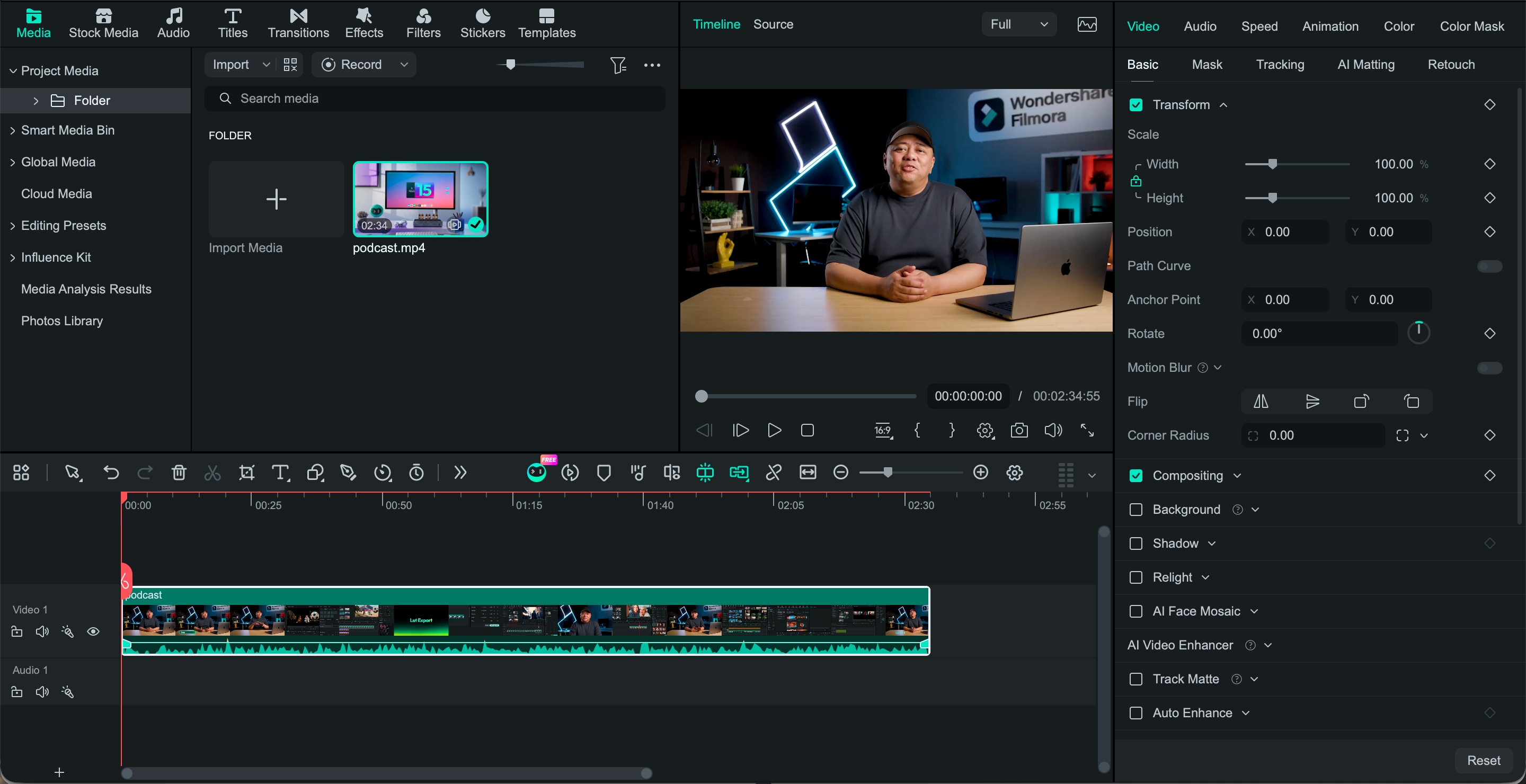
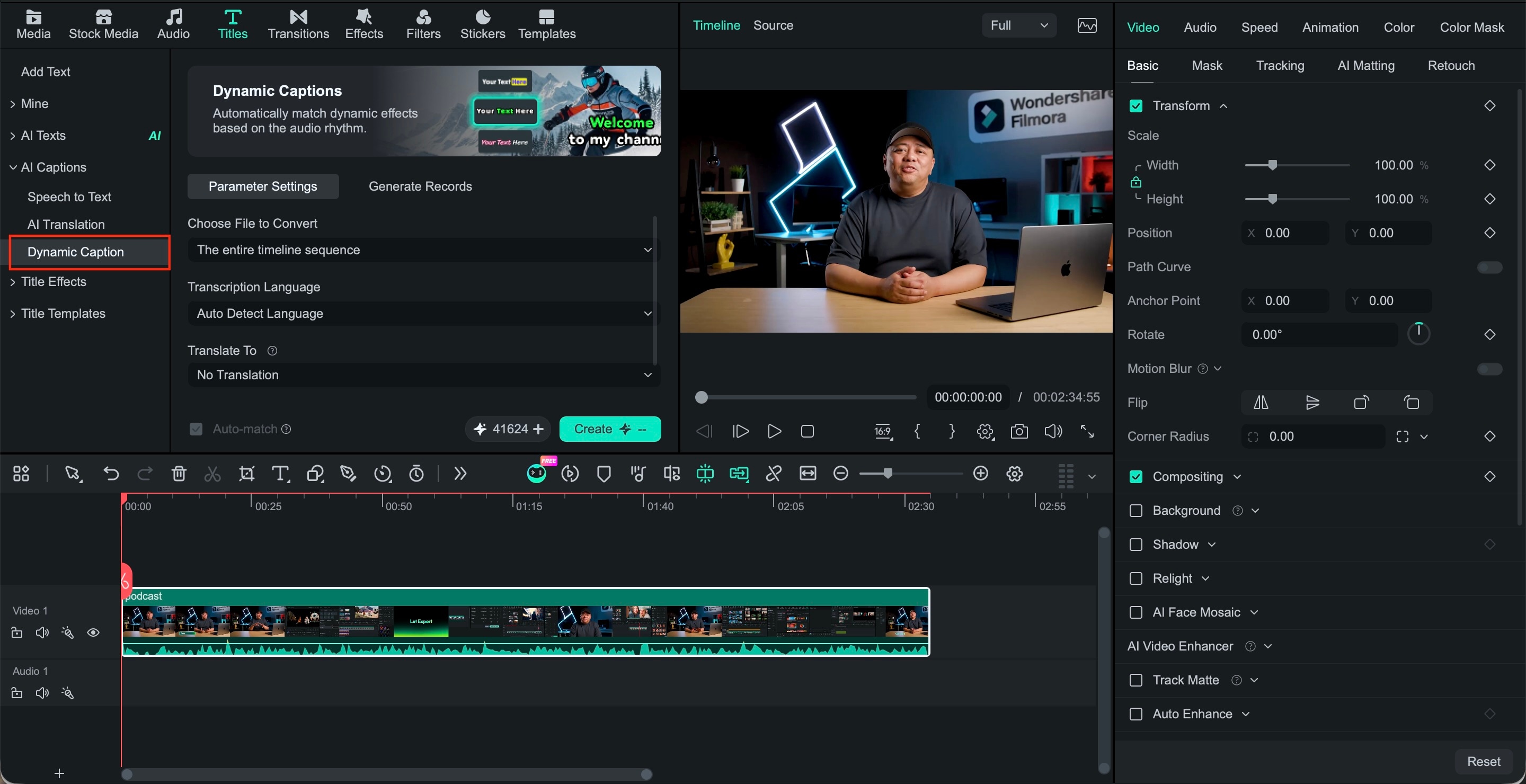
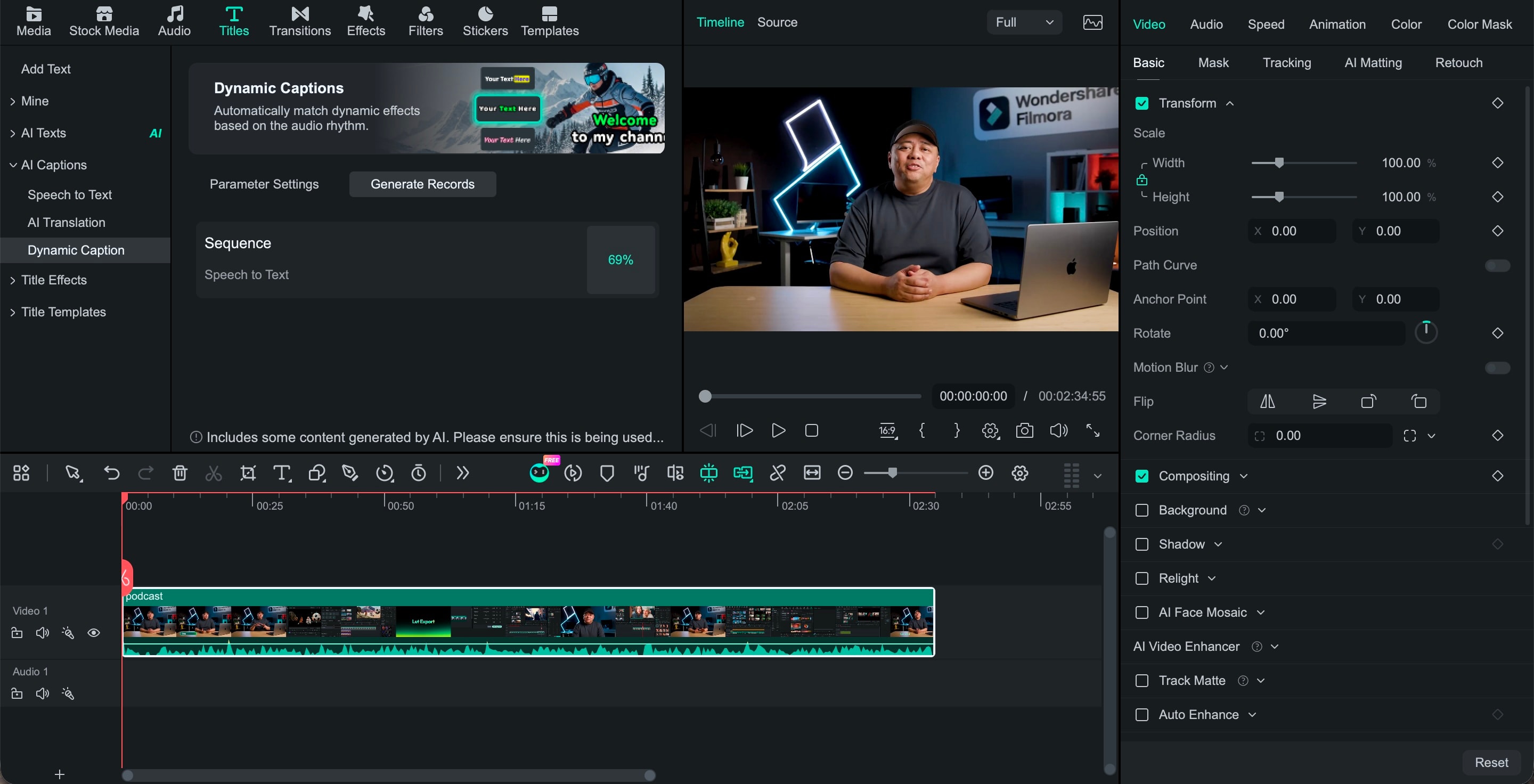
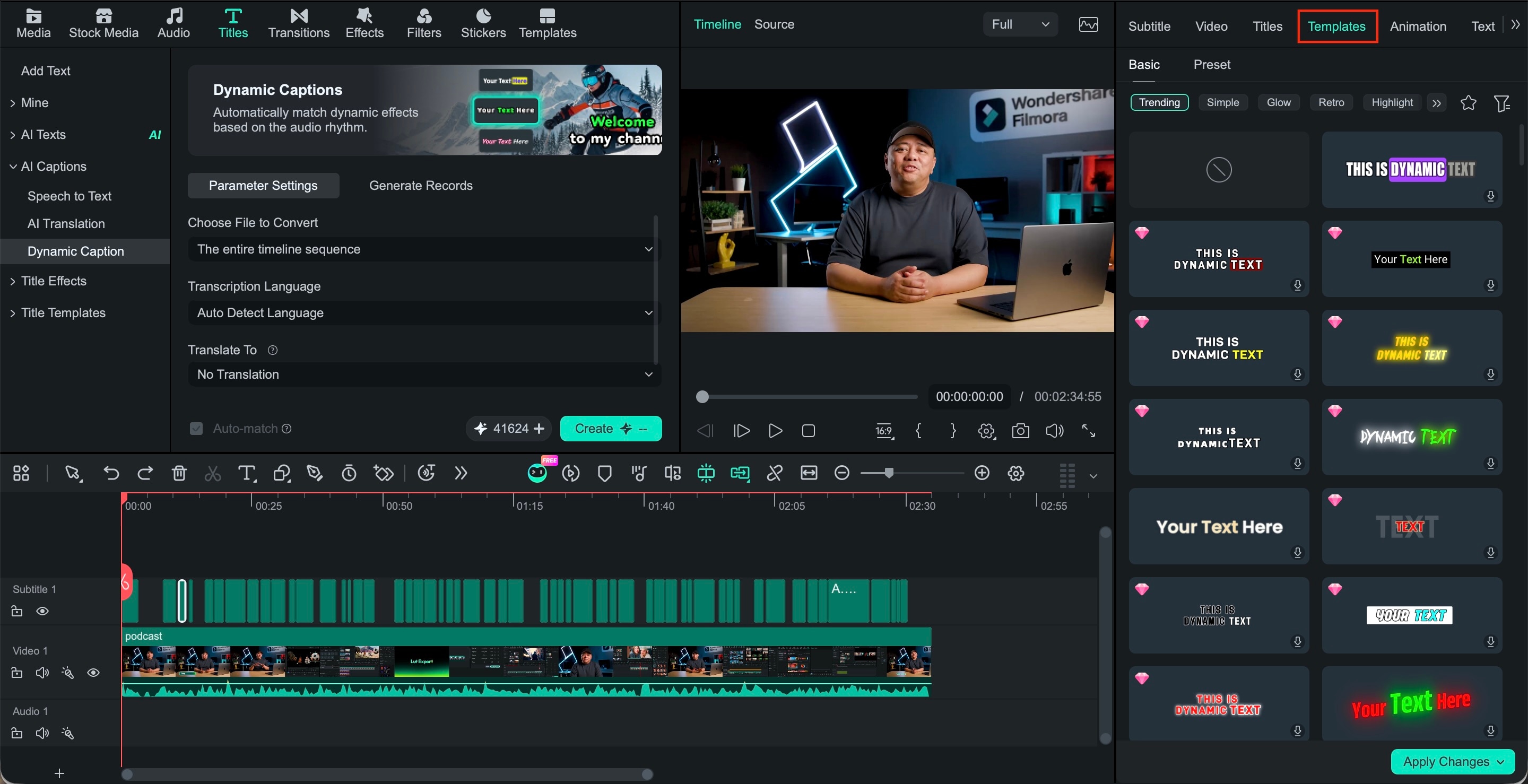
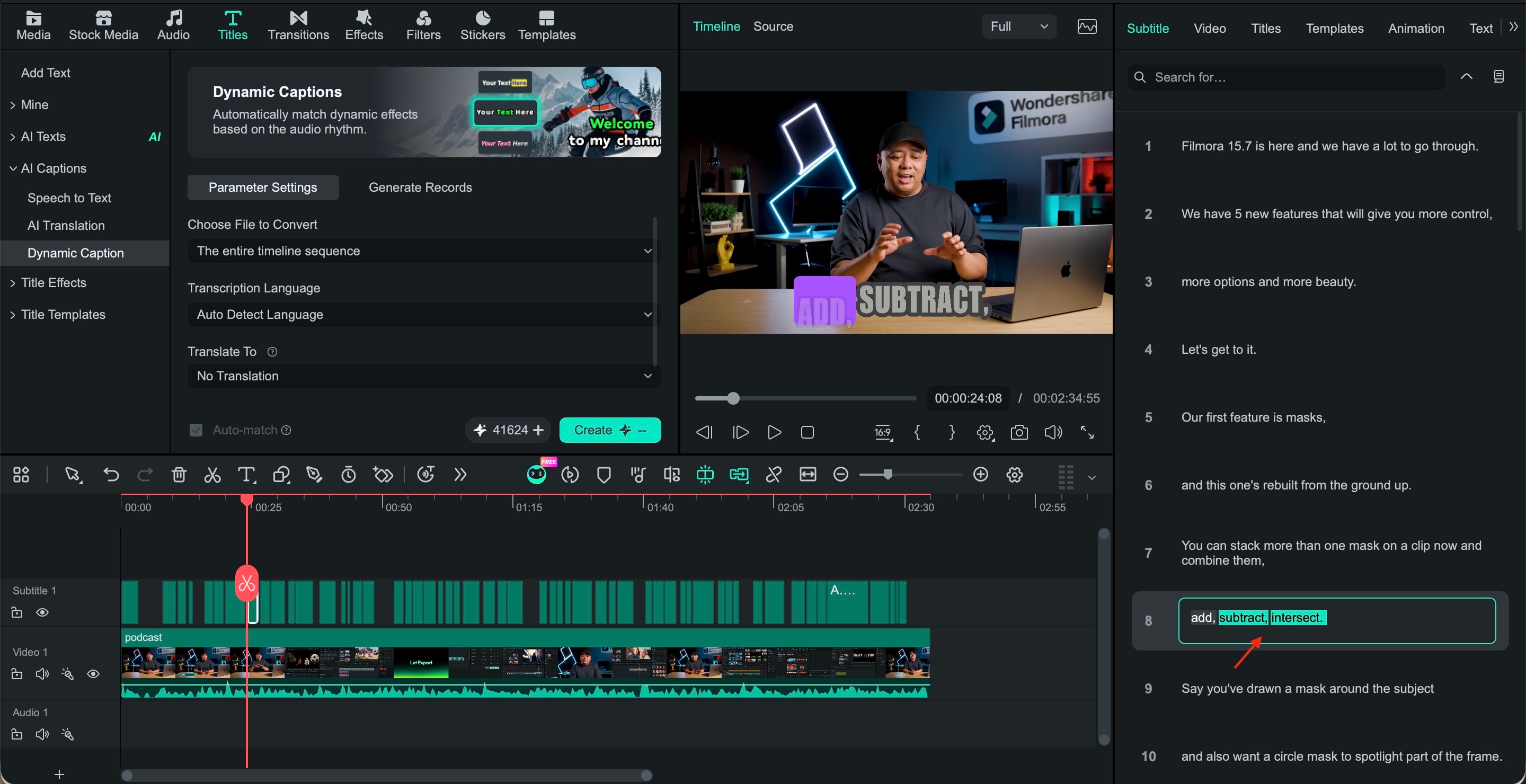
To show how easy it can be, we're using Filmora to create dynamic captions from a video. It handles transcription, timing, and animation automatically, while still giving you control over the caption style and word highlights.
 Secure Download
Conclusion
Dynamic captions can make spoken content easier to follow and add more visual energy to short-form videos. The best choice depends on how much control you need over timing, styling, and editing.
Filmora is a practical option if you want dynamic captions and video editing in the same workspace. Its Dynamic Caption tool can highlight active or key words, apply caption animations, and give you control over the text style while you edit the rest of your video.
FAQ
-
What is a dynamic caption generator?
A dynamic caption generator turns spoken audio into captions and adds visual effects to the words. For example, a tool can highlight each word as it is spoken or make key phrases stand out on screen. -
What makes dynamic captions different from regular subtitles?
Regular subtitles usually keep the same text style throughout the video. Dynamic captions can change how certain words look or appear, helping emphasize important parts of the speech. -
Is there a free dynamic caption generator?
Yes. Tools like VEED, OpusClip, ZapCap, and Captions offer some form of free access. Check the limits first, since free plans may include watermarks, AI credit limits, shorter videos, or fewer caption styles. -
Can I generate dynamic captions automatically?
Yes. Most tools can transcribe the audio and sync the captions automatically. After generation, you can usually fix words or timing and adjust the caption style before exporting.
