
We have to say goodbye to the AI video model that once set the standard for clips with built-in sound. Google has discontinued Veo 3, and it has confirmed that the Veo 3.1 preview models shut down on the Gemini API on October 22, 2026, with Gemini Omni Flash taking over.
Even so, you don’t have to worry. Not every Veo 3.1 model or service is being discontinued, and Google is only retiring specific models on specific platforms. If you want to move on from Veo anyway, you can always look for Veo 3.1 alternatives that possibly give you even better results.
Part 1. What Happened to Google Veo 3?
“Is Veo 3 discontinued?” Plenty of people are searching for exactly that right now. On the Gemini API, the answer is yes. The Veo shut-off time for Veo 3 and Veo 3 Fast came on June 30, 2026, on both the Gemini API and the Gemini Enterprise Agent Platform, and Google pointed developers to Veo 3.1 as the migration target.
However, the bigger change now is happening to Veo 3.1 itself, where only some models are being retired. The Veo 3.1 preview models on the Gemini API are already gone. Veo 3.1 Fast and Veo 3.1 Quality, along with Omni Flash 1.1, are leaving Flow on December 5.
Veo 3.1 models are still generally available on its Gemini Enterprise Agent Platform, though, while Veo 3.1 Lite stays in Flow.
| Model & Platform | Launch / General Availability Date | Status | Discontinuation Date |
| Veo 3 (veo-3.0-generate-001, Gemini API) | September 9, 2025 (GA) | Discontinued | June 30, 2026 |
| Veo 3 Fast (veo-3.0-fast-generate-001, Gemini API) | September 9, 2025 (GA) | Discontinued | June 30, 2026 |
| Veo 3 / Veo 3 Fast (GA, Gemini Enterprise Agent Platform) | July 29, 2025 (GA) | Retired | June 30, 2026 |
| veo-3.1-generate-preview (Gemini API) | October 15, 2025 | Discontinued | October 22, 2026 |
| veo-3.1-fast-generate-preview (Gemini API) | October 15, 2025 | Discontinued | October 22, 2026 |
| veo-3.1-lite-generate-preview (Gemini API) | March 31, 2026 | Discontinued | October 22, 2026 |
| gemini-omni-1.1-flash (Gemini API) | August 27, 2026 (GA) | Rerouted to Omni 1.2 | December 3, 2026 |
| Veo Extend (Flow) | mid-2025 | Retired | November 5, 2026 |
| Veo 3.1 Fast (Flow) | October 15, 2025 | Retiring | December 5, 2026 |
| Veo 3.1 Quality (Flow) | October 15, 2025 | Retiring | December 5, 2026 |
| Omni Flash 1.1 (Flow) | August 27, 2026 | Retiring in Flow | December 5, 2026 |
| Veo 3.1 Lite (Flow) | March 31, 2026 (Gemini API preview) | Still available | - |
|
Show More
Show Less
|
|||
Google replaced the three Veo 3.1 preview models (standard, Fast, and Lite) on the Gemini API with gemini-omni-1.1-flash (Gemini Omni Flash). From December 3, 2026, requests to Omni 1.1 Flash route to Omni 1.2 Flash.
Google Veo 3.1 Shutdown Timeline
Veo 3 launched in May 2025 as the first Veo model that generates sound along with the video. Veo 3.1 arrived on October 15, 2025, as a refined update with the same native audio and more control over how a clip is built.
The Veo 3 and some of the Veo 3.1 shutdowns have come in stages since then:
- October 15, 2025: Google introduced Veo 3.1 and Veo 3.1 Fast in paid preview through the Gemini API.
- June 30, 2026: Google retired Veo 3 and Veo 3 Fast on the Gemini API.
- October 22, 2026: Google shut down the three Veo 3.1 preview models on the Gemini API.
- November 5, 2026: Veo Extend was retired in Google Flow, and Gemini Omni 1.2 Flash became generally available.
- December 3, 2026: API requests to gemini-omni-1.1-flash start routing to Omni 1.2 Flash.
- December 5, 2026: Google retires Veo 3.1 Fast, Veo 3.1 Quality, and Omni Flash 1.1 in Flow.
Part 2. Why Is Google Retiring Veo 3 and Some Veo 3.1 Models?
Google hasn’t officially explained why Veo 3 is being discontinued yet, but the recent changes suggest a broader shift in its AI video strategy. Looking at the timeline, Google’s product updates, and community discussions surrounding these changes, we can narrow it down to four likely reasons.
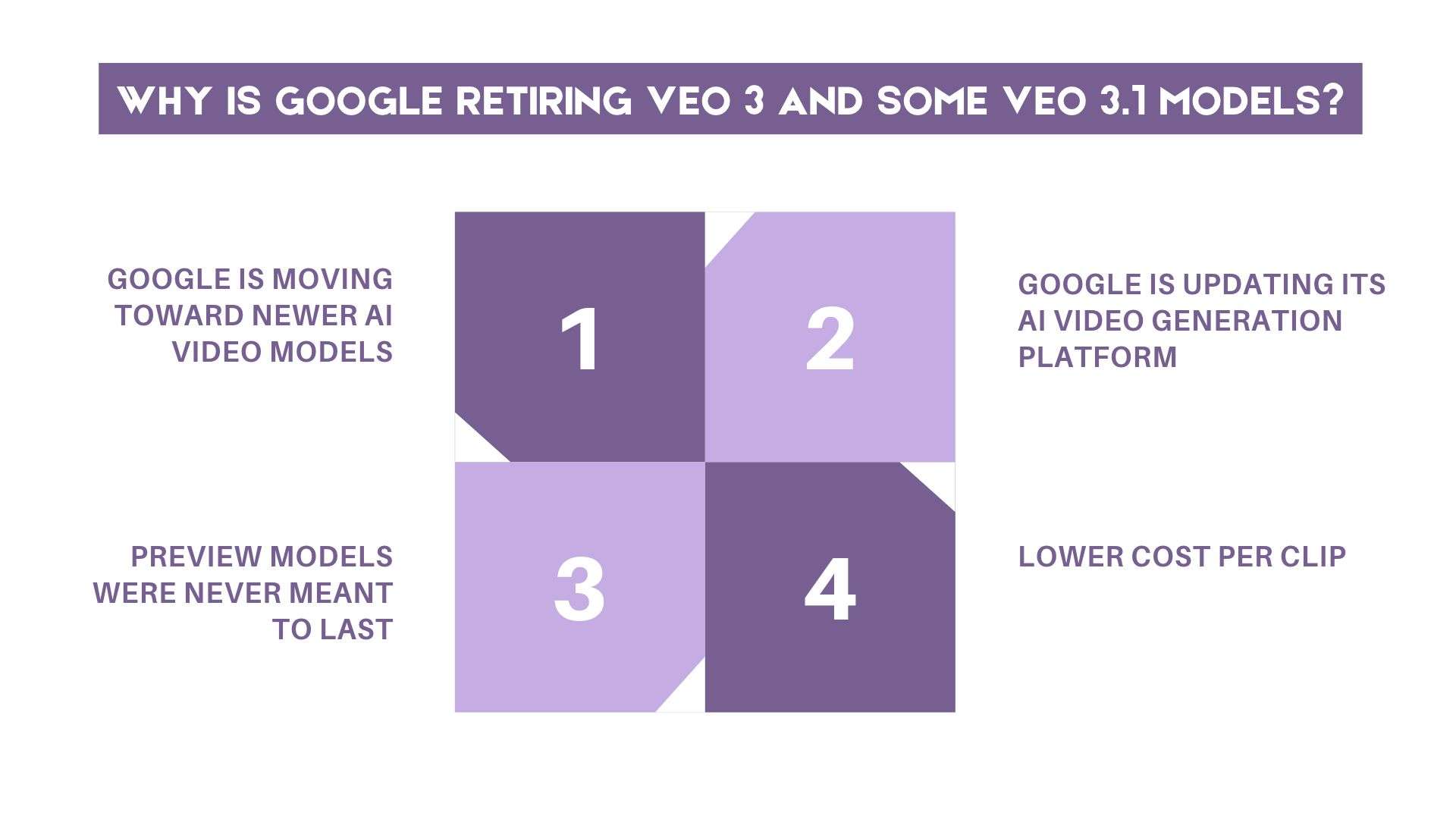
1. Google is moving toward newer AI video models
Gemini Omni Flash is now the named replacement for the retired API models, and Omni 1.2 Flash became generally available on November 5, 2026. It makes clips of 3 to 15 seconds, up from the 10-second cap on Omni 1.1, and it supports multi-turn editing.
2. Google is updating its AI video generation platform
After December 5, Flow’s video models will be Omni Flash 1.2 and Veo 3.1 Lite. The clip extension has already moved from Veo Extend to Omni Extend, which requires a Google AI Plus, Pro, or Ultra plan. Google Vids also uses Omni 1.2 Flash for video generation now.
3. Preview models were never meant to last
Preview releases are experimental and usually have shorter lifecycles than production models. The Veo 3.1 preview names on the Gemini API followed that pattern.
4. Lower cost per clip
Google says Omni 1.2 Flash is 30% cheaper than Omni 1.1, with 720p video at about $0.07 per second on the API. Cheaper generation may be part of the push, though Google has not tied the retirements to pricing.
Part 3. What Happens When Veo 3.1 Shuts Down?
With some Veo 3.1 models being retired, it means you’ll gradually lose access to certain video generation features and may need to switch to newer models or find alternative platforms to continue creating AI videos.
If you call the Gemini API, requests that still use the three preview model names now fail. Some API aggregators report errors with a 404 message saying the model is no longer available. Retrying won’t fix it. What you can do instead is:
- Switch the model name.
- Test the new request parameters and check whether the new model uses different settings for video duration, resolution, reference images, or task polling.
- Make the model name a config setting instead of hard-coding it to save you the next migration.
If you use Google Flow, you can keep generating with Veo 3.1 Fast and Quality at their usual credit rates until December 5, 2026. After that, Flow offers Omni Flash 1.2 and Veo 3.1 Lite.
What to Do Before Veo 3.1 Shut-Off Time
- Complete any ongoing projects that use Veo 3.1 Fast or Quality, then save the final videos to your device.
- Upscale your clips before access to these models ends.
- Try your strongest prompts with Omni Flash 1.2 and Veo 3.1 Lite. You may need to adjust the wording to get similar results.
For the clips you already made, Google’s notice covers generating with the retiring models. It doesn’t say existing videos get deleted, but downloading what you want to keep is the safe move.
Part 4. Best Veo 3.1 Alternatives to Generate AI Videos
Veo 3.1 is not the only AI video generator that can help you make AI videos, so Google's decision to retire some of its models doesn’t mean your AI video creation has to come to a halt. If you’re not keen on using Gemini's Omni Flash as a replacement, several Veo 3.1 alternatives offer similar, or even better, features, including realistic motion, image-to-video generation, and built-in audio.
1. Seedance
Seedance is ByteDance’s AI video family. Its latest version, Seedance 2.5, generates up to 30 seconds of video with synchronized audio in a single pass, without stitching clips together, and it accepts far more references than most rivals.
- Clips of 4 to 30 seconds with native audio.
- Up to 50 reference inputs, including 30 images, 10 videos, and 10 audio clips.
- Support audio-only references to guide sound and other audio-related elements.
- Text-to-video, image-to-video, reference-to-video, video editing, and extension modes.
- One of the longest single-pass clip lengths available.
- Strong reference control for characters, footage, and music.
- Offers a cheaper Flash tier for faster, lighter generation.
- The reference limit is reduced to 20 inputs in the Flash version.
- Flash output is limited to 720p, while the standard model supports up to 1080p.
- Reference images and videos containing real human faces are restricted through the BytePlus ModelArk API.
2. HappyHorse
HappyHorse is an AI video model developed by ATH, a team under Chinese tech giant Alibaba. HappyHorse 1.1, the latest version, brings improvements in video quality, motion consistency, and audio generation. It can generate video and audio together in a single pass using a text prompt, a first-frame image, or reference images.
- Clips of 3 to 15 seconds at 720p or 1080p
- Native synchronized audio with lip sync, reportedly in seven languages
- Up to 9 reference images for subject, style, and scene control
- Joint video and audio generation, with multilingual lip sync
- Available through many third-party platforms and APIs
- Clips top out at 15 seconds
- Pricing varies by provider
3. ToMoviee
ToMoviee is Wondershare’s AI platform for video, image, and audio creation. The model ranked third overall on the VBench 2.0 leaderboard, according to the report. It’s also among the first in camera motion and motion rationality. The image-to-video feature includes camera movement controls, while the video extender lets you continue an existing clip with AI-generated footage.
- Text-to-video, image-to-video, and video extend
- Standard and HD modes, with clips listed at 5 seconds
- Image and audio generation in the same platform
- An Inspiration Hub of templates and assets for one-click videos
- Combines video, image, and audio generation in one creative studio.
- Offers additional tools for sound effects, background music, and voice generation.
- Includes image animation and video extension features.
- Uses a credit-based system for AI generation.
- Some features, such as watermark removal and HD video generation, require a paid plan.
4. Kling
Another Veo 3.1 alternative to consider is Kling, an AI video generation model family from Kuaishou. The latest Kling 4.0 versions make clips up to 30 seconds from one prompt, up from 15 seconds on Kling 3.0, and combine generation, multimodal references, audio, and editing.
- Clips of 3 to 30 seconds at 720p, 1080p, or 4K
- Up to 10 keyframes, from a first and last shot to a full shot-by-shot plan
- Up to 15 reference assets, with stereo audio and lip sync
- Kling 4.0 Flash (a lower-cost version) at 720p with clips up to 20 seconds
- Keyframe control for planning scenes shot by shot
- Long single-take clips and a 4K option
- Realistic character movements and natural-looking motion.
- Strong character consistency across generated shots.
- Native audio generation with synchronized dialogue and sound effects.
- Advanced features and higher-quality generation consume credits quickly.
- Some features are limited to specific models or subscription tiers.
Part 5. Explore Veo 3.1 Alternatives & Edit in One Place with Filmora
If you're not sure which Veo 3.1 alternative to choose, Wondershare Filmora offers another way to explore different AI video models. Rather than relying on a single generator, Filmora brings several AI models to one platform, including HappyHorse, Seedance, and ToMoviee.
Filmora is a video editor with a built-in AI generation platform, where you can try out different models and edit the videos you like without moving between multiple apps. This setup gives you more flexibility than relying on Veo 3.1 or Google’s AI tools alone, especially when you want to have more editing options after generation.
1. Access Multiple AI Video Models in One Place
Signing up for and managing several AI video platforms just to test different models can take a lot of time and money. But a single Filmora subscription gives you access to its video editing tools and various supported AI models, which can offer better value than several separate platform subscriptions.
2. Compare Different AI Video Generation Results
Not sure which model will give you the best result? Try the same prompt with different models and see how they interpret your idea. You can compare how each one handles details such as subject movement, lighting, camera angles, and visual consistency. This gives you a clearer idea of each model's strengths and helps you choose the output that best fits your project.
3. Edit Your AI-Generated Videos Without Switching Apps
Once you have a clip you like, you can bring it straight into Filmora’s editing timeline. Trim unwanted sections, arrange multiple clips, add transitions, and adjust the audio to suit your project. Filmora also offers AI tools that can help you create captions, enhance audio, remove unwanted objects, and refine your footage.
 Secure Download
Conclusion
Google's decision to discontinue Veo 3 and retire some of Veo 3.1 models doesn't mean you have to stop creating AI videos. Several Veo 3.1 alternatives, including Seedance, HappyHorse, Kling, and ToMoviee, offer their own strengths in video quality, motion, audio, and creative control.
You can also use Filmora to try different AI models and edit your favorite results in one place. Compare the available options, test a few prompts, and continue creating videos that best match your needs and budget.
FAQs
-
1. Why does my Veo 3.1 API call fail?
Your API call may fail because Google retired the Veo 3.1 preview models in the Gemini API on October 22, 2026. If your code still uses model IDs such as veo-3.1-generate-preview or veo-3.1-fast-generate-preview, you need to update it. Google recommends Gemini Omni Flash or the supported Veo 3.1 models on Google Cloud. -
2. Is there a Veo 4?
No, Google has not officially announced Veo 4 or provided a release date. Its latest Veo model is Veo 3.1, while Gemini Omni is the newer video generation model family. -
3. Will my old Veo videos disappear?
No, retiring a Veo model doesn’t automatically delete videos you have already generated. However, how long your videos remain available depends on the platform you used. You can also download your videos or export your Flow data as a backup. If you used the Gemini API, download your generated files promptly because API output videos are stored for only two days. -
4. What’s the best free alternative to Veo 3?
Google Flow is a good free option if you want to keep using Google's video generation tools. It offers free daily credits for video generation with supported models, including Veo 3.1 Lite and Gemini Omni Flash. If you prefer a non-Google alternative, try Kling AI, which offers limited free credits for new users.