
AI-powered 3D generators like 3D AI Studio have changed how people create 3D models. You no longer need to master complex 3D tools or spend hours on manual modeling. With a simple text prompt or an image, you can create 3D assets without advanced technical skills or expensive software.
As convenient as it sounds, we’ve decided to take a closer look at 3D AI Studio to see how well it works. We will explore its pricing, features, and limitations, and test the quality of its 3D models in this 3D AI Studio review.
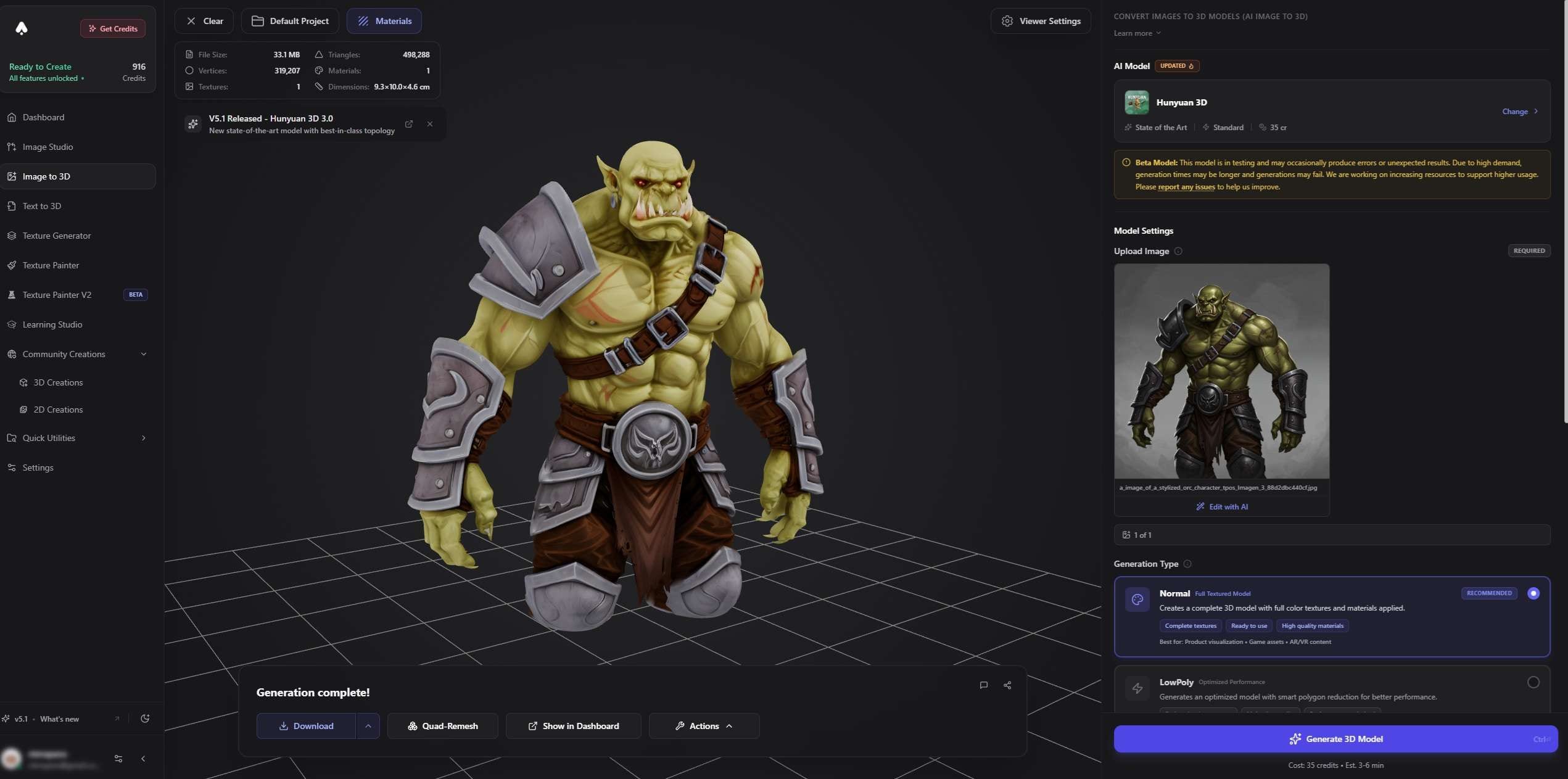
Part 1. What is 3D AI Studio?
Making a 3D asset the traditional way is a chain of separate jobs, and each one has its own tool and its own skills. But with 3D AI Studio, much of this work can start with a simple text prompt or reference image. You can generate 3D models in minutes without building every detail by hand.
3D AI Studio is a browser-based AI 3D generator that specifically turns text prompts and reference images into 3D models. It also offers tools needed for 3D asset creation and preparation, such as AI texturing, image generation, mesh processing, rigging, and animation. You can create assets and export them for use in other 3D applications.
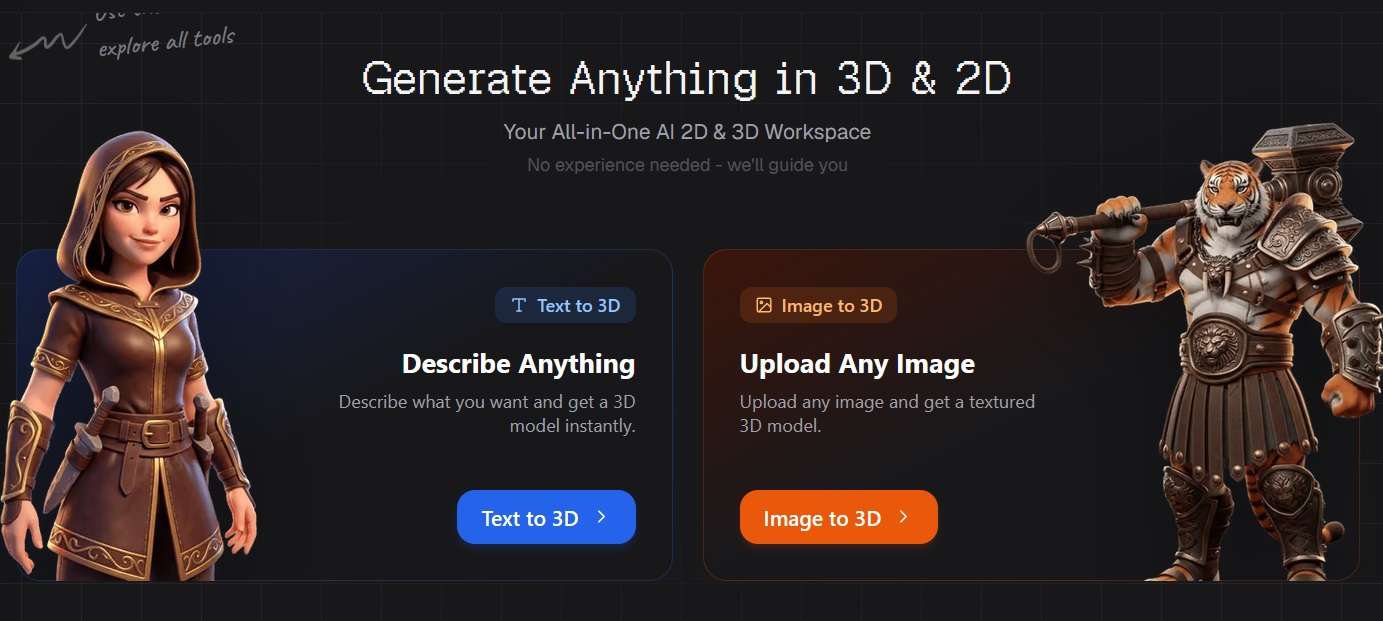
Who is 3D AI Studio best for?
- Indie developers who need props, characters, and environment pieces without a full-time 3D artist.
- Concept teams that want to test several 3D ideas before spending real art time on any of them.
- Hobbyists and 3D printing fans, since the platform exports STL and 3MF files.
- Roblox, Unity, and Unreal creators who need quick placeholder or final assets.
- Product designers and AR creators who can use USDZ exports for Apple devices.
Part 2. Key Features of 3D AI Studio
After completing the 3D AI Studio login, you’ll find a dashboard that lists the platform's available AI tools and generation features. Let's take a closer look at its main features and how they work.
1. Text-to-3D and Image-to-3D Generation
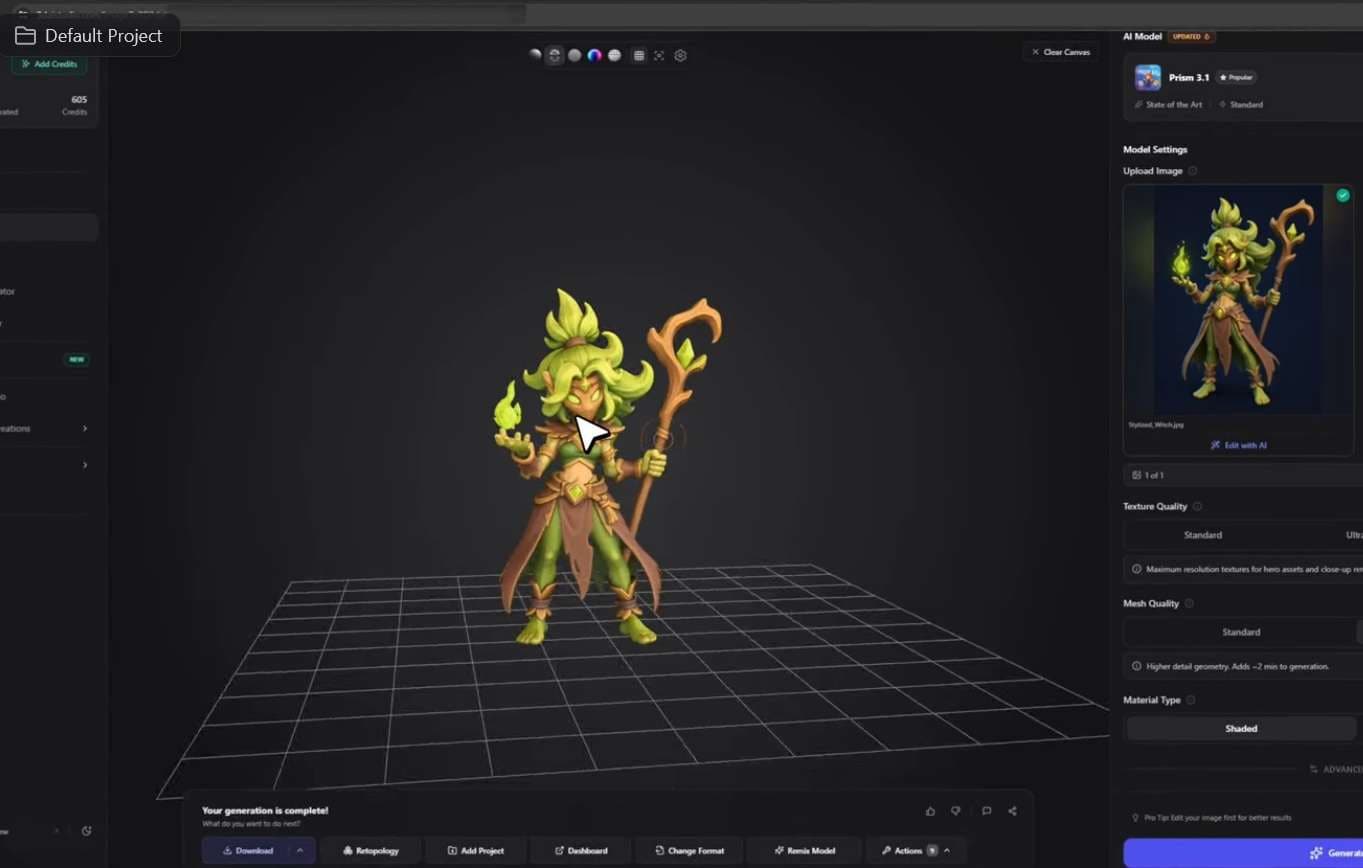
The main feature of 3D AI Studio is its ability to generate 3D models from text descriptions (Text-to-3D Generation) and images (Image-to-3D Generation). You type a description or upload a reference image, choose a model, and generate.
There are several generation models to choose from as well, each with its own strengths, including Prism 3.1, Hunyuan 3.1 Pro, Meshy 7.1, Tripo P2, Rodin 2.5, and Forge Gen-2. Multi-image input is supported, which helps when you have front, side, and back views of the same object.
2. AI Texturing and Material Generation
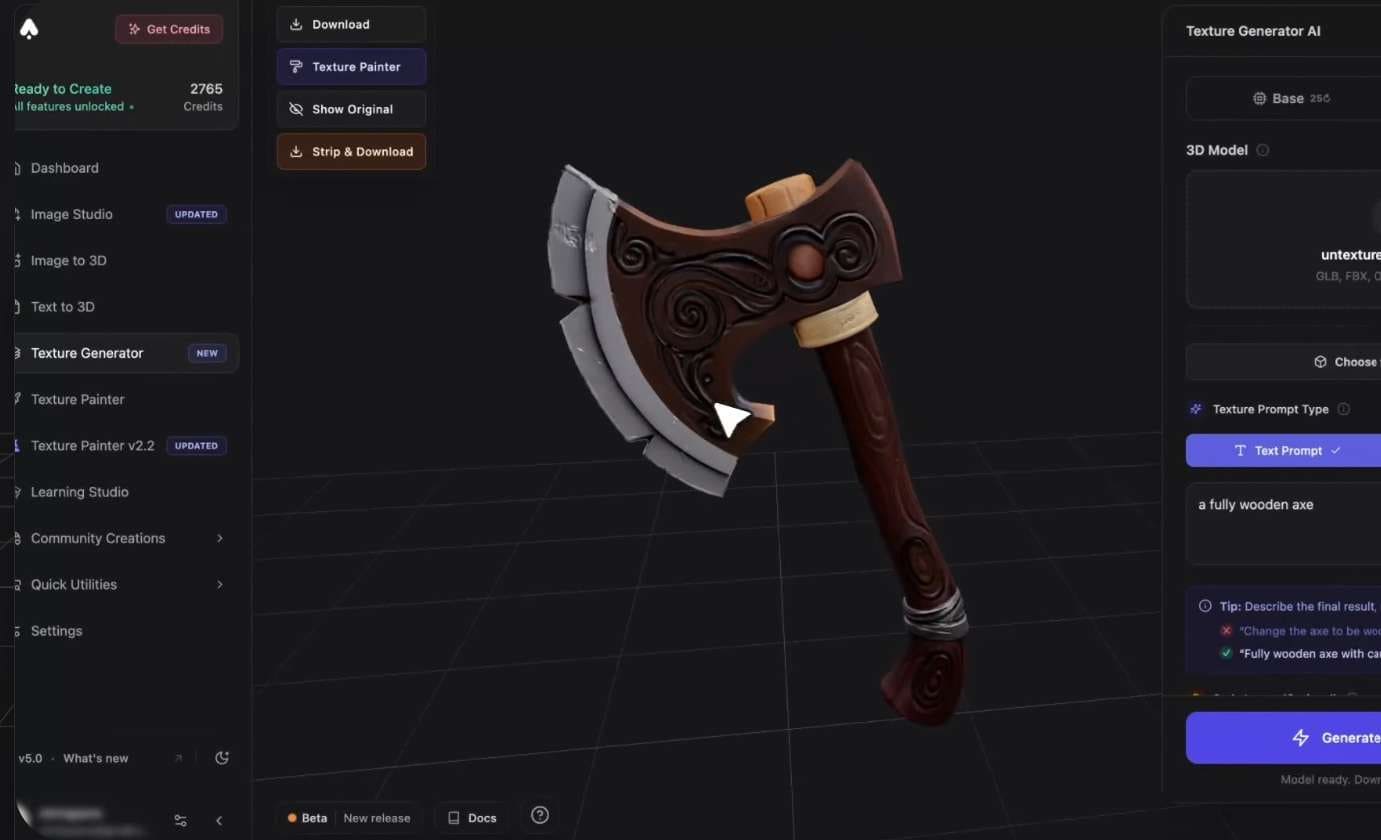
A 3D model’s shape is only part of how it looks. 3D AI Studio also provides AI texturing tools that can improve the appearance of generated models. It supports physically based rendering (PBR) materials for workflows that require more realistic surface properties.
The platform includes mesh-processing features such as remeshing and level-of-detail generation. Remeshing can help improve a model's structure, while level-of-detail tools can create simpler versions for scenes that contain many objects.
3. Image Studio
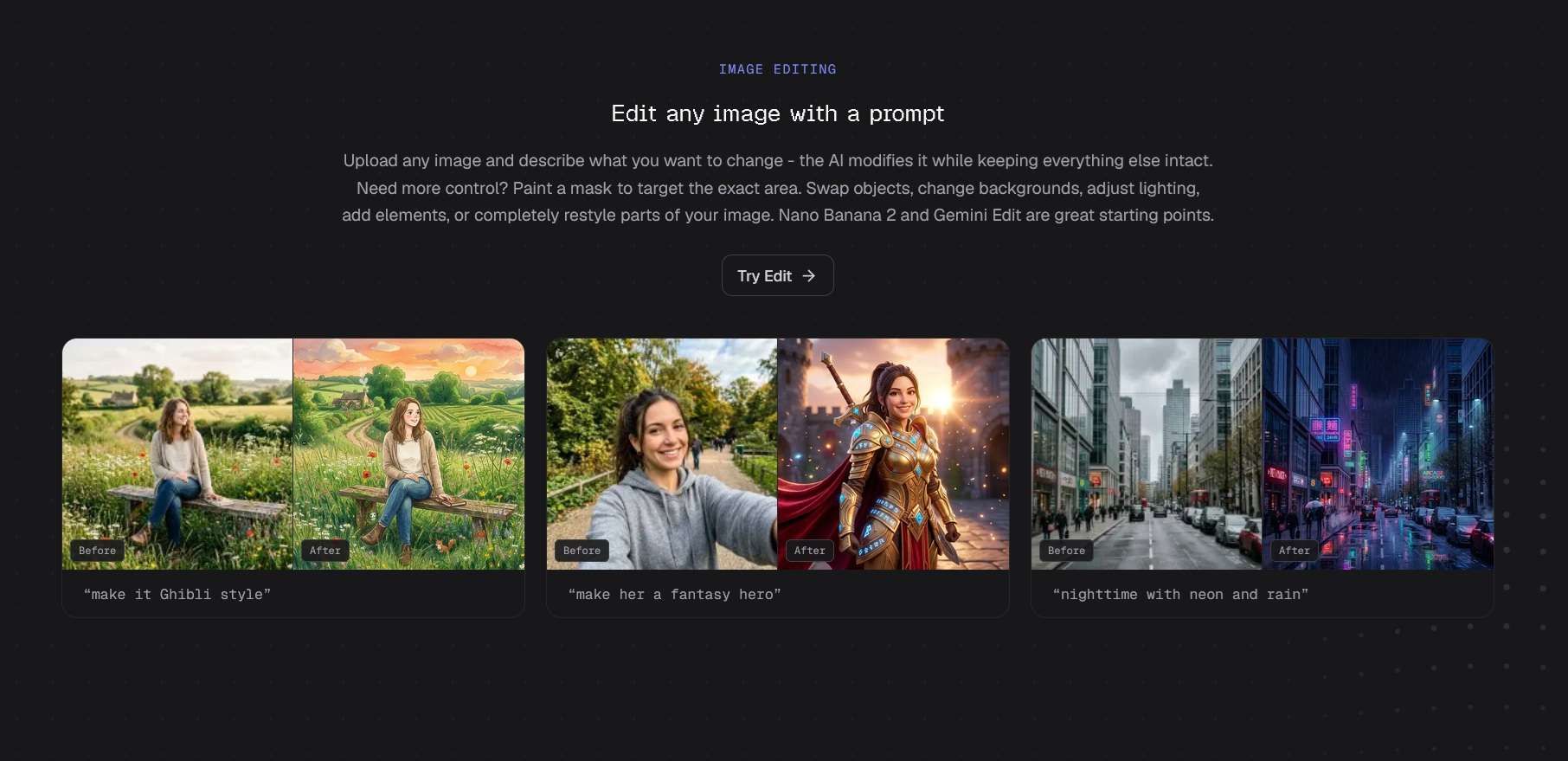
Aside from 3D models, 3D AI Studio also generates 2D images. Image Studio lets you create new images from text prompts or edit existing ones, so you can make references and concept art before 3D generation. Images cost roughly 2 to 3 credits and up, depending on the model.
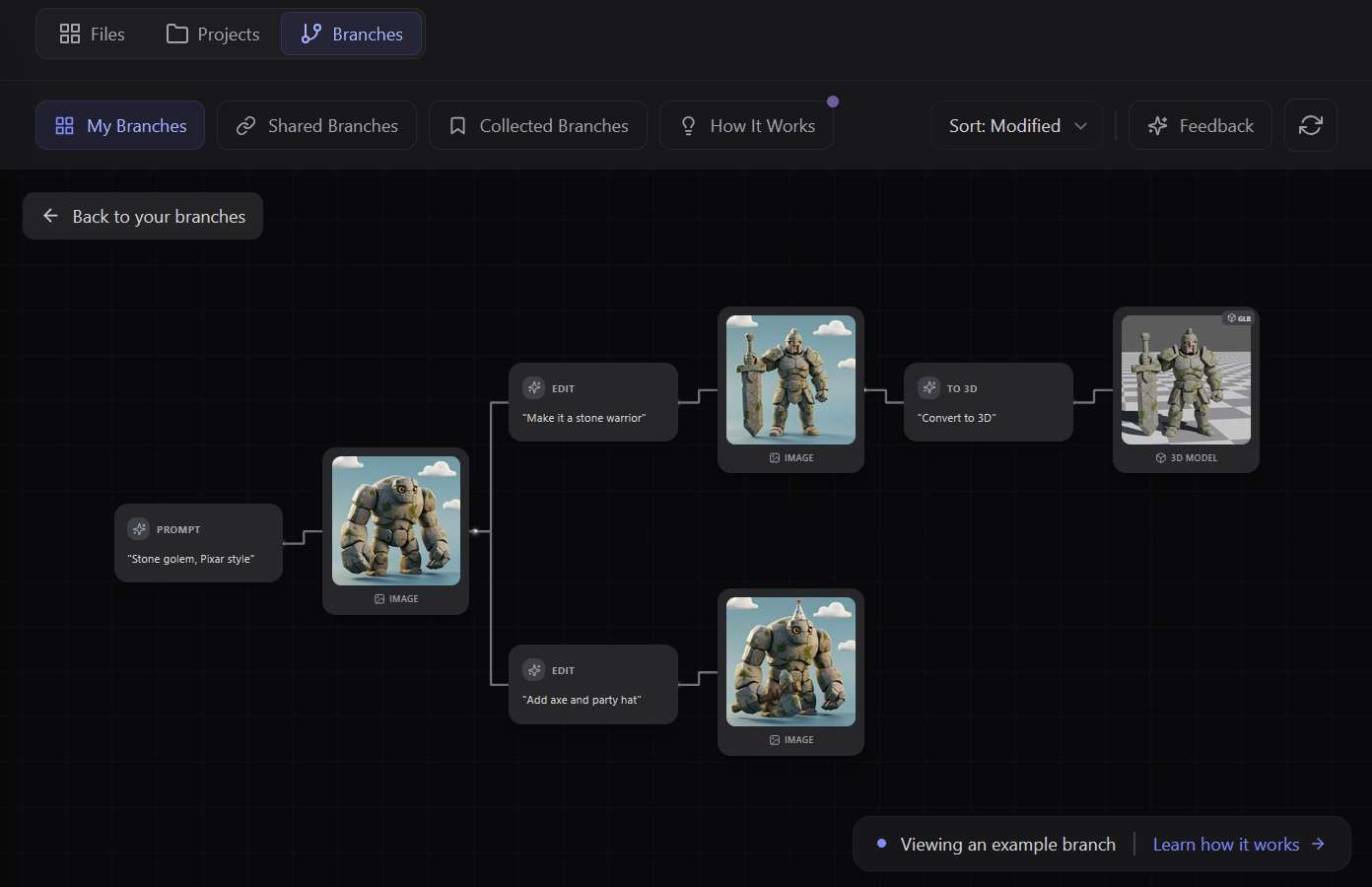
After any generation, you can also work using “branches”, a tree view that shows how each file relates to the others. You can save your branches and look through other users’ branches to learn how they work.
4. Additional AI Tools
Beyond its main 3D model generation and texturing features, 3D AI Studio also offers several smaller AI tools that support different stages of the 3D creation process, including:
- Rigging AI adds a skeleton to a character.
- Animation AI applies animation to a rigged model.
- Character sheet generation for consistent character references.
- 3D Text and SVG to 3D, both free to use.
- Relief Generator for turning photos into relief sculptures for printing.
- Split Image into Parts finds the separable parts of an image and cuts each one out as its own image.
- AI Pose Transfer changes a character's pose in an image while keeping the appearance. It has 21 preset poses and accepts a custom pose reference.
3D AI Studio also supports direct integrations with popular 3D software, such as Blender, Unity, and Unreal Engine. Exports cover different formats, such as GLB, FBX, OBJ, STL, USDZ, BLEND, 3MF, Collada (.dae), and PLY.
5. MCP
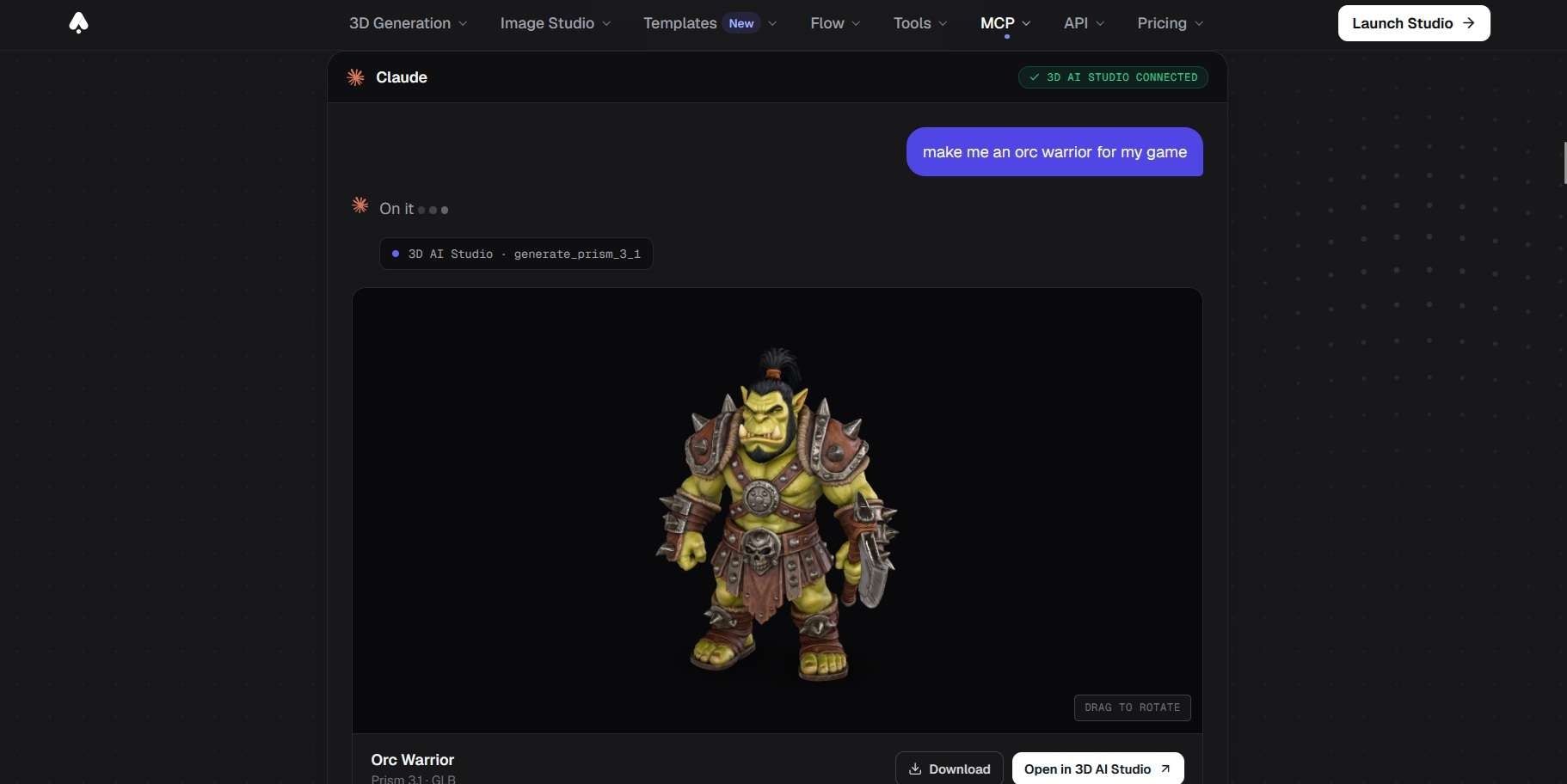
If you prefer giving instructions through an AI chat, 3D AI Studio features an MCP connector that lets compatible AI assistants, such as ChatGPT or Claude, request model and image generation. Through 3D AI Studio MCP, you ask for an asset in the chat window, and the assistant sends the generation request for you.
Part 3. 3D AI Studio Pricing and Free Plan
Is 3D AI Studio free? Well, not really. You can try 3D AI Studio for free to test some free tools. The 3D AI Studio free trial comes as credits, with new users receiving 80 free credits after registering. Once the free credits run out, you can upgrade to a paid subscription or buy one-time credit packs.
3D AI Studio Price (2026)
| Basic | Studio | Pro | |
| Price | $19/month or $144/year | $29/month or $276/year | $149/month or $1,668/year |
| Monthly Credits | 1,000 | 3,500 | 18,000 |
| Monthly Assets | Up to 100 | Up to 600 | Up to 3,500 |
| Model Downloads | Limited | Unlimited | Unlimited |
| Team Workspace |
One-time credit (never expires)
| Credits | Price |
| 2,000 | $34 |
| 5,000 | $69 |
| 35,000 | $399 |
3D AI Studio API
3D AI Studio handles the generation process on its servers, so there is no software to install and no GPU to buy. If you want to integrate its AI generation tools into your own application or automate asset creation, 3D AI Studio also provides an API for developers.
The 3D AI Studio API uses a credit-based system with no monthly subscription fee. You purchase prepaid credits through the dashboard, and each request uses a set amount based on the selected tool and model.
Part 4. 3D AI Studio Review: Pros and Cons
For an AI-powered 3D generation platform, 3D AI Studio has received favorable reviews from its users, receiving a 4.7 out of 5 score on Trustpilot and mostly positive comments on 3D AI Studio Reddit discussions. Most of the good remarks highlight the image-to-3D results and the model choices, while the complaints are mostly about credits and the cleanup that AI meshes still need.
More Than One Way to Create 3D Assets
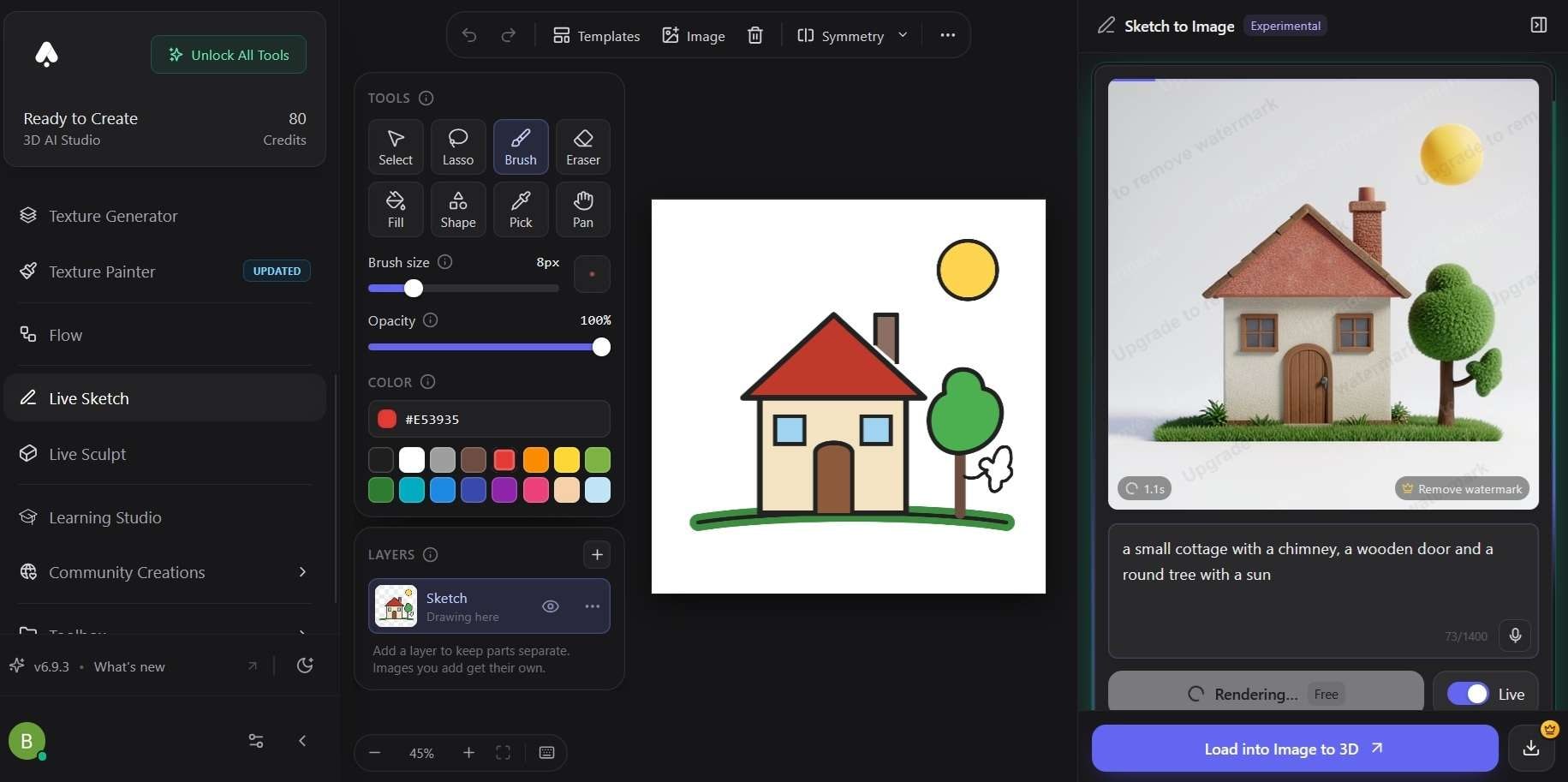
One of the biggest advantages of using 3D AI Studio is that the tool offers several ways to create assets beyond standard text-to-3D and image-to-3D generation, including:
- Flow is a node-based canvas in the browser. You connect prompts, image generation, edits, and 3D generation into one pipeline and run it with one click.
- Live Sketch turns a rough drawing into a finished image. The render updates about half a second after each stroke, and you then send the image to Image-to-3D.
- Live Sculpt works a similar way to Live Sketch, but you stack simple shapes instead of drawing lines.
These options remove much of the guesswork in writing a prompt and simplify the process of generating 3D without relying on text descriptions alone. You can shape a reference and even rough out the proportions of an object just by drawing lines or stacking simple shapes.
How Good Are the Generated 3D Models?
Based on testing, Prism 3.1 is the AI model in 3D AI Studio that came closest to the real object. Generation time usually takes about 50 to 90 seconds on Prism Turbo and 3 to 5 minutes on more advanced models like Prism 3.1.
Pros and Cons of 3D AI Studio
- Image-to-3D results stay close to the source image.
- Several AI models in one place, so you can switch when one misreads a reference.
- Flow and the MCP connector speed up batch work.
- Texturing, remeshing, rigging, and animation in the same place.
- Browser-based access means you don’t need a powerful GPU or dedicated 3D software to get started.
- Raw output still needs cleanup before production use.
- Complex shapes and small details are not always accurate.
- Some advanced models take several minutes to finish a generation.
- AI-generated geometry may not offer the precision or topology required for professional 3D projects.
Part 5. Take Your 3D Projects Further With Filmora
After you create a 3D model, you may want to show it in a product showcase, tutorial, game development demo, or social media video. Wondershare Filmora can help you edit screen recordings, rendered clips, and other footage into a finished video.
Since 3D AI Studio focuses on generating and preparing 3D assets rather than editing finished videos, Filmora gives you more options for presenting your work. You can combine rendered clips with screen recordings, add titles and captions, record voiceovers, and adjust the look and sound of your video before sharing it.
1. Create Videos for Different Platforms
Filmora supports different aspect ratios, so you can prepare videos for YouTube, TikTok, Instagram Reels, and other platforms. You can use a widescreen layout for a detailed 3D modeling tutorial or switch to a vertical format for a short model showcase. Its editing timeline also lets you combine multiple clips, trim unwanted sections, adjust their order, and add transitions.
2. Add Titles and Captions
You can add titles to introduce your 3D project, label different stages of the creation process, or highlight specific model features. Filmora includes text templates and animation presets that help you style these elements without creating them by hand.
For spoken tutorials, its Auto Caption feature can turn dialogue into subtitles. You can edit the generated text, adjust its appearance, and use different caption styles to make your explanations easier to follow.
3. Record Voiceovers and Add Audio
If you need a voiceover to help point out details that viewers might otherwise miss, you can record narration directly or generate one using text-to-speech in Filmora and place it alongside your video clips. You can also add background music and sound effects, adjust audio levels, and use audio editing tools to improve the final clip.
4. Enhance Colors and Visuals
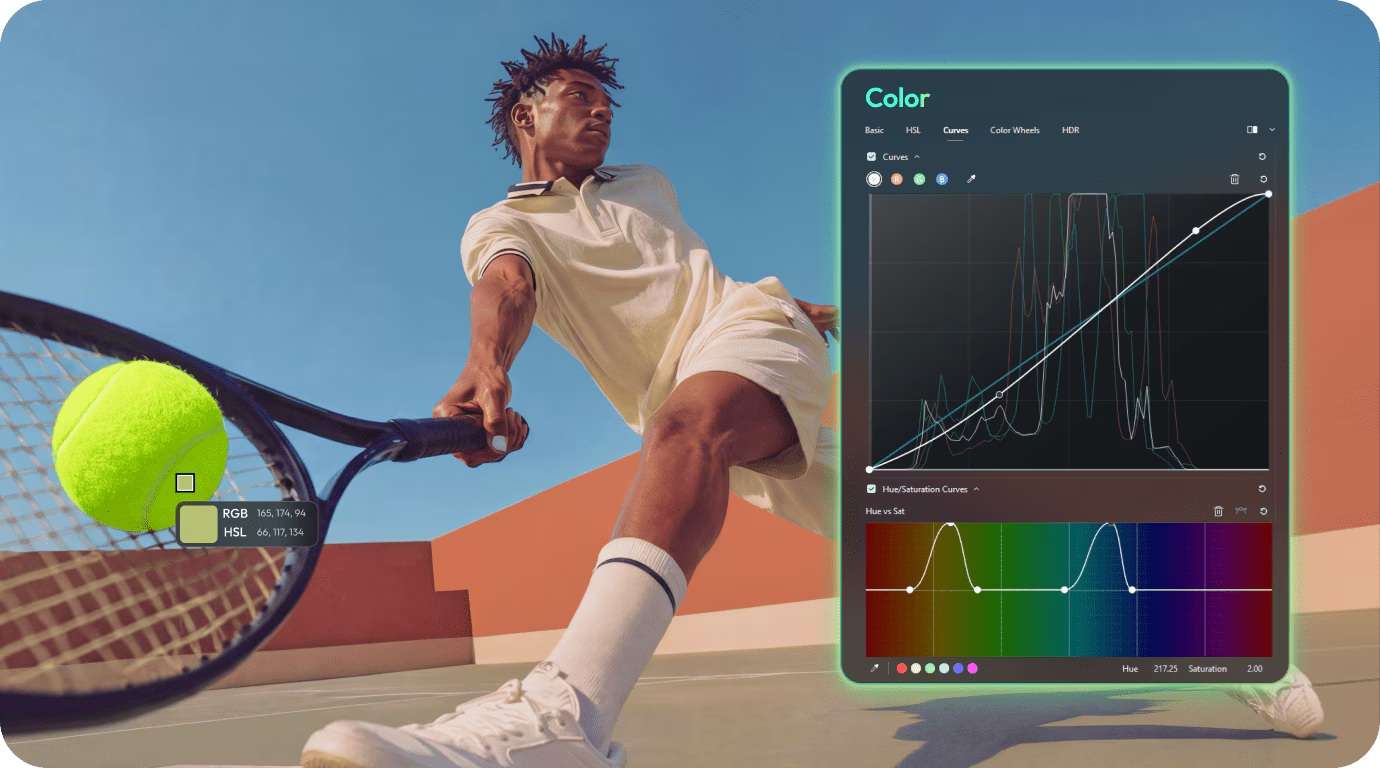
Rendered 3D footage may need some visual adjustments before you publish it. Filmora offers color correction and grading tools that let you adjust brightness, contrast, saturation, and other settings. You can also apply filters and effects to give your clips a consistent look.
 Secure Download
Conclusion
So, is 3D AI Studio good? For people who are new to 3D modeling or don't have the technical skills to create models from scratch, 3D AI Studio is worth trying. It’s capable of generating 3D models without the steep learning curve and the hours of manual work that traditional 3D software demands.
You can test the platform using the 80 free credits to see if it’s worth it for you. For more control over the final presentation, you can also use Filmora to edit rendered clips and create tutorials, product showcases, or social media videos.
FAQs
-
1. Can I use 3D AI Studio models in Roblox?
Yes. You can use 3D AI Studio to generate models for Roblox, then export them in a compatible format and import them into Roblox Studio. You may need to adjust the model's size, geometry, textures, or other settings before using it in your game, though. -
2. Is 3D AI Studio better than Meshy?
If we compare 3D AI Studio vs Meshy, 3D AI Studio gives you access to multiple AI models and generation methods, while Meshy offers its own tools for text-to-3D, image-to-3D, and texture generation, along with dedicated plugins.
However, based on user feedback, 3D AI Studio’s output quality may still fall behind specialist platforms such as Meshy and Rodin. Your choice will depend on whether you value access to multiple models or prefer a more specialized 3D generation platform. -
3. Is 3D AI Studio legit?
Yes. 3D AI Studio is a legitimate AI-powered 3D modeling platform. The company is based in Heilbronn, Germany, and its founder and CEO, Jan Hammer, is named in a June 2026 press release. -
4. Where can I get a 3D AI Studio discount code?
You can check the official 3D AI Studio website, newsletter, and Discord server for discount codes and special offers. Some coupon websites such as CouponChief, ColorMango, and GrabOn also list promo codes and deals for 3D AI Studio.