


Nowadays, AI is making it easier to create content for both personal and business needs. According to SQ Magazine, 79% of businesses are already using generative AI in their workflows. It shows how quickly AI is becoming part of everyday business processes.
Developed by Grand Vision Tech Software Limited, AIEase is one platform designed to make this process easier. You can use it to create visuals and clips, as well as make quick edits to your content. But how well does it actually work? Let's take a look at its features, pricing, pros, and cons to find out.
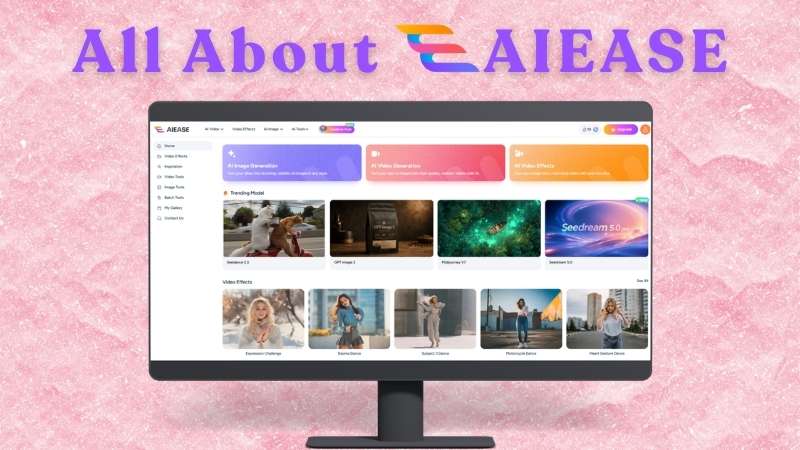
Part 1. What Is AIEase? A Quick Overview of the Platform
AIEase is an AI-powered studio that brings different tools for creating and editing visual content into one place. The platform aims to use AI to make the creative process more accessible and help you achieve professional-quality results with less effort.
At its core, AIEase comes with AI generators for both images and videos. You can generate visuals from text prompts or reference images. It also includes several AI tools for enhancing and editing your visuals.
| Category | Overview |
| Platform Type | AI studio for image and video creation |
| Primary Focus | Generate visual content |
| Other AI Tools | Image and video enhancement, background removal, watermark removal, photo restoration, and more |
| AI Image Models | AIEase Model, Nano Banana, Qwen Image, Seedream, and GPT Image |
| AI Video Models | Seedance, Veo, Kling, and Wan |
| Platform | Online, iOS, Android |
| Ease of Use | Simple, prompt-based interface |
| Best For | Lifestyle content and trend videos |
|
Show More
Show Less
|
|
Where to Access AIEase?
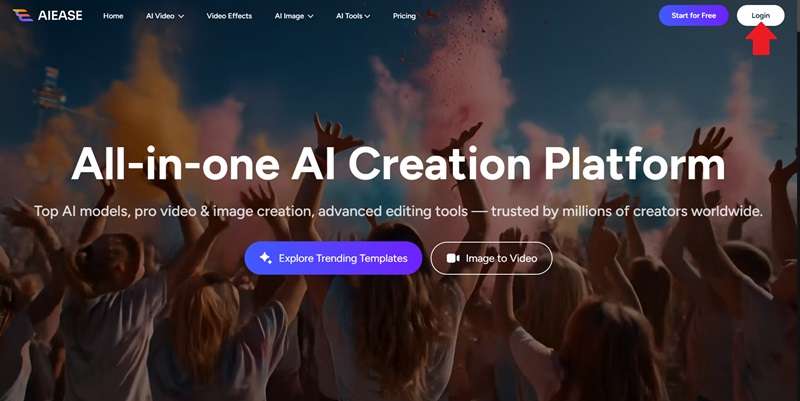
AIEase is easy to access, whether you’re using a computer or a mobile device. Here’s how you can get started with the platform. You can access AIEase directly through its website. Simply visit https://www.aiease.ai. Then, you can log in to start exploring its AI tools and creating visuals.
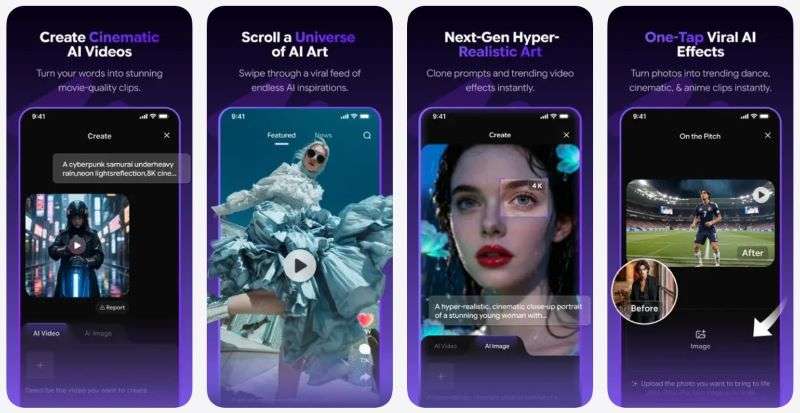
AIEase is also available on mobile through the AIEase AI App. iOS users can download it from the App Store. However, unfortunately Android users can’t use the app since it’s not available on the Google Play Store.
Part 2. A Look Behind AIEase Pricing
You may wonder how much it costs to use AIEase AI Studio. Luckily, AIEase offers a free plan with some limitations, such as watermarked content and occasional ads. However, you still get access to several features, including:
- A limited number of image and video credits
- Access to basic AI tools
- 7-day cloud storage for images
- Standard generation channel
If you want to get past these limitations, you can upgrade to a paid plan. AIEase offers Pro and Ultra plans. Let’s look at how they compare.
| Aspect | Pro | Ultra |
| Price | $9.99 / month | $19.99 / month |
| Credits | 1000 | 2500 |
| Generation Limit | 50 videos & 200 images | 125 videos & 500 images |
| Generation Speed | Priority | Priority |
| Export Quality | Up to 720p (HD) | Up to 720p (HD) |
| Watermark | None | None |
| Cloud Storage | Unlimited | Unlimited |
| AI Editing Tools | All Access | All Access |
| Ads | None | None |
|
Show More
Show Less
|
||
The main differences between the plans come down to credits and generation limits. If you need more credits than your monthly allowance, you can also buy extra credit packages from AIEase. The good thing is that these additional credits are valid for a year.
| Credits | Price |
| 200 | $6.99 |
| 1,000 | $14.99 |
| 5,000 | $49.99 |
| 10,000 | $99.99 |
| 20,000 | $199.99 |
| 50,000 | $499.99 |
| 100,000 | $999.99 |
|
Show More
Show Less
|
|
Part 3. AIEase Tools for Photo and Video Editing
We know that AIEase can generate AI images and videos, but that’s not all it can do. The platform also offers a range of AI tools for editing, enhancing, and transforming your visuals. Let’s explore them one by one.
Enhance Image and Video Quality
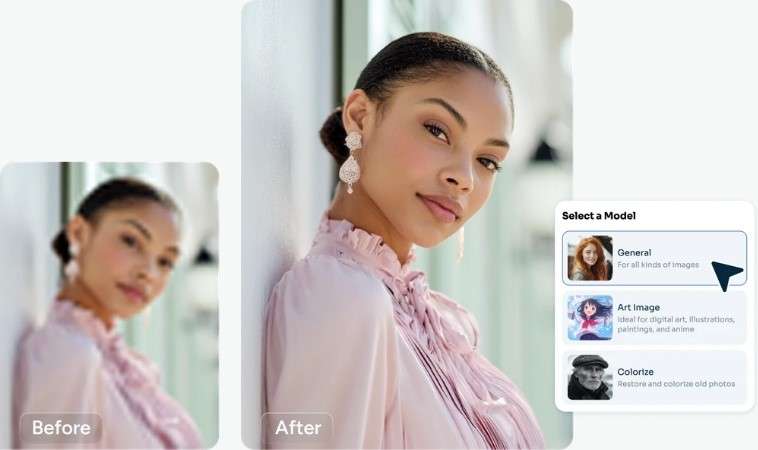
If your visuals look blurry or lack detail, AIEase has enhanced tools to improve their quality. The AIEase Photo Enhancer can upscale images to 4K, making details look sharper and clearer. Meanwhile, the AIEase Video Enhancer improves video quality by refining details and colors for a more polished look.
Remove Watermarks Instantly
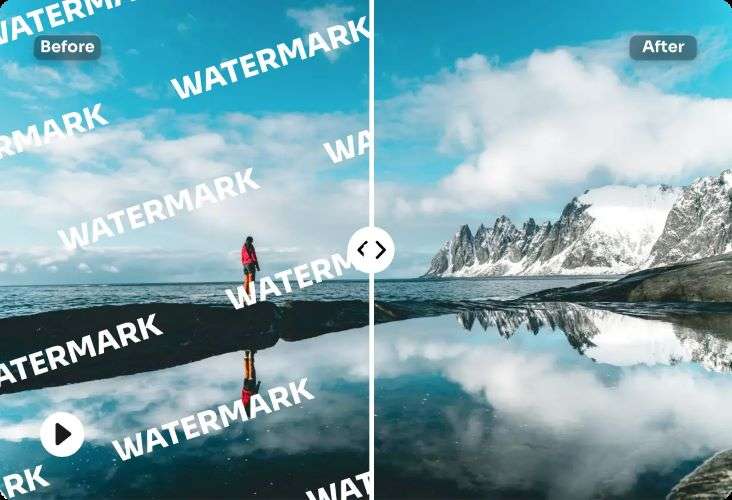
Another useful tool is AIEase Watermark Remover. You can quickly clean unwanted watermarks from your visuals without having to edit them out manually. It supports both images and videos. Also, it can remove different types of marks, including text, logos, signatures, and stamps.
Remove Image Backgrounds in a Click
Sometimes, you may want to change the background to give your image a different look or fit a specific design. The AIEase remove background feature helps you do it quickly. It automatically detects the main subject accurately and removes the background in seconds.

Restore Old Photos with AI
Old and damaged photos can now be restored with just a few clicks. Simply upload your photo to https://www.aiease.ai/photo-restoration/. The tool will automatically detect damage, scratches, and spots in your photos. It then uses AI to remove these imperfections and enhance the photo for a cleaner, high-quality result.

Try Different Looks
Ever wondered what you’d look like with a completely different hairstyle or outfit? AIEase AI lets you try these changes virtually using your own photos. It’s a simple way to see how different styles might look before making the change for real.
AIEase Hairstyle Changer
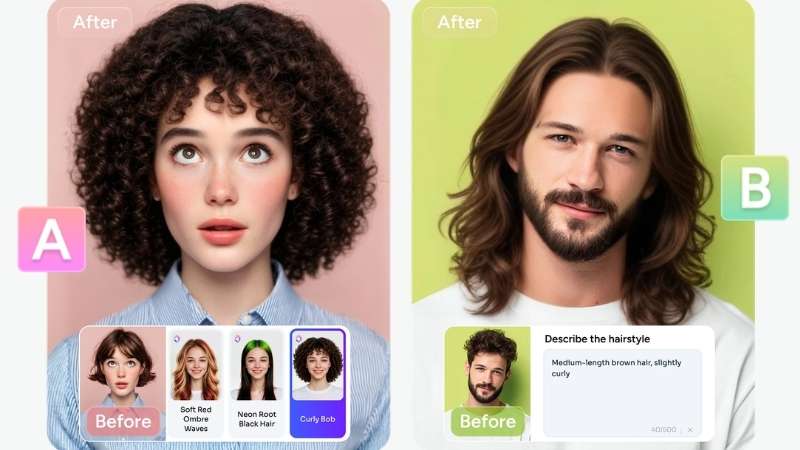
You can try different hairstyles and hair colors. It comes with more than 80 ready-made styles, ranging from sleek buzz cuts to bold dreadlocks. You can also create a custom AIEase AI hairstyle by writing a prompt and letting Nano Banana Pro generate the look.
AIEase Clothes Changer
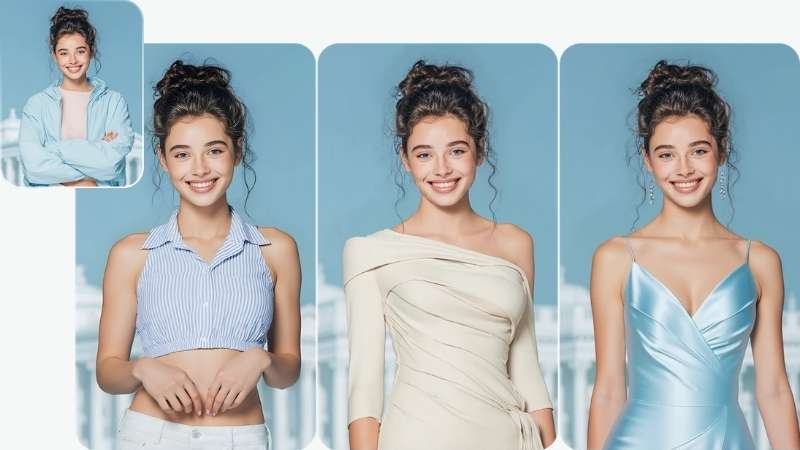
The AIEase change outfit feature helps you experiment with fashion. Swap your current clothes with different styles, from Y3K and party dresses to fashion-week and runway looks. For a more personalized result, Nano Banana and Seedream 4.5 can help you tweak details like the clothing color, pattern, and fabric.
Part 4. AIEase Review: Strengths and Limitations
AIEase packs quite a lot of creative tools into one platform. But having plenty of features doesn’t necessarily mean everything works perfectly. Here are the main strengths and limitations to consider before using the platform.
- Tools for Different Editing Needs: AIEase has dedicated tools for tasks like background removal, photo enhancement, and watermark removal. You can get straight to the edit without doing everything manually.
- Multiple AI Models: You can experiment with different generation styles and capabilities.
- Reliable Customer Support: The customer support team helps troubleshoot issues and provide a solution relatively quickly.
- Not Always Accurate With Prompts: Some details in your prompt may be interpreted differently in the generated result.
- Occasional Slowdowns: AIEase may take longer to process image generations at times, which can interrupt your workflow.
- Limited Editing Flexibility: AIEase may feel limited when you need complex or precise adjustments.
Part 5. Bring Your AIEase Visuals Together with Filmora
When you need to create visuals quickly, AIEase is a great option to have on hand. You can also use its AI tools to edit specific parts or experiment with different versions of your content. But what comes after that?
Wondershare Filmora can combine all your visuals and turn them into a polished video. Filmora comes with a powerful editor and a range of AI tools to help you refine your content. Let’s look at what Filmora offers.
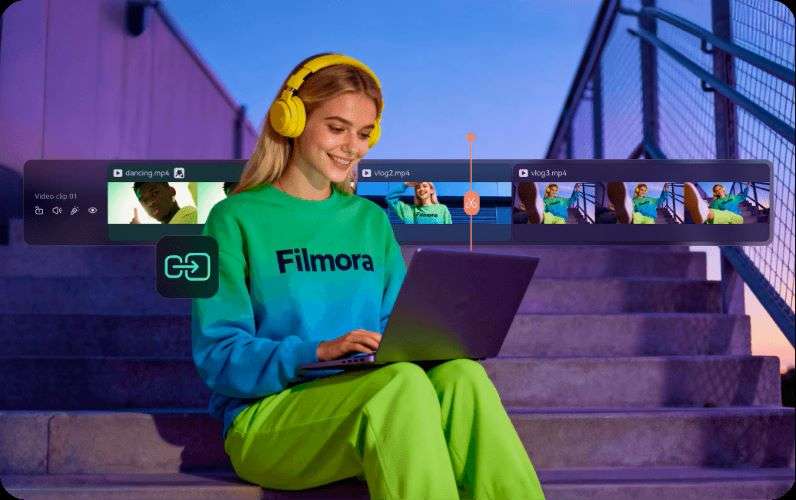
1. Smart Timeline for Precise Editing
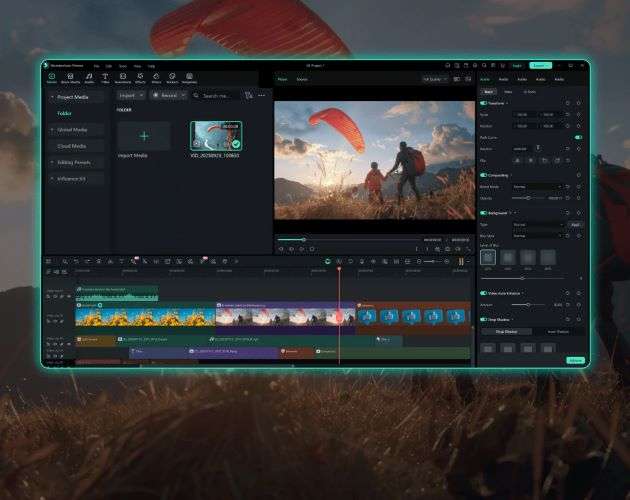
No need to worry about Filmora being too difficult to use. Its visual timeline helps keep your video organized throughout the project. You can arrange, trim, and sync clips with precise control.
2. Create Dynamic Videos with AI Tools
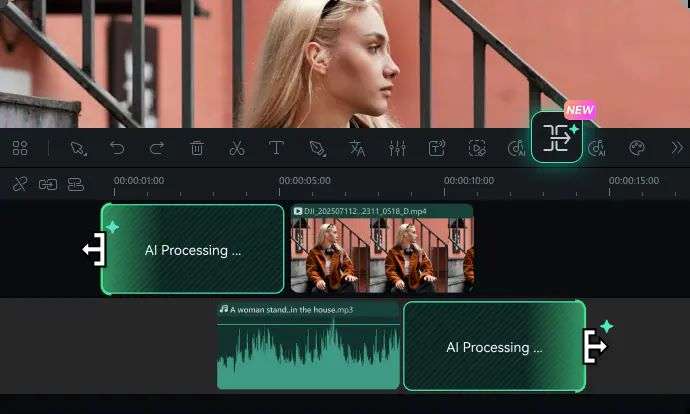
Filmora supports a wide range of image, video, and audio formats. So, you can bring different types of media into your projects with ease. Turn a sequence of images into a dynamic video with Image Sequence to Video. Also, use AI Video Extender to expand footage with just a prompt.
3. Plenty of Assets to Enhance Your Videos
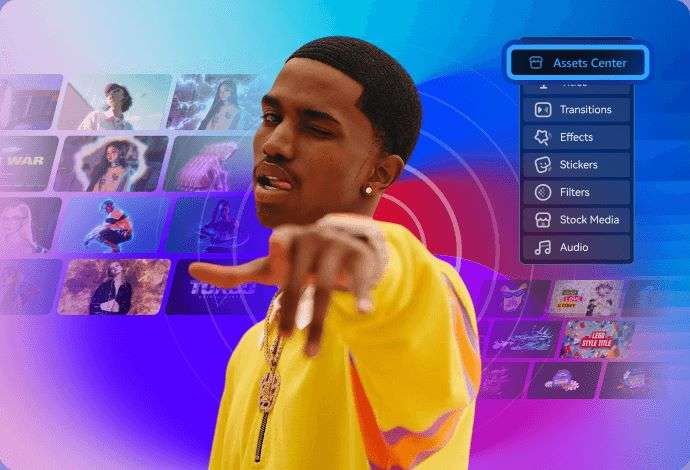
Filmora gives you plenty of creative resources to add to your projects. That includes stock footage, images, and royalty-free music. You can also choose from various transitions and effects to add more variety and polish to your videos.
4. Make One Video Work Across Platforms
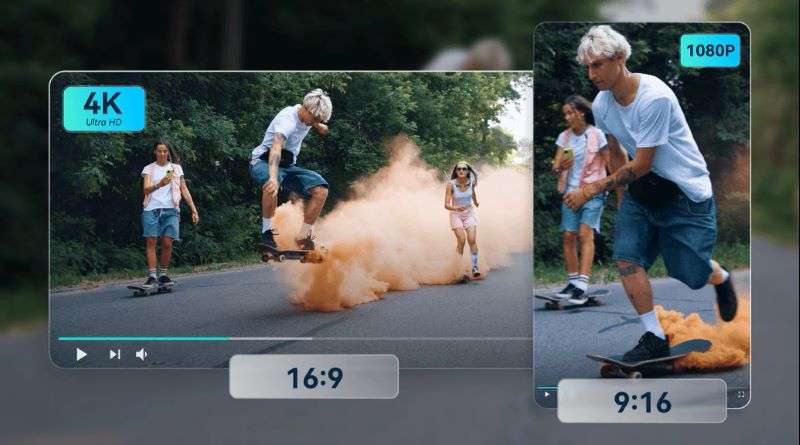
You don’t have to manually resize and reframe your videos for every social platform. Filmora’s Auto Reframe automatically changes the framing and aspect ratio to suit different formats.
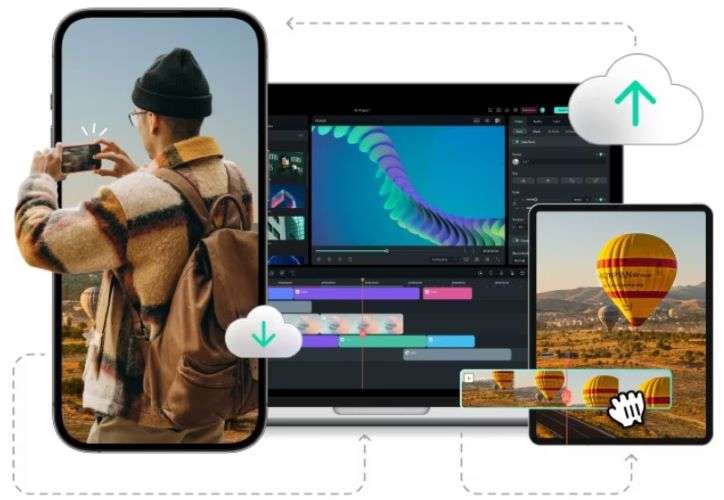
5. Work on Your Videos Anywhere
Filmora is available across Windows, macOS, iOS, and Android, so you can choose the device that works best for you. Your projects can also stay synced across supported devices. That means you can pick up where you left off instead of starting the project again.
 Secure Download
Conclusion
AIEase is a handy option when you need to generate or edit visual content. You can create AI images and videos based on your ideas. It also offers tools for enhancing quality, removing backgrounds, restoring old photos, and trying different hairstyles or outfits. So, you can handle different visual tasks without switching between multiple tools.
Once you have the visuals you need, Wondershare Filmora can help you turn them into a polished video. You can bring your assets together and edit them on a flexible timeline. Add music, captions, transitions, and effects to make the video more engaging. Plus, Filmora’s AI tools can adapt your content to different platforms.
FAQs
-
1. Can I enhance photos on the AIEase AI app?
Yes. The AIEase AI app includes photo enhancement tools that can improve image quality, sharpen details, and make your photos look clearer. -
2. Can I use the AIEase AI hair feature without signing up?
No. You need to log in to an AIEase account first, as the feature requires 5 credits per generation. -
3. Is the AIEase AI APK safe to download?
It’s safer to avoid unofficial AIEase AI APK files. Although they may promise free access to premium features, these files can contain malware that puts your device and personal data at risk. Instead, download the AIEase AI App through official app stores. -
4. Can I use AIEase AI image generator results for commercial projects?
Yes, you can use images generated or edited with AIEase for commercial purposes.
