


Creating short-form videos regularly can be time-consuming, but not if you are using AutoShorts AI. This AI tool streamlines content production by generating and scheduling faceless videos from a chosen topic, niche, or custom prompt. Its main appeal is its ability to manage a recurring video series with minimal manual production work.
We will examine how the platform works, its main video-generation and auto-posting features, current pricing, user feedback, safety considerations, and whether it is worth using. We will also compare it with an alternative for creators who need more control over editing and video quality.
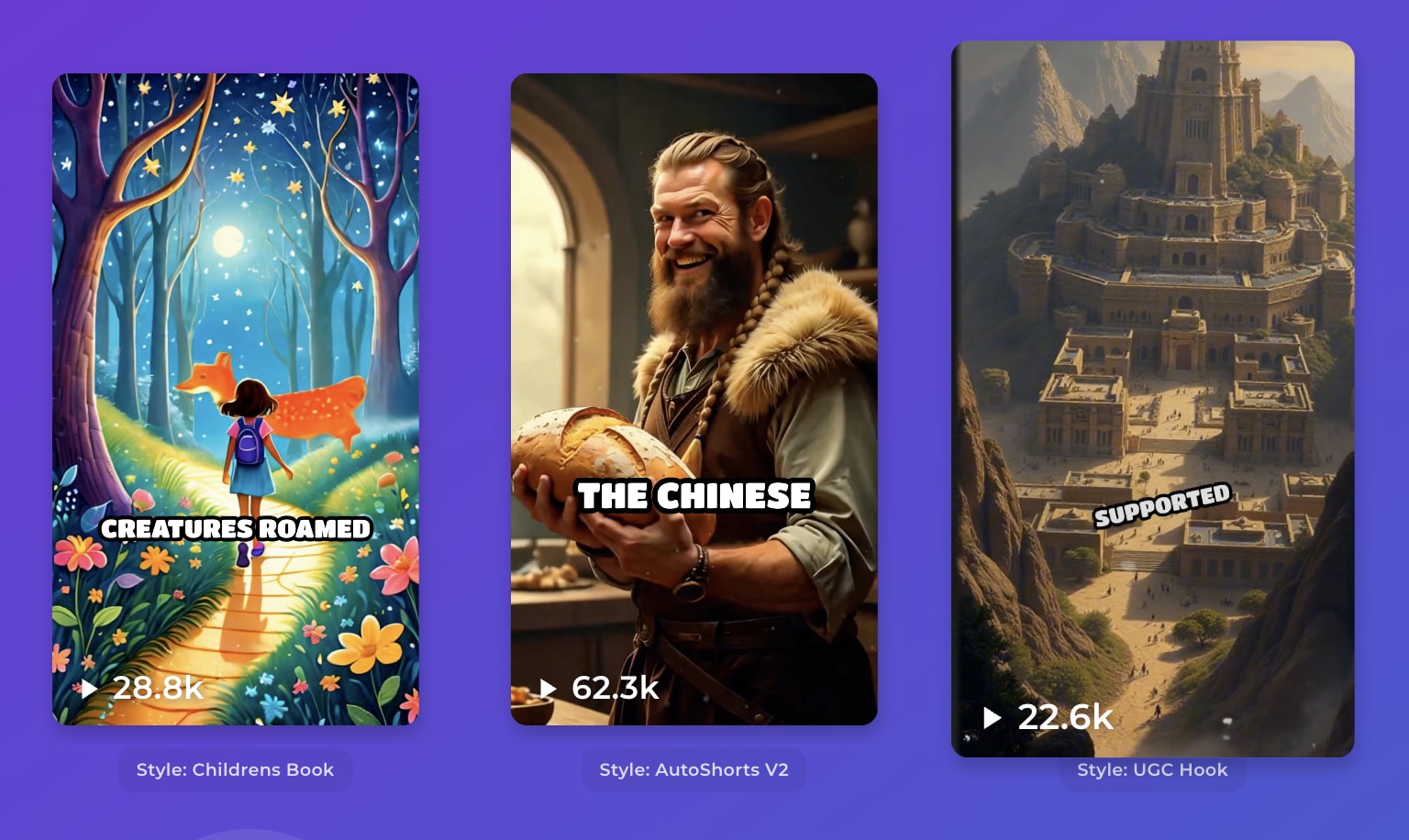
Part 1. What Is AutoShorts AI?
AutoShorts AI is an AI-powered platform designed to automate the creation and publishing of faceless short-form videos. What separates AutoShorts AI from a standard AI video generator is its focus on ongoing content production.
AutoShorts AI is not just creating one video and leaving the rest of the process to the user, but it’s designed to continue producing videos around the same channel theme. This may appeal to creators who want to manage a faceless TikTok, YouTube Shorts, or Instagram Reels account with less daily editing work. It’s accessible in a browser at https://autoshorts.ai/ with no download required.
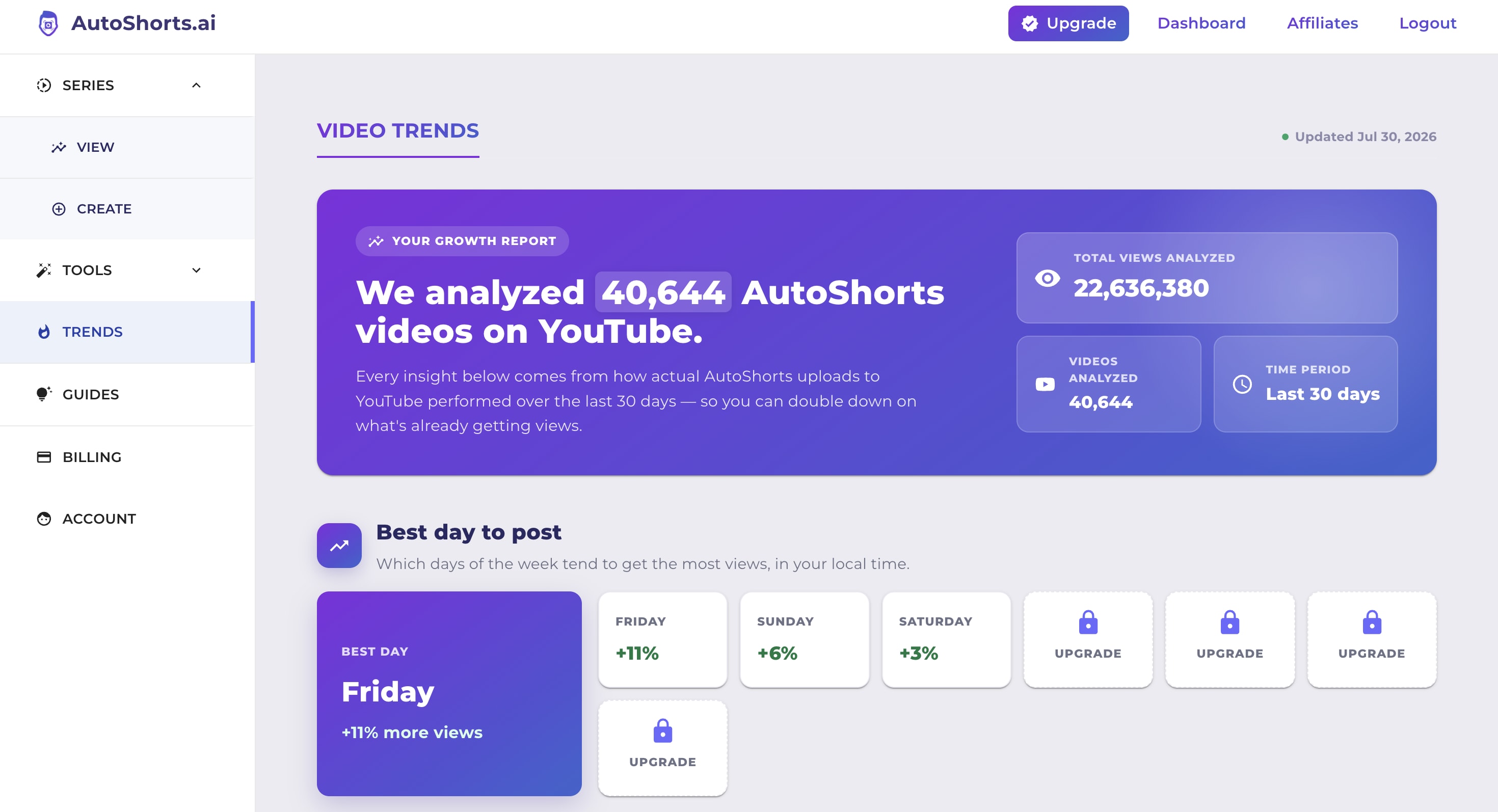
While it can be helpful to automate the daily grind of content creation, it’s best to still require regular human review. You should review every generated video for factual accuracy, visual quality, originality, and compliance with each platform’s content rules. Throughout this AutoShorts AI review, we will examine whether that convenience is reliable enough to justify the cost and where the platform’s limitations begin.
Part 2. AutoShorts AI Features for Faceless Video Creation
AutoShorts AI’s main purpose is to help creators establish a faceless-video series and keep it active without manually starting, editing, and publishing every individual video. Check out its features.
Automated Faceless Video Series
A Series allows you to create recurring faceless videos based on one content idea or channel theme. For example, you could build a Series around historical facts, motivational stories, unusual science topics, or fictional conversations. AutoShorts AI would use the selected idea as the foundation for producing additional videos with a consistent theme.
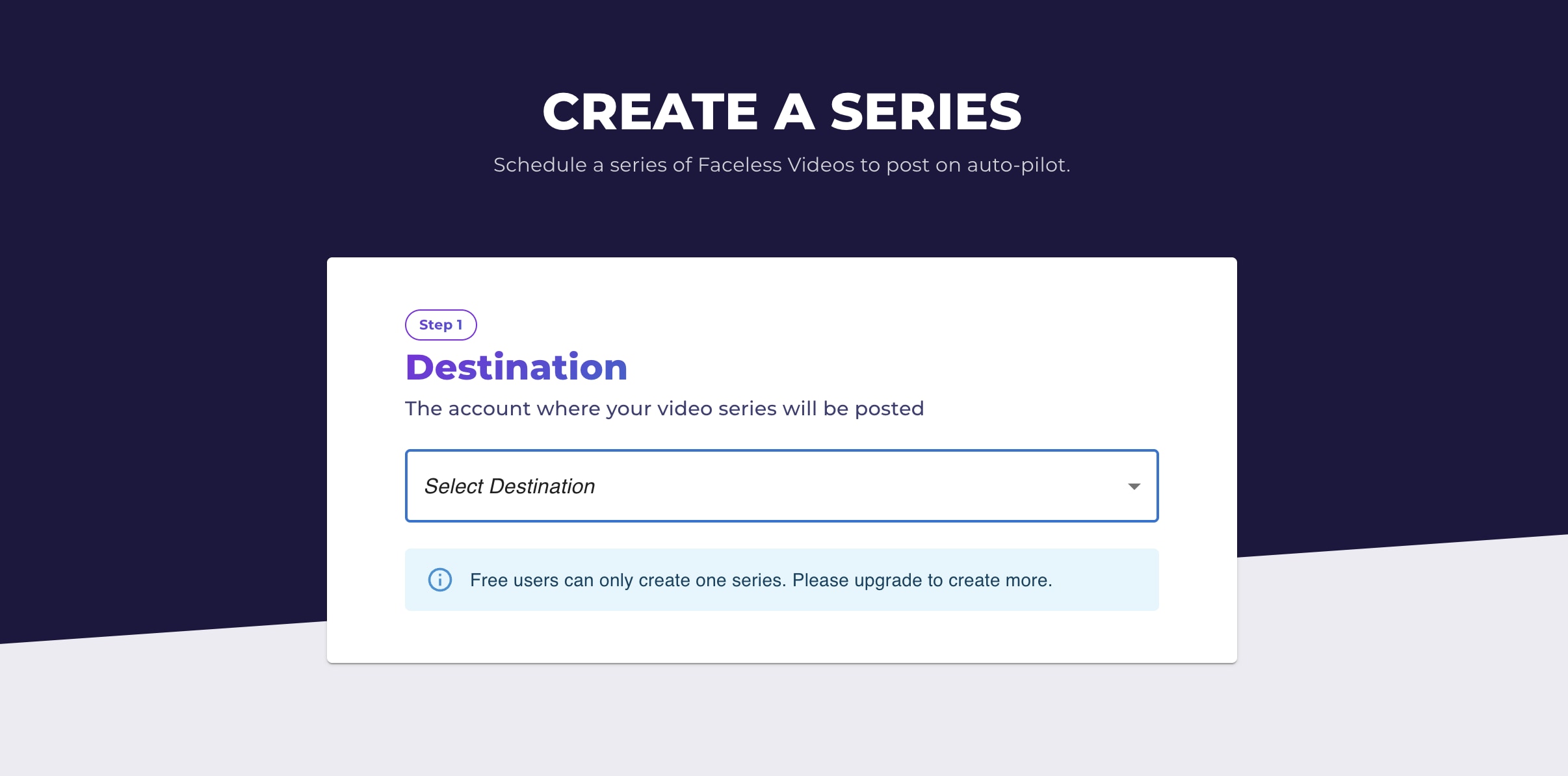
However, the quality of a Series still depends heavily on the original topic and instructions. A broad or repetitive idea may eventually produce videos that feel similar, so you should periodically review the direction of the Series and adjust it when necessary.
Video Scheduling
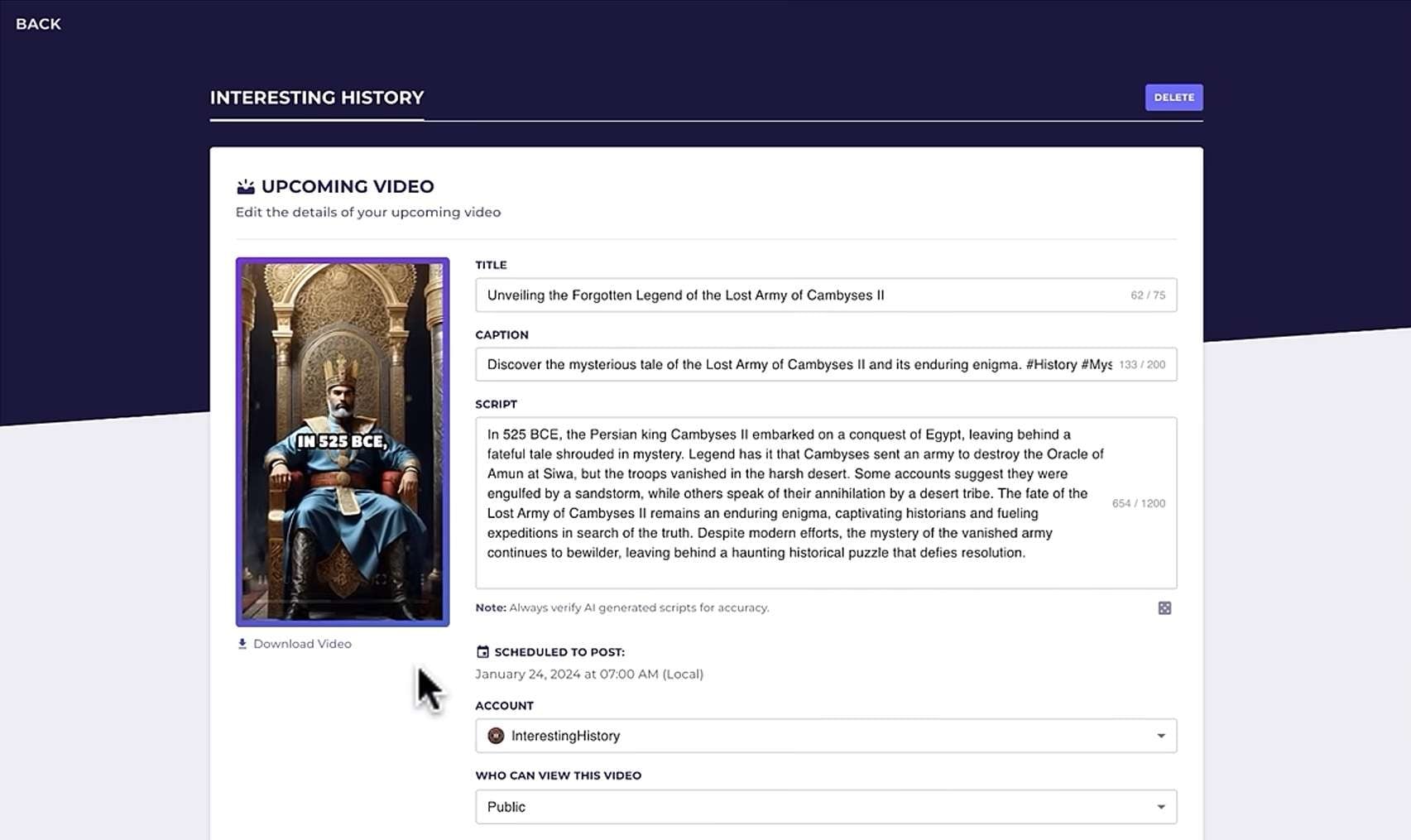
Once videos have been generated, AutoShorts AI can schedule them for publication. Scheduling can be particularly useful when managing several social media accounts or producing content alongside other work. You don’t have to remember when each video needs to be published. Just let the platform manage the timing.
Automatic Posting to Social Platforms
Besides video scheduling, AutoShorts AI can also connect the production process with publication by automatically posting completed videos to supported social platforms. Even so, automatic posting should not be treated as a completely hands-off growth strategy.
You should continue monitoring published videos for visual quality, factual accuracy, audience response, copyright concerns, and compliance with each platform’s rules. It’s also important to check whether videos are being formatted and displayed correctly after publication.
Part 3. AutoShorts AI Pricing: Is It Worth It?
AutoShorts AI pricing is based primarily on how frequently the platform creates and posts videos. All four plans support one Series, but the paid tiers increase the posting schedule and provide more Motion Credits for producing animated or motion-enhanced visuals.
AutoShorts AI Pricing
| Plan | Price | Posting Frequency | Series | Motion Credit |
| Free | $0 | 1 video | 1 | 0 |
| Starter | $19/month | 3 posts per week | 1 | 27 |
| Daily | $39/month | 1 post per day | 1 | 62 |
| Hardcore | $69/month | 2 posts per day | 1 | 124 |
|
Show More
Show Less
|
||||
Is AutoShorts AI worth it?
AutoShorts AI has a Trustpilot score of 3.4 out of 5 based on 14 reviews, with positive users highlighting improved posting consistency and helpful customer support during technical issues. However, other reviewers point to limitations in the free experience, repetitive scripts, static visuals, and the need for significant manual editing.
AutoShorts AI reviews on Reddit are also relatively limited compared to more established tools, though one recent post from a faceless channel creator mentioned declining output quality and a switch to another platform. These reviews suggest that AutoShorts AI does work as a content-automation tool, but the results may not always be ready to publish without intervention.

- Saves production time. AutoShorts AI reduces the number of repetitive tasks involved in maintaining a short-form channel.
- Supports consistent posting. Its recurring Series model can help creators follow a regular upload schedule without beginning every video from scratch.
- Simple pricing structure. Each paid plan is connected to a clear posting frequency, making it easier to estimate how much content the subscription can produce.
- Preview and editing options. You can review and modify elements such as the script, title, images, and music before a video is posted.
- Limited to one series per plan. If you are a creator who wants to operate multiple themes or channels, you may need separate subscriptions or a different workflow.
- Generated results may need corrections. Scripts, visuals, and narration should still be checked for repetition, accuracy, and overall quality.
- No guaranteed performance. Automatically publishing more videos does not ensure that they will receive views, gain followers, or qualify for monetisation.
AutoShorts AI may be worth trying for creators whose main priority is maintaining a consistent faceless-video schedule with minimal production work. However, the AutoShorts AI revenue claims should be treated carefully. Revenue still depends on factors such as niche selection, content quality, audience retention, platform policies, and the creator’s overall strategy.
Part 4. Best AutoShorts AI Alternative for Advanced Video Creation
For users who want to have more control over detailed editing, Wondershare Filmora is a good AutoShorts AI alternative. The main difference lies in how the two platforms approach content creation:
- AutoShorts AI focuses on automatically generating, scheduling, and publishing a recurring faceless video series.
- Filmora focuses on helping creators generate and edit videos while maintaining greater control over the finished content.
Therefore, Filmora is better suited to creators who are willing to spend more time editing in exchange for greater creative flexibility.
Filmora Key Features
- AI Text-to-Video: Generate video content from a written prompt, concept, or script. You can preview the generated result, place it within a larger project, and continue editing it rather than treating the initial AI output as the finished video.
- AI Image-to-Video: Animate static images and add the generated clips to a larger video project. It can apply motion and AI-generated effects to a photo, after which the resulting clip can be combined with other media on the Filmora timeline.
- Idea to Video: Turn a short concept or a few inspiration keywords into a complete short story clip, with Filmora generating the script, characters, scenes, and voiceover.
- AI Auto Cut and Smart Short Clips: Automatically assemble clips or extract important moments for short-form content. These tools are especially useful for repurposing interviews, podcasts, tutorials, webinars, and longer YouTube videos. Unlike AutoShorts AI, Filmora can help transform existing content into several editable short-form videos.
- AI Subtitle Generator and Speech-to-Text: Automatically transcribe speech and create editable captions. You can then correct the wording, change the visual style, reposition captions, or apply animated text effects before exporting the video.
- AI Audio and Voice Tools: Improve voice and audio quality using Filmora’s AI-assisted audio features. Additional options include voice cloning, audio extension, and vocal separation.
AutoShorts AI vs Filmora: Which One Should You Choose?
| Feature | AutoShorts AI | Filmora |
| Platform | Web browser | Windows, macOS, Android, iOS |
| Primary purpose | Automating recurring faceless-video production | AI-assisted generation and complete video editing |
| AI video generation | Generates videos from a topic, niche, or custom prompt | Generates videos from text, images, and other source material |
| Automatic scheduling and social posting | Yes, to supported platforms | Export and platform-sharing options, but less focused on unattended publishing |
| Control over individual scenes | Basic adjustments to generated content | Detailed control over clips, timing, effects, text, and transitions |
| Long-video repurposing | Not the main purpose | Smart Short Clips and Smart Scene Cut |
| Automatic subtitles | Available as part of generated videos | Editable Speech-to-Text and AI caption tools |
| Best suited for | Creators prioritising automation and posting consistency | Creators prioritising editing control and video customisation |
|
Show More
Show Less
|
||
 Secure Download
Conclusion
AutoShorts AI is a legitimate platform for creators who want to automate faceless short-form video production, scheduling, and posting. It can save time and support consistent publishing, but its output may still require manual review for quality, accuracy, and originality. It is best suited to creators running a simple recurring content Series, while Filmora is the stronger alternative for users who need advanced editing tools, greater customisation, and more control over the final video.
FAQs
-
Does AutoShorts AI offer promo codes?
AutoShorts AI may offer occasional discounts, but promo codes are not always available. Check the official website before subscribing. -
Are AutoShorts AI videos unique?
The platform generates videos based on your chosen topic or prompt. However, similar niches and templates may produce repetitive results, so manual customisation is recommended. -
Can using AutoShorts AI get a social media account banned?
Not automatically. However, spam, copyright violations, misinformation, or repetitive low-quality content may lead to restrictions. Always review videos and follow each platform’s rules before posting.
