

 TL;DR:
Craiyon AI remains a highly accessible web-based tool for rapid, unlimited visual ideation in 2026, though its inconsistent quality and mandatory watermarks on the free tier make it less suitable for direct professional use without post-processing.
● The free version delivers 9 image variations per prompt in 1 to 2 minutes, but users must upgrade to paid tiers costing $10 to $70 per month to remove watermarks, secure private commercial rights, and achieve 15 to 45-second priority generation speeds.
● Creators can compensate for Craiyon's low-resolution outputs and static nature by importing the generated base concepts into Wondershare Filmora to utilize its AI Image Upscaler and AI Image to Video tools for final project integration.
● For strict professional requirements, Google Nano Banana 2 is the recommended alternative for rendering legible text and photorealistic scenes, while Leonardo.ai is best suited for digital artists needing fine-grained control and visual consistency across character designs.
Ask AI for a summary
 ChatGPT
 Perplexity
 Gemini
 Claude
 Grok
Grok
Craiyon AI (formerly DALL·E mini) remains a pioneer in the free AI image generator space. As we navigate 2026, creators are asking: Is Craiyon still a viable tool for professional workflows? This Craiyon AI review explores its latest features, limitations, and how to transform static AI art into dynamic video content using Wondershare Filmora.
Key Takeaways:
- Craiyon AI offers unlimited free image generation with no mandatory login.
- The platform provides 9 image variations per prompt and supports negative keywords.
- Static Craiyon art can be converted into video content using Wondershare Filmora.
- Professional alternatives for 2026 include Google Nano Banana and Leonardo.ai.
Part 1. Core Features of Craiyon AI: What Makes It Stand Out in 2026?
Let's start with the basics. Craiyon AI is a free, web-based AI image generator that takes whatever text prompt you throw at it and turns it into creative images. Launched in 2022 by Boris Dayma and Pedro Cuença, it started as an open-source experiment to make AI art accessible to everyone. And it worked; maybe even better than anyone expected.
It quickly gained traction for democratizing AI art. And today, it evolves into a standalone platform rather than what began as a playful alternative. The name change also marked its transition from a community project to a legitimate player in the AI image generator.
| Features | Details |
| Editing Features | Support different art style, background removal tool, negative prompting |
| AI Capabilities | Diverse output within 1 minute |
| Performance & Speed | Fast image generation up to 9 images per minute) |
| Value for Money | Free generate with various styles and watermarks on free plan. |
| Compatibility | Web-based only |
|
Show More
Show Less
|
|
Is Craiyon AI Free?
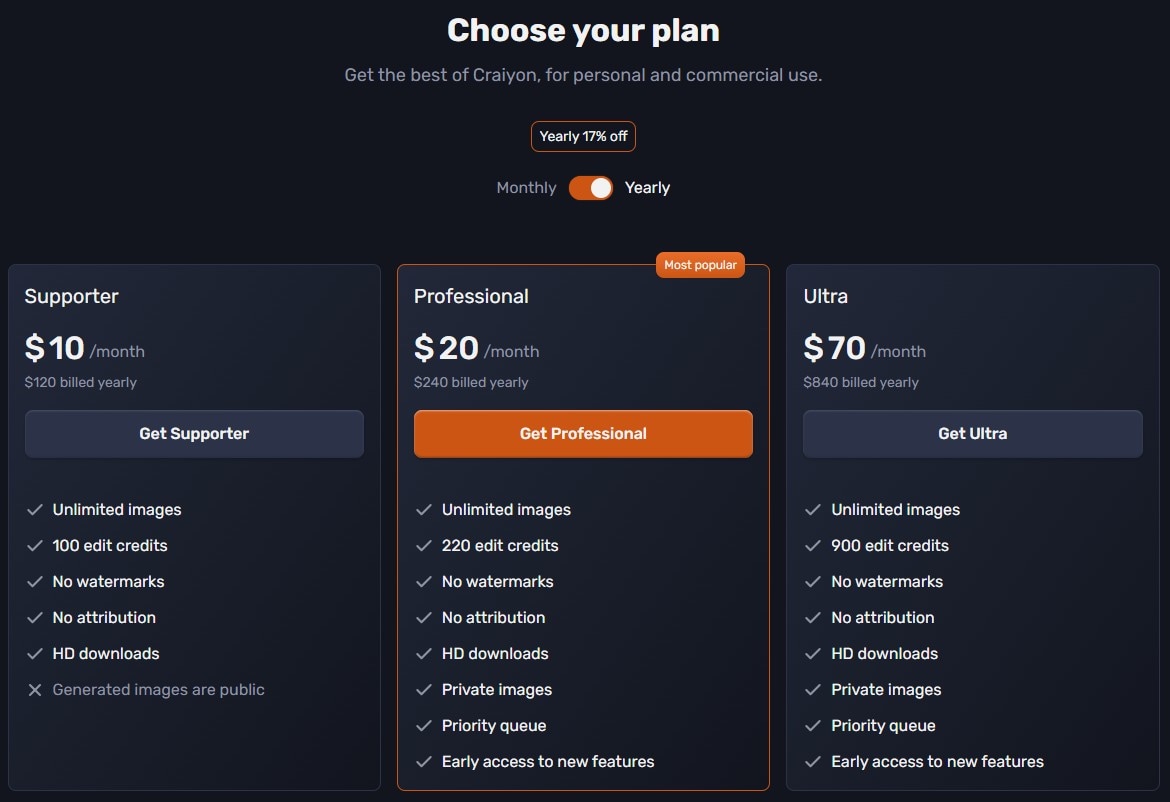
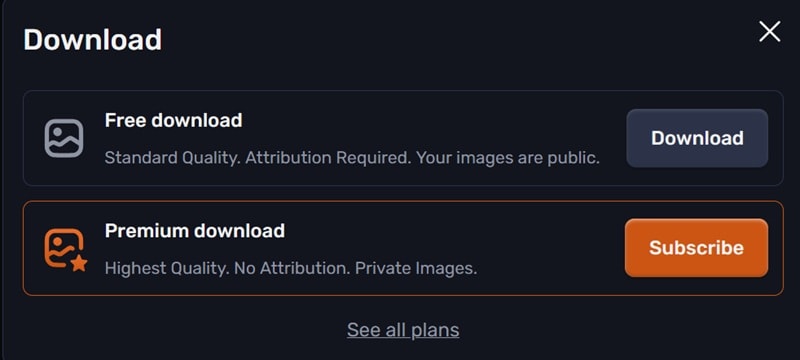
Craiyon AI image generator operates as a freemium, accessible platform. You can use it for free, even without login. However, it comes with a watermark, standard output quality, and an attribution requirement. Your images will also be public.
Paid tiers unlock more advanced features (e.g., Retouch, Upscale, Animate), faster generation times, higher quality outputs, and watermark-free downloads with full commercial rights and no attribution required. It starts from $10 – $70/month.
Part 2. Deep Dive: Key Features of Craiyon AI
What makes the Craiyon AI generator become everyone's choice? The platform strikes this really interesting balance between simplicity and control that's perfect for both beginners and experienced users to keep experimenting.
Speed and Diverse Output
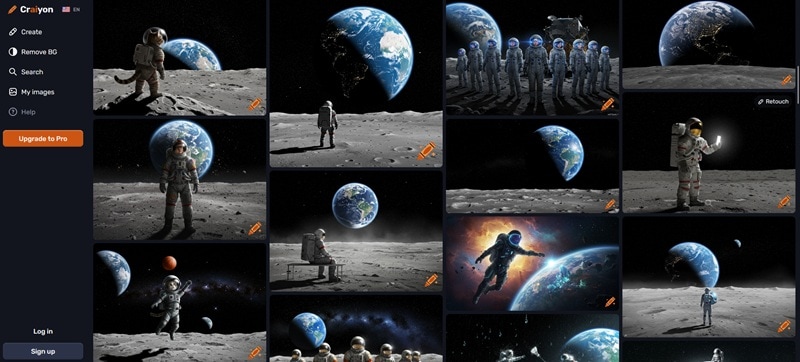
While tools like MidJourney or DALL·E 3 typically gives you one to four images per generation, Craiyon gives you many to choose from. Every single time. There is one primary output alongside multiple related variations for comparison.
This multi-output strategy is perfect for gathering inspiration. You can get multiple interpretations of your idea. It often sparked creative directions you hadn't considered.
Generation speeds depend on which tier you're using:
- Free tier: approximately 1–2 minutes per batch
- Paid tiers: as fast as 15–45 seconds with priority queue access
Expert Mode and Negative Prompts
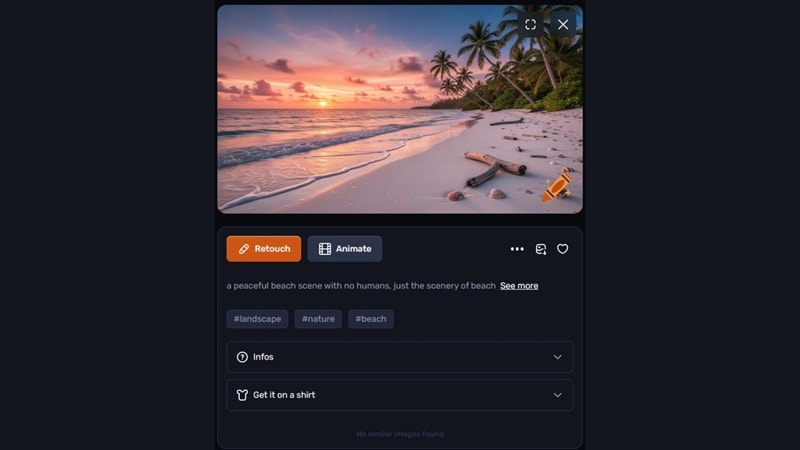
If you want more control, Craiyon AI art generator allows you to specify negative keywords. You can exclude elements you want from your images. For example, if you're generating "a peaceful beach scene" but don't want any people. Add "no people, no humans, no figures" as negative prompts, and suddenly those beachgoers disappear.
The AI understands what you don't want, which helps it focus on what you actually do want. This level of customization makes Craiyon surprisingly precise for a free tool.
Additional Tools
Craiyon isn't just about generating images and calling it a day. The platform includes several built-in utilities that extend its usefulness:
- Support different art styles: Craiyon can generate drawings, cartoons, paintings, and more, depending on how you phrase your prompts.
- Background removal tool: Instantly remove subjects from generated images.
- Animate: Bring still images to life with simple motion effects built directly into the platform.
- Retouch: Make basic adjustments to generated images without leaving Craiyon.
- Upscale: Increase image resolution for sharper, higher-quality exports.
- Community sharing: Browse and draw inspiration from other users' creations.
Why Craiyon AI is a Powerful Tool for "Capturing Inspiration"
Craiyon AI picture generator excels at rapid ideation. When you're brainstorming visual concepts for a project, having multiple options accelerates everything. You might discover that a "failed" generation actually contains the seed of something brilliant.
This is why Craiyon works so well as a first step in a larger creative workflow. Generate your ideas here, then take the best ones into a proper editing tool like Filmora for refinement and polish.
Part 3. The Pros and Cons: Realistic Assessment
After spending serious time with AI image generator Craiyon, here's our honest assessment of where it shines and where it falls short.
- Truly free with unlimited generations: No sign-up,no "your free trial has expired" pop ups. You can generate as much as you want. The ads are there, but they're not intrusive enough to ruin the experience.
- Exceptionally beginner-friendly: Anyone who can type a sentence can generate images within minutes. That accessibility matters.
- Multiple images per generation: More options means more inspiration. You can have more chances to find something that clicks.
- Built-in background remover: Small feature, huge time-saver. When you're working quickly, not having to switch apps for basic edits makes a real difference.
- Playful vibe: Even as it's grown more capable, it's kept that experimental feel that made DALL·E Mini is so endearing in the first place.
- Inconsistent image quality: Craiyon results are a mixed bag. Sometimes you get surprisingly good outputs. Other times, you get images that are bizarre in ways you didn't intend.
- Limited detail handling: Complex scenes with multiple elements, specific spatial relationships, or intricate details. Things can get abstract, messy, or just plain confusing.
- Watermarks on free version: Every free output includes a visible watermark. For anything client-facing or professional, you'll need to upgrade.
- Not suitable for professional photorealism: If you need photorealistic product shots, Craiyon isn't your tool. Premium alternatives outperform it significantly in this area.
Part 4. How to Level Up Craiyon AI Images with Filmora's AI Tools
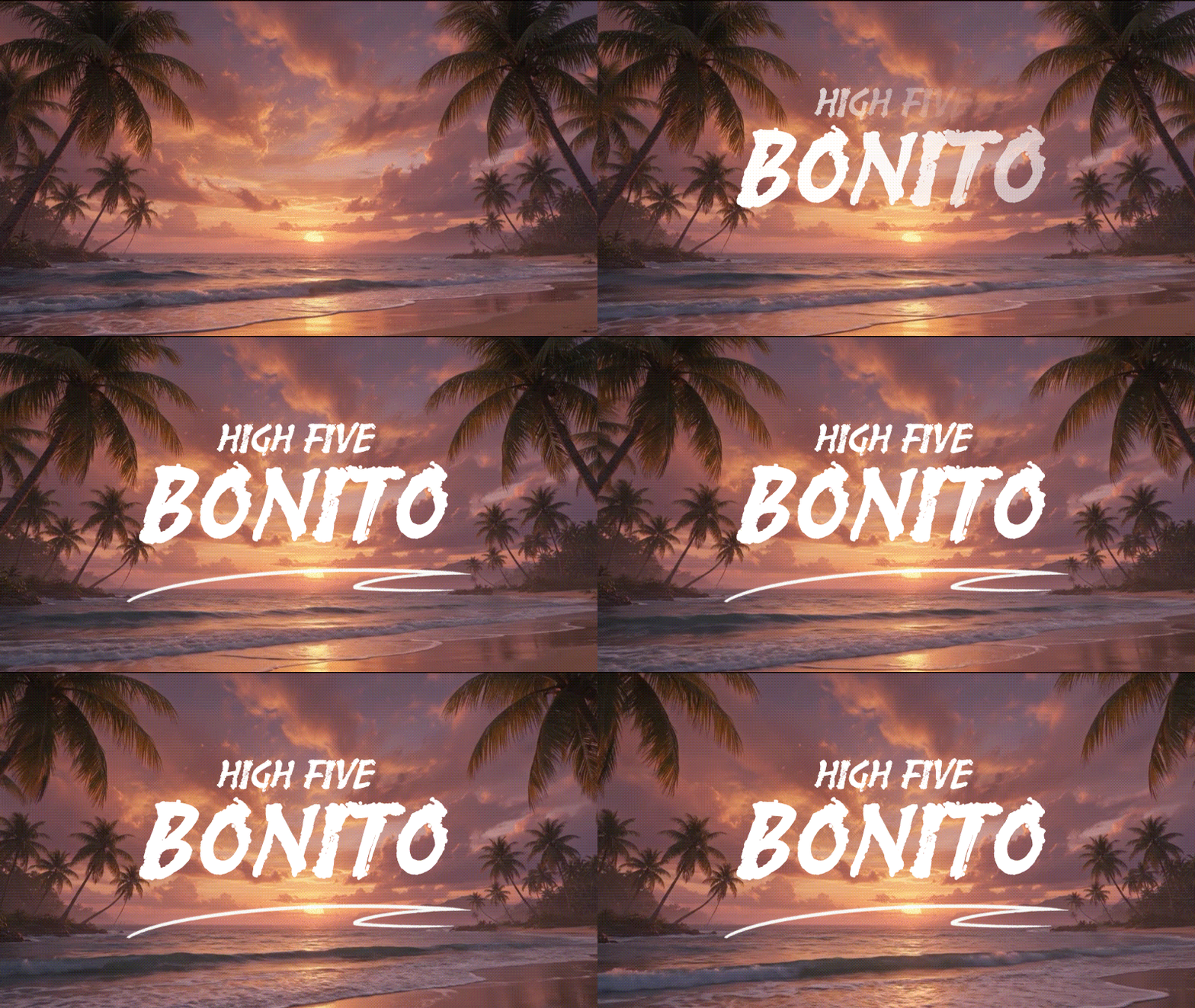
While Craiyon generates the spark of an idea, Wondershare Filmora brings it to life. Using the AI Image to Video feature, you can turn a static Craiyon sketch into a cinematic sequence.
Pro Tip: Use Filmora's AI Image Upscaler to fix Craiyon's low-resolution outputs before adding them to your 4K projects.
 Secure Download
Filmora extends what Craiyon AI starts, including:
- Animate Craiyon images into video clips with Image to Video
- Remove or replace video backgrounds with your Craiyon AI image
- Enhance with effects, filters, and overlays
- Add titles, captions, and motion text
- Export in any format ready for YouTube or social media
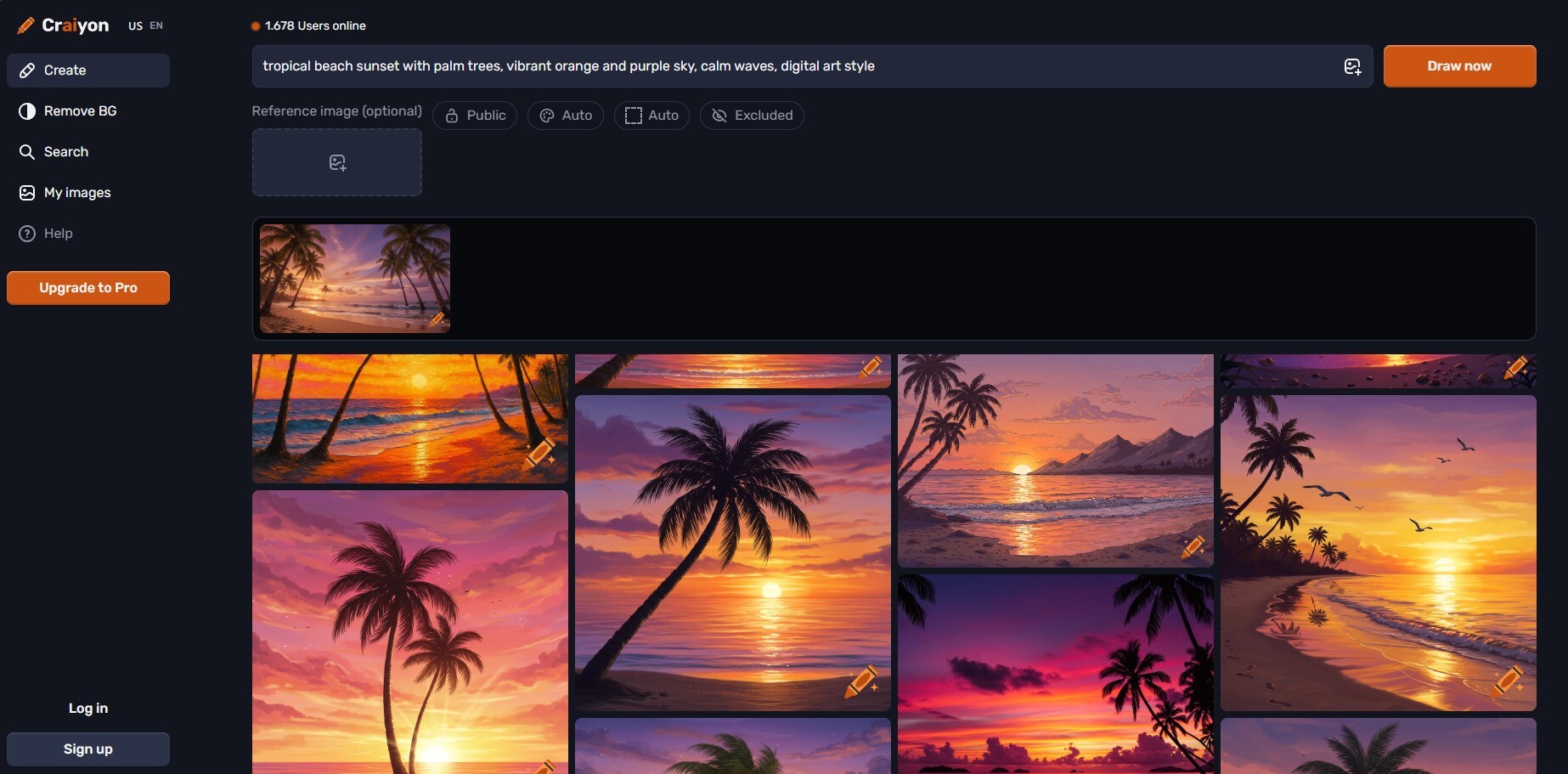
Visit craiyon.com and enter a descriptive prompt. For better results, be specific:
- ❌ "beach sunset"
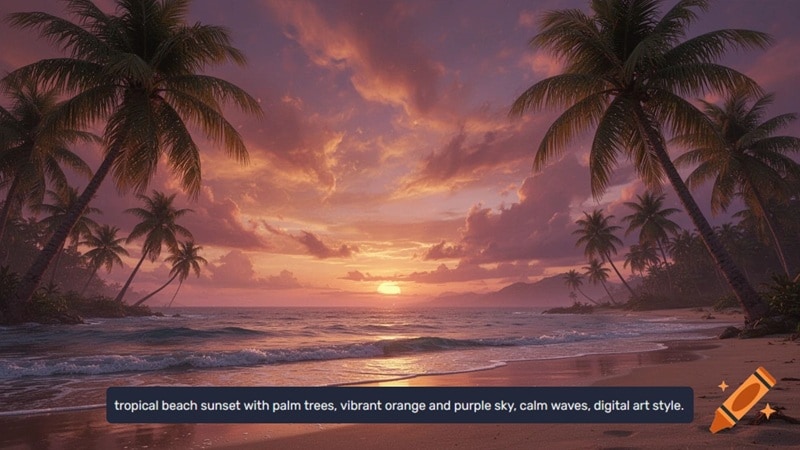
- ✅ "tropical beach sunset with palm trees, vibrant orange and purple sky, calm waves, digital art style"
Click "Draw now" and wait until it finishes generating. Download the image you like best.
 Secure Download
Open Filmora and create a new project.
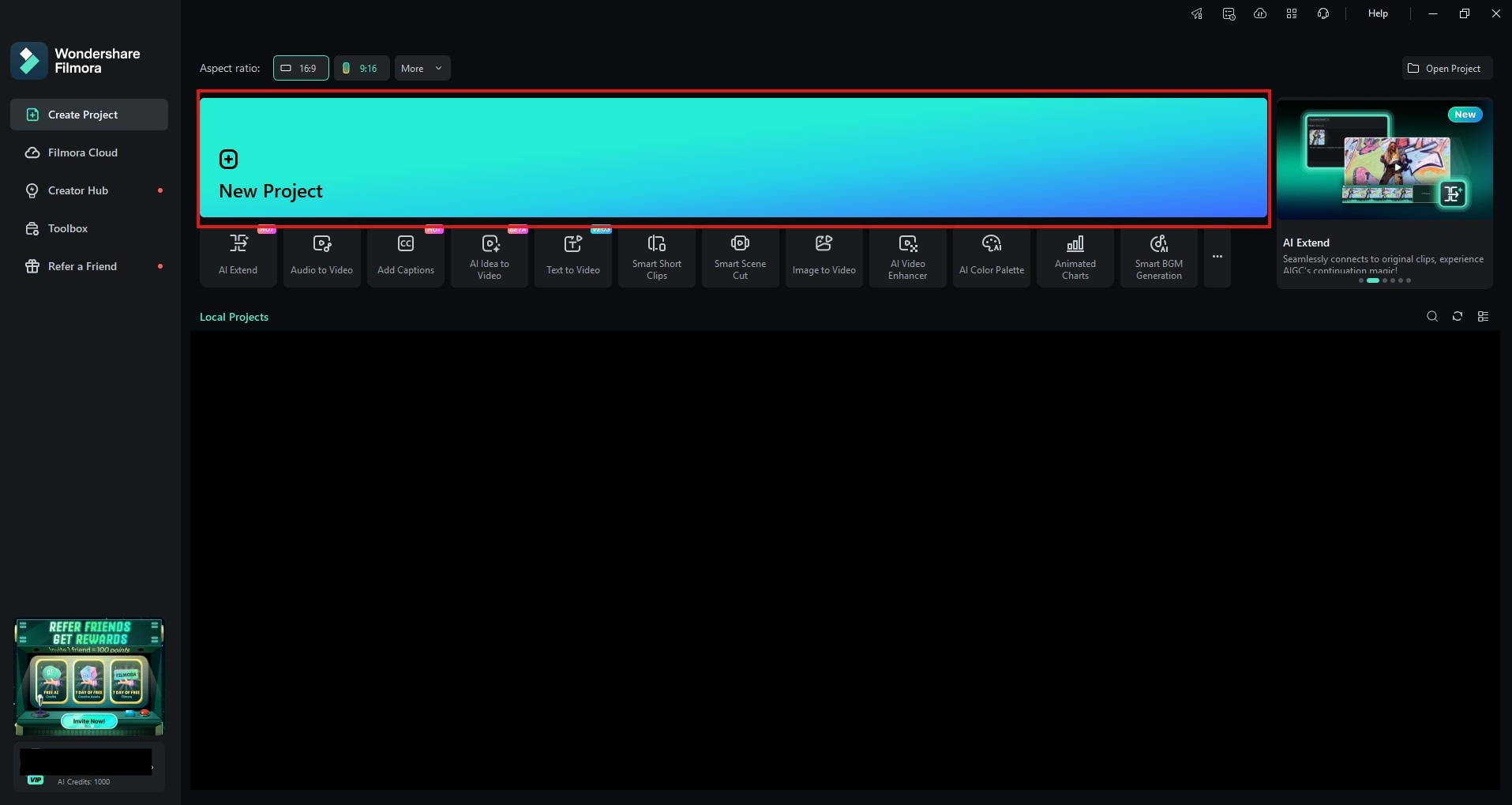
Open the AI Image to Video feature under the Stock Media > AI Media tab. Upload your Craiyon image, describe how you want to animate the image, then click Generate.
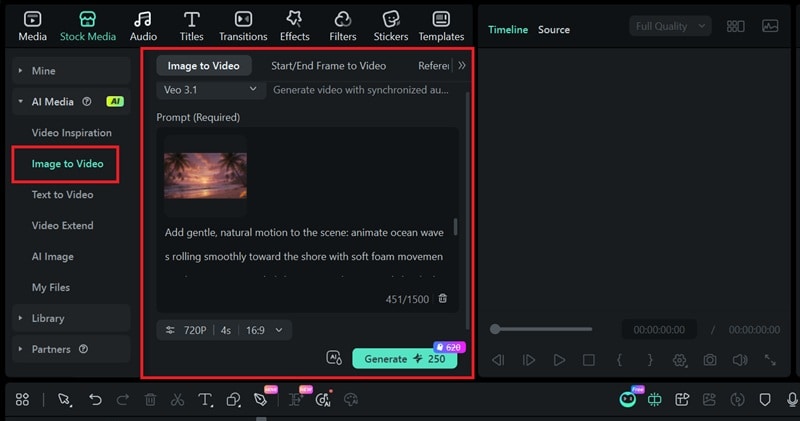
Bring the video result to the timeline to edit it further.
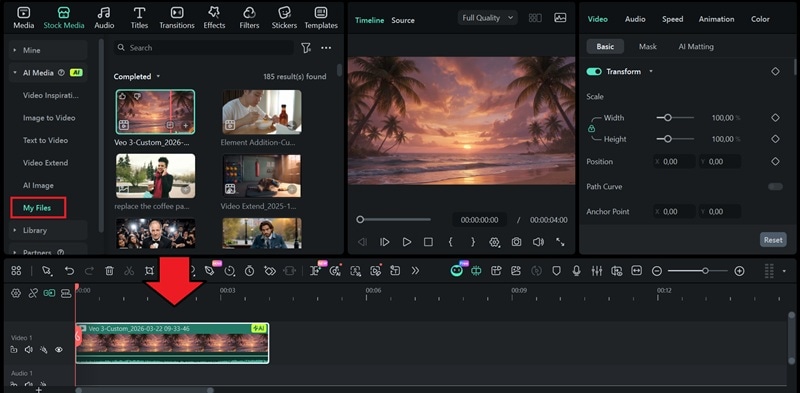
From here, the full power of Filmora is at your disposal. Trim and arrange your clips, layer in music or voiceover, and add titles, transitions, or effects to tie everything together.
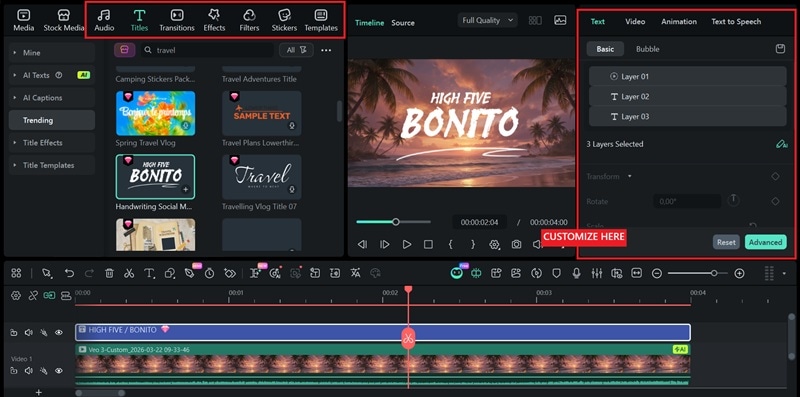
Why This Workflow Works
By combining Craiyon's rapid ideation with Filmora's professional editing suite, you get the best of both worlds: unlimited creative exploration plus precise control over final output. This approach is perfect for YouTubers needing custom thumbnails, social media managers creating engaging posts, or educators developing visual teaching.
Part 5. Best Craiyon AI Image Generator Alternatives for 2026
Craiyon AI remains a fantastic free option, but the AI image generation landscape has expanded expansively. Here are the alternatives worth considering, depending on your specific needs:
1. Google Nano Banana
Nano Banana is Google's latest image generation tool, built into the Gemini app. It combines strong visual reasoning with fast generation speeds, and stands out in areas where many free tools still struggle.
The latest Nano Banana 2 model is capable of rendering legible, well-placed text inside images. It also handles photorealistic scenes with solid detail, supports style transfer from reference photos, and produces clean infographic-style compositions.
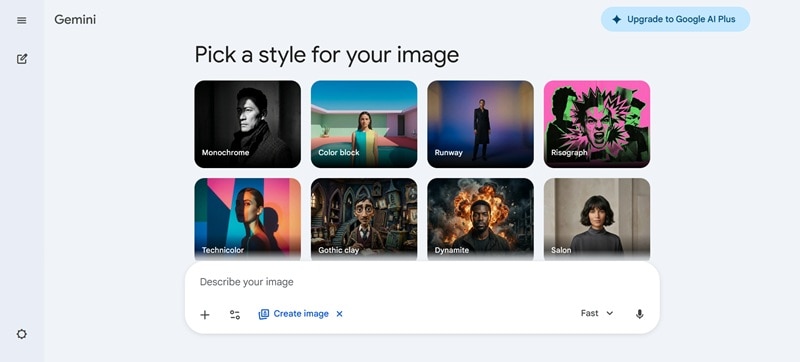
Note: Nano Banana 2 is available directly inside Filmora, so you can generate and edit AI images without switching between apps.
2. Leonardo.ai
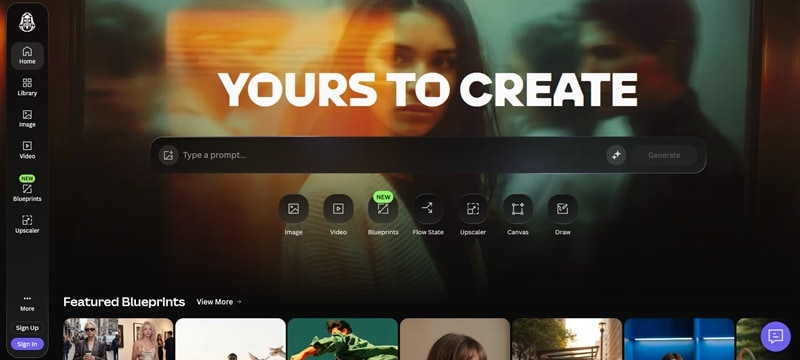
One of the most feature-rich options in the space. Leonardo AI gives you fine-grained control over your generations. You can choose from a wide library of models, adjusting style presets, and maintaining visual consistency across multiple images in the same project.
Leonardo AI excels at detailed, stylized illustrations and handles character design particularly well, making it a favorite among game developers and digital artists. It also includes a built-in image editor, canvas tool, and motion generation for adding subtle animation to still images.
But, here's the thing: It's not about which tool is "best" in some abstract sense. It's always about which tool fits your specific need.
Verdict & Conclusion
Back to the original question: Is Craiyon AI still the best free image generator for creators in 2026? The answer, as with most things in creative work, is "it depends."
Craiyon excels where it's always excelled: accessibility, speed of ideation, and pure creative fun. Image batches, the negative prompt control, the built-in tools; they all add up to something genuinely useful. The fact that you can use it instantly also lowers the barrier to entry like no other tool can match. But the outputs remain stylized, sometimes abstract, and watermarked on the free plan. For those needs, premium alternatives are better investments.
The smartest approach is to use Craiyon for what it does best: generating ideas, exploring visual directions, and having fun with AI. Then bring those concepts into a professional editor like Filmora for refinement, animation, and integration into your video projects.

FAQ
-
Is Craiyon completely free?
Yes, absolutely. The free plan offers unlimited image generations with no time limits. You get ads and watermarks, but you never hit a "your free trial has expired" wall.
-
How do I remove the watermark from Craiyon images?
Upgrade to any paid plan and watermarks are automatically removed from all your downloads.
-
Can I use Craiyon images commercially?
Yes, you can. Paid plans include commercial usage rights and remove attribution requirements. Free plan images can also be used commercially, but they include watermarks.
-
Why are my Craiyon images sometimes weird or abstract?
Craiyon's model prioritizes creative interpretation over strict accuracy. Complex prompts often make abstract results. Be specific. Include details about style, lighting, colors, and setting. Use negative prompts to exclude unwanted elements.
