

 TL;DR:
Dreamina AI (Jimeng AI) is a ByteDance-developed AI generator powered by the Seedream 4.5 model that excels at rapidly turning text and static images into vertical short-form videos for CapCut workflows, though commercial rights and watermark-free exports require a paid Pro or Business plan.
● The free tier operates on daily renewing credits but restricts users with watermarked outputs, capped resolutions, slower processing speeds, and personal-use-only licensing.
● Instead of relying on external software, users can utilize the native Canvas Editor to directly inpaint unwanted elements, upscale details, and expand original image borders.
● For creators needing comprehensive post-production, Wondershare Filmora serves as a superior alternative by combining manual timeline editing with integrated AI generation models like Sora 2 and Veo 3.1.
Ask AI for a summary
 ChatGPT
 Perplexity
 Gemini
 Claude
 Grok
Grok
In 2026, the demand for AI video generation has surpassed static art. Creators are searching for an all-in-one platform to generate animations and high-quality clips. Dreamina AI (officially Jimeng AI), developed by ByteDance, is the cutting-edge solution for this shift. As the powerhouse behind TikTok and CapCut, this tool seamlessly blends AI image generation with professional text-to-video capabilities. But is it the right choice for your workflow? This 2026 review covers features, pricing, and a full tutorial.
Part 1. What is Dreamina AI (Jimeng AI) by ByteDance?
Dreamina AI, officially known as Jimeng AI, is an AI-powered platform developed by ByteDance to generate images and short videos from text prompts and visual references. Initially introduced as Dreamina AI with a strong focus on AI image generation, it later evolved into Jimeng AI to support image-to-video and motion-based content.
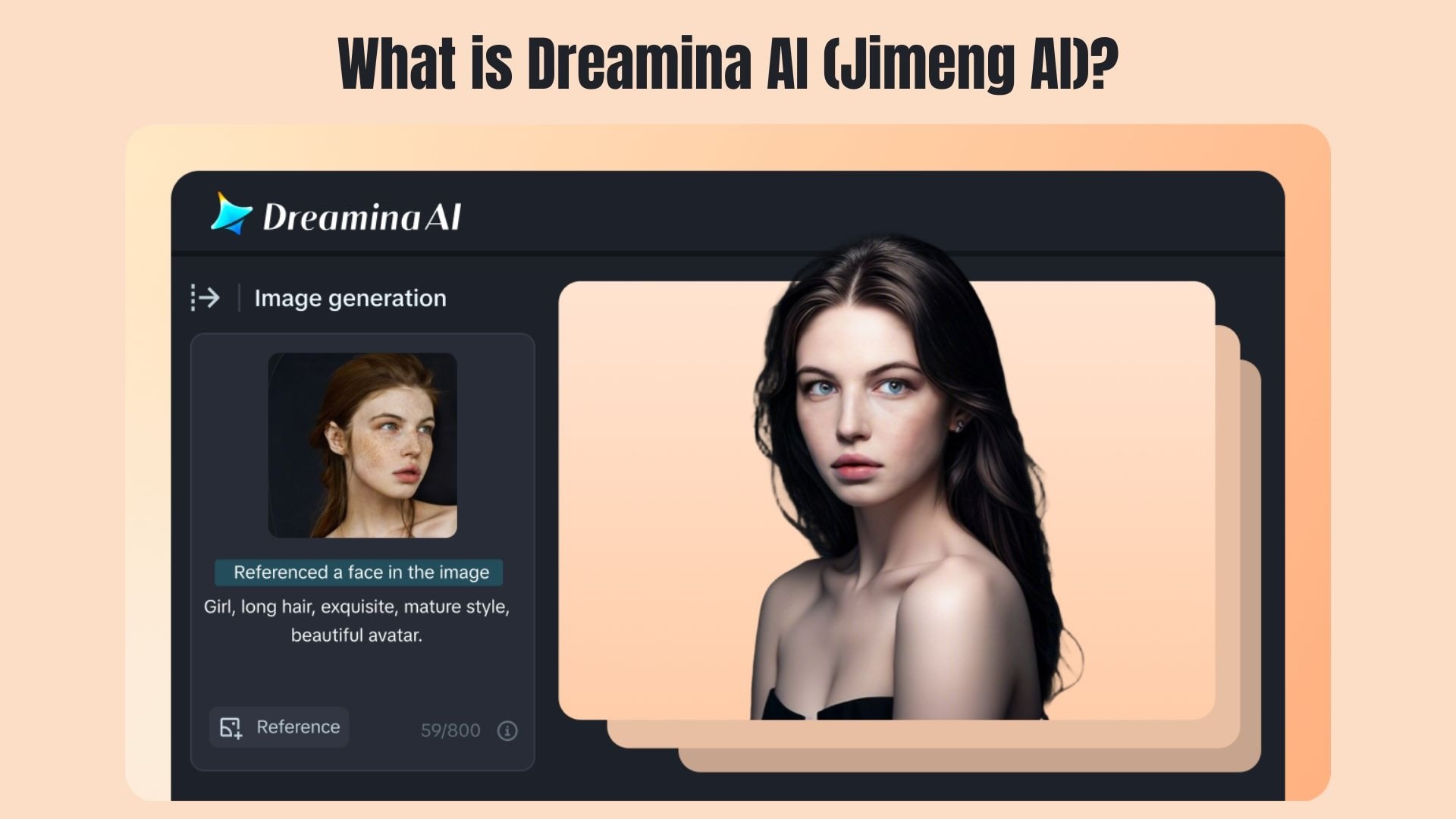
A bit different from traditional AI art tools, Dreamina AI is designed for short-form and social media visuals, so it's more well-suited for TikTok-style content. It allows creators to generate images, animate them into short video clips, and refine results using built-in editing tools. As part of the ByteDance ecosystem, it naturally aligns with CapCut workflows and vertical video formats.
Part 2. Top Dreamina AI Features: From Seedream 4.5 to AI Video
Dreamina AI is much more than a basic text-to-image tool. Powered by the Seedream 4.5 model, this platform is designed to support visual creativity and short-form video production in a single workflow.
Text-to-Image & Image-to-Image (Seedream 4.5)
This is the core of Dreamina AI's creative power. Using the Seedream 4.5 model, Dreamina AI focuses on style accuracy, visual consistency, and prompt understanding, which makes it more than just a simple image generator.
- Generates high-resolution images from detailed text prompts
- Image-to-image enhancement to improve or restyle existing visuals
- Strong control over lighting, composition, and artistic styles
- Consistent results across multiple generations for the same concept
AI Video Generation (Image-to-Video)
Dreamina AI stands out by transforming static visuals into short, playable video clips designed for social media platforms.
- Converts images into short AI-generated video footage
- Smooth motion and natural transitions between frames
- Optimized for vertical and short-form content
- Ideal for TikTok, CapCut, and social media edits
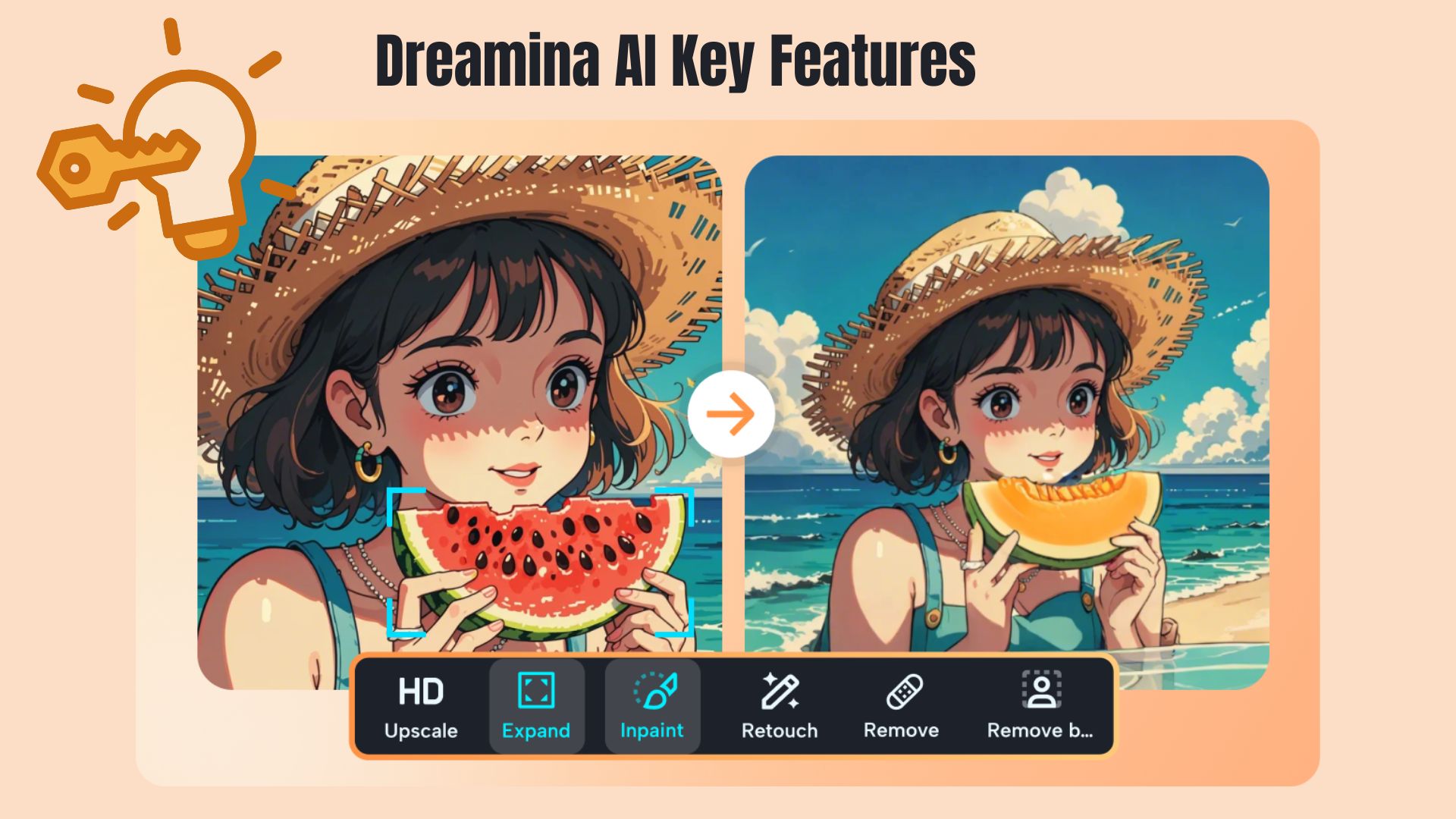
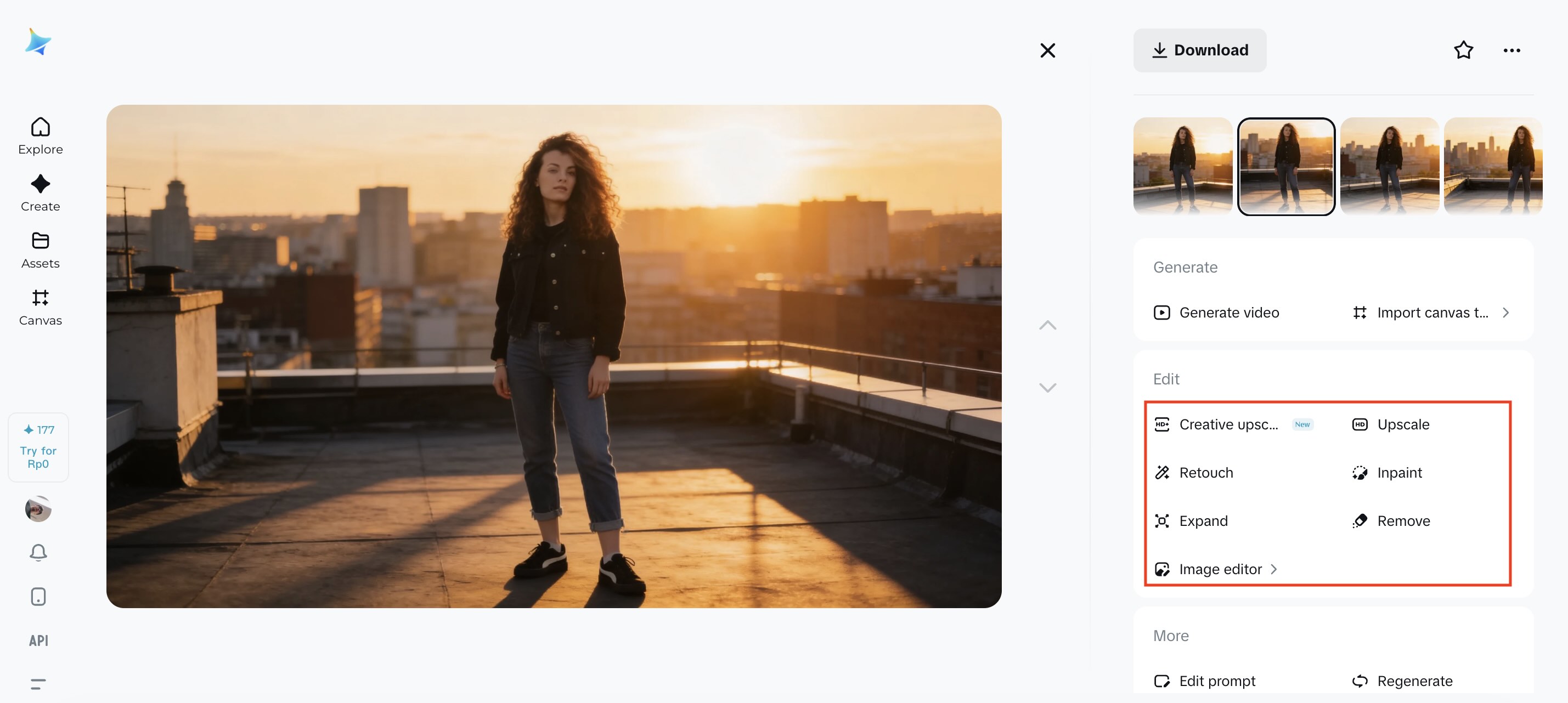
Canvas Editor (Inpaint, Upscale, Expand)
Instead of exporting images for external editing, Dreamina AI includes a built-in Canvas Editor for quick professional adjustments.
- Inpaint to remove or replace unwanted elements
- Upscale images while preserving fine details
- Expand images beyond original borders for better framing
- Streamlines editing without switching tools
Part 3. How to Use Dreamina AI: A Step-by-Step Tutorial
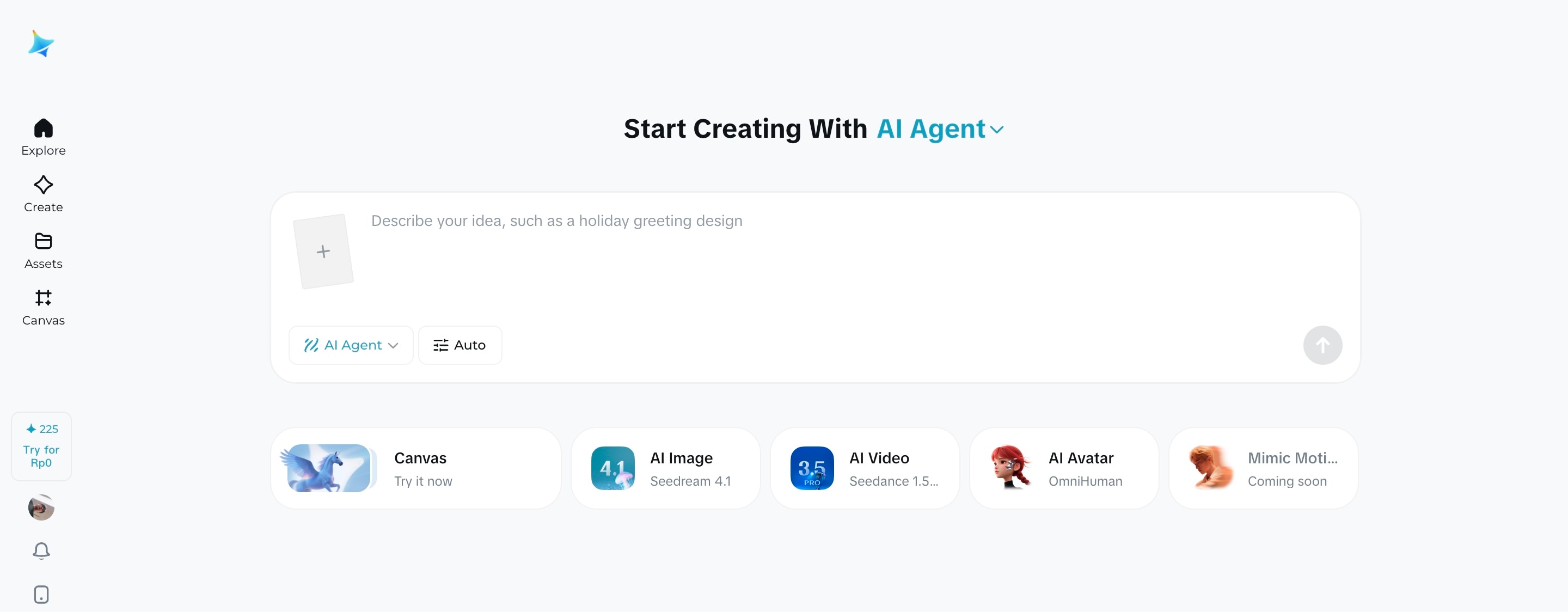
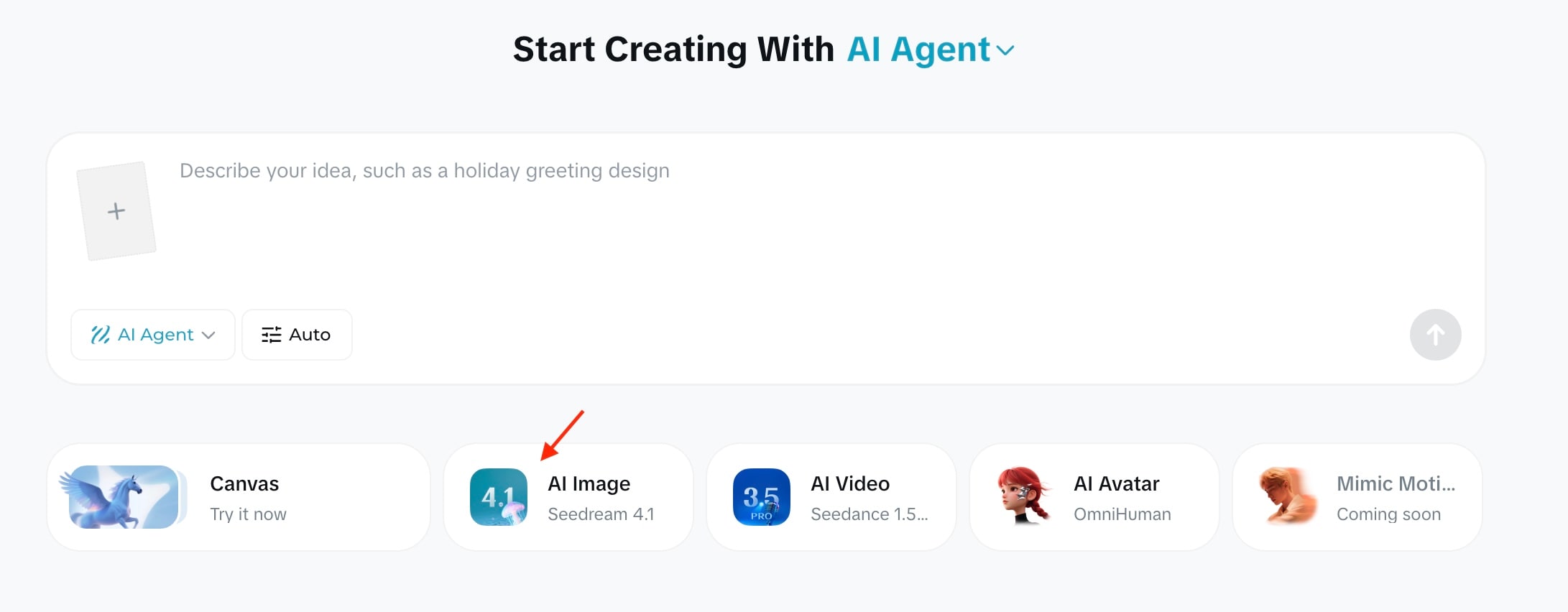
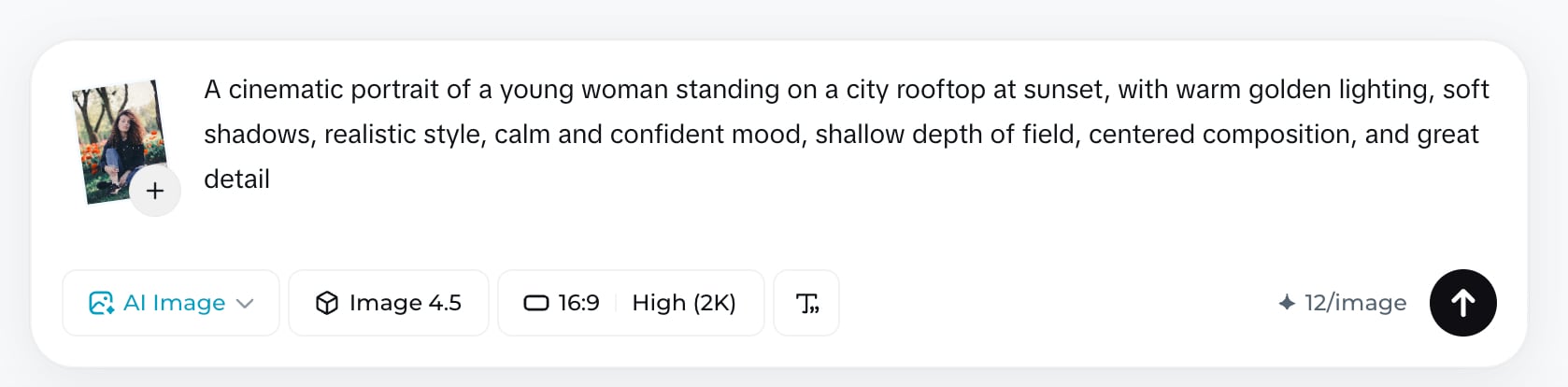
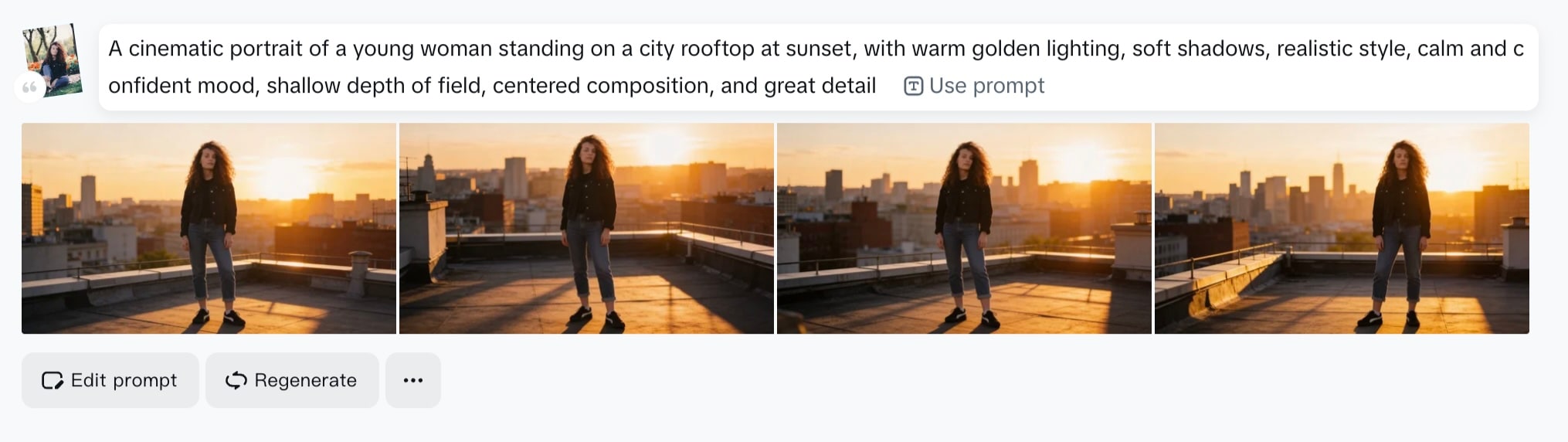
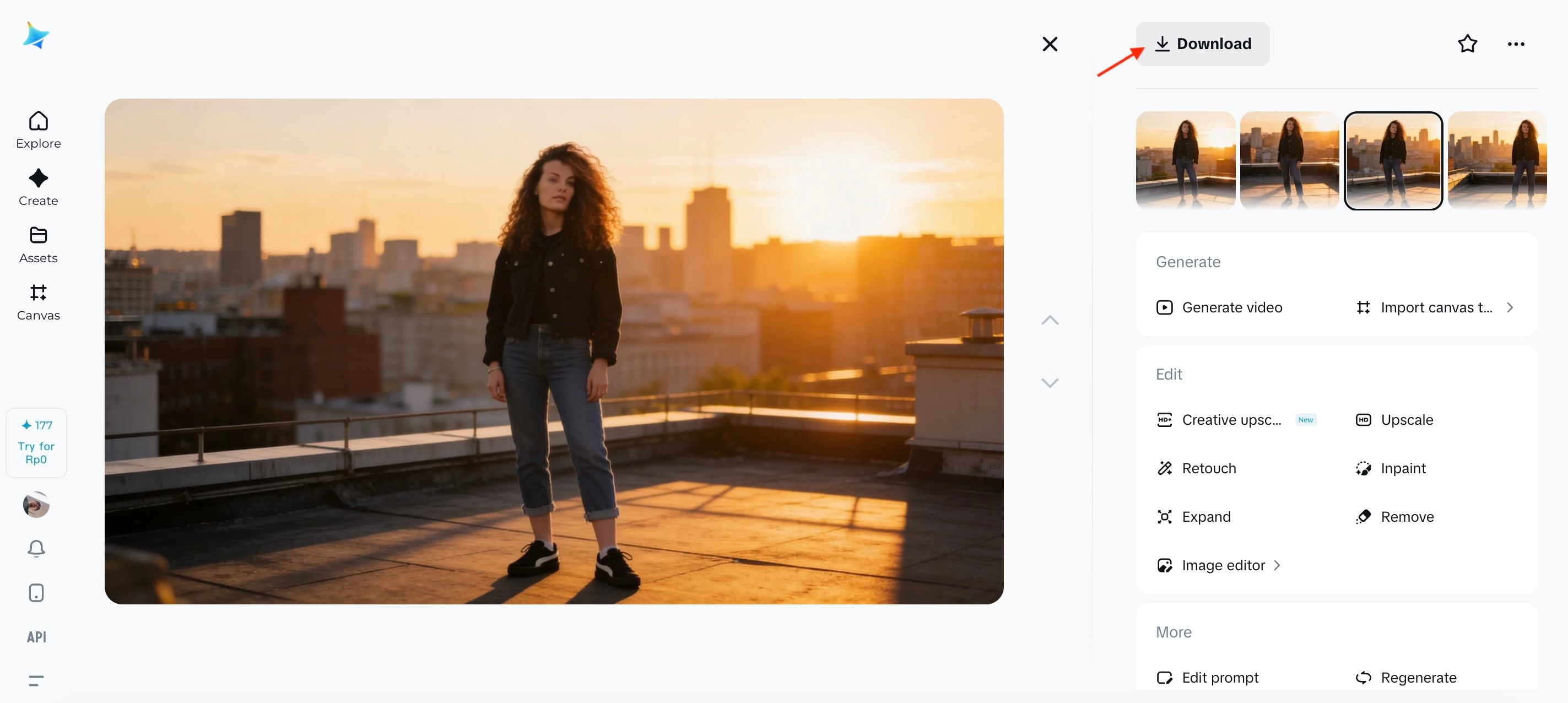
Getting started with Dreamina AI (Jimeng AI) is straightforward, even if you are new to AI content creation. The interface is designed for quick experimentation and short-form results.
Part 4. Dreamina AI Pricing: Is It Really Free?
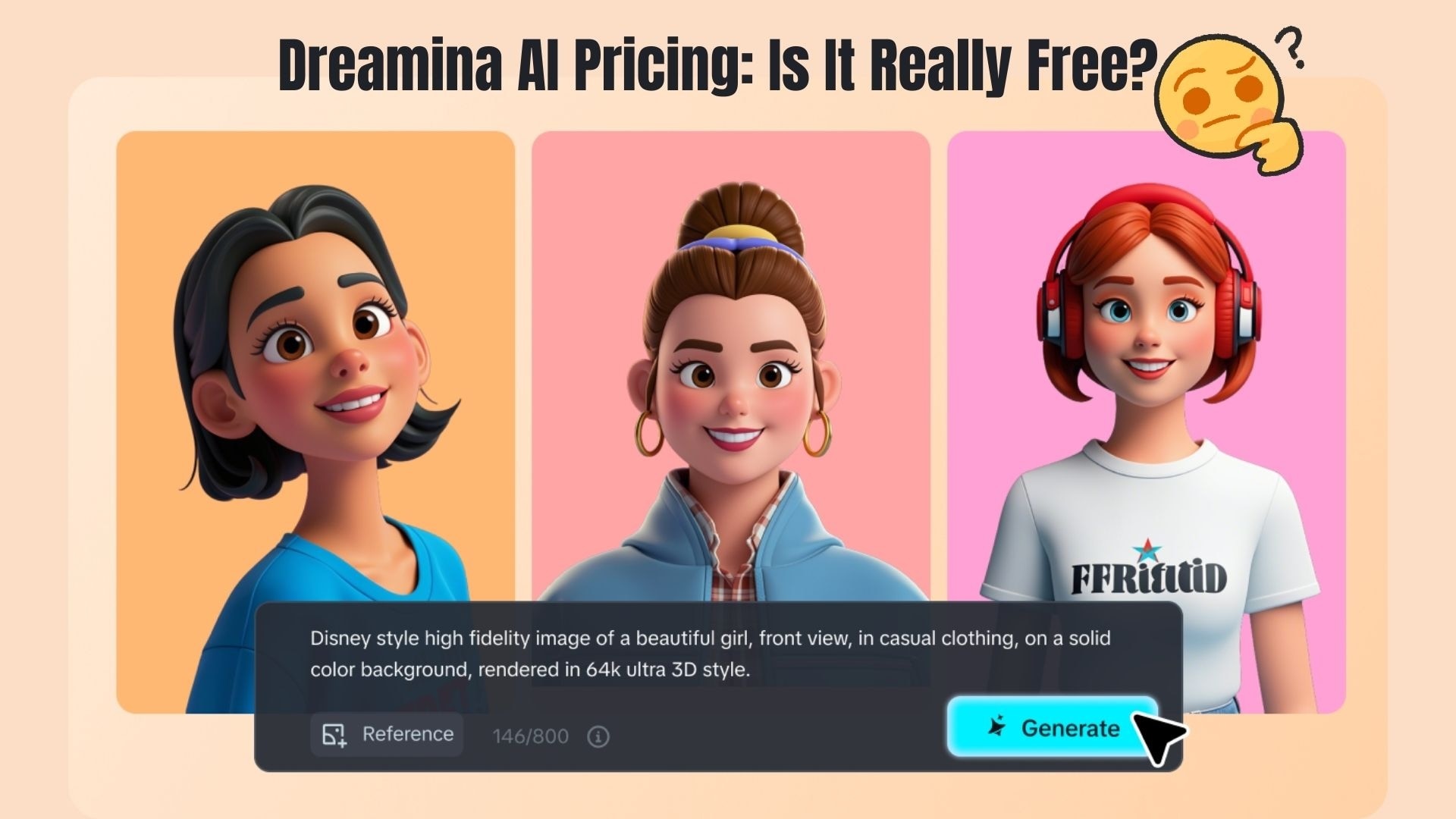
Dreamina AI uses a credit-based system that allows users to create images and videos without paying upfront. Although this platform offers free access, it is not unlimited. Instead, usage is controlled through daily and monthly credit allocations depending on the package you choose.
Free Tier and Daily Credits
Dreamina AI provides users with a set amount of daily free credits that are renewed every day. These credits can be used for text-to-image, image-to-image, and limited image-to-video generation.
The free tier is ideal for testing prompts, experimenting with styles, and creating basic visuals, but outputs may include watermarks, resolution limits, and slower generation speeds.
Paid Plans: Pro vs. Business
For creators who need higher quality and volume, Dreamina AI offers paid subscriptions.
Pro Plan
- Designed for individual creators who publish regularly
- Higher monthly credit limits
- Export without watermarks
- Higher resolution images and videos
- Faster generation priority
Business Plan
- Built for teams, agencies, and commercial use
- Significantly larger credit allocations
- Advanced generation limits for video content
- Priority processing and support
- Commercial usage rights
Part 5. Pros and Cons: An Honest Review
Now that we've discussed how Dreamina AI works and what it costs, it's time to take an objective look at its strengths and weaknesses.
Below is an honest assessment based on real user experience and current platform capabilities.
- Dreamina AI generates high-quality, visually consistent images with strong prompt understanding.
- The image-to-video feature makes it easy to create short AI videos from static visuals.
- Daily free credits allow users to test the platform without an upfront subscription.
- The built-in Canvas Editor simplifies inpainting, upscaling, and image expansion in one place.
- Its workflow fits naturally with CapCut and short-form social content creation.
- The free tier includes watermarks, resolution limits, and slower generation speeds.
- The credit-based system may feel restrictive for frequent or long-form creators.
- AI video generation is still limited compared to fully manual video editing tools.
- Achieving consistent results requires well-crafted prompts and experimentation.
Part 6. Dreamina AI vs. Filmora
Dreamina AI isn't the only option for creating AI content. If you want to explore other tools with broader capabilities, Wondershare Filmora is another strong alternative worth comparing. Filmora often shows up as a complete creative solution, since its AI features are built into a full video editing workflow rather than a standalone generator.
 Secure Download
While Dreamina AI excels at rapid Image to Video generation, Wondershare Filmora offers a more robust ecosystem for professional post-production. If your goal is to transform AI-generated assets into cinematic stories, Filmora's Text-to-Video (powered by Sora 2) and advanced timeline editing provide the precision that standalone generators lack. Using Dreamina for assets and Filmora for the final edit is the ultimate 2026 workflow for viral content.
Below is a simple comparison to explain where each excels and why you might choose one over the other.
Comparison Table: Dreamina AI vs. Filmora
| Feature | Dreamina AI | Filmora |
| Speed | Fast text-to-image and image-to-video generation (cloud-based) | Fast timeline editing, but rendering can vary by project complexity and device specifications. |
| Quality | AI-generated visuals with strong style detail | High-quality edited footage with comprehensive effects |
| Price | Free daily credits with paid plans for higher volumes | Various paid subscription options, such as monthly/annual subscriptions or perpetual licenses |
| Ease of use | Simple prompt-based generation workflow | A drag-and-drop editor that beginners and intermediates can learn quickly |
|
Show More
Show Less
|
||
Choosing an Alternative: When to Use Filmora?
- Create complete video content. Filmora includes its own AI generation tools. If you don't like how your Dreamina AI results look, you can recreate or expand them in Filmora using AI Text-to-Video and Image-to-Video (powered by Sora 2 and Veo 3.1).
- Edit and refine AI results with manual control. You can also use Filmora to edit the footage you generate with Dreamina AI within its full timeline control. While Dreamina offers basic editing options, Filmora provides more precise tools to edit your clips.
- Work in one workflow. If you prefer handling everything in one place, Filmora offers a more complete workflow. You can generate, edit, enhance, and export your project in the same software without switching between multiple tools
- Enhance quality with AI tools. When your video comes in low resolution, you can improve your results using Filmora's features like AI upscaling, auto enhancement, and color correction to make your content look clearer.
Conclusion
Dreamina AI shows how far generative tools have evolved in 2026, moving beyond static images into motion-ready visuals built for short-form content. Its strength lies in fast creation, strong visual style, and a workflow that feels natural for TikTok and CapCut creators.
Although not a complete replacement for traditional video editors, Dreamina AI works best as a creative engine for AI-generated ideas, concepts, and clips. For creators who prioritize speed, experimentation, and visual impact, Dreamina AI is worth exploring.
Combined with tools like Filmora for final editing, it can be a powerful part of a modern content creation workflow.

FAQs
-
Is Dreamina AI free?
Yes, Dreamina AI is free to use with daily credits that renew automatically. The free version has limitations such as watermarks and lower resolution, while paid plans unlock higher quality and more usage. -
How to download the Dreamina AI app?
You can download Dreamina AI from the App Store on iPhone. For Android users, it is available through official platforms under the Jimeng AI name or via supported web access. -
Does Dreamina AI support commercial use?
Commercial use is supported on paid plans. Free-tier content is mainly for personal use, while paid subscriptions allow watermark-free exports and business usage.
