


 TL;DR:
Klap AI excels at automatically extracting vertical short clips from long, speech-driven videos for rapid social media publishing, but its lack of advanced editing control makes Wondershare Filmora a necessary alternative for creators requiring timeline refinement, audio enhancement, and multi-layer visuals.
● Klap AI operates exclusively on a paid subscription model starting at $14 per month billed yearly with no free trial available, and its automated clip detection is strictly optimized for talking-head content rather than action-heavy footage.
● Wondershare Filmora replicates automated highlight extraction through its Smart Short Clips feature while adding critical capabilities absent in the Klap app, such as the AI Voice Enhancer for noise reduction and Text-Based Video Editing for exact pacing adjustments.
● Podcasters and educators prioritizing high-volume posting speed should utilize Klap, whereas creators managing multiple platforms require Filmora to balance AI automation with full control over captions, audio levels, and visual storytelling.
Ask AI for a summary
 ChatGPT
 Perplexity
 Gemini
 Claude
 Grok
Grok
Short-form video now reaches across platforms. Creators no longer rely on long uploads alone. They must turn one podcast, webinar, or YouTube video into multiple short clips. This shift has increased demand for AI clipping tools that promise speed and efficiency.
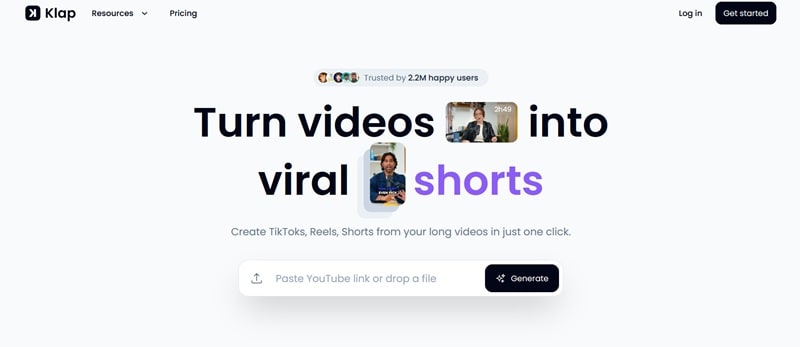
Klap AI is one such tool. It focuses on converting long videos into short, vertical clips for platforms like TikTok, Instagram Reels, and YouTube Shorts. The Klap app aims to simplify repurposing through automation.
This Klap review examines how well it delivers on that promise. It evaluates features, pricing, ease of use, and creative flexibility to determine whether Klap is enough for modern creators or only part of the workflow.
Part 1: Understanding Klap AI as a Video Clipping Tool
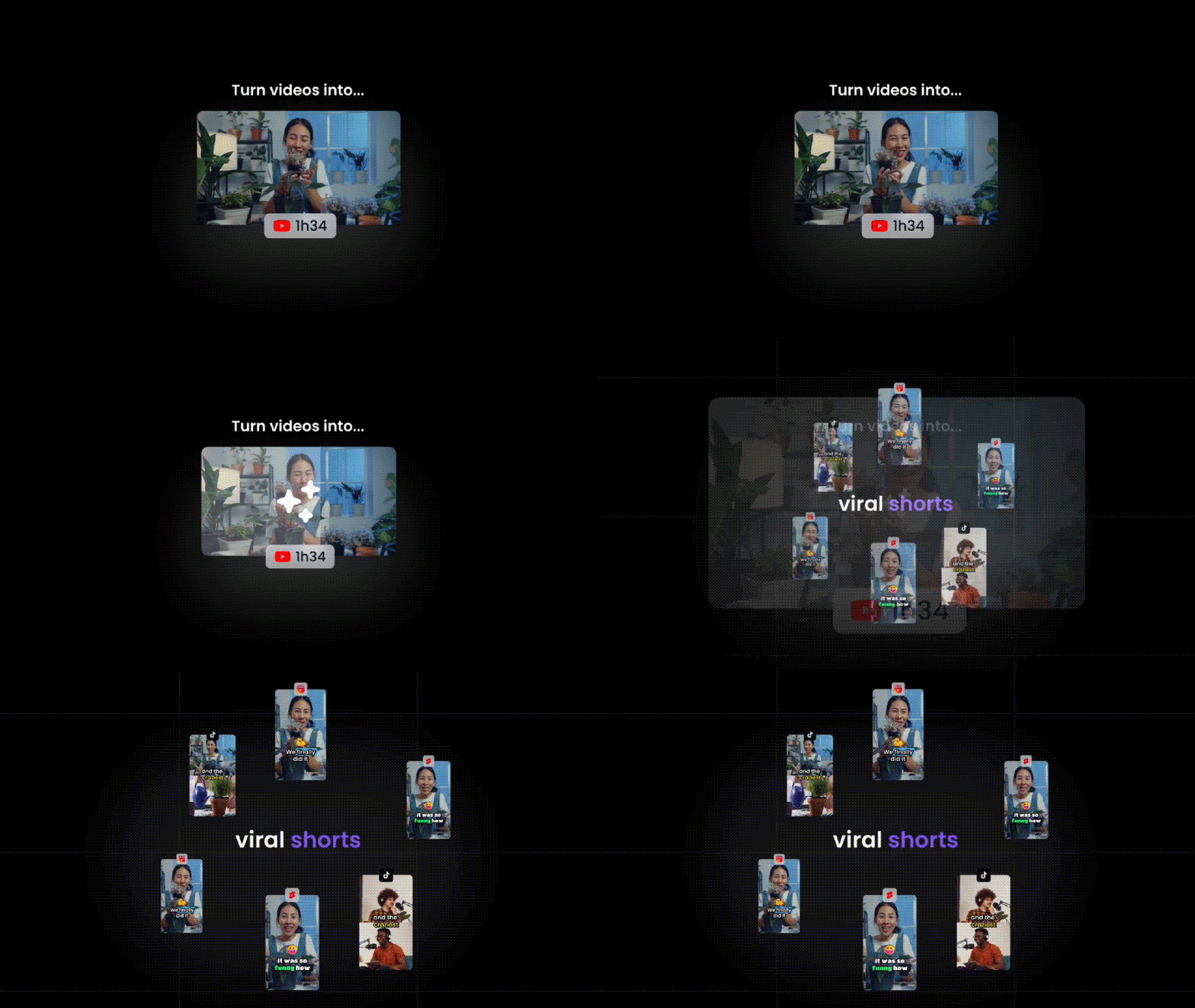
AI clipping tools exist for one reason: creators are overwhelmed. Long videos take time to edit, yet short clips drive growth. Klap presents itself as a quick solution that automatically turns long-form content into short videos.
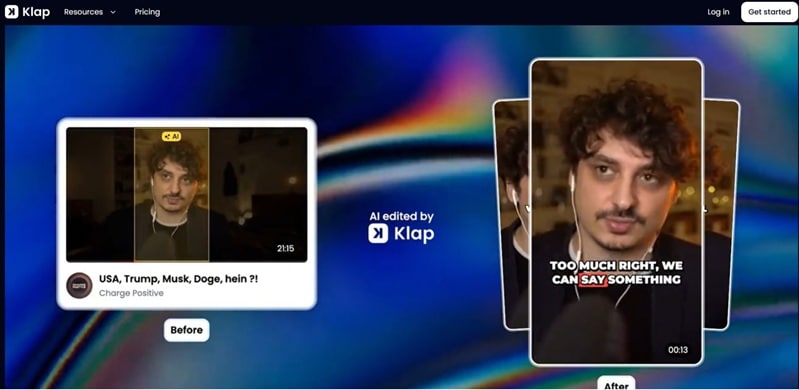
Klap analyzes your video, picks out the most interesting moments, and converts them into social-ready clips with very little effort from you. From a single long video, Klap typically generates multiple short clips.
Each clip is vertically framed, auto-captioned, and trimmed for quick consumption. Manual adjustments are possible, but the tool is built for speed, so creative control stays fairly limited.
Target users
- Podcasters and interview hosts
- Educators and coaches
- Solo creators producing talking videos
- Social media teams scaling short content
1.1 First Look at the Klap App Experience
The interface of Klap AI is fully web-based. The dashboard keeps options minimal, which helps beginners move fast without learning a traditional editing timeline.
Klap performs best with speech-driven videos. Podcasts, commentary, webinars, and educational content align well with its AI logic. The system prioritizes dialogue flow, emotional emphasis, and topic shifts rather than visual storytelling.
1.2 Core Klap AI Capabilities Explained
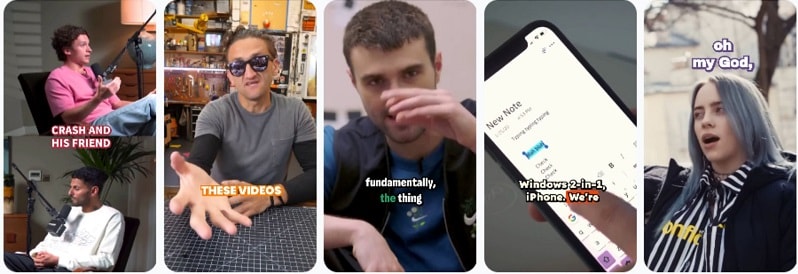
AI-Powered Clip Generation
Klap scans a long video and picks strong moments on its own. It then turns those moments into short clips. This saves time and supports fast repurposing.
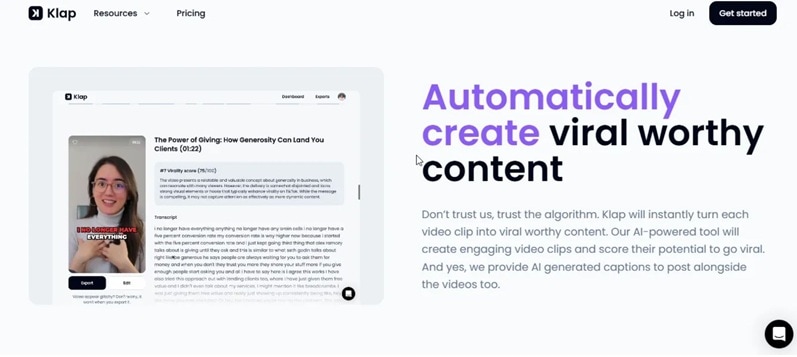
Shorts and Reels Optimization
Klap formats clips for short platforms. It helps creators post in vertical style for TikTok, YouTube Shorts, and Instagram Reels. The goal is simple. Make clips fit how people watch now.
Optimized for Talking-Head Videos
Klap works best when one person is speaking on camera. It handles interviews and podcast-style videos well. Cuts feel clean and clips stay focused on the speaker, which suits short-form content from the Klap app.
Automatic Subtitles and Translation
Klap automatically generates captions and supports multiple languages. This makes videos easier to follow. You can also adjust the text when needed for better accuracy.
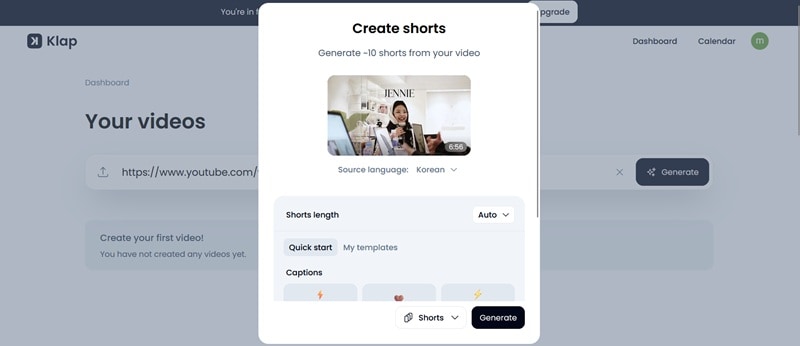
Video Resizing and Trimming
Klap lets you crop and cut clips to match each platform’s size rules. This is useful when your original video was made for widescreen. You can tighten timing and framing without extra tools.
Custom Branding
You can change caption style using basic controls like fonts and colors. Branding tools are not deep, but they are enough for a clean and consistent look.
1.3 Klap Pricing Overview
The Klap app uses a tiered subscription model billed yearly. Pricing scales based on how many videos you upload, how long those videos are, and how many clips you generate each month.
Paid Plans (Billed Yearly)
| Plan | Price (Monthly, Billed Yearly) | Video Upload Limit | Max Video Length | Clip Generation Limit | Download Quality | AI Dubbing |
| Starter | $14/month | 10 videos/month | 45 minutes | Up to 100 clips/month | HD | Not included |
| Pro | $39/month | 30 videos/month | Up to 2 hours | Up to 300 clips/month | 4K | 29 languages |
| Pro+ | $94/month | 100 videos/month | Up to 3 hours | Up to 1,000 clips/month | 4K | 29 languages |
Free Access and Limitations
Klap doesn’t provide a free plan or free trial, meaning you’ll need to subscribe to one of its paid tiers to start using the platform and access its features.
Part 2: Advantages and Limitations of Klap AI
This Klap review is based on practical use, not promises. Klap delivers speed and simplicity while also setting clear boundaries. Below is a balanced look at where it performs well and where it falls short.
- Strong time savings: Klap reduces long editing sessions to a few clicks. It cuts hours of work into minutes.
- Reliable AI output: Clip detection feels natural. Highlights follow speech flow and key points, not random cuts.
- Easy to use: The interface is clean and simple. New users can start without any background in editing.
- Wide language support: Captions work across many languages, which helps creators reach global audiences.
- Limited creative control: Klap is not built for complex edits. Multi-layer effects and advanced visuals are not supported.
- Restricted free access: Free usage is tight. You cannot download clips, which limits real testing.
- Support response concerns: Some users report slow support responses, which may affect time-sensitive projects.
- Best for talking videos only: Klap works best with speech. It is less effective for action-heavy or visual-first content.
Part 3: Building a Complete Video Workflow Beyond Klap
Klap AI is effective at extracting highlights from long videos. It saves time and simplifies repurposing. However, it does not provide full editing control.
As creators grow, they need more than clip extraction. They need to adjust pacing, refine captions, improve audio, and enhance visuals. Clipping tools focus on selecting moments, not shaping the final presentation.
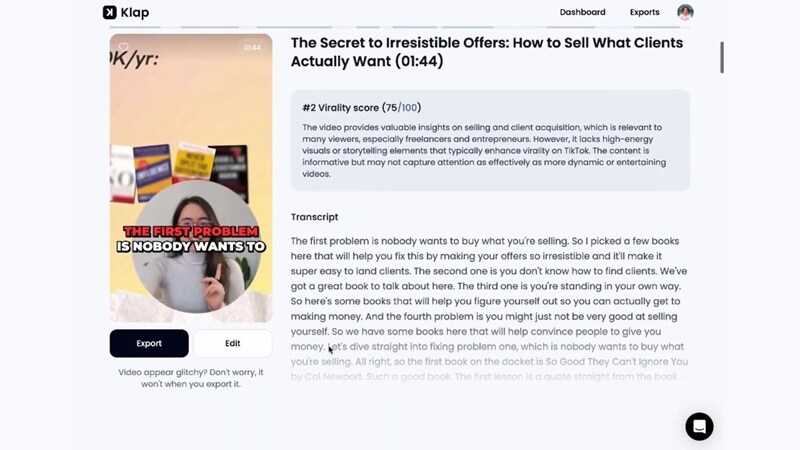
That difference matters. Without proper editing control, short clips can lack polish. This is why many Klap app users eventually look for tools that combine automation with greater editing flexibility.
Why Many Creators Look Beyond Klap
- Need for deeper timeline editing
- Visual storytelling limitations
- Demand for multi-purpose video creation
Wondershare Filmora - A Smarter Approach to Short and Long Video Editing
When creators reach the limits of clipping tools, the next step is not more automation. It is better to control. That means refining timing, improving audio, adjusting visuals, and shaping the final message.
In this case, consider using Wondershare Filmora. Filmora is built for creators who want both automation and editing depth. Instead of stopping at highlight extraction, it allows full timeline editing while still using AI to speed up repetitive tasks.
Key features
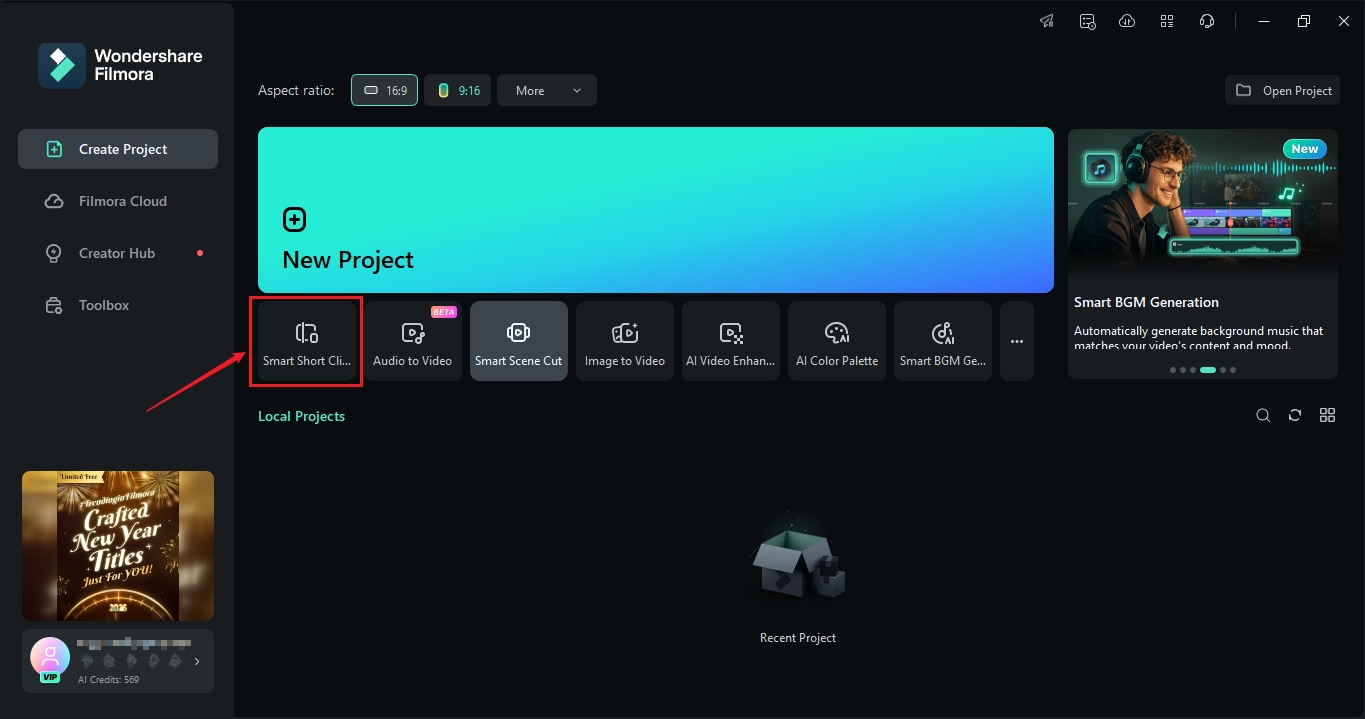
- Smart Short Clips: Automatically extract short clips from long video. It will recognize highlights, allow you to trim or rearrange the scenes and can even directly post to social media.
- Smart Scene Cut: Analyzes the long video footage, generates the highlight with people/ objects and an easily edited video.
- Auto Reframe: Reframe horizontal videos into vertical ones automatically. The subject remains centred, which makes it easy to convert long videos into Shorts and Reels without manually cropping them.
- Auto Caption: Accurate captions which can be styled and edited. This is great for watch time on silent-first platforms.
- AI Voice Enhancer: Noise is minimized and your spoken communications are cleaned up. Great for podcasts and talking videos shot outside the studio.
- Smart BGM Generation: Adds background music that matches video tone. Audio levels are balanced so speech stays clear.
- Text-Based Video Editing: Edits video by editing text. Removing words also removes the matching video parts. This speeds up long-form cleanup.
- Publish and Schedule: Exports videos in platform-ready formats and supports content planning, which helps creators manage frequent posting.
 Secure Download
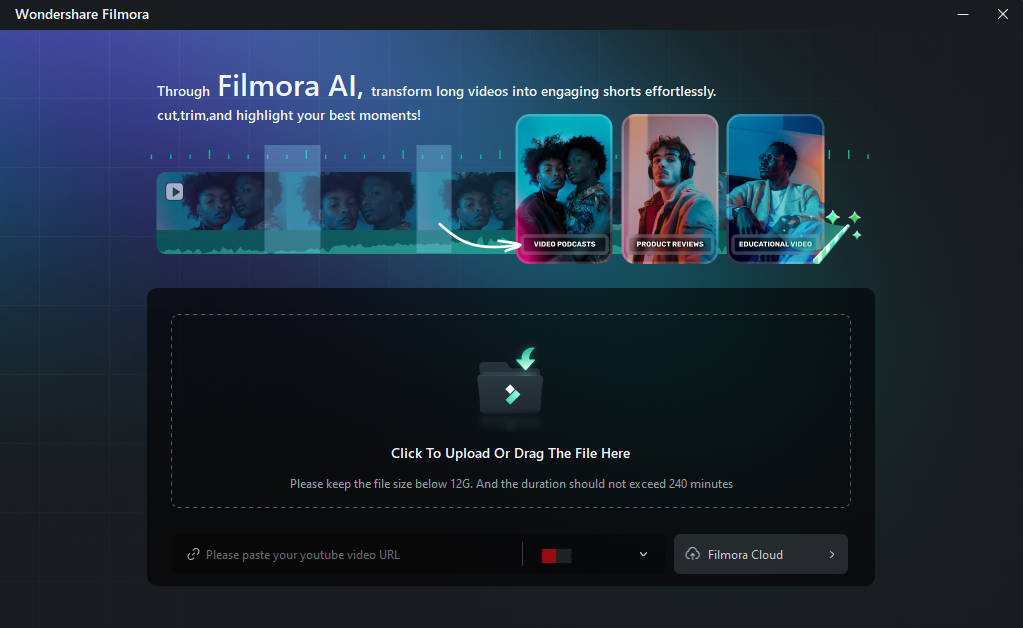
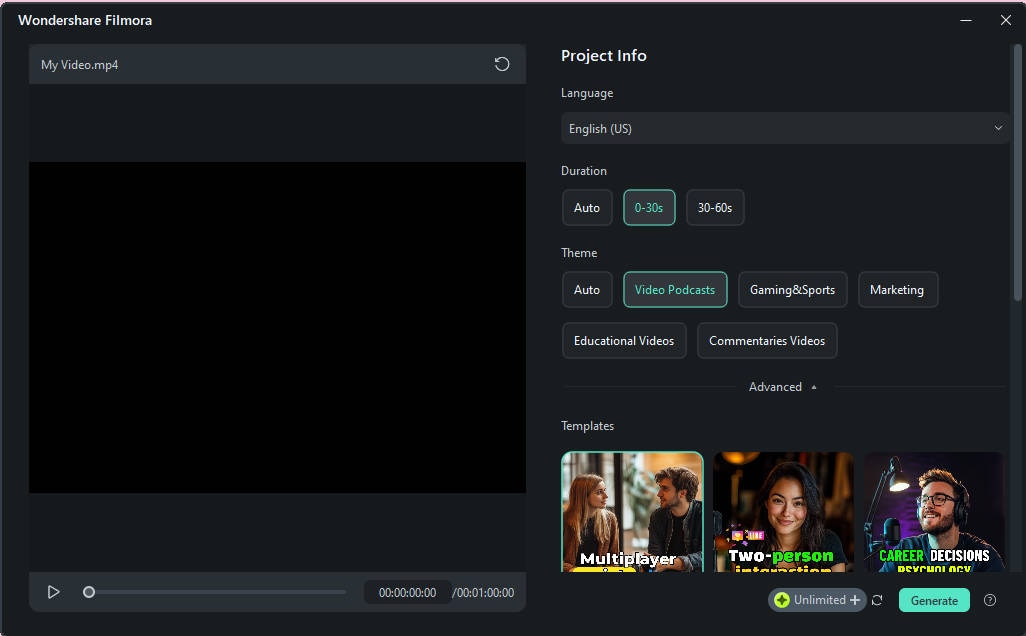
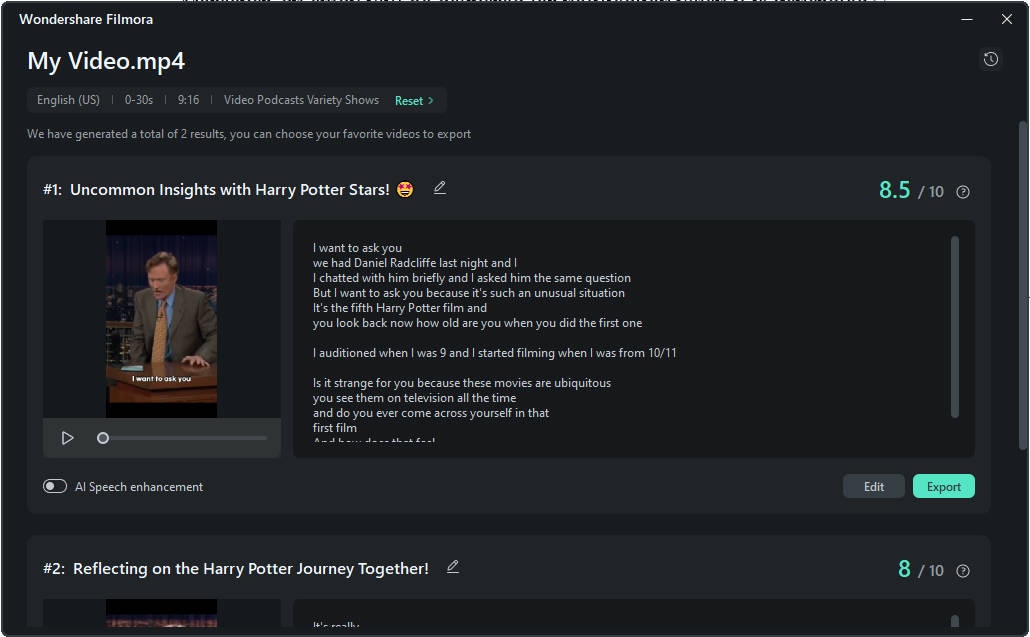
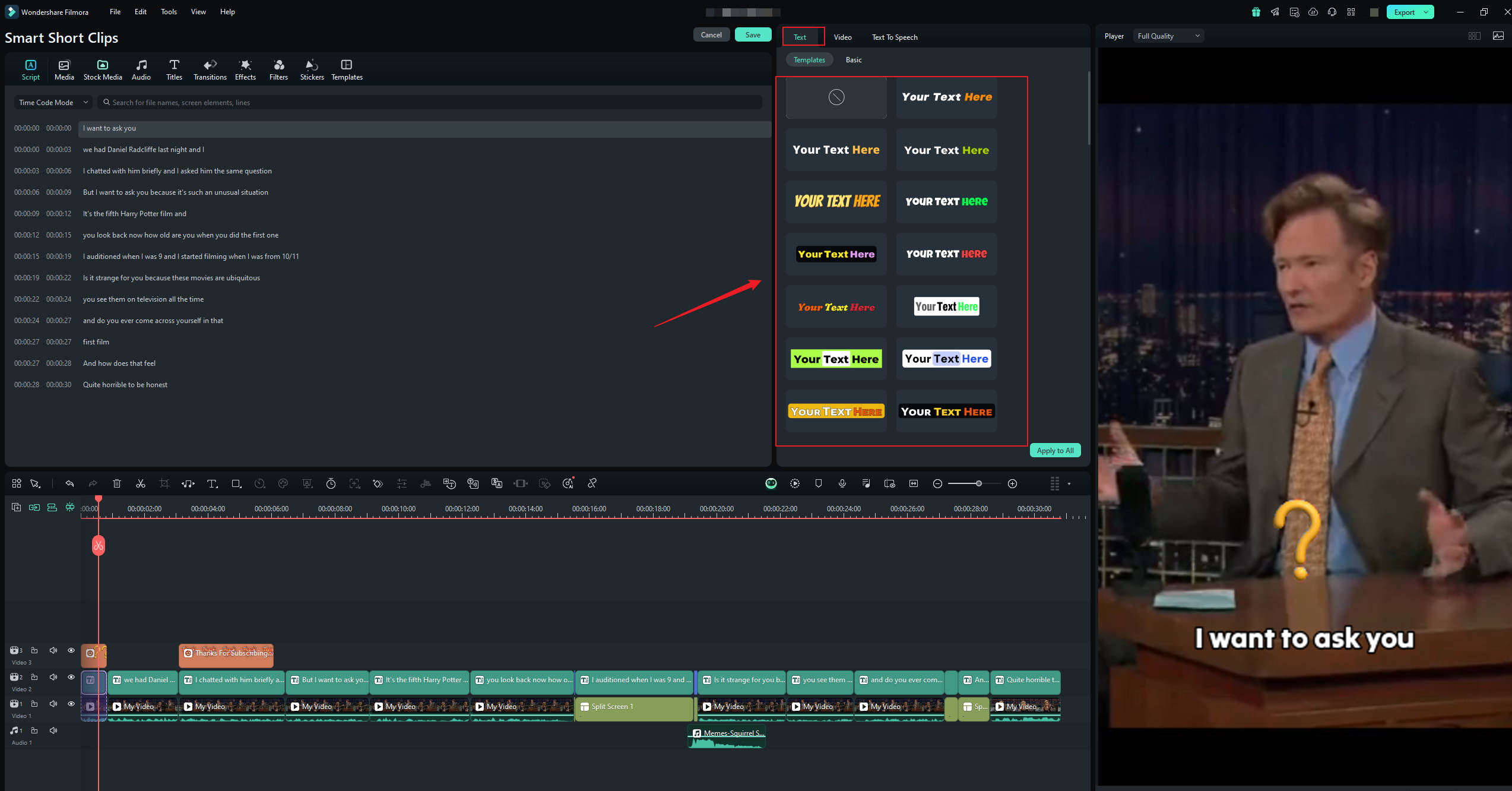
How To Convert a Long Video to a Short Video With Smart Short Clips
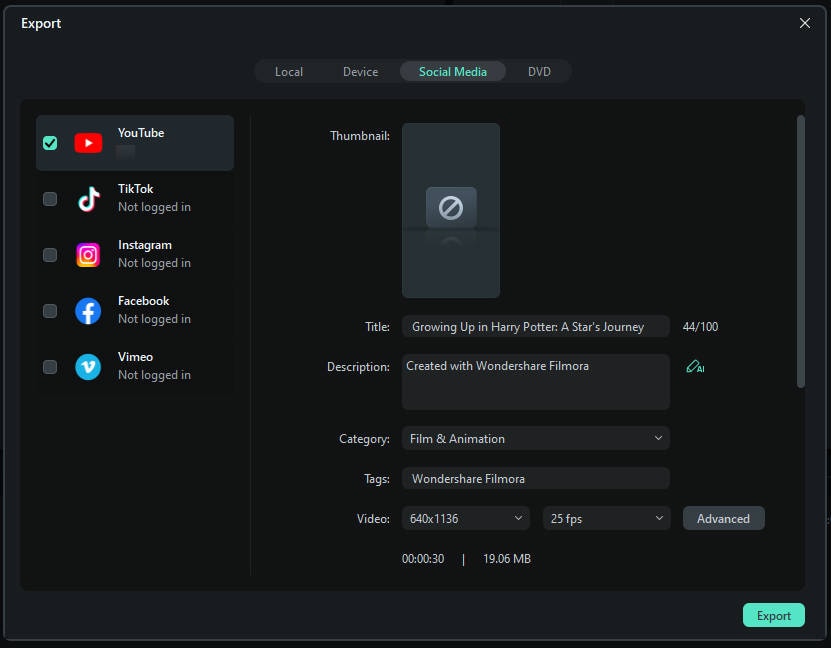
The tool you need to make a longer video into short clips like Klap is Filmora’s Smart Short Clips. Follow the step below to use it.
 Secure Download
Part 4: Klap vs Full-Scale AI Video Editors: Which One Should You Choose
The choice comes down to speed vs control. Both options serve different creator needs.
Klap for Fast Automated Clipping
Klap AI is built for speed. Upload a talking video and get short clips fast. It works best when you want quick results and minimal editing. Control over pacing, visuals, and audio is limited, but the process is simple.
Best for
- Podcasters and interview creators
- Coaches and educators
- High-volume short content posting
Filmora for Creators Who Want Control
Full-scale AI editors go beyond clipping. They also let creators edit timing, captions, audio and visuals in a single location. Filmora supports both long-form content and short-form repurposing, and that’s why creators tend to grow into it for their needs.
Best for
- Creators focused on quality and retention
- Brands managing multiple platforms
- Users who need one tool for all video formats
Conclusion
This Klap review shows that Klap AI succeeds at speed. It turns long talking videos into short clips with little effort. That makes the klap app useful for quick repurposing and high-volume posting. Yet speed has limits. As creators get more sophisticated, they want cleaner audio, stronger visuals and greater control over pacing and story flow.
Filmora AI assists creators in a non-restrictive way, as it does not predictively lock filmmakers into rigid automation. The true benefit comes from pairing smart clipping with smart editing that ensures content stays sharp, clear and competitive.
FAQs.
-
1. Can I edit the clips Klap AI generates?
Yes, but only in a limited way. Klap AI allows trimming, caption edits, and basic branding. It does not support timeline editing or detailed visual control. Creators who want clean pacing, better captions, or audio polish usually export clips to Filmora for final edits.
-
2. Does Klap AI work with long videos or only short content?
Klap AI is built for long videos. You post an entire podcast, interview or YouTube video and the tool generates several short clips from it. Many creators then trim those clips in Filmora or cut the same long video into different versions for various platforms.
-
3. Is Klap AI suitable for podcasts and interview videos?
Yes. The Klap app is best for podcasts, interviews, and talking-head content. It performs poorly with visual-first footage, but it is effective when speech drives the video.
