


 TL;DR:
MakeClips AI automates short-form faceless video creation for social media through templates and AI generation, offering a fast workflow for beginners but lacking the deep customization required for complex projects.
● The platform provides a limited free trial containing 2 AI credits and 2 Render credits for producing watermark-free, commercial-use clips, after which users must upgrade to paid subscriptions starting at $29 per month.
● The AI Influencer tool generates avatars using four distinct models, including Nano Banana 2 for natural phone aesthetics and Flux 2 for vibrant outputs at half the credit cost, though the overarching reliance on templates restricts scene-level control.
● Wondershare Filmora is recommended as an alternative for creators outgrowing these limitations, providing a full video editor, cross-platform project syncing across iOS, Android, macOS, and Windows, and a social content planner for scheduling uploads based on analytics.
Ask AI for a summary
 ChatGPT
 Perplexity
 Gemini
 Claude
 Grok
Grok
Are you too shy to appear on camera, or do you simply prefer to stay anonymous? AI tools have made it much easier to create videos without showing your face. Vidboard AI found that more than 30% of viral videos across YouTube, TikTok, and Instagram are faceless, showing that engagement can be more important than personal branding.
One tool for this is MakeClips AI. It is designed to help users make videos quickly and easily. Pick a template from its collection, and with a few simple clicks, your content is ready to post. We will take a closer look at MakeClips AI and its features, explain how it works, and cover its strengths and weaknesses.
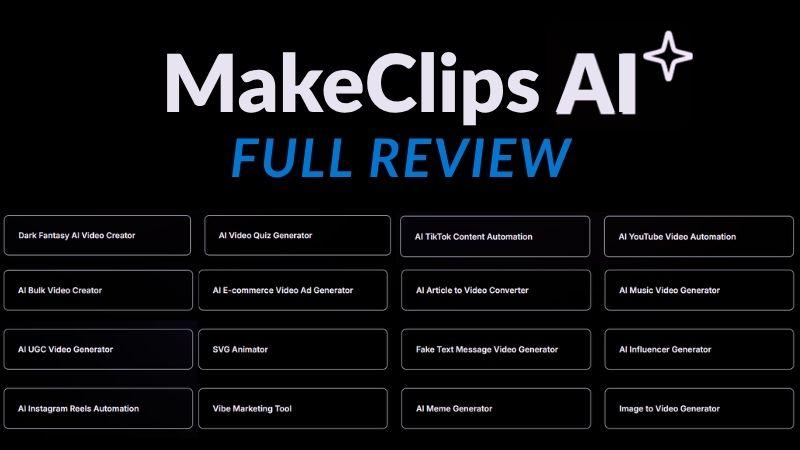
Part 1. MakeClips AI At A Glance
If you are a content creator, chances are you’ve heard of MakeClips AI. It is a platform that helps users create faceless videos and images using AI tools and ready-made templates. You can generate content from text prompts or images, making it easier to stay anonymous while still posting consistently.
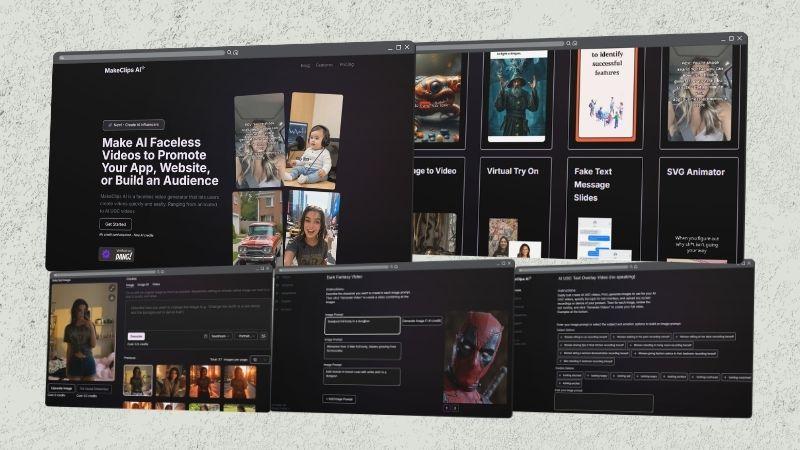
With the way it works, MakeClips AI is suitable for:
- Storytelling creators: Share fictional stories, historical topics, or original ideas with matching visuals and narration.
- Educators and tutors: Explain complex topics using AI-generated visuals, slides, and voiceovers.
- Product promoters: Create engaging tip-based videos, then showcase products with B-roll and narration.
- Compilation creators: Produce funny clips and meme content.
- Lifestyle creators: Share outfit ideas, mix-and-match looks, routines, or everyday content with AI avatars.
How to Access MakeClips AI?
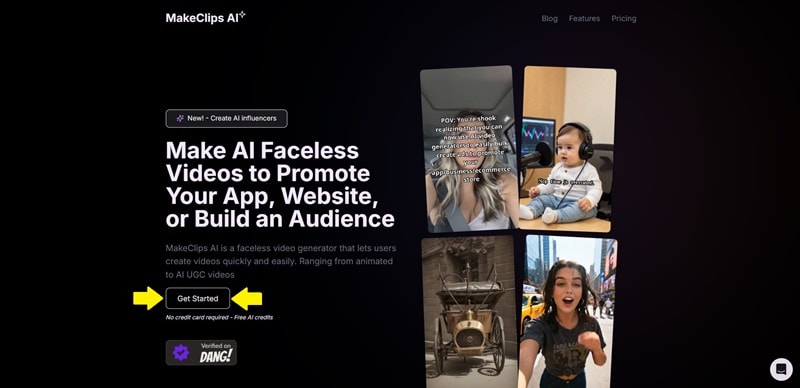
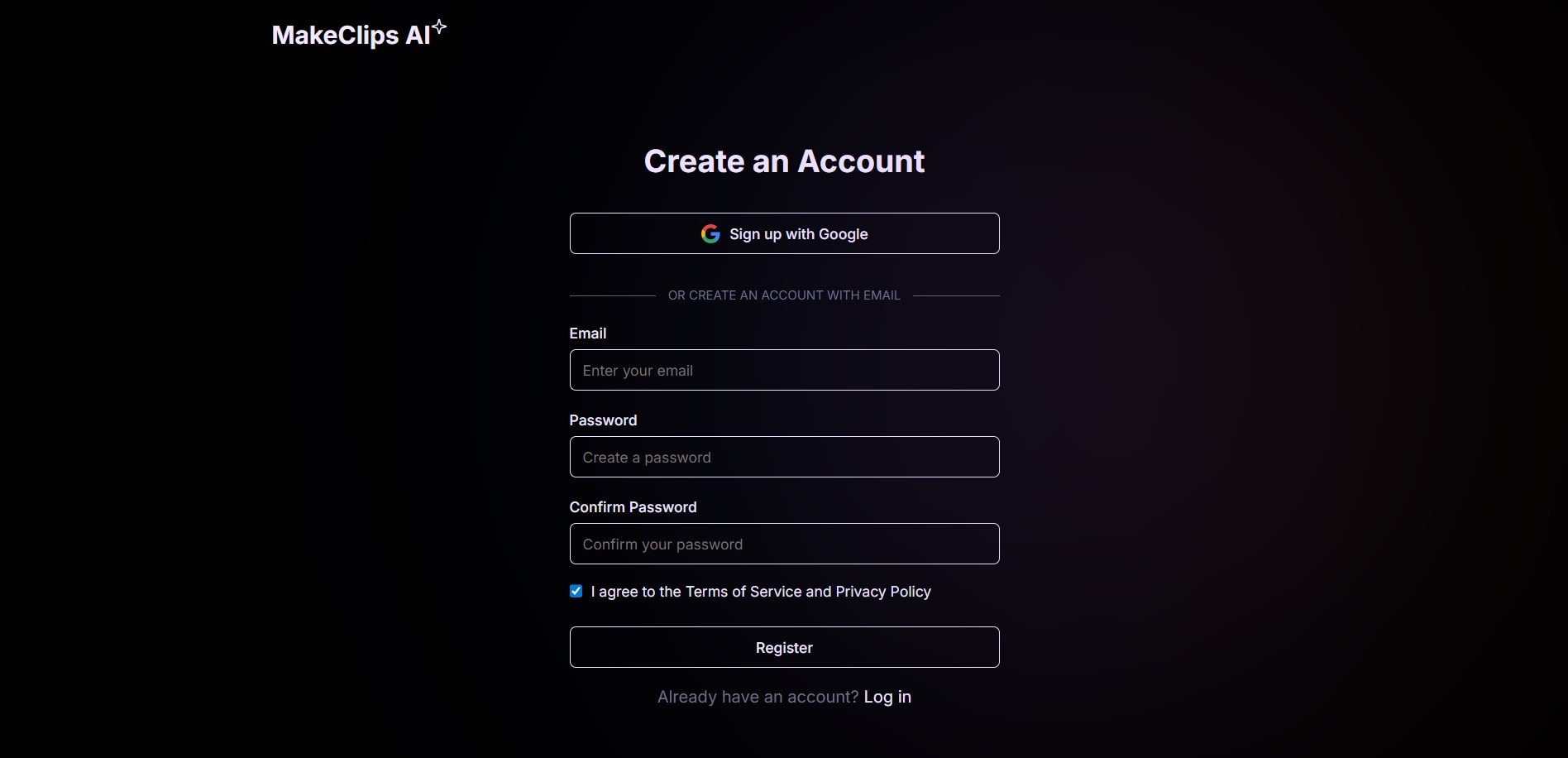
Now that we know who usually uses MakeClips AI, let’s see how to access the platform.
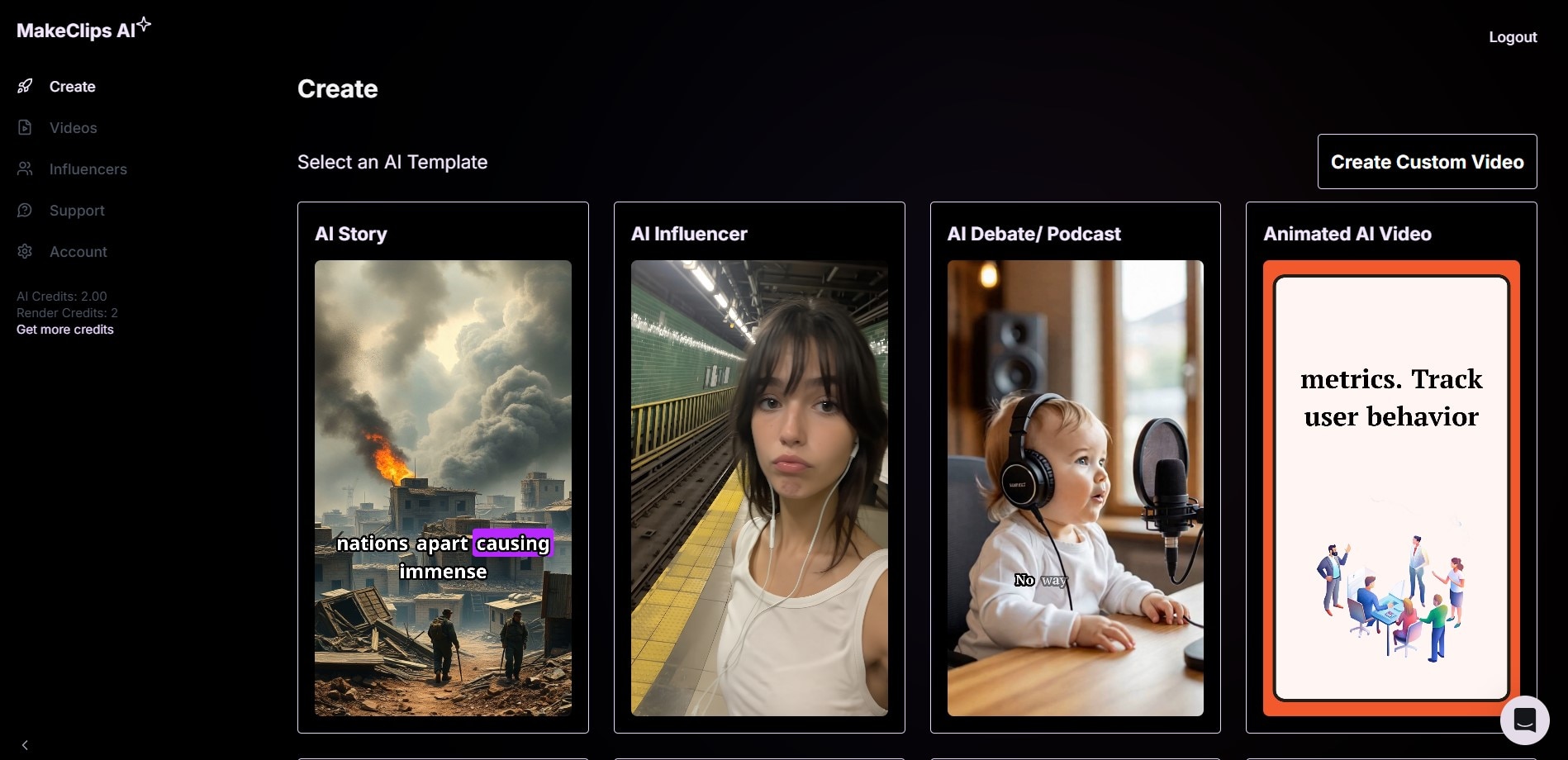
Part 2. What You Can Create With MakeClips AI
So far, we already know what MakeClips AI is about. But the bigger question is, what can you actually make with it? With many features already available and new ones still being added, there is quite a lot to explore.
Let’s look at the details below.
1. Create Videos Faster with AI Tools
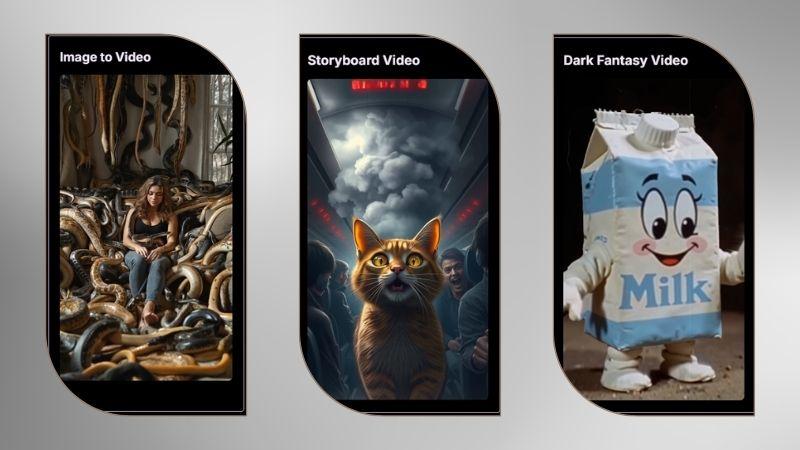
With MakeClips AI, you can turn ideas into videos quickly and experiment with different concepts. You can create fun clips, visual stories, or creative themed videos. There are several tools to choose from.
- Image to Video: Animate a still image and decide how you want it to move.
- Storyboard to Video: Describe your video concept, let the AI build a storyboard, then generate the full video. More detailed prompts usually give better results.
- Dark Fantasy Video: Create fantasy images from prompts and combine them into one complete video.
2. Creative Templates for Viral Content
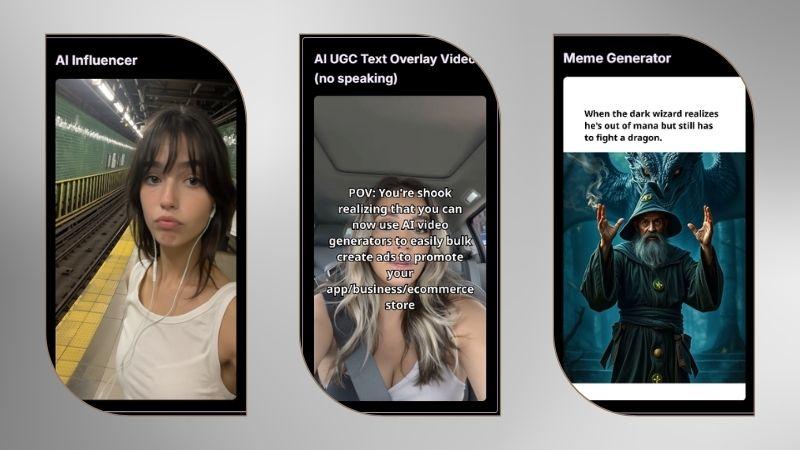
Besides video generators, MakeClips AI includes templates made for social media content that can attract views and interaction.
One standout feature is AI Influencer, which generates a digital influencer character for videos or posts. Another is the AI UGC Text Overlay Video that helps you make no-speaking videos using text overlays. For fun content, the Meme Generator creates memes with captions and turns them into a short video automatically.
3. Create Stories Easily with AI
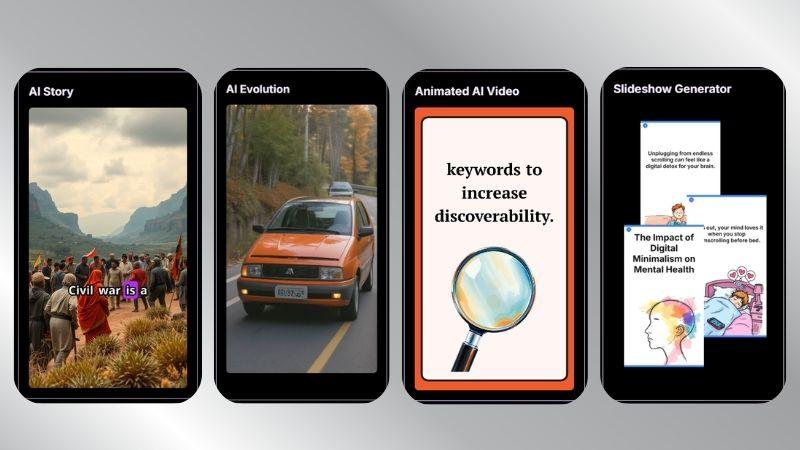
If you prefer content that tells a story or shares useful information, MakeClips AI can help with that, too.
AI Story and AI Evolution can help you create historical or timeline-based videos with visuals in chronological order. You only need to enter the topic you want. If you prefer tips or educational content, the Animated AI Video and Slideshow Generator can be a better fit.
4. Fun AI Features You Can Play With
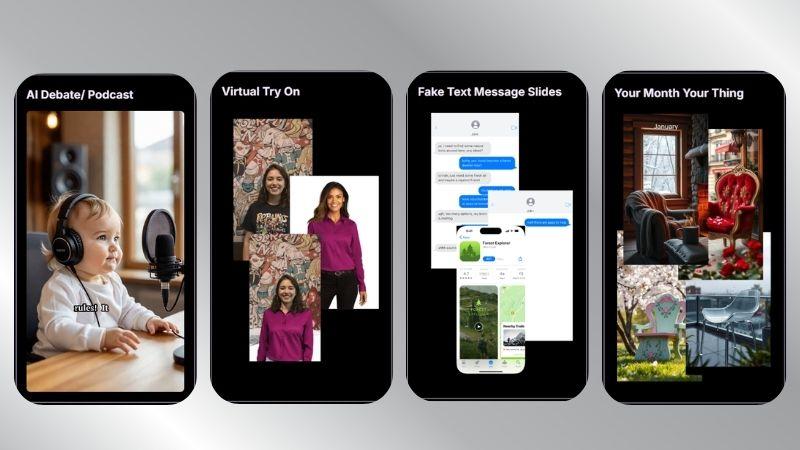
Beyond its main generators, MakeClips AI also offers several entertaining tools worth exploring.
AI Debate/Podcasts are useful for creating AI conversation videos. For image content, Virtual Try On and Your Month Your Thing let you generate personalized visuals. Meanwhile, Fake Text Messages Slides helps create chat-based stories or relatable scenarios.
5. Built-In Video Editor for Customization
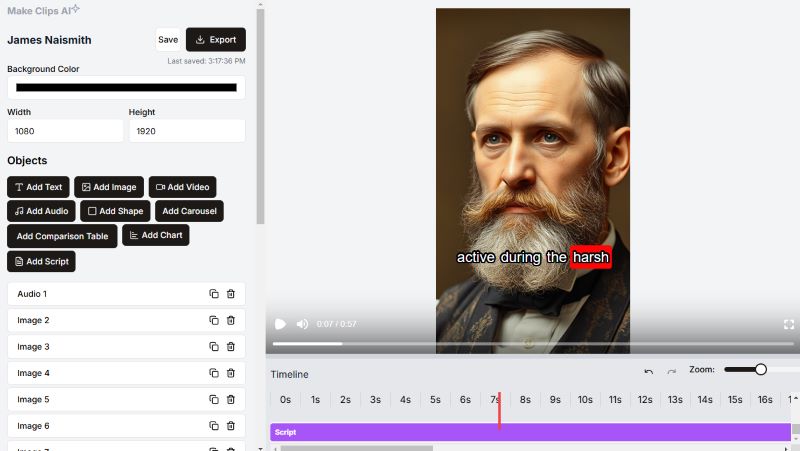
If templates are not really your style, MakeClips AI also gives you a built-in editor to make your own videos. It is focused on simple editing rather than highly detailed scene control, but it is enough for many quick projects. You can add, remove, or rearrange content elements such as visuals, text, audio, and interactive components.
Upcoming AI Features in MakeClips AI
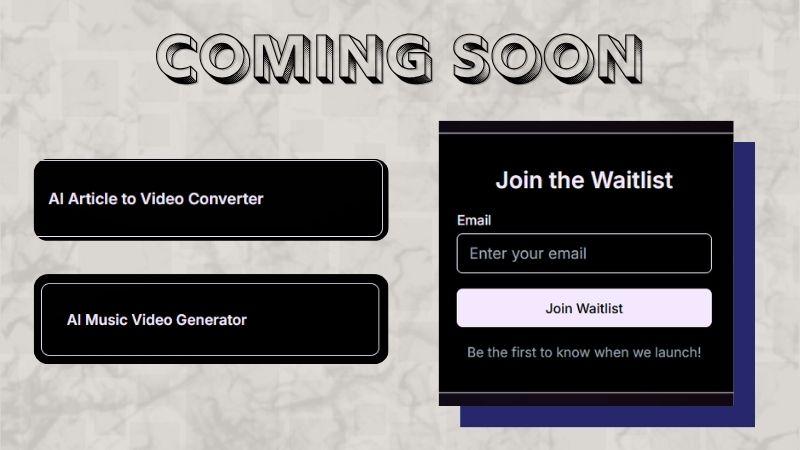
MakeClips AI continues to expand its platform with new tools and updates. The platform revealed several upcoming features that are currently in development. If you are interested, you can join the waitlist for release notifications.
- AI Music Generator: Turn your music into engaging visual videos.
- AI Article to Video Converter: Automatically convert written articles into videos.
Part 3. Is MakeClips AI Free? A Look At Its Pricing
Pricing can be a major deciding point for many users. If you are asking whether MakeClips AI is free, it currently provides a free trial rather than an ongoing free version. New users receive 2 AI Credits and 2 Render Credits to explore the platform.
- AI Credit: Covers AI generation for up to one minute of content, including visuals, voice, and transcription.
- Render Credit: Used to export one finished video.
Once those credits run out, you may need to upgrade to a paid subscription. MakeClips AI currently offers three plans: Basic, Pro, and Premium. As the plan gets higher, you receive more credits and stronger customer support.
| Aspect | Basic | Pro | Premium |
| Price | $29 per month | $59 per month | $89 per month |
| AI Credits | 200 | 400 | 650 |
| Render Credits | 200 | 400 | 650 |
| Full Video Editor | |||
| Email Support | Priority | 24/7 Priority Support |
In the end, it comes down to how often you use MakeClips AI. Light users may only need the trial, while active creators may get more value from a subscription.
Part 4. How to Use MakeClips.com AI Influencer (Tutorial)
Now it is time to move beyond features and see how MakeClips AI performs in an actual workflow.
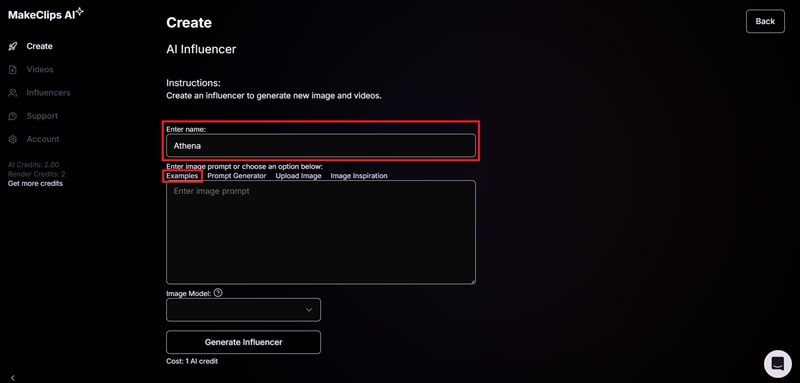
Among its many tools, we will try one of the most searched features: the MakeClips.com AI Influencer template. We will generate several images using the same prompt but with different AI models, so you can compare the results more clearly. Let’s dive in.
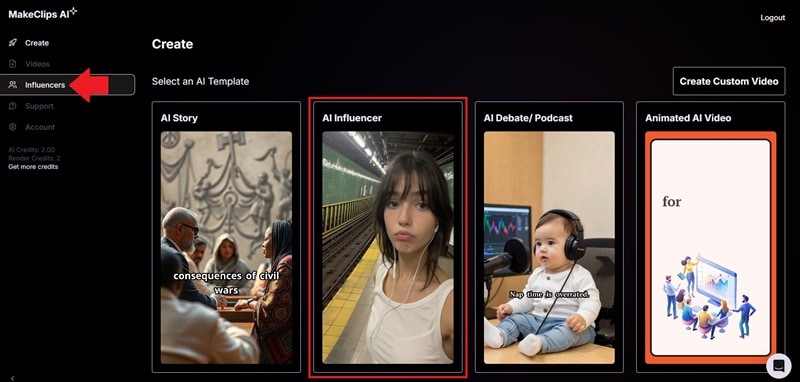
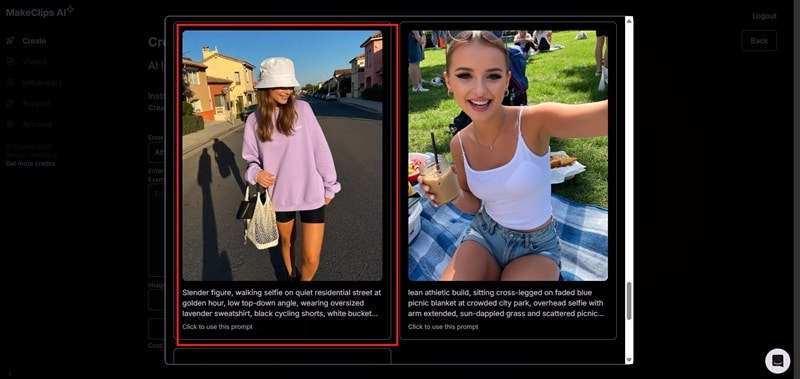
For the prompt, you can choose from MakeClips AI’s sample prompts, use the prompt generator, or write your own. In this case, we will open Examples.
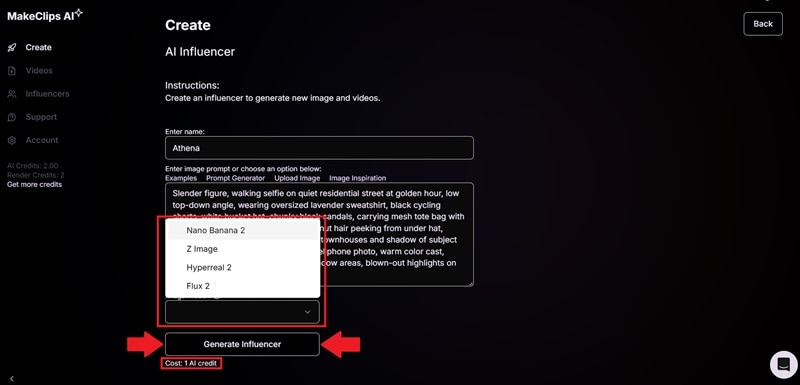
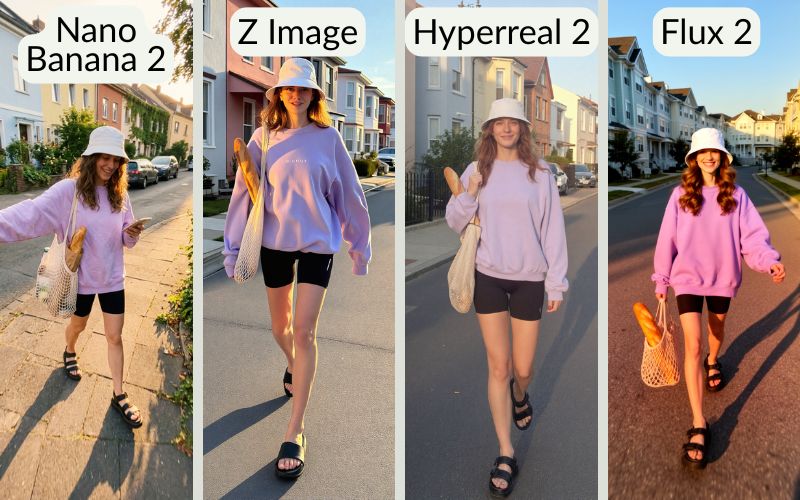
This comparison makes it easier to see how each AI model differs. All four models produced a similar person, outfit, and background. The biggest difference can be seen in the photo style and image finish.
- Nano Banana 2 (1 credit) feels the most natural. It feels like a casual phone photo with a slight blur in some areas, while the subject remains in focus.
- Z Image (1 credit) gives a clearer and sharper result. It focuses well on the subject with balanced colors.
- Hyperreal 2 (1 credit) has softer and lighter colors compared to the others. It gives a flatter look, similar to a raw photo look.
- Flux 2 (0.5 credit) produces more vibrant colors with a soft-focus effect. Skin looks smoother, and the overall image feels more aesthetic.
Part 5. MakeClips AI: What Are The Pros and Cons?
After exploring its features and testing the MakeClips AI Influencer, it’s clear that the platform offers convenience for creators who want to produce content quickly, especially for faceless videos. Still, it is not perfect, so there are both strengths and trade-offs to keep in mind.
- Almost No Learning Curve: Since MakeClips AI relies on automation, first-timers can quickly navigate and use the platform.
- Automatic Framing: AI tracks people and movement to keep the main subject visible in vertical video layouts.
- Designed for Engagement: The AI specifically looks for "hooks" that are likely to perform well on social media.
- Limited Customization: You can make basic adjustments through prompts and the built-in editor, but the control is still limited. If the result doesn’t match what you want, you will likely need to generate it again.
- Dependent on Templates: Outputs may look similar to other creators when many users rely on the same templates, styles, or content formats.
- Only Suitable for Short Content: MakeClips AI is more suitable for social media clips than detailed, complex, or long-form video projects.
Bonus: Try Wondershare Filmora For More Control
If you are ready to move to a more advanced tool or want more hands-on editing than MakeClips AI offers, Wondershare Filmora is a strong option to explore.
Filmora also offers a wide variety of templates while still giving you access to a full video editor. This means you can adjust each scene to match your own style. It also comes with a range of AI tools for video and audio to help you create more polished results.

 Secure Download
Let’s explore why Filmora is worth a closer look.
1. AI Generative Tools for Faster Creation
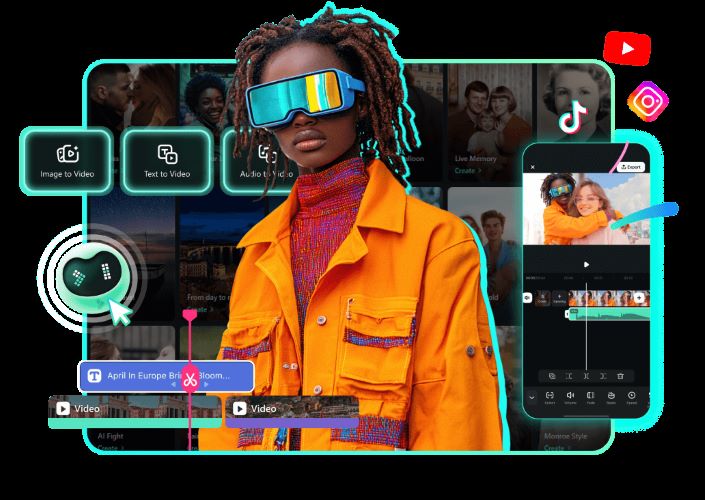
Similar to MakeClips AI, Filmora makes video creation faster with its AI Video Generator. You can turn prompts, ideas, or images into videos in just a short time. This gives you more freedom to add your own creative twist or build original stories.
To complete the process, Filmora also includes a Music Generator and Sound Effect Generator. You can choose background audio that best matches your video style.
2. Create More with Filmora’s Asset Library
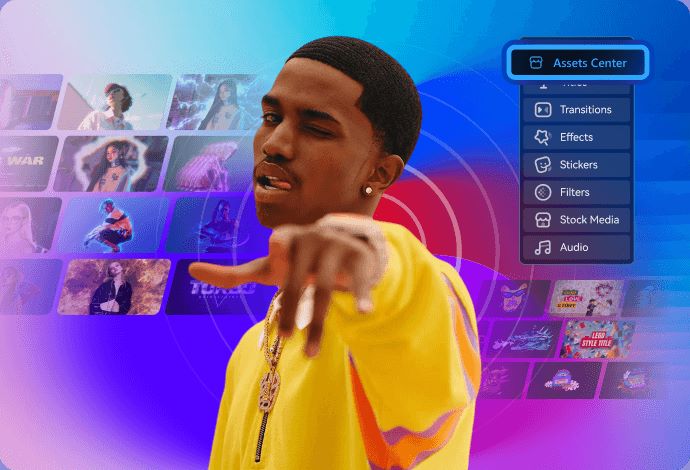
With Filmora, you don’t have to worry about lacking B-roll, smooth transitions, or trendy filters. The platform gives you access to thousands of creative assets to enhance your videos. These tools can help make your content more eye-catching and engaging for viewers.
3. Upload Your Videos at the Right Time
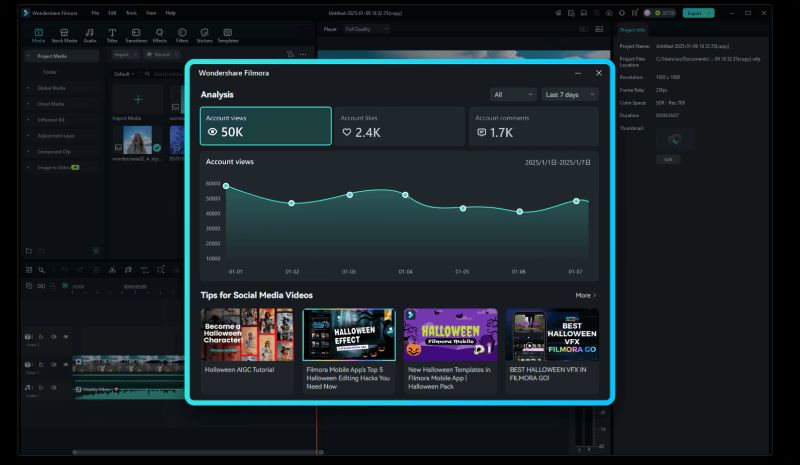
Filmora’s Social Content Planner is a handy tool for planning your uploads. Using a full analytics dashboard, it can recommend the best times to post for stronger engagement. It can also track publishing trends from the past 7 and 30 days, helping you spot patterns and areas to improve.
4. Switch Easily Between Desktop and Mobile
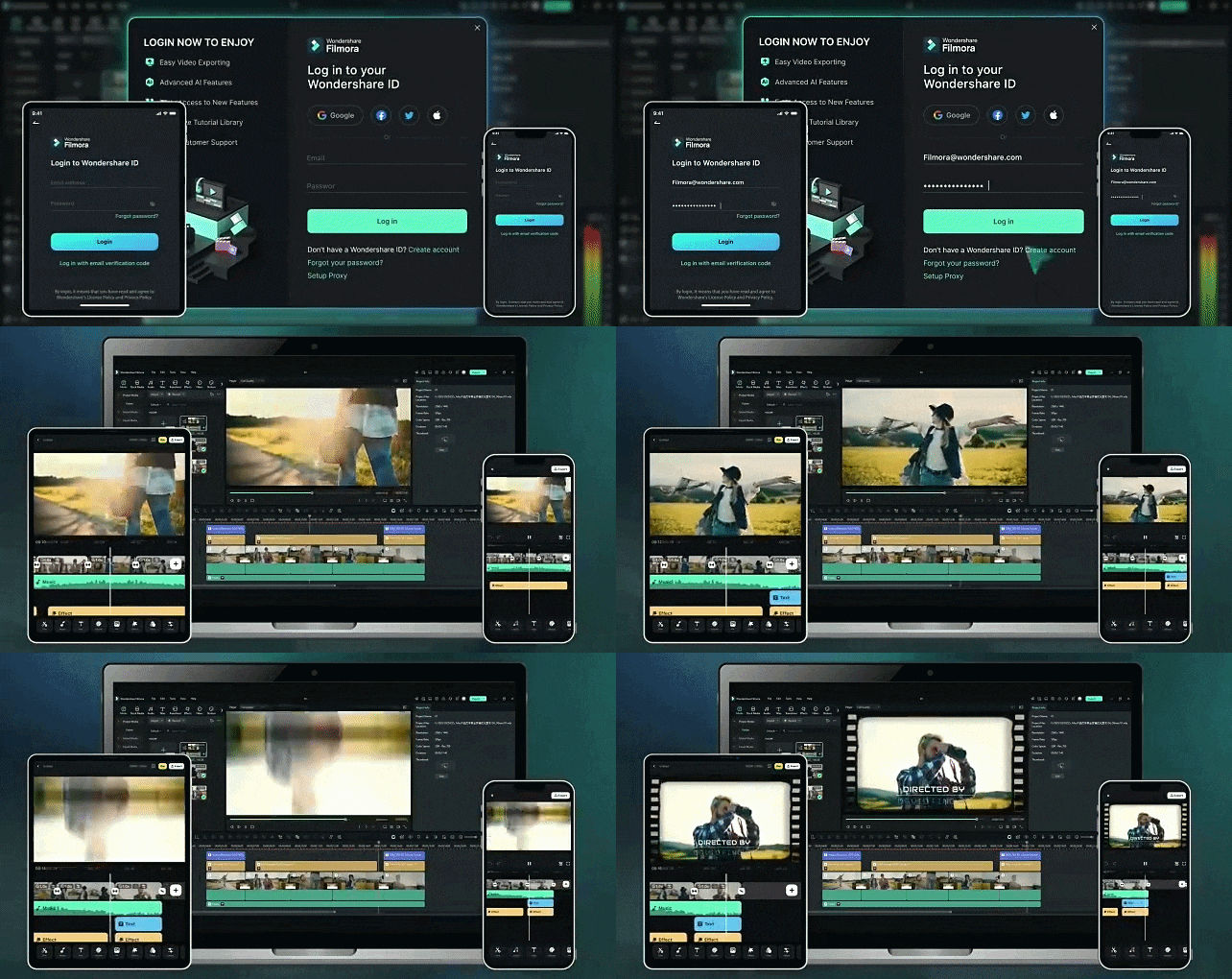
It may look like a small benefit, but it matters a lot for the workflow. Filmora is available across mobile and desktop platforms, so you can switch devices while editing. It supports iOS, Android, macOS, and Windows. Your project remains synced, making it easy to continue anytime.
Conclusion
Many people turn to MakeClips AI for creating social media content, and it is easy to understand why. Its faceless video features are popular for users who want to create while remaining anonymous. The platform keeps the process simple and accessible. It also includes many templates, covering serious themes like storytelling and podcasts, as well as fun options such as meme generators and virtual try-on.
However, if you are ready for a tool with more control as your needs grow, Wondershare Filmora is a strong alternative. With its AI video tools and large creative asset library, it can help you create more polished content with stronger viral potential.
FAQs
-
1. Can I use videos generated from MakeClips AI for commercial projects?
Yes. You keep ownership of the videos you create with MakeClips AI. The platform is built for business and content use, such as marketing, sponsorships, or promoting products and services. -
2. If a video doesn't turn out the way I want, can I edit it directly inside MakeClips AI?
Yes. MakeClips AI includes a built-in editor for quick adjustments. You can add text, images, subtitles, and make scene changes without starting over. -
3. Are the generated videos exported with a watermark?
No. The exported videos are watermark-free, even for Make Clips AI free users. -
4. Can I convert ait to ai using MakeClips AI?
No. AIT stands for Adobe Illustrator Template, and AI refers to Adobe Illustrator Artwork. Since MakeClips AI is designed for video generation, it doesn’t offer file conversion for Adobe formats. -
5. Do Reddit users recommend MakeClips AI?
So far, there are no major discussions about MakeClips AI on Reddit.
