


 TL;DR:
Moonshot AI's Kimi K2 is a highly technical, 1-trillion-parameter alternative to ChatGPT that prioritizes autonomous coding, complex reasoning, and long-context analysis over casual, everyday conversation.
● The latest iteration, Kimi K2.6, scales autonomous workflows by deploying an Agent Swarm of up to 300 sub-agents to execute 4,000 coordinated steps, introducing Claw Groups that allow developers to take over or redirect specific subtasks mid-execution.
● While ChatGPT provides a more versatile and polished experience for casual users, the Kimi lineup is best suited for developers and researchers who require independent multi-step problem-solving, entire codebase debugging, and continuous execution without manual reprompting.
● Users outside supported mobile regions should access the AI via the official Moonshot web interface or the Kimi Explorer Chrome extension, as sideloading unofficial APK versions introduces significant security and stability risks.
Ask AI for a summary
 ChatGPT
 Perplexity
 Gemini
 Claude
 Grok
Grok
Moonshot AI is gaining attention for how it builds AI. Its Kimi models prioritize performance, and Kimi K2 shows that clearly. It handles coding, long documents, and complex reasoning with strong results, powered by a Mixture-of-Experts design with trillions of parameters.
The newer Kimi K2 “Thinking” model goes further, breaking tasks into steps and working through them more carefully. This shift puts it closer to tools like ChatGPT and Claude, especially for users who need more than quick answers. In this Moonshot AI review, we’ll cover its features, real performance, how to access it, and how it compares in daily use.
Part 1. What Is Moonshot AI?
Moonshot AI is a China-based AI company known for building large language models that focus on long-context understanding and complex reasoning. Its main product line is the Kimi ecosystem, which includes a chatbot and models built for tasks such as coding, document analysis, and structured problem-solving.
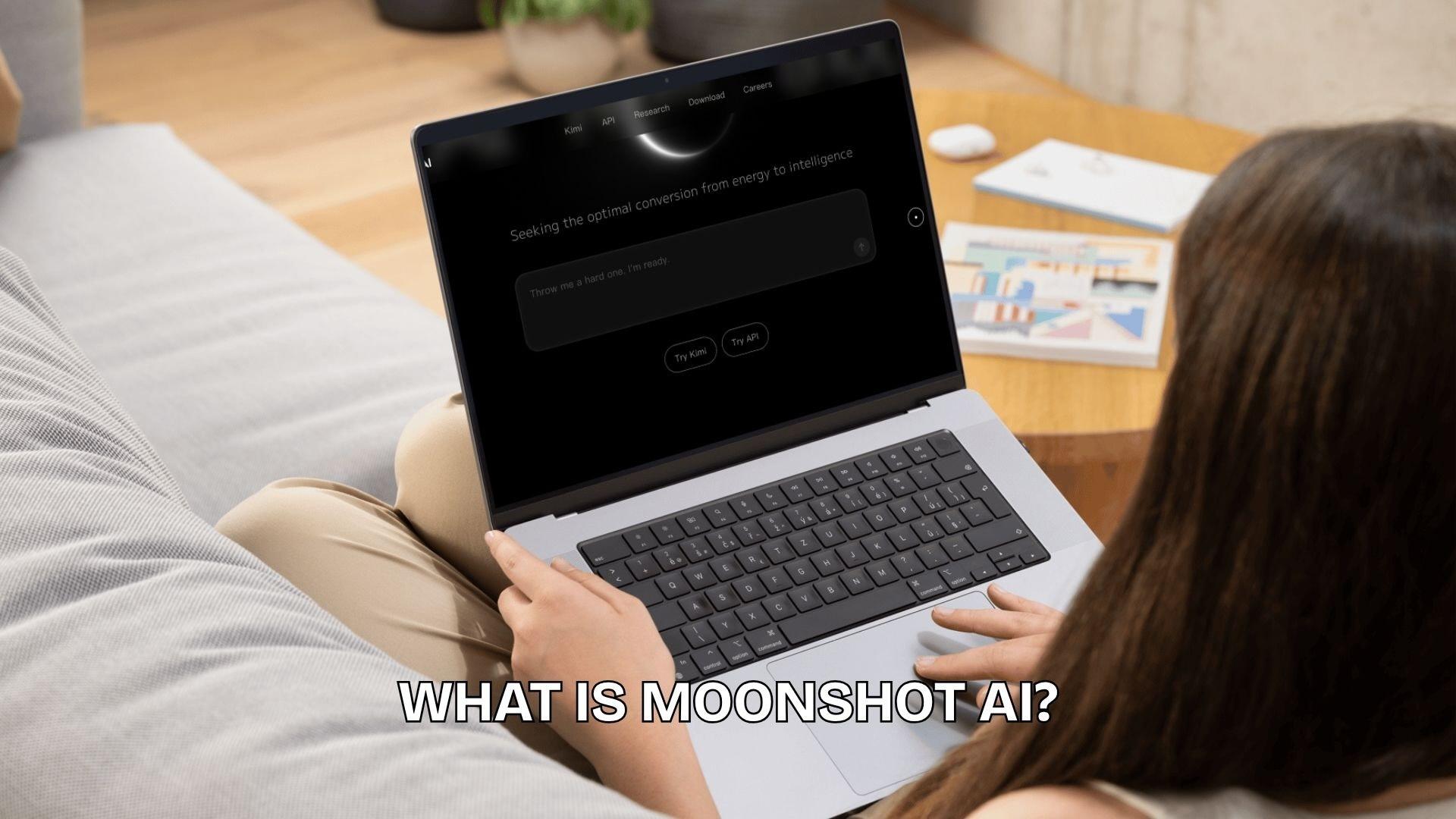
Unlike many general chat tools, it’s often used in more technical or research-heavy workflows, where handling large inputs and maintaining accuracy matter more.
Key points about Moonshot AI:
- Founded in 2023, growing quickly. The company gained attention shortly after its launch by releasing capable models that quickly entered real-world use cases.
- Kimi chatbot as the core product. The chatbot is built for long-context conversations, allowing you to work with large documents and detailed inputs without losing context.
- Strong focus on performance over simplicity. Its models, including Kimi K2, are designed to handle reasoning-heavy and developer-oriented tasks rather than just casual chat.
- Competing in a crowded AI market. Moonshot is often compared to tools like ChatGPT and Claude, especially in areas such as coding capabilities and long-context processing.
Alongside DeepSeek, Qwen, and MiniMax, Moonshot AI is considered part of China's "AI Tigers," a group of research-focused labs that have progressively closed the performance gap with US frontier labs.
Part 2. What Is Kimi K2? Get to Know Moonshot AI Chatbot
Moonshot AI is introducing Kimi K2 as part of its effort to deliver a more capable, task-oriented AI system within the Kimi ecosystem. Different from standard chatbots, Kimi K2 is designed as a large-scale Mixture-of-Experts (MoE) model with a total of approximately 1 trillion parameters, where only a small fraction of parameters are activated per request to improve efficiency and performance.
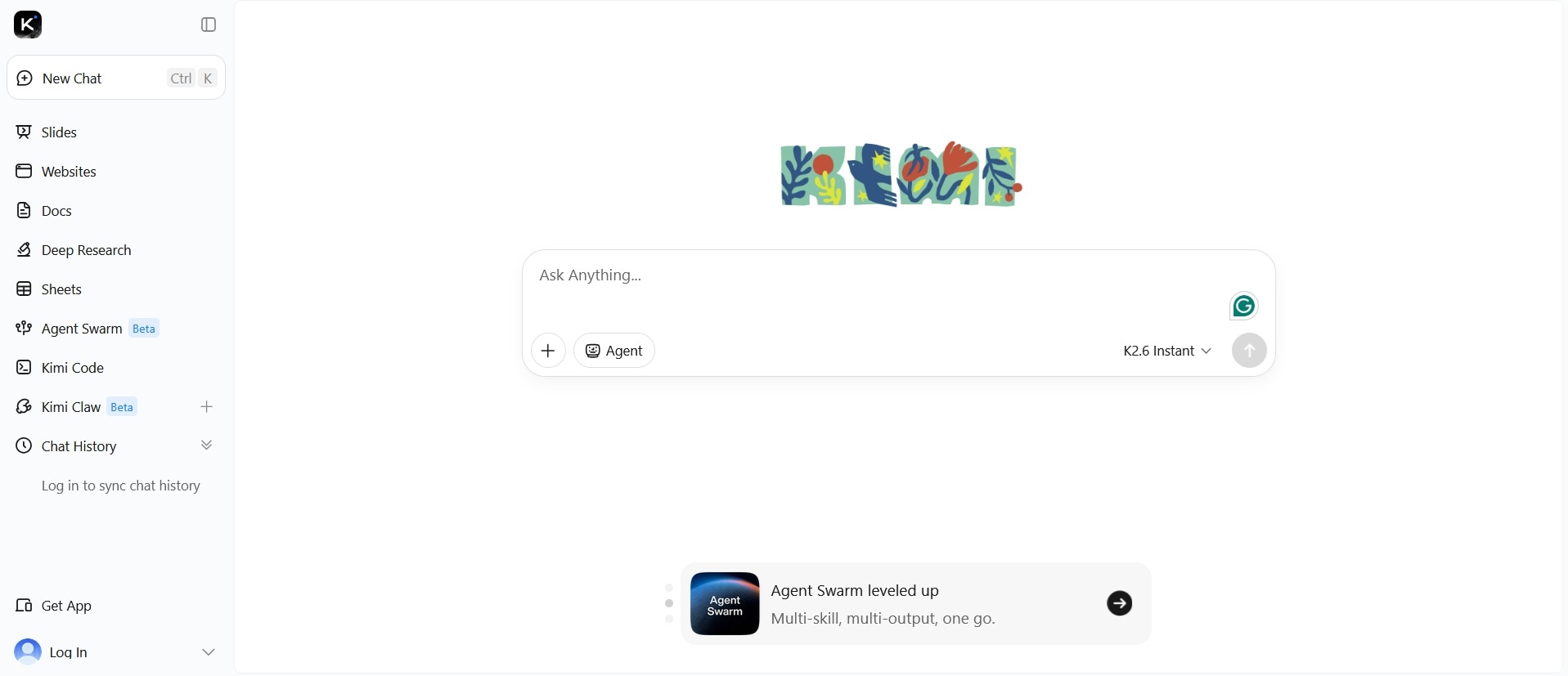
In short, Kimi 2 is designed to handle demanding workloads such as coding, reasoning, automation, and long-context analysis, setting it apart as a “functional AI” rather than a typical chat assistant.
Key Features of Kimi K2
- 1 trillion parameter MoE architecture. It’s built using a sparse Mixture-of-Experts system, meaning the model can handle massive scale while maintaining computational efficiency.
- Superior performance in technical tasks. Kimi K2 is optimized for programming, mathematical reasoning, and multi-step problem-solving, which are frequently used in developer workflows and research.
- Agent-like capabilities. Designed to break down tasks, use tools, and execute structured workflows, rather than simply generating text responses.
Why did Kimi K2 go viral?
Just one day after launch, Kimi K2 became the fastest-downloaded model on Hugging Face, indicating massive interest from developers. The hype was driven by:
- Strong benchmark performance. Kimi K2 scored 65.8% on SWE-bench Verified, 66.1 on Tau2-bench, and 76.5 on ACEBench, outperforming many open and closed models in non-thinking evaluations and getting close to Claude 4 Opus and Sonnet.
- Massive community hype. People called it "the turning point of AI," said "China saved open-source LLMs," and claimed it would "make OpenAI bleed."
- Aggressive API pricing. Moonshot priced it at $0.15 per million input tokens and $2.50 per million output tokens, undercutting major competitors like OpenAI and Anthropic.
- Developer-friendly licensing. The license is unusually permissive. Content generated by Kimi K2, and even models trained on that data, are not restricted by the license terms.
Part 3. Kimi K2 vs K2 Thinking vs K2.5
As the Kimi lineup expands, Moonshot AI has introduced multiple versions of its model to handle different levels of complexity. Though sharing the same foundation, each version is tuned for a slightly different type of work.
At a Glance
| Kimi K2 | Kimi K2 Thinking | Kimi K2.5 | |
| Released | July 11, 2025 | November 6, 2025 | January 27, 2026 |
| Reasoning Mode | |||
| Context Window | 128K tokens | 256K tokens | 262K tokens |
| Multimodal | Text only | Text only | Text, image, video |
| API Input Price | ~$0.57–0.60/1M tokens | ~$0.60/1M tokens | ~$0.60/1M tokens |
| API Output Price | ~$2.30–2.40/1M tokens | ~$2.50/1M tokens | ~$3.00/1M tokens |
| SWE-bench Verified | 65.8% | 71.3% | 76.8% (Thinking mode) |
| Best for | General coding, APIs, document tasks | Deep research, logic-heavy tasks, 200–300 tool call workflows | Multimodal tasks, frontend-from-image, parallel agent workflows |
Kimi K2 (Base Model)
Kimi K2 is the core version of the system, built for high-performance tasks such as coding, document analysis, and structured reasoning. It performs well on long-context inputs and is often used when you need stable, general-purpose output without extra reasoning layers.
Kimi K2 Thinking
Kimi K2 “Thinking” is designed for more complex problem-solving. Rather than providing quick responses, it focuses on breaking down prompts step by step and improving reasoning depth. It makes Kimi K2 Thinking more effective for tasks such as logic-heavy questions, planning, and analytical workflows, where getting accurate information is more important than speed.
Kimi K2.5
Moonshot AI Kimi K2.5 pushes the system further with broader capabilities and improved understanding across different input types. The headline feature is Agent Swarm. It can self-direct up to 100 AI sub-agents working in parallel, each using tools independently to search, generate, analyze, and organize information, dramatically speeding up long-horizon workflows and reducing execution time by up to 4.5x for large-scale research and batch tasks.
The K2.5 “Thinking” variant is currently ranked #32 with a score of 1451 on Arena, a public benchmark leaderboard based on real user comparisons.
The Latest Addition: Kimi K2.6
On April 20, 2026, Moonshot AI released Kimi K2.6. It shares the same base architecture as K2.5, but the numbers represent a meaningful jump:
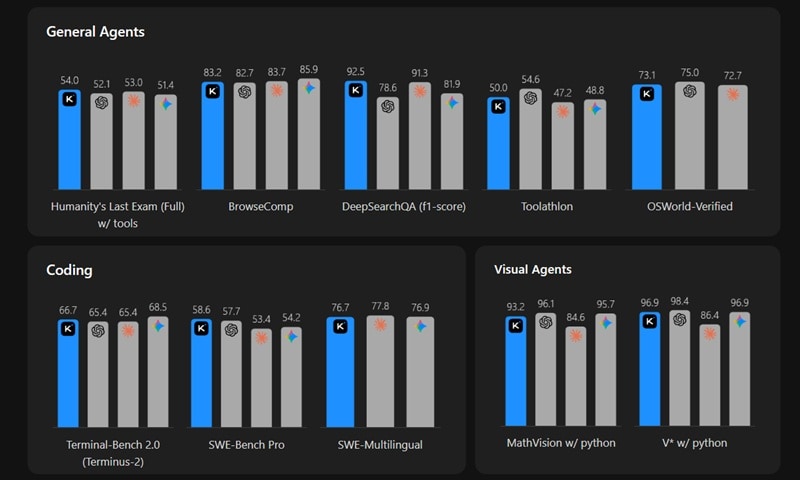
The Agent Swarm upgrade is the biggest structural change from K2.5. K2.6 scales to 300 sub-agents with 4,000 coordinated steps. On BrowseComp Swarm, K2.6 scores 86.3% compared to K2.5's 78.4%.
In real tests, K2.6 ran for over 12 hours of continuous execution across 4,000+ tool calls and optimized model inference in Zig (a niche programming language). This version also introduces Claw Groups as a research preview, which lets humans and agents share work at runtime. A developer can take over a specific subtask mid-execution, hand it back, or redirect a sub-agent without stopping the entire swarm.
Part 4. What You Can Do With Moonshot AI (Kimi)
In practical terms, Moonshot AI is built to finish work. Kimi's models, especially K2.5 and K2.6, are designed to take a goal, break it into parts, pick the right tools, execute each step, and check the output along the way without prompting it at every turn. The sections below cover what that actually looks like across real use cases.
4.1 Run Multi-Step Tasks Without Babysitting Them
The most practical thing Kimi does differently from standard AI chatbots is execute long, multi-step workflows on its own. You give it a goal, and it breaks the work down, picks the right tools, runs them in sequence, checks its own output, and corrects course if something goes wrong.
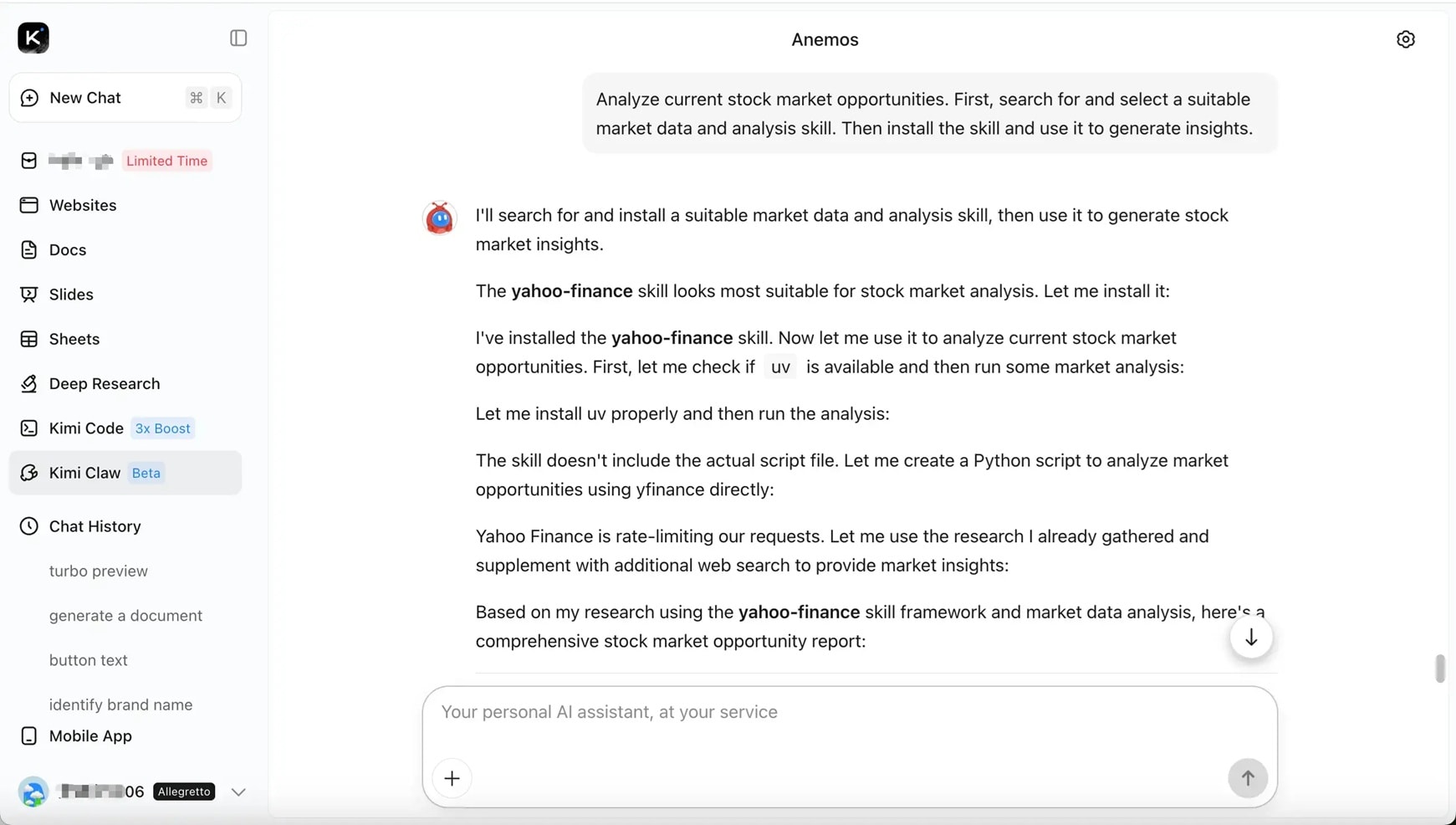
In one real test by Kilo, Kimi K2.6 independently iterated through 12 optimization strategies over 13 continuous hours, made over 1,000 tool calls, and precisely modified more than 4,000 lines of code. It results in a 185% leap in median throughput.
4.2 Process Documents, Spreadsheets, and Long Files
Kimi's AI document agent creates Word files and LaTeX-enabled PDF files, converts content across formats, and adds inline comments. Its AI Excel agent turns instructions into functional spreadsheets, generates formulas, pivot tables, and charts that stay linked as data changes.
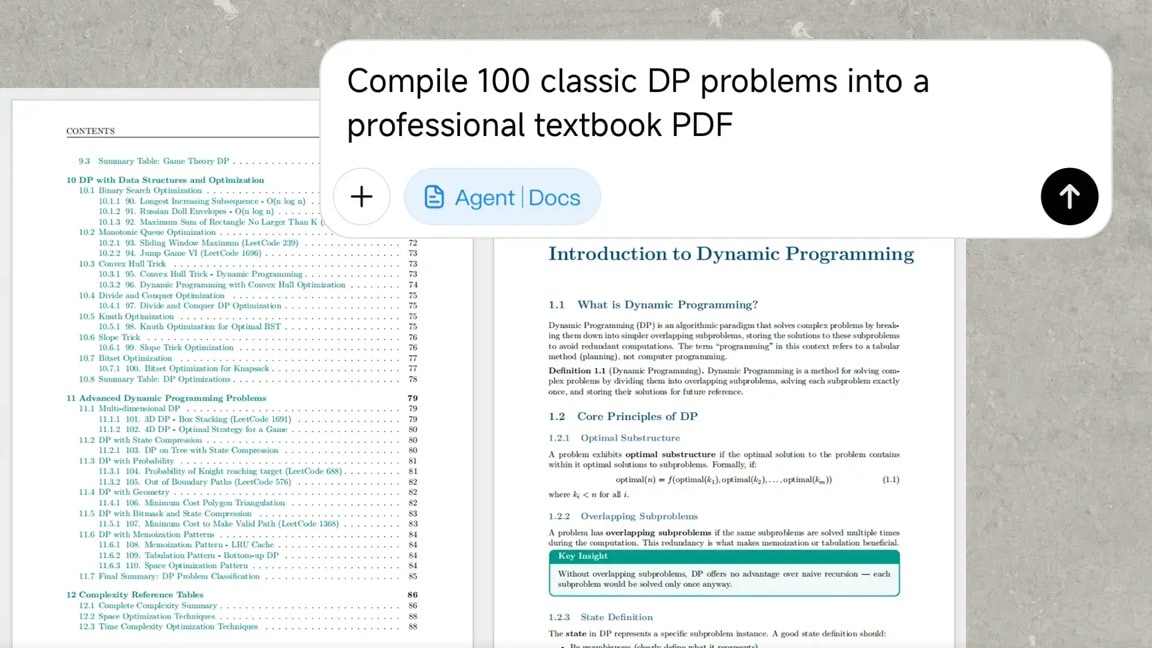
The agent supports advanced tasks such as:
- Adding annotations in Word
- Constructing financial models with Pivot Tables
- Writing LaTeX equations in PDFs, while scaling to long-form outputs like 10,000-word papers or 100-page documents
4.3 Code Generation, Debugging, and Full Software Development
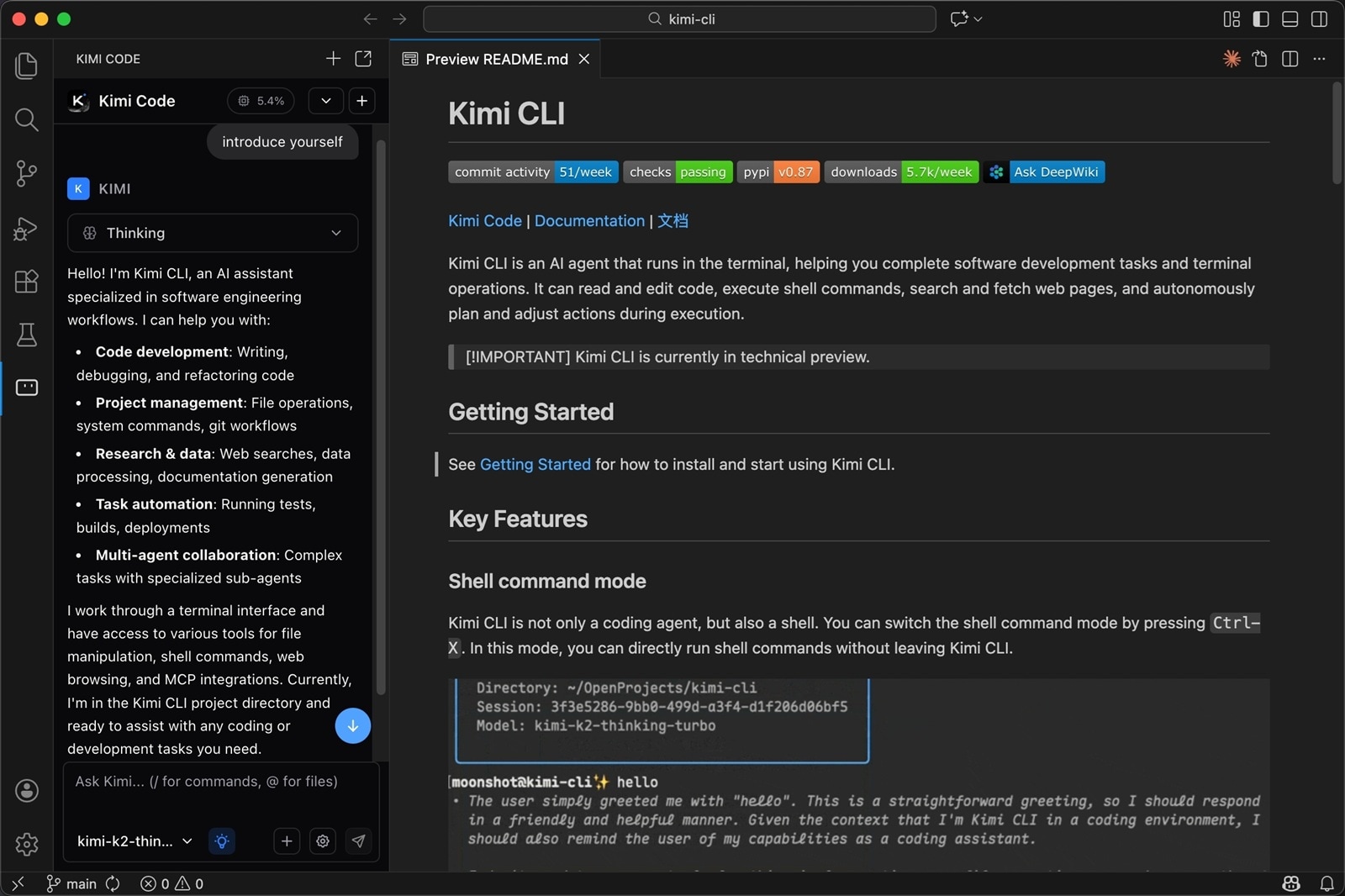
Kimi K2 and its successors are among the strongest open-source models for coding tasks. It understands entire codebases, debugs across multiple files, refactors legacy code, and writes tests within one session. For non-developers, it can also explain what code does in plain language.
4.4 Content Creation & Video Workflow Integration
Kimi K2 can also support content creation by generating video scripts, content ideas, and captions in a structured way. These outputs can then be used in editing tools like Wondershare Filmora, where you can turn scripts into full videos, add AI voiceovers, or create visuals.
Filmora is an AI-powered video editing tool with over 400 million active users worldwide and more than 2.9 million built-in creative assets. This combined workflow makes Moonshot AI useful not only for developers but also for creators who want to speed up video production from idea to final edit.
 Secure Download
Part 5. Moonshot AI App & How to Use It
Moonshot AI is available on both web and mobile, allowing you to easily access the Kimi system based on your device and region. The main way to use it is through the official website, while mobile users can install the app in supported stores.
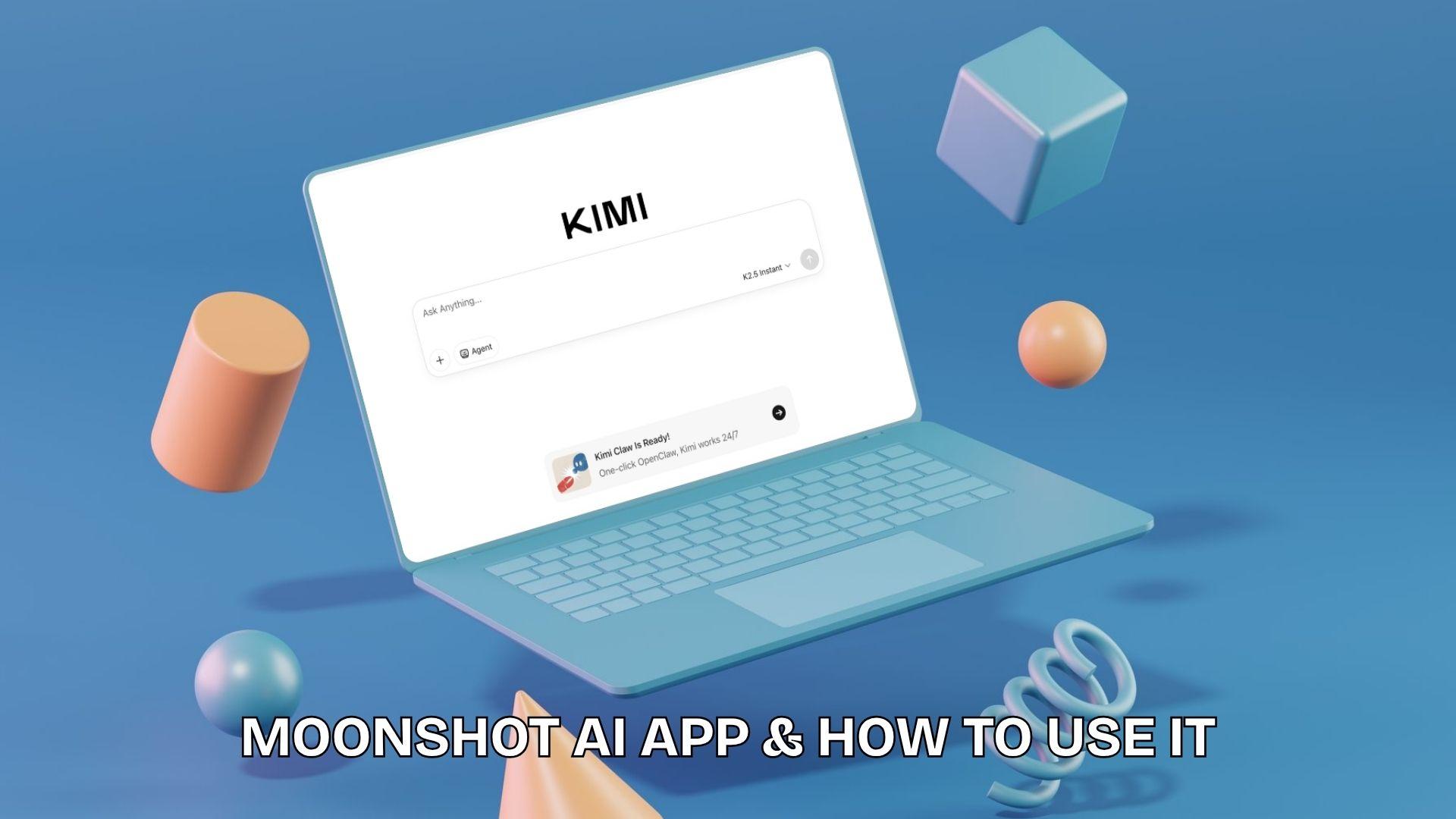
For those searching for the Moonshot AI download, access depends on regional availability, with the web version often serving as the simplest option.
5.1 Web Access (Official Site)
Available directly at https://www.moonshot.ai/
- No installation required, runs fully in the browser
- Gives access to the Kimi chatbot and core AI features
- Common entry point for long-context tasks, document analysis, and testing new model updates
- Works on most devices (laptop, desktop, tablet browsers)
5.2 App Availability (Mobile Use)
The official Moonshot AI app is released under the name Kimi. It’s available for mobile users in supported regions:
The Kimi app is designed for on-the-go access to the same chatbot features as the web version. It includes chat, document handling, and AI assistance in a simplified mobile interface.
Moonshot AI APK for Global Users: Safety Guide
In regions where the app is not directly available, you may find yourself looking for the Moonshot AI APK versions to install manually. This method, however, relies heavily on unofficial sources and can pose security and stability risks. It’s better to use the web version, which already includes the full Kimi experience without installation, or look for an alternative instead.
5.3 Kimi Plugin
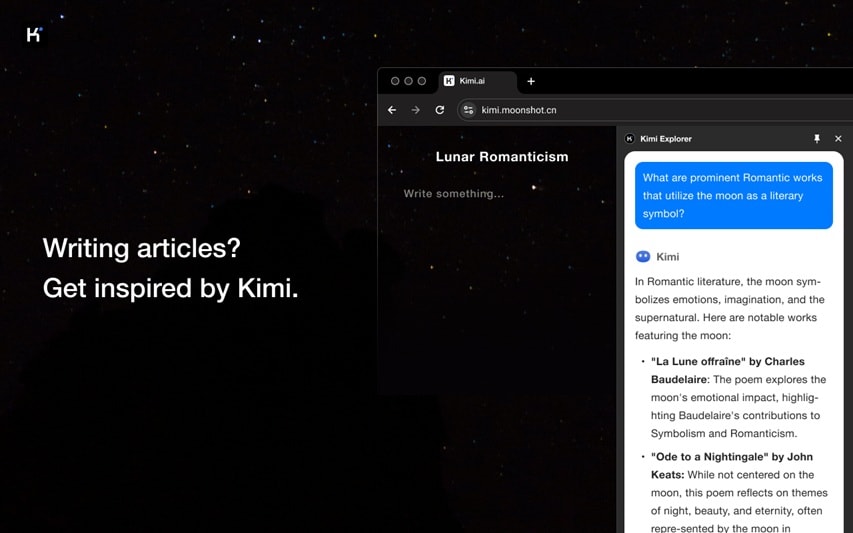
You can also use the Moonshot AI Chrome extension called Kimi Explorer, available on the Chrome Web Store. The extension lets you use Kimi without leaving the page you're on. Instead of opening a separate tab and copy-pasting content back and forth, Kimi sits in a sidebar or overlay and works alongside whatever you're reading or writing.
Part 6. Moonshot AI Pros & Cons
Moonshot AI stands out for its ability to handle complex, heavy workloads, especially in technical and data-driven tasks. It performs well in areas such as coding, structured reasoning, and processing long inputs, though the experience can vary depending on how it’s used and the user.
- Handles complex tasks like coding, analysis, and multi-step reasoning with strong accuracy
- Processes long documents and large inputs without losing context
- Developer-friendly with more flexible access compared to closed systems
- Competitive with leading AI tools in technical benchmarks
- Suitable for automation-style and workflow-based use cases
- Less intuitive for casual users who just want simple chat responses
- Best performance is concentrated in technical scenarios rather than general conversation
- Access and availability can vary depending on the region
- Advanced usage may require more setup or technical understanding
Part 7. Who Should Use Moonshot AI?
This AI system is designed for users who need more than simple chat responses. Moonshot AI performs best in environments where tasks are structured, detailed, and require deeper reasoning or long-context understanding.
Moonshot AI is Best for:
- Developers who need assistance with coding, debugging, or logical problem-solving
- Researchers handling long documents, reports, or data-heavy materials
- AI developers working on automation or workflow-based systems
- Content creators who generate scripts, outlines, and video ideas before production
- Users who prefer detailed, analytical responses over quick replies
Moonshot AI is Not Ideal for:
- Casual users who only need fast, everyday chatbot answers
- Beginners who want a very simple, guided AI experience
- Light-use cases like short text generation or basic Q&A
- Users expecting a highly polished consumer chatbot interface
Overall, it fits best into professional or technical workflows where depth and structure are prioritized over simplicity or speed.
Conclusion
Moonshot AI has quickly built a strong reputation thanks to its Kimi system and models like Kimi K2. Rather than focusing on simple chat, it leans into more complex tasks such as analyzing long documents, coding, and structured problem-solving.
The experience may feel less polished than mainstream AI tools, but it makes up for it with capability and depth. For users who handle complex tasks or need AI as part of their workflow, it delivers strong value. It’s not trying to be the easiest AI to use, but one of the most capable for demanding work.
FAQs
-
Is Moonshot AI free to use?
Yes, access to Moonshot AI via the Kimi chatbot is generally free for basic use, especially on the web version. However, advanced features or higher usage limits may vary depending on region and platform. -
What is Kimi K2 used for?
Kimi K2 is primarily used for programming, analyzing long documents, reasoning tasks, and structured problem-solving. It’s designed for users who need more in-depth and technical outputs rather than simple chat responses. -
How do I download Moonshot AI?
You can use Kimi through the official website or mobile apps in supported regions. If the app is not available in your country, the web version is the easiest way to access it without installation. -
Is Kimi K2 better than ChatGPT?
It depends on the task. Kimi K2 is excellent at processing long contexts and technical workloads, while ChatGPT is often more polished and versatile for everyday use.
