
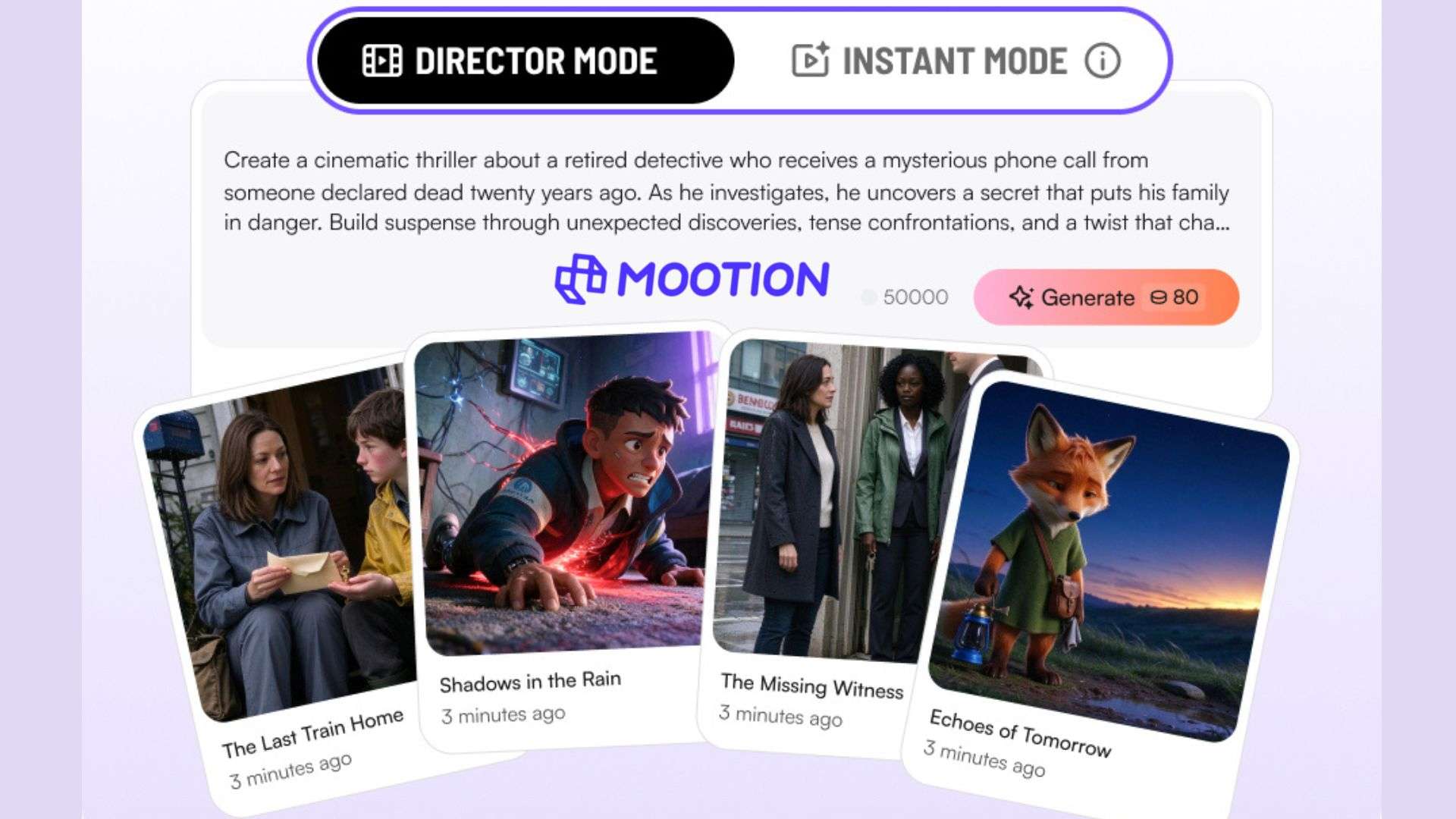
Instant Mode and Director Mode are two main features that define Mootion AI. The first focuses on quick video generation from prompts, while the second provides users with a storyboard for individual scenes, characters, and shots. Mootion also supports image, video, and audio references to guide the generated results.
But how much control do these options offer, and are the final videos good enough to use? This Mootion review covers its features, output quality, credit usage, pricing, and limitations.
Part 1. What Is Mootion AI?
Mootion AI is an AI video generator that turns ideas, scripts, and reference materials into video content. It supports storytelling, educational videos, explainers, and social media content. You can choose between Instant Mode for direct prompt-to-video generation and Director Mode for storyboard-based creation, depending on how much control you need over individual scenes.
Everything runs on a web browser at https://www.mootion.com/. The video models do the rendering on Mootion’s servers, so even a modest laptop can handle it.
Part 2. A Closer Look at Mootion AI Tools
Mootion’s features cover more than prompt-to-video generation. The platform also includes tools to plan individual shots, reuse characters, work with existing recordings, and select models based on your desired results. Here's how these tools work and what you can control for each feature.
Instant Mode vs. Director Mode
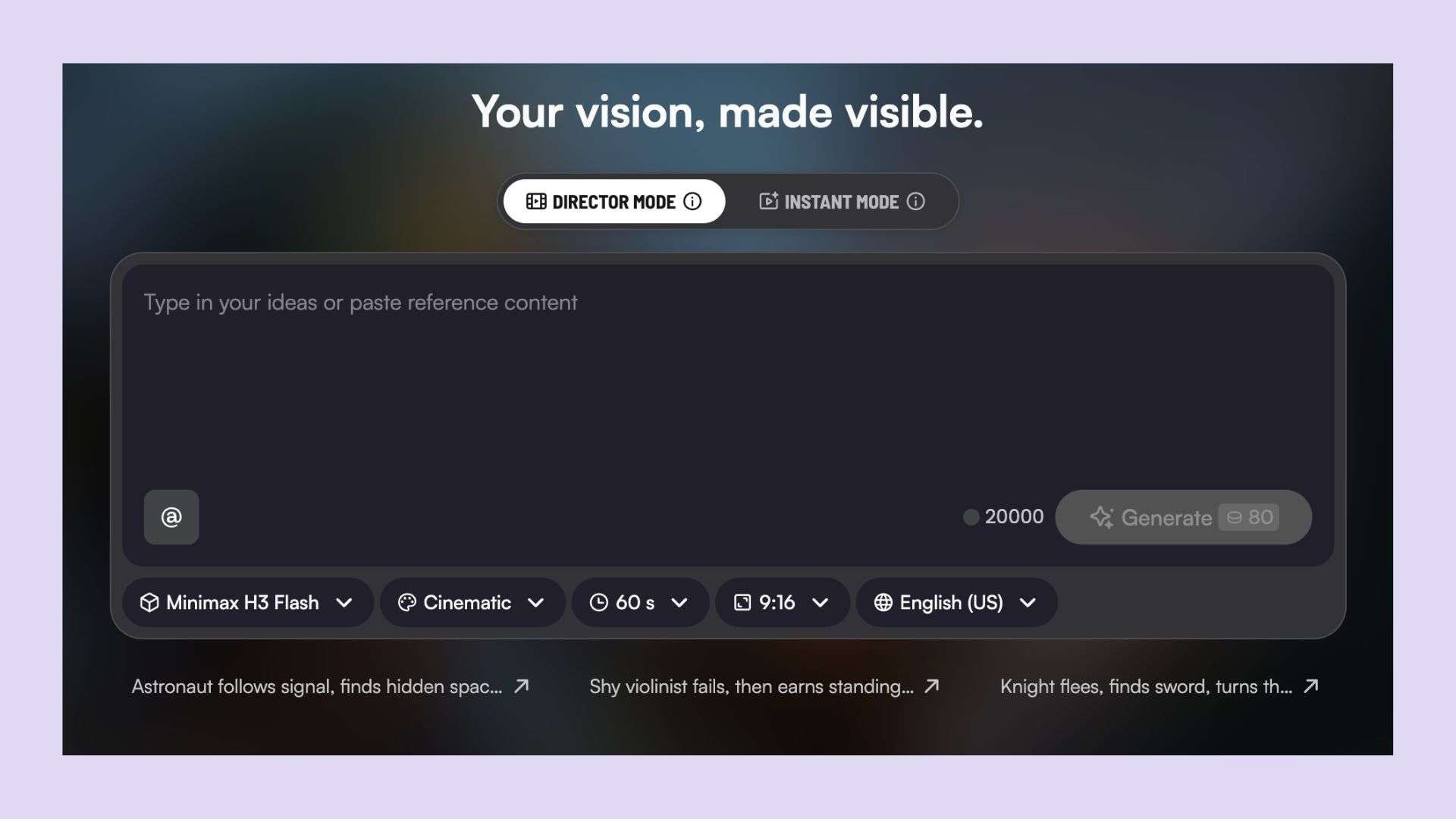
Mootion offers two main creation modes. The main difference between the two modes is how much planning you want to do before generating a video.
- Instant Mode: Generates a short video directly from a text prompt, supporting clips up to 30 seconds. It’s designed for quick content such as TikTok videos, YouTube Shorts, and Instagram Reels.
- Director Mode: Uses a storyboard to organize characters, scenes, and individual shots. You can adjust the storyboard by adding, splitting, merging, or deleting scenes.
| Feature | Instant Mode | Director Mode |
| Workflow | Text prompt to finished video | Character list, storyboard, clips, and final composition |
| Video duration | Up to 30 seconds | 30 seconds to 10 minutes |
| Scene control | Direct prompt-based generation | Organize and adjust individual scenes and shots |
| Best suited for | Short social media clips and quick concepts | Story-driven videos and multi-scene projects |
| References | Supports Smart Reference | Supports character and scene references, including reference videos |
|
Show More
Show Less
|
||
Instant Mode is useful when you want a quick result without planning multiple shots. Director Mode takes more preparation, but gives you more control over the sequence, camera direction, and character continuity.
Idea-to-Video, Script-to-Video, and Recording-to-Video
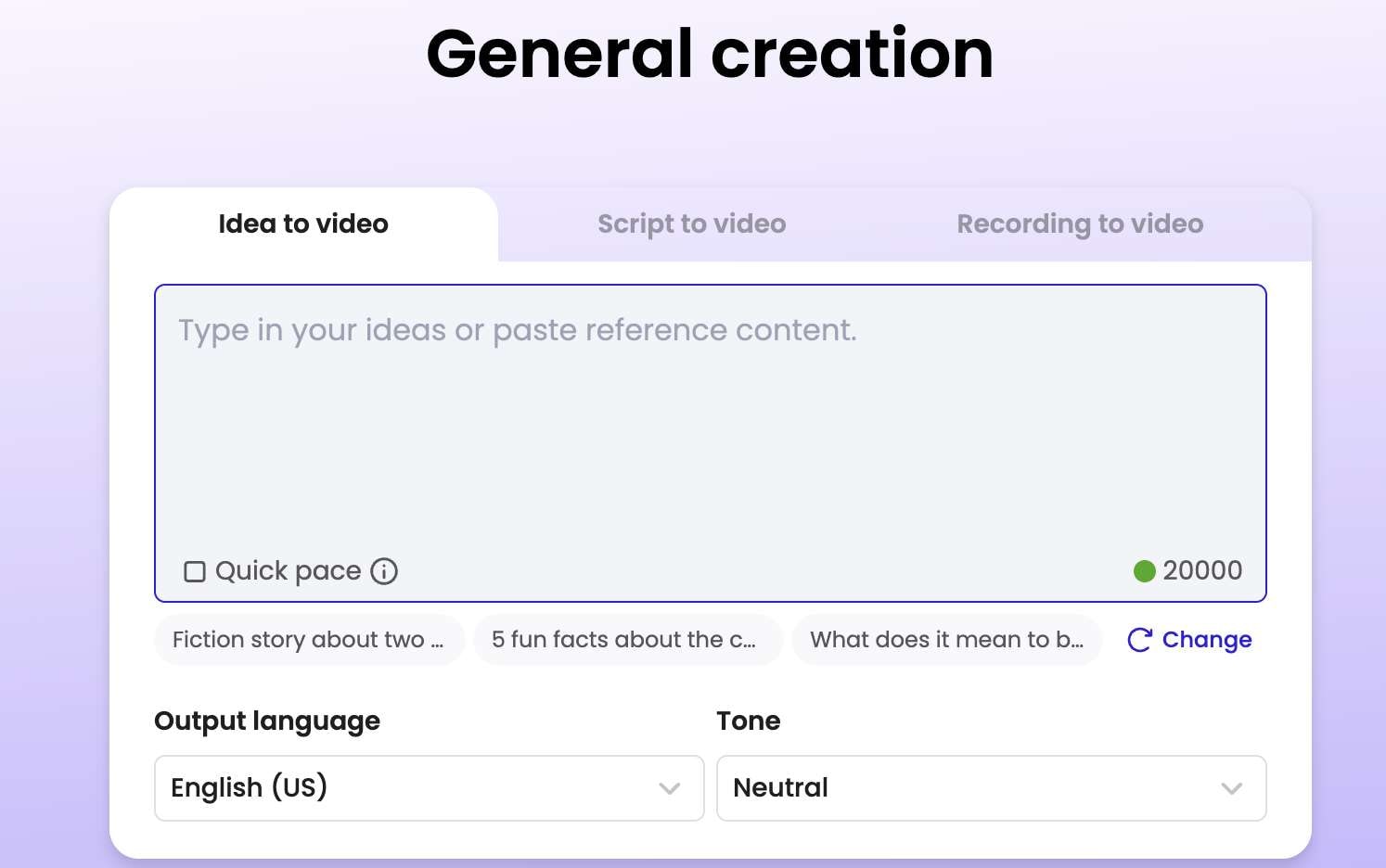
These three tools differ mainly in the material you provide. You can start with a rough concept, bring your own written script, or use an existing recording.
| Tool | What you provide | What Mootion generates | Best when |
| Idea-to-Video | A short idea or description | A script and complete video | You haven't written a script and want Mootion to develop the concept. |
| Script-to-Video | Your own script, pasted or uploaded | Video scenes, visuals, and voiceover based on the script | You already have dialogue, narration, or a prepared storyline that you want to retain. |
| Recording-to-Video | A voice recording or video recording | Video content synchronized with the supplied audio and camera footage | You have recorded narration or footage that you want to use as the basis for the video. |
Smart Reference
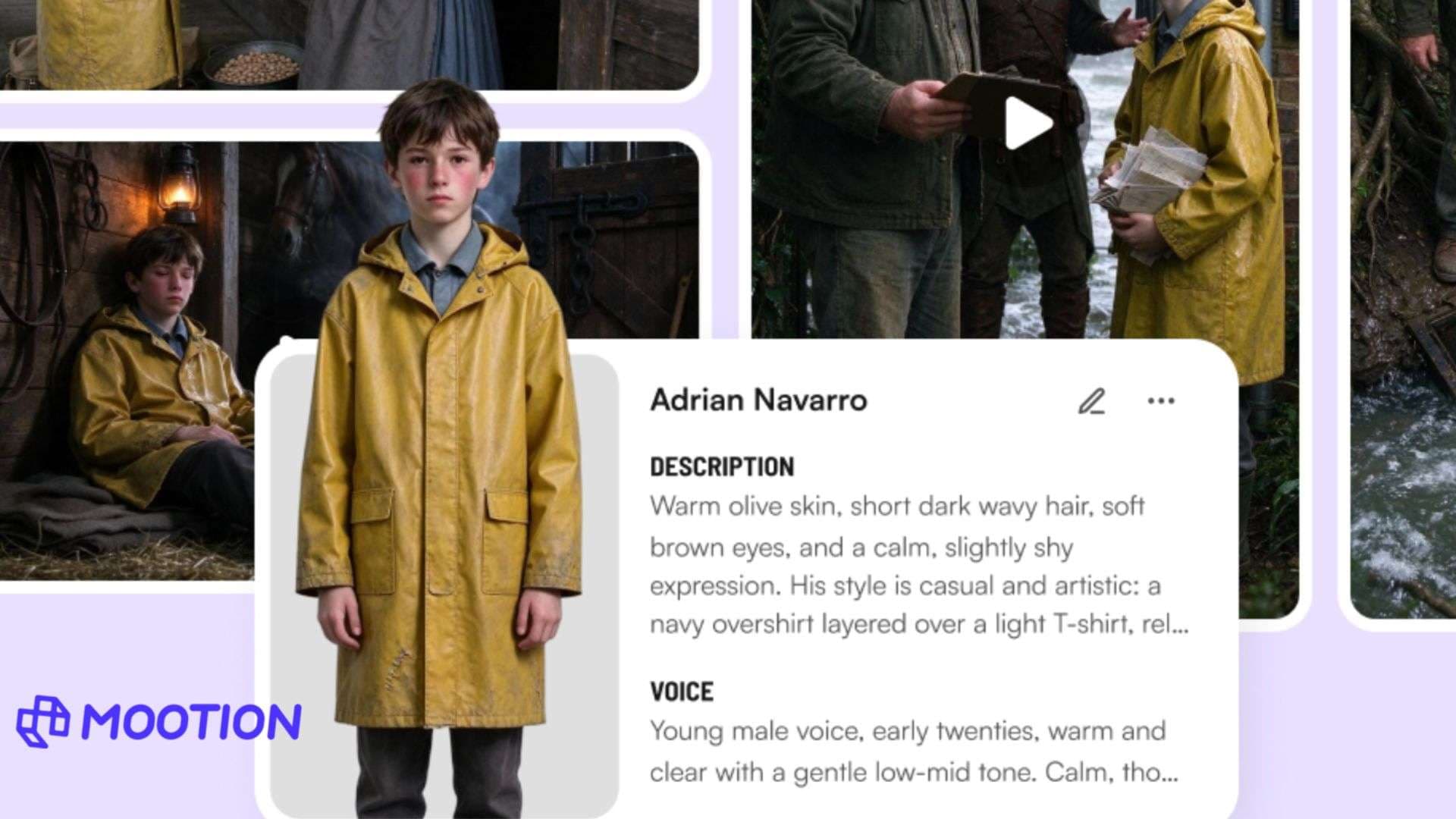
Smart Reference accepts multiple reference files, giving Mootion more context than just text prompts. The supported inputs include images, videos, and audio.
| Reference type | How it can guide generation |
| Images | Provide visual references for characters, appearance, lighting, or style |
| Videos | Show movement, camera direction, or other visual details |
| Audio | Provide audio context for the generated content |
Instant Mode supports Smart Reference, while Director Mode also offers more specific character and scene reference controls. Note that references guide the generation process; they don't guarantee an exact match in every frame.
Character Library and Storyboard Editing
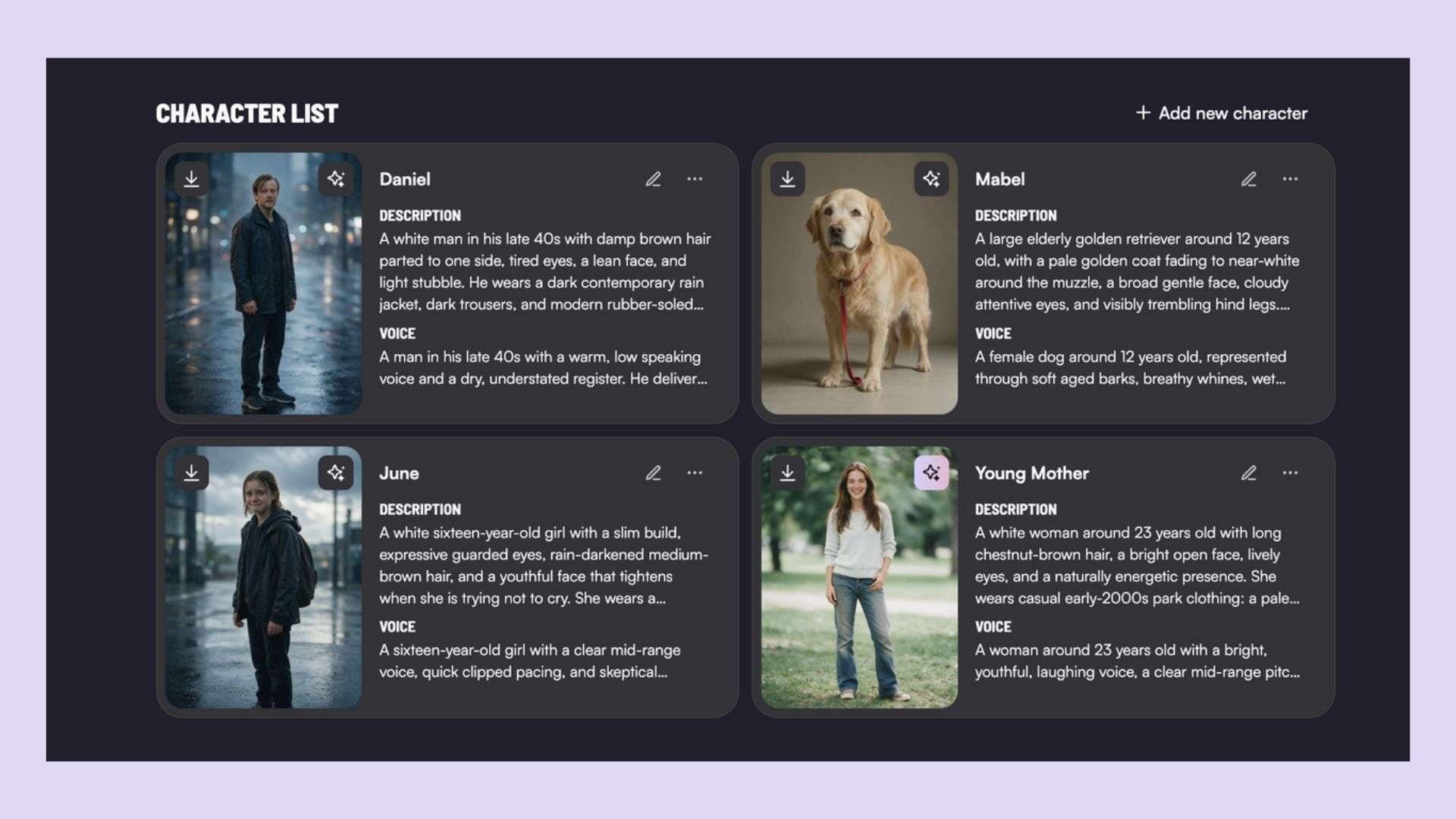
Director Mode has two useful features for projects with multiple scenes: the Character Library and the storyboard editor. The first helps reuse characters, and the second lets you organize the video's structure.
Character Library
- Save characters and select them again in future Director Mode projects.
- Use multiple saved characters in the same story.
- Standard plan supports up to eight saved characters. Plus, Pro, and Max plans allow more.
Storyboard editor
Each scene can contain several elements, including scene description, dialogue, sound effects, camera movement, and scene duration. You can also add, split, merge, or delete scenes. This is useful when you need to change the order of events or revise a specific part of the story without rebuilding the entire storyboard.
Voiceovers, Music, and Sound Effects
Mootion offers two ways to handle audio, depending on the selected video model. Some models support native audio-video generation; others require users to add voiceovers after generating the visuals.
- Native audio-video generation: Supported models can generate dialogue and sound effects alongside the video.
- Voiceover: Add narration or speech when the selected model does not generate audio with the visuals.
- Music and sound effects: Use tracks from Mootion's built-in music library to add background audio and effects.
AI Video Models and Credit Costs
Mootion has several video models, each with its own credit rate. You pay based on the model you select and the length of your generated video, with some options costing considerably more than others.
| Video model | Credits per second | Credits for a 10-second video |
| Base | 4 | 40 |
| MiniMax H3 Flash | 4 | 40 |
| MiniMax H3 | 20 | 200 |
| Seedance 2.0 Mini | 25 | 250 |
| Seedance 2.0 | 40 | 400 |
| Seedance 2.5 | 64 | 640 |
|
Show More
Show Less
|
||
For example, a 10-second video generated with Seedance 2.5 uses 640 credits, while the same duration with Base requires only 40 credits. This difference becomes more noticeable when you generate longer videos or make multiple attempts. Check the credit rate before choosing a model, especially if you're working with a limited monthly allowance.
Part 3. Testing Mootion AI Video Quality
To see how Mootion AI handles a simple video prompt, we generated a short scene featuring a woman meeting a golden retriever in a sunny park. We generated the result based on its visuals, storytelling, and audio.
Visual Quality and Motion
The generated video has a bright, cinematic look. The park and characters are clearly visible, and most movements look smooth.
- Visual quality: The park, woman, and dog are well-rendered, with warm lighting that gives the scene a pleasant afternoon feel.
- Camera movement: The opening tracking shot follows the woman smoothly, but the requested camera movement is barely visible.
- Motion consistency: The dog approaches the woman naturally, with no noticeable distortions. The interaction also looks fairly smooth, though some movements could be more detailed.
Story Flow and Prompt Accuracy
The video follows the prompt's main idea, showing the woman walking through the park, meeting the dog, and playing with it. However, a few requested details are missing or changed.
- Story progression: The scenes follow a clear sequence, so the interaction between the woman and the dog is easy to understand.
- Prompt details: The woman pets the golden retriever as requested, but the dog chasing a ball is not clearly shown.
- Scene consistency: The sunny park setting stays consistent throughout the video, although a leash appears in the final scene even though it was not mentioned in the prompt.
Voiceover and Audio Quality
The audio complements the visuals well, with clear dialogue and background sounds that suit the park setting.
- Voice clarity: The woman's voice is clear, and the line "Hey, buddy" is easy to hear.
- Lip-sync: Her mouth movements match the dialogue, making the short interaction feel more natural.
- Background audio: The gentle music and outdoor ambience fit the scene without overpowering the voice.
Part 4. Mootion AI Pricing and Free Plans
Mootion AI pricing has four plans: Standard, Plus, Pro, and Max. Choosing annual billing saves 20% compared to monthly payments. Take a quick look at the prices and credits included in each plan.
| Plan | Monthly billing | Yearly billing | Monthly credits |
| Standard | $15 | $12/month | 1500 credits/month |
| Plus | $25 | $20/month | 3000 credits/month |
| Pro | $50 | $40/month | 8000 credits/month |
| Max | $200 | $160/month | 32,000 credits/month |
|
Show More
Show Less
|
|||
There is no free subscription plan for video creation and downloads. You can create several videos depending on the selected template and the clip’s duration. For example, a 10-second video costs 40 credits with Base or 640 credits with Seedance 2.5.
Monthly credits refresh every 30 days. If you run out, you can buy additional credits without changing your plan.
Part 5. Mootion AI Pros, Cons, and Who Should Use It
Mootion focuses on the entire AI video creation process, from writing scripts and planning scenes to generating video clips. Its tools make story-based video production easier, but its editing flexibility is limited.
- Instant Mode handles quick video generation, while Director Mode gives users more control over individual scenes.
- Idea-to-Video and Script-to-Video support both users starting with a rough concept and those who already have a script.
- The Character Library allows users to save and reuse characters across projects.
- Smart Reference accepts image, video, and audio inputs to guide video generation.
- Supported models can generate dialogue and sound effects alongside the visuals.
- A paid subscription is required to create and download videos.
- Premium models consume credits quickly, especially when generating longer clips or trying multiple versions.
- Generated scenes may miss specific prompt details, such as character actions or camera movements.
- Editing options are limited compared to traditional video editors that have multitrack timelines.
- Character appearances and scene details may vary between shots, even with the provided references.
Mootion AI is ideal for YouTubers, content creators, educators, and marketers making story-based videos, explainers, or promotional content. Those who need precise control over cuts, transitions, audio layers, and individual clips may find a traditional video editor more suitable.
Bonus: Complete Your AI-Generated Videos with Filmora
Once Mootion generates your video, you may want to make a few changes before sharing it. You might need to trim clips, adjust scene timing, add subtitles, or improve the audio. Wondershare Filmora provides a multitrack timeline and editing tools for these final adjustments.
Filmora also includes AI creation tools such as AI Idea-to-Video, which turns a concept into video content, and AI Script-to-Video, which creates videos from an existing script. For further editing, you can use:
- Multitrack editing to arrange clips, adjust timing, and combine multiple audio and video layers.
- Auto Captions to generate subtitles from spoken dialogue.
- Audio editing to add voiceovers, adjust sound, and layer background music.
- Transitions to create smoother changes between scenes.
If you want to work more closely on the pacing, sound, and visual details of your video, Filmora gives you the tools to make those adjustments before publishing.
 Secure Download
Conclusion
Mootion AI can take much of the work out of creating story-based videos, from developing an idea to arranging scenes. Instant Mode is handy for quick projects, while Director Mode gives you more control over the storyline. However, generated scenes may not always match your prompt, and premium models can use up credits quickly.
Mootion may suit creators who regularly make story-based videos and don't mind making a few attempts to get the result they want. If you need more precise control over cuts, audio, and transitions, you'll likely need a separate video editor for the final touches.
FAQs
-
Is Mootion AI free to use?
No. Mootion is a paid platform, and you need a subscription to create and download videos. It offers four plans, each with a monthly credit allowance. -
How much does Mootion AI cost?
Mootion's plans start at $15 per month for Standard, followed by Plus at $25, Pro at $50, and Max at $200. Annual billing reduces the prices to $12, $20, $40, and $160 per month, respectively. Each plan includes a different number of monthly credits. -
Can Mootion AI turn a script into a video?
Yes. Mootion's Script-to-Video tool lets you paste or upload a script, then generates video scenes and voiceover based on the text. You can also use the storyboard editor in Director Mode to adjust scenes, dialogue, camera movements, and timing.
<faq>