


AI creator Heyselcuk has mentioned NeonLights AI repeatedly across his content, a platform he built himself for generating images and videos from text prompts or photos. It runs on models like Flux, Veo, and Kling, much like other AI generators on the market right now.
While it can do a lot on paper, we wanted to check if it holds up to what it appears to be. Below is our review of NeonLights AI, along with what it costs, what it can do, and the best alternative worth trying if the tool doesn’t meet your expectations.
Part 1. What is NeonLights AI?
NeonLights AI is a web-based tool for generating images and videos powered by different AI models. It doesn't have its own proprietary model. Instead, it acts as a front end for existing models like Flux, Seedream, Kling, and Wan, and runs on a pay-per-credit system rather than a subscription. You buy a credit pack once, spend it on whichever model you like, and top up whenever you run out.
The whole platform works online on its website at https://www.neonlights.ai/, so don’t look for something like NeonLights AI APK or even NeonLights AI mod APK because they are most likely fake and even pose a risk. Creating and generating images or videos requires an account. You’ll need to sign up before you can start generating images or videos with it.
Part 2. NeonLights AI Features and Supported AI Models
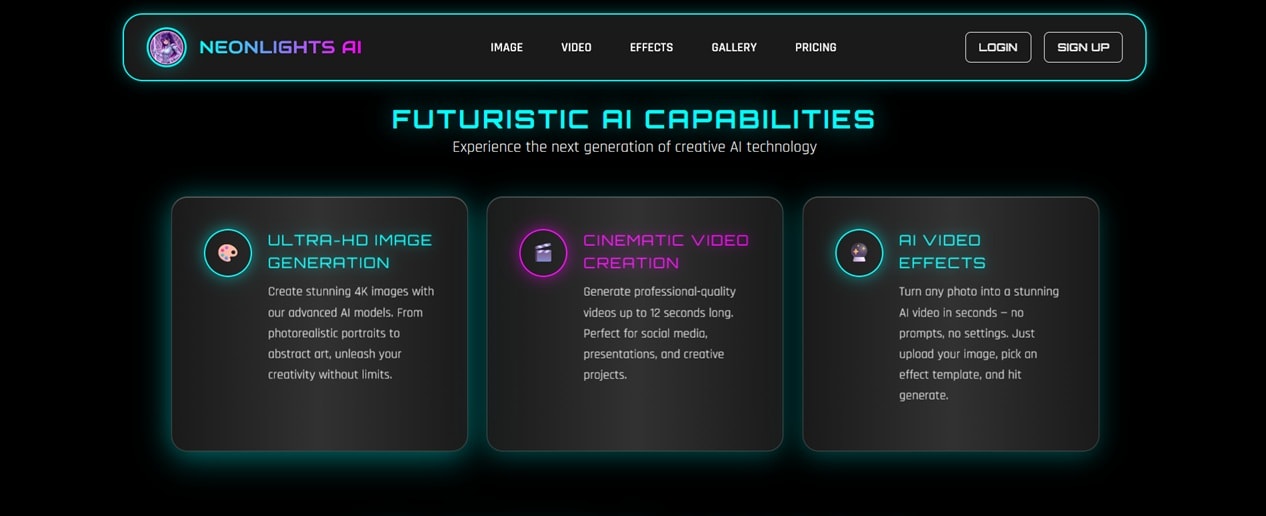
NeonLights AI generator features are split into three main sections: image generation, video generation, and effects.
Image Generation
Supported AI Image Models: Seedream 4.5, Seedream 4, GPT Image 2, Nano Banana Pro, Nano Banana, Wan 2.7 Image Pro, Recraft V4 SVG, Bria Fibo, Minimax Image-01, Leonardo Phoenix 1.0, Ideogram v3 Quality, Flux Dev, Flux Pro1.1 Ultra, Google Imagen 4 Ultra, Hunyuan Image 3, SDXL-Lighting.
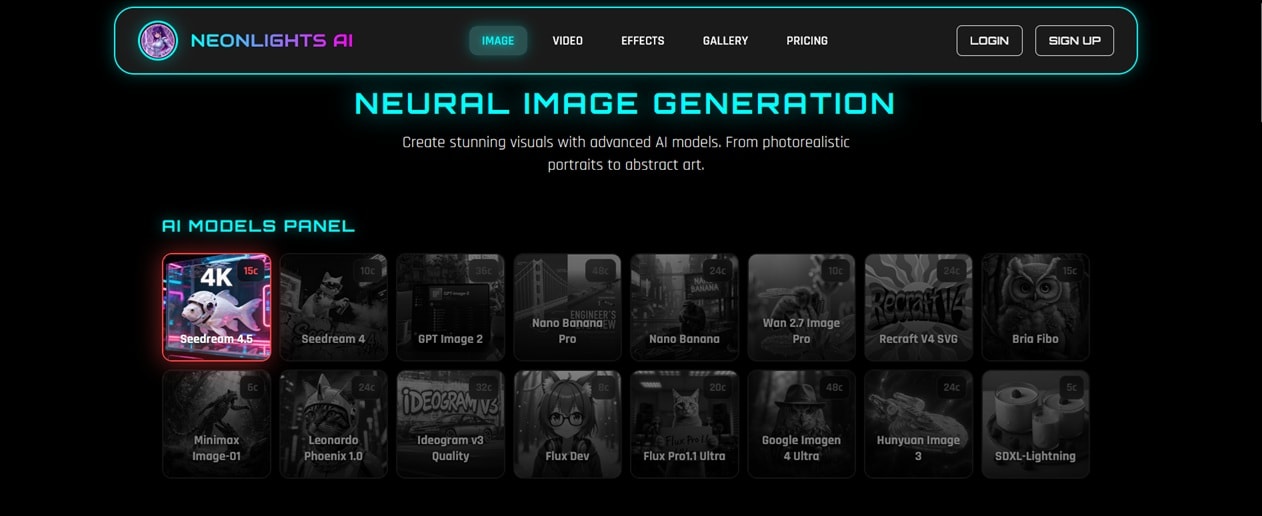
NeonLights AI image generator covers text-to-image and image-to-image with different aspect ratios. Credit cost varies by model, with SDXL-Lightning and Minimax Image-01 sitting on the cheaper end, while Nano Banana Pro and Google Imagen 4 Ultra cost more per image.
Video Generation
Supported AI Video Models: Seedance 1.5 Pro, Seedance 2.0, HappyHorse 1.0, Kling V3 Motion Control, Kling V3 Omni, Kling 2.5 Turbo Pro, Pixverse V5.6, Pixverse V5, LTX 2.3 Fast, Wan 2.6.
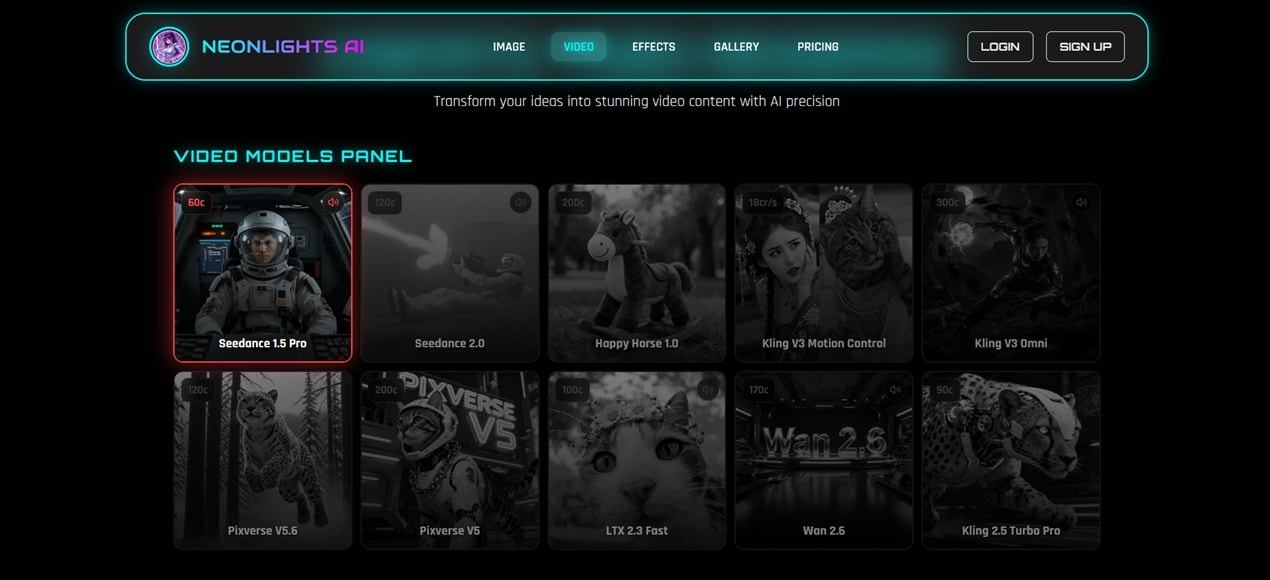
NaonLights AI Video Generator also supports text and image as its input model. Depending on which model you pick, you get prompt-based motion control and camera movement, so you can describe how a scene should move rather than just what it should look like.
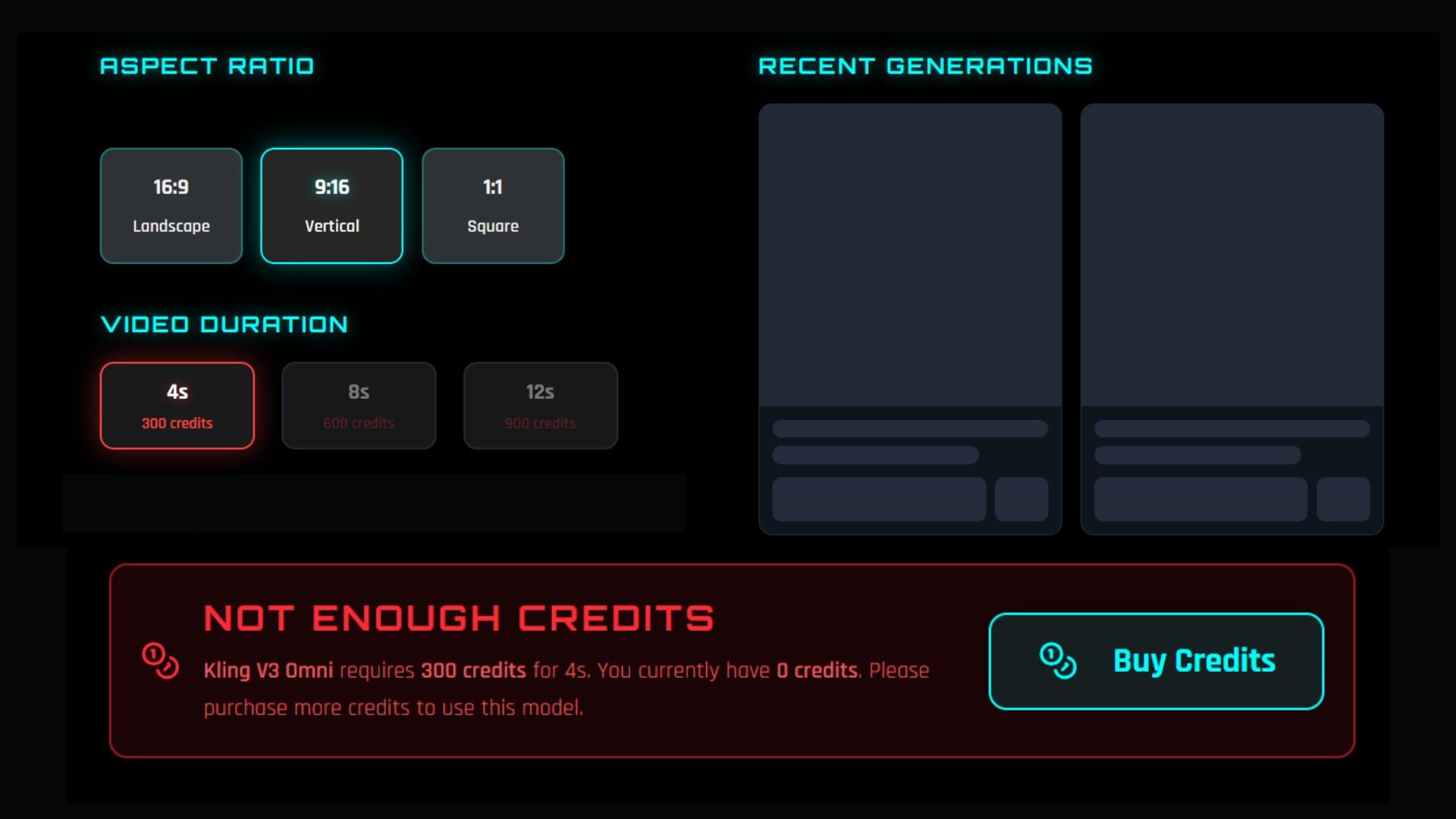
Clip length and resolution options vary by model, and video generations cost more credits than images, given how much heavier the processing is.
Effects
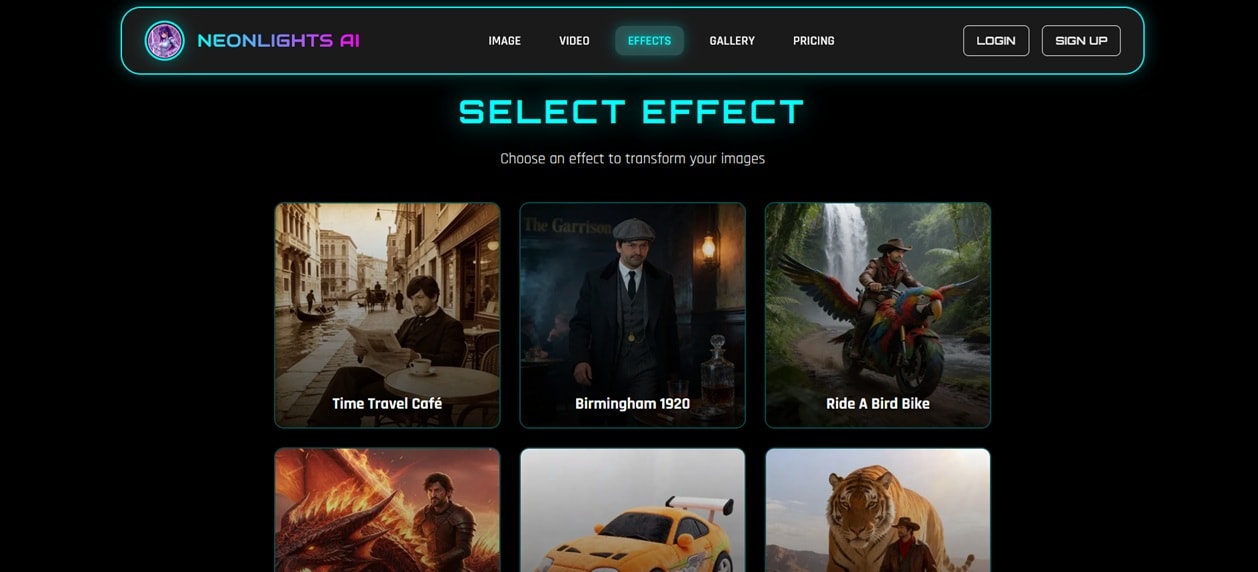
If you prefer getting straight into creating without writing a full prompt, NeonLights AI provides some effects ready to apply directly to a photo or clip. Upload one photo, pick a preset, and then it will apply the transformation based on the chosen effect.
Part 3. Is NeonLights AI Free? Pricing and Credits Breakdown
NeonLights AI gives you 5 free credits after registering. That's only enough for one image generation on a lower-tier model like SDXL-Lightning. So, what you get with the NeonLights AI free version is just a quick taste of what the platform can do.
For anything beyond that, you'll need to buy into their pricing plans, which run on a one-time payment based on credit packs.
NeonLights AI Pricing (2026)
| Admiral | Commander | Pilot | |
| Cost | €6 | €18 | €96 |
| Credits | 600 | 1,900 | 12,000 |
| Max. Image Generations | 100 | 316 | 2,000 |
| Max. Video Generations | 10 | 31 | 200 |
Part 4. NeonLights AI Review: Is It Worth It?
If you're someone who generates images or videos occasionally rather than daily, NeonLights AI can work well for you. However, note that you may need to invest more in credits, as the cheapest tier can run out fast if you're generating video or using higher-end models. A handful of generations can already burn through a third of your credits.
It's not actually a cheaper option compared to subscription-based AI tools. But it does have an advantage in flexibility. You're not paying monthly for access you might not use, and you're not locked into a plan the way some AI tools try to push you toward for the best rate.
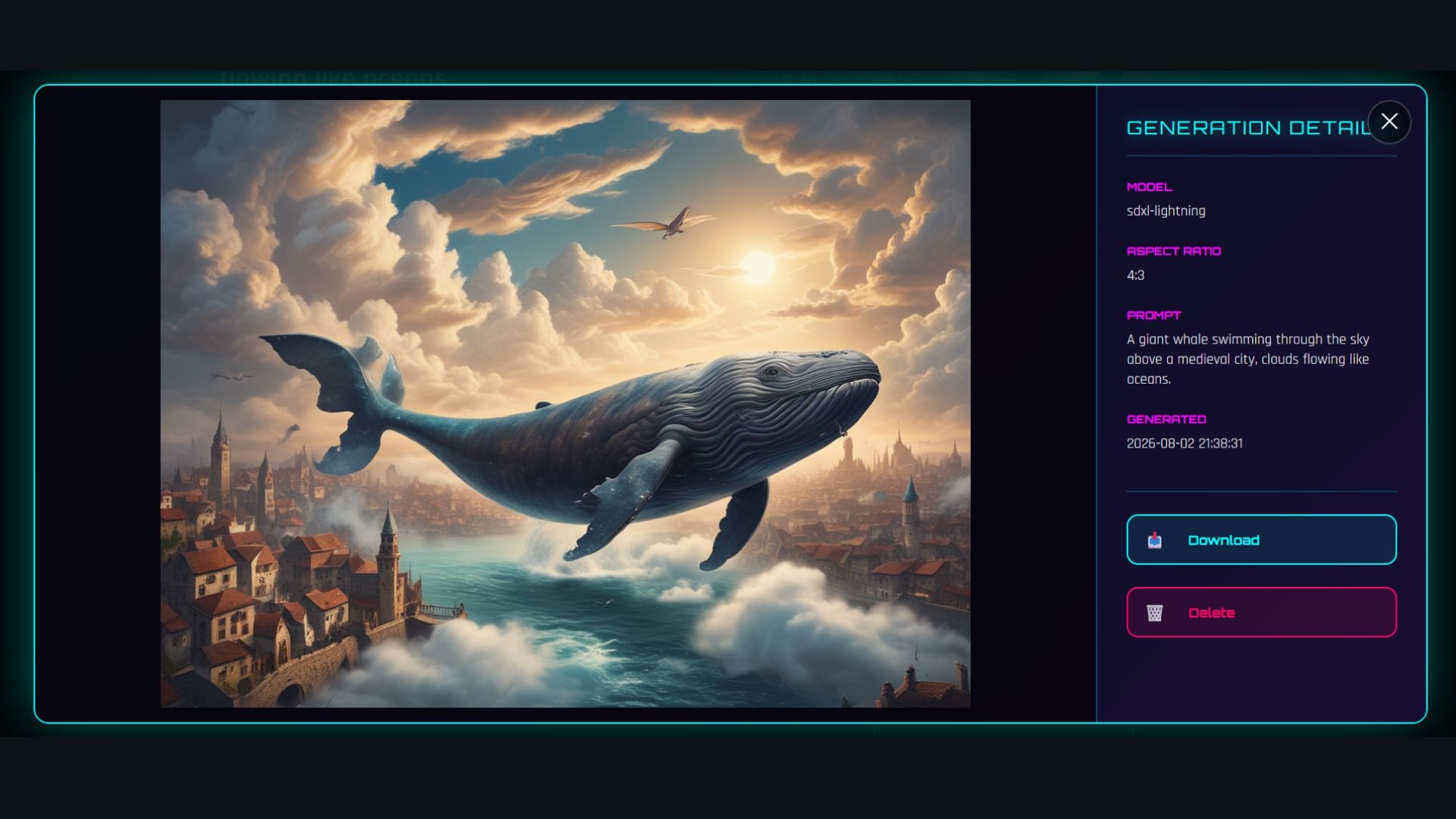
For outputs, the quality depends entirely on which model you pick. If a specific model (say, Seedance 2.0 or Kling) produces good results, you can expect similar results here. And even though the platform's whole branding leans heavily into a neon aesthetic, that doesn't mean it can only generate neon-style content.
Is NeonLights AI Safe?
The interface and branding of NeonLights AI can make it hard to tell whether the platform is legit and safe. Not to mention that the terms of use and privacy policy are written in German, even though the site itself is in English.
But from what we found, the platform is legally operated by Heyselcuk under Austrian and EU law, as an individual rather than a registered company. Payments run through PayPal and Stripe, and the content you generate also isn't stored forever.
Pros and Cons of NeonLights AI
- Access to 16 image models and 10 video models in a single dashboard.
- Pay-per-credit system, no forced monthly subscription.
- Supports both text-based and image-based generation for photos and video.
- Credits don't expire on a monthly cycle.
- No official mobile app, browser-only.
- Website sometimes goes into maintenance.
- Interface isn't as polished or intuitive as some competitors.
- No extra editing tools after generations.
Part 5. Best NeonLights AI Alternative to Make AI Content
If NeonLights AI generator feels a bit too scattered for your taste, or you just want one tool that handles both generation and editing without hopping between platforms, you can check out Wondershare Filmora.
Filmora built its name as a video editor first, but its AI generation side has grown into something that can compete with dedicated generators. You get text-to-video, image-to-video, and even audio-to-video, with access to models like Seedance 2.0, HappyHorse, ToMoviee, or Veo 3.1. That's a smaller model lineup than NeonLights AI's 10 video models, but the models on offer are some of the strongest currently available.
 Secure Download
NeonLights AI vs. Filmora
| NeonLights AI | Filmora | |
| Platform | Web browser | macOS, Windows, iOS, Android |
| Image Generator | Yes, powered by 16 AI image models | Yes, powered by Nano Banana 2, Nano Banana Pro, and GPT Image 2 |
| Video Generator | Yes, powered by 10 AI video models | Yes, powered by Veo 3.1, Seedance 2.0, HappyHorse 1.0, and ToMoviee |
| Pricing Model | One-time credit packs, no subscription | Free version available; paid plans use annual billing or a one-time perpetual license, with AI features tied to AI credits |
Not only does it use AI to generate images and videos, but Filmora also includes AI tools that speed up the video editing process. It uses AI for tasks like auto captions and video extend, which can be a huge help if you're a creator who's constantly turning out content and doesn't have hours to spend on manual edits.
Why Filmora Is Our Pick
- Actual full editing suite, not just generation. NeonLights AI stops the moment your image or video is generated. Filmora keeps going, with a timeline editor, transitions, and effects you can apply right after.
- Free credits and watermark-free exports through achievement programs or events. Filmora often runs promotions that hand out free credits or export access, so you're not always paying out of pocket just to test the AI tools.
- Find more AI effects to match your niche. Filmora is regularly updated with new AI effects, especially ones that follow current trends.
- More built-in AI features on top of editing. Beyond generation, Filmora includes AI captions, voiceovers, background removal, and motion tracking, all inside the same app.
- Cross-platform desktop app. Filmora runs on both Windows and Mac, plus a mobile app on both iOS and Android.
Secure DownloadConclusion
With NeonLights AI, you get access to a wide range of image and video models under one dashboard. It uses a pay-per-credit setup that works well if you are a casual user who only needs a handful of generations now and then, without committing to a monthly subscription.
But once you generate something, there's nothing left to do with it inside NeonLights itself. What you can do instead is pair that generation power with Filmora, or switch to it completely as a one-stop replacement for both generation and editing.
FAQs
-
1. Is NeonLights AI legit?
NeonLights AI checks out as a legally run platform. You can use it to generate AI images and videos. The payments are processed through recognized providers like PayPal and Stripe.
-
2. Does NeonLights generate in real time?
No, the generation isn't instant. Processing time depends on which model you're using and whether you're creating an image or a video.
-
3. Is there a NeonLights AI mobile app?
No, there isn't one. The platform only works through a web browser.
-
4. Can you use NeonLights AI content commercially?
According to NeonLights AI’s own terms of use, once you've paid for the credits used to generate an image or video, you get an unrestricted, non-exclusive license to use that content for personal and commercial purposes. However, note that copyright protection for AI-generated content is still legally unsettled.
-
5. Who made NeonLights AI?
The NeonLights AI creator is Heyselcuk, an AI content creator with millions of followers, known for videos across Instagram, YouTube, and TikTok. His content leans heavily into a neon and sci-fi aesthetic, which carries straight over into the platform itself, right down to its name and interface aesthetic.
