


 TL;DR:
Downloading a Pixelcut Mod APK to bypass the $10 monthly Pro subscription exposes your device to malware and personal data theft, making the official app a much safer and reliable choice for photo editing.
● Modded APKs from unverified sources frequently suffer from unstable performance, broken AI tools, and carry severe risks like background malicious code execution and permanent account suspension.
● The official free version of Pixelcut AI Photo Editor reliably provides high-accuracy background removal, a Magic Eraser for unwanted objects, basic retouching, and safe cross-platform access via web browsers.
● Instead of risking device security for free premium features, creators can build a scalable workflow by pairing official image tools with software like Wondershare Filmora to animate prepared still photos using its AI Image to Video feature.
Ask AI for a summary
 ChatGPT
 Perplexity
 Gemini
 Claude
 Grok
Grok
If you’ve ever tried creating product photos without a full studio setup, apps like Pixelcut AI Photo Editor (Pixa) make the process much easier.
However, many advanced features, such as unlimited editing and premium templates, are only available to Pro subscribers. Many people are then searching for “Pixelcut Mod APK”, which promises to bypass these without paying. Before taking that risk, it’s important to understand what’s actually involved.
This review covers what Pixelcut actually offers, whether the free version is enough for you, and which safer alternatives you can rely on without putting your device or data at risk.
Part 1. Pixelcut Mod APK Explained
So, what do people actually mean when they search for “Pixelcut Mod APK”?
A Mod APK is a modified version of the original Android app. Typically, these apps are modified by third parties to unlock premium features, remove restrictions, or bypass subscriptions. In the case of Pixelcut AI Photo Editor, the modded version often claims to provide full access to Pro tools without paying.
The only official way to get Pixelcut is through the Google Play Store (for Android) or the App Store (for iOS). You can also visit its official website on https://www.pixa.com/. Be careful with sites that show up for searches like "Pixelcut APK" as they may not always carry the legitimate version of the app.
Part 2. Why Mod APK Versions Look Attractive
Once people discover tools like Pixelcut AI Photo Editor, it’s easy to see why Pixelcut mod versions also get attention. The official app already offers powerful AI features, but some of the most useful tools are only available in paid plans. This gap often leads users to look for shortcuts.

1. Avoiding subscription costs
Pixelcut’s Pro costs starts its Pro plan at $10/month (or $8/month if billed yearly), and it unlocks certain benefits, such as:
- Monthly AI credits for generating and editing images
- Access to all available AI models
- Unlimited background removal
- Unlimited upscaling
- Batch editing, and more
But not everyone wants to commit to a monthly fee, especially if they only need the app occasionally. A Pixelcut premium APK that promises free full access can feel like an easy solution.
2. Removing watermarks
For small businesses, creators, or online sellers, watermarks that often appear in free plans can make their photos look unprofessional and undermine their brand credibility. Meanwhile, the free plan of Pixelcut adds a watermark to exported images, and removing it requires a paid subscription. That's enough reason for some users to go looking for a modded version instead.
3. Sheer curiosity
There is also simple curiosity. When an app becomes popular, searches for "free premium" versions usually follow. Some users also want to explore premium AI features before deciding if they’re worth paying for.
These reasons are completely understandable, and they're probably what brought you here in the first place. The real question is, are the features really free, or are you just “paying” in a different way?
Part 3. The Real Risks Behind Pixelcut Mod APK
Modded APKs rarely come with full disclosure about what they actually do. Although a Pixelcut's modified version promises unlocked features, the app comes from unverified sources with no accountability.
What you don't see is that many of these files come with risks that can be difficult to reverse if you've already installed them on your device.
Some of the risks that come with downloading a modded Pixelcut APK are:
- Malware hidden inside the app. Modified APK files can be repackaged with malicious code. Once installed, they may run in the background without you noticing.
- Personal data exposure. Photo editing apps often require access to your images and storage. A compromised version could collect or misuse that data.
- Unstable performance. Crashes, missing features, or broken AI tools are common because the app has been modified outside its original system.
- No updates or support. You’ll miss out on official improvements, bug fixes, and new features available in the original app.
What looks like a free upgrade can come with trade-offs that affect not just the app, but your device and data as well.
Part 4. What the Official Pixelcut App Actually Offers
After considering the risks related to the Pixelcut mod APK, it’s wiser to take a step back and see what the official version of Pixelcut AI Photo Editor already provides. Many users search for mod versions without fully exploring what is actually available for free.
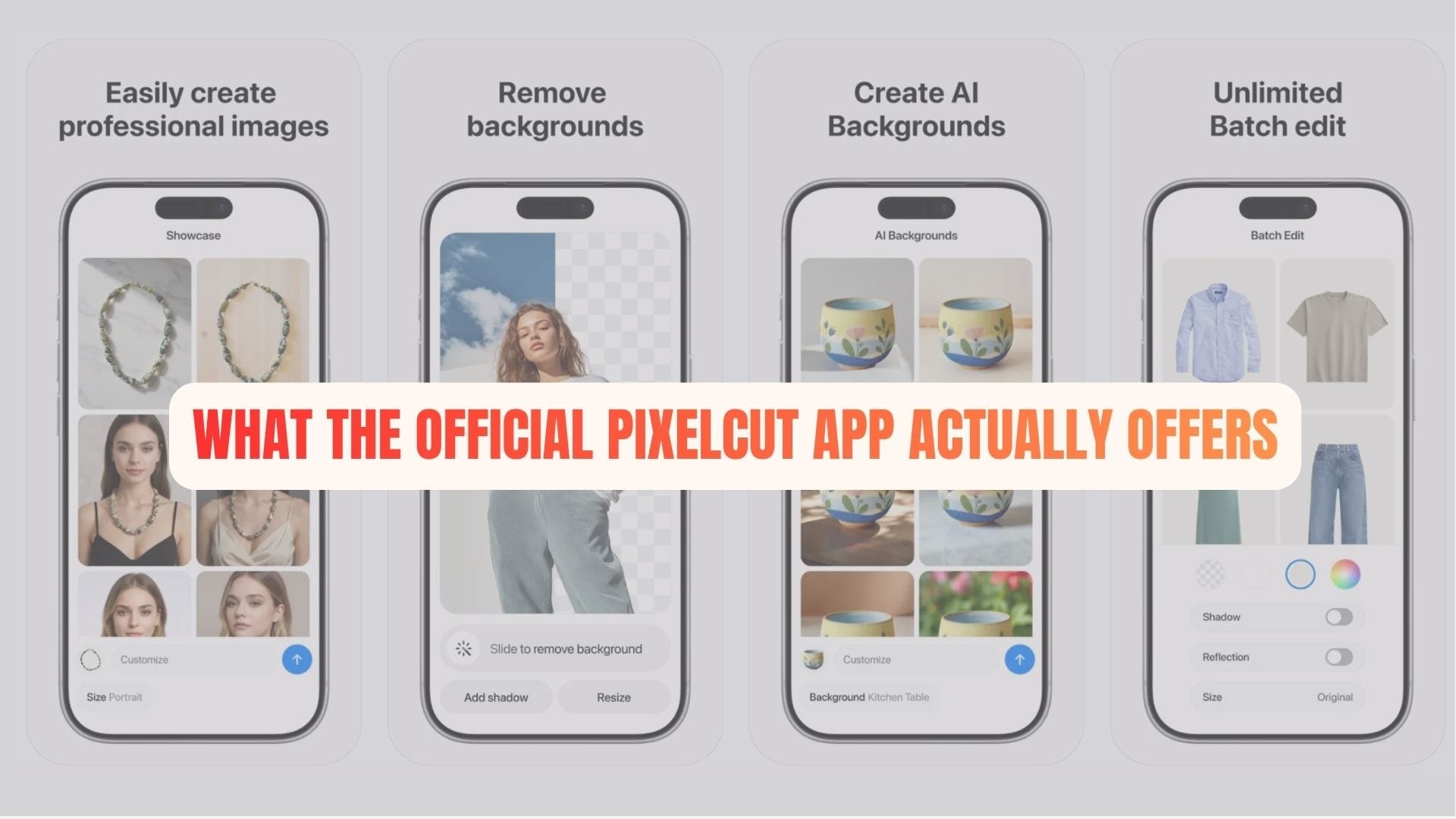
Free features that you can use in Pixelcut
- AI background remover: Instantly removes backgrounds with high accuracy, even for detailed edges such as hair or small objects.
- Magic Eraser: Let you remove unwanted objects from photos with simple edits.
- Basic image editing tools: Includes retouching, resizing, and simple design adjustments.
- Free templates and backgrounds: Useful for social media posts and product photos.
- Cross-platform access: Works on mobile and web, so you can edit from anywhere.
Many users overlook these features because the focus is often on what is locked, not what is already usable.
Benefits of using the official version
Using the official app is not just about legality. It also affects performance and reliability:
- Secure environment: No hidden code or unknown modifications
- Consistent AI performance: Tools like background removal and upscaling are maintained and improved over time
- Regular updates: New features like video background removal continue to be added
- Reliable output quality: Clean results without broken features or missing tools
- Support and stability: Fewer crashes and better overall experience
Pixelcut Mod APK vs Official Pixelcut
| Aspect | Pixelcut Mod APK | Official Pixelcut App |
| Source | Unverified third-party sites | Official app stores |
| Security | High risk (malware, data leaks) | Safe and verified |
| Features | Unlocked but unreliable | Stable and fully functional |
| Updates | Rare or none | Regular updates and improvements |
| Performance | Often unstable | Optimized and consistent |
| Legal status | Violates terms and copyright | Fully legal |
In many cases, the official version already covers most everyday needs. The difference is that this version doesn’t carry the risks typically associated with modified apps, which makes it a more reliable choice in the long run.
Part 5. Safer Options for Creating and Editing Content
Rather than relying on the Pixelcut modified APK, a better approach is to build a workflow using trusted tools. This not only keeps your device secure but also delivers more consistent results, especially if you create content regularly.
Many official apps offer strong free features and affordable upgrades. Pairing a reliable photo editor with a flexible video tool can actually give you more creative control than relying on a single app. One option worth considering is Wondershare Filmora.
While Pixelcut focuses on images, Filmora helps turn those visuals into polished videos for platforms such as TikTok, Instagram, or online stores. The two tools cover different parts of the content creation process, so using them together gives you a more complete workflow.
For example:
- Create clean product images: Use tools like Pixelcut AI Photo Editor to remove backgrounds and prepare visuals.
- Turn images into engaging videos:> Import those visuals into Filmora to add motion, transitions, and music. You can also use AI Image to Video in Filmora, which automatically animates your still images into short video clips.
- Enhance with AI tools: Use features like auto captions, effects, or templates to make content more dynamic.
- Export for multiple platforms: Optimize content for social media, ads, or e-commerce listings.
This kind of workflow is not only safer but also more scalable. Instead of chasing unlocked features, you build a setup that actually supports content creation in the long run.
 Secure Download
Conclusion
At first glance, a Pixelcut mod APK might seem like an easy way to unlock premium features for free. But as tempting as it sounds, the risks often outweigh the benefits. From potential security threats to unstable performance, using modified apps can create more problems than they solve.
The official version of Pixelcut AI Photo Editor already offers solid tools for everyday editing, and combining it with trusted software like Wondershare Filmora can take your content even further. In the long run, choosing safe and reliable tools is not just smarter; it’s what keeps your creative work consistent and secure.
FAQs
-
Can you get banned for using a Pixelcut Mod APK?
Yes, it is possible. Using a modified version of Pixelcut AI Photo Editor can violate the app’s terms of service. This may lead to restricted access, account suspension, or loss of certain features. Even if a ban isn’t immediate, there’s always a risk when using unofficial versions.
-
Can I share a Pixa account with someone else?
Pixelcut accounts are generally intended for personal use. Sharing login details may violate platform policies and could compromise account security. It’s safer to use your own account to avoid potential issues like unauthorized access or data loss.
-
How do I install Pixelcut / Pixa on PC?
There’s no need to install unofficial files. You can safely use Pixelcut AI Photo Editor on a computer by accessing its web version through a browser. This allows you to edit images and use its AI tools without downloading APK files or using third-party sources.
