
Ever find yourself unsure which animations or visual effects to use when editing a video? Timeliner notes that gathering materials can take up more time than expected. Searching for stock footage, B-roll, music, brand assets, and references can add another 30–90 minutes before editing begins.
To overcome this, Pixflow AI offers a range of creative resources to help you find the right look for your project. Its library includes thousands of video templates, motion graphics, plugins, and AI tools. In this guide, we'll take a closer look at its key features, pricing, and pros and cons.
Part 1. What Is Pixflow? A Quick Overview
When editing a video, finding the right animation, effect, or plugin can take time. You search for an asset, download it, and discover that it's not compatible with your editing software. Then, you have to start looking all over again.
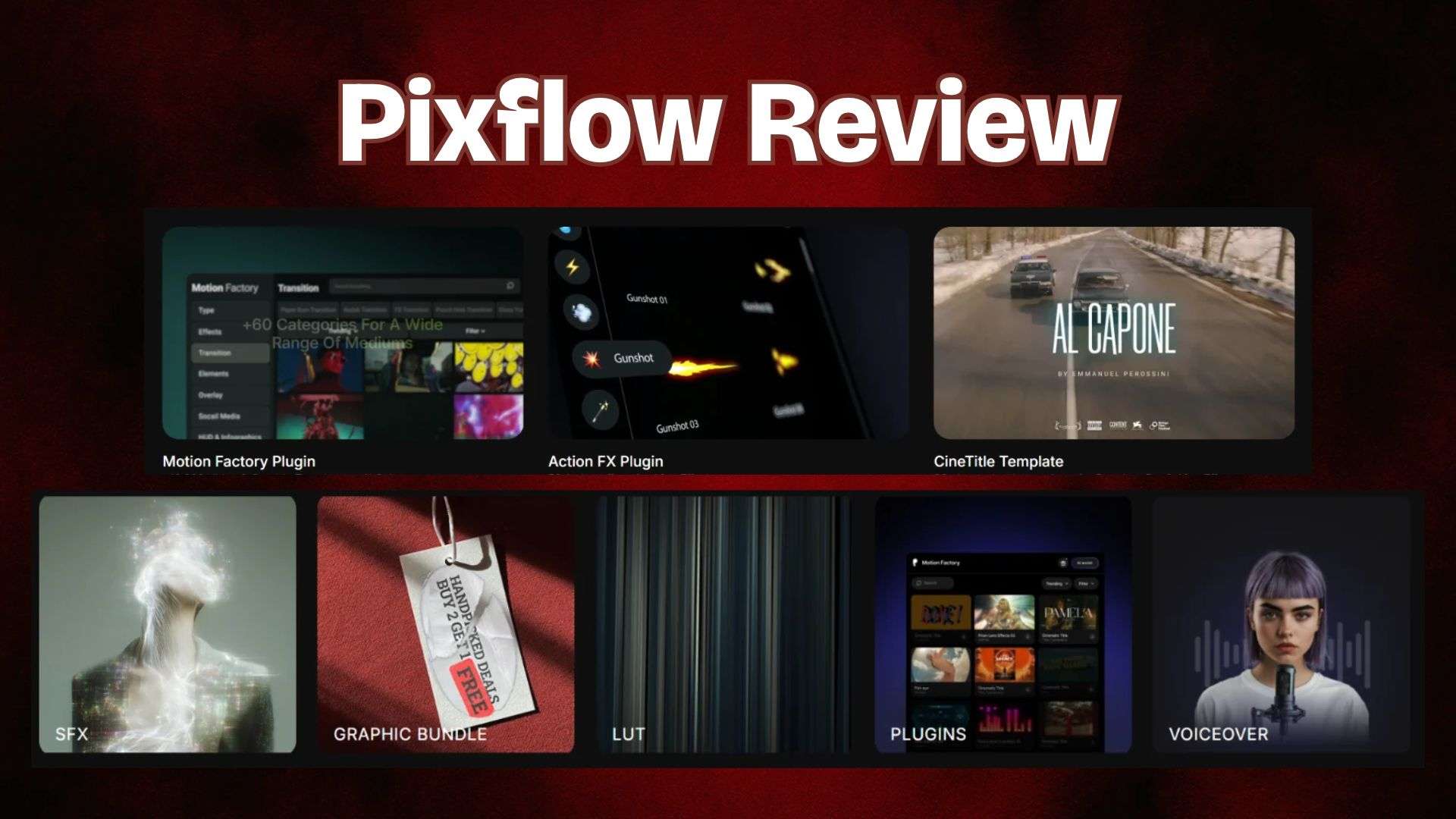
Pixflow serves as a creative hub for video editors and other creators. It offers video templates, motion graphics, plugins, stock footage, audio assets, and AI tools. You can explore these resources to find elements that fit your project and incorporate them into your creative workflow.
| Category | Overview |
| Platform Type | Creative resource platform for video editors, designers, and content creators |
| Primary Focus | Providing creative assets and tools for video production |
| AI Tools | AI video generator, AI voiceover, AI SFX |
| Creative Assets | Templates, motion graphics, plugins, stock footage, and audio resources |
| Supported Software | After Effects, Premiere Pro, Photoshop, Illustrator, DaVinci Resolve |
|
Show More
Show Less
|
|
Part 2. What Does It Offer? Pixflow AI Features Explained
Now that we have a general idea of what Pixflow is, it’s time to explore what it can actually do. Let’s take a closer look at its main features to understand what the platform offers and how each tool works.
1. Create Viral Videos with Trending Templates

Pixflow features AI VibeFX Templates. They give you access to a range of video templates inspired by current trends. To use one, choose a template and upload the required image or video. Pixflow then applies the selected style to your content.
2. Generate Voiceovers with AI
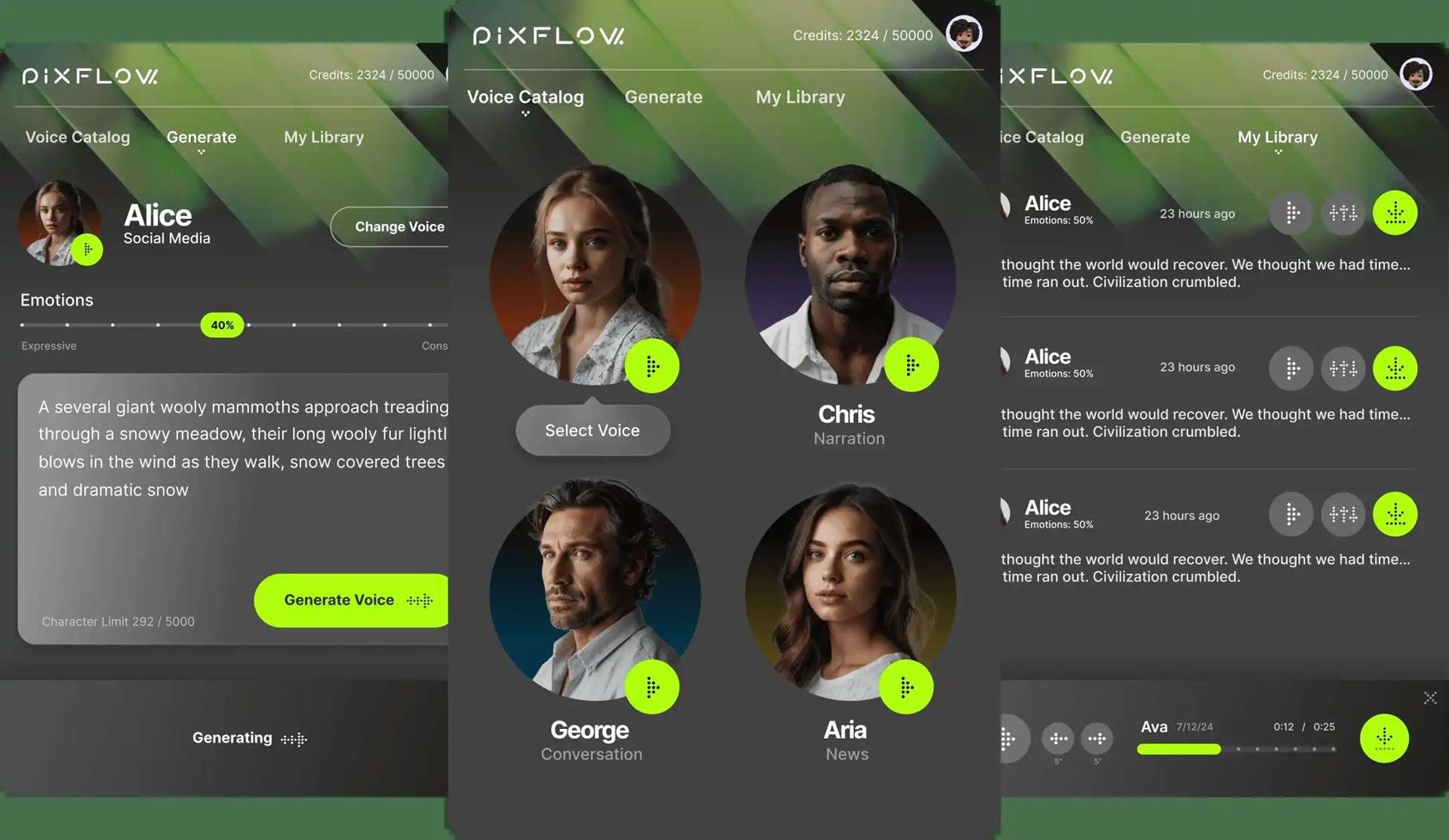
Another popular feature is Pixflow AI Voiceover, which turns your text into spoken audio. It offers a range of voice options, including male, female, older, younger, and cartoon-style voices. You can also adjust the voice's emotional tone and choose a theme to better match the content you're creating. The tool supports up to 29 languages and is available as a plugin for Adobe Premiere Pro and After Effects.
3. Find the Right Sound Effects or Generate Your Own
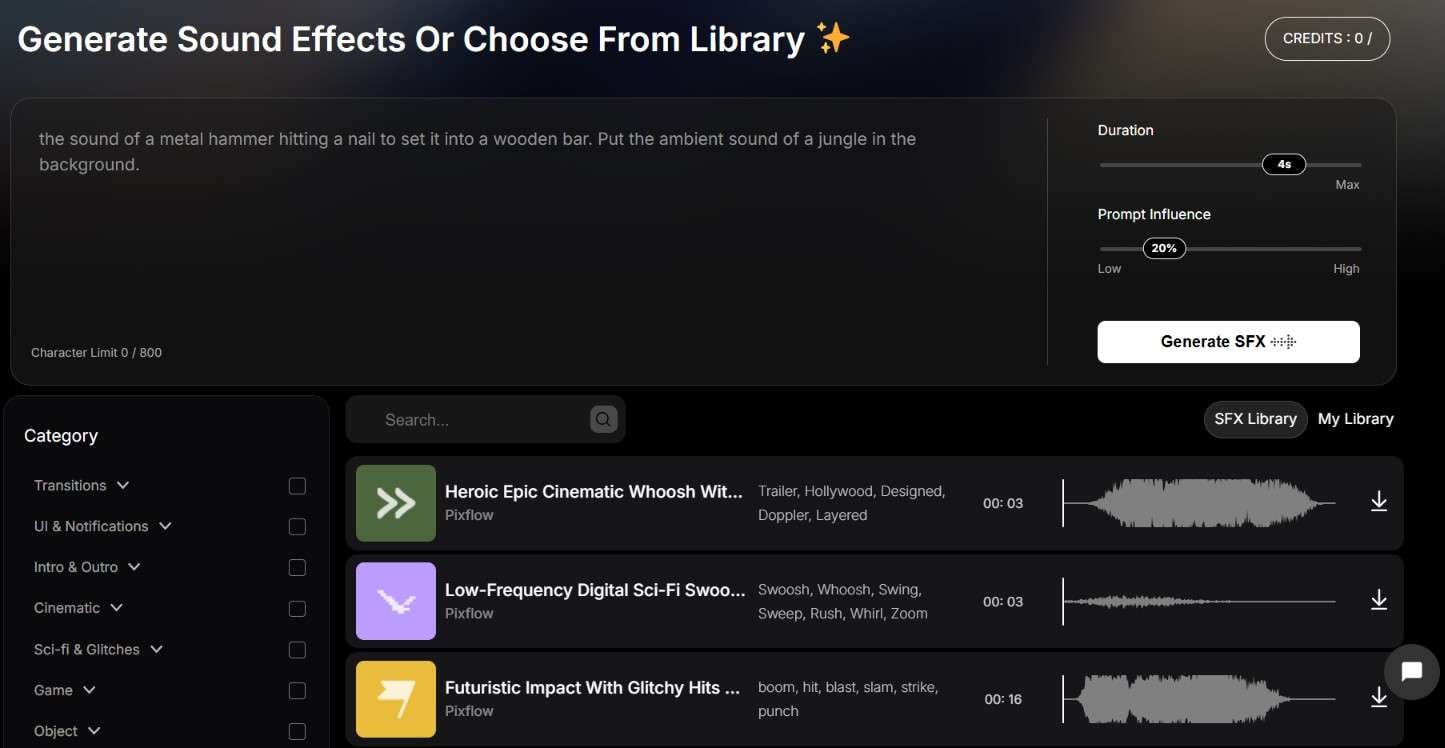
Pixflow makes it easier to find sound effects for your videos with its categorized audio library. Browse the available options to find a suitable match. If you can’t find one, generate a custom sound effect using a text prompt. The AI tool can create audio clips of up to five seconds.
4. A Collection of Templates and Plugins for Video Editors
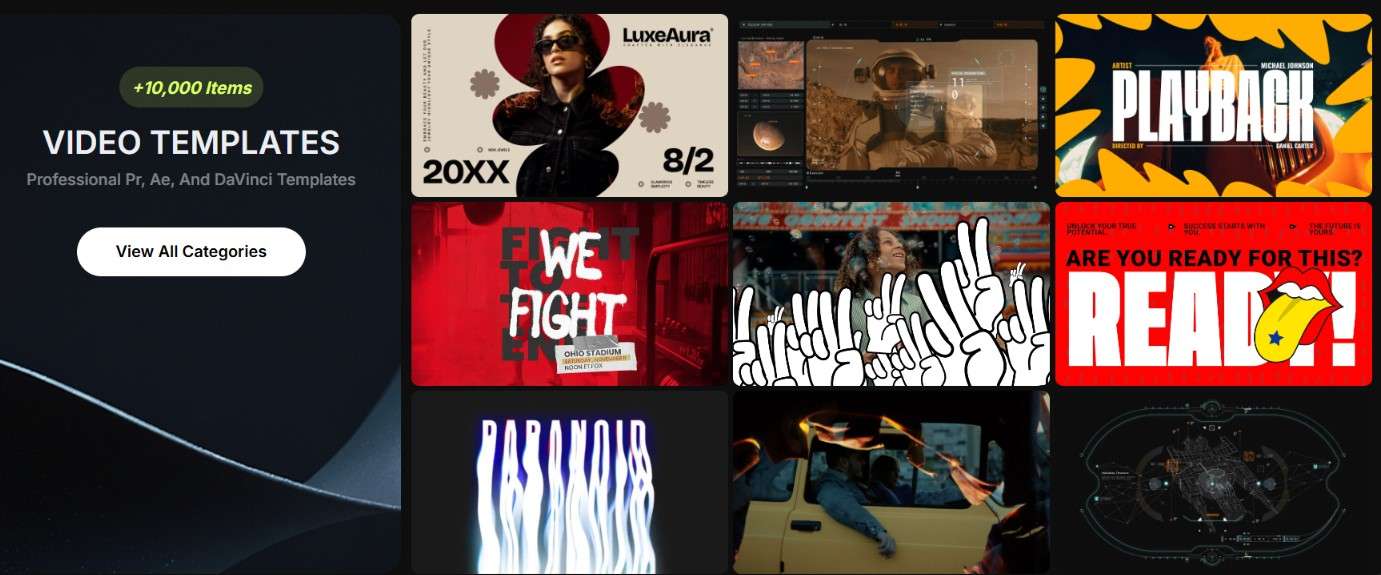
Pixflow has over 10,000 video templates for Adobe After Effects and Premiere Pro. The collection covers various categories, including intros, motion graphics, logo reveals, and more. Pixflow also provides plugins for these editing programs, giving you additional tools to access and work with creative assets directly in your editing workflow.
5. Get Creative with Graphic Templates
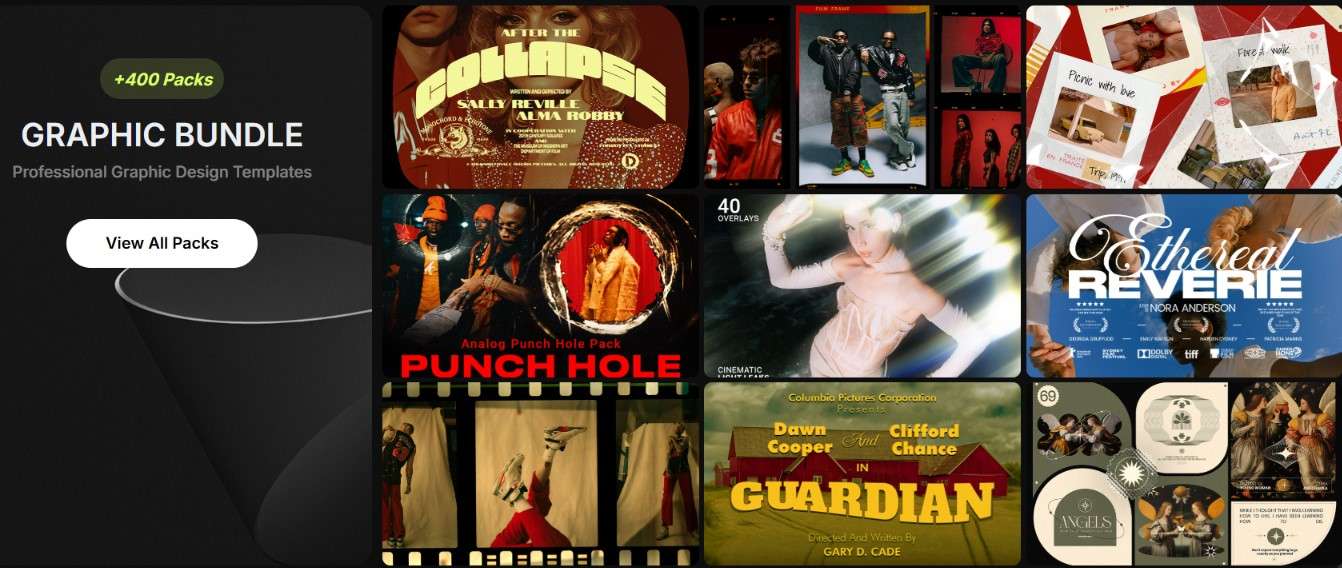
Sometimes, coming up with a design idea can be challenging, especially when working on projects in Photoshop or Illustrator. Pixflow offers over 400 graphic templates that you can use as a starting point for your designs. They can help spark new ideas or save time when you need to finish a project quickly.
6. Find the Perfect Color Style for Your Footage
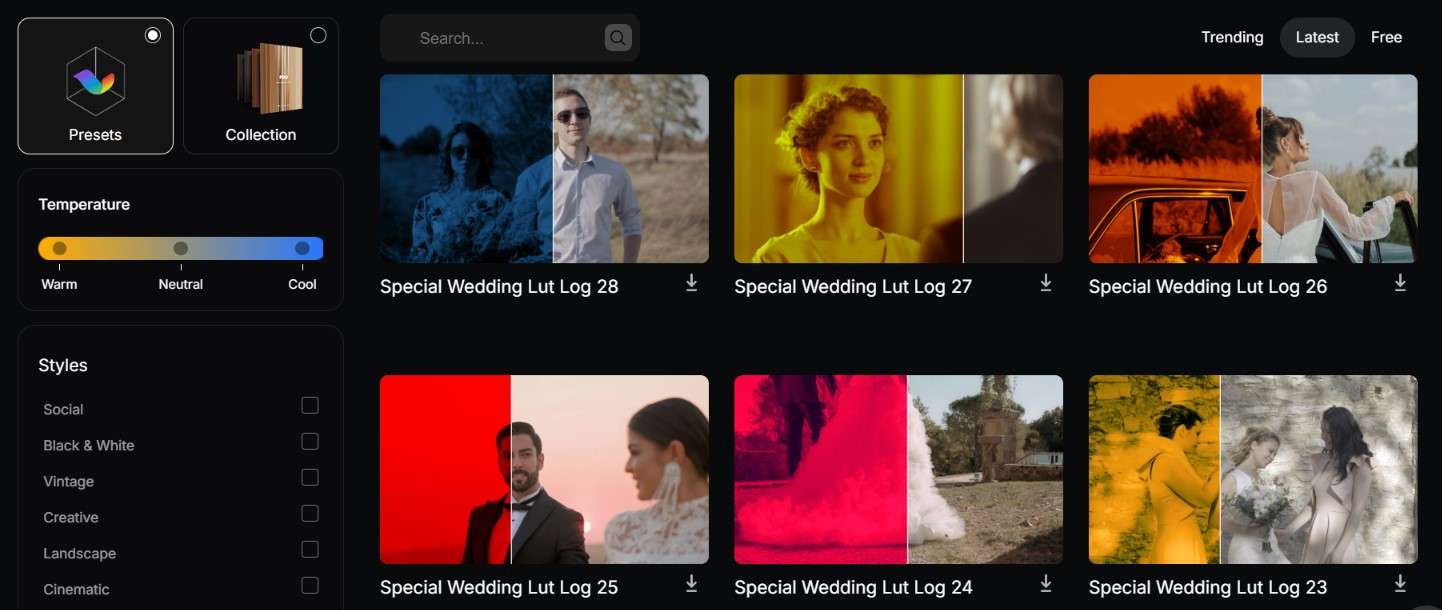
Color grading can take time when you're trying to find a look that works for your footage. To make the process easier, Pixflow provides over 1,000 color LUTs in different styles. You can browse the collection and choose presets that match the mood or visual direction you want to achieve in each scene.
Part 3. Pixflow Pricing: Is It Worth the Cost?
Wondering if Pixflow AI has a free plan? Unfortunately, it doesn’t. You’ll need a paid subscription to use its AI tools and other features. There are three plans to choose from: Pro, Max, and AI Suite. Let’s compare their prices and what you get with each plan.
| Pro | Max | AI Suite | |
| Price | $25.99 / month | $39.99 / month | $39.99 / month |
| Credits | 420 | 420 | 2500 |
| AI Usage Limit | 3 AI Videos or 100 SFX or 15 mins voiceover | 3 AI Video or 100 SFX or 15 mins voiceover | 15 AI Video or 600 SFX or 90 mins voiceover |
| Video & Graphic Templates Downloads | 100 | 200 | 0 |
| Sound Effect Downloads | 200 | 400 | 0 |
| Plugins And Extensions Download | Limited | 10 | 0 |
| Video Packs | 0 | 5 | 0 |
| Graphic Packs | 0 | 20 | 0 |
| Color Presets | 20 | 40 | 0 |
| Motion Factory Pro | Limited Access | Full Access | No Access |
| Video Quality | 4K | 8K | |
| Commercial Use | Allow | Allow | Allow |
|
Show More
Show Less
|
|||
Based on the table above, Pixflow offers two types of subscriptions. If you mainly want to use its AI tools, the AI Suite plan is the option. However, if you need access to both AI tools and creative assets, you can choose between the Pro and Max plans.
Part 4. Pixflow Pros and Cons
Pixflow brings several creative resources together in one platform. However, there are also a few limitations worth considering before you subscribe. Below, we’ll lay out the good and bad of Pixflow fairly:
- Easy to navigate, with a minimal learning curve.
- A useful resource hub for Adobe users, with a wide selection of assets compatible with different Adobe applications.
- Saves time by reducing the need to create visual elements and effects from scratch.
- You still need to fine-tune the templates to make the final results feel more personal.
- Some templates have complex structures that make it harder to access and modify individual animation elements.
- Software compatibility could be expanded beyond Adobe applications and DaVinci Resolve.
Who Can Make the Most of Pixflow
With its range of tools and creative resources, Pixflow can support various types of projects. Let's look at who can benefit the most from what the platform offers.
| If You Are… | What Can You Do? |
| Video Editors | Access templates for YouTube videos and cinematic projects, including titles, transitions, and branding elements |
| Motion Graphics and VFX Professionals | Explore motion graphics, visual effects, animations, and ready-made templates to create and enhance visual elements without building everything from scratch |
| Filmmakers and Video Producers | Experiment with different visual styles using color LUTs, cinematic effects, overlays, and other assets |
| Social Media Creators | Create content with trending video templates, AI voiceovers, and sound effects for different social media platforms |
|
Show More
Show Less
|
|
Part 5. Wondershare Filmora: A Complete Video Editing Solution
Pixflow offers AI video generation tools and a wide range of creative assets, from ready-made templates to motion graphics and plugins. However, some of these resources require compatible editing software, so you may need to switch between tools to complete your project.
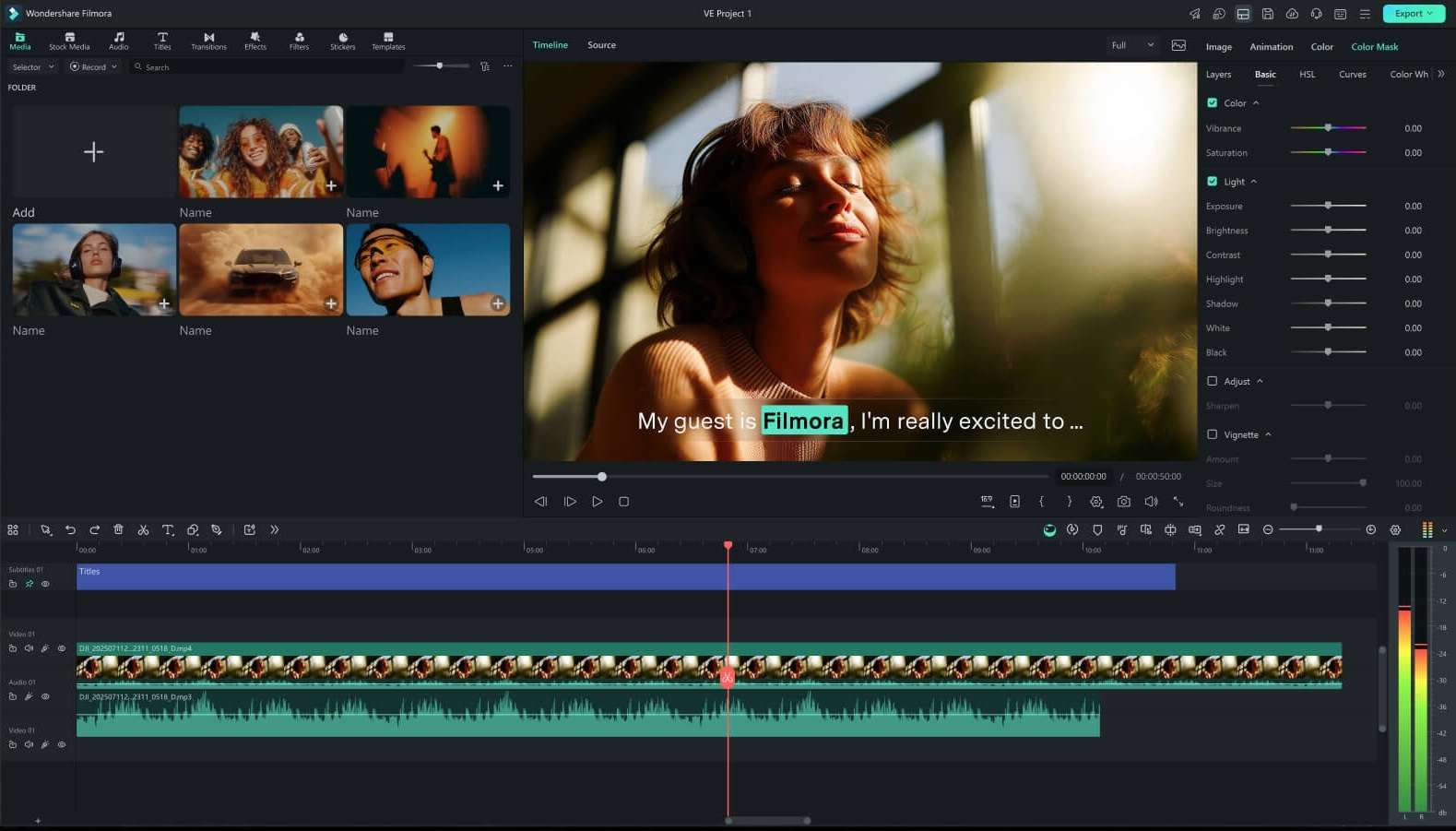
If you prefer to generate and edit videos in one place, Wondershare Filmora is worth considering. It combines AI video tools with a built-in timeline editor, creative effects, and other editing features, allowing you to work on your video from creation to final export within a single application.
Why Choose Filmora?
1. Compatible with Desktop and Mobile Devices

Filmora supports four major operating systems: Windows, macOS, iOS, and Android. This gives you more flexibility in choosing where to edit. Also, the project syncing helps you continue working across compatible devices.
2. A Timeline Editor for Precise Editing
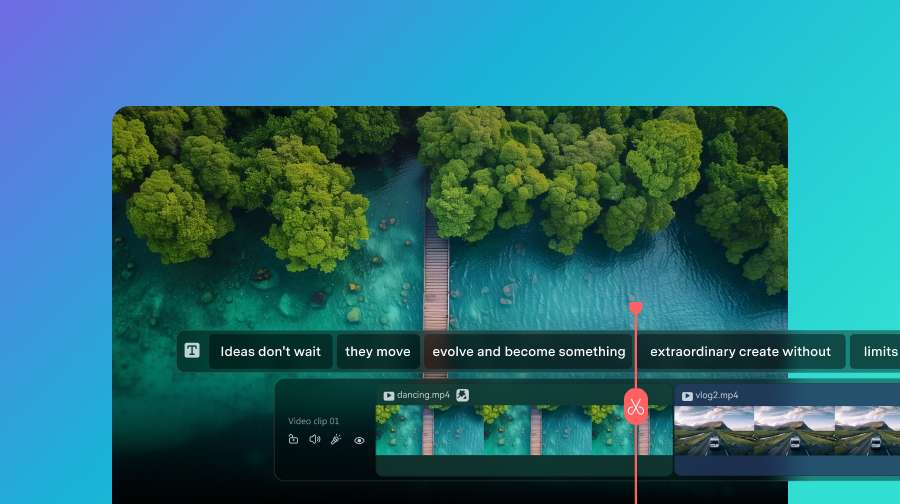
Filmora’s timeline gives you a clear overview of your video, making it easier to shape your footage into a finished project. You can rearrange clips, cut out unwanted parts, and coordinate video and audio with precise timing. Features such as split-screen editing and grouped clips also help you work more efficiently and keep complicated projects organized.
3. A Diverse Library of Media
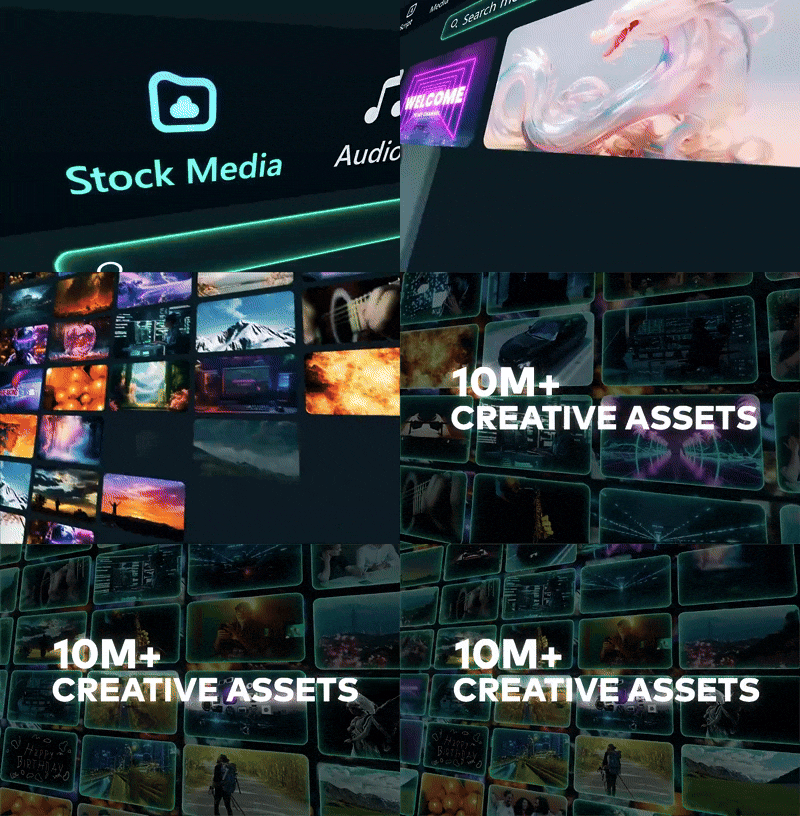
Filmora brings together stock media and royalty-free music in one place. With these resources, you can add suitable footage and audio to your project while experimenting with different looks and scene changes.
4. Creative Assets at Your Fingertips
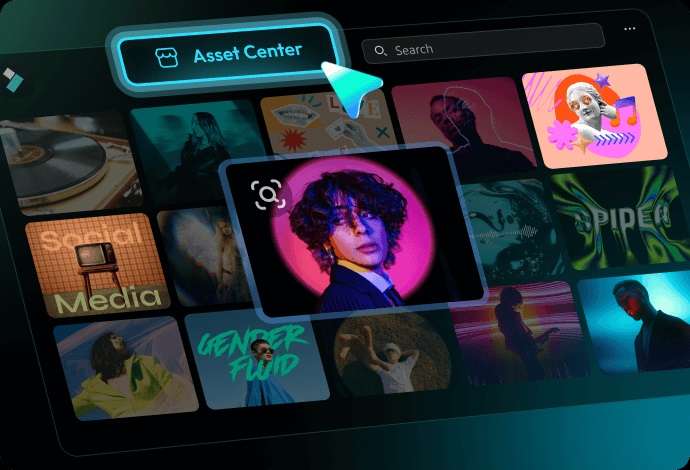
Filmora gives you access to a range of creative assets without having to look for them elsewhere. You can find transitions, animations, visual effects, and other elements to add variety to your videos. Browse the assets directly and apply them as you edit.
 Secure Download
Conclusion
Overall, Pixflow is worth exploring if you regularly work on video editing, motion graphics, or visual effects. It offers a wide range of templates, plugins, and other creative assets that you can use with popular editing and design software, including Adobe applications and DaVinci Resolve.
However, if you'd rather have your editing tools and creative resources in one place, Filmora is another option to consider. It comes with a built-in video editor and various AI features to support your workflow. Its library also contains thousands of creative assets, so you can find music, effects, transitions, and other elements without searching across different platforms.
FAQs
-
1. Can I use Pixflow’s creative assets for commercial projects?
Yes. All paid plans include commercial usage rights. -
2. How many assets can I download from Pixflow?
The number of downloads depends on your subscription plan and billing period. With the yearly Max plan, you can download assets without a set limit. -
3. Can I use Pixflow’s assets in Wondershare Filmora?
Pixflow doesn’t currently offer direct integration with Filmora. However, you can import AI-generated videos or Pixflow AI Voiceovers into Filmora and combine them with other clips in your project.