


Remaker AI is well-known for its AI-powered face-swapping tool, which makes it easy for you to swap faces in photos and videos without complex editing software. But more than Remaker face-swapping, it also offers AI-powered image generation, photo editing, image enhancement, video enhancement, and other browser-based tools for creating and enhancing visual content.
In this Remaker AI review, we’ll cover its key features, how the platform works, pricing, free access, and overall value. We’ll also discuss its pros and cons and compare it with alternatives for those seeking more advanced video editing capabilities.
Part 1. What Is Remaker AI and How Does It Work?
Remaker AI uses a straightforward workflow where you just need to select a tool, upload an image or video, adjust the available settings, and generate the result. The platform handles the editing process automatically, making it suitable if you want to create visual content without complicated editing steps.
The platform includes several tools for different types of visual editing:
- Face Swap: Upload a source image or video, choose the face to apply, and let Remaker AI process the replacement.
- AI Image Tools: Create images from text prompts, edit existing photos, remove unwanted elements, and improve image quality.
- AI Video Tools: Enhance video quality and apply AI-powered effects for short-form content and creative projects.
Remaker AI focuses on specific AI editing tasks instead of offering a complete video production workflow. If you are someone who needs timeline editing, advanced transitions, or detailed audio adjustments, you may still need dedicated video editing software.
Part 2. Key Remaker Feature: AI Face Swap
Remaker AI Face Swap is the platform’s most popular feature, allowing you to replace faces in photos and videos with AI-generated results. The tool automatically detects facial features and blends the new face into the content while maintaining the original expression, angle, and overall look.
AI Face Swap for Photos
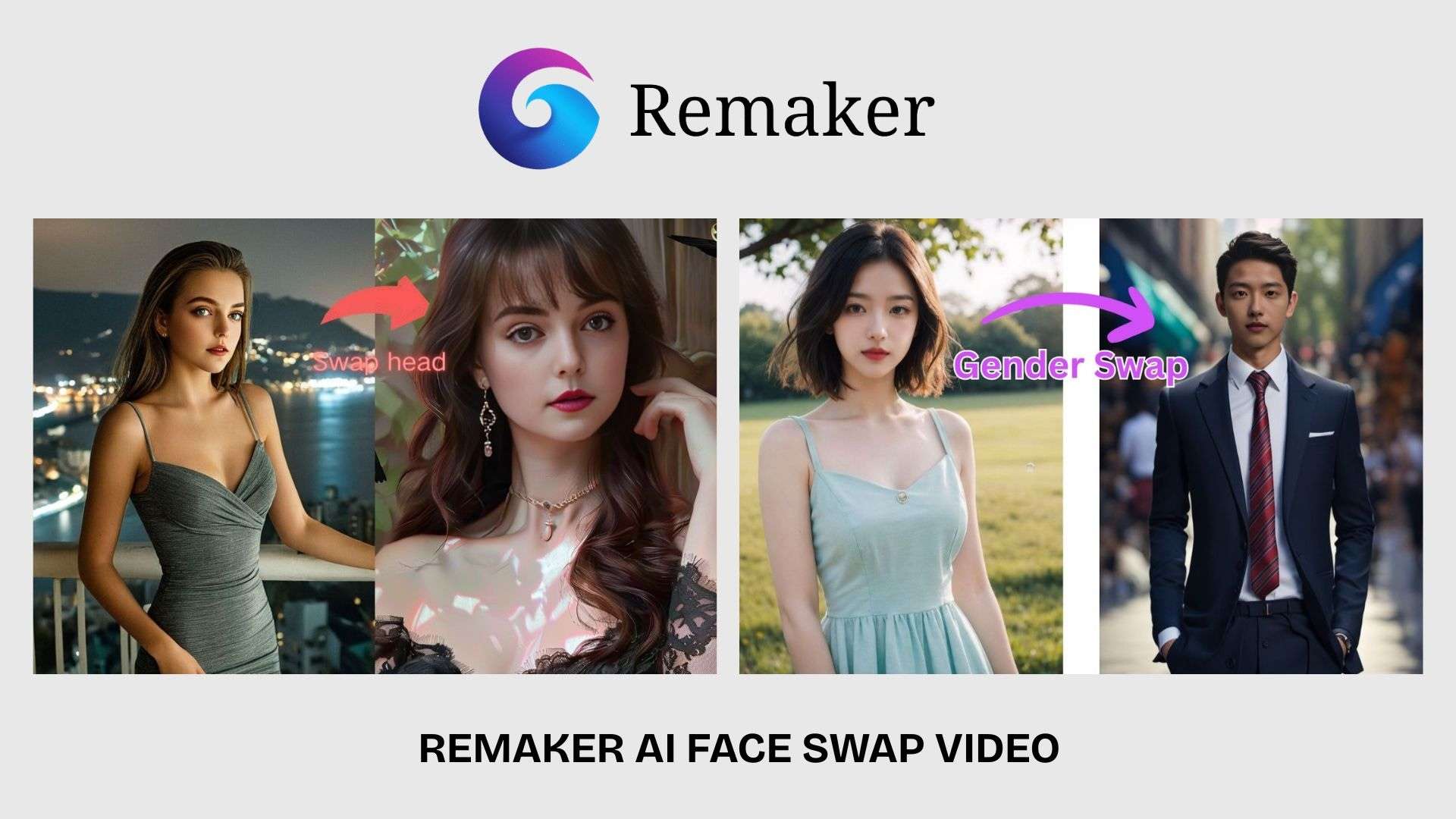
Remaker AI Face Swap for photos lets users replace a face in an image by uploading a source photo and selecting the face they want to use. The tool is available from the Face Swap section on the Remaker AI website at https://remaker.ai/face-swap-free/ and is commonly used for portraits, creative edits, and social media content.
Remaker AI Face Swap Video
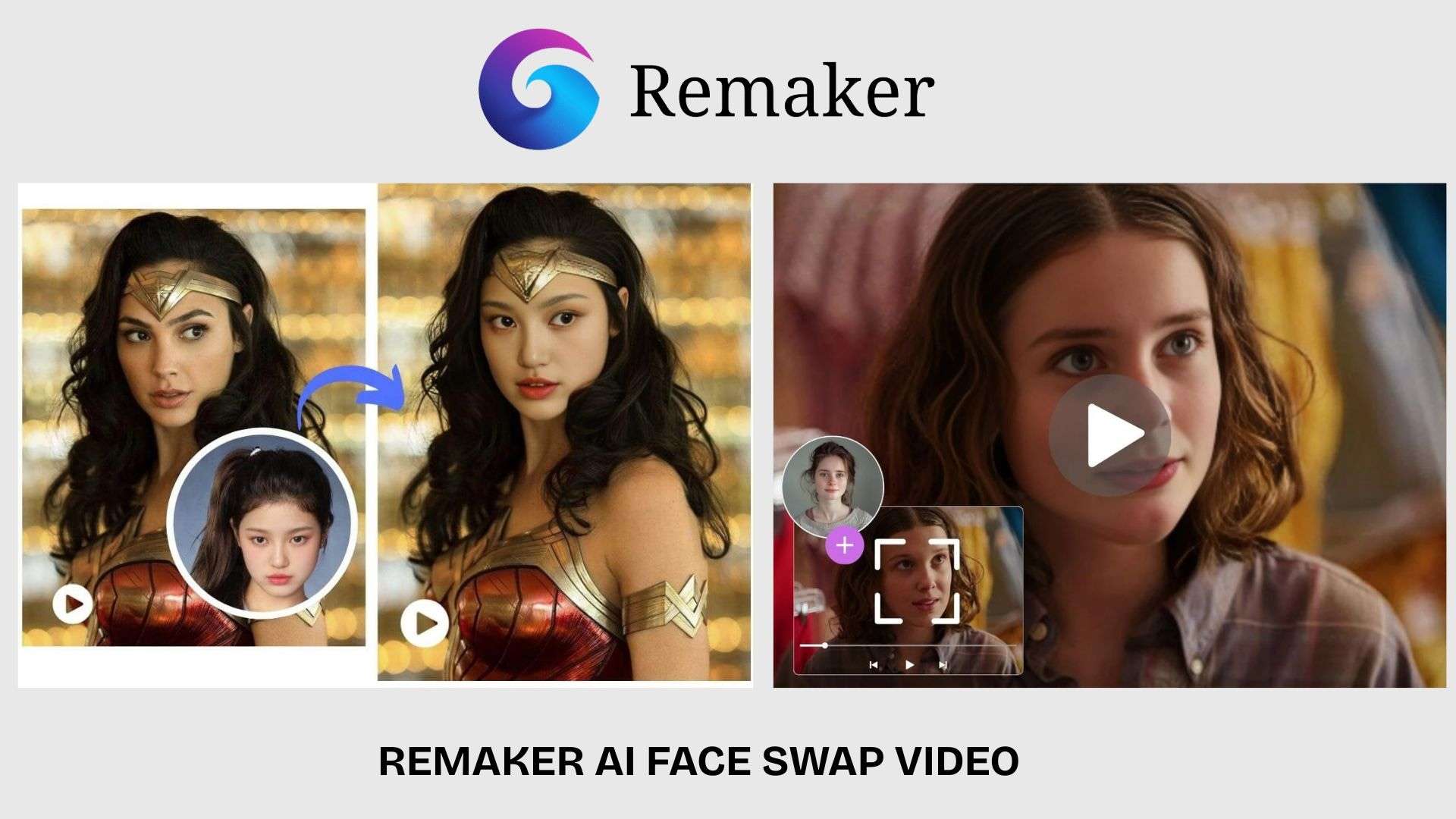
Remaker AI Face Swap Video offers the same feature to motion content. You can upload a video, add a target face, and let the AI process the replacement throughout the footage. This tool is available on the Video Face Swap page at https://remaker.ai/video-face-swap-online/ and is mainly used for short clips, entertainment content, and creative projects.
Part 3. Other Remaker AI Features Beyond Face Swap
Beyond Remaker AI Face Swap, it includes several tools for editing images and videos. These features are designed for quick adjustments, from removing unwanted parts of a photo to improving the quality of existing footage.
AI Photo Editor and Image Tools
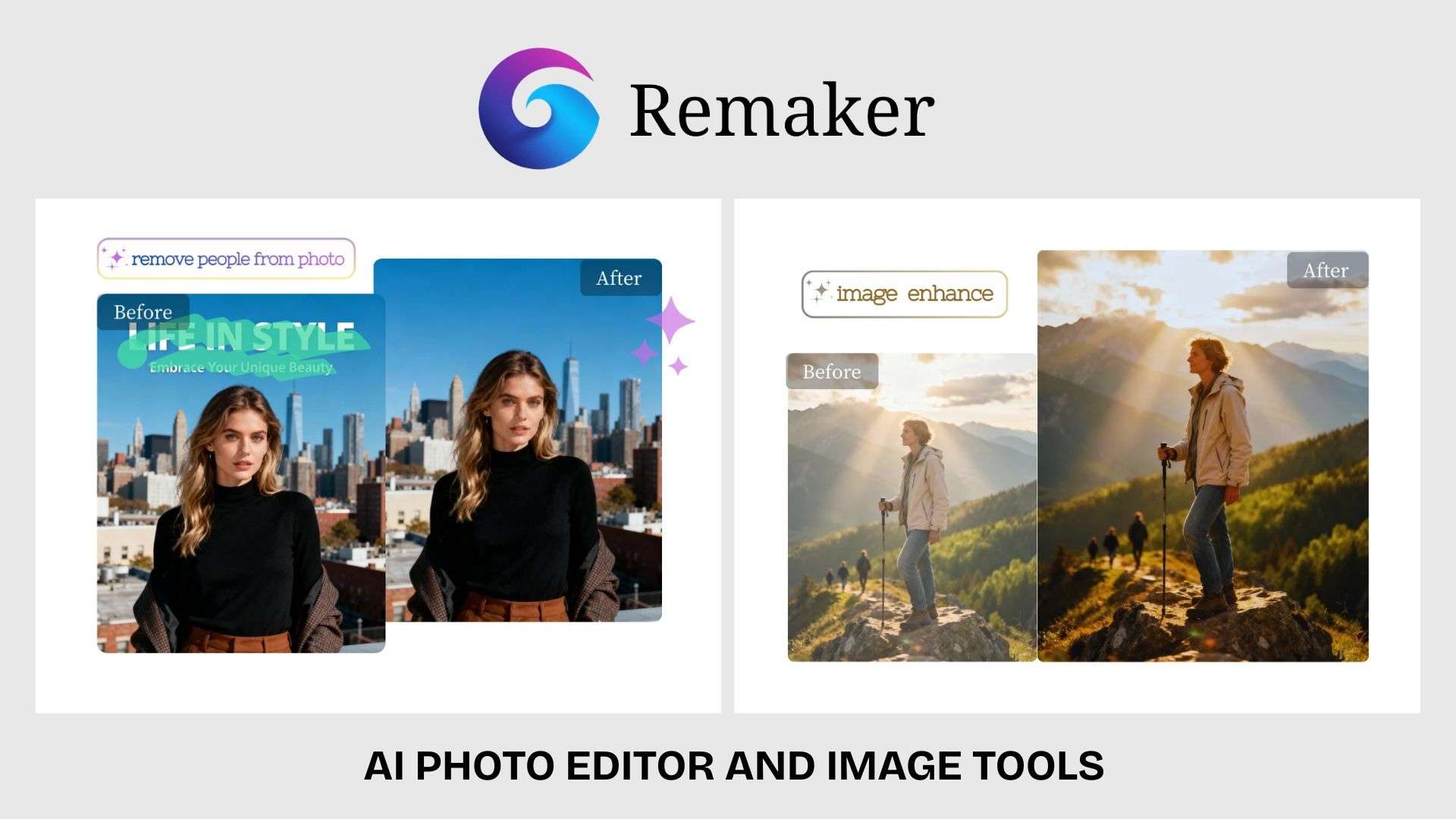
Remaker AI Photo Editor provides AI-powered editing tools to modify images without advanced editing skills. Users can remove objects, replace or edit parts of an image, enhance resolution, and make quick adjustments through automated processing.
Other image tools include AI image generation, photo effects, background/object remover, and image upscaling, which can help you create new visuals or improve the quality of existing photos.
Remaker AI Video Tools

Remaker AI Video Generator allows you to create AI-generated videos from text or image inputs. It’s designed for users who want to experiment with AI video creation for social media posts, marketing content, or creative projects.
Remaker AI Video Enhancer

The Remaker AI Video Enhancer focuses on improving video quality by increasing clarity and enhancing details in uploaded footage. You can upload a video and let the tool automatically process the enhancements, which is very convenient for restoring old clips or preparing videos for online sharing.
Part 4. Remaker AI Pricing and Free Credits
Remaker AI uses a credit-based pricing system, meaning you pay in credits instead of subscribing to a monthly plan. It accepts card payments (via Telegram) and crypto as payment methods.
Remaker AI Pricing Plans
| Credit Package | Price |
| 200 credits | $5.99 |
| 1100 credits | $19.99 |
| 3000 credits | $49.99 |
| 20000 credits | $299 |
|
Show More
Show Less
|
|
The number of credits required depends on the tool being used. Features that require more intensive processing, such as video generation, video face swap, and video enhancement, consume more resources compared with simple image edits.
How to Use Remaker AI for Free
After registering, you'll get 30 free credits as a new user, plus a chance to earn daily free credits by signing in and checking in every day. You can also earn free credits by sharing Remaker AI on your social media. However, note that this offer is limited-time and subject to change.
Part 5. Remaker AI Review: Pros, Cons, and Best Alternative
After testing its main features, Remaker AI feels most suitable for users who need fast face swaps, image edits, and AI enhancements. It works well for specific editing tasks, although it lacks the deeper controls found in dedicated video editors.
- Remaker AI’s main strength is its face-swapping feature for photos and videos, which allows users to perform AI-powered face swaps without manual editing.
- Users can edit photos, GIFs, and videos, which makes this platform useful for a variety of creative projects.
- In addition to face swap, Remaker AI includes image generation, photo editing, image enhancement, and video enhancement features.
- Users can start creating without downloading additional software or learning complicated editing tools.
- Remaker AI does not provide advanced timeline editing, layers, keyframes, or professional video adjustment tools.
- Tools such as video face swap and video enhancement require more processing, which can use credits faster than image-based features.
- Results may vary depending on factors such as face angle, lighting, image resolution, and video quality.
- Users creating longer videos with custom effects, audio editing, and detailed scene adjustments may need additional editing software.
Best Remaker AI Alternative for Advanced Video Editing
While Remaker AI runs each of its tools individually in your browser, Wondershare Filmora brings that same AI power into a full editing timeline. Filmora actually offers many of the same features as Remaker AI, including video and image generation, face swapping (via Prompt Video Editor), image generation, background remover, video enhancement, and more.
But the difference comes down to how they're handled and the quality of the results. Rather than standalone tools, Filmora's AI features are built into a complete editing workflow that also gives you full manual control when you need it. You can combine clips, layer effects, and fine-tune audio for a professional-grade video.
| Remaker | Filmora | |
| Main focus | AI image and video transformations | Complete video editing workflow |
| Face swap | A specialized AI-based face-swapping tool | Focuses on editing and AI-assisted creation |
| Video editing | Limited AI-based tools | Full timeline-based editing |
| AI features | Face swap, image generation, enhancement tools | AI text-to-video, AI image-to-video, AI editing tools, subtitles, audio tools |
| Effects and transitions | Limited | Extensive effects, transitions, and creative assets |
| Audio editing | Basic | Advanced audio editing features |
| Best for | Quick AI edits and creative experiments | YouTube videos, marketing content, and professional projects |
|
Show More
Show Less
|
||
 Secure Download
Conclusion
Remaker AI delivers what most users come to it for: quick face swaps and AI-based visual changes using uploaded photos or videos. Its face swap tools remain the highlight, while features for image editing, generation, and video enhancement expand what users can create on the platform.
The limitation appears when users need detailed control over video projects, since Remaker AI is not built around advanced editing workflows. With its credit-based system, the platform fits best for occasional AI edits, social media content, and creators who need fast visual transformations.
FAQs
-
1. Is Remaker AI face swap free?
Yes, Remaker AI offers free credits that users can use to try features like face swap. More usage requires additional credits, especially for video-based tools. -
2. Can Remaker AI swap faces in videos?
Yes. Remaker AI supports video face swap, where you can upload a video and replace a face using AI processing. -
3. Is Remaker AI safe to use?
Remaker AI is safe to use for creative editing, but you should be careful when uploading personal photos or videos and review the platform’s privacy policy. For image and video uploads, the platform states that content processed through tools like Face Swap is deleted within 48 hours. -
4. Does Remaker AI have a video enhancer?
Yes. Remaker AI Video Enhancer helps improve video quality by enhancing detail and clarity.
