


It has been about a month since ByteDance rolled Seedance 2.5 out into the wild, and creators have already started putting it against its predecessor. Naturally, the Seedance 2.5 vs 2.0 debate has become one of the hottest topics in the AI video community. If you scroll through Reddit, you will already find massive threads comparing everything from face stability to motion blur.
But which one actually makes more sense for creators? Instead of simply looking at the spec sheet, we'll take a closer look at Seedance 2.5, compare it with 2.0 across practical scenarios, and examine what public tests and demonstrations reveal about their strengths and weaknesses.
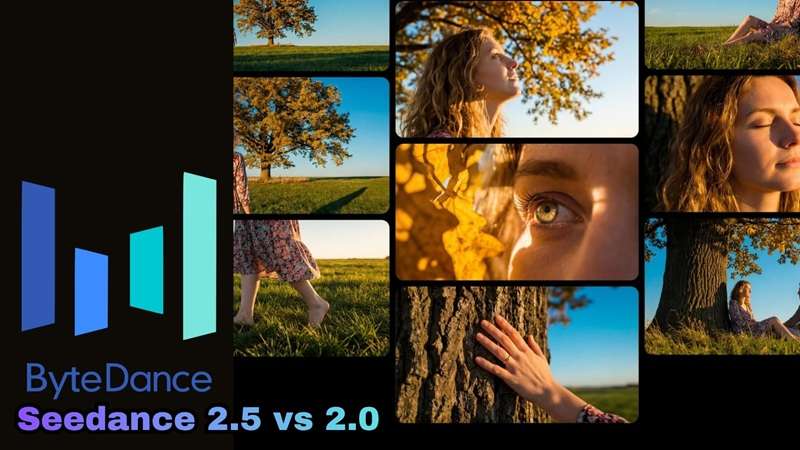
Part 1. Key Differences At a Glance
ByteDance launched Seedance 2.5 on July 31, 2026, and in ByteDance's own words, the goal with 2.5 wasn't just "generate a clip" anymore. It was "complete a creative work." But the interesting part is how those upgrades change the way creators can actually work.
To begin our comparison of Seedance 2.5 vs 2.0, let's take a closer look at the major leaps between the two.
Key Upgrades in Seedance 2.5
1. Long-Take Generation (30s Single Pass)
Seedance 2.0 topped out at 15 seconds per generation. 2.5 doubles that to a full 30 seconds in one continuous pass, and layers on multi-round extension so you can keep chaining scenes into a multi-minute sequence without the seams showing.
2. Expanded Reference Capacity (50 Assets)

This is the one creators are most excited about. 2.0's open platform capped you at 15 references total: 9 images, 3 video clips, and 3 audio clips. 2.5 pushes that to 30 images, 10 videos, and 10 audio clips, for 50 references in a single generation.
3. Targeted & Timestamp-Level Editing
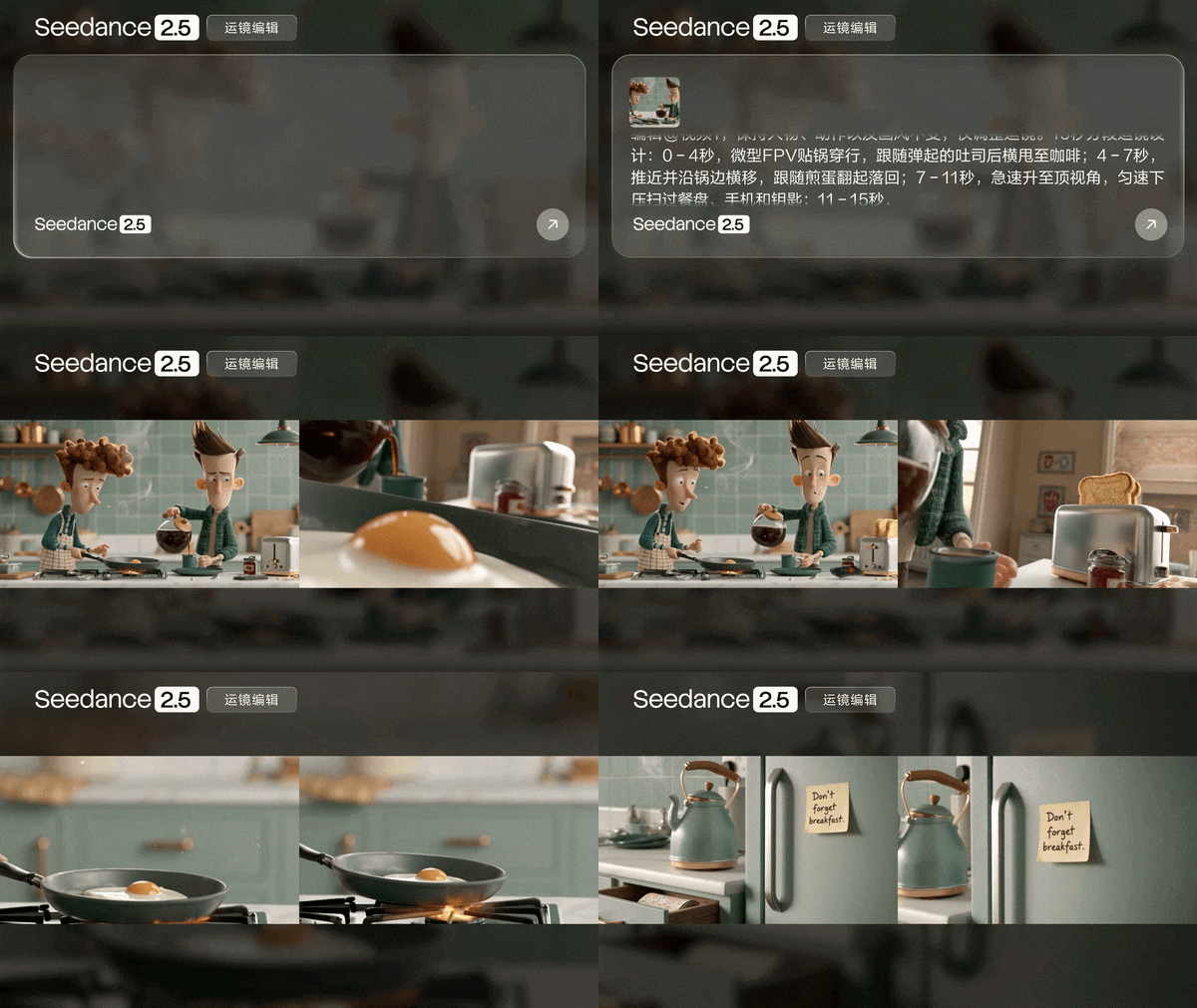
Seedance 2.5 also takes a more surgical approach to editing. So, instead of regenerating an entire clip because one moment looks off, 2.5 lets you point at a specific timestamp or region and edit just that piece. This is a genuinely new production tool that 2.0 never had.
4. 3D Spatial & Layout Control
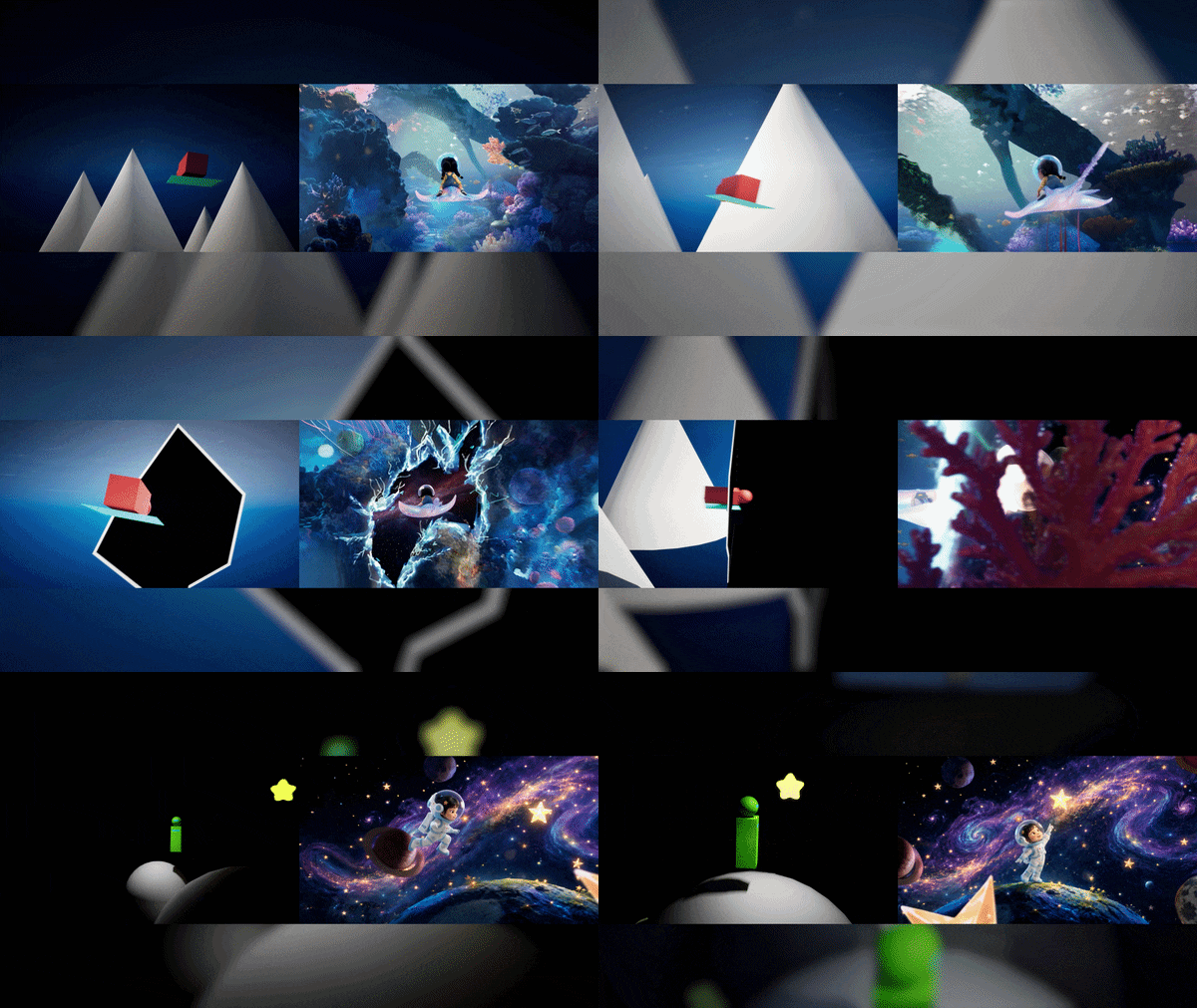
One of the more interesting additions is white-model or clay-render referencing. On top of that, it also has camera-perspective and green-screen editing, aimed squarely at ad and film workflows that need precise blocking.
Quick Comparison: Seedance 2.5 vs Seedance 2.0
Below, we'll provide a quick snapshot of Seedance 2.5 vs 2.0 when compared side-by-side. A quick note before you skim it: ByteDance hasn't published a formal technical report for 2.5 the way it did for 2.0, so a couple of these rows (resolution especially) carry real-world testing notes rather than one clean official number.
| Feature | Seedance 2.5 | Seedance 2.0 |
| Max Single-Pass Length | Up to 30 seconds | Up to 15 seconds |
| Multimodal Reference Limits | Up to 30 images + 10 videos + 10 audio clips | Up to 9 images + 3 videos + 3 audio clips |
| Production Controls | Timestamp-level editing, clay-render referencing, camera-perspective & green-screen editing | First-frame/last-frame control, standard reference-to-video |
| Output Resolution | Up to 1080P on Dreamina platform | Up to 720P on Filmora platform |
| Aspect Ratio | 16:9, 9:16, 1:1, 4:3, 3:4, 21:9 | 1:1, 9:16, 16:9 |
| Native Audio Generation | ||
| Input Types Supported | Text, Image, Video, Audio, 3D mesh pre-vis | Text, Image, Video, Audio |
| Access | Jimeng AI, Doubao Pro, Dreamina, and select enterprise APIs | Jimeng, Doubao, Volcengine Ark API, and several third-party integrations including Filmora |
| Pricing | Not fully settled; independent trackers report figures that differ by roughly 2.7x | Consumer plans from about $14.90/month; API rates from roughly $0.07/sec at 480p up to higher tiers at top resolutions |
|
Show More
Show Less
|
||
Part 2. Seedance 2.5 vs 2.0 Video Quality Test
Specs are useful, but they don't tell you what happens when the models have to deal with an actual creative problem. On the Arena leaderboard, at the time of this writing, Seedance 2.0 still edges out Seedance 2.5 on text-to-video, while the image-to-video flips it to Seedance 2.5 ranking one spot higher than Seedance 2.0.
But to get a true sense of how Seedance 2.5 vs 2.0 compares in daily use, we ran both engines through three specific real-world testing scenarios.
Test 1: Character Consistency Test
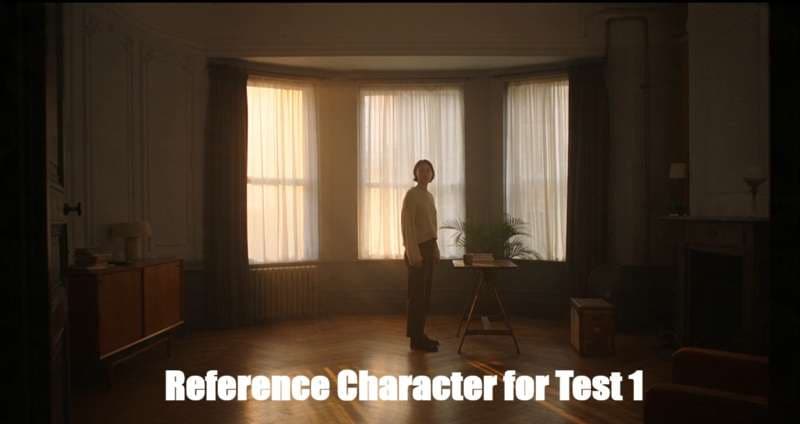
Setup: We render the same character across multiple angles and consecutive shots, then check whether the face, outfit, and overall style survive the trip.
Seedance 2.5 Result:
Seedance 2.0 Result:
Test 2: Scene Continuity & Action Test
Setup: This time, we'll compare a single continuous 30-second action sequence on 2.5 versus the workaround 2.0 users have relied on for months: stitching two separate 15-second generations together.
Seedance 2.5 Result:
Seedance 2.0 Result:
Test 3: Audio-Visual Sync & Lip-Sync Test
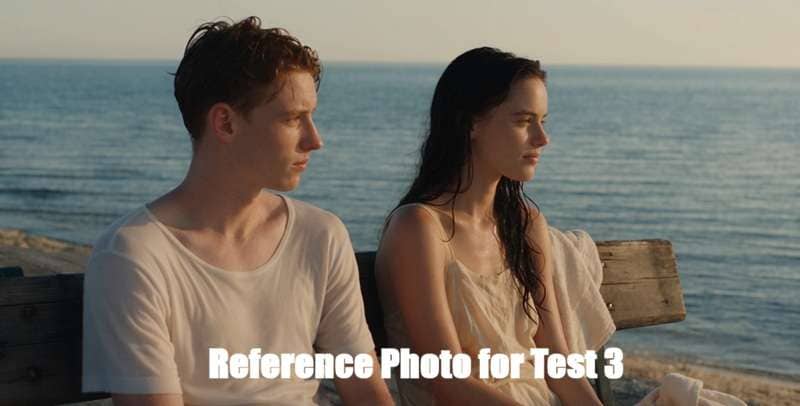
Setup: We also test both models to multilingual dialogue matched against lip movement, plus ambient sound layered into a continuous scene. The goal is to check how well the audio track tracks the action as it unfolds.
Seedance 2.5 Result:
Seedance 2.0 Result:
Our Takeaway
Based on the three tests taken above, it’s clear that Seedance 2.5 has an advantage. Seedance 2.0 still holds its ground decently well for character consistency, but it tends to ignore parts of the prompt. Plus, stitching two 15-second clips together also creates noticeable quality jumps and audio mismatches. That said, Seedance 2.0 still keeps up enough to be a reliable, budget-friendly workhorse for quick, short-form projects.
Part 3. Strengths and Weaknesses of Each Model
Although it seems like the Seedance 2.5 model has the upper hand, the debate of Seedance 2.5 vs 2.0 is basically built around different trade-offs, and knowing where each one bends is what actually helps you pick.
Seedance 2.5 Pros & Cons
- 30-second single-pass generation gives creators more room for complete scenes.
- Massive 50-asset reference capacity locks down character consistency.
- Clay-render and camera-perspective controls give film and ad workflows real blocking precision.
- Multi-round extension opens the door to multi-minute continuous narratives.
- Every shipped integration so far tops out around 1080P, despite marketing pages floating 4K.
- Pricing isn't settled, but it generally requires higher generation credit costs per render.
- Complex physical motion and multi-hand coordination still break down.
- Currently less widely integrated into casual mobile editing apps.
Seedance 2.0 Pros & Cons
- Noticeably cheaper per generation, which matters a lot at high creative volume.
- Faster iteration cycle for short-form content.
- Widely accessible across third-party video editors and web apps.
- Excellent for quick moodboard visuals and conceptual scenes.
- Limited reference capacity leads to character appearance drift.
- No way to edit specific regions without re-rolling the clip.
- Lip-sync often slips during complex camera movements.
- Background details tend to warp during long action sequences.
Part 4. Seedance 2.5 vs 2.0: Which One Should Creators Use?
Seeing the good and bad of both models as stated above certainly can help you see the Seedance 2.5 vs 2.0 debate in a different light. After all, this isn't really a "which model is objectively better" question, but a "which one fits what I'm making this week" question. That's the real dealbreaker.

Here is a simple guide to help you decide which version to open for your next edit.
Stick with Seedance 2.0 If:
- You're Mostly Making Short Cinematic Shots: The 30-second window in 2.5 is dead weight if you're not using it.
- You're on a Budget: 2.0's per-generation cost is lower and far better documented, which matters when you're generating dozens of variants.
- You Already Have a Workflow That Works: Switching model versions mid-shoot is a continuity risk before it's an upgrade.
Upgrade to Seedance 2.5 If:
- Your Projects Use Lots of References: Thirty image references pinned to a single character have no equivalent on 2.0.
- You Need More Precise Editing: Timestamp-level editing, clay-render referencing, and camera-perspective control are built for exactly that kind of control.
- You Make Narrative Videos: Short films, advertisements, and music videos can all benefit from longer connected sequences.
Part 5. Access Seedance 2.0 in Wondershare Filmora!
From what we've learned of this Seedance 2.5 vs 2.0 comparison so far, both models have a real case for why you'd want to reach for them. However, there's a factor that ends up deciding things for a lot of creators before specs even enter the conversation: accessibility.
Seedance 2.5 is still finding its footing outside China. Seedance 2.0, on the other hand, has had months to work its way into the tools people already use daily, and Wondershare Filmora is one of the platforms where it's fully built in, not bolted on as an afterthought.

Inside Filmora, Seedance 2.0 sits right alongside other generation models like Sora 2, Veo 3.1, HappyHorse 1.1, ToMoovie 2.5, Nano Banana Pro, GPT Image 2, and a full suite of smart AI tools. You do not have to jump between web browsers and desktop tools to generate, trim, and polish your AI footage.
Improve Your Seedance 2.0 Clip with Filmora
1. Extend Your Clip With AI Video Extender Feature

Since Seedance 2.0 caps out at 15 seconds, Filmora's AI Video Extender lets you stretch a generation further without leaving the app, so you're not stuck manually re-prompting for a follow-up shot every time you need a few extra seconds.
2. Stitch All the Clips Inside Filmora Timeline
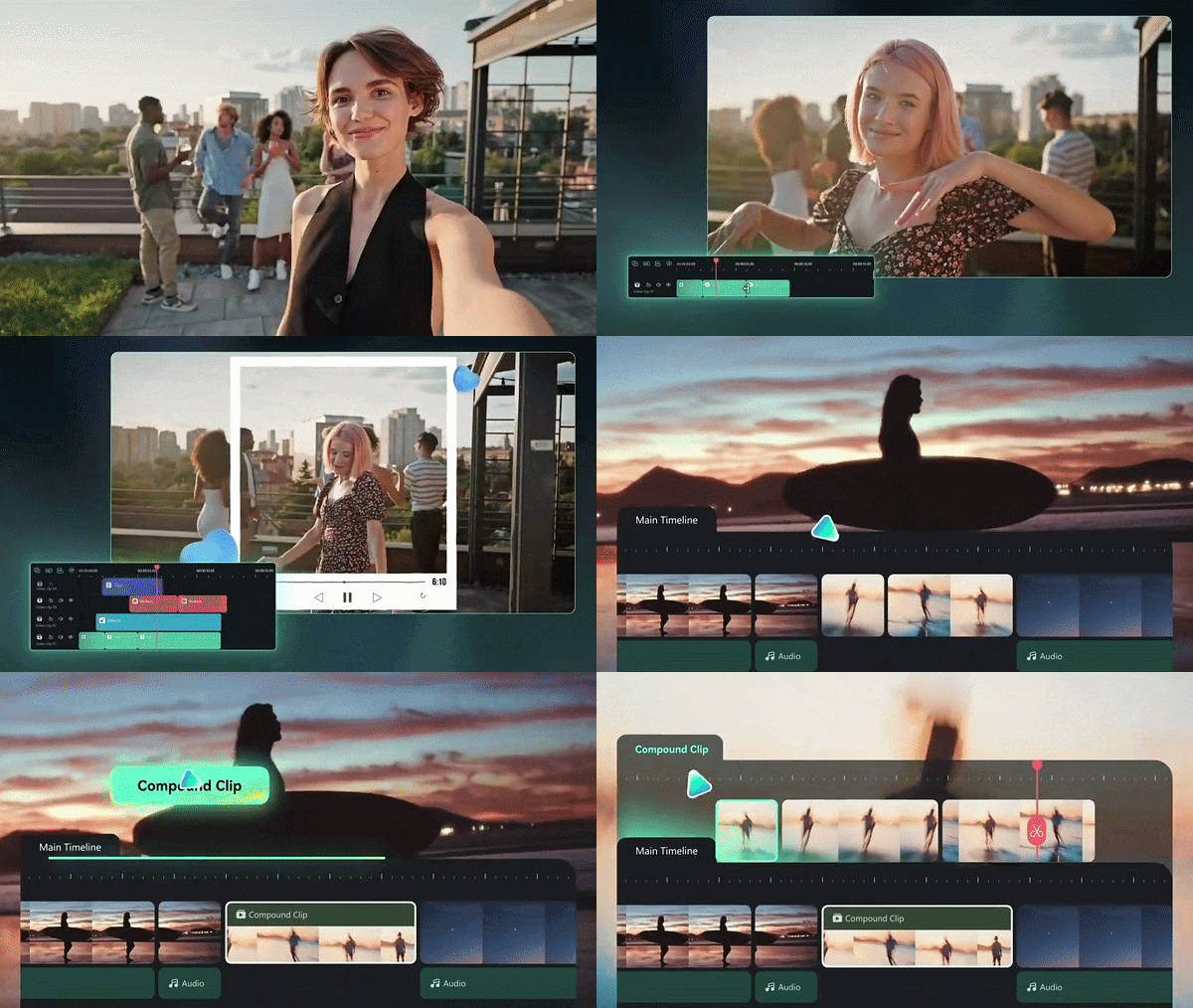
This is exactly where the "stitched sequence" workaround from Test 2 actually becomes usable. Filmora's timeline lets you line up multiple Seedance 2.0 generations, smooth the transitions, and match pacing so the cut points feel intentional instead of accidental.
3. Add Subtitles to Your Clip with AI Captions
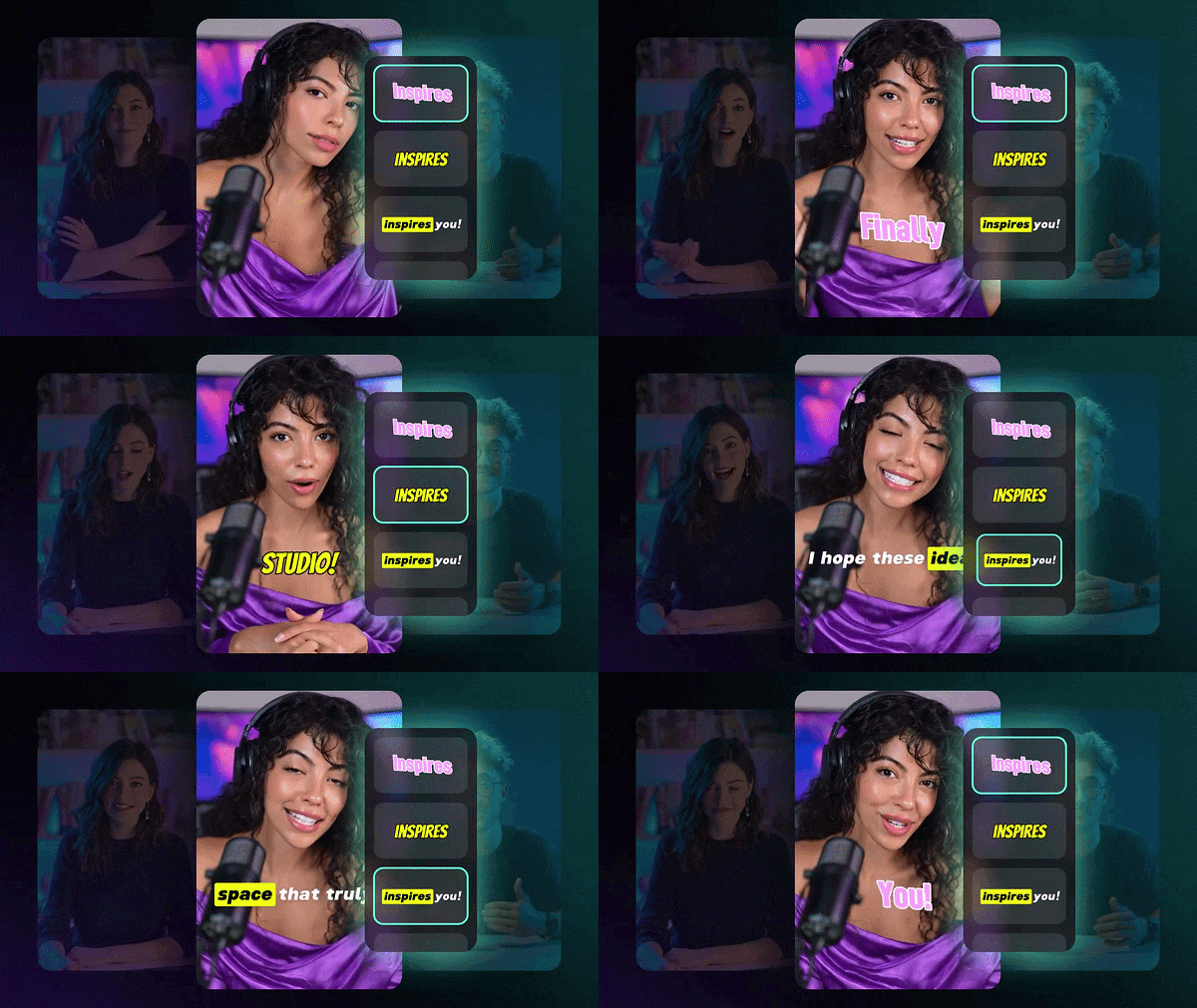
Seedance 2.0's native audio generation gives you sound in the same pass, and Filmora's AI Caption tool picks that audio up automatically to generate accurate, styled subtitles. This is very handy for TikTok, Reels, and Shorts where most people watch with sound off.
4. Enhance and Improve With AI Features and Media Library

Filmora backs Seedance 2.0 up with its own AI Video Enhancer for sharpening and upscaling. Plus, there's a media library full of music, video effects, templates, and B-roll, so a raw generation can go from "decent AI clip" to something that's genuinely ready to publish.
 Secure Download
Conclusion
At the end of the day, the debate of Seedance 2.5 vs 2.0 really comes down to your project scope and production needs. Seedance 2.5 is a true powerhouse built for long-form control, tight character tracking, and pinpoint timeline edits, while Seedance 2.0 remains a fast, reliable, and cost-effective workhorse for everyday clips.
If you want to jump straight into creating without dealing with complex setups, using Seedance 2.0 inside Wondershare Filmora gives you the perfect balance of AI generation power and post-production control. You can build, edit, and polish your videos all in one place without breaking your creative momentum.
FAQs
-
Does using more reference images always improve Seedance results?
No. A larger reference capacity gives you more room to work, but it doesn't guarantee a better generation. References still need to be relevant and consistent. -
Why do reported prices for Seedance 2.5 vary so much between sources?
Because ByteDance hasn't published an official per-second rate card for 2.5 the way it did for 2.0. Independent trackers pulling numbers from early API access or third-party resellers have landed on figures that differ by roughly 2.7x, so any specific dollar amount you see right now should be treated as provisional. -
Can Seedance 2.5 replace traditional video editing?
Not completely. It can handle more editing tasks than previous versions, but a traditional editor is still useful for precise trimming, audio mixing, captions, transitions, color work, and final delivery.
