


Adobe’s 2026 Creators’ Toolkit Report surveyed more than 16,000 creators and found that 75% now consider creative AI integrated or essential to their workflow. As creators use AI for increasingly specific visual and audio tasks, tools built around face swapping and synthetic voices are becoming part of that wider shift.
VoidMagic AI takes this focused approach with browser-based tools for video, photo, and GIF face swaps, plus the VoidMagic AI voice cloner for creating reusable voices from samples. This VoidMagic AI review looks closely at its face-swap capabilities, voice tools, free access, privacy, credits, and limitations to find out how useful it really is.
Part 1. What Exactly Is VoidMagic AI?
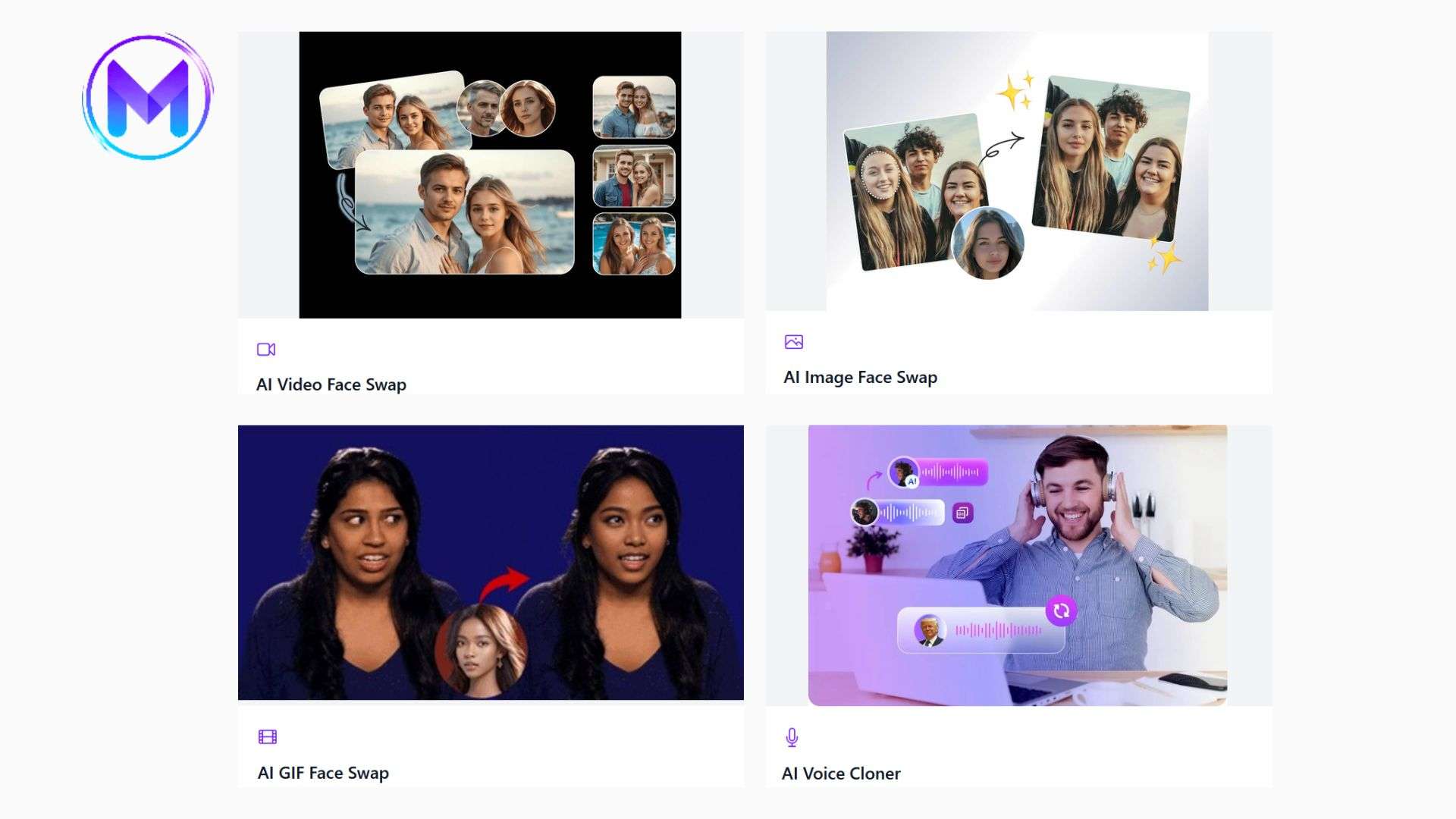
VoidMagic AI is a browser-based creative toolkit for face swapping and voice generation. Its main strength is that visual and audio tools sit in one place. You can work with photos, videos, GIFs, cloned voices, and preset celebrity-style voices on the platform.

What Can You Do with VoidMagic?
- Video face swap: Track and replace faces across moving footage.
- Image face swap: Replace one or multiple faces in photos.
- GIF face swap: Change faces in animated GIFs and short loops.
- AI voice cloning: Build a reusable voice from an uploaded sample.
- Celebrity-style voice generation: Create speech with voices from VoidMagic’s preset voice library.
How Do You Access It?
You can open the tools directly through the official VoidMagic website at https://voidmagic.ai/. No desktop installation is required to use it. Some tools like the VoidMagic AI face swap can also be used without creating an account.
Part 2. VoidMagic Main Tools Explained
The tools in VoidMagic AI work with videos, photos, and GIFs, while the voice tools create speech from either a cloned sample or a preset voice.
1. VoidMagic AI Face Swap
The VoidMagic AI face swap suite covers three media types. Each one also supports multiple-face replacement.
Video Face Swap
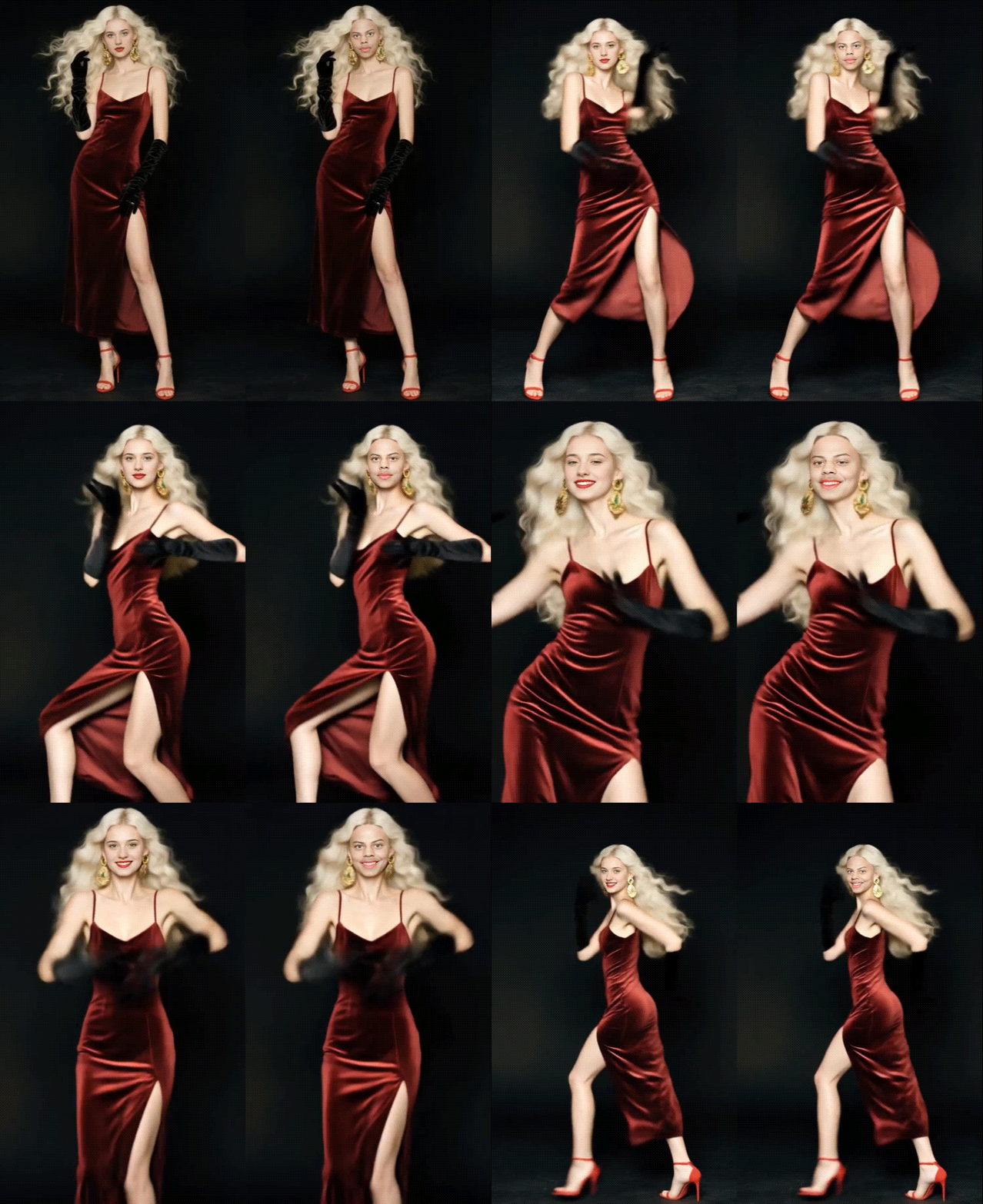
The VoidMagic AI video face swap detects faces in uploaded footage and lets you choose which one, or several, to replace. It supports MP4, MOV, AVI, and WEBM files. The tool also includes an HD face-enhancement option.
Image Face Swap
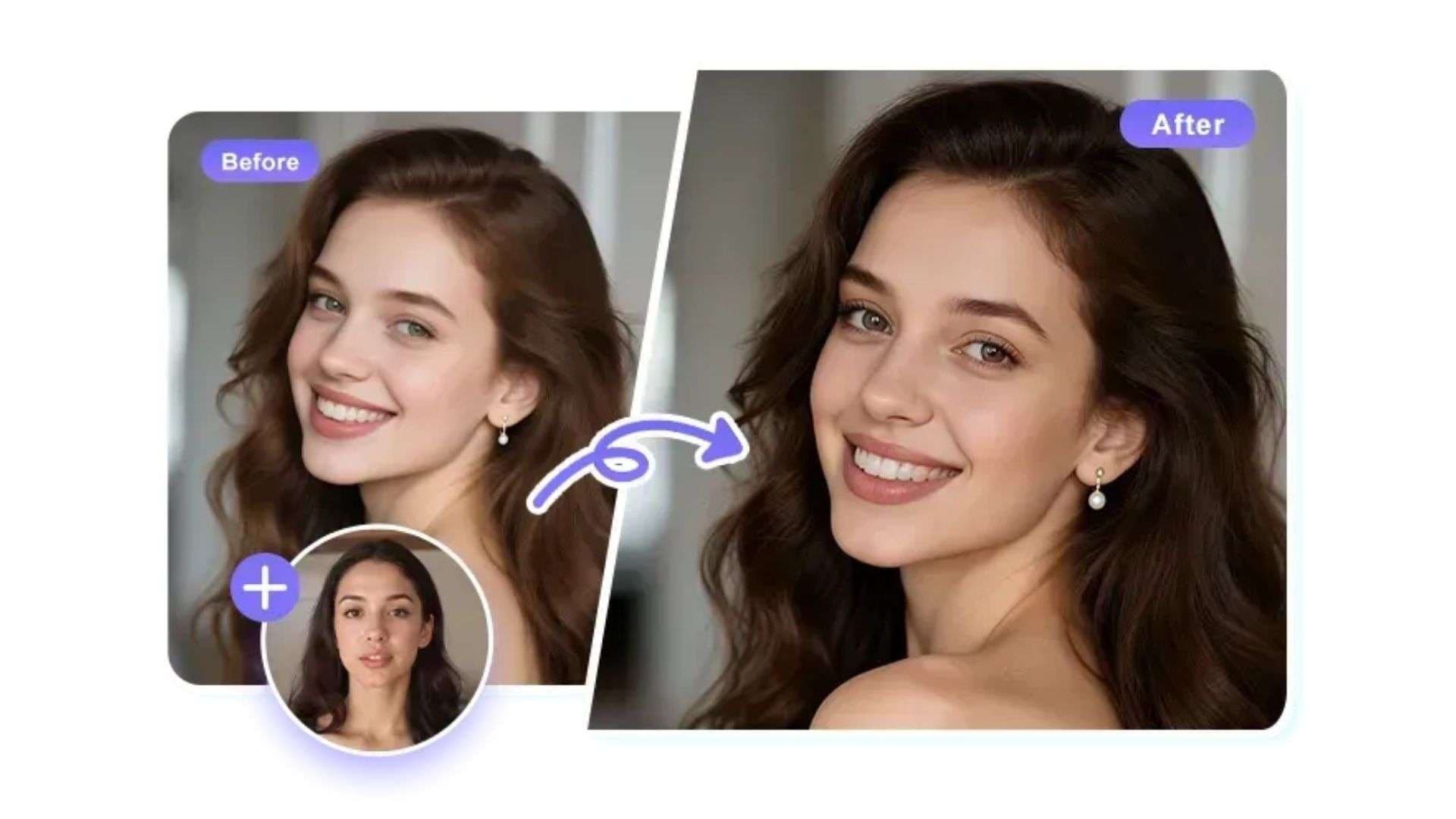
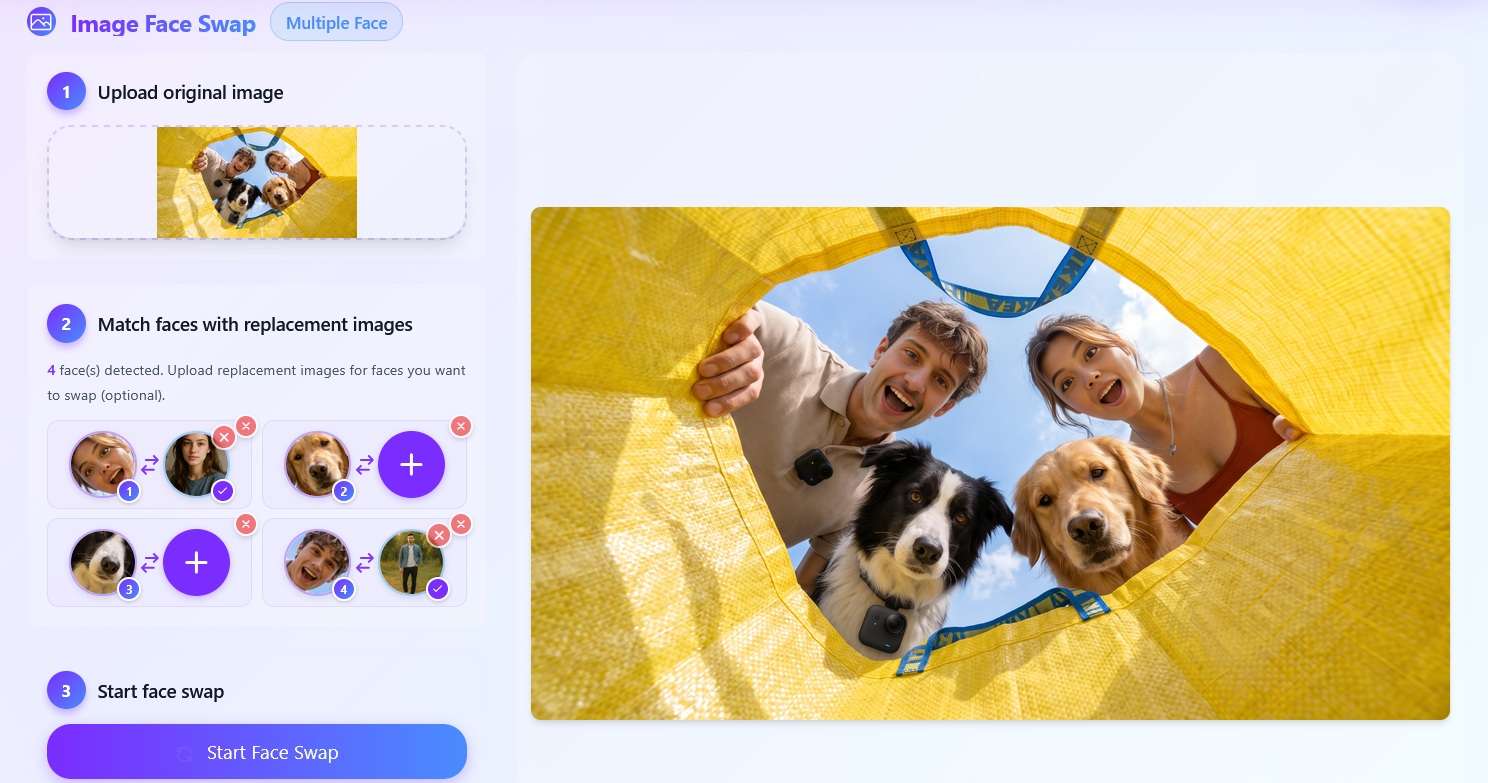
For photos, you upload the original image and a replacement face. The tool supports single-face, multiple-face, batch-image, and batch-face modes. It also offers optional HD enhancement for the result.
GIF Face Swap

The GIF tool replaces faces across an animated sequence instead of changing only one still frame. VoidMagic says its AI detects and maps faces through the animation, and you can swap multiple faces in the same GIF. The current upload limit shown on the page is 70 MB.
2. VoidMagic AI Voice Cloner
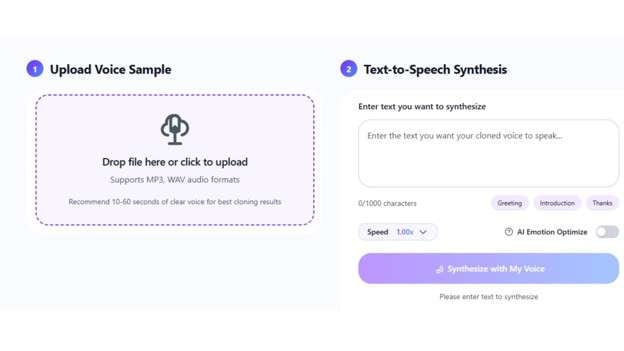
The VoidMagic AI voice cloner creates new speech from a voice sample. You upload the audio, enter the text you want spoken, and generate speech in the cloned voice. The upload panel supports MP3 and WAV, and VoidMagic recommends 10-60 seconds of clear voice audio for the best cloning results.
The VoidMagic AI cloner can be useful for:
- Voiceovers
- Narration
- Character content
- Creative audio
VoidMagic also provides a separate celebrity-style voice generator. Instead of cloning your own sample, you choose a preset voice, enter text, and generate the audio. The categories include public figures, entertainers, cartoon characters, and historical figures.
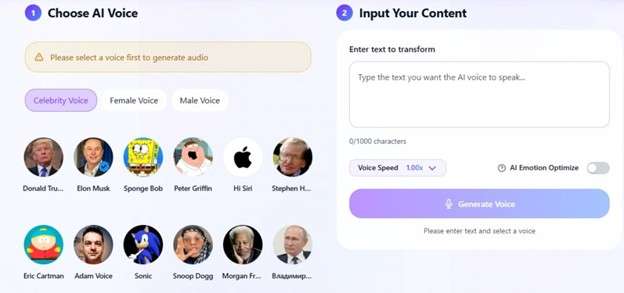
For ethical use, VoidMagic says you should get permission before cloning another person’s voice. Commercial use also requires the necessary rights to the original voice.
Part 3. Is VoidMagic AI Free? Pricing & Credits
VoidMagic AI uses a pay-as-you-go credit system instead of a monthly subscription. You buy credits once and use them when needed. The official pricing page says credits never expire, are added after payment, and have no recurring fee.
VoidMagic Credit Pricing
| Credit Pack | Total Credits With Bonus | Price |
| 1.2K + 300 bonus | 1,500 credits | $9.99 |
| 4.6K + 1K bonus | 5,600 credits | $29.99 |
| 12K + 3K bonus | 15,000 credits | $69.99 |
| 32K + 6K bonus | 38,000 credits | $129.99 |
|
Show More
Show Less
|
||
Larger packs reduce the cost per credit. The current pricing screen also lists priority processing, parallel task execution, generation history, and credit refunds when a generation fails.
Part 4. VoidMagic AI Review: Strengths & Limitations
Independent review evidence for VoidMagic AI is still thin. VoidMagic’s own face-swap page shows a 4.9/5 rating from 2,000+ reviews, but it doesn’t name an outside review platform. So, it is safer to judge the tool by its live features and pricing rather than claim a clear user consensus.
- Dedicated Face-Swap Workflows: Separate tools are available for videos, photos, and GIFs.
- Multi-Face Support: VoidMagic can detect and replace multiple faces in supported video, image, and GIF.
- Useful Video Face-Swap Controls: The video workflow includes face detection, face selection, trimming, multi-face replacement, and HD processing options.
- Face Swap and Voice Cloning in One Toolkit: You can create face-swapped visual assets and generate cloned speech without switching to a separate platform.
- Free to Try, No Watermark: You can try its face-swap and voice cloning tools without signing up, with no watermark and unlimited downloads.
- Higher Credit Use for Complex Videos: HD and multi-face processing cost more credits per second than basic video face swapping, making longer projects more expensive in credits.
- Voice Cloning Relies on Good Source Audio: VoidMagic recommends a clear 10-60 second voice sample, so noisy or weak recordings can reduce the usefulness of the result.
- Limited Full-Video Editing Tools: VoidMagic focuses on face swapping and voice generation and doesn’t present the broader timeline-based editing workflow needed for cuts, captions, music, transitions, and final post-production.
- Face Swap Results Can Look Processed: Photo face swaps mostly look natural, but VoidMagic face swap videos often show softness, flicker, or mismatched skin tone and lighting.
Part 5. Make and Edit a Face Swap Video with Wondershare Filmora
VoidMagic handles focused face and voice tasks well on the web. But once you want to turn that generated content into a complete video, you may need more editing tools. Wondershare Filmora gives you a full editing workspace where you can work with face replacements, cloned voices, captions, music, effects, and other elements in the same project.
How to Make a Face Swap Video with Filmora
To swap a face, Filmora offers Prompt Video Editor. It can replace a selected face or object with a reference image, add a new element to a scene, or remove an unwanted one. It uses your reference image as the replacement and a short text prompt as a guide for how it should fit the scene. Source clips must be 2 to 5 seconds long. The generated clip goes straight to Filmora's timeline for further editing.
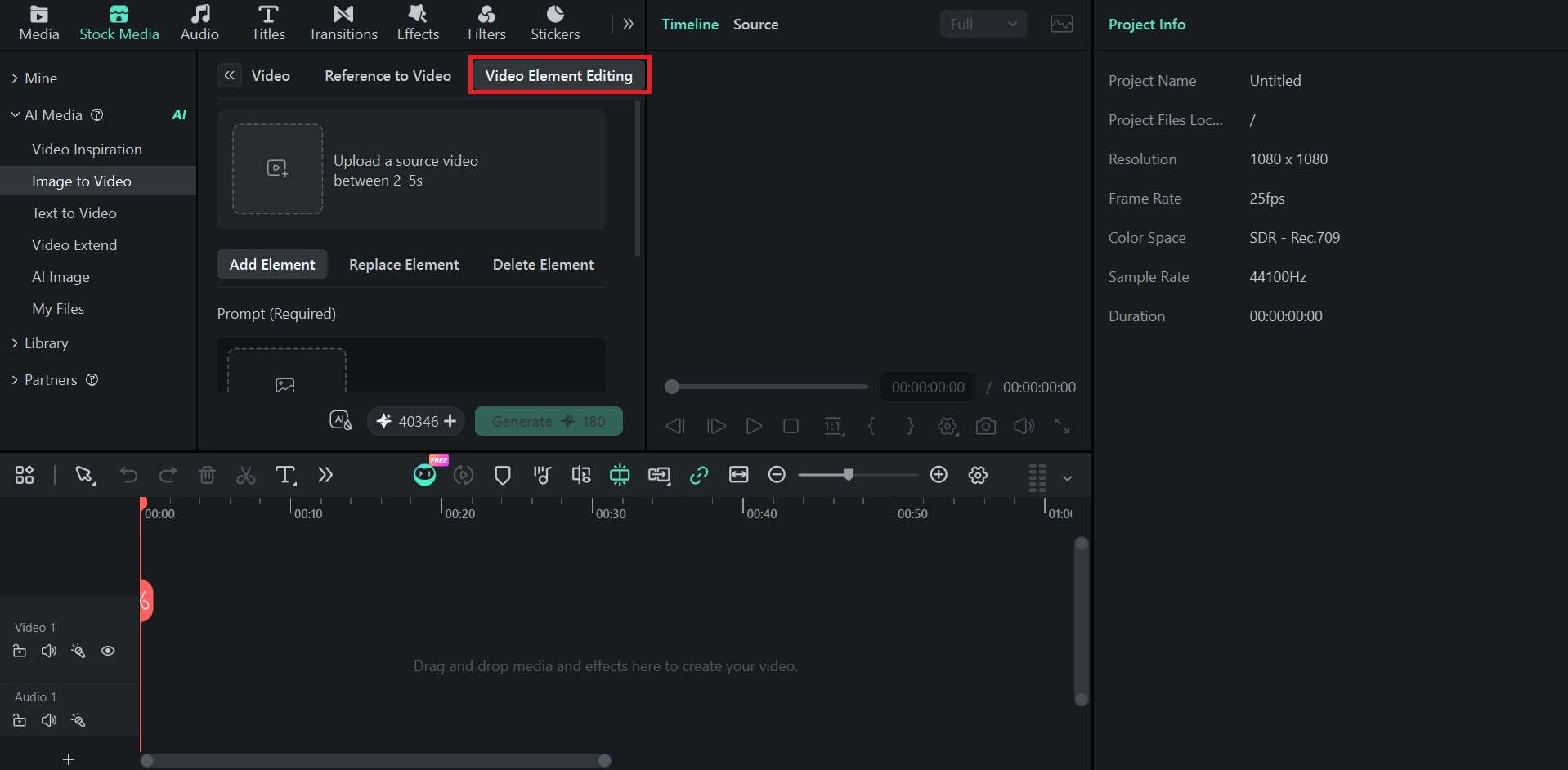
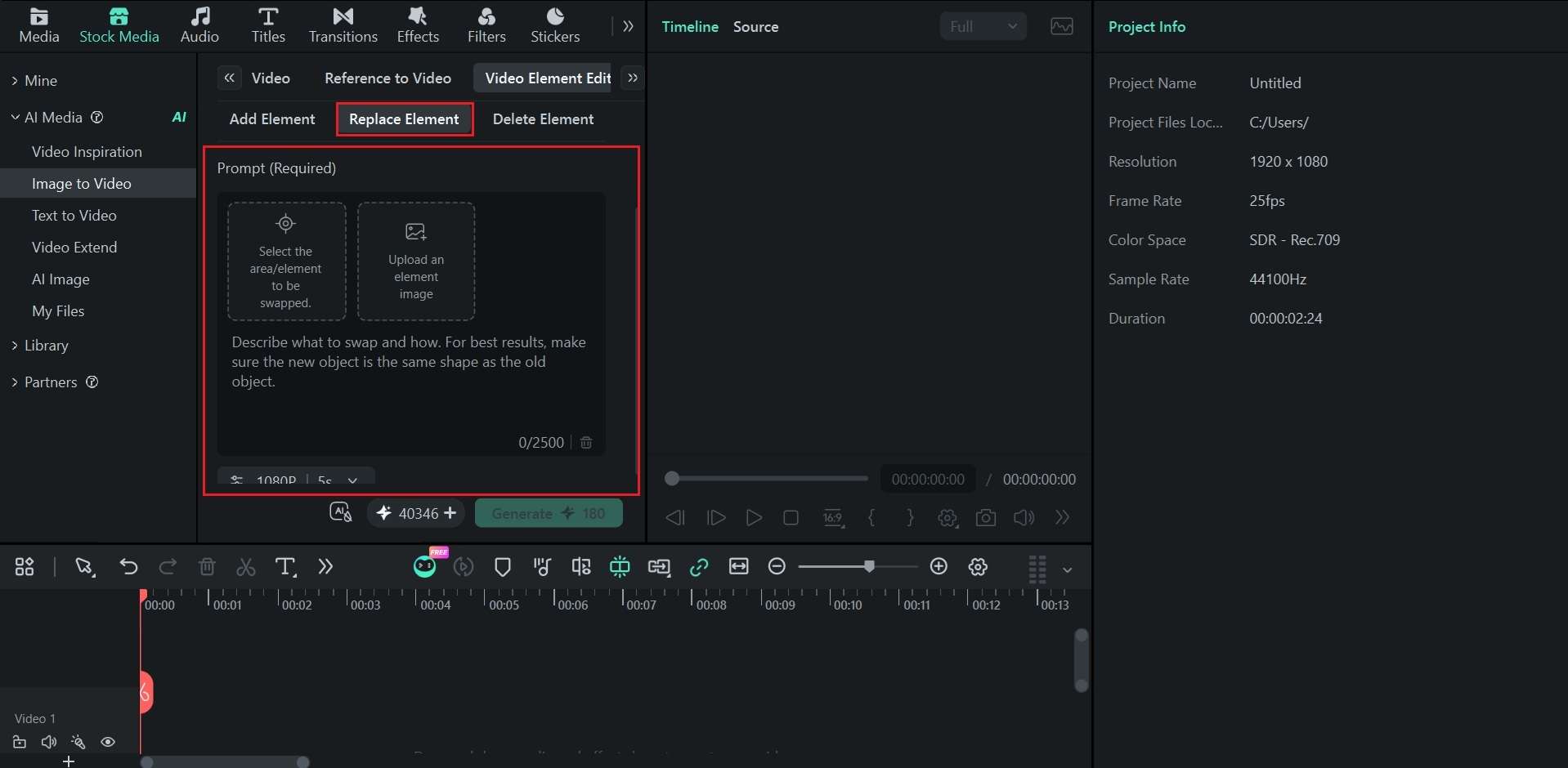
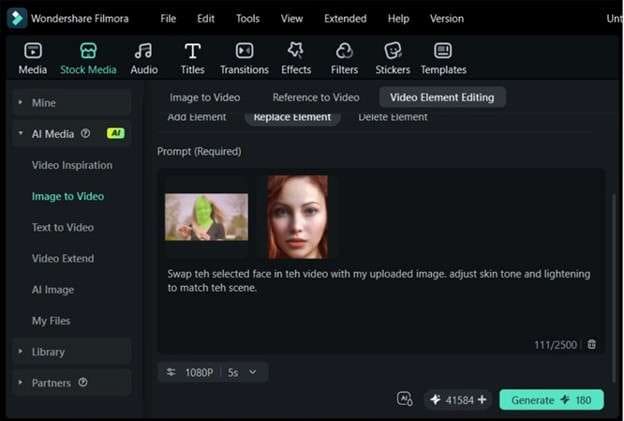
When processing is complete, the result appears in the Media menu. Add it to the timeline for more editing. This gives more control than a dedicated VoidMagic AI face swap workflow because Replace Element is not limited to faces. You can also use it for replacing other selected video elements.
How to Create Narration with Filmora AI Voice Cloning
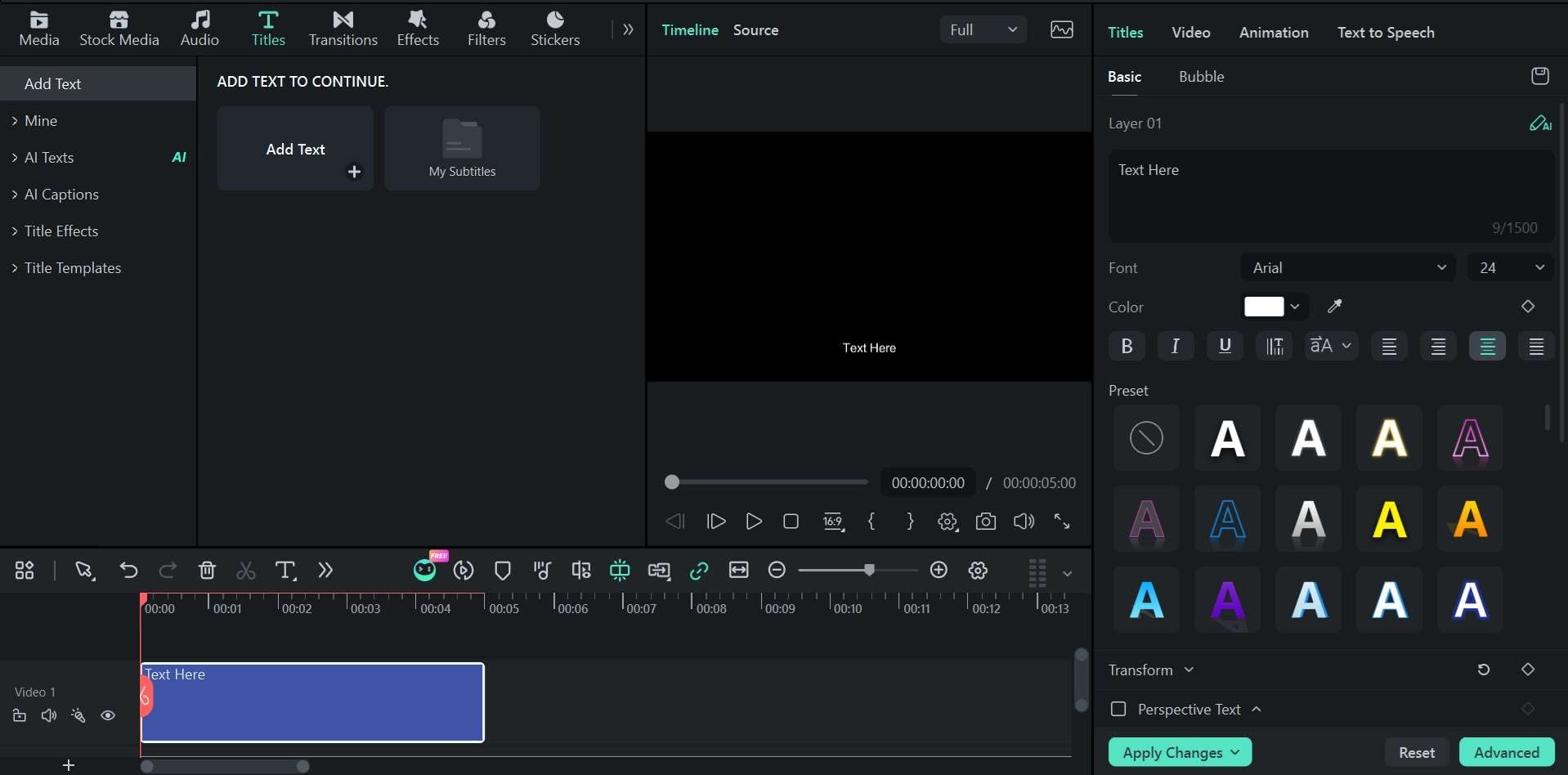
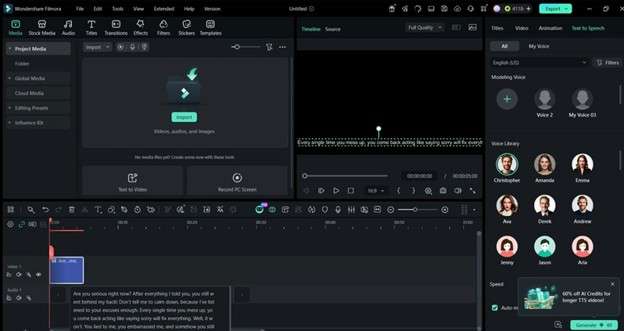
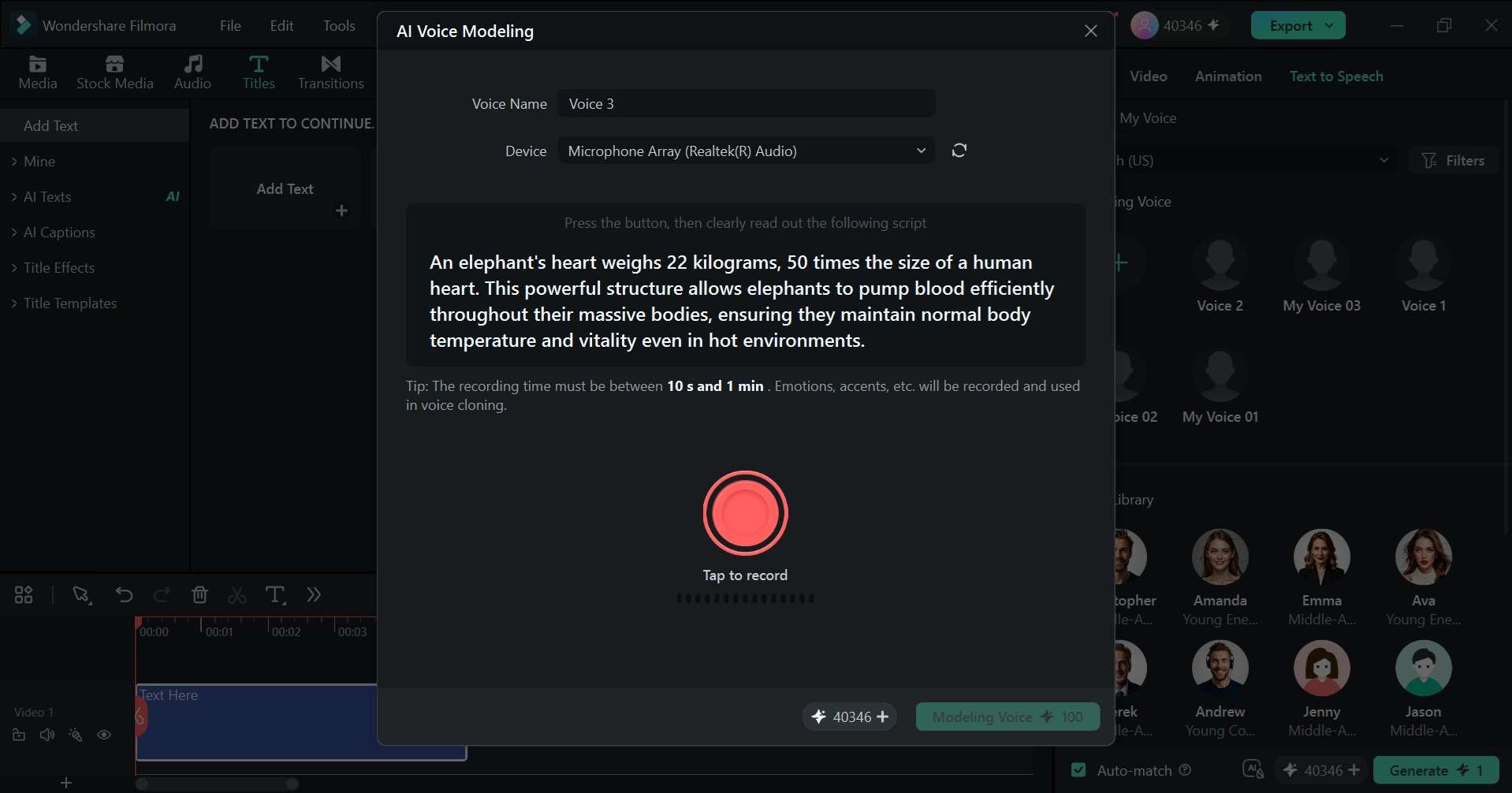
Filmora also has built-in Voice Modeling, so you can create a reusable narrator without relying only on the VoidMagic AI voice cloner. Record about 30 seconds of Filmora's preset text, and your voice will be saved as an option in Text to Speech. The model also captures your tone and mood, and it currently supports narration in 16 languages and accents.
Finish the Video in the Same Editor
Once the face replacement and narration are ready, keep the rest of the work on the Filmora timeline. Some of the things you can do in Filmora include:
- Trim and arrange the clips.
- Sync the cloned narration with the visuals.
- Add music, transitions, or effects only where they help.
- Create subtitles, titles, or other on-screen text to make the video easier to follow.
- Control volume, remove unwanted noise, and balance the voiceover with background music.
- Adjust color, speed, framing, and other video settings as needed.
- Add transitions, filters, overlays, or other effects where they fit the content.
- Include stickers, images, animations, or other elements.
If VoidMagic AI is mainly focused on generating or modifying specific parts of a video, Filmora is useful when you need more than face swapping alone. You can replace the face or element, clone the narration, and complete the final video in the same editing project.
 Secure Download
Conclusion
VoidMagic AI keeps its focus clear as a face swap tool for photos, GIFs, and videos, plus reusable voice generation. Its multi-face tools are useful, but longer HD jobs use credits. The VoidMagic AI face swap and VoidMagic AI voice cloner work best as creation tools, not as a full post-production suite.
For projects needing more control, Wondershare Filmora offers tools such as Replace Element, AI Voice Cloning, timeline editing, captions, audio editing, and more flexible export options. Filmora supports Windows, macOS, Android, iOS, and iPadOS, helping turn a simple swap into a more polished finished video.
FAQs About VoidMagic AI
-
Is VoidMagic AI really free for video face swapping?
VoidMagic video face swap is free to try (one generation at a time), with no sign-up and unlimited downloads. However, its pricing page lists Basic Video Face Swap at 2 credits/second, rising to 4 credits/second for HD multi-face swaps. -
Does VoidMagic AI delete uploaded face-swap videos?
VoidMagic says uploaded face-swap media and generated results are automatically deleted after two hours. However, its Privacy Policy and Terms also give the company rights to process uploaded content and generated content for operating, improving, securing, and developing the service, with the Terms specifically mentioning model training and quality assurance. -
Can VoidMagic AI swap multiple faces in one video?
Yes. The VoidMagic AI face swap tool detects multiple faces and lets you choose which ones to replace. Its pricing page also lists separate multi-face video modes. -
Can I edit a VoidMagic AI face-swap video and cloned voice together in Filmora?
Yes. Import the VoidMagic AI video and cloned audio into Filmora, place them on separate timeline tracks, sync them, edit the audio, and add captions if needed. Filmora supports both audio editing and Dynamic Captions.
