

 TL;DR:
Selecting the ideal AI news anchor generator requires balancing generation speed against editing control; template-driven platforms like Vidnoz or JoggAI excel at rapid social media outputs, whereas Wondershare Filmora integrates models like Google Veo 3.1 and Sora 2 for creators needing granular control over B-roll, pacing, and multi-platform exports.
● AI news readers provide voice-only text-to-speech narration, whereas full AI news anchor generators produce on-screen talking avatars with lip-sync, though free testing tiers across most platforms inherently restrict outputs with 720p resolution caps, time limits, and forced watermarks.
● Match specific tools to your production conditions by choosing VEED or AIStudios for multilingual broadcasts requiring extensive avatar libraries, or opting for Fotor and Akool if you must generate virtual presenters from a single static photo or require real-time streaming avatars.
● To execute a complete broadcast workflow in Filmora, generate the base clip via the AI Text-to-Video tool using Google Veo 3.1, apply timeline trims, insert matching B-roll for script locations, and export in 16:9 for YouTube or reframe to 9:16 with simplified lower-third graphics for vertical feeds.
Ask AI for a summary
 ChatGPT
 Perplexity
 Gemini
 Claude
 Grok
Grok
The era of the AI news presenter is here. From India's 'Sana' to global digital avatars, virtual hosts are reshaping media. Whether you need an AI news reader for a faceless channel or a full AI news anchor generator for a professional broadcast, choosing the right tool is essential for 2025.
Instead of filming a real host, you can type a script and generate an AI anchor that looks and sounds like a real news presenter. If you want to try an AI news anchor generator, free or paid, this article helps you pick the right one.
Some tools work as an AI news reader in voice only, while others act as a complete AI news anchor generator that produces a full scene with visuals and pacing. After showing you the lists, we will demonstrate how to make an AI news video.
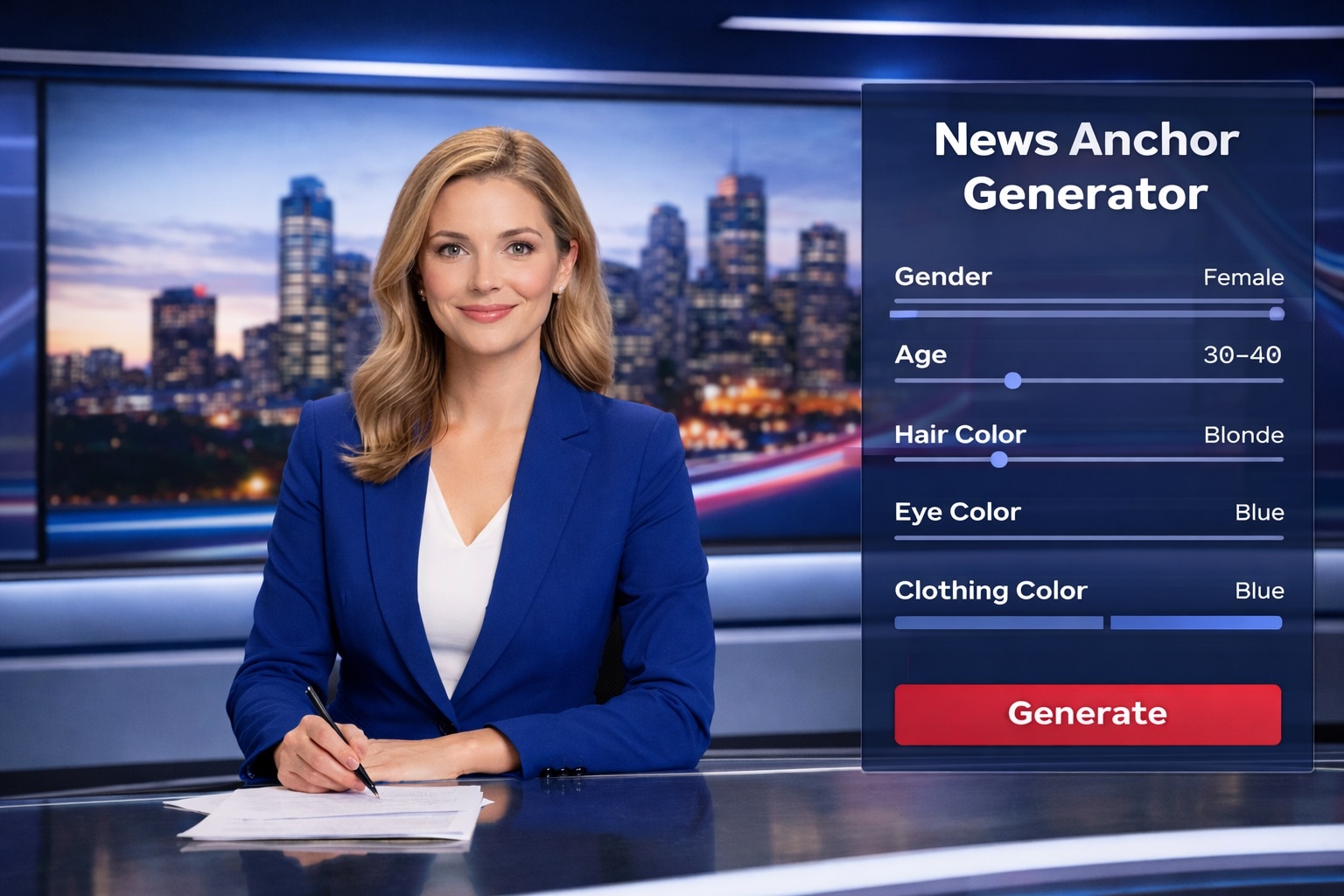
Part 1. Virtual Presenters 101: Anchor vs. News Reader
An AI news anchor is a virtual host that delivers a script on camera using an AI-generated avatar and AI voice. In simple terms, you write the news, the AI turns it into a presenter-style video, and you publish it like a normal segment.
AI anchor vs AI news reader vs AI news generator
- AI news anchor / AI news presenter: the on-screen avatar that talks, with lip sync and presenter-style delivery.
- AI news reader: voice only, usually text-to-speech for narration, podcasts, or faceless news clips.
- AI news anchor generator: a tool that creates the anchor video for you, often with templates, backgrounds, captions, and scene layouts. Some platforms are basically an AI news anchor video generator that outputs a ready-to-post video.
What people use AI news anchors for
- YouTube news recaps and commentary channels, where the AI anchor delivers short daily updates.
- Corporate updates, internal announcements, and training, where a consistent presenter is useful.
- Multi-language news content, where one script can be voiced in many languages with the same AI news presenter.
- Product launches and briefings, where an AI anchor introduces key points with on-screen headlines.
The building blocks behind AI anchors:
Most AI news anchor generators are built from the same core parts. You can get better results if you understand how they work.
1. Avatars (the presenter)
- Can be 2D, 3D, photorealistic, or stylized.
- Many tools offer stock anchors, and some let you create a custom avatar for brand consistency.
- Lip sync quality matters a lot, especially for close-up news delivery.
2. Voice (the delivery)
- Usually powered by AI text-to-speech, with options for tone, pace, and accents.
- Better tools include multilingual voices and more natural intonation.
- Some platforms support voice cloning, which can make the AI anchor sound more consistent across episodes.
3. Script (the content)
- Can be written manually, drafted by AI, or pulled from RSS feeds and news sources.
- Many creators use AI to summarize long articles into short anchor-friendly lines.
- You still need basic checks for accuracy, names, and dates before publishing.
4. Video (the visuals)
- Template-based engines place the anchor in a studio background and add headlines automatically.
- More advanced systems can use text-to-video or image-to-video generation to create supporting visuals. Some platforms may use models in the Veo 3.x family, including Veo 3.1, or similar engines, to generate scene footage based on prompts.
- This is where you can add b-roll style visuals, maps, generic city shots, or topic graphics that make the segment feel more complete.
Part 2. Reviews: The Top 9 AI News Anchor Video Generators
The picks below include free and paid options. You can find an AI news anchor generator free choice to test ideas, or a more advanced tool for consistent publishing.
1. Wondershare Filmora
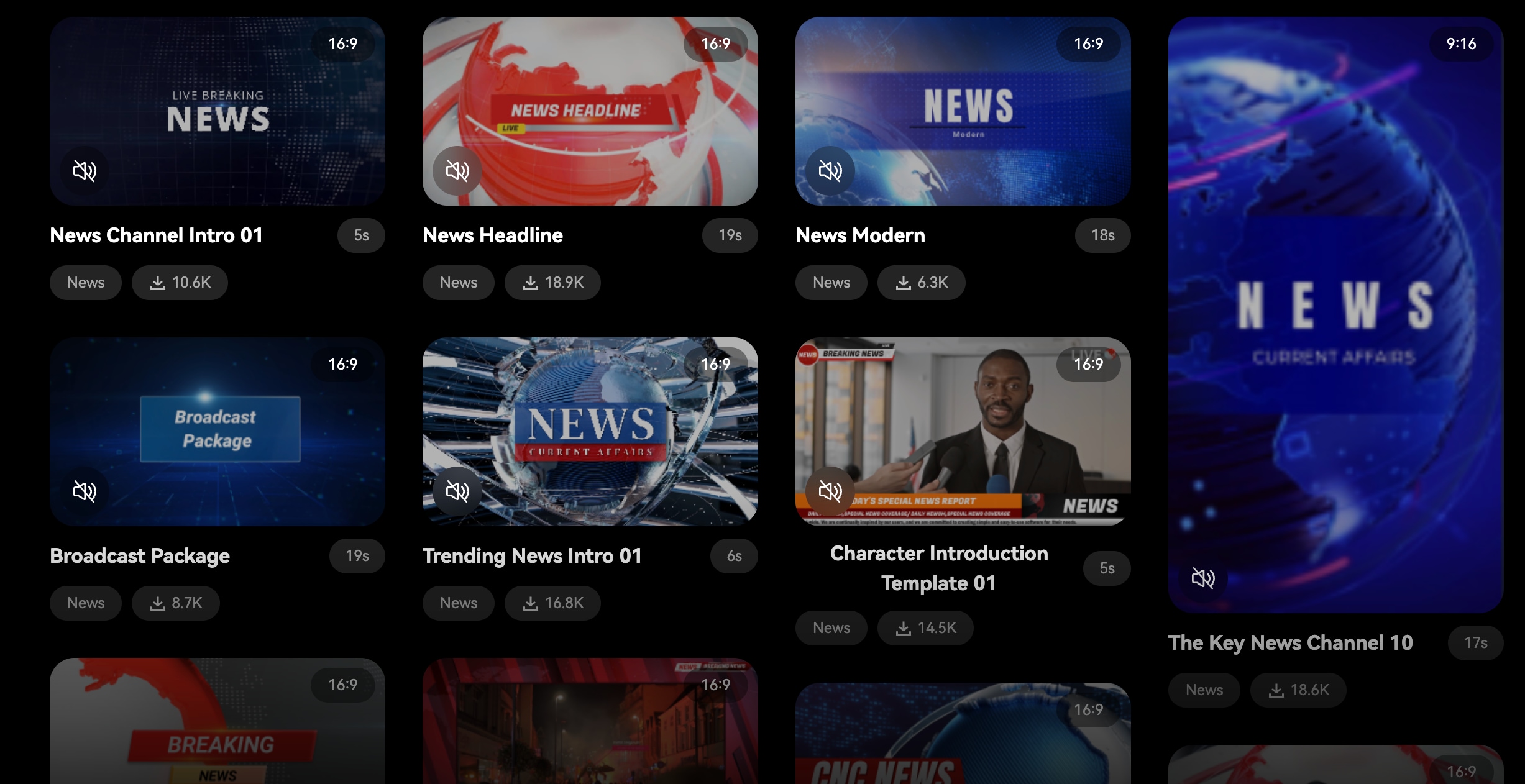
Filmora is a full video editor that also works as an AI news anchor video generator workflow. You can generate a base clip using text-to-video or image-to-video models, then polish it with headlines, B-roll, timing, and branding in the same project.
- One flow from generation to final edit, ideal for turning a rough script into a clean AI news presenter segment.
- Clear model support for image-to-video, including Veo 3.1 and Sora 2.
- Great as the "finishing tool" after you create an AI anchor elsewhere, especially for headlines, pacing, and platform exports.
- Credit-based generation means heavy testing can add cost if you generate a lot.
- AI Text-to-Video (Desktop): turns an idea, script, or prompt into a video draft using Filmora's AI text-to-video modes.
- AI Image-to-Video (Desktop): transforms still images into video using model options that include Sora 2, Veo 3, and Veo 3.1, useful for "news visuals" like locations, topics, or illustrated explainers.
- AI Video Generator output you can edit: generated videos can come with separate tracks (video, audio, text), so you can trim, swap footage, adjust captions, and add effects like a proper news package.
- Filmora Mobile support: the Filmora App includes AI Image to Video, and it also offers Text to Speech, handy when you need an AI anchor-style voiceover for short updates.
Creators who want to generate scenes fast, then edit like a real segment on desktop, plus publish quick versions on mobile.
2. Vidnoz AI News Generator
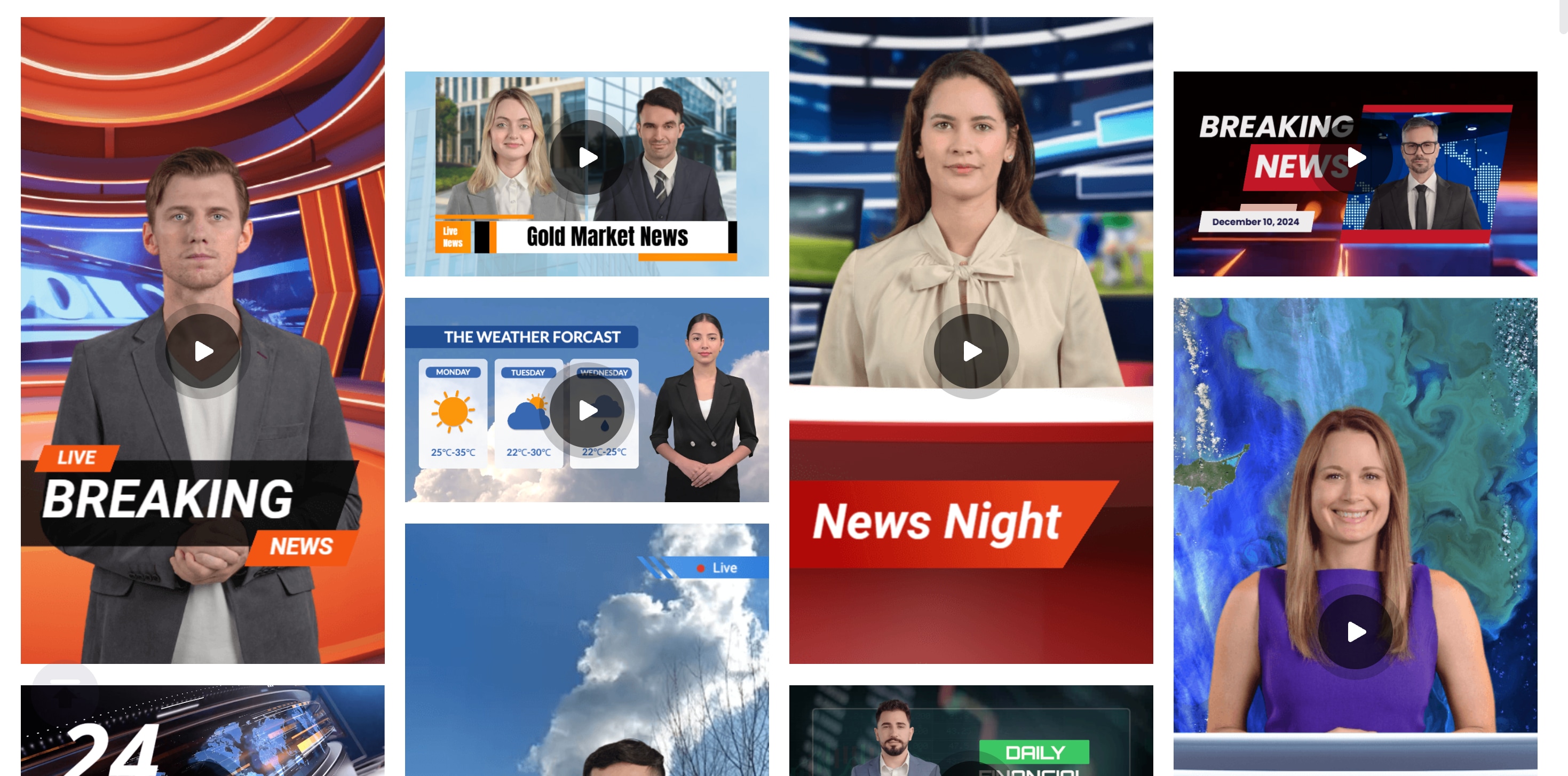
Vidnoz AI News Generator is a template-driven AI news anchor generator built for fast news-style videos. It leans heavily on ready-made layouts, news banners, and talking-avatar features, so you can turn a script into an AI news presenter clip without filming.
- Template-first workflow is fast for daily recaps, "breaking news" clips, and short-form news reporter AI video generator content.
- Strong range of avatars, voices, and templates, so you can keep output consistent across episodes.
- Positioned as free to start, with "no credit card required" messaging, which helps if you are testing ideas before paying.
- Template-based videos can feel repetitive if you do not customize scenes, pacing, and branding beyond the defaults.
- For a more "broadcast package" finish, you may still want to export and polish in another editor.
- Large template library: it highlights 2800+ templates, helpful for consistent lower thirds, headlines, and broadcast-style layouts.
- AI avatars and voices: Vidnoz promotes 1900+ AI avatars and 2000+ AI voices, useful when you want an on-screen AI anchor with different voice styles.
- Create a personalized news anchor from a photo: Vidnoz explains you can upload a clear front-facing photo to generate a talking avatar, effectively turning it into an AI news reporter generator with your own "anchor."
Creators who want a free AI news anchor video generator style tool for quick "studio news" videos.
3. VEED AI News Anchor & AI Video
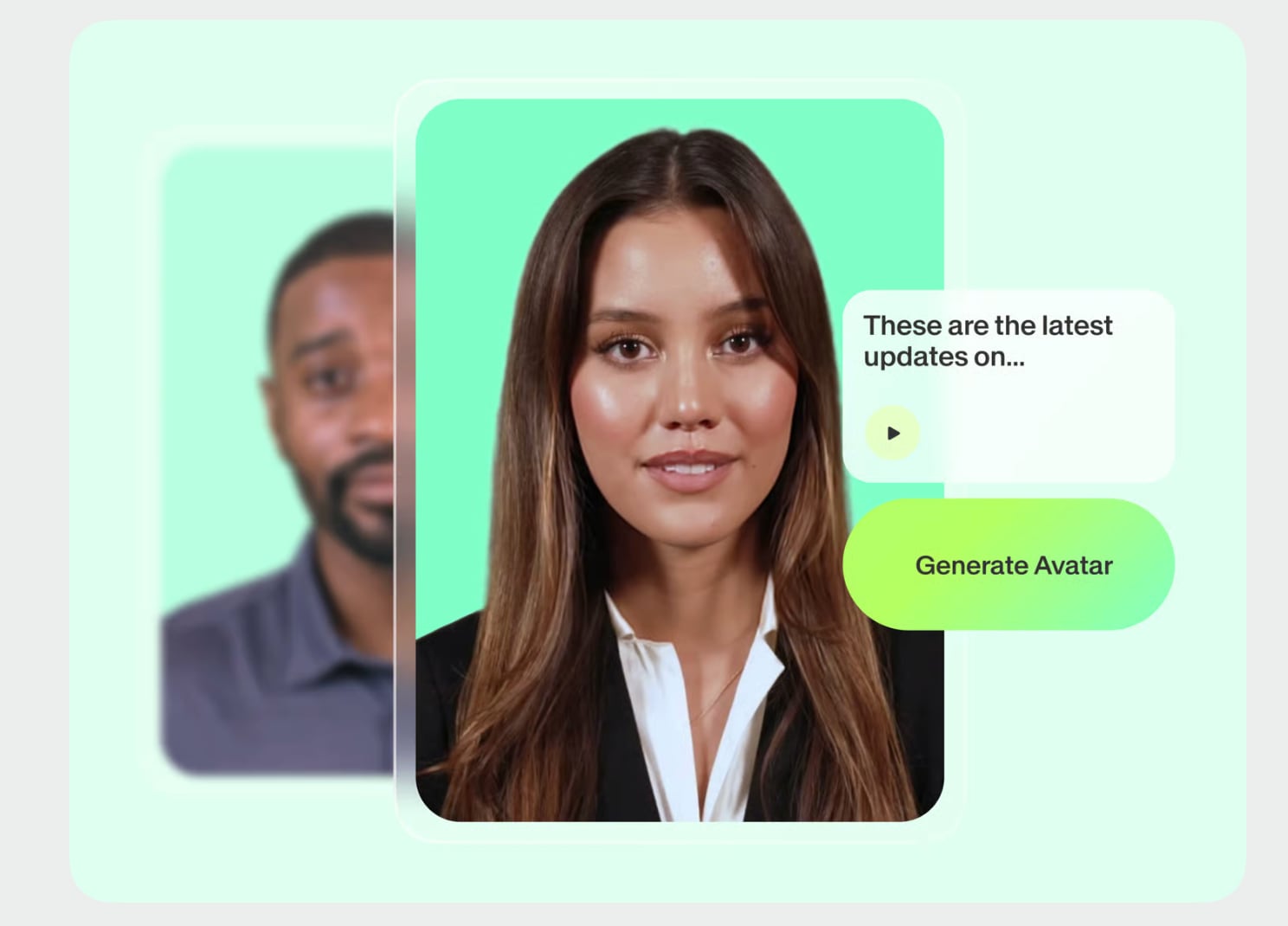
VEED combines a browser-based editor with AI avatars and AI video generation. You can create an on-screen AI news presenter from VEED's avatar library, add text-to-speech, then finish the video with animated subtitles, headlines, and simple graphics in the same workspace.
- Easy "all-in-browser" workflow, good for short-form AI news anchors with subtitles and headlines ready to post.
- Strong options for turning a script into a complete video, so it can act like an AI news anchor video generator or a recap-style generator.
- Voiceover tools make it flexible, you can do on-screen presenter or voice-only updates.
- Custom avatars are positioned as Enterprise-only, and VEED lists pricing starting from $1,000 per avatar per year. So, it may not fit an AI news anchor generator's free budget.
- Custom avatar option (record once): VEED says you can create a custom avatar with a single recording using your face and voice profiles, so you do not need to record each time.
- AI news reader style voiceovers: VEED's text-to-speech tools support voiceovers in 50+ languages, useful when you need an AI news reader voice-only track.
- Language reach for global channels: VEED markets broader language and dialect coverage (up to 150) across its avatar language resources, which is helpful for multilingual news versions.
Creators and teams who want a web-based AI anchor workflow, fast turnaround, and built-in subtitles for social-ready news clips.
4. JoggAI AI News Anchor
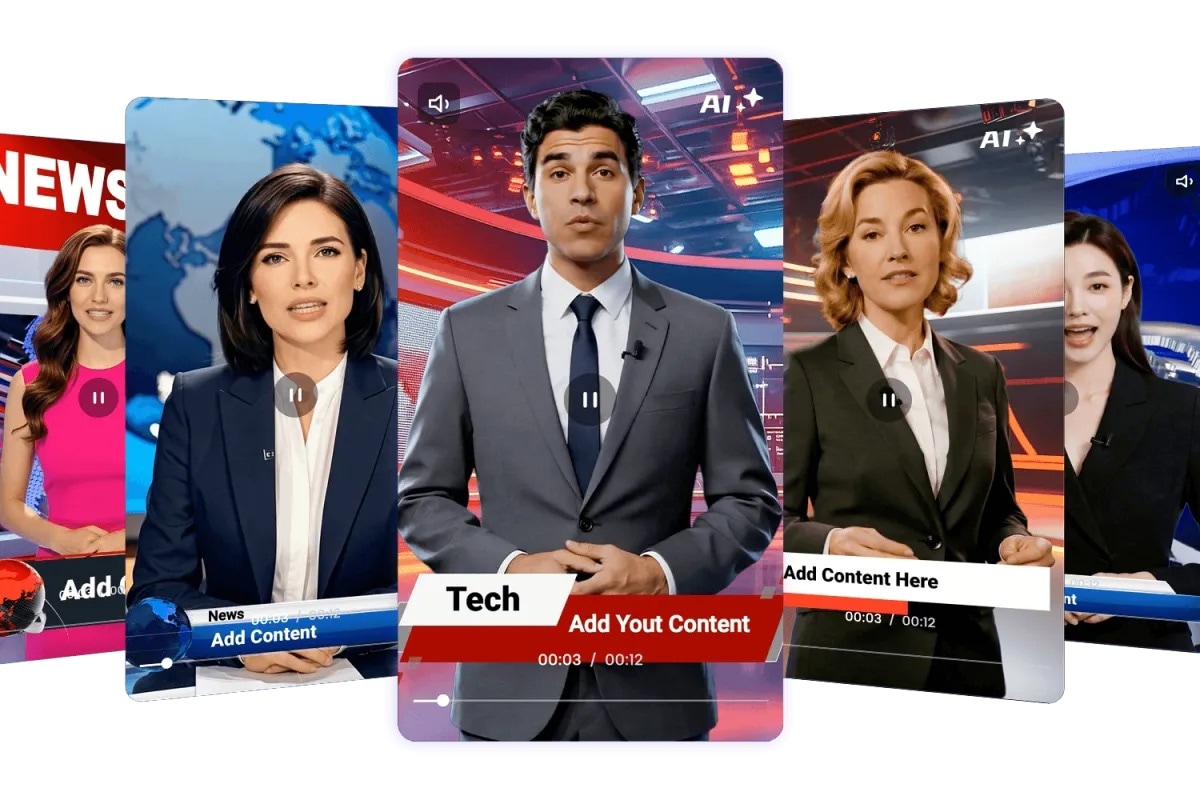
JoggAI is a dedicated AI news anchor generator that turns a script into a newsroom-style video using lifelike avatars, lip sync, and templates. It works well when you want an on-screen AI news presenter fast, then download the clip for publishing or further edits.
- Fast workflow for AI news anchors, great for daily updates and a news reporter AI video generator style channel.
- Built-in lip sync plus templates make the AI anchor look more "studio" with less effort.
- Easy to start, no credit card required, new users get 3 free credits.
- Credit-based usage means frequent testing can cost more if you iterate a lot.
- Still need a full editor for a full "news package" finish.
- Anchor customization: choose Professional or Social anchor style, set appearance and background, add a face reference, then generate.
- Lip sync and multilingual: promotes "perfect lip-sync," and creates news videos in 50+ languages.
- Avatar ecosystem: JoggAI highlights 450+ ultra-realistic AI avatars on its main site.
Creators who need a quick AI news anchor video generator for shorts and recaps, including a "free to start" option.
5. AIStudios (DeepBrain) AI News Anchor
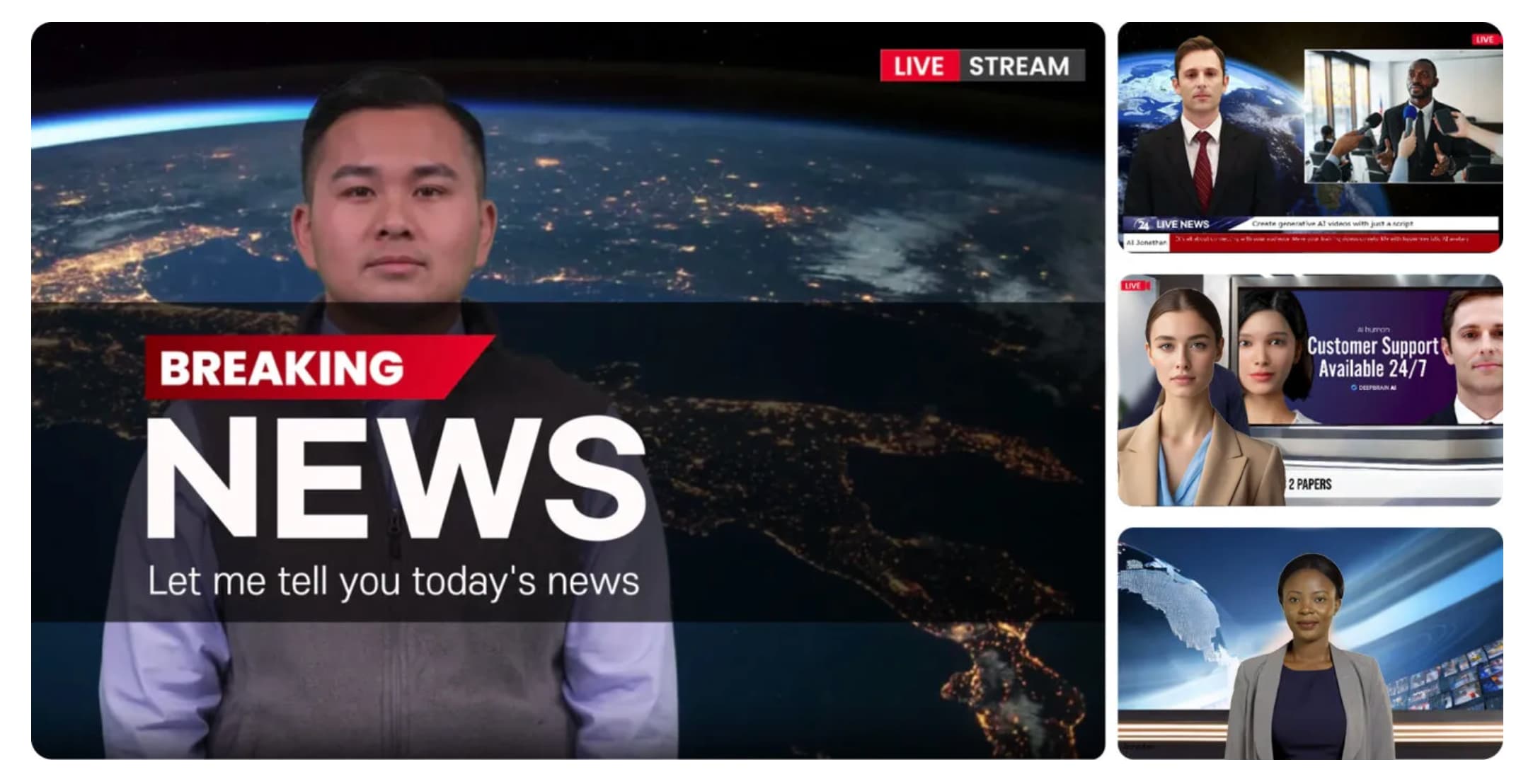
AIStudios by DeepBrain AI is an avatar-led AI news anchor generator built to turn scripts into polished presenter videos. You can pick a studio template, choose a lifelike AI news presenter, and then generate a broadcast-style clip in minutes.
- Scales well for consistent AI news presenter videos across a series, with many avatar and language options.
- Flexible input options (URL, PPT, templates) help speed up production for recap channels.
- Generative credits and plan limits can restrict heavy experimentation on the free tier.
- Multiple starting points, including ChatGPT, URL, PowerPoint, or templates. They are useful for turning articles into an AI news reader-style script fast.
- News solution workflow: upload a script, choose an avatar, and generate multilingual news broadcasts with studio templates.
- Free plan available: includes limited exports, videos up to 3 minutes, generative credits, and 720p export.
Teams and creators who want a reliable AI news anchor video generator with lots of avatars, strong language support, and an easy script-to-video flow.
6. Fotor AI News Anchor Generator
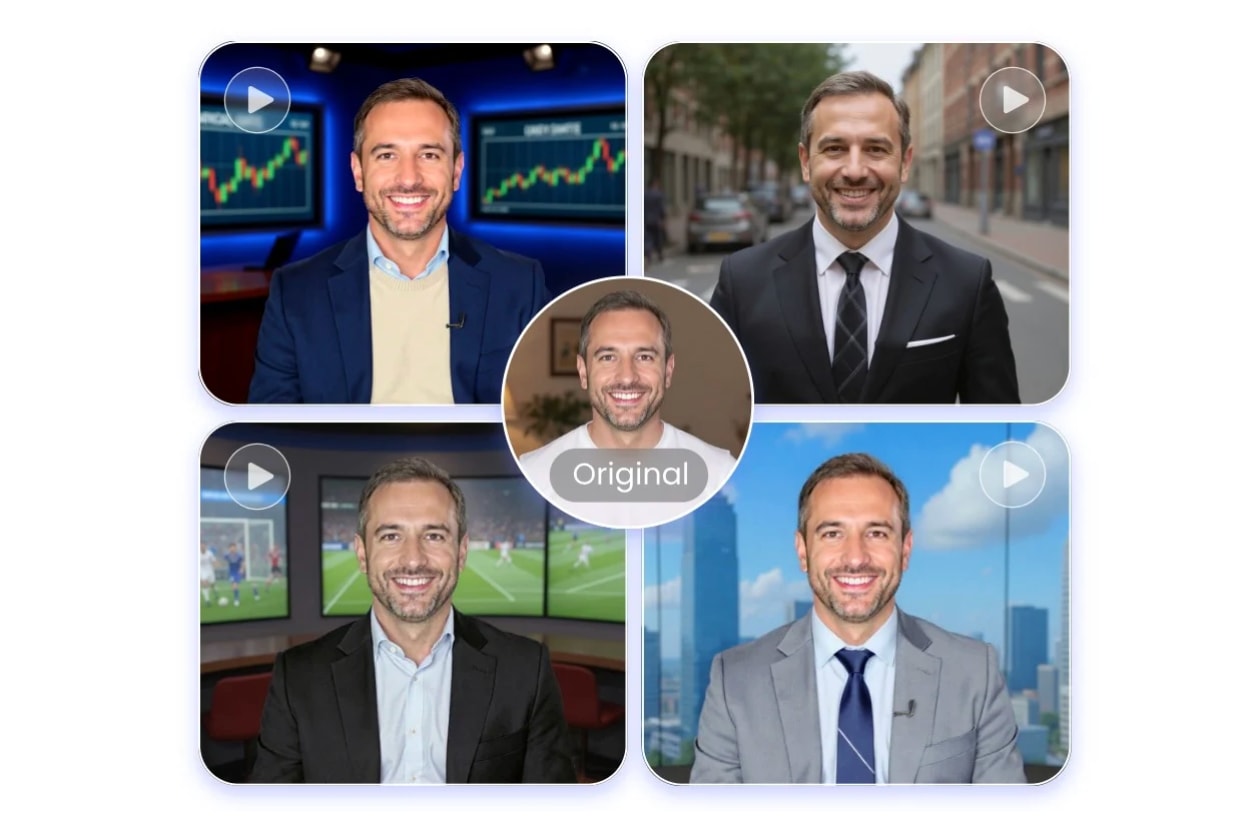
Fotor's AI News Anchor Generator is a simple AI news anchor generator that turns a photo and script into a talking presenter. You can make it a quick option for short updates and social clips.
- A very easy way to make AI news anchors from one photo and a script, good for fast posting.
- Useful as a news reporter AI video generator workflow when paired with its text-to-video or image-to-video features for supporting visuals.
- Credit limits can slow down heavy testing if you iterate a lot.
- AI talking avatar support: Fotor also offers an AI talking avatar feature that syncs audio with avatars and supports different languages and accents.
- Text-to-video and image-to-video models: Fotor's AI video generator highlights model support, including Veo 3.1 and Sora, useful for creating "news visuals" and B-roll inserts alongside an AI news reader style voiceover.
- Credit-based usage: the pricing page shows limited free credits, with paid tiers offering monthly credits for generative AI, including AI video generation.
Beginners who want an AI news anchor generator free-style starting point. Also, creators who need a fast AI news anchor video generator for short news recaps.
7. InVideo AI News Generator
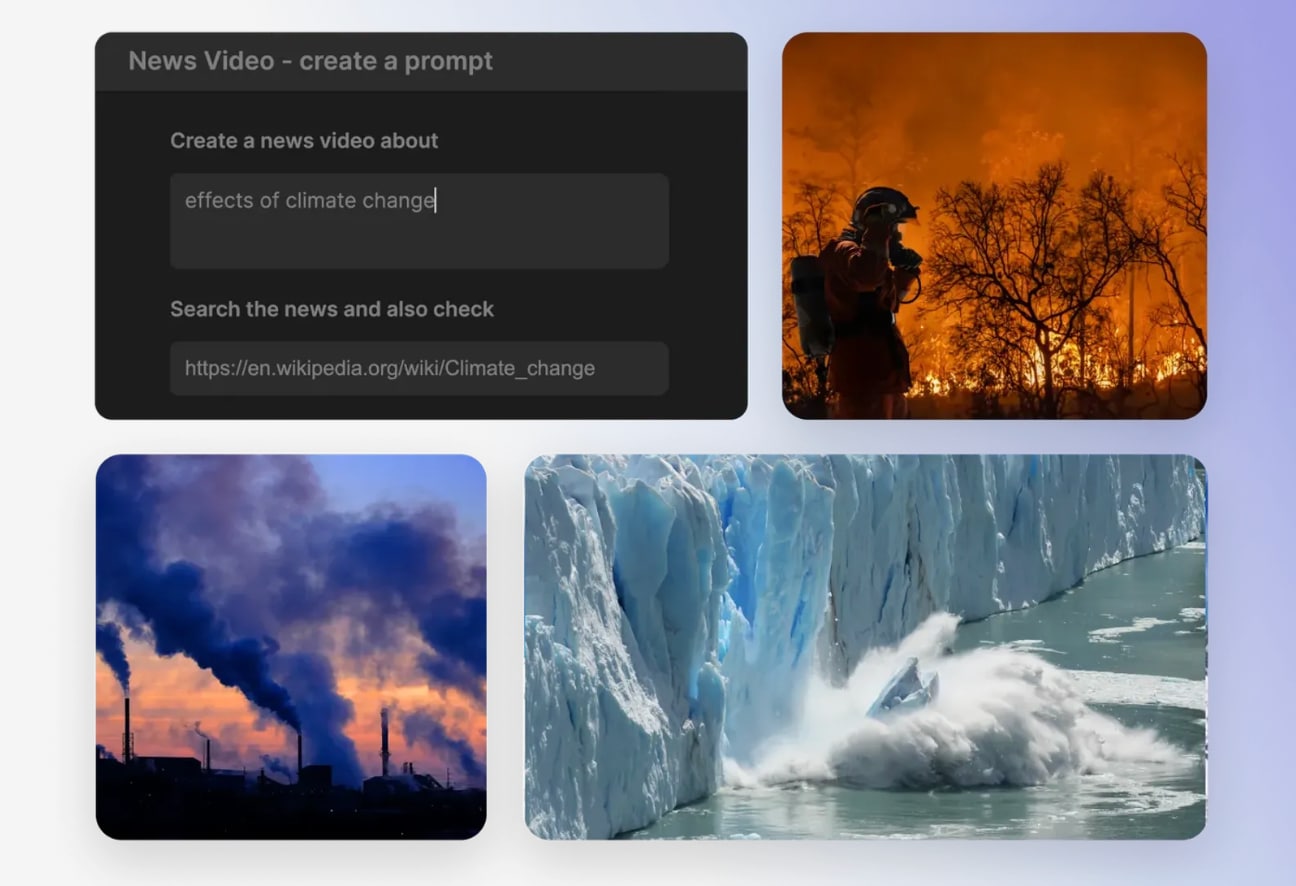
InVideo AI News Generator is a browser-based AI news anchor generator-style workflow that turns a topic or script into a ready-to-edit news video. You can set details like platform, length, voiceover accent, and subtitle style, then generate a draft in minutes.
- A quick way to produce AI news anchor content, especially recap-style videos with subtitles and voiceover generated automatically.
- Flexible output settings make it easy to match different platforms and formats.
- Helpful if you need an AI news reader voiceover, or want to add an on-screen AI news presenter using avatars.
- Free exports can include a watermark, so it is not truly "publish free" for long-term series.
- Generated drafts may still need polishing to feel like a consistent "newsroom package," especially branding, pacing, and headline graphics.
- Prompt-to-video automation: generates a script from your prompt, pulls matching visuals from a large stock library, adds voiceover, subtitles, music, and transitions.
- Model support for visuals: InVideo states it integrates Google Veo 3.1 for text-to-video generation, useful for creating "news visuals" and scene footage.
- No download needed: it is web-based, works in common browsers across devices.
Creators who want a fast AI news anchor video generator workflow for recaps and explainers, with a free-to-start option for testing formats.
8. FlexClip News Anchor Video Maker
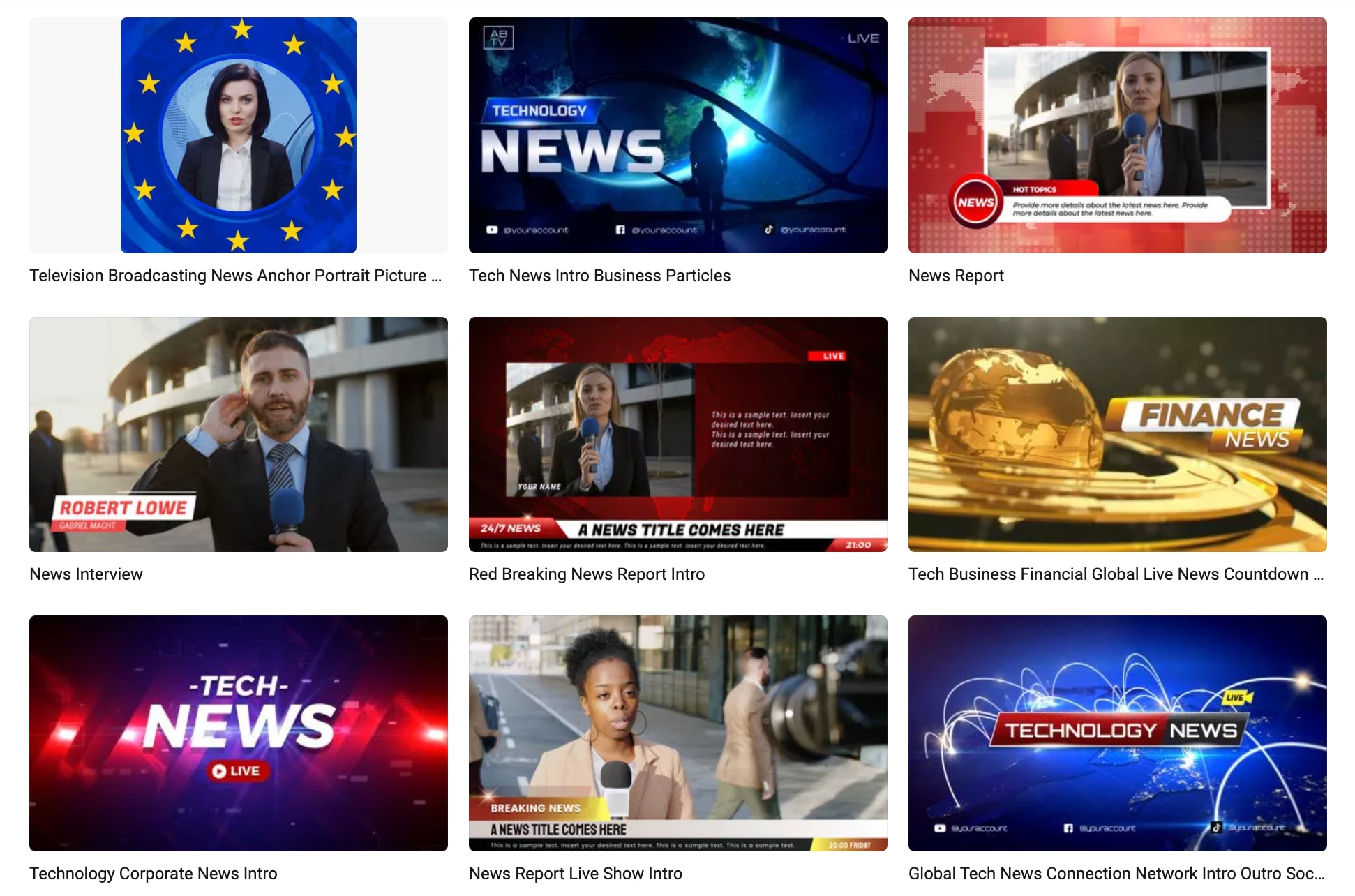
FlexClip is an online editor with a dedicated News Anchor Video Maker, built around templates and broadcast-style elements. It works well for making AI news anchor-style videos when you combine a news template with an AI news reader voiceover.
- Templates make it easy to build a consistent "breaking news" format fast.
- Good starter option if you are searching for a free AI news anchor video generator, as long as you can accept watermark limits.
- The free plan includes a watermark and 720p exports, which can be limiting for a serious channel.
- For higher-end polish, you may still want to finish in a full editor after exporting.
- News anchor templates and assets: FlexClip's news maker supports headlines, tickers, lower-thirds, backgrounds, and news intros and outros, useful for a newsroom look.
- AI Video Generator: generates videos from text prompts or image prompts, helpful for quick "news visuals" and B-roll inserts.
- Text-to-Speech and AI voice: convert your script into voiceover and add it to your project, useful for an AI anchor narration style.
- Free plan basics: FlexClip states free exports are 720p, up to 10 minutes, and include a watermark; it also lists limits on stock usage and AI credits.
Beginners who want a template-first AI news anchor generator workflow, plus fast social exports for short news recaps.
9. Akool AI News Anchor
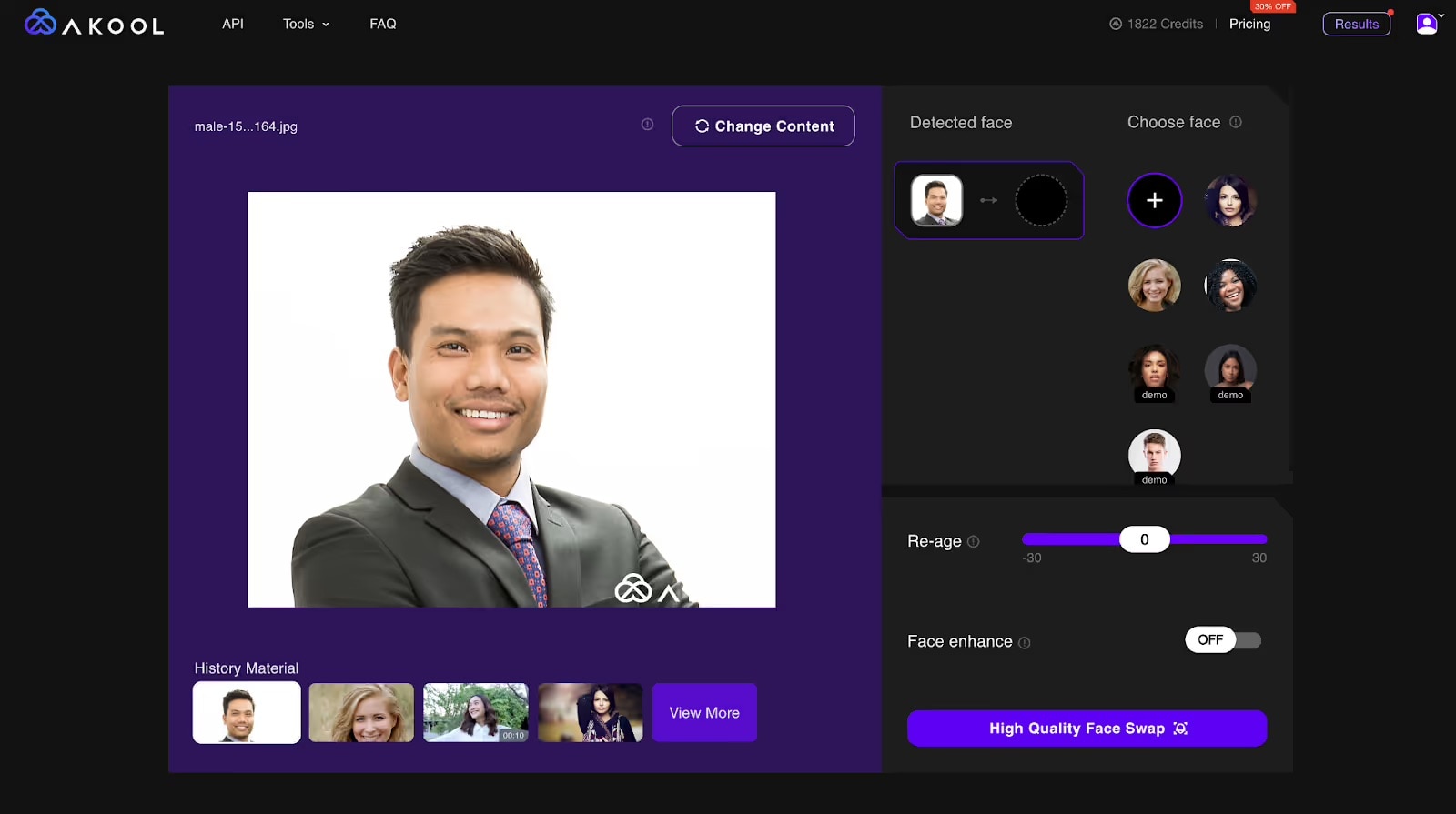
Akool offers an AI news anchor generator through its AI News Anchor Tool, designed to create a virtual AI news presenter for broadcast-style content. It also supports talking avatars and even real-time streaming avatar experiences.
- A great fit for creating AI news anchors quickly, especially short brief formats.
- Can cover both an on-screen AI anchor and an AI news reader style voice workflow via talking avatar and audio features.
- A free tier exists, useful for testing formats before scaling.
- The free Basic plan includes limits like 720p output and a watermark, so it may not suit a long-term series without upgrading.
- Credit-based generation can add cost if you iterate heavily across many takes and versions.
- Talking Avatar workflow: Akool describes a newsroom example where you write a 60-second script, pick a virtual anchor, then generate a video brief fast.
- Streaming Avatar: supports real-time conversational avatars with gestures and emotions, useful for interactive "live anchor" concepts.
- Mobile support: Akool's mobile page highlights talking avatars from text or speech, plus voice cloning, lip-sync, and multilingual narration.
Creators and teams who want a flexible news reporter AI video generator workflow with a free tier to try.
Part 3. Step-by-Step: Making a Professional AI News Segment in Filmora
 Secure Download
The best AI news anchor generator depends on what you publish and how often you publish it.
- A solo creator usually wants speed and simple templates.
- A brand often needs consistent visuals and a repeatable style.
- Corporate training teams prioritize clear narration and multiple languages.
- Newsroom experiments focus on realism, fast iteration, and safe workflows for testing.
Other than that, you can refer to the key decision factors checklist below to narrow things down:
- Budget and free limits: Check watermarks, video length caps, export resolution, and monthly credits. Many "free" options are best for testing, not publishing a full series.
- Language and voice variety: If you publish globally, you need strong text-to-speech quality, accents, and multilingual support.
- Avatar realism vs stylization: Photorealistic avatars can feel more like a traditional anchor. Stylized presenters can look safer for entertainment or commentary.
- Editing flexibility: Some tools are "generate and export." Others let you adjust scenes, timing, and captions inside the tool. If you want full control, export the base clip and finish in an editor.
- Output formats and aspect ratios: Make sure it supports 16:9 for YouTube, 9:16 for Shorts and Reels, and 1:1 for square feeds when needed.
When to bring Filmora into the workflow?
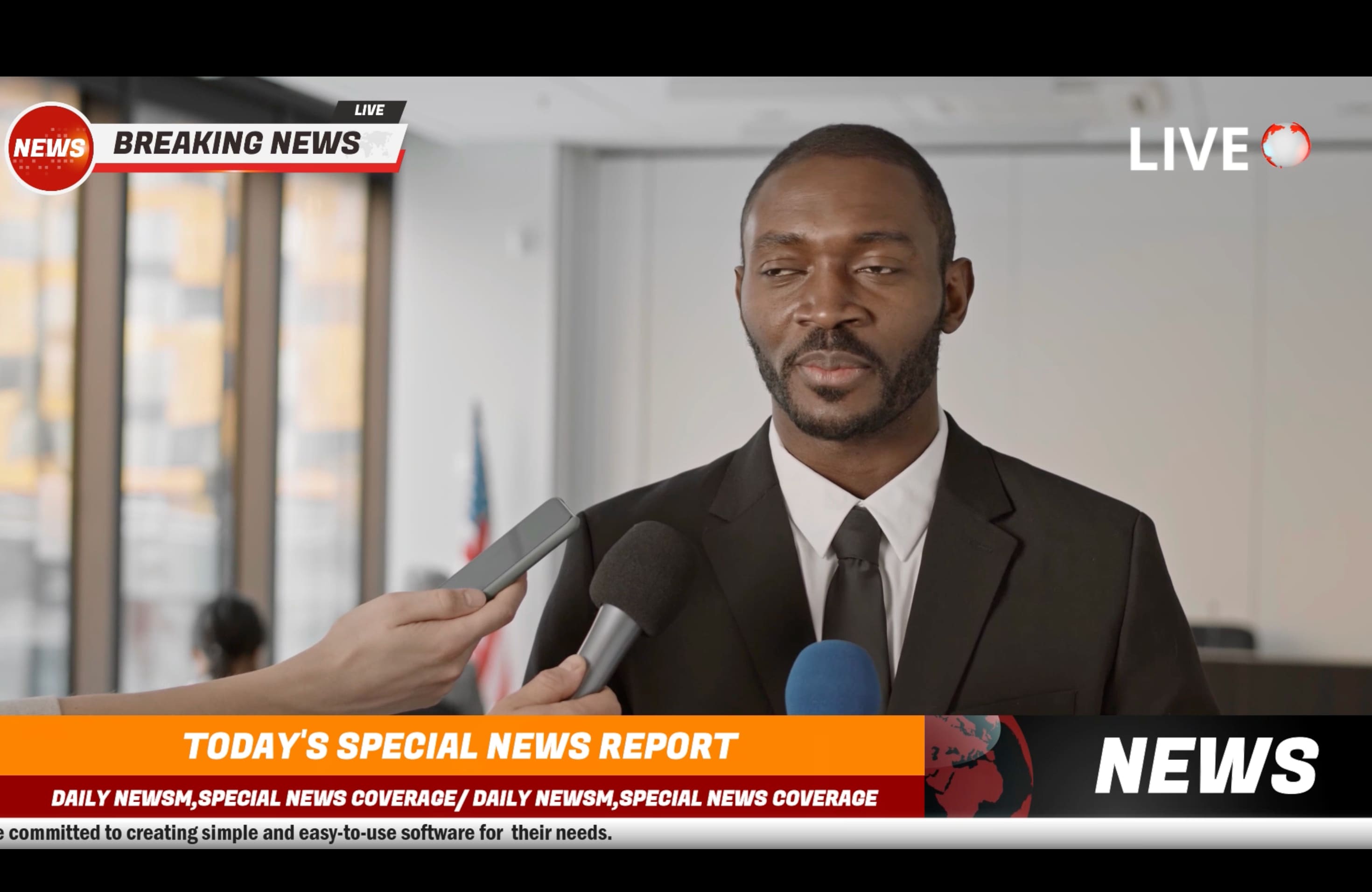
Most AI generators give you a strong starting point, an AI anchor clip, or a full draft video. Wondershare Filmora is useful when you want that draft to feel like a real segment. You can refine pacing, add B-roll, build headlines and simple graphics, and repurpose the same story into 16:9, 9:16, and 1:1 versions without rebuilding everything from zero.
 Secure Download
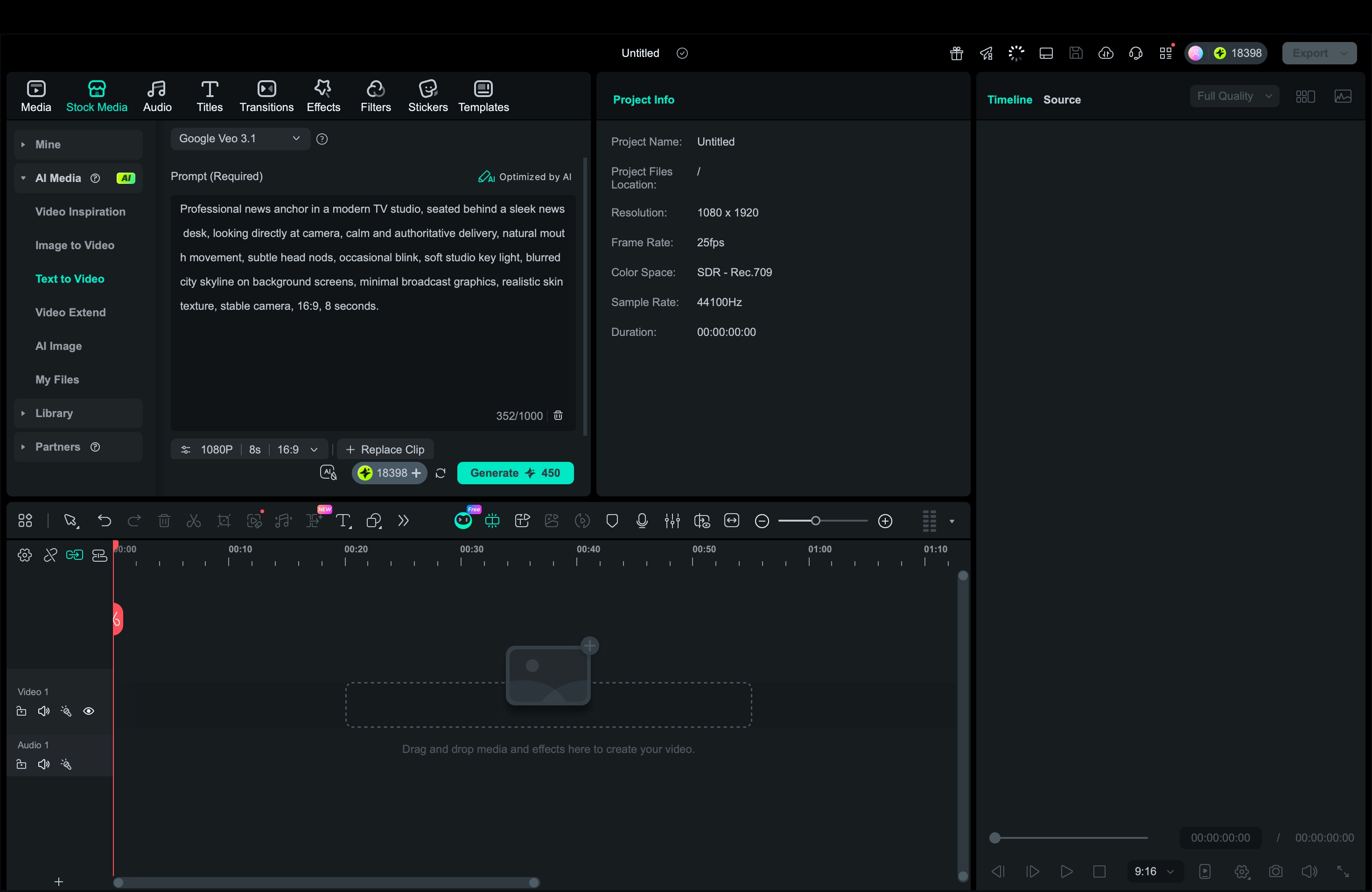
Part 4. How to Make Professional AI News Videos In Filmora (Using AI Text-to-Video & Veo 3.1)
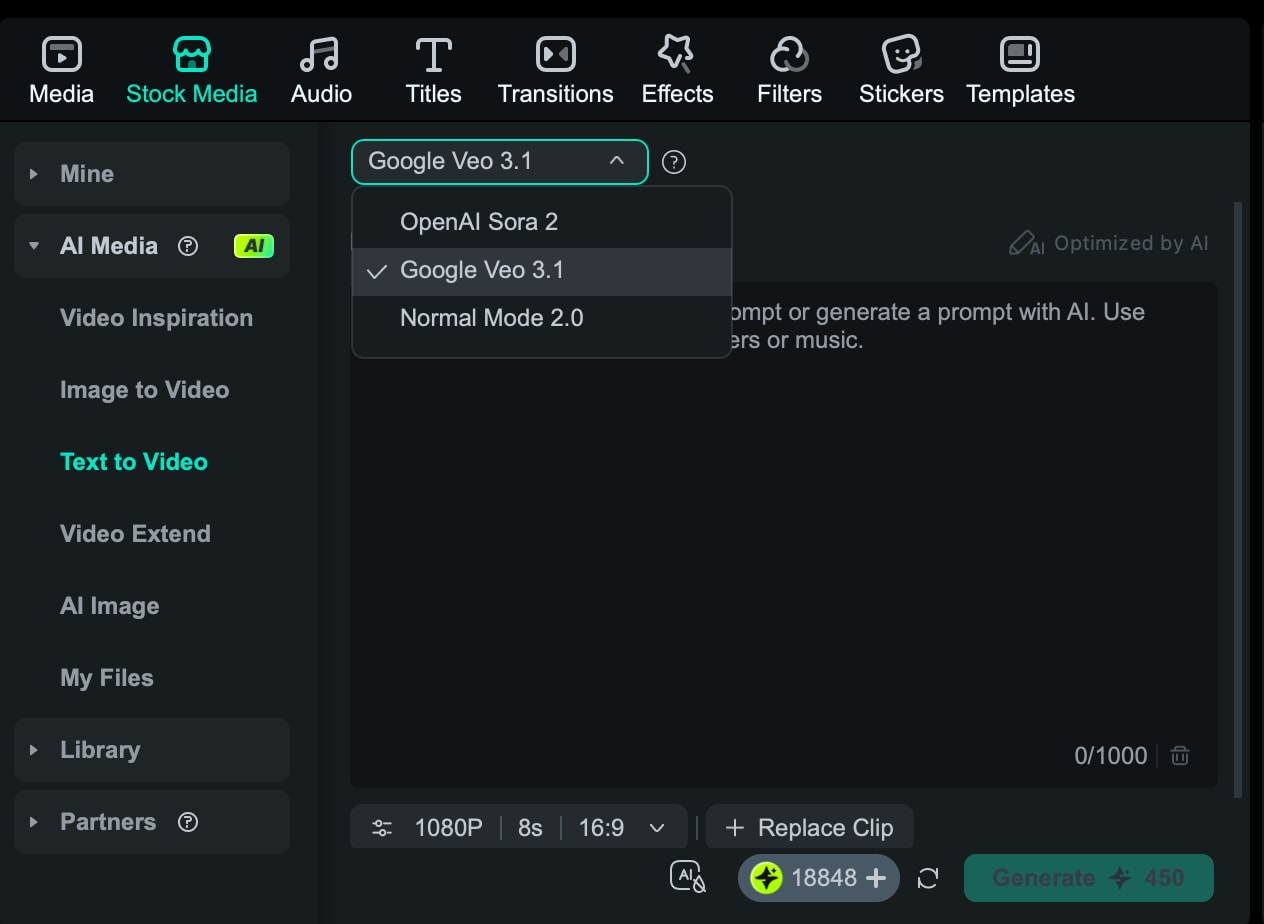
This workflow is for a proper news-style segment. You generate the base clip with AI Text-to-Video, then polish it so it feels like an AI news presenter package, with clean pacing, clear headlines, and supporting visuals.
 Secure Download
Tip: If you want an AI news reader delivery, add a short note about the voice style, such as clear, neutral, or broadcast pacing.
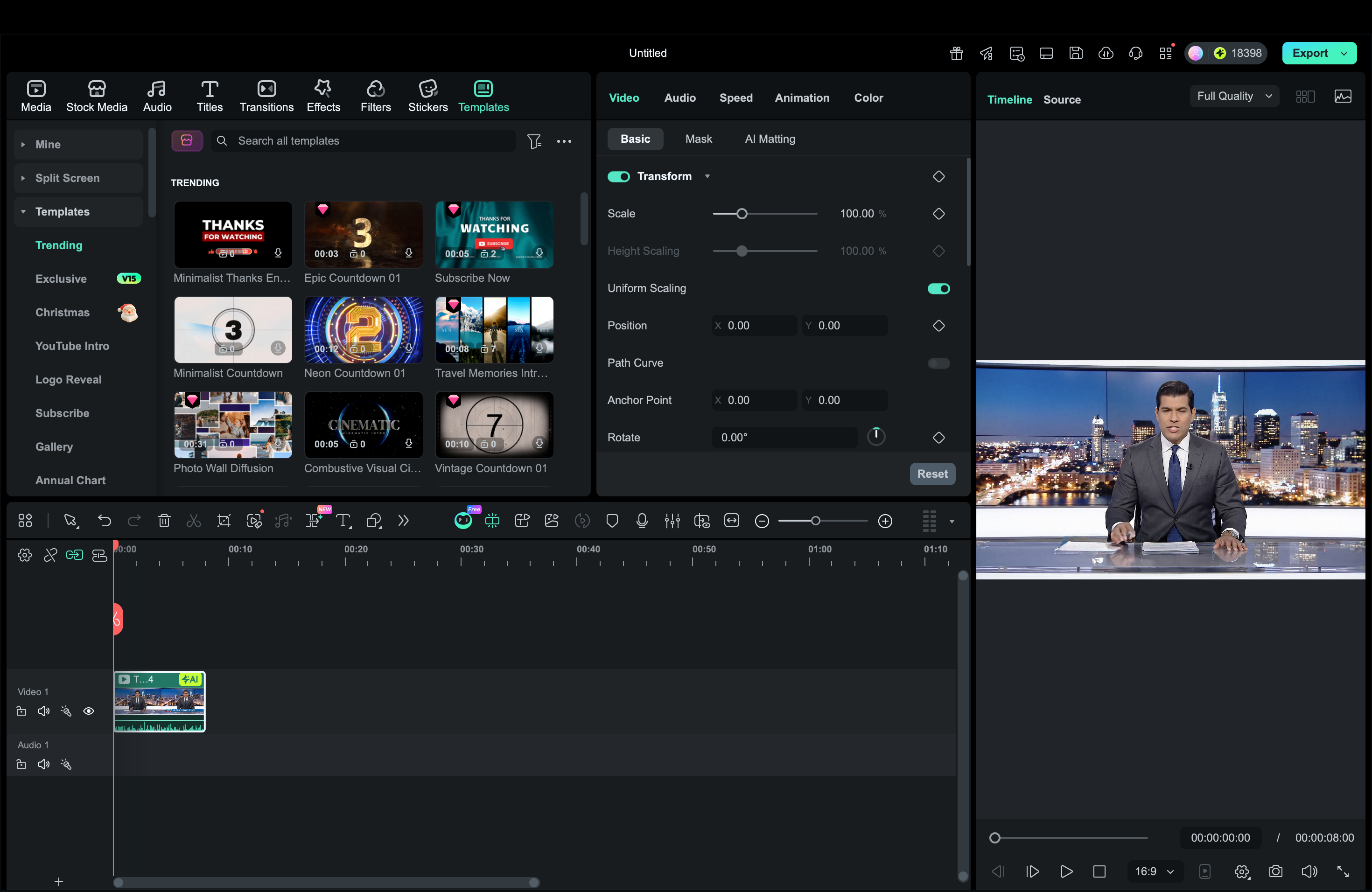
Drop in extra B-roll where the script mentions locations, products, or events, then keep audio clean so the voice stays easy to follow.
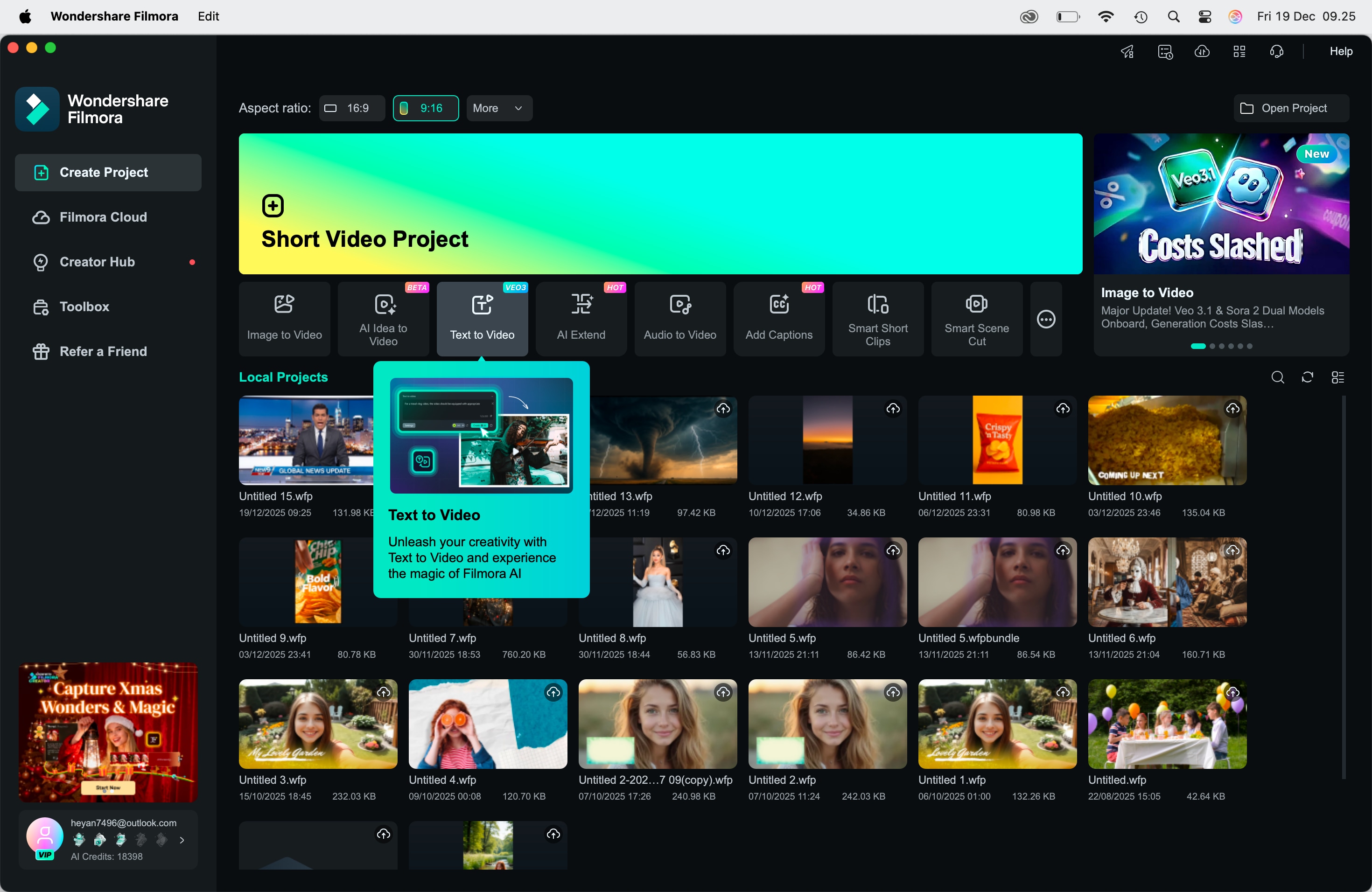
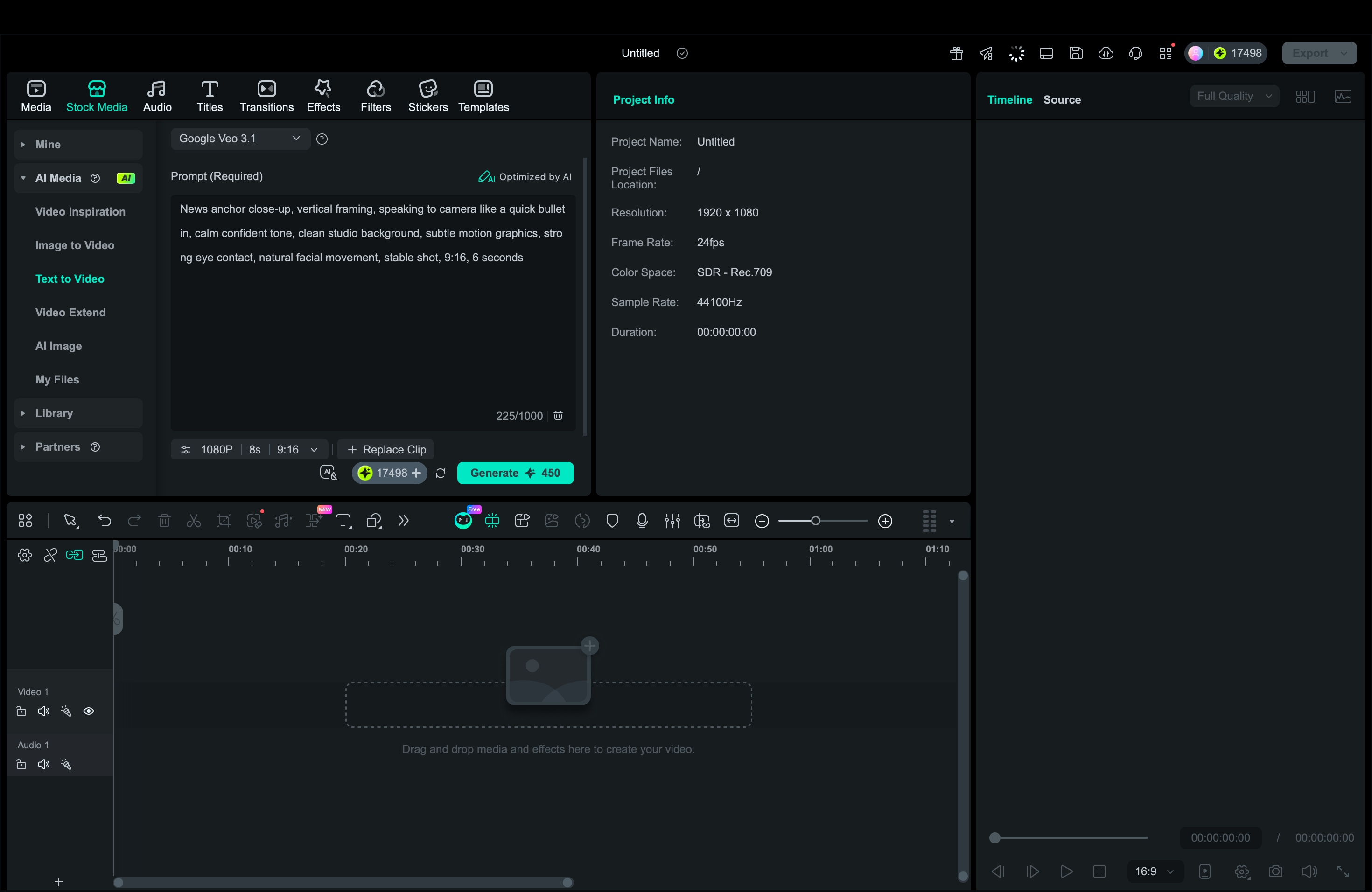
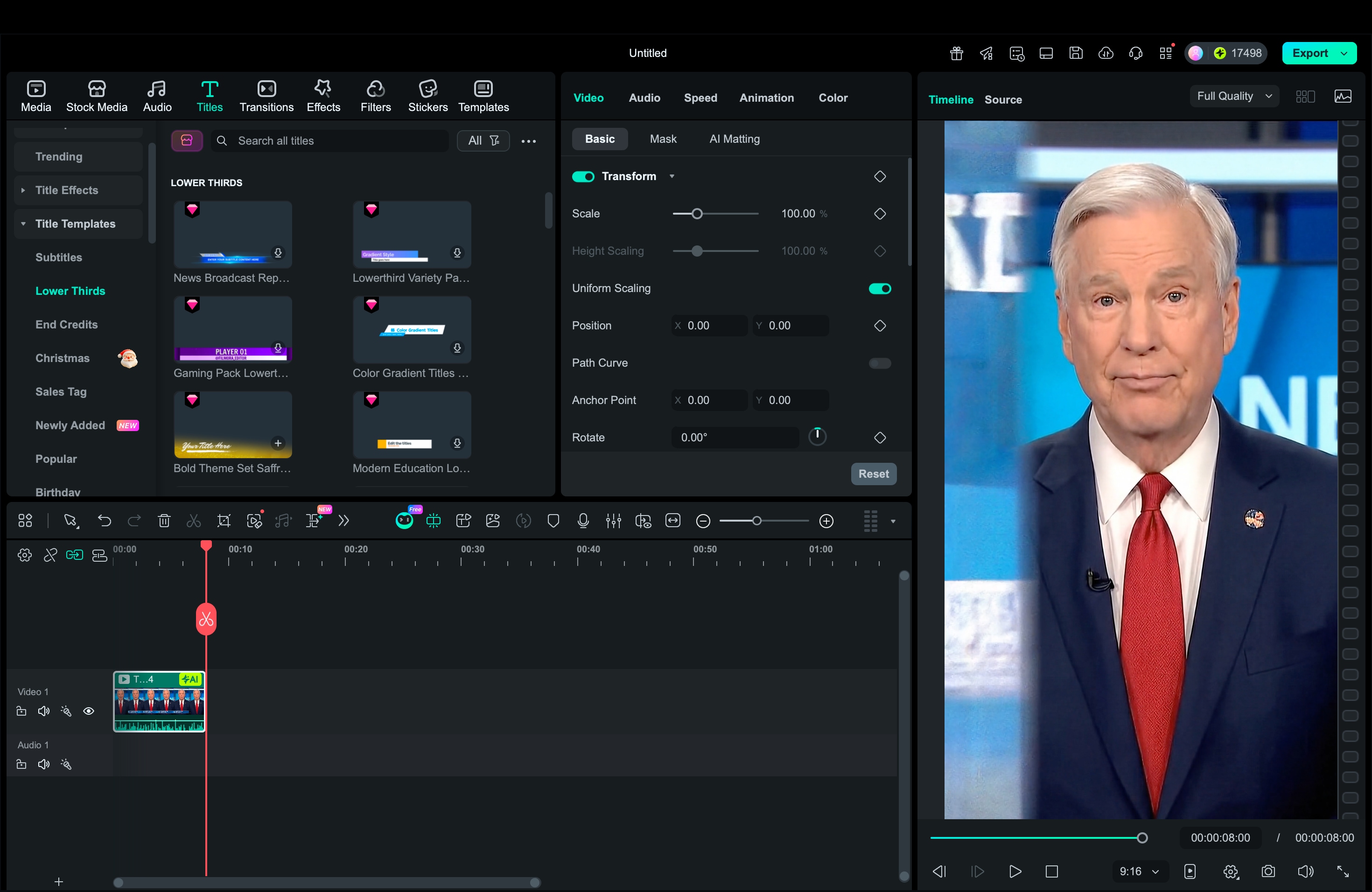
Part 5. Creating Social-Ready AI News Anchor Content with Filmora Desktop (Step-by-Step)
This workflow uses Filmora Desktop, too, but the goal is speed. You create short AI news anchors for Shorts, Reels, and TikTok, then export in vertical format so the video is ready to post right away.
Conclusion
AI news anchors make it easier to create news-style videos without filming a host. With the right AI news anchor generator, you can produce an AI news presenter clip, an AI news reader voiceover, or a full news reporter AI video generator draft in minutes.
Among the available options, Filmora stands as an all-in-one solution. You can choose whether to start from scratch with AI or use ready-made templates, then turn everything into a finished news segment with headlines, captions, B-roll, and platform-ready exports. With a repeatable workflow, you can publish faster, stay consistent, and scale your AI anchor content across YouTube and short-form social platforms.

