50+ Video Infographic Templates & Assets:
Turn Complex Data Into Clear Visuals
Give your presentations and videos the professional polish they deserve. Explore our curated selection of video infographic templates, featuring everything from animated pie charts and bar graphs to step-by-step process overlays. Simply pick your favorite infographic style, drag it into your timeline, edit the text, and create videos that inform and captivate. Perfect for educators, marketers, and content creators explaining intricate topics.
Loading more templates...
 Category:
 Duration:
 Aspect Ratio:
Why Use Video Infographic Templates?
Communicate clearer and faster — the right visual aids turn complex data into easily digestible stories!
Simplify Complex Information with Dynamic Visuals

Simplify Complex Information with Dynamic Visuals
Don't lose your audience in a sea of numbers. Our infographic templates are designed to break down complicated statistics and processes into clear, engaging animations. Whether you are explaining a business strategy or a classroom lesson, these visual aids ensure your message is understood and remembered.
- Enhance viewer retention by combining data with motion graphics
- Perfect for explaining tutorials, financial reports, and timelines
- Transform boring spreadsheets into compelling video narratives
Access a Massive Library of Animated Charts & Graphs

Access a Massive Library of Animated Charts & Graphs
Skip the expensive motion design software. Filmora provides a vast library of pre-animated infographic elements ready for immediate use. From pie charts and bar graphs to comparison lists and kinetic typography, you have every tool you need to visualize data professionally without setting a single keyframe.
- Drag-and-drop functionality for instant professional results
- Wide variety of styles: corporate, hand-drawn, tech, and minimal
- Auto-animating elements that save hours of editing time
- Real-time preview to see your data come to life instantly
Customize Every Element to Fit Your Brand Identity

Customize Every Element to Fit Your Brand Identity
Consistency is key for building trust. Filmora’s infographic templates are fully customizable, allowing you to tweak colors, fonts, and sizes to align perfectly with your brand guidelines. Create a cohesive look across all your YouTube videos, Instagram Reels, and corporate presentations with ease.
- Easily adjust text, colors, and opacity to match your style guide
- Scale charts and graphs to represent your specific data points
- Save your customized presets for faster workflow on future projects
- Export in high resolution optimized for any platform
FAQs About Video Infographic Templates
How To Add Effects to Videos
Whether you're a beginner or experienced creator, adding effects to your videos with our video effect editor is intuitive and fast.
Follow these simple steps to improve your videos with Filmora's extensive effect collection.
Step 1 Open Filmora and Import Your Video

Step 2 Choose and Apply Video Effects

Step 3 Export or Continue Editing

Step 1: Open Filmora and Import Your Video
Launch Filmora on your computer and import the video file you want to edit into the media library. Then, drag it to the timeline to start editing.Step 2: Choose and Apply Video Effects
Click the Effects tab in the top toolbar. Under Video Effects, you'll find multiple effect categories. Select an effect you like and drag and drop it onto your video clip in the timeline to apply it.Step 3: Export or Continue Editing
Once you're satisfied with the effect, export your video or continue editing by adding more effects, text, or music.
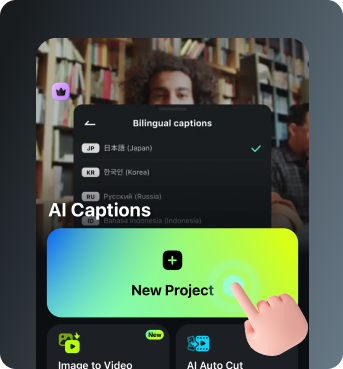
Step 1 Open Filmora and Import Your Video
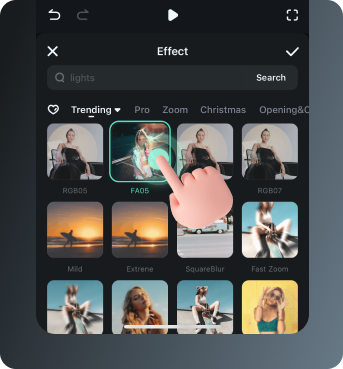
Step 2 Access and Select Your Video Effects
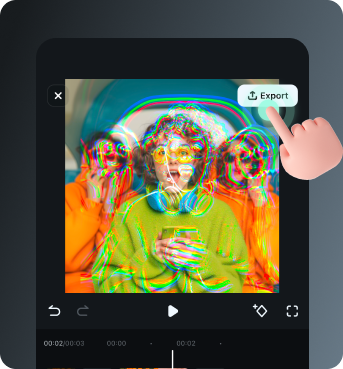
Step 3 Export or Keep Editing
Step 1: Open Filmora and Import Your Video
Open the Filmora app on your phone and import the video you want to edit. The clip will be added to your editing timeline automatically.Step 2: Access and Select Your Effect
Tap Animation to browse preset video effects and animations. Choose a style you like and apply it to enhance your video instantly.Step 3: Export or Keep Editing
After applying the effects, export your video or continue editing with additional animations, stickers, or adjustments.
Explore More Video Effects
From cinematic slideshow effects to dynamic zoom transitions — explore our free, ready-to-use effects for every creative project.