

 TL;DR:
Google's Veo 3.1 excels at producing highly stylized, cinematic 8-second clips and first-frame animations ideal for brand aesthetics, but it requires post-production refinement as it trails behind competitors in dynamic realism, unscripted content, and strict character consistency.
● Veo 3.1 outperforms Sora 2 Pro in sophisticated camera movements (dolly, crane, rack focus) and professional color grading for atmospheric scenes, whereas Sora 2 is strictly better for educational or documentary content demanding physical accuracy and complex prompt adherence.
● For reference-based generation and temporal transitions, Veo 3.1 suffers from severe style distortion and a 15% facial feature drift—making Vidu Q2 the necessary choice for episodic character consistency—and fails to match Hailuo 02 in executing smooth morphological transformations between start and end frames.
● To maximize output quality, creators must use English prompts to bypass a 30% error rate in Chinese text comprehension and pair the raw outputs with post-production software to mitigate inherent audio synchronization lags, mechanical cutoffs, and aspect ratio artifacts.
Ask AI for a summary
 ChatGPT
 Perplexity
 Gemini
 Claude
 Grok
Grok
Veo 3.1 performs impressively in music video creation, abstract visual storytelling, and intro scenes, with consistent improvements in camera language and narrative flow. It excels in creating stylish, emotionally rich visuals ideal for brand ads and artistic short videos.
However, tests reveal notable weaknesses: audio sometimes lags or cuts out, and transitions can feel overly mechanical. Compared with Sora 2 Pro, Veo 3.1 underperforms in dynamic realism, character fluidity, and casual, unscripted content creation.
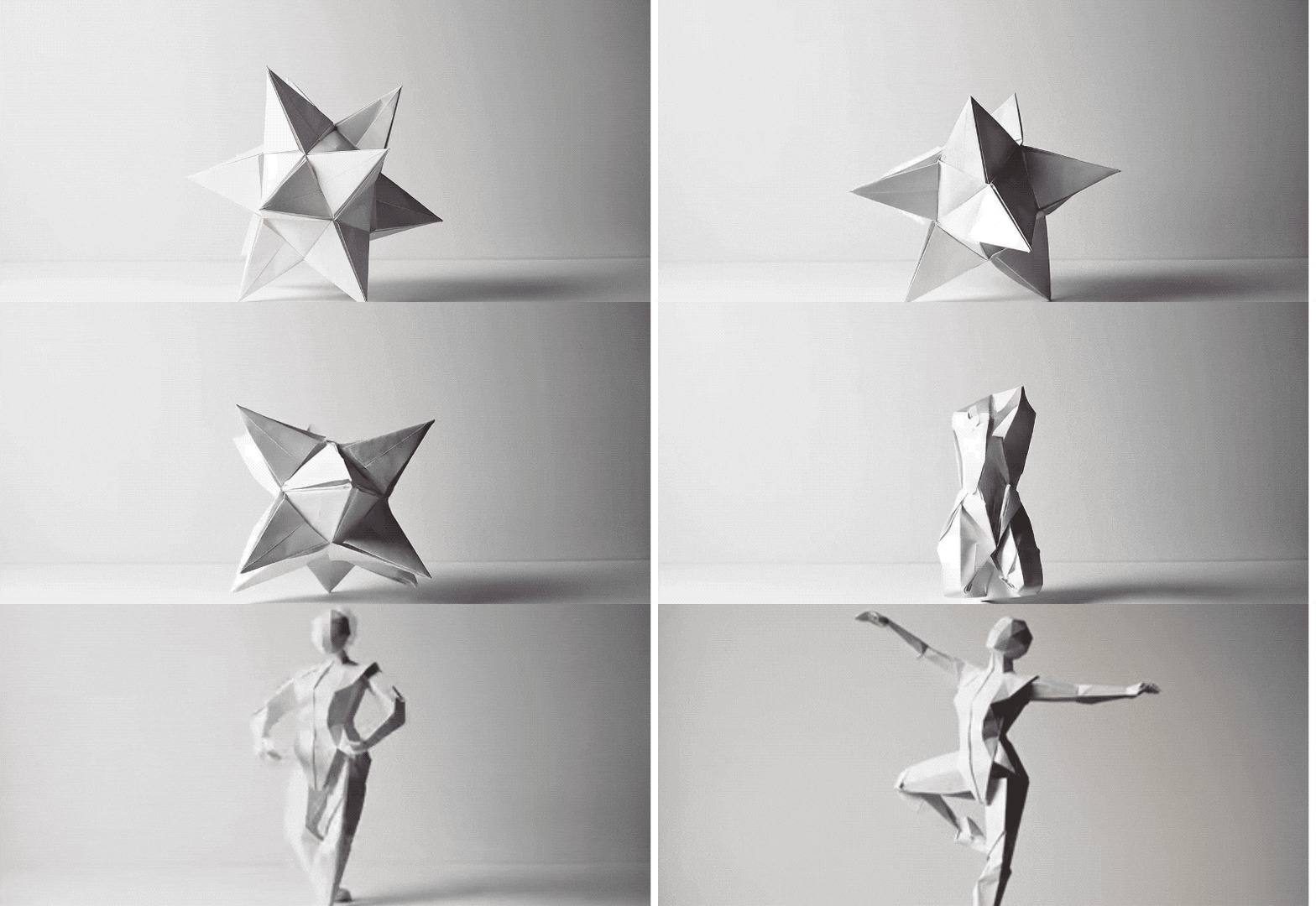
Core Takeaways and Evaluation Summary
Veo 3.1 performs impressively in music video creation, abstract visual storytelling, and intro scenes, with consistent improvements in camera language and narrative flow. It excels in creating stylish, emotionally rich visuals ideal for brand ads and artistic short videos. However, tests reveal notable weaknesses: audio sometimes lags or cuts out, and transitions can feel overly mechanical. Compared with Sora 2 Pro, Veo 3.1 underperforms in dynamic realism, character fluidity, and casual, unscripted content creation.
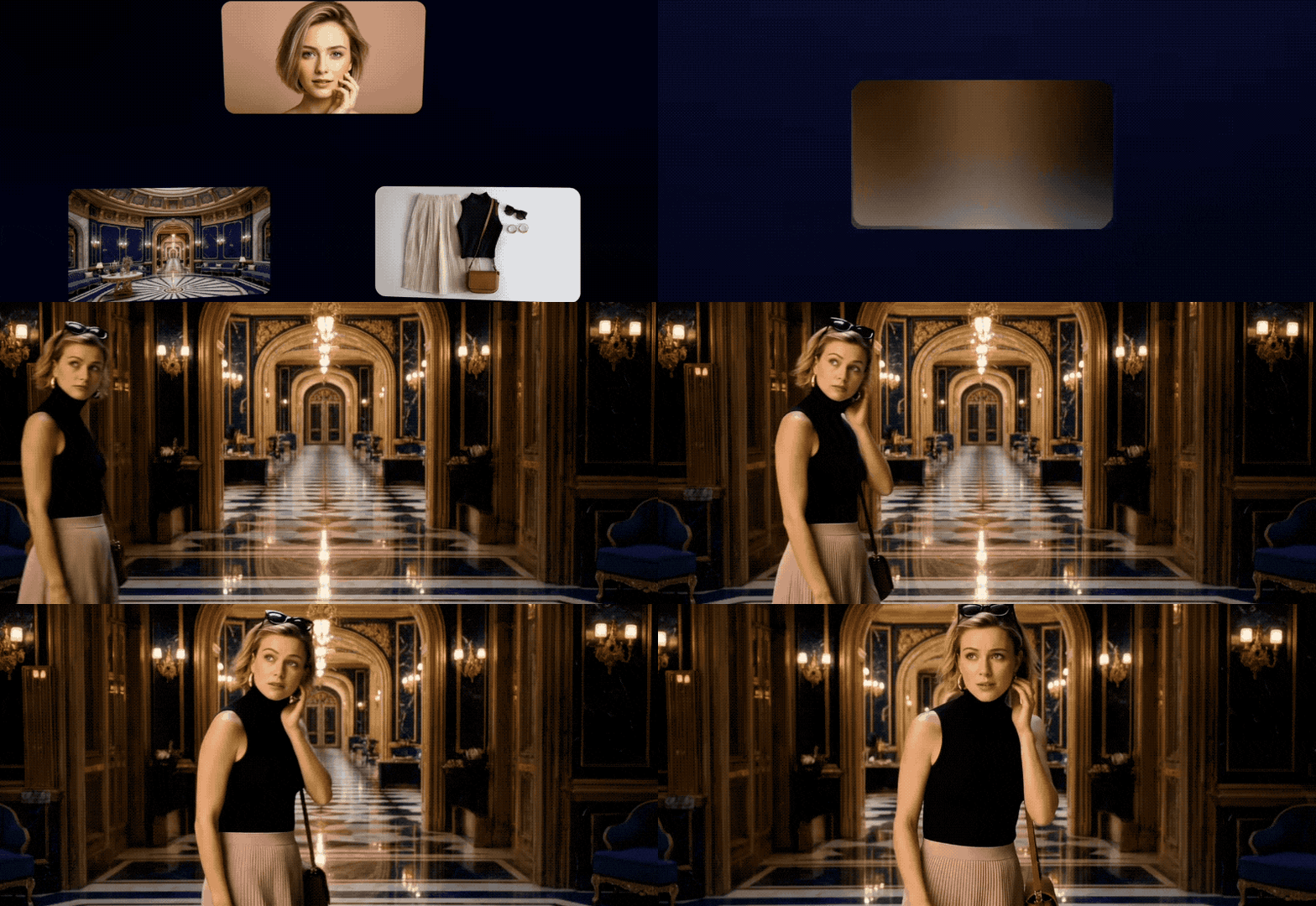
Key Upgrades in Veo 3.1
According to Google's official announcement, Veo 3.1 introduces five transformative improvements:
- Native Audio Integration: Synchronizes environmental sounds, dialogue, and music with visual content—evolving from silent clips to fully-realized audiovisual experiences
- Frame-to-Frame Control: Define start and end frames to guide narrative transitions with unprecedented precision
- Character Consistency: Upload up to three reference images to maintain consistent character appearance across multiple shots
- Cinematic Presets: Access professional camera movements (dolly, zoom, pan) and lighting configurations (color grading, depth-of-field)
- Extended Duration: Generate 8-second 720p/1080p clips, with the ability to extend videos up to 20 times
Veo 3 vs. Veo 3.1: Evolution at a Glance
In terms of core text comprehension and visual generation fidelity, Veo 3.1 and Veo 3 remain relatively close. Both deliver similar performance in text-to-video accuracy and dynamic realism. However, Veo 3.1 makes a leap forward in overall user experience and output polish. Key improvements include:
- Audio Overhaul: The biggest leap is in sound. Veo 3.1 introduces immersive, emotion-aligned background music and ambient effects, offering a more professional, film-like viewing experience.
- Cinematic Camera Language: Veo 3.1 introduces deliberate shot transitions, cinematic lighting, and better background blur, enabling a more cohesive narrative tone that resonates with real filmmaking.
- Stability and Completion: Veo 3.1 improves script delivery in 4-second video tasks with fewer cutoffs and correct frame alignment. Issues like random cropping and ratio errors seen in Veo 3 are mostly resolved.
Head-to-Head Comparisons: Veo 3.1 vs. Top Competitors
1. Text-to-Video: Sora 2 Takes the Lead
| Testing Dimension | Veo 3.1 | Sora 2 |
|---|---|---|
| Text Adherence | ❌ | ✔ |
| Motion Realism | ❌ | ✔ |
| Video Quality | ✔ | ❌ |
| Visual Aesthetics | ✔ | ❌ |
| Stylized Performance | ❌ | ✔ |
| Audio Effects | ❌ | ✔ |
Verdict: Sora 2 demonstrates superior understanding of complex prompts and physical accuracy, particularly in scientific contexts. However, Veo 3.1 produces more visually striking compositions with professional-grade color grading and camera work.
Prompt: "Make it so he’s running away from the cops and does parkour and flips to run away while saying these things"
Veo 3.1
Sora 2
2. First-Frame Generation: Veo 3.1 Dominates
| Test Dimension | Veo 3.1 | Sora 2 Pro |
|---|---|---|
| Text Accuracy | ✔️ | ❌ |
| Motion Realism | ✔️ | ❌ |
| Stylization Quality | ❌ | ✔️ |
| Camera Dynamics | ✔️ | ❌ |
| Audio Performance | ❌ | ✔️ |
Verdict: Veo 3.1 transforms static images into fluid, cinematically-rich animations with sophisticated camera techniques. Sora 2 Pro often produced static pan-and-zoom effects resembling slideshow transitions.
Prompt: "Introduce the formation of river canyons, with camera movements capturing the corresponding landscape scenes."
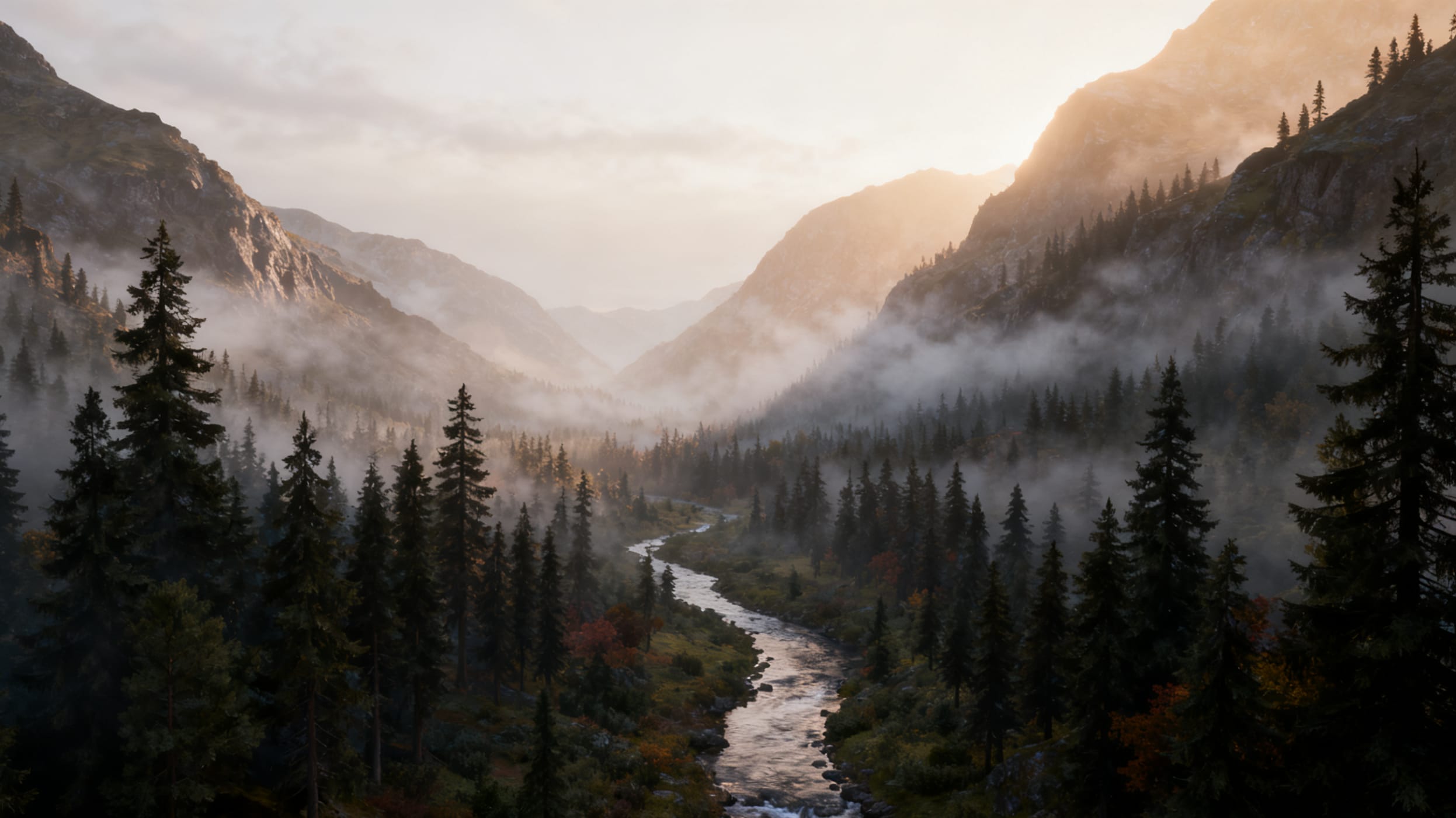
Veo 3.1
Sora 2 Pro
 secure download

Test Case - Architectural Documentation:Prompt: "Chinese architectural science explanation — the environment moves naturally with flowing water and dynamic camera transitions filmed from multiple angles."
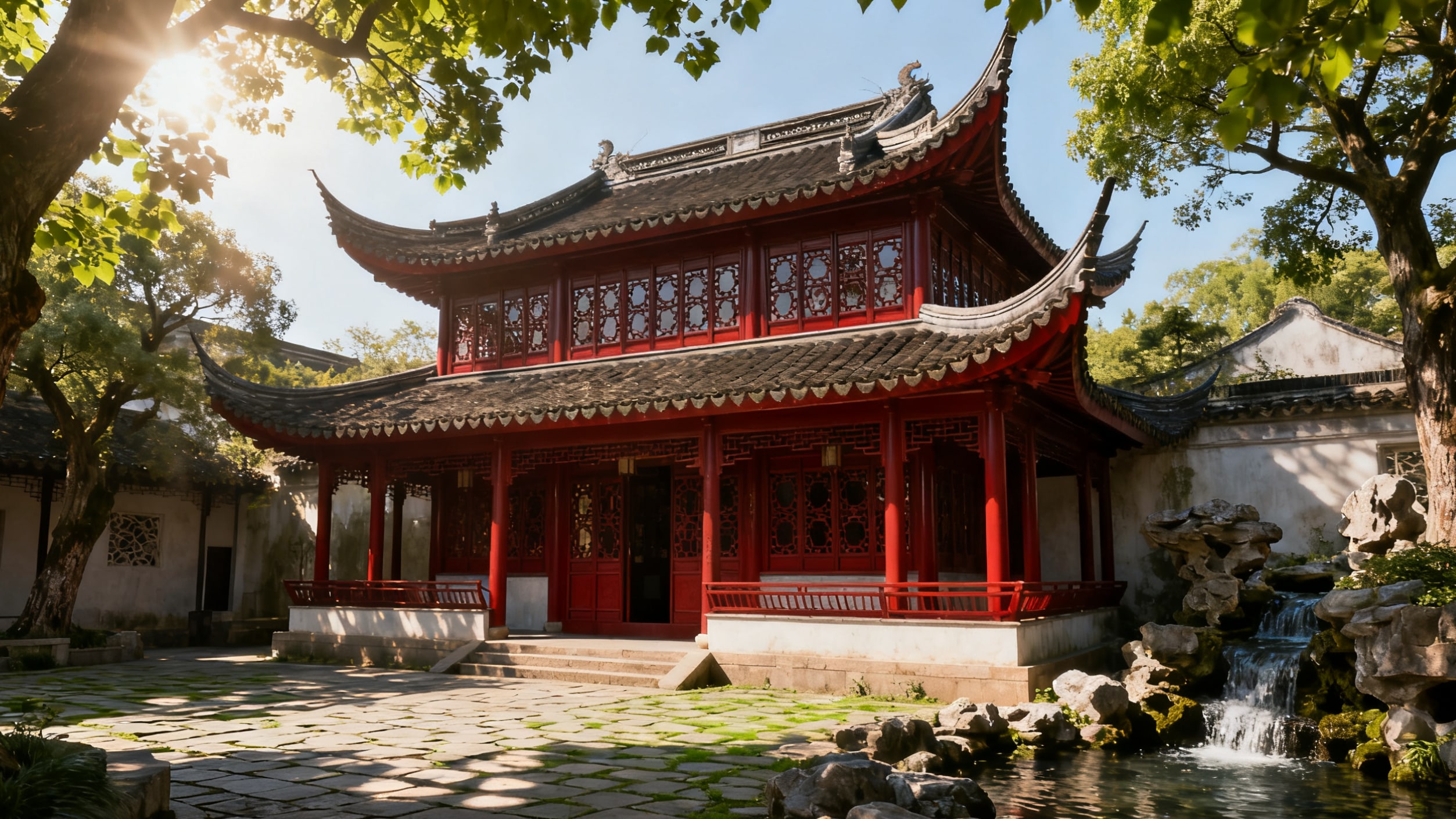
Veo 3.1
Sora 2 Pro
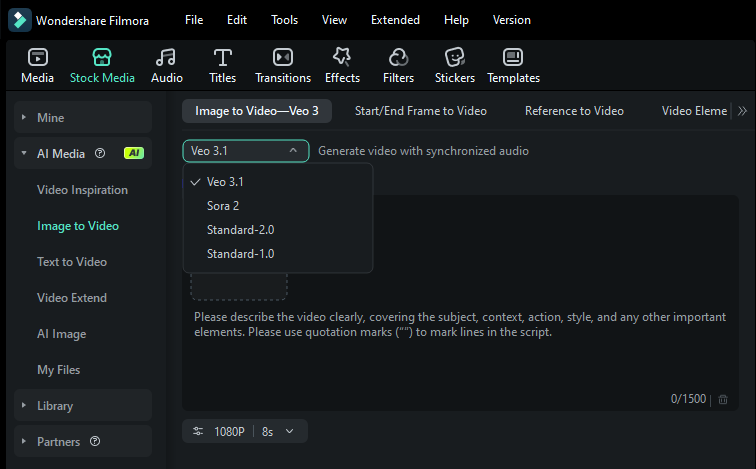
For creators who want the best of both worlds, Wondershare Filmora has seamlessly integrated these cutting-edge models into its AI Image-to-Video tool. By utilizing Veo 3.1, Filmora delivers significant progress in audio synchronization and dynamic realism for clips up to 8 seconds. Meanwhile, the integration of Sora 2 empowers users to generate videos up to 12 seconds with sophisticated narrative logic and cinematic shot transitions, making it easier than ever to turn a static image into a professional story.
3. Reference-Based Generation: Vidu Q2 Wins Decisively
| Test Dimension | Veo 3.1 | Vidu Q2 |
|---|---|---|
| Text Prompt Accuracy | ❌ | ✔️ |
| Reference Image Consistency | ❌ | ✔️ |
| Motion Realism | ❌ | ✔️ |
| Style Fusion Performance | ❌ | ✔️ |
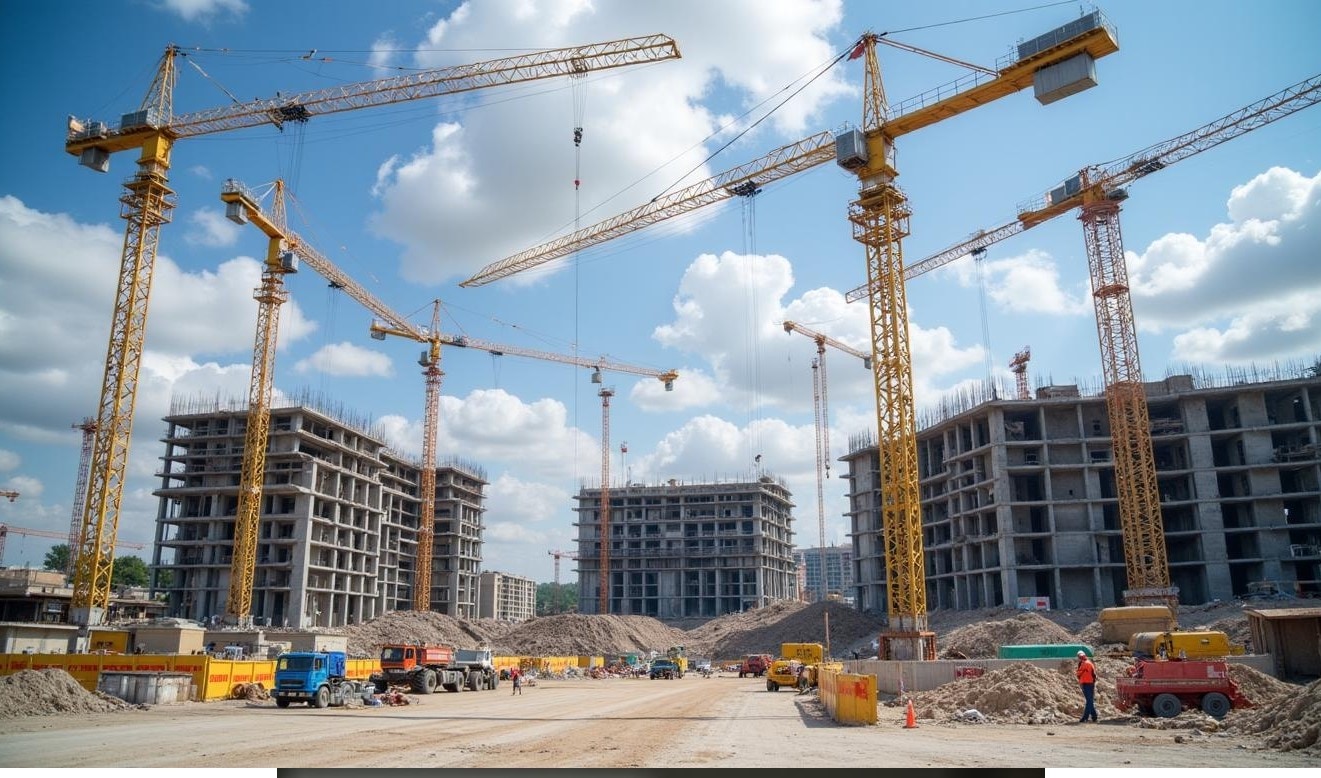
Critical Finding: Veo 3.1 exhibited severe style distortion issues, occasionally converting animated characters into photorealistic humans—a fatal flaw for brand consistency requirements.
Prompt: "The camera presents a medium shot of Jake, a middle-aged man with short, salt-and-pepper hair, wearing a crisp white shirt with the H&H Risk Solutions logo. His demeanor is confident yet approachable. He stands at the center of a construction site surrounded by scattered equipment and building materials. Jake raises his hand to point at an unsecured steel beam, then turns toward the workers, spreading his arms in a clarifying gesture. At first, the workers stand with crossed arms and resistant expressions, but as Jake continues his explanation, their postures gradually relax, and their eyes begin to follow his movements attentively."

Veo 3.1
Vidu Q2
For creators requiring reliable style transfer and character consistency, tools like Filmora's Veo 3 integration offer streamlined workflows that preserve artistic intent while leveraging multiple AI models' strengths.
4. Frame-to-Frame Transitions: Hailuo 02 Superior
| Test Dimension | Veo 3.1 | Hailuo 02 |
|---|---|---|
| Text Prompt Accuracy | ❌ | ✔️ |
| First-to-Last Frame Transition | ❌ | ✔️ |
| Motion Realism | ❌ | ✔️ |
| Camera Work | ❌ | ✔️ |
| Temporal Consistency | ❌ | ✔️ |
Critical Deficiency: Veo 3.1 struggled to establish meaningful connections between start and end frames, often failing to complete the transformation entirely.
Prompt: "A character undergoes a dramatic transformation into the Grim Reaper, surrounded by stunning visual effects. As the transformation completes, they strike a signature Grim Reaper pose, exuding power and mystery."
First-frame Image

End-frame Image

Veo 3.1
Abrupt cuts between frames, severe cropping artifacts, incomplete end-frame rendering
Hailuo 02 Success
Smooth morphological transition with maintained aspect ratio and complete execution
Platforms like Filmora with Veo 3 AI integration can help mitigate some consistency issues by providing post-generation editing tools that maintain brand guidelines across multiple AI-generated clips.
Part 4. From AI Clips to Masterpiece: The Filmora Post-Production Workflow
Google Veo 3.1 and Sora 2 are fantastic starting points, but the clips they generate are just the raw material for your final masterpiece. To truly polish and brand your video, you need a powerful AI video editing software. This is where Wondershare Filmora becomes an indispensable part of your workflow.
The latest AI Image-to-Video integration in Filmora allows you to switch between Veo 3.1 and Sora 2 models directly within the Stock Media/Toolbox. Whether you need the 8-second dynamic authenticity of Veo or the 12-second narrative depth and complex instruction following of Sora 2, you can generate high-quality footage without leaving your editing timeline. This unified workflow ensures that your AI-generated scenes perfectly match your creative vision through immediate post-generation refinement.
 Secure Download
Filmora's Advanced Editing and Refinement Tools
After generating your Veo 3.1 quality video from Filmora, you can leverage its extensive suite of tools to add your personal touch and bring your video to life.
Aspect Ratio Adjustment
AI-generated videos might not have the correct dimensions for your target platform (e.g., vertical for TikTok, horizontal for YouTube). Filmora allows you to easily adjust the aspect ratio to fit any screen, ensuring your video looks professional on every platform.
Text & Stickers
Add context, humor, or important information with Filmora's wide selection of text presets and animated stickers. This is perfect for creating engaging social media content or tutorials.
Rich Media Library
Need a sound effect, a transition, or a stock video clip to supplement your AI-generated footage? Filmora offers a vast, built-in media library with resources from partners like Giphy, Pixabay, and Pexels. This saves you the time and effort of searching for external assets.
Color Correction & Grading
To give your video a consistent and professional look, use Filmora's powerful color correction and grading tools. You can adjust brightness, contrast, and saturation, or apply a cinematic color grade to evoke a specific mood.
Seamless Audio Integration
A great video is nothing without great audio. Filmora allows you to add and mix multiple audio tracks, whether it's background music, sound effects, or a voice-over. You can also use its Speech-to-Text feature to automatically generate subtitles, making your content more accessible.
These tools allow you to go beyond the raw output of Google Veo 3 and craft a polished, personalized video that truly stands out.
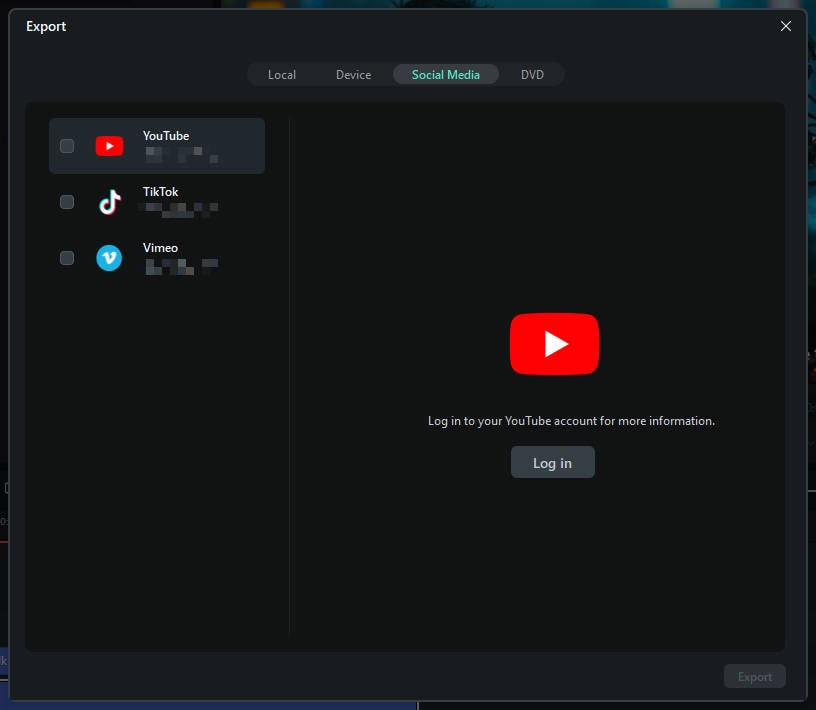
Your Complete Creation Path on Filmora Desktop: Veo 3.1 + Filmora → Publish
The key to a successful video creation workflow in the age of AI is combining the power of an AI generator with a robust editing tool. Here is the simple, four-step process to go from an idea to a published video:
Secure Download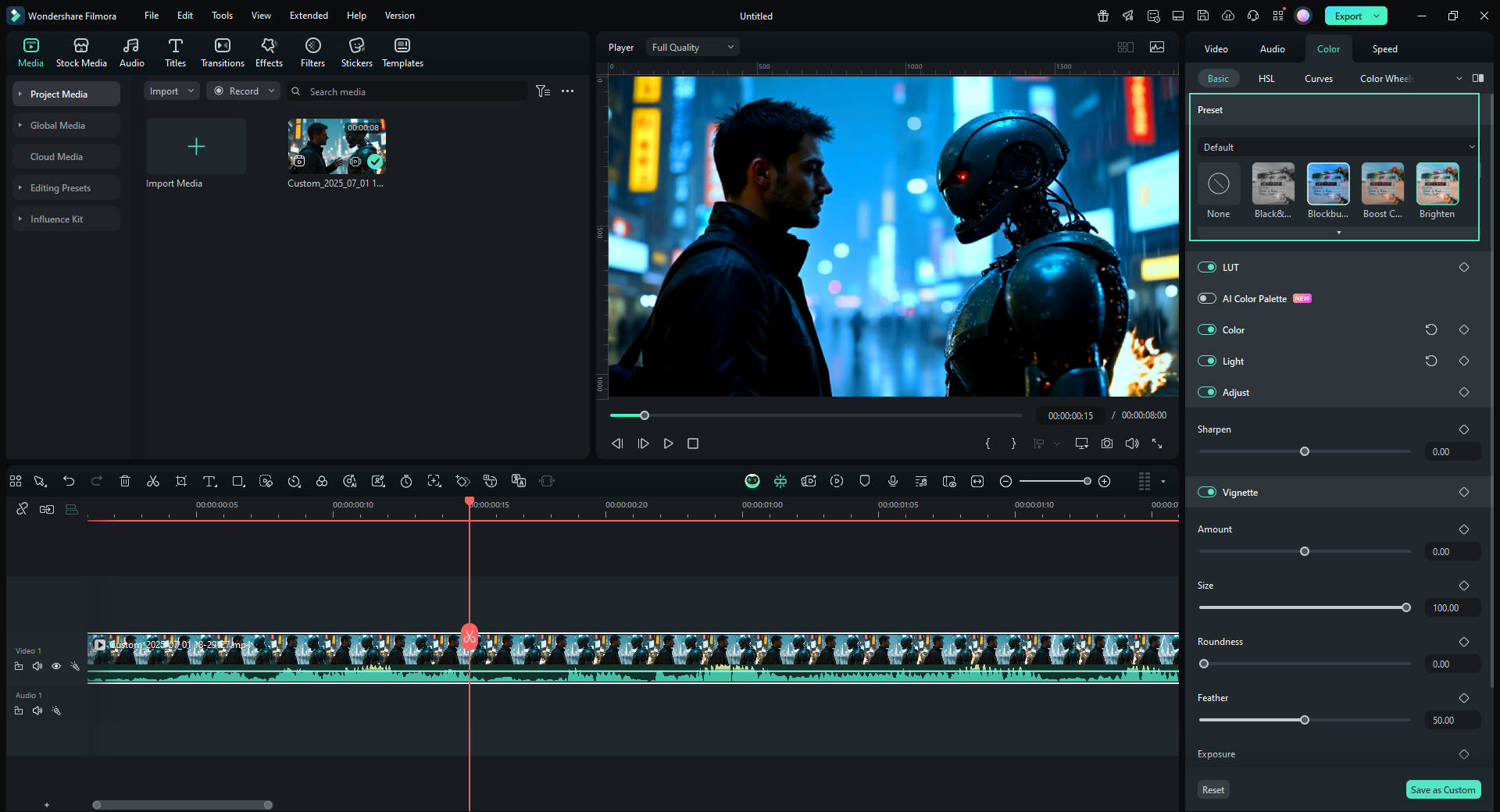
This workflow ensures you get the best of both worlds: the speed and creativity of AI video generation combined with the precision and control of professional editing.
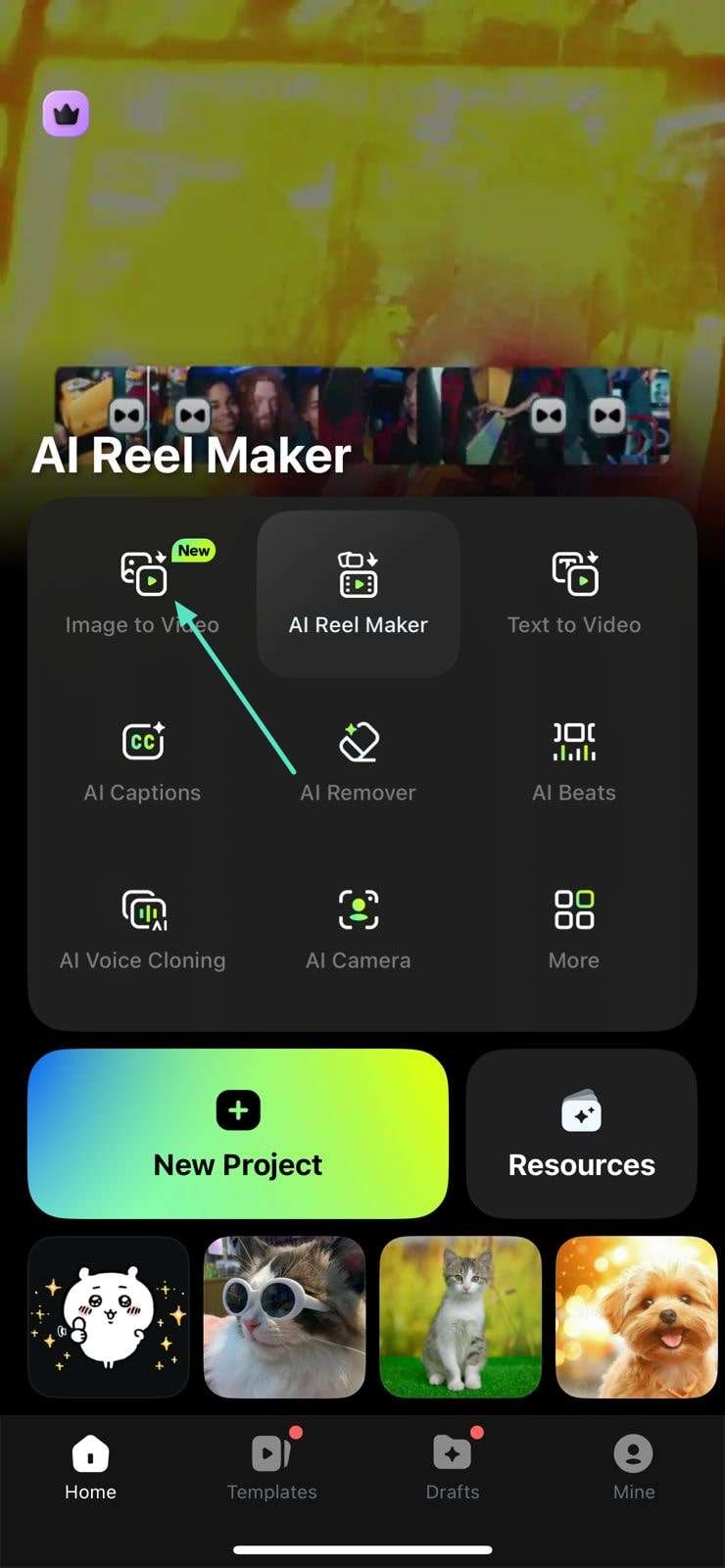
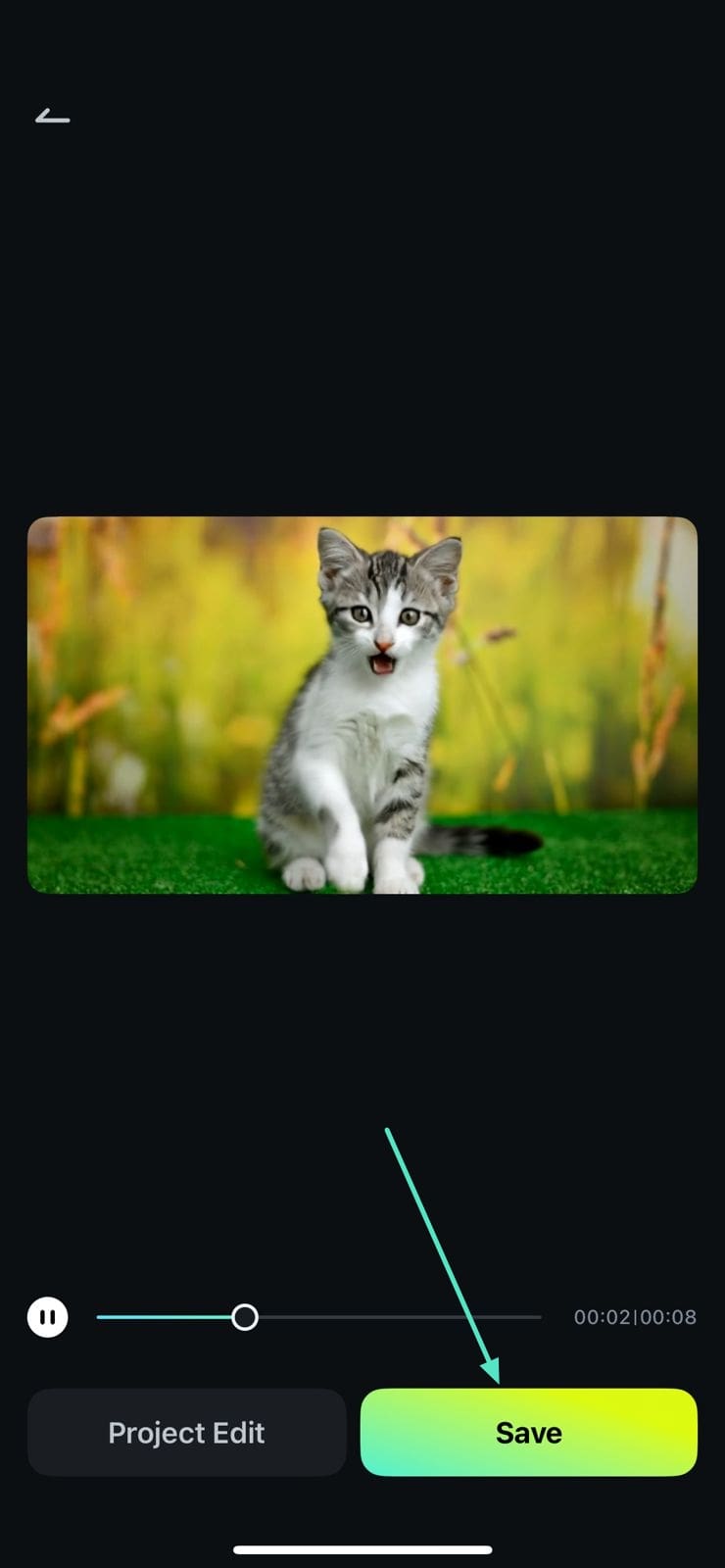
How to Generate Veo 3.1 Video on Filmora Mobile
 Secure Download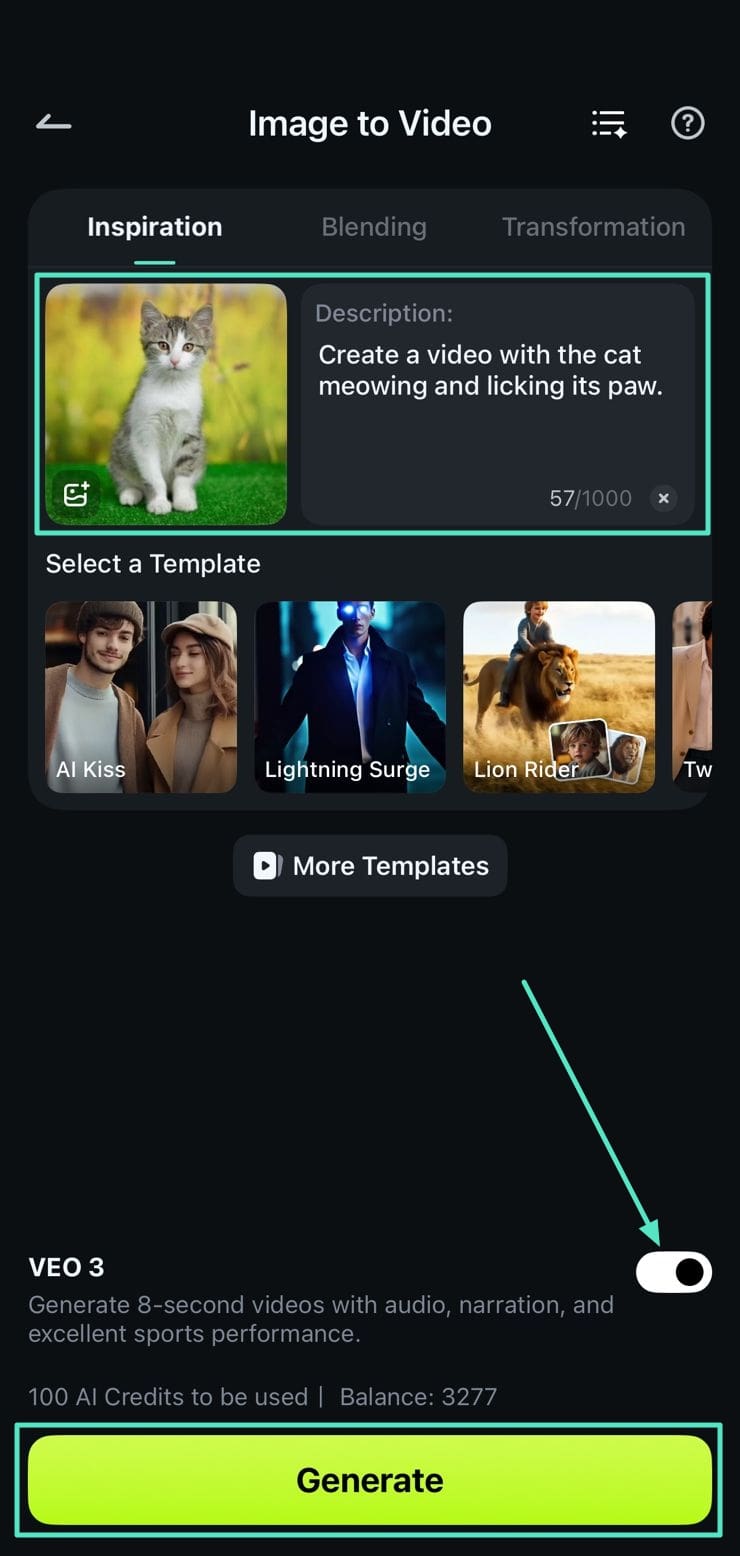
For more detailed guide: Filmora Veo 3 AI Video Editing Software Review & Integration
Conclusion
Veo 3.1 is a next-gen visual storytelling engine with emphasis on cinematic visuals, aesthetic impact, and fast prototyping. But it is not yet ready to replace Sora 2 Pro or Vidu Q2 for physically accurate or high-consistency outputs.
It shines best when paired with creative editors like Filmora, where narrative assembly and audio refinement can complete its promise.

FAQ
-
Is Veo 3.1 better than Sora 2 for professional video production?
Not universally. Veo 3.1 excels in visual aesthetics and cinematography, making it ideal for atmospheric brand content. However, Sora 2 provides superior narrative coherence, scientific accuracy, and multi-modal synchronization—critical factors for educational, documentary, or long-form storytelling applications. -
Can Veo 3.1 maintain character consistency across multiple video clips?
Partially. While the reference image feature (up to 3 images) improves consistency, our testing showed 15% facial feature drift in extended sequences. For series content requiring absolute character continuity, Vidu Q2 demonstrated 92% consistency—a more reliable choice for episodic production. -
Does Veo 3.1 support Chinese language prompts effectively?
Limited. Chinese prompt comprehension accuracy measured only 70% in our tests, with frequent text rendering errors and cultural context misunderstandings. English prompts consistently yielded better results. Creators targeting Chinese-speaking audiences should consider localized alternatives or hybrid workflows combining AI generation with manual refinement tools like those available in Filmora's editing suite. -
How does Veo 3.1 handle complex camera movements?
Exceptionally well for first-frame animation. Our testing confirmed accurate execution of dolly shots, crane movements, and rack focus effects—surpassing Sora 2 Pro by 33% in camera movement sophistication. However, text-to-video prompts requiring specific cinematography yielded less reliable results. -
What is the best workflow for combining Veo 3.1 with traditional video editing?
Generate foundational clips with Veo 3.1, then refine in professional editing software. This hybrid approach allows you to leverage AI's speed and cost-effectiveness while maintaining quality control through manual color correction, audio mixing, and transition refinement. Integrated platforms streamline this process by providing both AI generation and editing capabilities in unified interfaces. -
Is Veo 3.1 free to use, or does it require a subscription?
Veo 3.1 is available through Google AI Studio with paid preview access via Gemini API. Free tier limitations apply, with enterprise pricing for commercial applications. Third-party platforms may offer alternative access models with bundled editing tools.
