


 TL;DR:
Since there is no official FlipaClip desktop application and using Android emulators introduces stylus pressure bugs and system lag, PC and Mac creators must transition to native 2D animation alternatives based on their specific workflows and technical requirements.
● Pencil2D provides the closest free replacement for FlipaClip's simple frame-by-frame workflow across Windows, macOS, and Linux, while intermediate animators can use Synfig Studio to minimize manual drawing via vector-based automated in-betweening.
● Creators seeking professional broadcast capabilities can upgrade to Toon Boom Harmony for advanced character rigging starting at $30 per month billed annually, or utilize OpenToonz for a free studio-grade pipeline that handles both vector and bitmap drawing.
● Apple Silicon Mac owners (M1/M2/M3) can install the iPad version of FlipaClip directly from the Mac App Store, but because the interface lacks mouse optimization, users prioritizing speed should consider Filmora for its AI video generation tools and ready-made motion graphic templates.
Ask AI for a summary
 ChatGPT
 Perplexity
 Gemini
 Claude
 Grok
Grok
FlipaClip is one of the most beloved 2D animation apps in the mobile world, with a passionate creator community that spans TikTok, YouTube, and Instagram. Unfortunately, there's no official FlipaClip for computers so far, and squinting at a tiny phone screen for hours can be a total nightmare for your eyes and your back.
That’s why so many users start searching for FlipaClip PC download options or ways to use FlipaClip on the computer. There are some genuinely excellent alternatives out there that not only fill the gap but in many cases take your animation game even further. Below, we've broken down the best options so you can find the right fit without the guesswork.
Part 1. Can You Actually Use FlipaClip on PC or Mac?
A lot of people search for FlipaClip for PC or even FlipaClip Mac download, hoping there’s a hidden desktop version somewhere. It makes sense. Once you get used to the app, you naturally want a bigger screen and better control.
Unfortunately, the platform is still a mobile-first app with no official FlipaClip desktop version. The official site does mention Chromebook support, but when you try it, it still installs through the Google Play Store. So technically, you’re still running the mobile version.
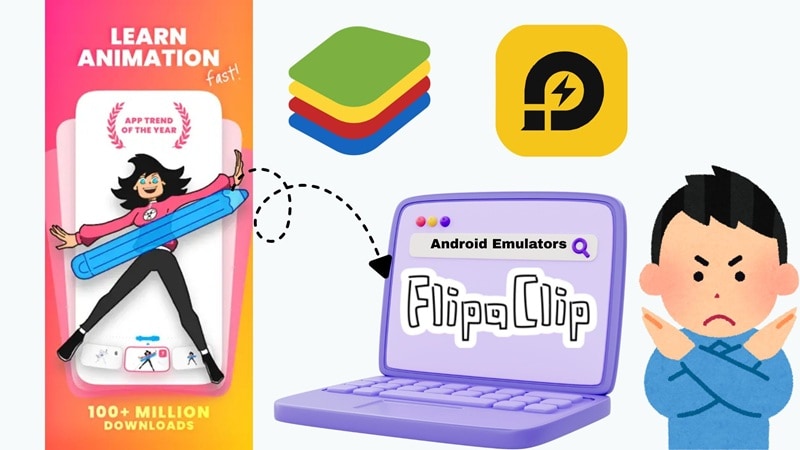
The other route people often try is using Android emulator apps like BlueStacks or LDPlayer that let you run mobile apps on a Windows PC. While this method can technically let you use FlipaClip in PC, it comes with a pile of caveats:
- Security risks: Emulators can sometimes be a gateway for bloatware.
- Performance issues: They eat up a lot of RAM and can be laggy.
- Unstable experience: Drawing with a stylus on an emulator often has pressure sensitivity bugs.
- Not officially supported: You won't get help from the devs if things crash.
So, instead of forcing your way to download FlipaClip on PC, the better move is to use tools that are actually designed for desktop animation from the start. Luckily, we have plenty of recommendations for that!
Part 2. How We Chose the Best FlipaClip PC Alternatives
We didn’t randomly pick software for this list and call it the FlipaClip computer version. Everything here was picked based on what people love about FlipaClip animation and what they need when moving to a desktop.
Here are the key criteria we used:
- 2D Animation Capability: Since FlipaClip is all about frame-by-frame animation, we prioritized tools that support onion skin, layers, and timeline editing.
- Platform Compatibility: Every tool here works on Windows, macOS, or both, so you can use them on your FlipaClip laptop setup without workarounds.
- Ease of Use & Learning Curve: FlipaClip is beginner-friendly. So, we included tools that don’t feel overwhelming right away.
- Pricing & Value: We balanced free tools, open source software, and premium options so there’s something for every budget.
- Feature Depth & Versatility: Some users want simple animation. Others want advanced control. This list covers both ends.
Part 3. Our Top 3 FlipaClip Alternative Picks for Desktop Animation
We have seven recommendations for you, each has its own strong reasons why they made the list. But if you just want the best options without digging too deep, these three stand out the most when replacing FlipaClip animation for PC.


Part 4. FlipaClip Alternative Comparison Chart
Before you try to download FlipaClip for PC, the small details start to matter more than you think. Things like how easy it feels to draw, whether it runs smoothly on your laptop, or if it saves you time can totally change your experience.
So before getting into each tool one by one, here’s a quick side-by-side view to help you get a feel for what fits you best.
| Tool | Platform | Free / Paid | Skill Level | Best For |
| Filmora | Windows, macOS, Android, iOS | Free + Paid | Beginner to advanced | Fast animation, AI video creation, content creators |
| Pencil2D | Windows, macOS, Linux | Free | Beginner | Simple frame-by-frame drawing and classic animation |
| Synfig Studio | Windows, macOS, Linux | Free | Intermediate | Vector animation with less manual frame work |
| OpenToonz | Windows, macOS | Free | Intermediate to advanced | Studio style 2D animation and scene control |
| Blender | Windows, macOS, Linux | Free | Advanced | 3D animation, VFX, and hybrid 2D with Grease Pencil |
| Toon Boom Harmony | Windows, macOS | Paid | Advanced | Professional animation and production pipelines |
| Animation Desk | Windows, Android, iOS | Free + Paid | Beginner | Easy drawing animation with stylus support |
|
Show More
Show Less
|
||||
 Secure Download
Part 5. Best FlipaClip Alternatives for Desktop Animation
Now, let's get into the details and have a closer look at each PC FlipaClip alternative! Each tool below is broken down in the same consistent format so you can compare apples to apples and find the one that genuinely fits your workflow, skill level, and creative goals.
1. Wondershare Filmora
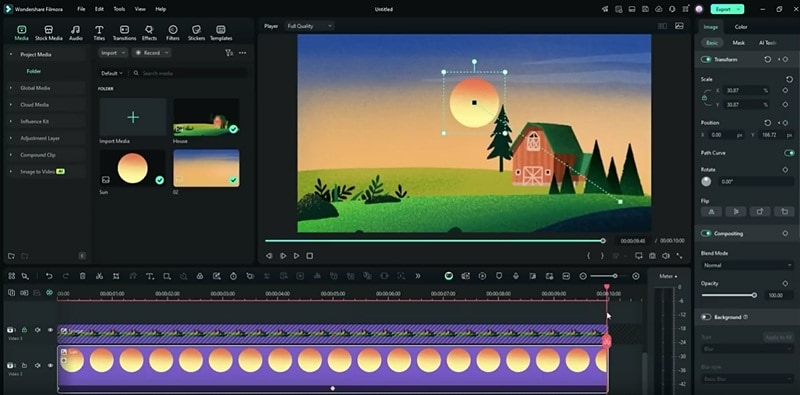
If you’re not just looking for a basic FlipaClip animation PC alternative but something that actually upgrades your whole workflow, Filmora is a really solid pick. Instead of manually drawing every frame like you would on FlipaClip, this one leans into AI and ready-made assets to speed things up. You still get creative control, but without spending hours on every tiny movement.
Secure Download- Create animations instantly using AI Text to Video, AI Image to Video, and AI Audio to Video.
- Motion graphic templates that help you build scenes quickly without starting from scratch.
- Extensive media library filled with music, effects, overlays, and stock assets.
- Advanced AI tools that help with animation projects like keyframing, motion tracking, auto captions, background removal, and smart editing.
- Strong audio tools so you can add voiceovers, sound effects, and music easily.
- Windows, macOS, Android, iOS.
- Free version available, with affordable upgrade plans listed on the Filmora pricing page.
- Any creators who want to make animated videos for YouTube, TikTok, ads, or explainers without relying fully on manual drawing.
- Supports multiple styles including 2D, 3D style visuals, stop motion style edits, and mixed media projects.
- A multi-track timeline lets you combine animation, video, and audio in one place.
- Export quality looks clean and works well for YouTube, TikTok, Instagram, and other platforms.
- Regular updates bring in new features without messing up your workflow.
- The free version adds a watermark to exported videos.
Secure Download2. Pencil2D
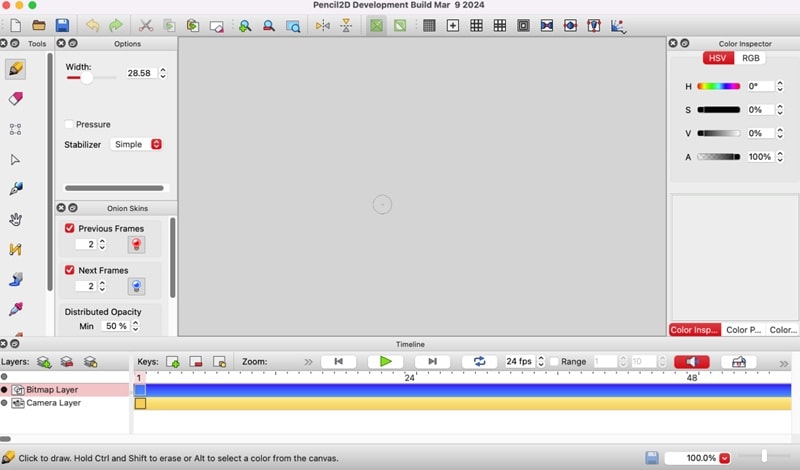
If what you love most about FlipaClip is that simple, hand-drawn, flipbook feel, then Pencil2D is going to feel right at home. Pencil2D is open-source, which is why a lot of people see it as the closest thing to a FlipaClip for PC free download. It sticks to the basics with classic frame-by-frame animation, and honestly, that’s what makes it so easy to use.
- Supports both bitmap drawing and vector layers in the same project.
- Onion skin is built in and works exactly how you expect.
- Active community with plenty of tutorials to help you get started.
- Windows, macOS, Linux.
- Free.
- Beginners, students, or anyone who wants to practice hand drawn animation on desktop without dealing with complex tools.
- Completely free with no hidden costs or locked features.
- Lightweight and runs smoothly even on older computers.
- The interface feels a bit outdated compared to newer tools.
- No built-in audio tools for syncing sound with animation.
3. Synfig Studio
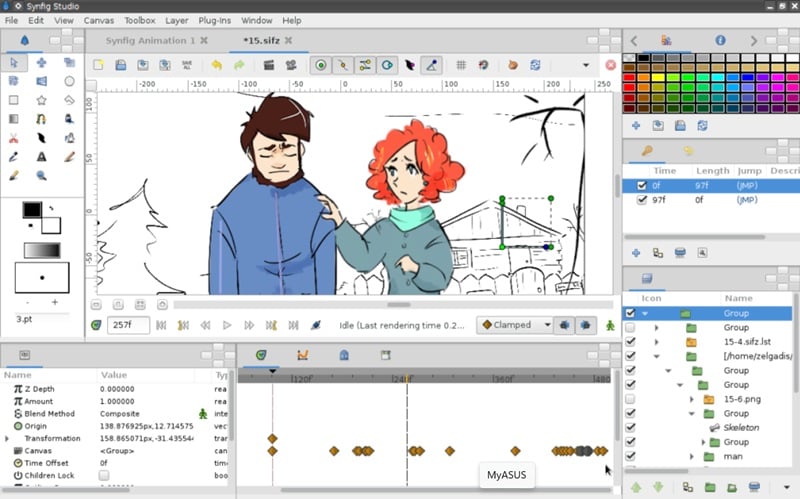
If you’re looking for another solid FlipaClip free download PC alternative to rely on, Synfig Studio is definitely worth a look. It takes a fundamentally different approach to the whole animation process compared to what you’re used to on mobile, which is exactly why it made this list. Instead of making you draw every single frame by hand, Synfig uses a clever vector-based system with bones and tweening to automatically create all those in-between frames for you.
- Supports over 50 layers, so you can build complex scenes without things getting messy.
- Lets you create character rigs and dynamic animations using a bone system.
- Gives you full control over vector artwork, which means clean and scalable visuals.
- Windows, macOS, Linux.
- Free.
- Intermediate animators who want vector-based animation with automated in-betweening.
- You can connect layer properties together, even using expressions for more control.
- Automatic in-betweening cuts down a lot of manual drawing time.
- Real-time playback can feel slow on lower-end computers.
- Limited to 2D animation only.
4. OpenToonz
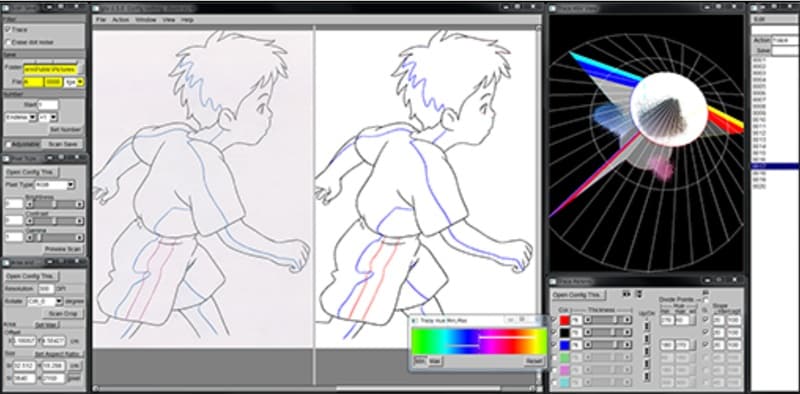
OpenToonz is another open-source animation tool, but this one is for someone wanting a serious upgrade instead of just a basic FlipaClip app for PC. It’s actually based on the same software used by Studio Ghibli, which is the legendary Japanese animation house behind Spirited Away and My Neighbor Totoro. The fact that this professional-grade tech is completely free and available for anyone to download is honestly remarkable.
- Includes scene management tools, particle effects, and sub-camera controls.
- Supports both vector and bitmap drawing in the same pipeline.
- Comes with scanning support if you want to bring in hand drawn artwork.
- Windows, macOS.
- Free.
- Creators who want to move into more serious animation projects like short films, detailed scenes, or studio-style workflows.
- Completely free for both personal and commercial projects.
- Color handling is flexible, so you can change palettes without repainting everything.
- Some users find the official site confusing to navigate, so downloading can feel a bit tricky at first.
- The UI is complex and takes significant time to get used to.
5. Blender
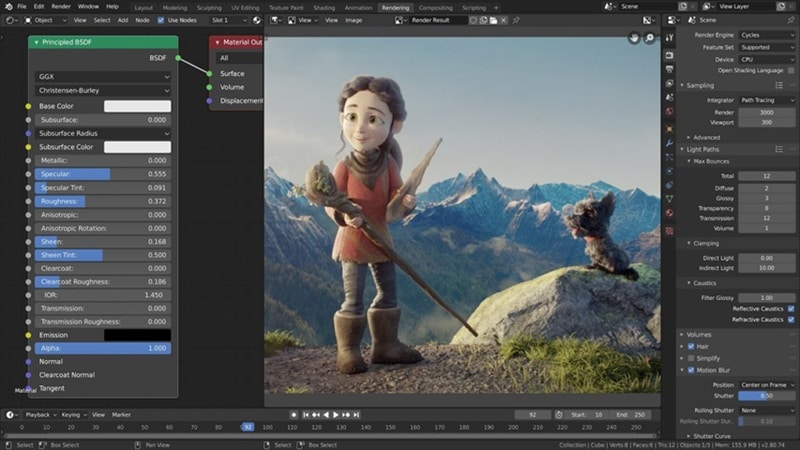
When we're talking about a FlipaClip app download for PC alternatives, you honestly can't ignore Blender. It recently made history when the film Flow, which was created entirely in Blender, swept up major awards including the Oscar for Best Animated Feature at the 2025 Academy Awards. While most people know it as a 3D giant, it has an incredible tool called Grease Pencil that lets you draw 2D art directly in a 3D space.
- Grease Pencil lets you create 2D animation directly inside a 3D environment.
- Handles modeling, rendering, compositing, and even video editing in one place.
- Supports VR rendering for more advanced projects.
- Windows, macOS, Linux.
- Free, with an optional donation on their site.
- Advanced creators who want to blend 2D hand-drawn animation with 3D environments and VFX.
- Works for both 2D and 3D animation projects.
- Huge community with tons of tutorials for beginners and advanced users.
- The interface is pretty complex and definitely takes some time and patience to master.
- Needs a fairly strong computer to run smoothly, especially for heavier projects.
6. Toon Boom Harmony
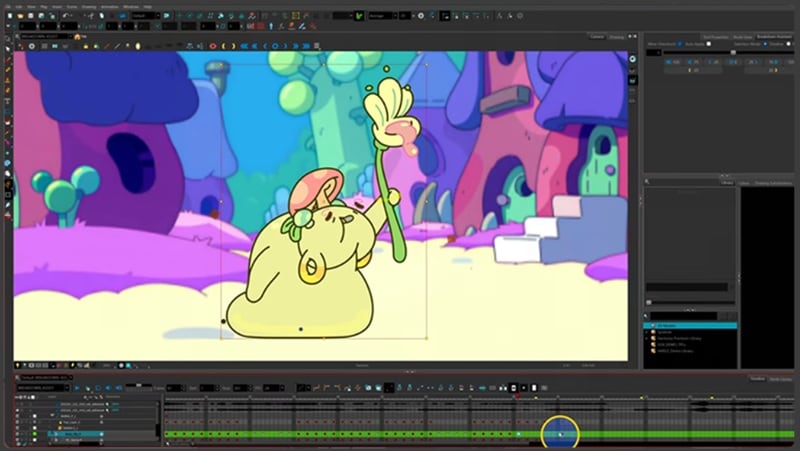
Toon Boom Harmony is a much more advanced FlipaClip for Mac and Windows alternative, but it is absolutely worth the effort if you want your work to look like what you see on TV. Major studios like Cartoon Network, Netflix, and Disney use this exact software for their big productions. It gives you full control over how your animation looks and moves, which is why professionals rely on it.
- A professional rigging system that lets you move characters like digital puppets.
- Node-based compositing for adding high-end lighting and camera effects.
- Seamless integration with 3D models and professional production pipelines.
- Windows, macOS.
- Starts at $30 per month, billed annually.
- Professional and aspiring professional animators who want industry-standard tools and workflows.
- Works well for both cut-out animation and frame-by-frame styles.
- Output quality is strong enough for broadcast and film.
- Subscription cost is the highest compared to other tools on this list.
- The learning curve is steep and takes time to get comfortable with.
7. Animation Desk
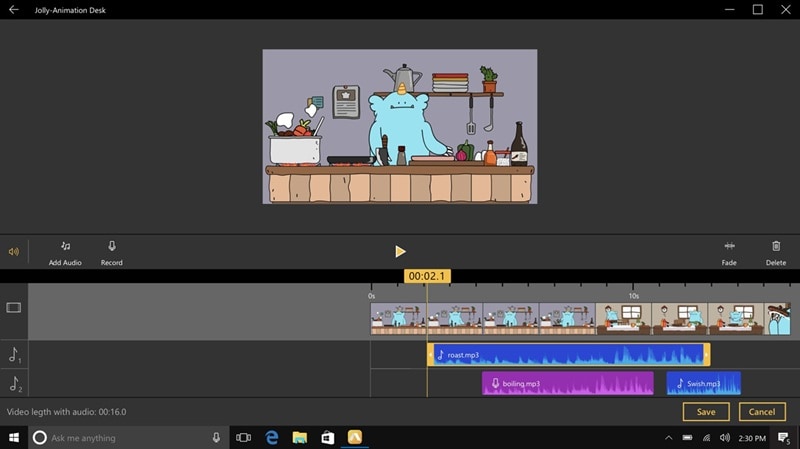
Much like FlipaClip, Animation Desk is built around hand-drawn, frame-by-frame animation. You can start from scratch or create animations on top of a video and photos with many tools. When you're done, you can export your work as a GIF, MP4 video, or PNG frame sequences.
- Onion skin helps you keep motion smooth between frames.
- Offers a good range of brushes for both sketching and detailed drawing.
- Lets you create and organize custom color palettes easily.
- Windows, Android, iOS.
- Free version available, with paid plans starting at $4.49 per month.
- Beginners and casual animators who want a FlipaClip-like experience on desktop or iPad.
- Supports audio recording so you can add voice or sound directly into your animation.
- The free version is actually usable without hitting too many limits.
- Some features that feel standard in FlipaClip are locked behind a paid plan here.
- Smaller community, so fewer tutorials compared to bigger tools.
Part 6. How to Choose the Right FlipaClip Alternative
With seven solid FlipaClip for laptop alternative options on the table, the real question isn't which tool is the "best". There isn’t one perfect tool for everyone. Some are better if you’re just starting out, while others make more sense if you’re trying to push your animation further.
Instead of overthinking it, here’s a simple way to match the tool to how you actually work.
| Use Case | Recommended Tools | Why It Fits |
| For Beginners | Pencil2D, Animation Desk | Both are easy to pick up and feel similar to FlipaClip, so you can start animating without getting overwhelmed |
| For Something Quick | Filmora | You can create animations fast using AI and templates without drawing every frame |
| For Social Media Creators | Filmora | Great for making short videos, reels, or content that needs to look good and be done quickly |
| For Advanced Animators | Blender, Toon Boom Harmony, Filmora | These give you deeper control, better tools, and more room to grow if you want to take animation seriously |
Secure DownloadAt the end of the day, think about how much time you want to spend and what kind of animations you want to make. If you enjoy drawing every frame, go with a simple FlipaClip for PC alternatives. If you care more about speed and output, go with something that helps you move faster.
Conclusion
FlipaClip is a fantastic app, but there’s still no official FlipaClip for PC, which makes working on a bigger screen a bit tricky. That’s why switching to solid FlipaClip PC alternatives like Filmora, Pencil2D, Synfig Studio, OpenToonz, Blender, Toon Boom Harmony, and Animation Desk makes a lot more sense if you want a smoother desktop experience.
At the end of the day, the best FlipaClip on PC alternative really depends on your current skill level and what kind of animation you want to create next. If you want the most balanced option overall, Filmora stands out because it lets you create animations much faster with AI tools while still giving you full control over your final video.
Secure DownloadFAQs About FlipaClip on PC
-
Is FlipaClip available on Mac?
Technically, no official FlipaClip Mac app exists. However, if you have an Apple Silicon Mac (M1/M2/M3), you can sometimes install the iPad version of FlipaClip directly from the Mac App Store, though the experience isn't optimized for a mouse. -
What is the closest software to FlipaClip on desktop?
Pencil2D is the closest in terms of a simple, no-nonsense "flipbook" interface. If you want something that feels a bit more modern but still easy, Filmora (available on PC/Mac) is also a very strong contender. -
Is there an official FlipaClip desktop app in development?
As of early 2026, the developers (Visual Blasters) haven't announced a dedicated FlipaClip for Windows or Mac version. They remain focused on perfecting the mobile experiences.
