


 TL;DR:
Since Alight Motion lacks an official Windows release and running it via Android emulators causes performance drops and awkward controls, users should switch to native desktop alternatives like Wondershare Filmora for an easy transition or Adobe After Effects for professional motion design.
● Running the mobile app on a PC through emulators like BlueStacks or LDPlayer demands high hardware specifications and frequently leads to lag, crashes, and imprecise mouse interactions.
● Creators requiring completely free desktop software can use Blender for advanced 3D modeling and animation, or select Synfig Studio and Glaxnimate for dedicated 2D vector workflows.
● For users with intermediate to professional skills, DaVinci Resolve provides a node-based Fusion page for cinematic 3D tracking, while Cavalry focuses specifically on procedural animation and 2D motion design.
Ask AI for a summary
 ChatGPT
 Perplexity
 Gemini
 Claude
 Grok
Grok
What is Alight Motion?
Alight Motion is a specialized motion graphics application for mobile devices, enabling users to create professional-quality animations, visual effects, and video compositing through keyframe tools and vector graphics.
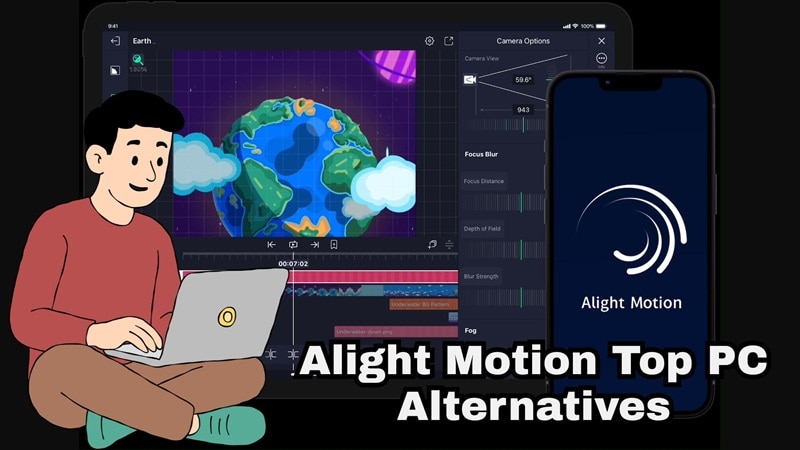
Alight Motion is a popular motion graphics and video editing app used for creating animated text, keyframe motion, visual effects, and short social videos. Because it works so well on mobile, it’s only natural that many users start searching for Alight Motion for PC or Alight Motion on a laptop to edit on a bigger screen with better control.
Unfortunately, while Alight Motion is available on Mac, there is no official Alight Motion for Windows or PC version, which leads many users to look for downloads, emulators, or Mod APKs. Instead of going down that risky path, you can just check out our list where we break down Alight Motion desktop alternatives that actually work, whether you’re on Windows 10, Windows 11, or macOS. Let’s get into it.
Key Takeaways:
- No official Alight Motion for Windows exists; native desktop editors are recommended over emulators.
- Filmora is the best overall desktop alternative for its balance of ease of use and AI motion tools.
- Adobe After Effects remains the industry standard for professional VFX and complex motion design.
- Free options like Blender and Synfig Studio provide high-quality animation tools without cost.
Can You Get Alight Motion on PC?
Right now, there is no official Alight Motion on the PC. The tool only supports iPhone, iPad, Mac (with Apple Silicon), and Android devices. That said, some users still run Alight Motion on their PC using Android emulators. These tools basically create a virtual Android phone on your computer so you can install mobile apps.
Popular options include BlueStacks and LDPlayer, which let you download and use Android apps on Windows like regular software. It works, but the experience is not exactly the same as using a native desktop editor.
How to Use Alight Motion on PC
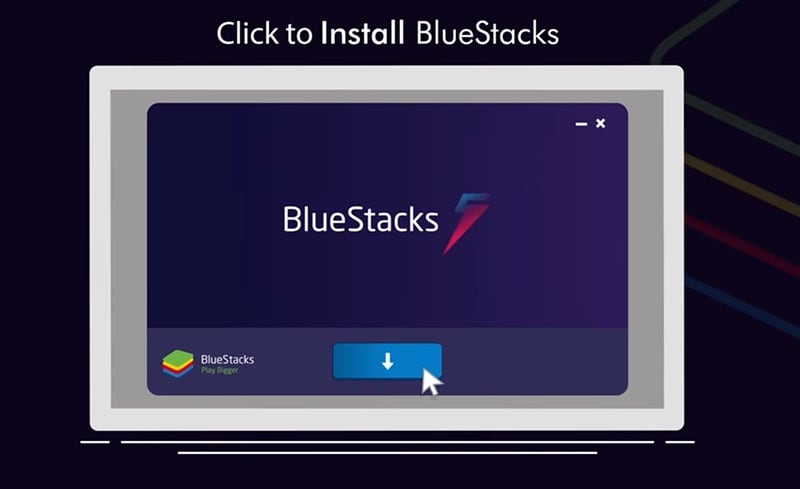
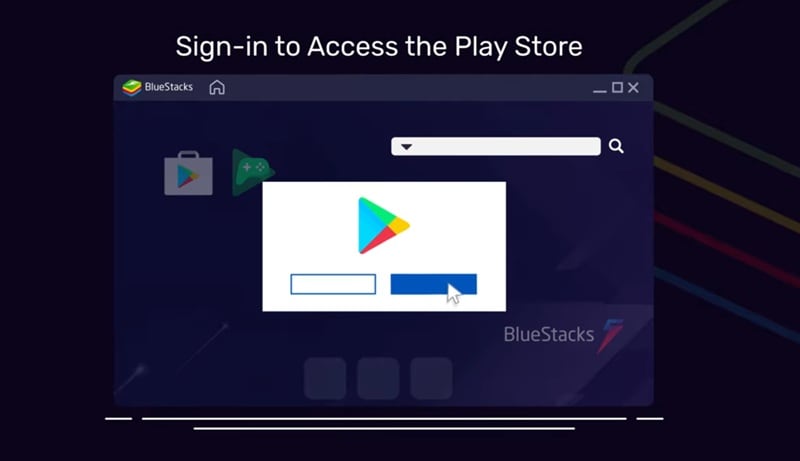
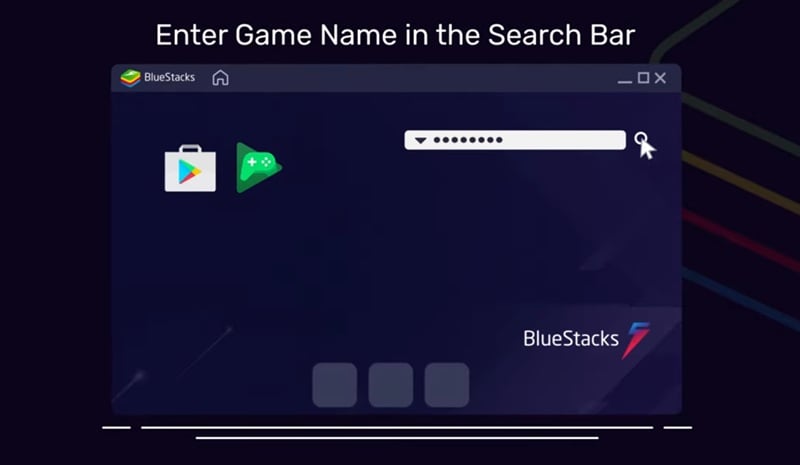
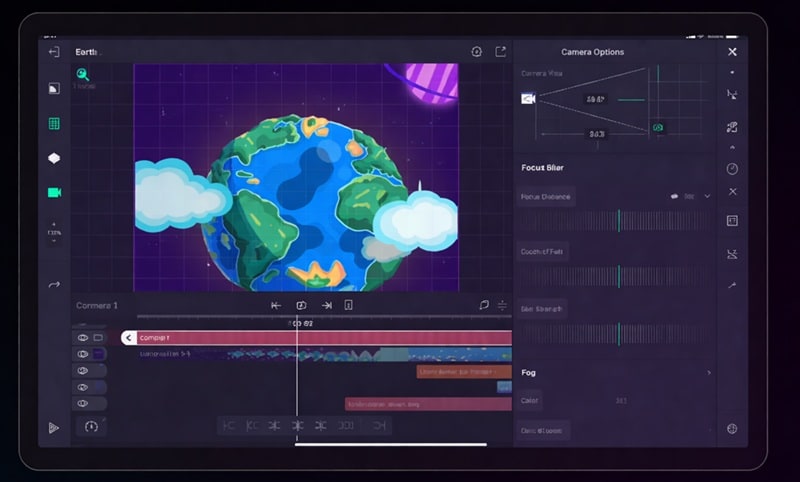
If you really want to try running Alight Motion on your computer, using an Android emulator is the usual method. As an example, let's try using BlueStacks. The process of getting Alight Motion through BlueStack is simple and does not take long to set up. Just follow the simple guide below:
Why Running Alight Motion Through Emulators Can Feel Limiting
Even though BlueStacks and LDPlayer make it possible to download Alight Motion for PC, the experience often comes with a few tradeoffs.
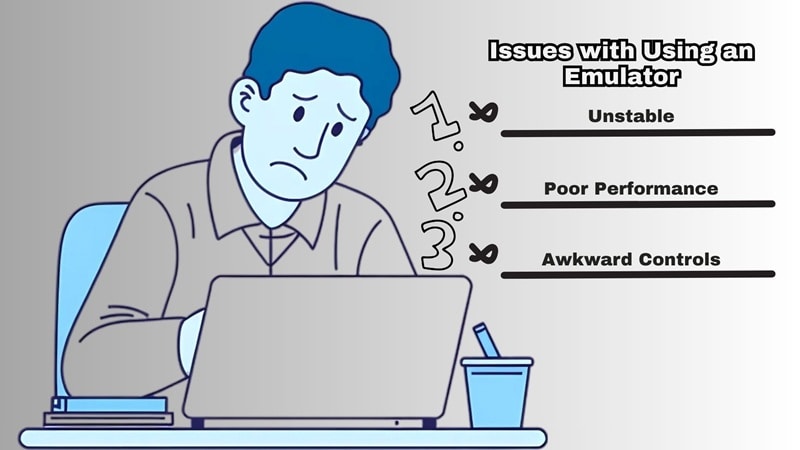
So, before you rely on this setup, it helps to know what you might run into. Such as;
- Performance Issues: Emulators use extra system resources, so editing can feel slow or laggy.
- Less Precise Controls: The app was designed for touch screens, which can make mouse controls feel awkward.
- Stability Problems: Some users experience crashes or glitches during editing or exporting.
- Higher Hardware Demand: Your computer needs strong specs to run both the emulator and the editing app smoothly.
Because of these limits, many creators eventually switch to real desktop video editors built for Windows or macOS. These tools usually run faster, feel easier to control, and give you a smoother editing experience overall.
Before suggesting any tools, we looked at what people really want when searching for an Alight Motion laptop or desktop version. And based on that research, here are the main things we checked when picking each alternative.
- Motion & Keyframe Control: Since Alight Motion is known for animation and motion graphics, keyframes are a must.
- Ease of Use: Mobile users moving to desktop don’t want an overwhelming learning curve.
- Platform Support: We focused on tools that run properly on Windows, macOS, or both, so you can edit without extra workarounds.
- Pricing & Free Access: We looked for tools with free versions or reasonable pricing, especially for users trying to avoid risky Alight Motion for PC Mod APK downloads.
- Performance on Desktop: Editing should feel responsive with stable playback and reliable rendering, especially for motion heavy projects.
Our Top 3 Alight Motion Alternatives for PC (Quick Picks)
We found 10 solid Alight Motion PC alternatives in this list, but three of them really stood out. Each one offers something different depending on your editing style, skill level, and what you want to create. If you want a quick place to start, these picks are worth checking out first.


Alight Motion PC Alternatives Comparison Chart
Now that you’ve seen our top picks, let’s look at all the Alight Motion PC alternatives we recommend. But before we dissect each tool in detail, let's take a quick look at all the editors we’ll cover so you can see what each one offers at a glance.
This overview helps you compare features, pricing, and platforms quickly, so you can spot which editor fits you best before diving deeper. Check out the table below.
| Editor | Platforms | Free / Paid | Animation Features | Best Use Case |
| Filmora | Windows, macOS, Android, iOS | Free & Paid | Keyframes, motion tracking, AI animation tools, motion templates | Beginners to professionals switching from mobile editing |
| DaVinci Resolve | Windows, macOS, Linux | Free & Paid | VFX, 3D tracking, Fusion animation | Professional editing and cinematic visual effects |
| Blender | Windows, macOS, Linux | Free | 2D and 3D animation, rigging, simulation, motion tracking | 3D animation and advanced motion projects |
| OpenShot | Windows, macOS, Linux | Free | Basic keyframes, 3D titles, simple motion effects | Beginners and basic video editing |
| Synfig Studio | Windows, macOS, Linux | Free | Vector animation, bone rigging, layer based motion | 2D animation and character animation |
| After Effects | Windows, macOS | Paid | Motion graphics, VFX, 2D and 3D animation | Professional motion design and commercial projects |
| Glaxnimate | Windows, macOS, Linux | Free | Vector animation, tweening, Lottie export | Simple motion graphics and web animation |
| Lightworks | Windows, macOS, Linux | Free & Paid | Motion titles, effects, timeline animation | Video editing with motion effects |
| Cavalry | Windows, macOS | Free & Paid | Procedural animation, motion design tools, text animation | Motion designers and animation workflows |
| VSDC | Windows, macOS, iOS | Free & Paid | Motion effects, keyframes, masking, chroma key | Lightweight editing on low spec PCs |
|
Show More
Show Less
|
||||
 Secure Download
Best Alight Motion Alternatives for PC (Full Breakdown)
That comparison chart is a nice quick scan, but before you decide to try or download Alight Motion for PC alternatives, it helps to look at everything more closely. So below, we’ll go through each tool using the same simple format to keep things clear and easy to compare. Let's begin!
1. Wondershare Filmora
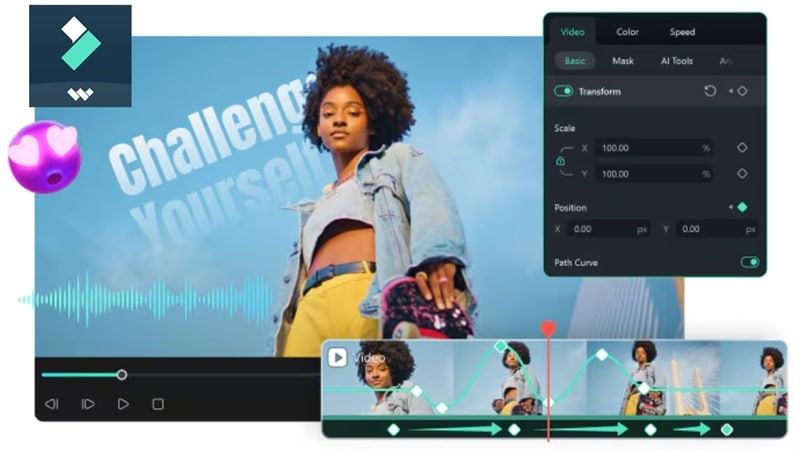
We’ll start with one of the strongest picks if you want something similar to Alight Motion on PC, but built for desktop from the ground up. Filmora gives you plenty of animation and motion design tools, plus AI features that help speed up your workflow.
Even with all those advanced features, the interface stays simple and easy to understand, so it works well whether you’re just starting or already editing regularly.
 Secure Download
- Advanced keyframing controls that let you fine-tune motion, scale, rotation, and effects with precise adjustments.
- AI Motion Tracking that automatically follows objects or people in your footage for smoother effects.
- AI features like AI Text-to-Video, AI Image-to-Video, and AI Audio-to-Video for quick animation projects.
- Advanced Text Path and Pen tools for creating custom motion paths and animated text designs.
- Large visual effects and transition library with ready-to-use presets for faster editing.
Windows, macOS, Android, iOS.
Free version available, with flexible and affordable upgrade plans listed on the Filmora pricing page.
Professionals, teams, content creators, social media editors, and beginners who want motion graphics, animation, and AI tools in an easy desktop workflow.
- Supports many animation styles including 2D, 3D, claymation, and stop motion workflows.
- Works with third-party visual effects plugins such as Boris FX and NewBlue FX.
- Wide range of motion graphics templates for titles, intros, and animated elements.
- The free version adds a watermark to exported videos.
- Using AI tools requires AI credits.
Secure DownloadAnswer: How to use Filmora as an Alight Motion Desktop Alternative
- Install Wondershare Filmora on your Windows or Mac computer.
- Import your media assets to the timeline.
- Utilize AI Motion Tracking and Advanced Keyframing for animation.
- Export your high-resolution video for social media platforms.
Note: This workflow works on Windows 7 or later (64-bit) and macOS 10.14 or later.
2. DaVinci Resolve
Next on the list, DaVinci Resolve is a great choice if you want something more powerful than Alight Motion Pro on PC. One of its biggest strengths is the Fusion page, where you can create advanced motion graphics and cinematic visual effects.
This same technology has been used in many high level Hollywood productions, so the capabilities are seriously impressive if you want deeper creative control.
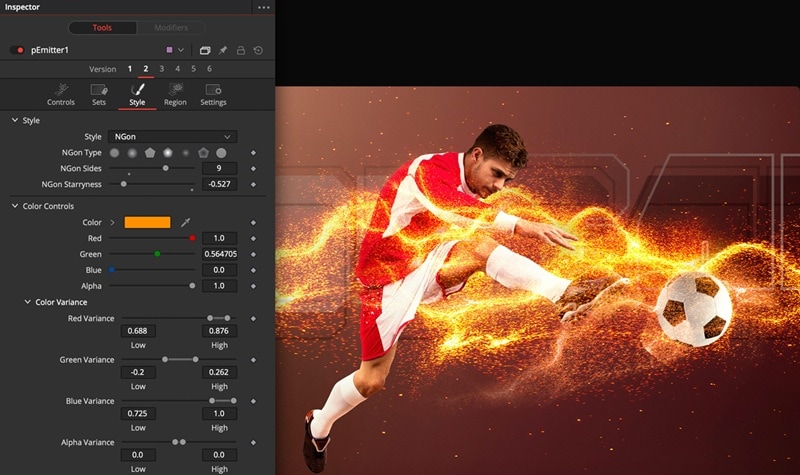
- Node-based workflow with hundreds of 2D and 3D tools for building complex visual effects.
- Advanced 3D camera tracking and strong planar and 2D tracking tools for realistic motion effects.
- Professional visual effects toolkit for photorealistic scenes, broadcast graphics, and detailed title animation.
Windows, macOS, Linux.
Free version available, with the Studio version priced at $295.
Intermediate to professional editors, filmmakers, and creators who want cinematic visual effects, and advanced motion graphics.
- You can remove unwanted objects, replace signs, create animated titles, or place characters into 3D environments.
- Text can be designed and animated in both 2D and 3D.
- Some advanced visual effects features are only available in the Studio version.
- The interface and tools may feel overwhelming for complete beginners.
3. Blender
If your goal is to find a free desktop alternative instead of chasing an Alight Motion PC download for free, Blender should definitely be high on your list. It’s open-source, but don’t let that fool you. This software is incredibly powerful and built for serious creative work. You can handle modeling, rigging, animation, simulation, rendering, compositing, and even motion tracking all in one place.
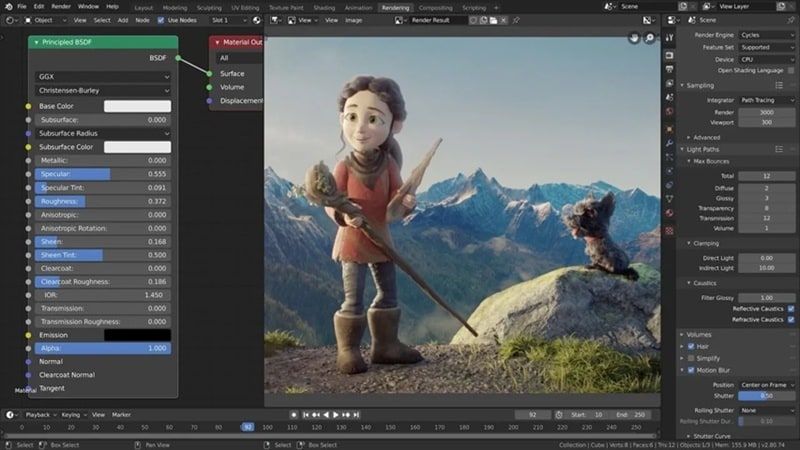
- Advanced animation and rigging tools for character movement, keyframe animation, motion tracking, and complex scene setups.
- Built-in simulation systems that create realistic smoke, fire, fluids, cloth, and other dynamic effects.
- UV unwrapping tools that let you wrap 2D images or textures onto 3D models using mapping options like cube, cylinder, or sphere.
Windows, macOS, Linux.
Free.
3D artists, animation creators, and advanced users who want full control over 3D animation, visual effects, and complex motion projects.
- Handles 3D modeling, animation, sculpting, rendering, compositing, and video editing in one program.
- You can explore powerful 3D tools without paying anything.
- Mainly built for 3D animation, so 2D editing and video workflows can feel more complex.
- Not as fast or streamlined as software made specifically for video editing.
4. OpenShot Video Editor
Another free and flexible editor you can try instead of searching for an Alight Motion PC download is OpenShot. It’s free, open-source, and built for basic video editing and animation work. While it’s not as advanced as tools like Blender, it covers the essentials really well. The interface feels clean and easy to understand, so beginners can jump in without feeling lost.
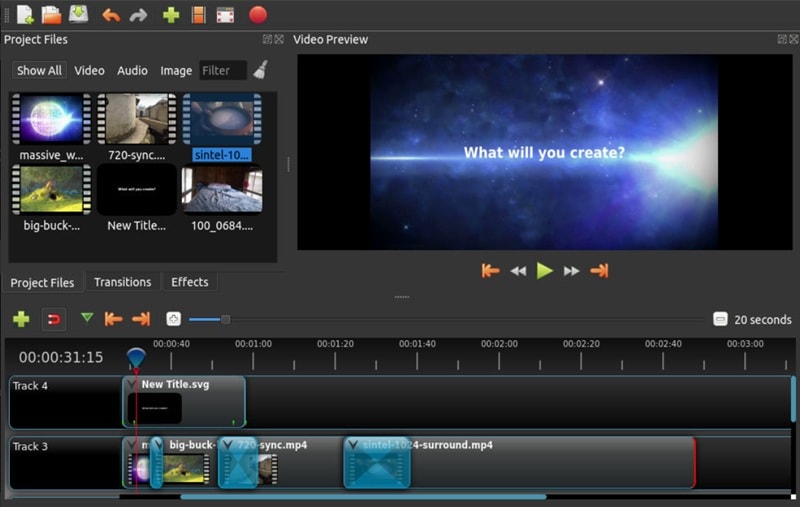
- Create 3D animated titles and visual effects like snow, lens flares, or flying text.
- Strong keyframe animation system that supports unlimited keyframes for different motion effects.
- Built-in video effects for removing backgrounds, adjusting brightness, inverting colors, and more.
Windows, macOS, Linux.
Free, with optional donation.
Beginners, casual creators, and students who want a simple free editor for basic video editing.
- Lets you add as many layers as needed for video, audio, and effects.
- Supports different keyframe interpolation modes like quadratic bezier, linear, or constant for smoother animation.
- Built-in animation presets are limited.
- Lacks advanced motion graphics tools found in professional editors.
5. Synfig Studio
Still in the free category, Synfig Studio is another option you can try instead of searching for an Alight Motion download for PC. It’s an open source animation tool built mainly for creating smooth 2D animations using vector and bitmap artwork. Synfig offers two build versions, one stable for everyday projects and another experimental version for testing new features.
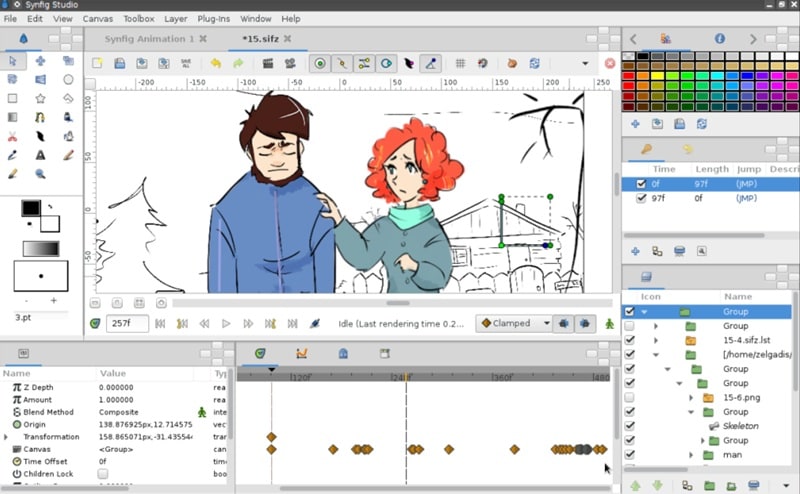
- Multiple layer types including geometric shapes, gradients, filters, distortions, transformations, and fractal effects.
- An advanced bone system that helps you build character rigs and create cutout animation.
- A parameter linking system that connects different layer settings directly for more complex animation control.
Windows, macOS, Linux.
Free, with optional donation.
2D animators, indie creators, and artists who want to create vector-based animations, character animation, or film-style 2D projects.
- Gives full control over vector artwork and animation details.
- Supports more than 50 layer types for complex scenes and animation setups.
- Only supports 2D animation styles.
- The interface feels outdated and can take time to get used to.
6. Adobe After Effects
After Effects can also be a great alternative, especially since Alight Motion Pro PC is not officially available. With After Effects, you can add all kinds of motion and animation to your videos, from simple effects to complex visual scenes. Since it’s developed by Adobe, the software comes with high-quality tools and professional-level features that give you full control over motion graphics and visual effects.
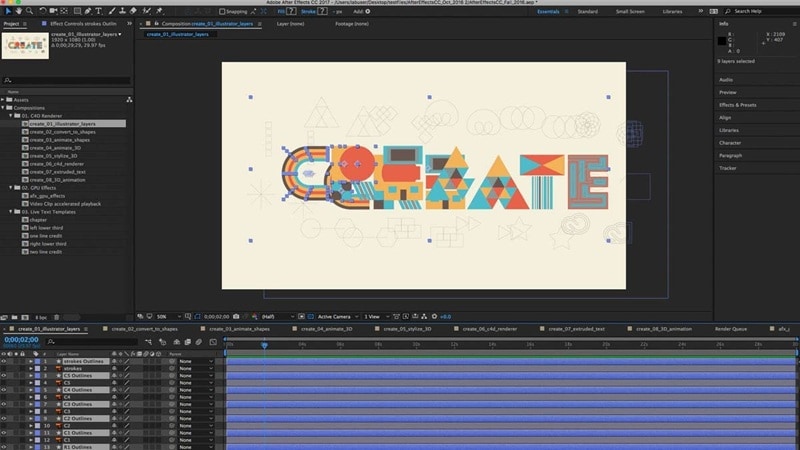
- Create animated text and cinematic titles for intros, credits, and motion graphics projects.
- Build and combine shapes, apply 3D materials, and refine lighting with realistic shadows and details.
- Large collection of built-in effects with options to customize or create your own.
Windows, macOS.
Paid plans start at $22.99 per month (billed annually).
Professional editors, motion designers, and content creators who need advanced motion graphics, cinematic visual effects, and detailed animation.
- Works seamlessly with other Adobe apps like Premiere Pro and Photoshop, making editing workflows smoother.
- Plenty of tutorials and learning resources for beginners and advanced users.
- No free version, and the subscription cost can be expensive over time.
- It needs a powerful computer for smooth performance.
7. Glaxnimate
There’s also Glaxnimate, which works as a nice Alight Motion Windows alternative if you want something simple and free. It’s an open-source desktop tool built for vector animation and motion design. The software keeps things lightweight and straightforward, so it’s great for basic animation work without a complicated setup.
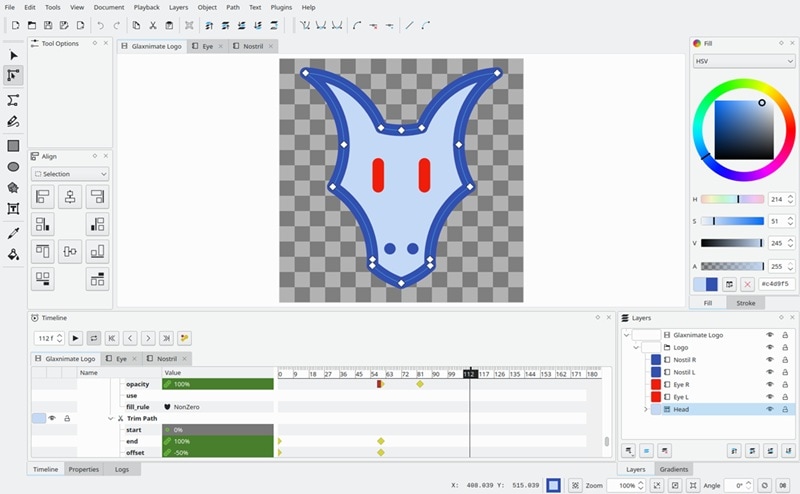
- Vector-based graphics and tween animation tools for smooth motion between frames.
- Customizable interface that lets you adjust the workspace based on your workflow.
- Supports export formats like Lottie animations, animated GIF, WebP, and animated SVG for web and app use.
Windows, macOS, Linux.
Free, with optional donation.
Beginners, designers, and creators who want simple vector animation.
- Supports Python scripting so you can automate tasks or create custom plugins.
- Lightweight software that runs smoothly on most computers.
- Updates and development progress can feel slow.
- Limited features compared to more advanced motion graphics tools.
8. Lightworks
Lightworks is another solid pick if you’re looking for an Alight Motion PC Windows 10 alternative or something that works on newer systems too. It’s the kind of editor that grows with you. There’s a free version for beginners, then paid plans with more advanced tools as your skills improve. Because of this setup, you can start with simple edits and move into more complex motion and visual effects when you’re ready.
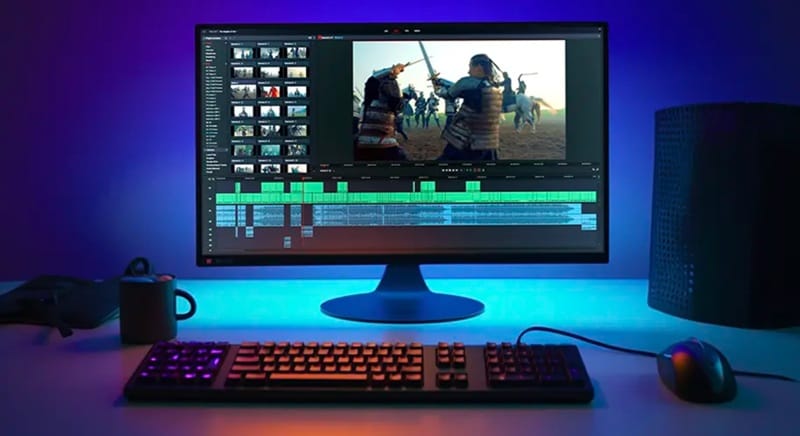
- Large collection of customizable titles and motion graphics to make your videos more dynamic.
- Hundreds of transitions and effects to improve video storytelling and style.
- Proxy editing support that keeps playback smooth while working with high quality footage.
Windows, macOS, Linux.
Free version available, with paid plans starting at $13.99 per month.
Video editors, YouTubers, and creators who want professional editing tools with advanced motion and visual effects.
- The free version already includes basic visual effects tools.
- Universal timeline supports different file sizes, frame rates, and formats.
- Many advanced animation and motion features are only available in the paid version.
- The free version limits exports to 720p resolution.
9. Cavalry
Another excellent pick if you want an Alight Motion for Mac and Windows alternative is Cavalry. This tool was built by animators for animators, so everything is designed around motion design and creative control. It focuses heavily on animation workflows, and many studios and big companies like Netflix, Amazon, and Meta use it for motion projects.
- Rig controls that help you build and animate complex motion setups easily.
- Magic easing tools for smoother and more natural animation movement.
- Rubber hose system that makes character animation more flexible and natural.
Windows, macOS
Free version available, with paid plans starting at £16 per month.
Motion designers, animators, and creators who focus on 2D motion graphics, animated typography, and procedural animation workflows.
- The free version already includes plenty of features for medium-level animation projects.
- Lets you combine procedural animation with traditional keyframe techniques for more control.
- Limited to 2D animation styles only.
- Not built for traditional video editing or full timeline-based editing.
10. VSDC Video Editor
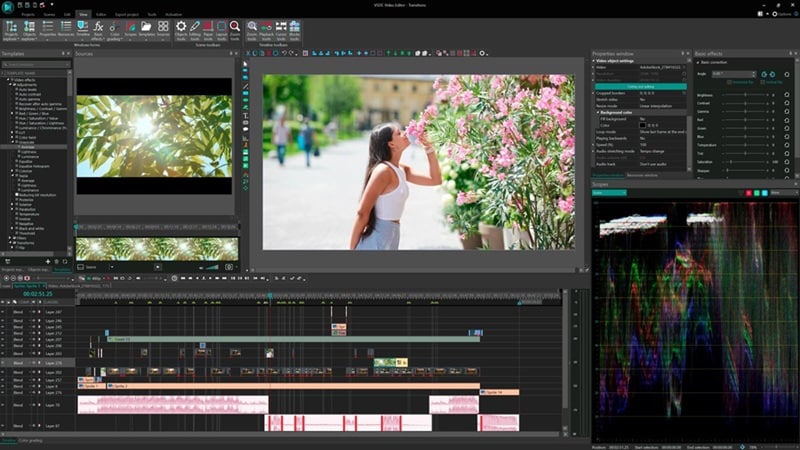
For our last pick, we recommend VSDC Video Editor as another solid Alight Motion PC alternative. It may not be as advanced as some tools on this list, but it’s a good option for basic motion projects and everyday editing. Since the software is lightweight, it works well even on lower spec PCs while still offering useful animation and video editing features.
- Wide collection of video effects, filters, and transitions to enhance your edits.
- A non linear editing system that lets you layer and combine multiple clips in one composition.
- Chroma key tool for removing green screen backgrounds.
Windows, macOS, iOS.
Free version available, with a pro version at a price of $29.99.
Beginners and casual creators who want a lightweight editor for simple motion effects and everyday video projects.
- The free version exports videos without adding a watermark.
- Supports high-resolution export up to 8K.
- Motion tracking and advanced masking features are only available in the Pro version.
- Learning some features can take time due to the layout.
How to Choose the Right Alight Motion Alternative for You
After going through all those Alight Motion on PC alternatives in detail, you probably already have a few favorites. Or maybe now there are just too many choices. One important thing to note, though, the right editor really depends on your skill level and what you want to create.
So, if you’re moving from mobile editing, it usually helps to start with something simple first, then switch to more advanced tools as you get comfortable.
To make things easier, here’s a quick guide based on experience level.
| User Level / Goal | Recommended Editors | Why These Are Picked |
| Beginners | Filmora, VSDC, OpenShot | Simple interface, easy controls, and basic animation tools that’s easy to control |
| Intermediate Users | DaVinci Resolve, Lightworks, Filmora | More editing control, stronger motion tools, and better performance for complex projects |
| Social Media Content Creation | Filmora, VSDC | Fast editing workflow, motion templates, and quick export options for YouTube, TikTok, and Reels |
| Motion Design & Typography Animation | Cavalry, After Effects, Filmora | Strong text animation, procedural motion tools, and professional motion design features |
| Professional Motion & VFX Production | After Effects, DaVinci Resolve, Filmora | Provide cinematic effects, advanced motion graphics, and commercial production work |
| Free Tools | Blender, Synfig, OpenShot, Glaxnimate | Fully free tools with strong features and community support |
Secure DownloadConclusion
Since Alight Motion on PC is not officially supported, the best option is to explore reliable Alight Motion PC alternatives that offer similar motion graphics and editing features. This guide covered different tools for various needs, but among all the Alight Motion for PC alternatives, Wondershare Filmora clearly stands out.
It offers advanced keyframing, a rich visual effects library, motion templates, and AI tools that help you create animation videos in both 2D and 3D styles with very little effort. On top of that, Filmora keeps everything simple and easy to use while still giving you strong creative control, making it a solid choice for anyone who wants smooth motion editing on a desktop.
FAQs About Alight Motion for PC
-
Can I get Alight Motion on PC?
Right now, there is no official version of Alight Motion for PC. If you want to run it on a computer, you can use an Android emulator like BlueStacks, or choose desktop video editors that offer similar motion features. -
Which editing app is best for PC?
One of the best editing apps for PC is Wondershare Filmora. It combines AI tools, motion graphics features, and a large effects library in a simple interface, so both beginners and experienced editors can use it comfortably. -
How much is Alight Motion?
Alight Motion offers several subscription options. Pricing includes about $4.99 per week, $6.99 per month, and a premium weekly plan with a free trial around $7.99 per week. -
How to download Alight Motion on PC without an emulator?
There is currently no direct way to download Alight Motion on PC without using an emulator. Since there is no official Windows desktop version, the only options are running it through an emulator or using alternative desktop editors that provide similar motion graphics tools.
