


 TL;DR:
Koox AI is an effective web-based hub for quick image-to-video animations and face swaps, but because it only outputs short, isolated 720p clips without an editing timeline, creators looking to produce polished, end-to-end videos should opt for a multi-track editor like Wondershare Filmora.
● The free trial is severely restricted to just 2 credits, requiring users to upgrade to a paid tier (starting at $10.99/month) to unlock text-to-video generation via Seedance 2.0, remove platform watermarks, and secure commercial licensing.
● When animating still photos, Koox AI utilizes the Veo 3.1 engine to offer precise First/Last Frame control, allowing users to upload specific starting and ending images so the AI accurately fills in the intermediate motion.
● While Koox AI is optimized for rapid, browser-based visual concept testing, Wondershare Filmora is necessary for creators who require cross-platform editing (Windows, macOS, mobile), AI video extending, and full sequencing capabilities up to 4K resolution.
Ask AI for a summary
 ChatGPT
 Perplexity
 Gemini
 Claude
 Grok
Grok
As generative AI content becomes deeply normalized across marketing and entertainment spaces, the options available for creators have skyrocketed. Recent industry insights from the International Data Corporation (IDC) indicate that AI-driven video creation and automated animation tools are seeing a massive 44.4% year-over-year growth adoption rate among independent digital studios.
One platform that may still be flying under the radar is Koox AI image to video. At first glance, Koox AI looks like a simple photo animation tool, but once you explore it further, it also offers face swap, text to image, and many more. So, is Koox AI actually useful, or is it just another AI generator with a shiny homepage? Let’s break down its features, pricing, strengths, weak spots, and whether it fits your workflow.
Part 1. Meet Koox AI: A Visual AI Hub Built Around Image-to-Video
Before jumping straight into what this platform has to offer, let's look at what Koox AI actually is. It popped up on everyone's radar around 2025 and has been quietly expanding its toolkit ever since. Instead of forcing you to jump from one website for photos to another for videos, it bundles everything into a single web browser tab.

Here is a quick cheat sheet showing exactly what you get when you log in:
Koox AI Overview
| Category | Details |
| Platform Name | Koox AI |
| Core Focus | AI-driven video generation from text/image and dynamic image editing |
| Platform Access | 100% Web-based (works on desktop and mobile browsers) |
| Primary Video Engines | Veo 3.1, Koox Vid 1.0, and Seedance 2.0 |
| Image Core Engine | GPT Image 2 & Koox Image |
| Best For | Social media creators, product marketers, casual AI testers, and visual content creators |
Part 2. Koox AI Pricing: Credit Management and Subscription
When it comes to pricing, Koox AI uses a credit-based pricing system. That means every generation costs credits, and the amount depends on the tool, model, and output settings. The number of videos you can create is not always the same as the number shown in the pricing table.
When you set up a new account, you are given 2 free credits, which are not enough to properly try most video tools. It is a bit stingy, to be honest, and barely gives you enough room to finish a single high-quality video project. If you want to get serious, you will need to look at their paid tiers: Lite, Pro, and Premium.
| Lite | Pro | Premium | |
| Monthly Price | $10.99 | $29.99 | $139.99 |
| Monthly Credits | 100 Credits | 250 Credits | 1,500 Credits |
| Max Images / Month | 100 | 250 | 1,500 |
| Max Videos/ Month | 14 | 35 | 214 |
| Best For | Solo creators, occasional users | Daily creators, YouTubers | Agencies, commercial teams |
💡Note: All paid plans include no watermark, a commercial license, priority generation queue, unlimited Super Enhance, unlimited private works, and unlimited downloads.
If you're not ready to pay yet, the Small Package add-on ($12 one-time for 100 credits, valid 3 months) is the lowest-risk way to properly evaluate the platform.
Part 3. Koox AI Features Breakdown: What Can It Actually Do?
Koox AI houses a few distinct creative studios under its hood. Some tools are built for quick experiments, while others are more useful for creators who want social clips, product visuals, thumbnails, or stylized images. Let's break it down.
1. Generate AI Video from Text
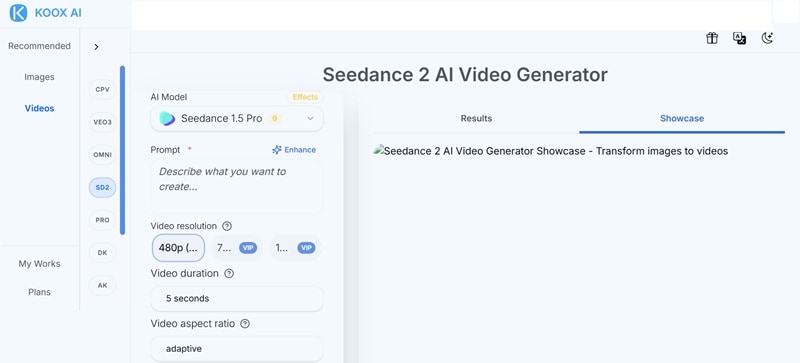
Koox AI is mostly known for image-to-video, but it also supports text-based video generation through its Seedance 2 AI Video Generator. In simple terms, you can type a prompt and ask the tool to generate a video without uploading a starting image.
But the downside is access. This feature is locked tightly behind a paywall; you must be a Pro or Premium subscriber to even play with it.
2. Generate AI Video from Image
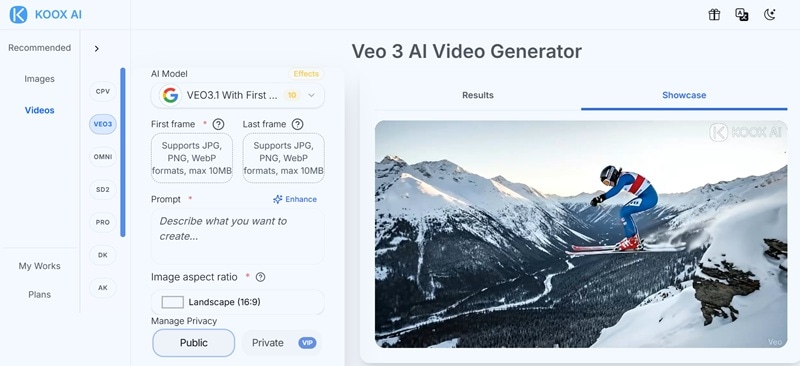
This is the main reason most people would try Koox AI. Driven by Veo 3.1 and Koox Vid 1.0, Koox AI image-to-video breathes life into static artwork. The workflow is simple: upload a photo, write what you want to happen, choose your model or settings, and generate the video.
The coolest part about the Veo 3.1 setup is its "First/Last Frame" control. Instead of guessing where an animation will go, you upload the starting image and the ending image. The AI intelligently fills in all the motion in between, giving you way more control.
3. Generate AI Image
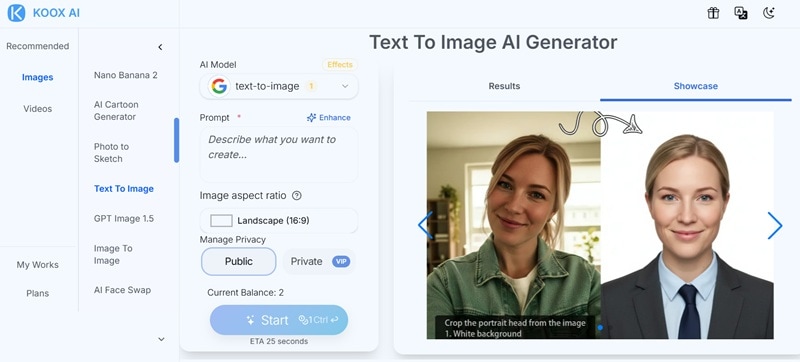
Koox AI also supports image generation, including a built-in Koox AI text-to-image. The platform also supports GPT Image 2, GPT Image 1.5, Nano Banana Pro, Nano Banana 2, and other image model options available from its tool menu.
A quick word of warning: their feature page notes support for unfiltered/NSFW content generation. If you decide to explore that side of the tool, please review Koox’s rules before using sensitive content, and do not generate or upload images involving real people without consent.
4. Face Swap
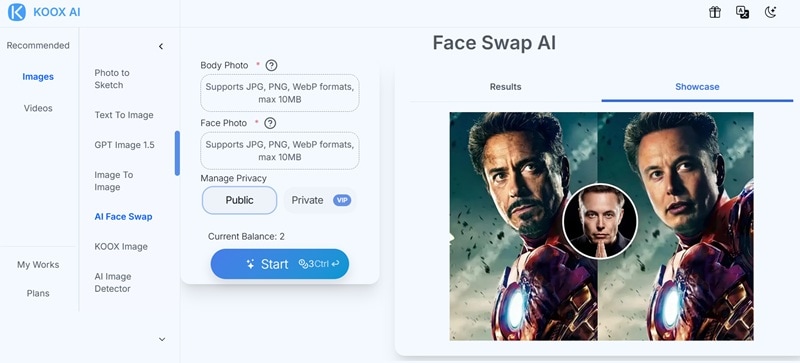
Koox AI's face swap is one of its more attention-grabbing features. You only need to upload a source face, upload the target image, and let the AI blend the face into the new image.
This feature can be useful, but it also comes with responsibility. Face swap tools can easily cross the line if someone uses another person’s face without permission. For safe use, stick to your own images, fictional concepts, consent-based photos, or clearly labeled parody content.
5. Plenty of AI Image Editing Features

Koox AI is not only about generating new visuals. It also gives you editing tools that can help clean, fix, or reshape an image before you animate it. See the table below to see some of the useful features:
| Tool | What It Helps With |
| AI Image Enhancer | Improves the look of low-quality images before generation |
| AI Image Upscaler | Makes images larger or sharper |
| Image Expander | Extends the frame when your image feels too tight |
| Object Remover | Removes unwanted people, props, or background distractions |
| Object Replacer | Swaps one object for another |
| Generative Fill | Fills missing or edited areas with AI-generated details |
| Local Recolor | Changes the color of a selected area |
| Background Replacer | Gives your subject a new background |
| White Background Generator | Useful for product-style images |
| Product Beautifier | Helps product photos look cleaner and more presentable |
6. AI Kiss Template
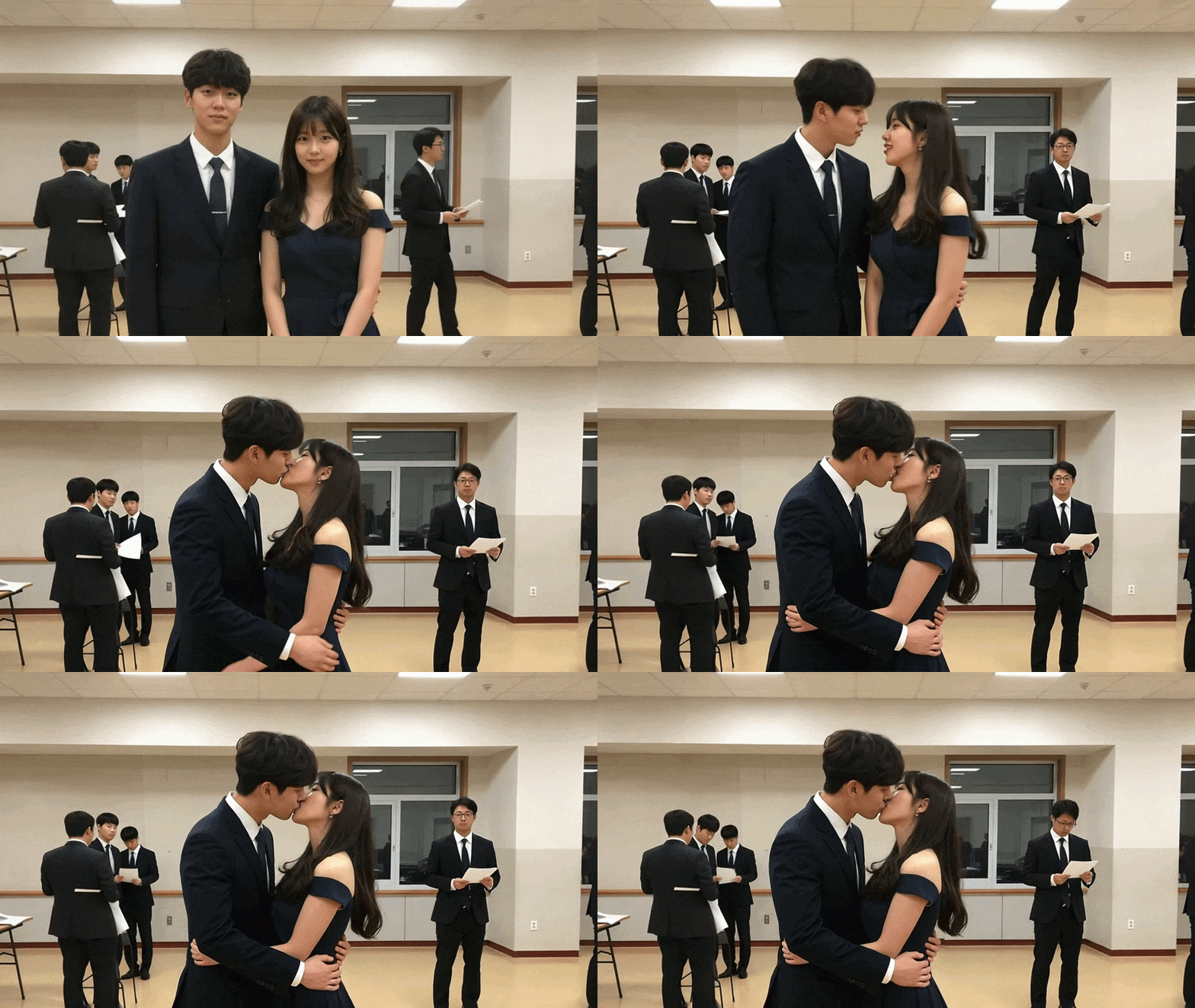
Koox AI also includes romantic and relationship-style AI templates. These are built for viral-style videos rather than serious editing work. You usually upload an image or clip, pick a template, and let the AI generate the effect.
Some templates include:
- Deep Kiss AI
- AI Kissing
- French Kiss Generator
- My Girlfriends
- My Boyfriends
Part 4. Koox AI Pros and Cons: Weighing the Strengths and Weaknesses
As you can see, Koox AI has a lot going for it if you want to play with AI visuals quickly. But there are friction points that could affect your workflow, depending on how you create and how much you use it.
To give you a clear, honest picture, let’s lay out the exact benefits and pain points you will face during daily use.
- Useful Prep Tools Before Video Generation: The image enhancer, object remover, image expander, and background replacer can help you fix a photo before turning it into a video. That saves you from jumping between too many tools.
- More Than a One-Trick Tool: It is not just Koox AI image to video. You also get image generation, image editing, face swap, product tools, background tools, and viral templates in one place.
- Fast Web Layout: You don't need a heavy gaming computer; everything processes in the cloud quickly through your browser.
- Good for Quick Concept Testing: If you have a product photo, character image, or ad concept, Koox AI can help you test a moving version quickly before investing time in a full edit.
- Super Staged Free Trial: Giving users only 2 free credits feels more like a restricted demo than a helpful trial period.
- Short Clip Durations: The generated video clips are brief, usually lasting only a few seconds, which can feel limiting for longer projects.
- Occasional High-Load Wait Times: During peak internet hours, your generation can get stuck in a queue unless you are on a top-tier paid plan.
- Short Clips Still Need Polishing: Koox AI image-to-video outputs can look impressive, but most short clips still need editing before they feel ready to post, especially for ads, product videos, or branded content.
Part 5. Scaling Up Your Production with Wondershare Filmora
Based on our review so far, Koox AI can be useful for simple AI image-to-video creation, especially when you want to animate a still photo, test a face swap, or generate quick visual effects. But it is still limited if your goal is to create a finished video. The clips are short, editing control is basic, and you still need another tool if you want to trim, arrange scenes, add captions, fix audio, color grade, or prepare a polished export.
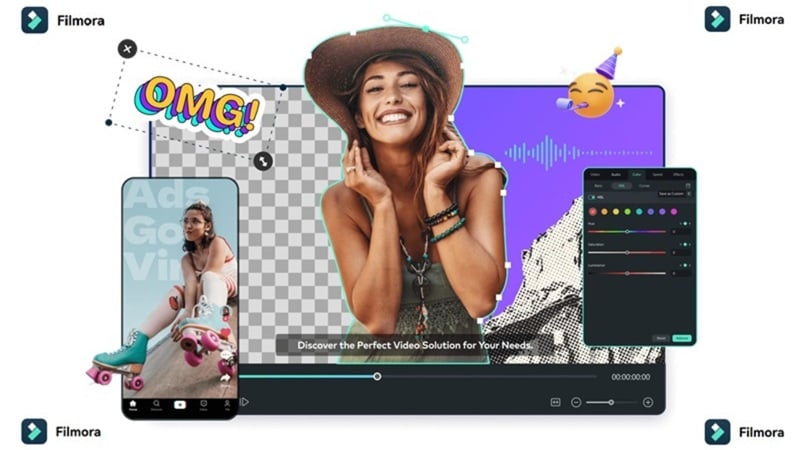
To fill that gap, try Wondershare Filmora. Filmora gives you AI generation tools inside a real video editor, so you can create, edit, polish, and export in one workflow. Instead of generating a clip in Koox and then moving elsewhere, Filmora lets you keep working inside a full timeline.
 Secure Download
What Filmora Offers Beyond Koox AI
1. AI Video Extender

Koox AI clips tend to be short. Filmora’s AI Video Extender helps lengthen a clip instead of leaving you stuck with a short generated moment. This is useful when your AI clip ends too quickly, the motion feels cut off, or you need a smoother transition between scenes.
2. Professional Editing Timeline
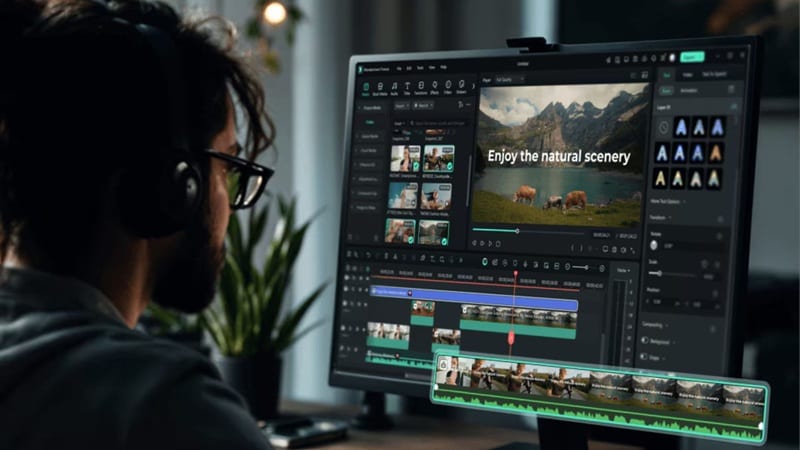
Koox can generate clips, but Filmora gives you a proper multi-track editing timeline. You can trim scenes, stack clips, add overlays, adjust audio, insert transitions, fix pacing, and polish the final video manually. That matters when you want a real beginning, middle, and ending instead of one standalone AI clip.
3. More Creative Templates

Filmora includes ready-made templates for social videos, ads, intros, outros, lifestyle clips, business videos, and more. This helps when you want to turn an AI-generated clip into a complete short video instead of posting the raw generation. You can drop the clip into a template, add text, adjust the beat, and make it feel more finished.
4. Wider Range of AI Features
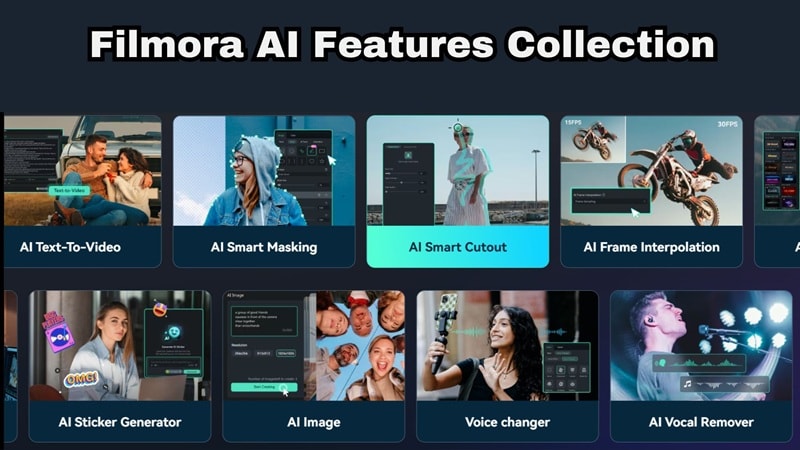
Filmora also includes practical AI tools beyond generation, and can help with real editing problems after the video is created. Here are some useful ones:
- AI Smart Cutout & Background Removal: Remove or replace backgrounds without a green screen, with edge detection accurate enough for hair and complex shapes.
- AI Auto Captions & Translation: Auto-generated captions that sync to speech and animate with the video, in 40+ languages.
- AI Music Generator & Audio Tools: Generate a royalty-free music track that matches your video's mood, apply AI denoising to clean up recorded audio, or adjust the audio mix across multiple tracks.
- AI Color Palette & Denoise: Apply AI-generated color grades that match a reference image or scene mood, or use AI Denoise to clean up grainy footage.
- AI Eye Contact: Digitally redirect on-camera gaze toward the lens in post-production.
5. Extensive Media Library

AI video generation often gives you the “main clip,” but a finished edit usually needs music, captions, motion graphics, overlays, sound effects, and branding. Filmora covers that part better. That’s because Filmora gives you access to stock assets, music, effects, stickers, filters, and titles, and other creative materials.
6. Desktop and Mobile Access
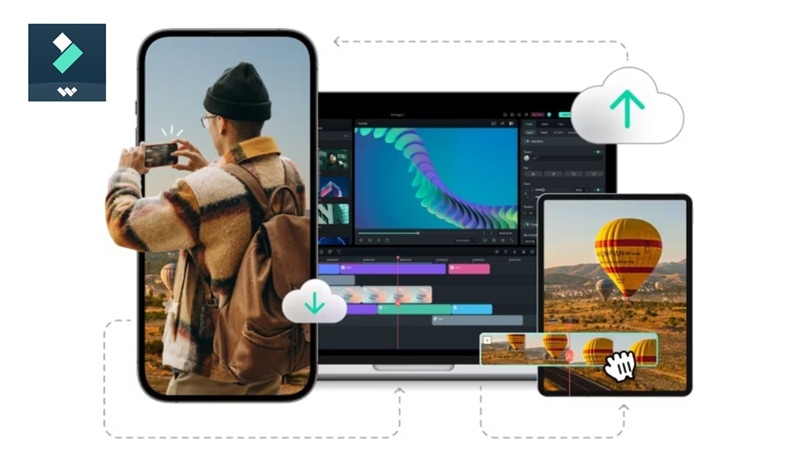
Koox AI is web-based, while Filmora supports desktop and mobile workflows. That gives you more flexibility if you want to start editing on one device and continue on another. It is also better for creators who prefer a stable desktop timeline for longer or more detailed edits.
Filmora vs Koox AI: Which One Fits Better?
| Category | Koox AI | Filmora |
| Platform | Platform | Windows, macOS, iOS, Android |
| Primary Purpose | Quick AI generation & basic single-clip manipulation | Professional video editing with integrated AI utilities |
| Video Editing Timeline | None | Full multi-track timeline |
| Video Production Length | Short, isolated clips (typically under 10 seconds) | Unlimited timeline length for full-scale video projects |
| Max Export Quality | 720p (VEO3 standard) | Up to 4K |
| Asset Library Access | Relies entirely on what you generate or upload | Massive, built-in library of stock footage, music, and transitions |
| Best For | Quick AI generation, image animation | End-to-end video production + AI generation |
Secure DownloadConclusion
Koox AI is a useful platform if you want to test Koox AI image-to-video generation, face swap, text-to-image, and quick AI photo editing tools from one place. Its biggest strength is convenience. You can upload a still image, animate it, clean up the background, try a face swap, or generate a stylized image without needing advanced editing skills.
The part Koox AI can't cover is what happens after you generate. No timeline, no audio editing, no captions, no sequencing. That's where Wondershare Filmora steps in as the natural finishing tool. With its own AI video generation (Veo 3.1, Seedance 2.0, Sora 2), multi-track timeline, AI captions, voice cloning, color grading, and platform export presets, Filmora handles everything Koox leaves open-ended.
FAQs About Koox AI
-
Does Koox AI add a watermark?
Free tier and low-cost preview generations typically carry a platform watermark to protect processing costs. Subscribing to their paid tiers (Lite, Pro, or Premium) removes the watermark, giving you clean, unbranded files ready for public use. -
Is Koox AI safe for face swap content?
Yes, the platform is secure for personal, creative editing and marketing projects. However, you should always ensure you have the explicit right to use any portrait or face you upload. Generating misleading deepfakes or impersonating individuals without their consent violates standard acceptable use policies. -
Can I use the videos generated on Koox AI to monetize my personal YouTube or TikTok channels?
Absolutely. When you use a paid Koox AI subscription, you hold the commercial usage rights for the imagery and video clips you generate. This means you can freely upload your creations to monetized social media channels or incorporate them into commercial client work.
