


Trying to create solid video content these days can feel like a full-time management job. The endless back-and-forth between different web tabs, an upscale app, and a dedicated sound editor can get exhausting fast. That's why Media.io has become an appealing option for creators looking to keep everything under one roof.
So, if you’ve been eyeing this tool for your video creation, this Media.io review will take a deep dive into what it can actually do. We’ll cover its editing tools to its AI features, and help you decide if it's the right fit for your workflow before you commit any time to it.
Part 1. What is Media.io?
At its core, Media.io is a web-based creative platform developed by Wondershare designed to take the friction out of making digital media. It was originally known for its online media conversion, but Media.io has evolved and now combines AI video, image, and audio creation, as well as online editing in a single workspace that's accessible directly from your browser.
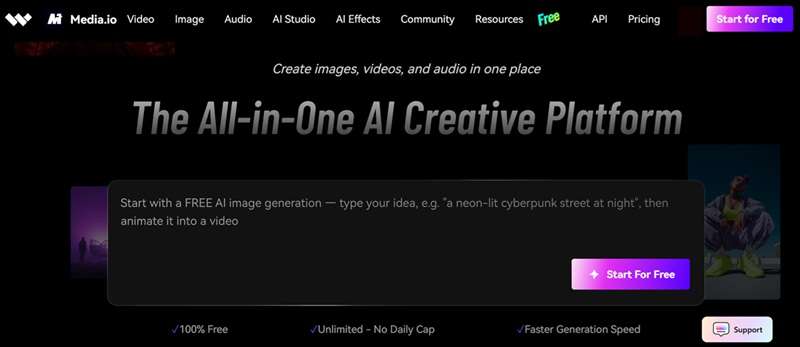
As reported by Marketscreener, Media.io has rolled out a major upgrade by introducing dedicated tools like AI Story and AI Ads. These additions are built specifically to lower the entry bar for AI-powered creation, allowing solo creators, social media marketers, and small businesses to handle writing, visual generation, and video editing inside one simple web tab.
Quick Overview
| Feature | Detail |
| Platform | 100% Cloud and Web Browser Based (Works on Windows, Mac, Chromebook, and Mobile browsers) |
| Editing Features | Timeline editing, video clipping, auto-subtitles, background & watermark removal, compressor |
| Ease of Use | Extremely intuitive; drag-and-drop workflow with prompt-driven AI generation |
| AI Capabilities | 30+ AI models across video, image, and audio, plus AI Studio workflows like AI Story and AI Ads |
| Performance & Speed | Fast cloud rendering, though generation times depend on server queue and internet connection |
| Value for Money | Solid for casual, occasional use; credit costs climb fast for regular video generation |
Part 2. Key Features of Media.io
When it comes to features, the platform splits its capabilities across five major categories so you can quickly jump to whatever your project needs.
1. Video Tools
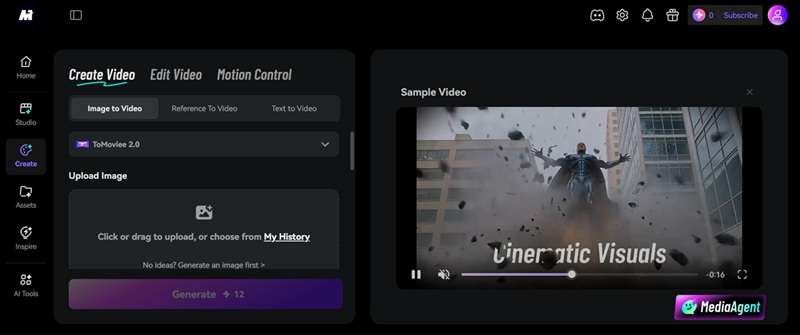
Media.io's AI Video Generator is powered by a mix of models covering Text-to-Video, Image-to-Video, Reference-to-Video, Video-to-Video, and Video Extend. From that same foundation, the platform also pushes into more specific outputs like Video-to-Anime, which restyles regular footage into an animated look.
On the editing and enhancement side, here's what's included:
| Features | What It Does |
| Online Video Editor | A browser-based timeline for trimming, arranging, and assembling your footage |
| AI Video Clipping | Automatically pulls out the most engaging moments from longer footage |
| Online Video Compressor | Shrinks file size for faster uploads without a major quality hit |
| AI Video Enhancer | Upscales resolution and sharpens detail on lower-quality footage |
| Background Remover | Cuts the background out of a video clip automatically |
| Object Remover | Erases unwanted objects or people from a scene |
2. Image Tools
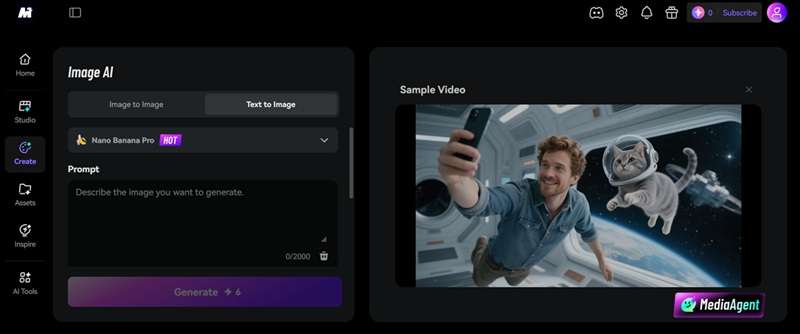
Media.io doesn't stop at videos. It also includes a surprisingly complete collection of AI image creation and editing tools, including Text to Image, Image to Image, AI Character creation, and Reference to Image, pulling from models like GPT Image 2, Nano Banana 2, and Seedream 5.0.
And after generating an image, you can refine it using this set of tools:
| Feature | What It Does |
| Photo Enhancer | Sharpens and upscales lower-resolution images |
| AI Portrait Generator | Creates stylized or realistic portraits from a prompt or reference photo |
| AI Image Extender | Expands an image's canvas and fills in the new space intelligently |
| AI Face Editor | Adjusts facial features and expressions directly on a photo |
| AI Object Remover | Removes unwanted items or people from a still image |
3. Audio Tools
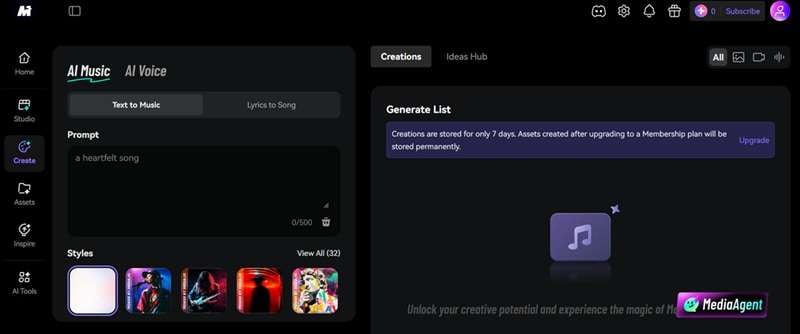
Clean sound makes or breaks short-form content. That's why Media.io offers both music generation and clear voice polish. On the generation side, Text-to-Music turns a written prompt into an original track, while Voice Maker converts text into spoken narration across a range of voices and tones.
For editing your audio, here are some tools that you can use:
| Feature | What It Does |
| Audio Enhancer | Improves overall audio quality and clarity |
| AI Vocal Remover | Separates vocals from instrumentals |
| AI Noise Reducer | Strips out background hiss and static |
| Background Noise Remover | Removes environmental noise like traffic or wind from a recording |
4. AI Studio
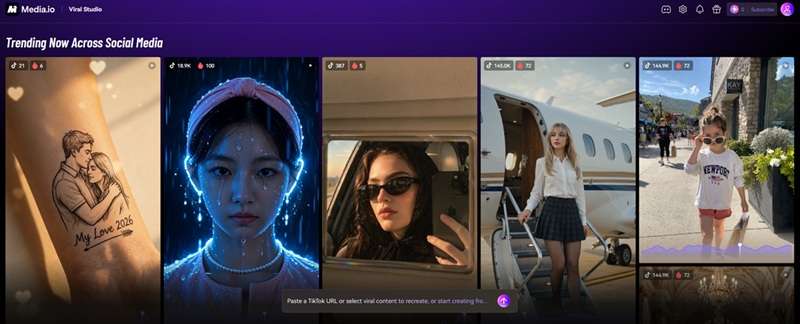
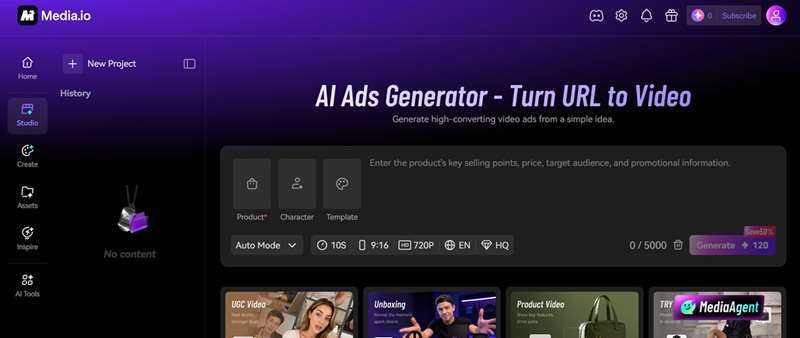
One of Media.io's newer additions is AI Studio, where several creative workflows come together. Basically, these tools are meant for creators looking to fast-track viral formats and automated workflows. Let's take a look:
- AI Story: Turning long-form text into a full video with consistent characters.
- AI Ads: Turns product URLs or basic media into high-converting video advertisements.
- Viral Studio: Recreates current trending social media visual styles and challenge formats.
- AI Music Video: Builds a story-driven music video from a text prompt without needing to upload a track.
5. AI Templates and Filters
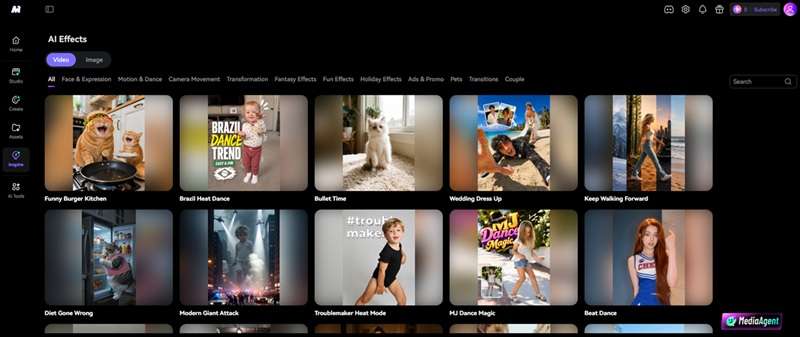
For instant fun and rapid posting, Media.io includes thousands of ready-made creative filters. You get access to trending face swaps, motion transfers, dance animations, hug generators, and stylized holiday effects with a single tap.
Part 3. Is It Worth It? Media.io Price and Free Plans
Because of those many advanced features, many people are looking for legitimate info on Media.io price. And the thing is, Media.io often markets itself as a free platform, and to be fair, that's partly true. But like most "free" AI tools, there's a real ceiling to what you get without paying.
The Free Trial gets you a hard cap of one video, one image, and one audio generation overall, at normal generation speed with 720p, watermarked exports. So, you can only use it to see if the workflow clicks with you. Once you're ready to commit, you can join to become a member:
| Monthly Plan | Yearly Plan | |
| First Month Price | $8.99/month | $12.99/month |
| Next Month Price | $17.99/month | $17.99/month |
| Total One-Year Price | $206.88/year | $155.88/year |
If you're running low on credits, you can also buy a separate credits pack, available either as a one-time pay-as-you-go purchase or a recurring monthly credit plan, with purchased credits typically valid for two years. Here's the breakdown.
Monthly Credits Plan
| Monthly Credits | Price |
| 10 | $0.99/month |
| 50 | $3.99/month |
| 100 | $4.99/month |
| 200 | $7.99/month |
| 300 | $8.99/month |
| 500 | $11.99/month |
Pay-as-you-go Plan
| Total Credits | Price |
| 10 | $0.99 |
| 50 | $4.49 |
| 100 | $7.99 |
| 200 | $9.99 |
| 500 | $19.99 |
| 1000 | $36.99 |
Part 4. Media.io Review & User Feedbacks
By now, you've seen what Media.io can do on paper. But features alone don't tell the whole story. So, we combined hands-on testing with real user reviews from reliable sources to get a fuller picture of how Media.io actually performs day-to-day.
- A wide model lineup, including Veo 3.1, Kling 3.0, Seedance 2.0, Nano Banana 2, and GPT Image 2.
- Unlimited free AI image generation through the ToMoviee Lite model is a rare thing to see with zero catch.
- There's no need to download Media.io since it's all online.
- A clear 7-day money-back guarantee and a straightforward 7-day auto-delete policy for uploaded files.
- Premium video models burn through credits fast; a single high-end generation can eat over a hundred credits at once.
- Heavy reliance on an internet connection.
- Less suitable for complex professional editing projects.
- Premium AI models require paid plans or additional credits.
Part 5. AI Video Editing App Like Media.io: Wondershare Filmora
Media.io makes content creation incredibly convenient because everything runs in your browser. That convenience does come with a few compromises, though: internet dependency, upload wait times, and performance that can wobble depending on your connection.
If you like Media.io's AI features but want more creative control inside an app, Wondershare Filmora is the tool for you. Available for Windows, macOS, Android, and iOS, Filmora combines AI-powered creation with a full-featured video editor that works both online and offline.
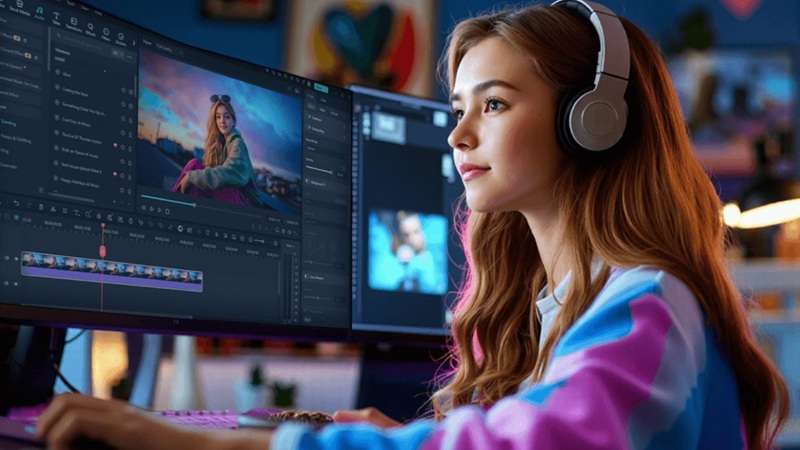
Filmora brings along all the core AI strengths that make Media.io popular, including top-tier AI Image, Video, and Audio Generation, automated video and audio enhancers, and a professional multi-track timeline that handles complex projects without stuttering.
What Filmora Offers Beyond Media.io
1. Different Ways to Generate AI Videos

Beyond the standard text-to-video and image-to-video routes, Filmora also supports AI audio-to-video and AI idea-to-video, letting you start a project from a voice memo, a song, or just a loose concept.
2. More Advanced AI Features
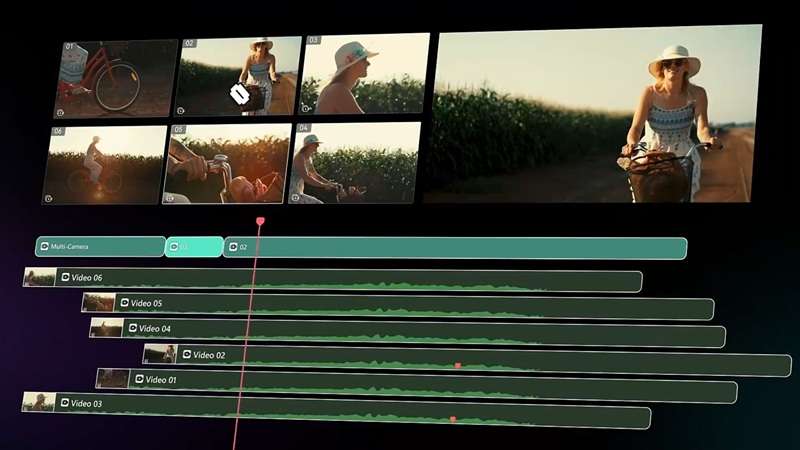
Filmora includes tools like an AI Color Palette generator for matching grades across a project, along with multi-camera editing and planar and motion tracking, giving it real depth beyond basic AI generation.
3. Built for Social Creators

With the AI Thumbnail Maker, AI Copywriting, and AI Social Content Planner, Filmora helps carry a project all the way through to publishing and promotion, not just production.
 Secure Download
Conclusion
Media.io genuinely delivers on the all-in-one promise, packing video, image, and audio tools into one browser tab. Just go in aware that the free plan is closer to a demo than a real workspace, and that premium AI models can chew through credits fast.
If you'd rather work with more stability and creative control, without being tied to your internet connection, Filmora covers the same creative ground as a desktop and mobile app, with a deeper editing timeline and social publishing tools built right in.
FAQs
-
Does Media.io's AI voice generator have good quality?
Yes, Media.io's AI Voice Maker produces natural-sounding voices that work well for voiceovers, explainers, presentations, and social media content. It supports multiple voice styles and languages, making it suitable for many everyday projects. -
Is Media.io safe to use?
Absolutely. The platform uses secure encryption for file transfers, and all uploaded or generated media files are automatically removed from server storage within 7 days to protect user privacy. -
Does Media.io have content moderation or restrictions?
Like most AI content creation platforms, Media.io applies moderation rules to help prevent the generation of illegal, harmful, explicit, or copyrighted content that violates its policies. Certain prompts or uploaded materials may be rejected or restricted if they don't comply with the platform's guidelines. -
Does Media.io support team collaboration?
Media.io online video editor is primarily built for solo creation and quick web workflows. But if you use the Viral Studio feature, you can utilize shared workspaces to review generated drafts, analyze content trends, and manage project feedback together.
