


Thanks to Gen Z creators, AI faceless videos have evolved from a niche trend into one of the most popular content formats on platforms like TikTok, YouTube Shorts, and Instagram Reels. In fact, data curated by AutoFaceless shows that faceless content accounts for more than 30% of viral videos across major social media platforms.
And if you're thinking about joining the trend, tools like StoryShort AI promise to simplify the entire creation process with AI-powered automation. But is it really worth your time and money? To find out, just scroll down through our StoryShort AI review. We'll explore its features, StoryShort AI pricing, pros and cons, and whether it's the right AI storytelling video generator for your content needs.
Part 1. What Is StoryShort AI? Quick Glance
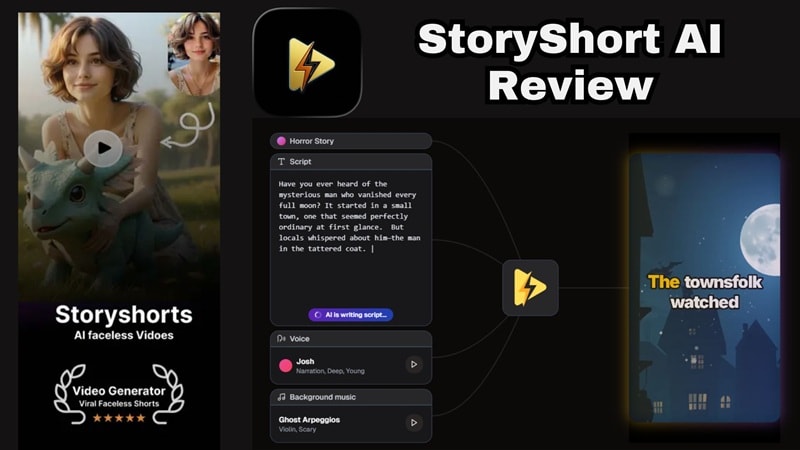
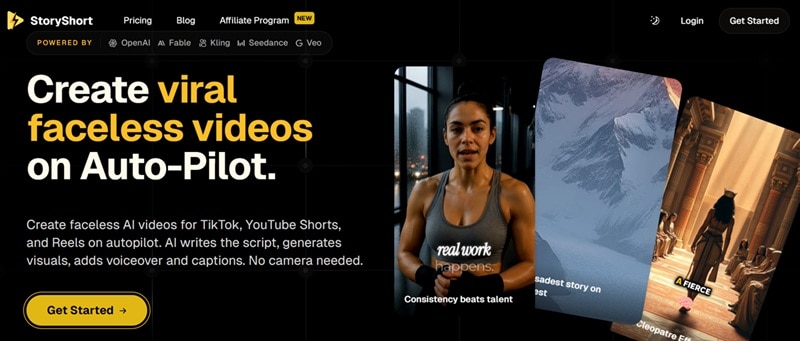
At its core, StoryShort AI is a faceless video generator built specifically for TikTok, YouTube Shorts, and Instagram Reels. The whole pitch is automation: you feed it a topic, script, or even a PDF, and it handles the script writing, AI voiceover (powered by ElevenLabs), visuals, captions, and background music, then stitches it all into a finished video ready to post.
StoryShorts AI leans heavily on story-driven formats, which makes sense given the name. You must have seen at least one of those Reddit-style narrations, dramatic storytelling, educational explainers, and trending formats like brainrot-style and anime videos.
Who Is StoryShort AI Best For?
StoryShort AI casts a pretty wide net, but it lines up especially well with:
- Content creators chasing consistent daily uploads.
- Faceless YouTube channel owners who don't want to be on camera.
- Affiliate marketers needing quick promotional content.
- Social media managers juggling multiple client accounts.
- Small businesses that want video content without a production budget.
- Total beginners who've never touched a video editor before.
Part 2. StoryShort AI Access, Plans, and Pricing
StoryShort AI runs almost entirely online through their website (https://storyshort.ai/), so no downloads are needed for the core experience. If you prefer working on your phone, there’s an official iOS StoryShort AI app available on the Apple App Store.
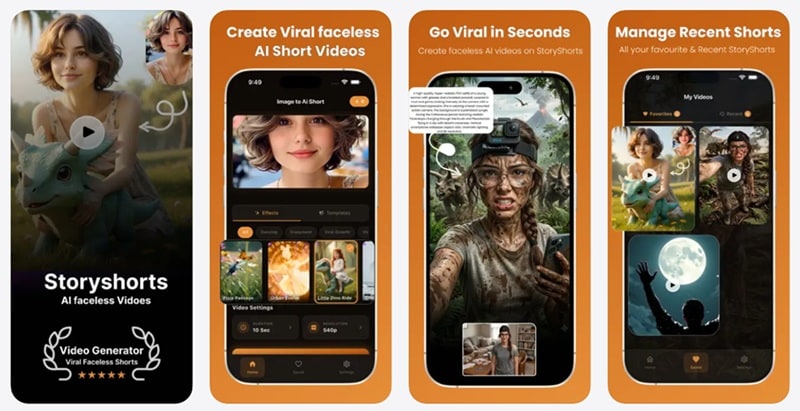
Now, you must be wondering: What about Android? Unfortunately, as of right now, there’s no official Google Play Store app. While you might run into third-party sites offering a StoryShort AI APK, downloading those is pretty risky for your device's security. It's much safer to stick to your mobile browser or the web dashboard.
Is StoryShort AI Free?
StoryShort AI runs on a credit system, where every generation, whether it's an image or a short video, draws from your credit balance. When you first sign up, you get 10 free credits to test things out, which is enough for a couple of small generations but not much beyond that.
Once you're ready to commit, there are four subscription tiers to choose from: Starter, Growth, Influencer, and Ultra. Check out StoryShort AI pricing and how they compare:
| Plan | Monthly Price | Credits Included | Active Series | Best For |
| Starter | $39/month | 400 Credits | 1 | Beginners and hobby creators |
| Growth | $69/month | 1,200 Credits | 2 | Regular content creators |
| Influencer | $129/month | 2,400 Credits | 3 | Professional creators |
| Ultra | $199/month | 5,000 Credits | 4 | Agencies and businesses |
Part 3. StoryShort AI Features Breakdown
Rather than focusing on a single feature like script writing or video editing, StoryShort AI aims to automate the entire workflow from start to finish. Let's break it down!
1. AI Script Generator
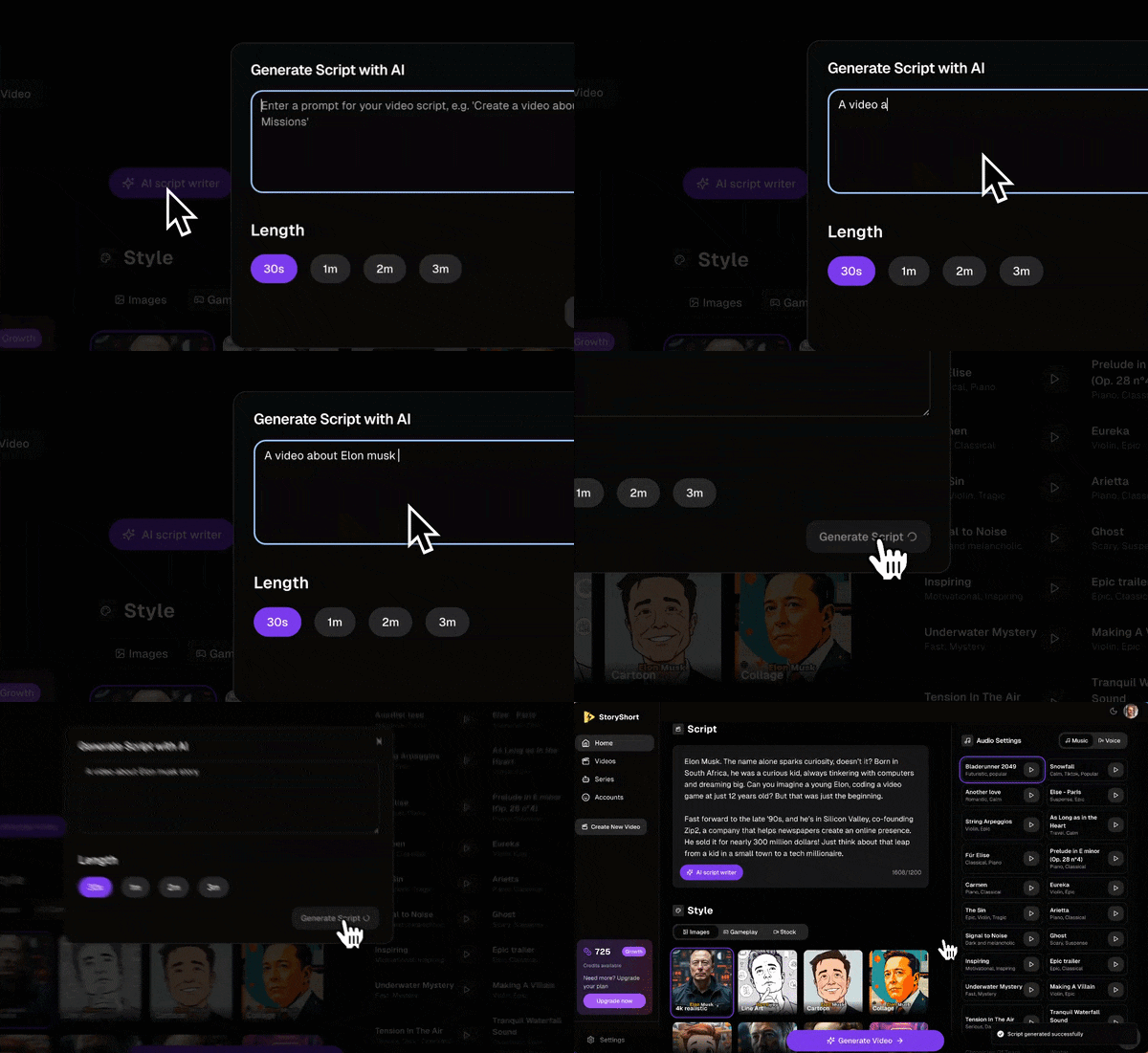
Give it a topic or a prompt, and it writes a full script built around strong hooks, tight pacing, and a clear call to action. It supports multiple storytelling niches, making it super easy to craft horror stories, historical facts, or motivational speeches in seconds.
2. AI Video Generator
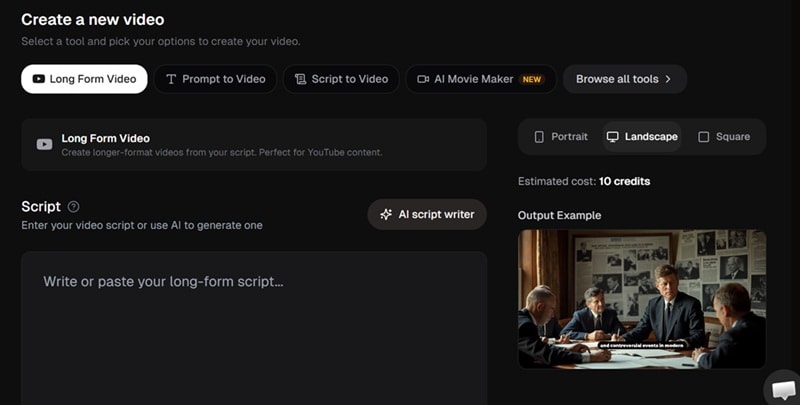
This is the core engine of the platform. You have a few ways to turn ideas into visual stories:
- Prompt-to-Video Workflow: Type in what you want to see, pick a visual style (like hyper-realistic, anime, or cinematic ink), and the AI builds matching scene visuals.
- Generate from Scripts: If you already have a script written, paste it in and the engine breaks it into scenes, generating tailored visuals for every line.
- Movie Maker & Long-Form Video: Need something longer than a 60-second Short? The StoryShort AI long form video generator feature lets you build 10-to-30-minute documentary-style videos with structured chapters and continuous narration.
3. AI Agent
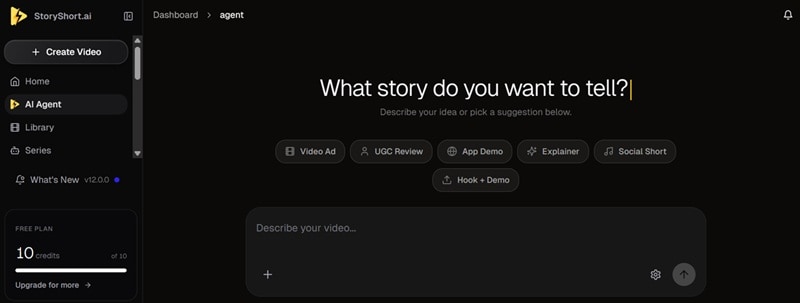
One of the newer additions to the StoryShort AI platform is the AI Agent. Instead of clicking through menus, you can just chat with the AI Agent and describe what you want. It handles the back-and-forth of building the video for you, almost like texting a very fast, very literal video editor.
4. AI Music Video Generator
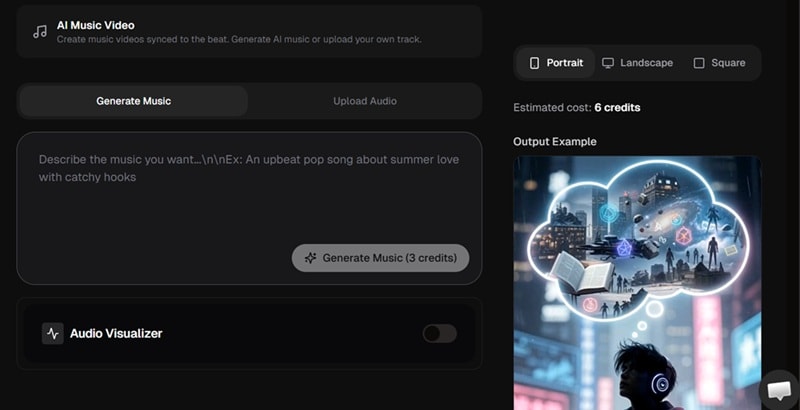
Got a song you want turned into visuals? Upload the track, and the StoryShort AI music video generator helps pair visuals with your audio to produce eye-catching clips suitable for platforms like TikTok, Instagram Reels, and YouTube Shorts.
This feature is particularly useful for:
- Lyric-style videos.
- Promotional music content.
- Beat-synced visuals.
- Social media teasers.
- Artist marketing.
5. Trending Templates
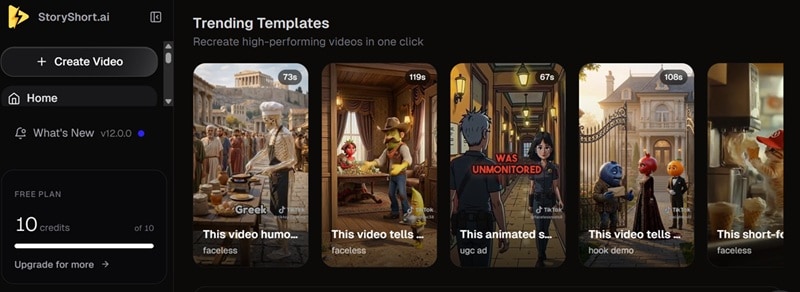
If you'd rather not start from a blank page, there's a library of trending templates to pull from. Examples include Italian brainrot-style videos, anime-style shorts, POV formats, UGC-style ads, and StoryShort AI Reddit-story layouts. It's a solid way to jump on a trend fast without reinventing the format yourself.
Part 4. Pros & Cons: What We Like and What Could Be Better
After actually poking around the platform, we tried generating one video. Take a look at the result below.
Now, we've got a pretty clear read on where StoryShort AI shines and where it stumbles. And like any tool, nothing's perfect, so here's the balanced breakdown so you can decide if it fits what you need.
- Lots of useful features packed into one dashboard, from scripting to publishing.
- The AI Agent chat makes video creation feel almost conversational.
- Series and Auto-Post features let you run a channel almost hands-off.
- By integrating voices from ElevenLabs, the narration sounds genuinely human rather than robotic.
- For video generation, you can only use images for prompt to video, not video references.
- Paid plans start at $39/month, noticeably pricier than a lot of competitors.
- You need to subscribe to the paid plans if you want to export videos from the platform.
- Customer support response times have been a recurring complaint in user reviews.
Part 5. The Best StoryShort AI Alternative: Wondershare Filmora
StoryShort AI is a genuinely solid tool, no argument there. But that free plan is pretty restrictive, and the paid tiers sit on the pricier end compared to a lot of the competition. On top of that, visual customization is fairly limited, and the transitions and effects available stay pretty basic.
If any of that is a dealbreaker for you, it's worth looking at Wondershare Filmora as a StoryShort AI alternative. This all-in-one video editor covers most of what StoryShort AI offers, and then goes quite a bit further.
With Filmora's AI Idea to Video tool, you can build faceless AI videos that pull from a much deeper set of models, styles, and editing options than a single-purpose generator can offer.
 Secure Download
Why Filmora Is a Great Alternative
1. Richer Media Library

Filters, transitions, stickers, sound effects, stock footage, Filmora's library goes far beyond what a dedicated faceless-video generator typically includes, giving your videos more visual variety.
2. Cheaper Plans

If budget matters, Filmora offers more pricing flexibility. Instead of relying on monthly AI credits, Filmora provides several affordable subscription options, including perpetual licensing in many regions, making it a more economical choice for creators who edit videos frequently.
3. Available on Android
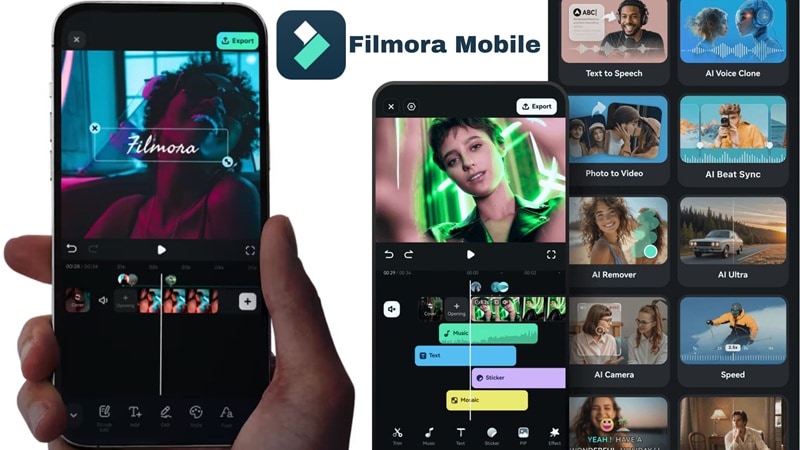
Unlike StoryShort AI, Filmora has a proper Android app, so you're not stuck choosing between iOS-only access or a sketchy APK.
4. More Advanced AI Features
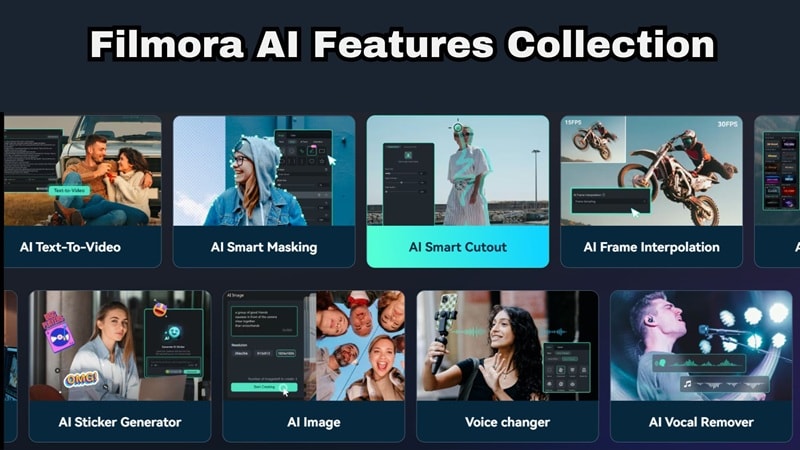
Filmora has invested heavily in AI over the past few years, and it now includes tools that complement, not just compete with, what StoryShort AI offers. Think AI Video Extender, AI Thumbnail Maker, AI Color Palette, audio adjustment tools, and an AI Video Enhancer.
Secure DownloadConclusion
StoryShort AI makes a strong case for itself if your main goal is to create faceless videos or AI short story videos as quickly as possible. Just go in with clear eyes about the limited free plan, the higher starting price, and the fairly basic visual customization compared to a full editor.
However, if you want lower costs, native Android support, and total creative control over your final videos, Wondershare Filmora is the smarter pick. With its AI Idea-to-Video features combined with a deep library of effects and timeline editing, Filmora gives you all the power of AI storytelling without locking you into a rigid automated template.
FAQs About StoryShort AI
-
Is StoryShort AI Legit?
Yes, it's a real, actively developed platform with tens of thousands of users. That said, user reviews on sites like flag real concerns about slow customer support and occasional gaps between the marketing examples and actual output quality, so it's worth going in with realistic expectations. -
Does StoryShort AI Have an Affiliate Program?
Yes! StoryShort AI has an active affiliate program. Creators and marketers can sign up on their site to earn a 30% lifetime commission on referred customers' payments, with a $100 minimum payout processed monthly. -
Does StoryShort AI Offer Promo Codes?
Occasionally. Official sitewide promo codes are rare, but annual billing already comes with a built-in discount, and third-party coupon codes for a percentage off do pop up from time to time. Just double-check they're still active before checkout.
