


Swapping faces, restoring old images, or improving video quality used to require advanced editing skills. Today, AI tools like VidMage AI let you complete these edits with just a few clicks. The platform combines AI-powered features such as face swapping, video face swap, image upscaling, and video enhancement to help you create and transform visual content more easily.
However, with so many AI editing tools available, you may wonder how realistic the results are, how easy the platform is to use, and whether the pricing offers good value. This VidMage AI review explores its features, platforms, pricing, privacy, and overall performance to see who it is best suited for.
Part 1. What is VidMage AI
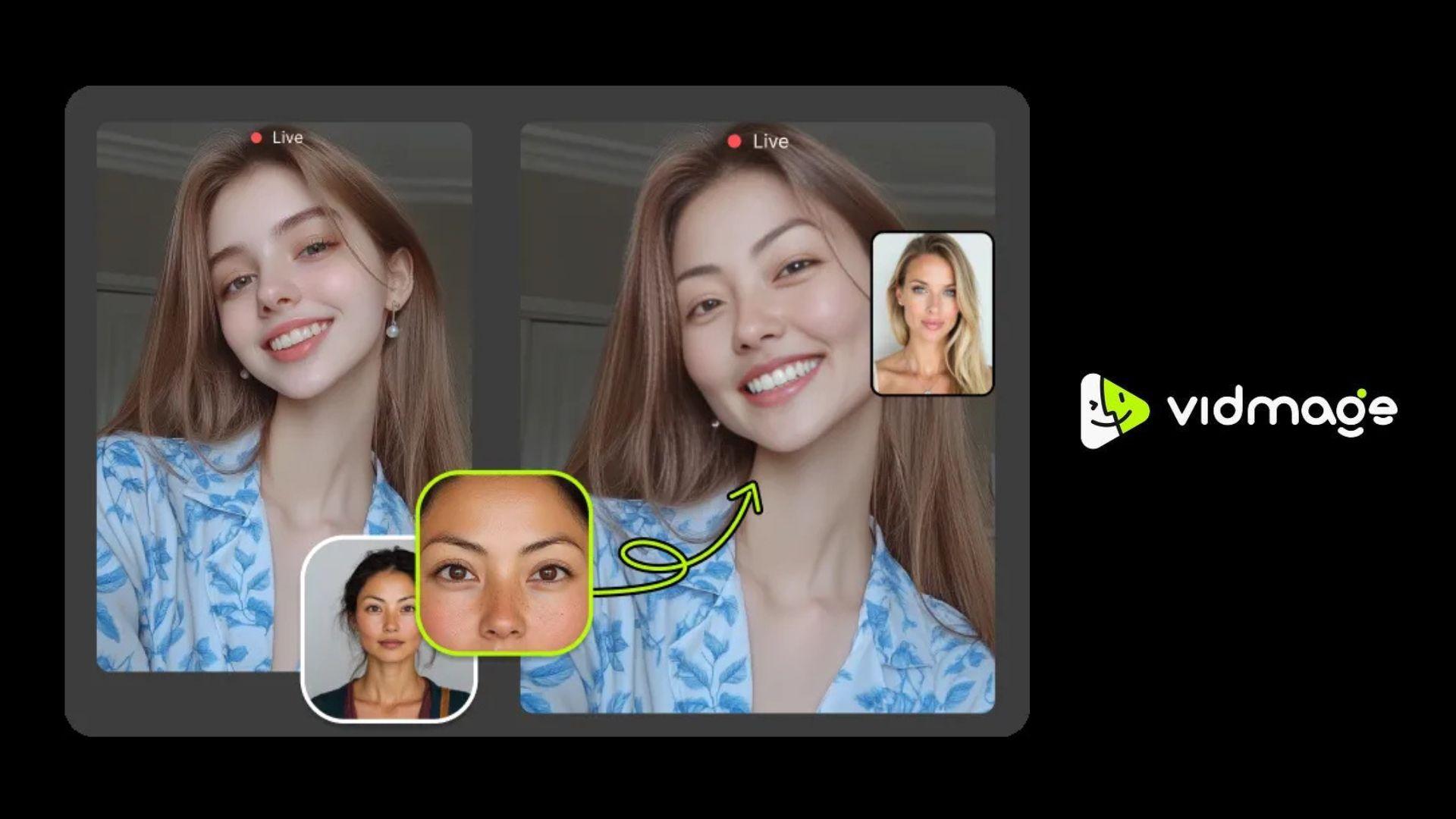
VidMage AI is an AI-powered platform for creating and enhancing images and videos. Although it is widely recognized for its AI face-swap tools, the platform also offers image upscaling, video enhancement, AI image generation, and other creative editing features, suitable for a wide range of content creation needs.
Who Is VidMage AI For?
VidMage AI is designed for users who want to create or enhance visual content with minimal editing experience, including:
- Content creators and influencers
- Social media users
- Marketers and businesses
- Designers and creative professionals
- Anyone creating AI-powered photo or video content
What Can You Do with VidMage AI?
With VidMage AI, you can:
- Swap faces in photos and videos
- Create multiple face swaps for group images
- Upscale low-resolution images
- Improve video quality
- Generate AI images from text prompts
- Apply various AI-powered creative effects
Official App and Downloads
VidMage AI is available as a web-based platform and a dedicated macOS application:
- VidMage AI app download (macOS): https://vidmage.ai/face-swap-mac
- Web: https://vidmage.ai/
If you're searching for a VidMage AI app for Android, note that there isn't an official APK available at this time. Avoid downloading VidMage AI Mod APK files or unofficial APKs from third-party websites, as they may pose security and privacy risks.
Part 2. VidMage AI Key Features and AI Editing Tools
If you think VidMage AI is only for face swaps, there are plenty of other features to explore. The platform combines AI image and video generation, media enhancement, creative effects, and audio tools, making it useful for a wider range of creative projects.
AI Image/Video Generator & Effects
| Supported Models | |
| AI Image Generator | Midjourney, Grok, Nano Banana, Seedream, Z-Image, Wan, Qwen, GPT Image, GPT Image 2 |
| AI Video Generator | Kling, PixVerse, Hailuo, Grok, Sora 2, Wan, Seedance 2.0, Seedance, Midjourney, Vidu, Veo 3.1, Kling 3.0, SkyReels, HappyHorse, Runway |
AI Image Generator
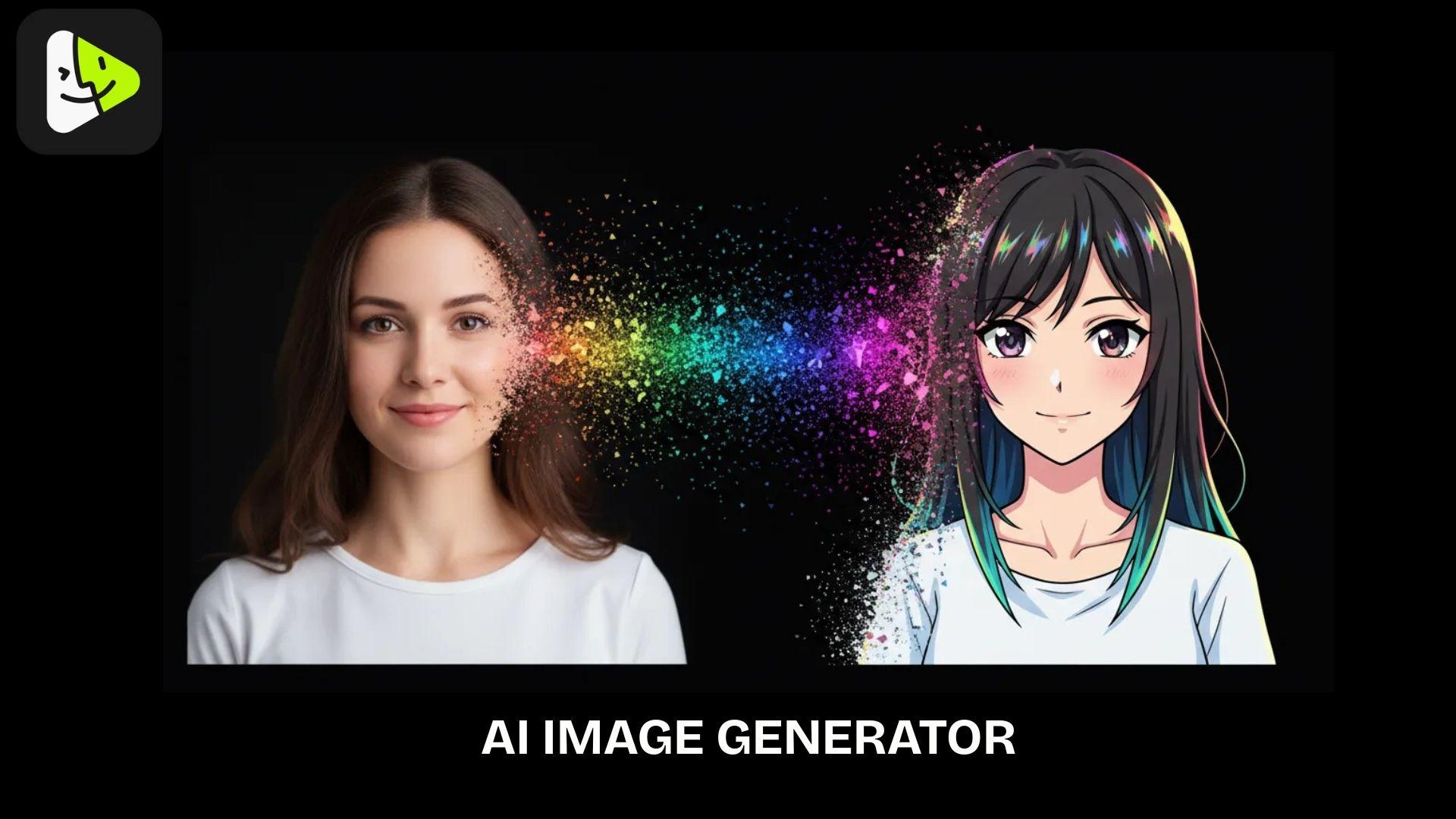
VidMage AI includes an AI Image Generator to create new visuals or transform existing ones. Instead of relying on a single generation method, VidMage AI supports two input models:
- Text to Image: generate original images from text prompts.
- Image to Image: transform an existing image into a different style while preserving its main subject or composition.
AI Video Generator
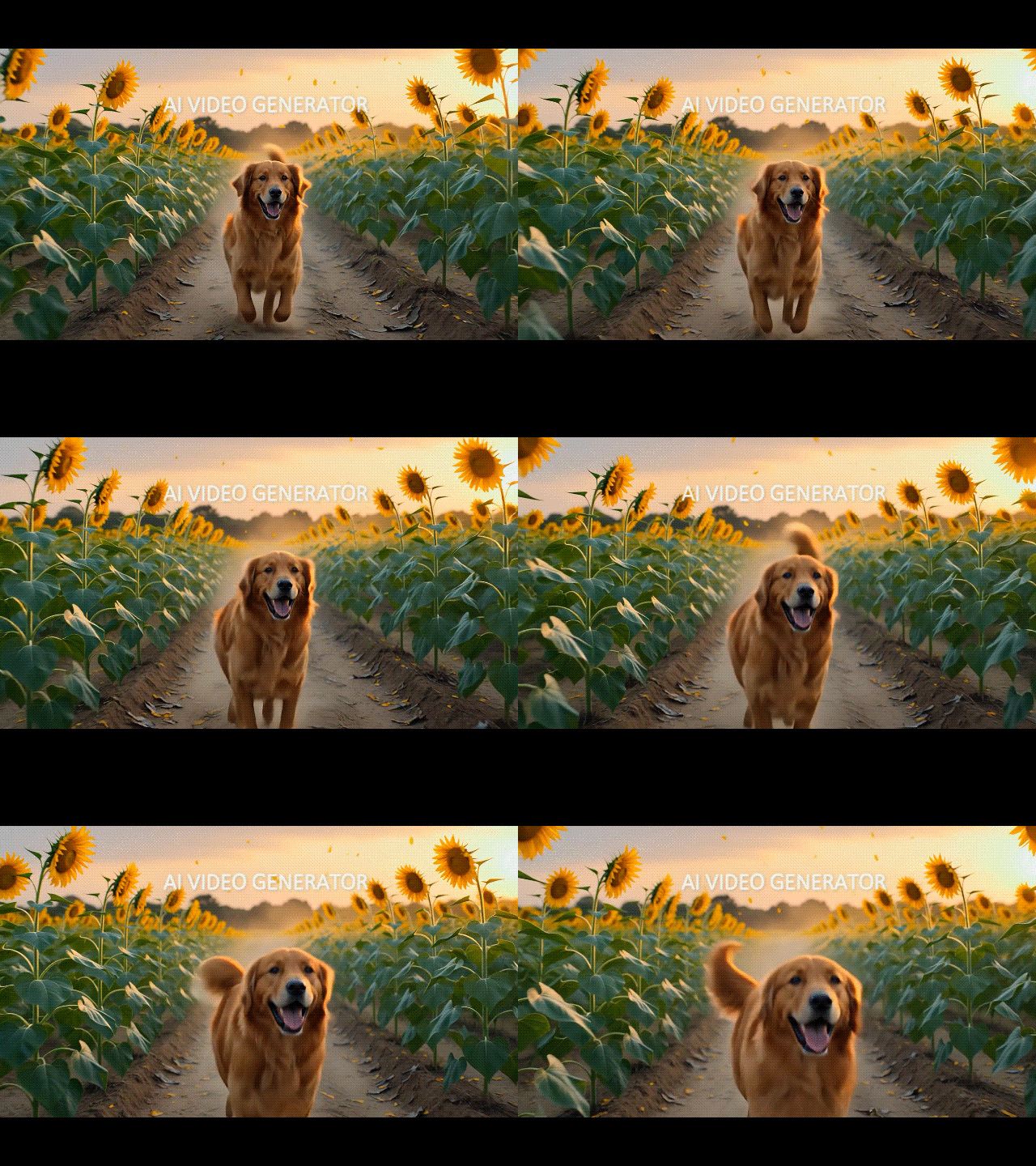
For video creation, VidMage AI offers three generation input models that cover different creative scenarios:
- Text to Video: turn written prompts into AI-generated videos.
- Image to Video: animate a still image with AI-generated motion.
- Video to Video: apply new styles or transformations to an existing video.
Similar to the image generation feature, if you want to use a specific model for your video generation in VidMage AI, you need to open the separate model selection panel under the AI Model tab.
AI Effects
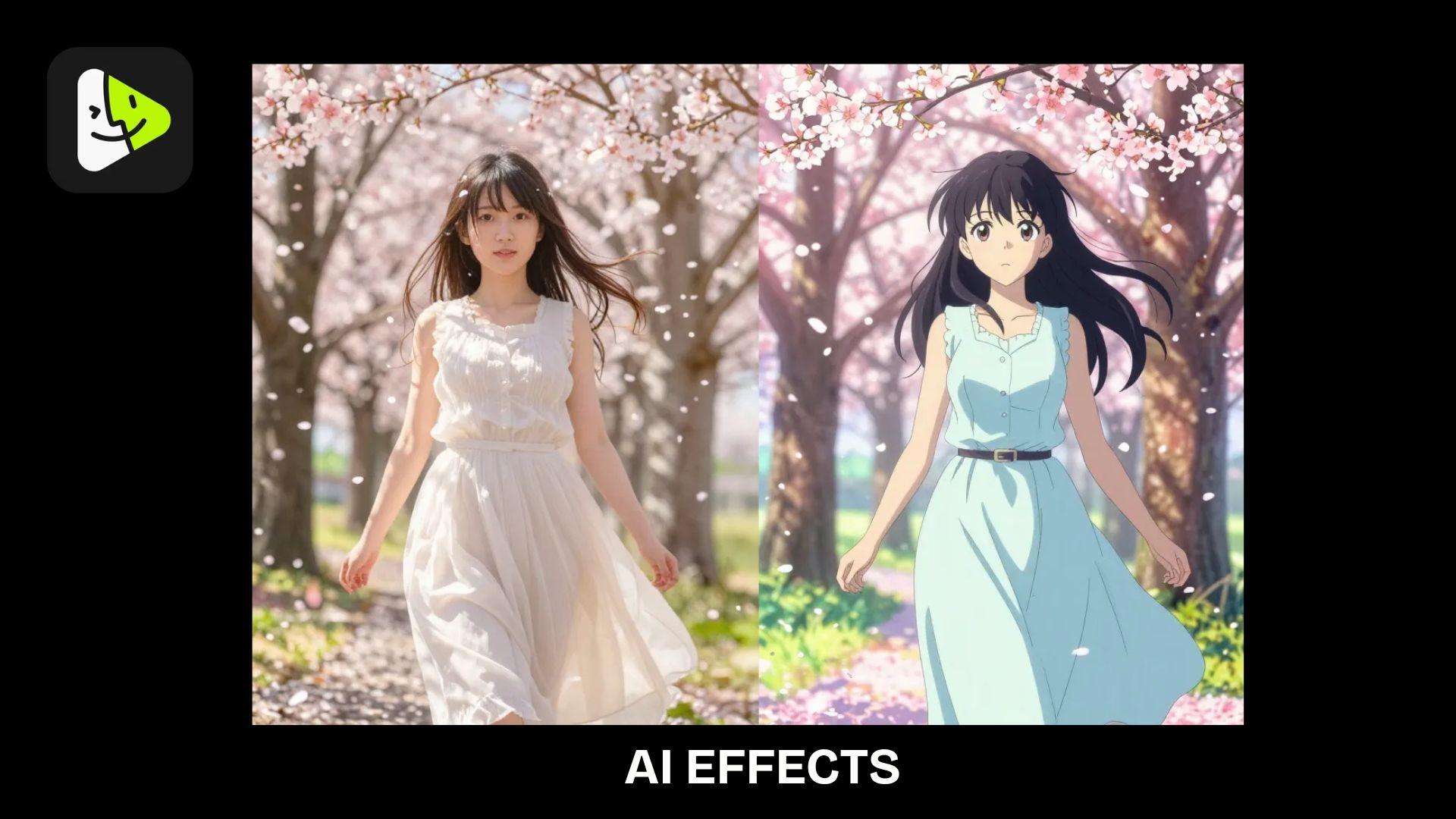
In addition to image and video generation, VidMage AI includes several AI effects that can quickly transform static photos or videos into more engaging content. These tools are useful for social media creators looking to produce eye-catching posts without extensive editing.
- Motion Control
- AI Talking Photo
- Photo Dance
- Video to Anime
- AI Cartoon Generator
AI Face Swap
AI Image Face Swap
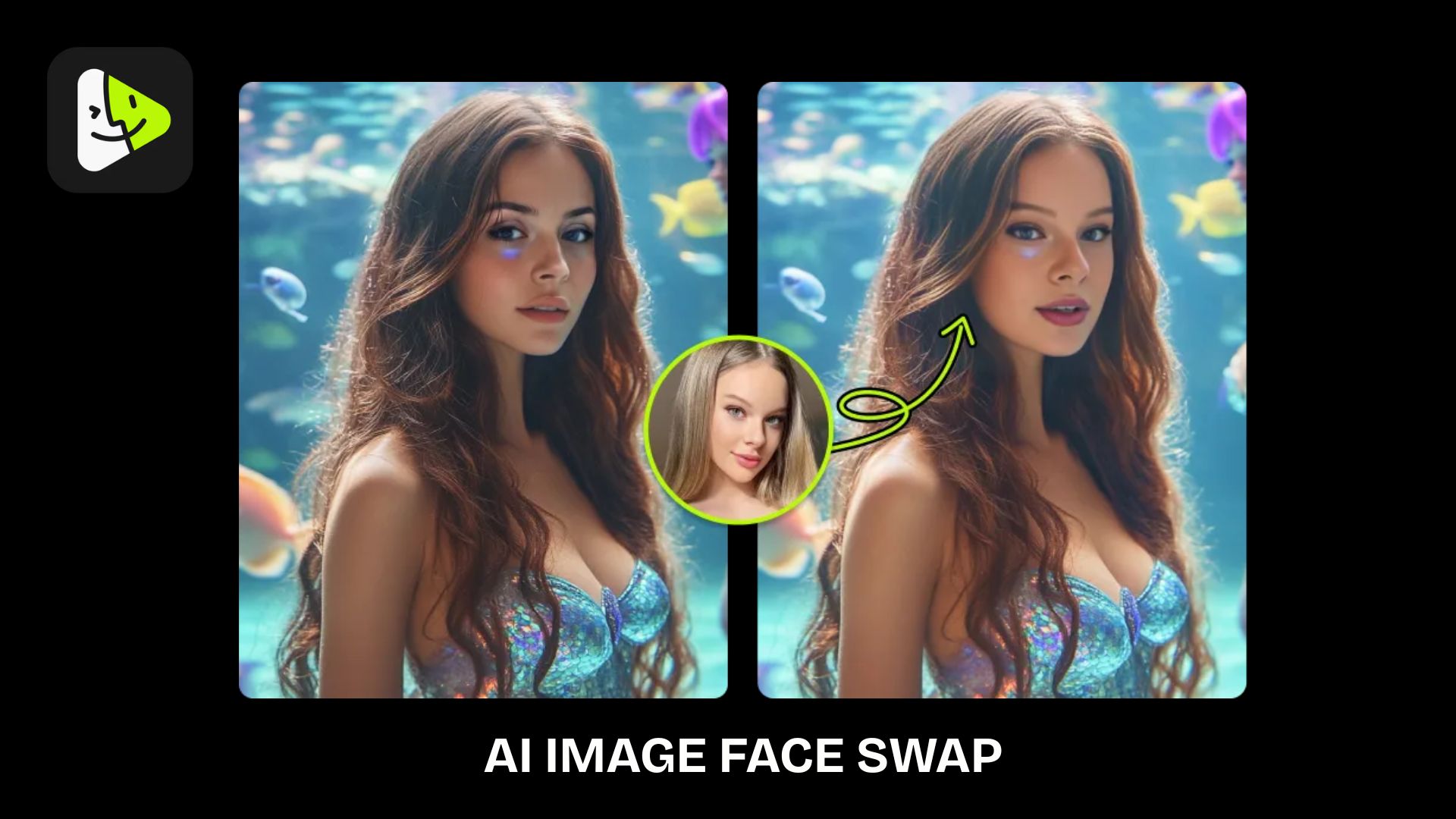
VidMage AI's Face swapping is one of its standout features. The tool generates realistic face swaps by blending facial features with the original image while preserving expressions, lighting, and skin tones for a more natural-looking result. It’s well suited for:
- Portrait photography
- Profile pictures and avatars
- Character edits
- Creative social media content
The tool also includes VidMage AI gender swap, which lets you transform a face into a masculine or feminine version while maintaining natural facial details.
AI Video Face Swap
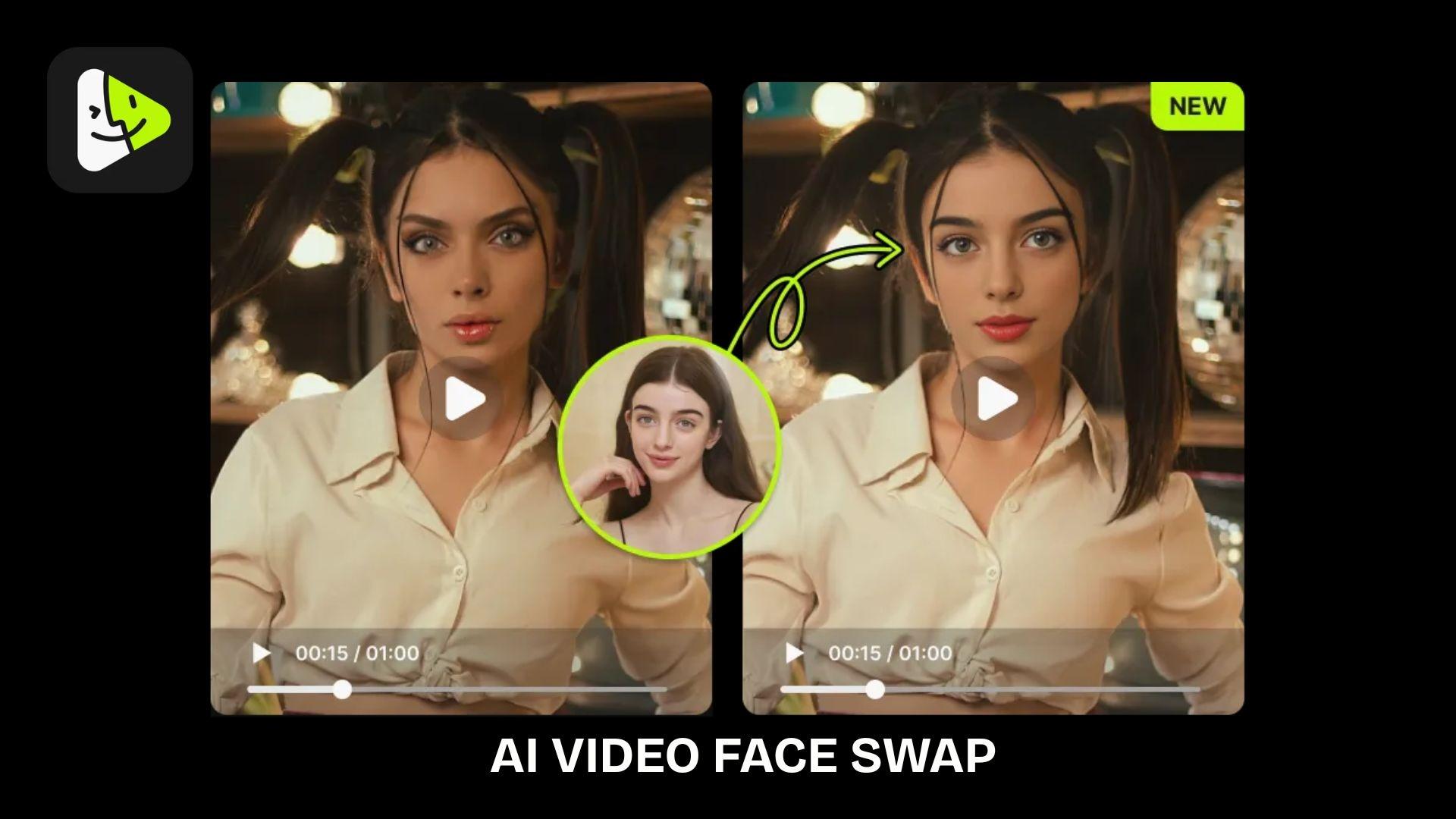
The Vidmage AI Video Face Swap tool for videos applies the same technology to videos by tracking facial movements in each frame. This helps keep the swapped face aligned as the subject moves or changes expression.
It works well for both short-form and longer videos, although processing time may vary depending on the video's length and resolution. VidMage AI also supports Multiple Face Swap, which makes it easy to replace multiple faces in a single photo or video.
AI Upscaler & Enhancement
Image Upscaler
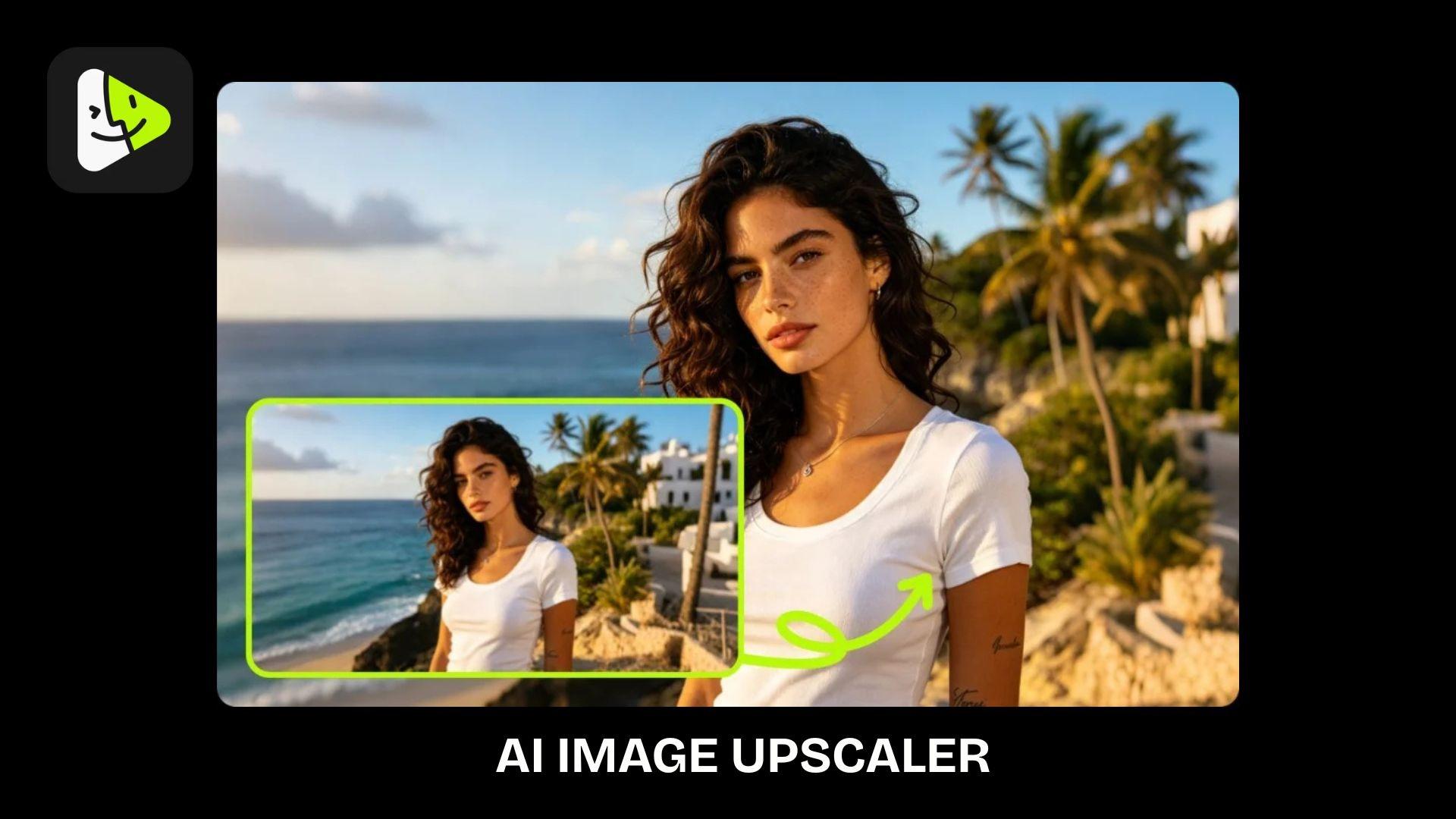
VidMage AI's Image Upscaler is designed to improve the quality of low-resolution or blurry images. Instead of simply enlarging a photo, it enhances details and sharpness to produce a cleaner, more refined result. Key capabilities include:
- Higher image resolution
- Sharper details
- Blur reduction
- Old photo restoration
- Portrait and product image enhancement
Video Upscaler and Video Enhancer
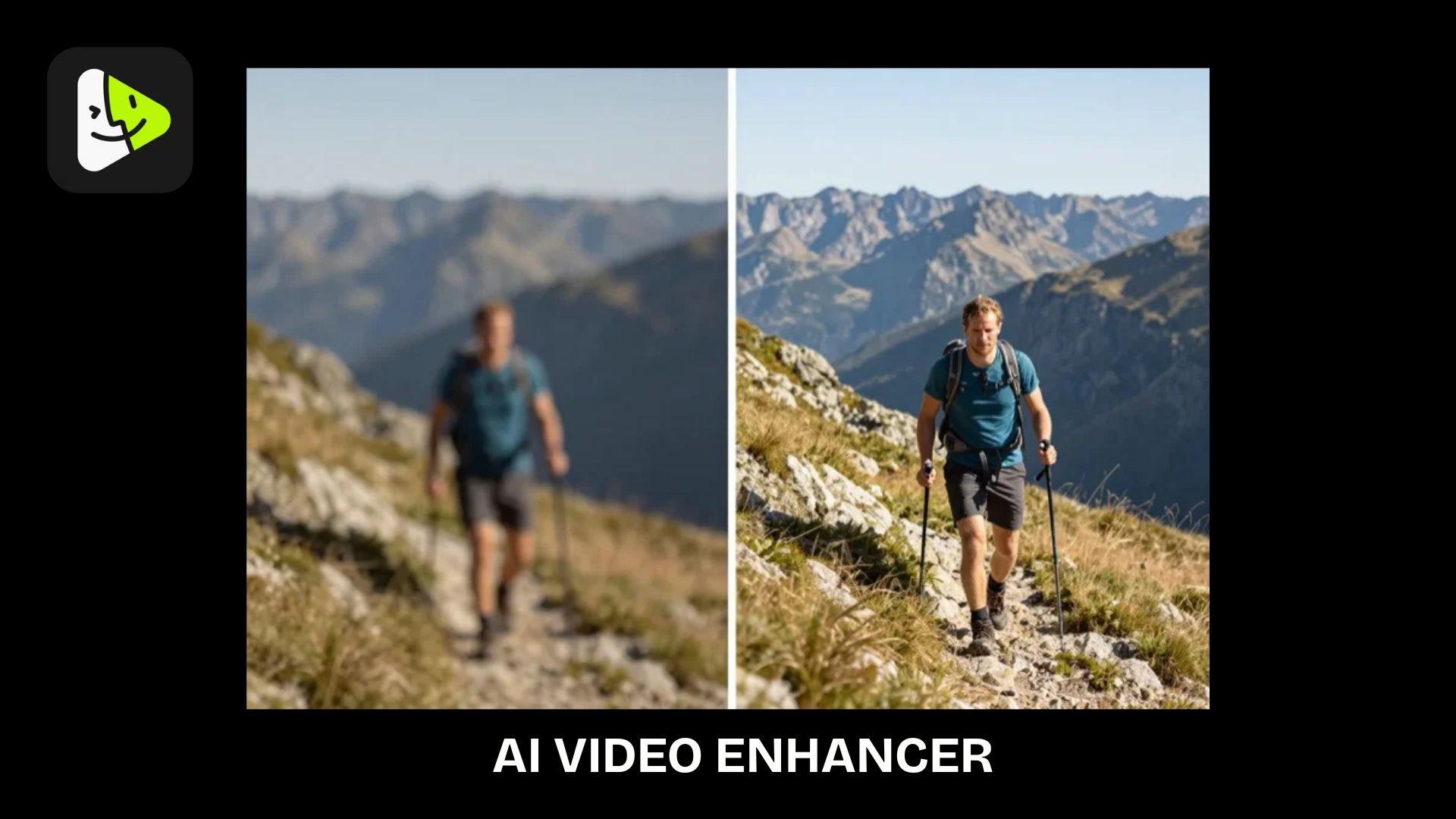
VidMage AI Video Upscaler offers enhancement tools that improve clarity and restore visual details. These features can be useful for refreshing old recordings or improving video quality before sharing them online.
Common improvements that VidMage AI video enhancer can do include:
- Better video clarity
- Sharper details
- Noise reduction
- Higher-quality output
AI Audio
In addition to image and video editing, VidMage AI also includes AI audio tools for generating voiceovers and converting text into speech. These features simplify the complete multimedia content without relying on additional software.
Available AI Audio Tools:
- Voice Clone
- Voice Design
- AI Text to Speech
Part 3. VidMage AI Hands-On Experience and Performance
Using an AI editing tool is not only about the number of features available. The overall experience also depends on how intuitive the workflow is, how consistent the results are, and how much effort is needed to create the final content.
Getting Started
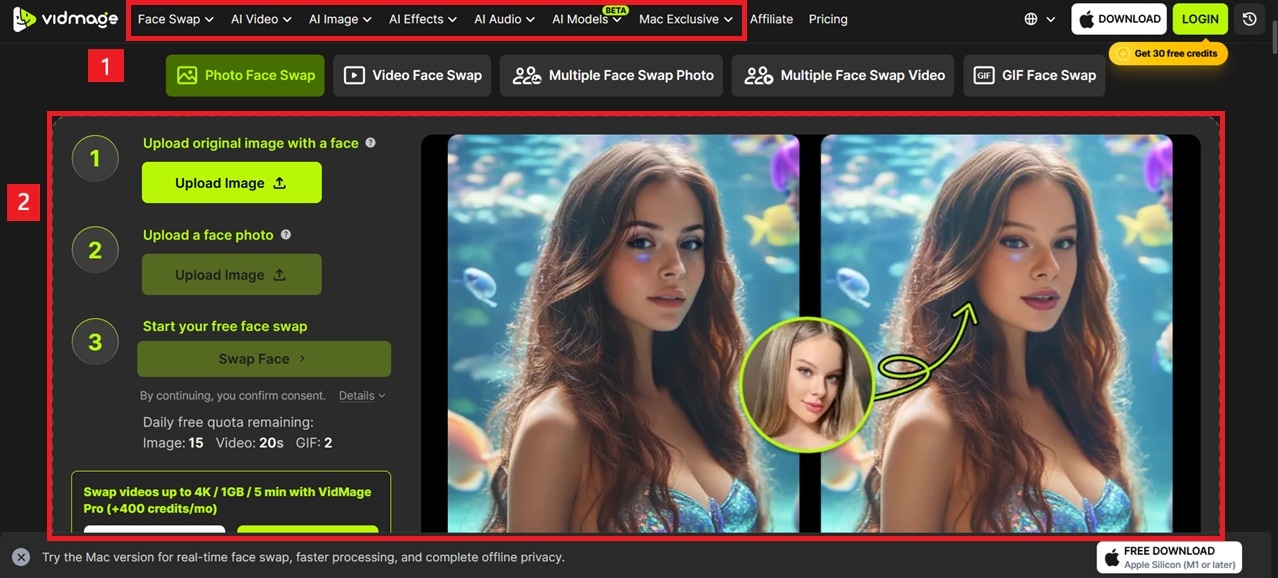
VidMage AI offers a simple upload-and-generate workflow that is suitable for beginners. You can choose a tool, upload an image or video, process the content, and download the result. And with the interface organized by tool categories, features like Face Swap, Image Upscaler, and Video Enhancer are easy to find.
Output Quality & Processing Speed
VidMage AI performs best with clear, high-quality source files. Face swap results are generally more natural when images have good lighting, visible facial details, and suitable angles. The output quality varies depending on the content:
- Images: Better detail preservation and sharper results with high-resolution files. Group photos with multiple faces are handled surprisingly well, with the AI correctly identifying and mapping each face individually.
- Videos: Shorter clips with stable movement tend to hold up best, though in our testing, the face swap for video didn't always look like the source face. Longer or fast-motion footage increases the chance of frame-to-frame inconsistency.

Processing time depends on the file size, resolution, and selected feature. In practice, VidMage AI photo swaps and a 5-second clip tend to finish in single-digit seconds, but longer videos can stretch to a few minutes depending on length and resolution.
Ease of Use
VidMage AI is designed with a beginner-friendly workflow. Users can create AI-generated images and videos without prior editing experience. However, if you need advanced editing controls, detailed adjustments, or a complete post-production workflow, you may still require specialized editing software.
Part 4. VidMage AI Pricing Plans
VidMage AI uses a credit-based pricing system with free access, subscription plans, and additional credit packages for users who need more usage.
Free Version
You can try VidMage AI for free even without logging in, but the free plan includes limited daily usage:
- 15 image face swaps/day
- 20 seconds of video face swap/day
- 2 GIF face swaps/day
- Limited Mac features with watermark and preview restrictions
Paid Plans
For the paid plans, they do not include a higher daily quota. Instead, you receive monthly credits and additional premium features.
| Monthly Plans | Yearly Plans | |
| Pricing | $14.99/month | $8.33/month (billed annually) |
| Credits | 400 credits/month | 400 credits/month |
If you need more credits, you can also purchase separate pay-as-you-go credits:
- 500 Credits: $9.99
- 2,600 Credits: $39.99
- 16,000 Credits: $199.99
- 50,000 Credits: $499.99
Part 5. VidMage AI Pros, Cons, and Best Alternative
VidMage AI is a useful option for users who want quick AI-powered image and video transformations. However, its strengths lie primarily in its AI-based editing features, while users seeking a comprehensive video production tool may need to look elsewhere.
- VidMage offers image and video face swap features with realistic results for creative content.
- It includes AI content generation, face swapping, upscaling, enhancement, and creative effects.
- A simple upload-and-generate workflow is suitable for beginners
- Supports image and video editing, so you can create and enhance different types of visual content on a single platform.
- No need to log in or create an account to use it firsthand.
- Does not provide advanced timeline editing, trimming, or full video production features.
- Frequent users may need additional credits for intensive AI generation.
- Advanced creators may need more manual editing options.
Filmora as VidMage AI Alternative
For users who need a complete video editing workflow, Wondershare Filmora is a stronger alternative. While VidMage AI focuses on AI transformations, Filmora combines traditional editing tools with AI-powered features for creating complete videos.
For face swap, Filmora handles it through its Prompt Video Editor (Element Editing) tool, where you select the area of the video you want to replace, guide the swap with a text prompt, and let the AI handle the blending automatically. The tool sits inside the video editor itself.
After you're done with the swap, you can still keep working on the same clip, with a full editing toolkit including:
- Multi-track timeline editing
- Trimming and cutting tools
- Transitions and visual effects
- Audio editing
- Color adjustments
Image, Video, and Audio Generation
Filmora also includes AI tools for generating content from scratch, so you can build a video without ever touching source footage:
- AI Video Generator, powered by advanced models like Seedance 2.0, ToMoviee, HappyHorse, and Veo 3.1.
- AI Video Effects for applying stylized looks and motion effects to generated or existing footage.
- AI Image Generator for creating visuals from text prompts.
- AI Music and Sound Effects Generator for background scores and audio cues.
- AI Subtitle Generator for automatically creating captions.
- Text-to-Speech and AI Audio features for generating voiceovers, improving sound quality, and managing background audio.
 Secure Download
Conclusion
VidMage AI stands out for users who want to create face swaps, enhance images, and experiment with AI-generated content without dealing with complicated editing processes. Its main strengths are the variety of AI tools and the simple workflow, especially for quick creative projects and social media content.
However, users seeking a comprehensive editing experience may need additional software since VidMage AI does not replace traditional editors. Overall, VidMage AI is worth considering for AI-based visual edits, while creators with more advanced editing needs may find tools like Filmora a better fit.
FAQs
-
Is VidMage AI safe to use?
VidMage AI can be used safely when users follow responsible AI practices. Avoid uploading private images without permission and use face-swap features only with content you have the right to edit. -
Can VidMage AI swap faces in videos?
Yes. VidMage AI supports video face swap, allowing users to replace faces in video clips while maintaining facial movement and expressions. It also supports multiple face swaps for content with more than one person. -
What’s the difference between VidMage AI photo enhancer and upscaler?
An image upscaler usually handles both jobs at once, increasing resolution up to 4x while also sharpening details, smoothing rough edges, and improving textures like skin, hair, and fabric, rather than just stretching the pixels. VidMage currently only supports AI Upscaler, not a separate photo enhancer tool. -
Does VidMage have an app?
Yes. VidMage AI is available through its web platform and a Mac app. Users can access its AI editing tools through both versions.
