

 100% Security Verified | No Subscription Required | No Malware


 ChatGPT
 Perplexity
 Gemini
 Claude
 Grok
Grok
In medical learning and communication, anatomy illustrations matter just as much as the information they support. They have been helping doctors, students, and educators visualize their ideas better, particularly in presentations, research papers, or when explaining conditions to patients.
But since creating these illustrations takes time and specific drawing skills, AI anatomy illustration generators have been revolutionizing the way we can make digital anatomy illustrations in seconds. They’re even advanced enough to add clear labeled names. We’ll walk through how AI works in anatomy drawing and how to create one.
In this article
Part 1. AI Technology in Medical Illustration
Anatomy or medical illustrations are visuals that explain the structure of the human body. Some go deeper and show the tiniest parts of us too, like cells and tissues, even bacteria, viruses, or anything that involves understanding how the body works.
Creating these illustrations usually requires a solid understanding of anatomy, artistic skill, and attention to proportion. However, that’s no longer the case with AI anatomy illustration generators. Anyone can create an anatomy drawing immediately.
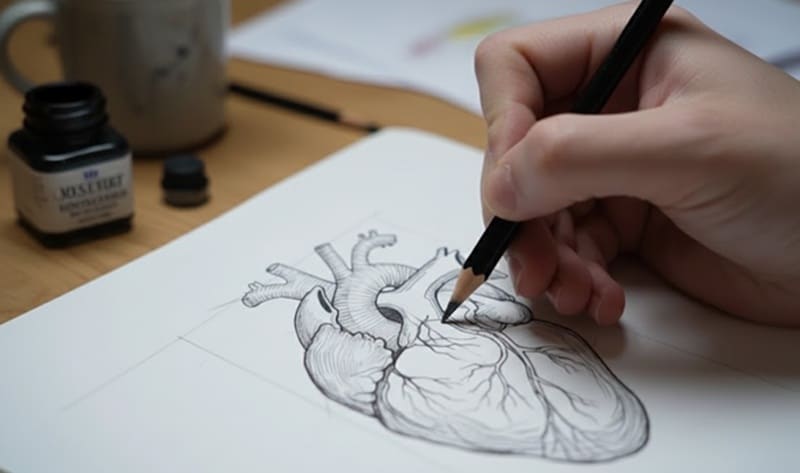
The tool works by reading and interpreting the description you give it. It’s trained on a huge amount of medical and anatomical data, so it understands what you’re asking for. And as a result, there’s almost no limit to what you can create.
You can also generate AI medical illustrations in all kinds of styles, such as:
- Realistic
- Medical diagram style
- Textbook illustration
- Line art
- 3D Render
- Flat illustration
- Hand-drawn pencil, and more
What you need to focus on is how to use it wisely and efficiently, since the prompt and tool you use can make a huge difference.
Part 2. How to Create Anatomy Illustrations with AI
After getting a better idea of what digital anatomy illustrations are and how AI transforms the whole creation process, let’s see how you can actually make one yourself. There are two main approaches we are about to cover, depending on the type of result you want:
- Using a text-to-image generator, where you describe the anatomy you need and let the AI create a 2D illustration for you.
- Using an AI 3D model generator, which produces a full 3D anatomy model that you can rotate, examine from different angles, and refine further.
Method 1: Using Text-to-Image Generators
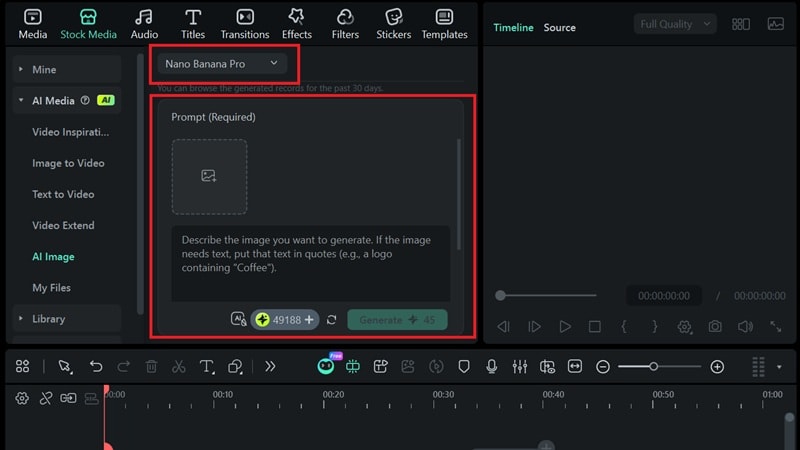
An AI text-to-image generator is a tool that turns simple descriptions into fully rendered images, and you can find it in editing software like Wondershare Filmora. The AI Image generator in Filmora is powered by Nano Banana Pro, which is capable of generating better-quality AI anatomy drawings with sharp details.
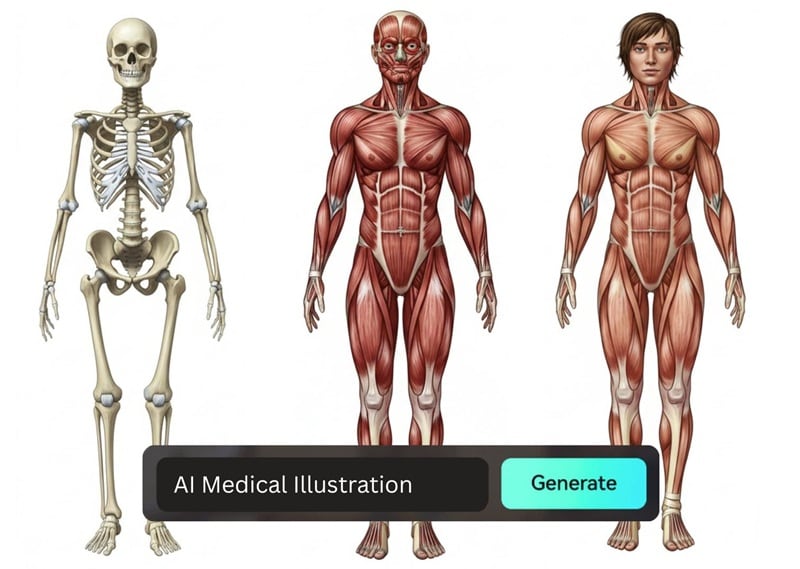
Since the generator is built right into a video editor, you get a lot of extra advantages that make Filmora one of the easiest tools for this kind of work:
- You are not limited to just generating images; you can edit the illustration right after it’s generated.
- The Nano Banana Pro model that Filmora uses can create readable text, so you can include labels directly by describing them in your prompt
- Using Filmora’s AI Image to Video and editing tools, you can also turn the illustration into a short video for presentations, lessons, or any educational content you’re preparing.
Next, we’ll walk you through each step on how to create anatomy illustrations with AI. Make sure you’ve installed Filmora to the latest version.
Step-by-Step: Create an Anatomy Illustration Using AI Image
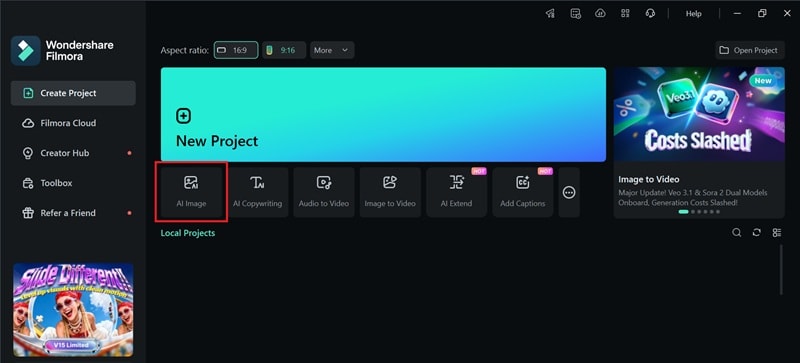
- Step 1: Open Filmora and go to the AI Image feature.
 secure download

- Step 2: In the AI Image window, choose the Nano Banana Pro model. Type in the prompt that describes the anatomy illustration you want
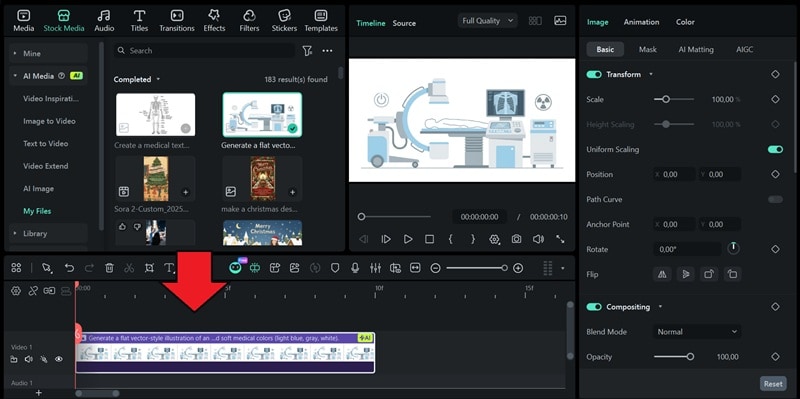
- Step 3: Add the AI anatomy illustration result to the timeline to refine it. You can place labels, highlight sections, insert arrows, add effects, or include extra graphics.
If you want to turn the illustration into a moving visual like this, you can use an Image-to-Video feature to animate it and add simple motion.
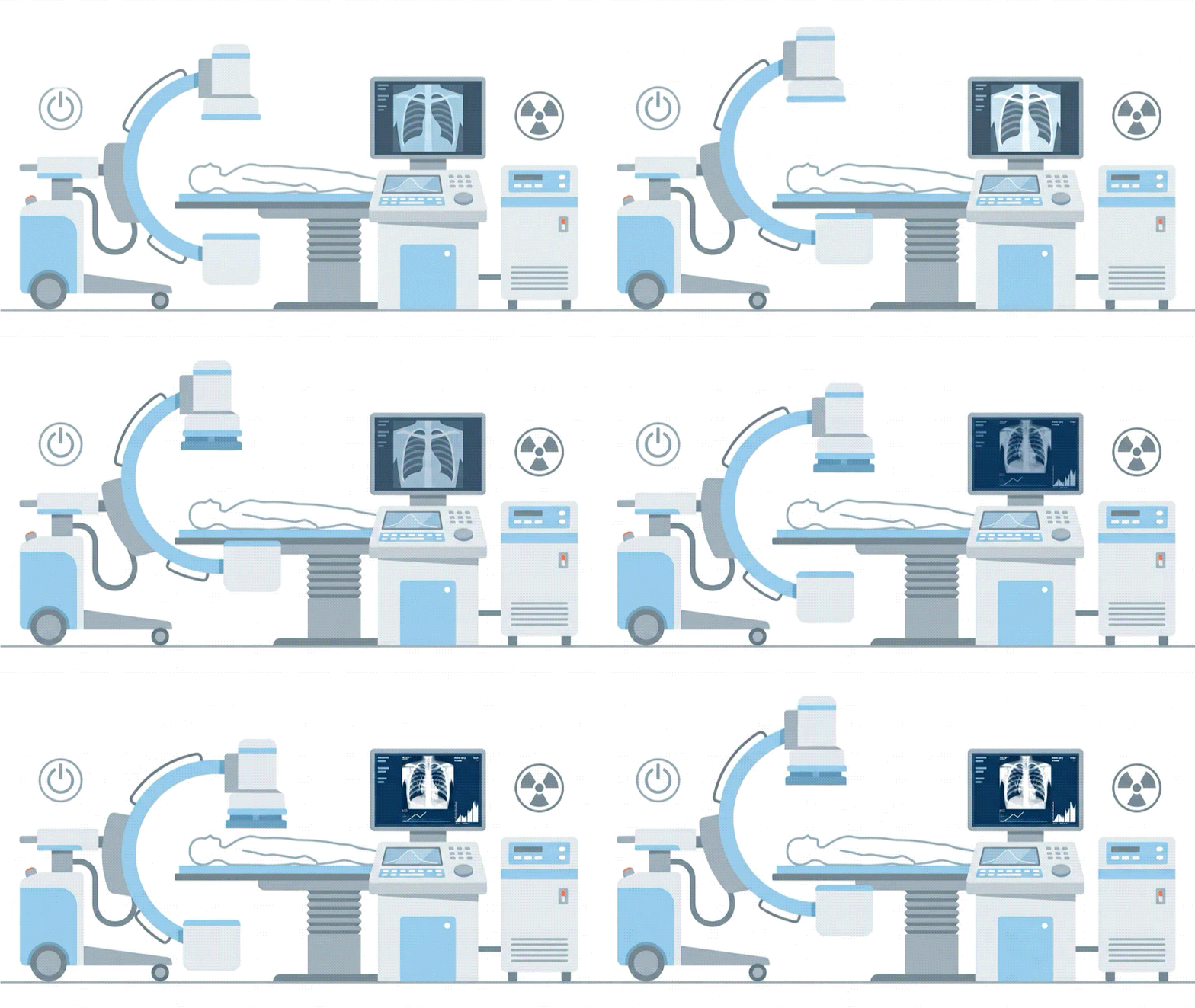
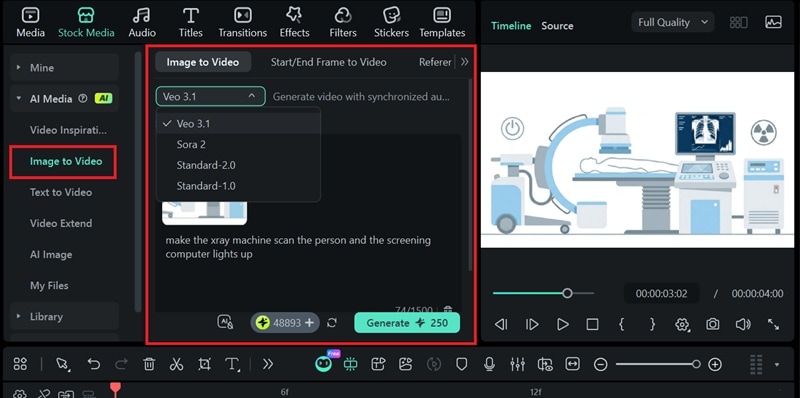
Just select the AI model, upload your medical illustration, and describe how you want it to move in a prompt. Your animated illustration will then be ready for download and sharing in video format.
Method 2: Using AI 3D Model Generators
For a 3D anatomy illustration, you can try a tool like Meshy.ai. It works similarly to the AI Image generator in Filmora, where you describe what you want or use a reference image. The main difference is that the output is a 3D model, which adds depth and lets you view the anatomy from different angles.
After the generation is done, you’ll have a few options to adjust the model. Check out this helpful YouTube video to see how it works:
Part 3. AI Anatomy Illustration Examples with Prompts You Can Copy
To give you some demonstrations, below are some real examples of AI anatomy illustrations along with prompts you can copy and adjust for your own projects.
1. Human Anatomy Systems
Example: Skeletal system, muscular system, digestive system, respiratory system, nervous system, etc.
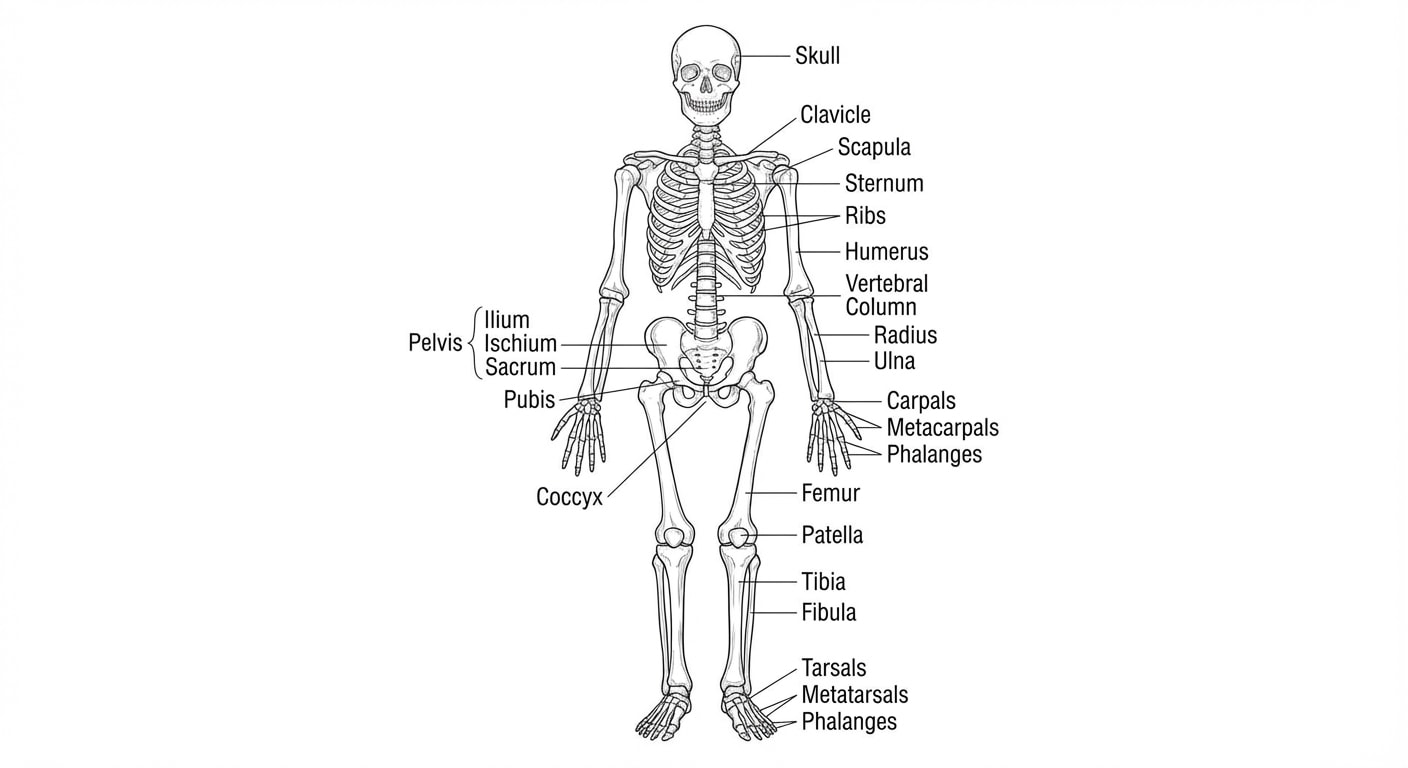
Prompt template: Create a medical textbook-style anatomy diagram of the human [system name] in a front view on a clean white background. Show major structures only with clear black label text and thin leader lines. Include labels for: [label list].
2. Individual Organs
Example: Heart cross-section, lungs with bronchi diagram, brain lobes and pathways, liver anatomy, stomach cross-section, eye anatomy, etc.
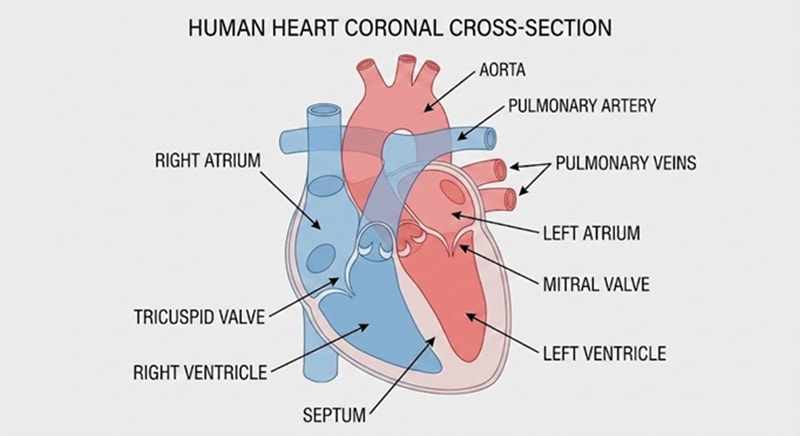
Prompt template: Create a medical diagram of a [organ] cross-section with accurate anatomy. View: [sagittal/coronal/transverse]. Include labels: [label list]. Use high-resolution, neutral background, thin lines, and clear spacing between labels.
3. Cells, Microbiology, and Inner Structures
Example: Human cell diagram, DNA structure, neuron diagram, blood cells (RBC, WBC, platelets), bacteria/virus structure diagrams, etc.
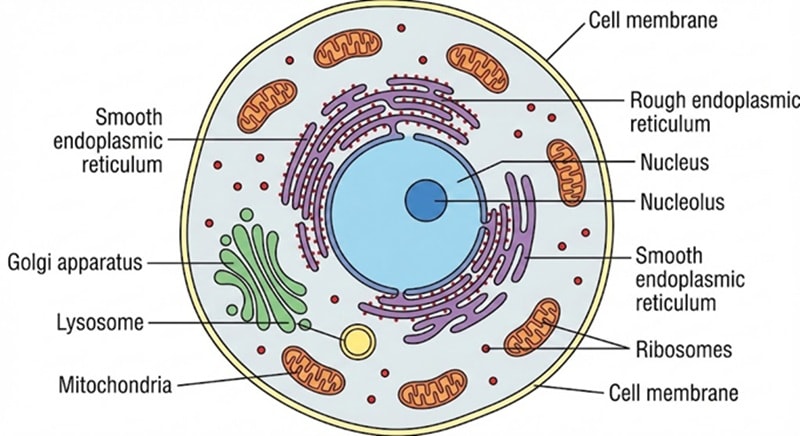
Prompt template: Create a textbook-style diagram of [cell type / structure] with simple color coding and accurate proportions. Label the following parts: [label list]. Use a plain background, consistent line thickness, and readable text.
4. Medical Equipment and Tools
Example: Heart monitor (ECG/EKG machine), ultrasound machine, X-ray machine, etc.
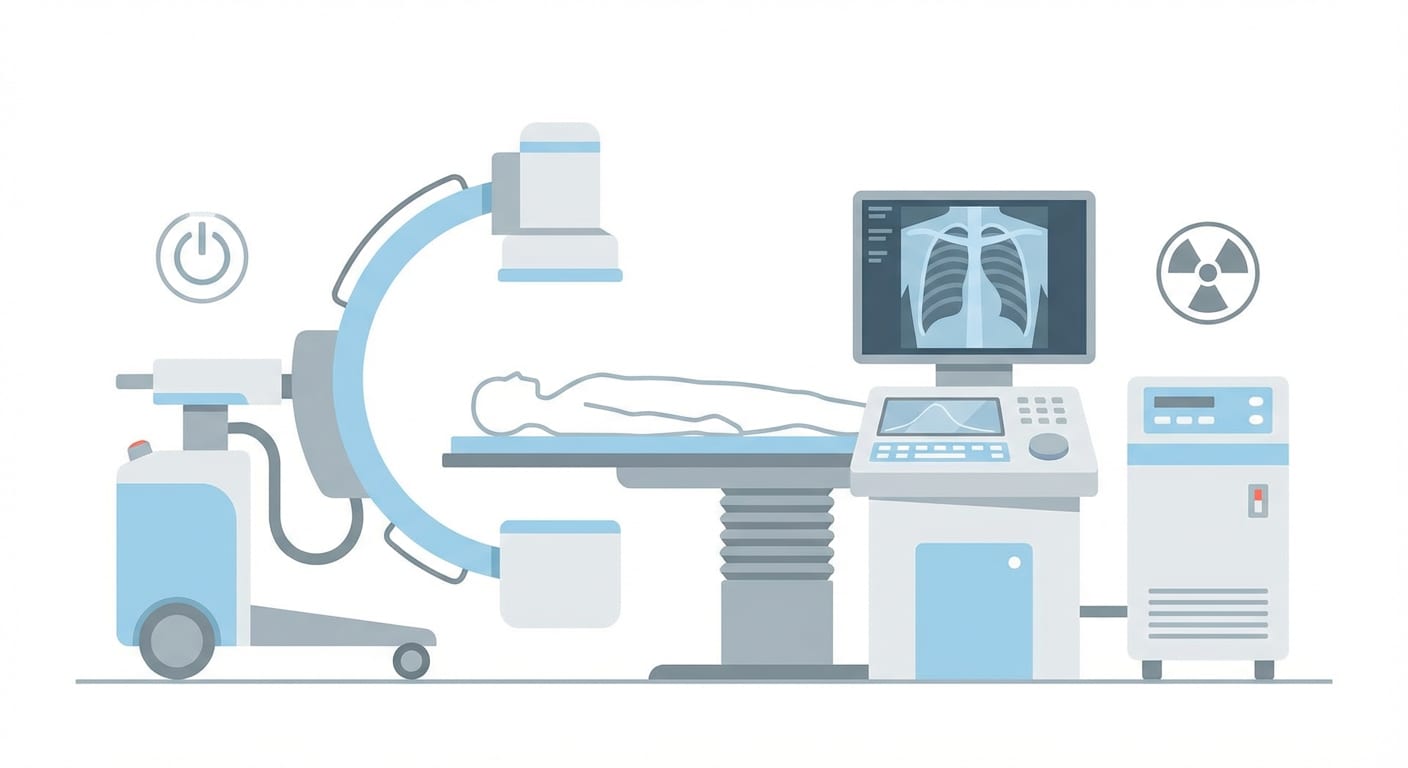
Prompt template: Create a flat vector-style illustration of an X-ray imaging machine suitable for medical presentations. Use minimalist design, clear shapes, and soft medical colors (light blue, gray, white). No dramatic lighting, no gradients, no brand markings, no background elements.
Part 4. How to Keep the AI Anatomy Illustration Accurate
While an AI anatomy illustration generator is helpful, one common limitation (and concern) of this tool is that it can sometimes mix up proportions or anatomical details. To reduce these issues, there are some tips you can implement.
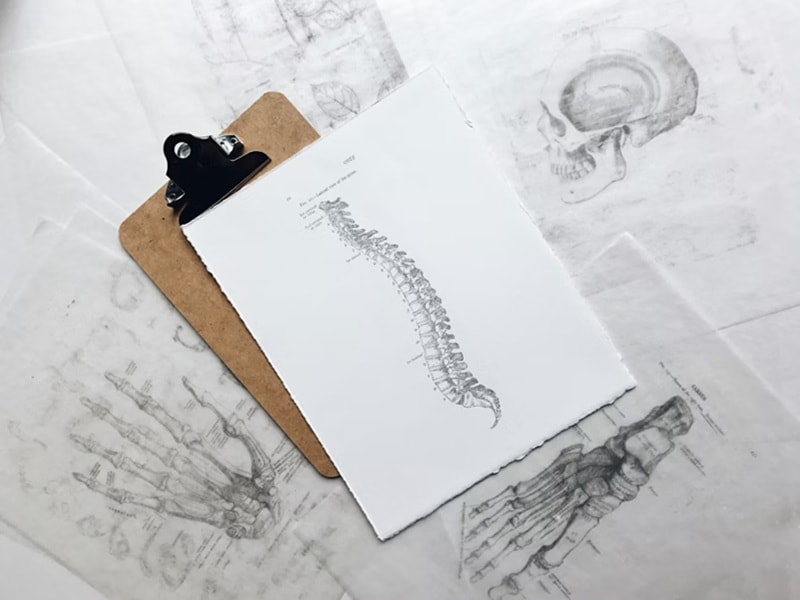
1. Collab with Healthcare Professionals
If you’re not a medical professional yourself, you can share your digital anatomy illustration with a doctor or nurse and ask for their feedback. They can help check accuracy and point out anything that needs correction before you use it.
2. Use Reference Image When Generating
Even if you don’t have someone you can ask for feedback, using a correct reference image when generating a medical illustration can help prevent the AI from getting key anatomy parts wrong.
An AI anatomy illustration generator like the one in Filmora gives you the option to upload a reference image, so the AI can follow the correct structure and proportions more closely.
3. Cross-check With Verified Anatomy Sources
Another step you can take on your own is to check credible anatomy sources and compare them with your illustration. See if the structure, proportions, and labels match what’s shown in textbooks or academic references.
4. Use Specific Anatomical Terms in the Prompt
Any AI medical illustration generators rely on prompts. The more specific your wording is, the better the AI understands what you want. For example, if you want to add labels to a certain part of the organs or structures, mention them directly in the prompt so the AI knows what to include.
Conclusion
Now, you don’t have to worry about having no drawing skills when you need a digital anatomy illustration. You can use Filmora to create these illustrations with AI, then refine them with labels, highlights, and other simple edits in one place.
As long as you use precise prompts, reliable references, and review the results carefully, AI can support your work rather than replace medical judgment. When used well, it becomes a practical way to create anatomy illustrations to help you communicate ideas clearly and accurately.

