
30+ Amazing 16-Bit Character Prompts
for Perfect AI-Generated Pixel Art
Explore a collection of 16-bit pixel art character designs created with our AI Character Generator. From retro gaming heroes to custom pixelated avatars, discover how 16-Bit AI Character Prompts can transform your ideas into stunning, nostalgic pixel art characters perfect for indie games, social media profiles, or digital collectibles.
Loading more templates...
 Category:
 Duration:
 Aspect Ratio:
Create Stunning 16-Bit Character Art
With AI-Powered Generation
In the world of digital creativity, 16-bit character art stands out with its distinctive pixel charm—capturing nostalgic aesthetics while allowing for modern artistic expression. When you leverage AI for 16-bit character generation, you're not just creating pixel art—you're crafting digital personas with personality and visual impact that resonates across platforms.
Ready to generate captivating 16-bit character art with AI technology? Meet Filmora. Its AI image generator (powered by the innovative Nano Banana Pro model) transforms your character concepts into professionally designed 16-bit art that evokes retro gaming nostalgia—all without pixel-by-pixel manual design or complex art software.
From AI Prompt to Perfect 16-Bit Character: Create Game-Ready Pixel Art in Seconds
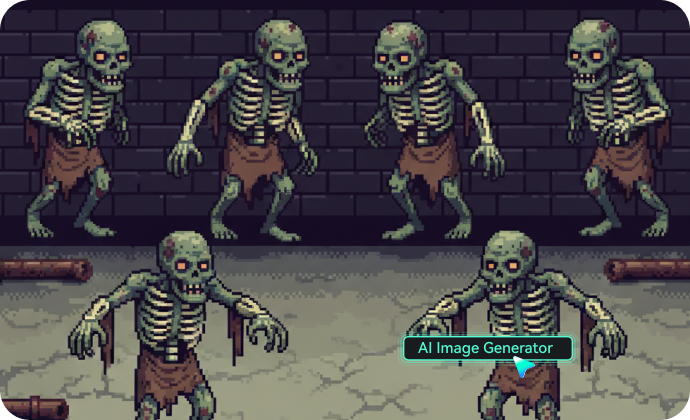
From AI Prompt to Perfect 16-Bit Character: Create Game-Ready Pixel Art in Seconds
Experience the power of advanced AI character generation combined with Filmora's intuitive interface! Simply input your character description into Filmora's AI Image Generator powered by Nano Banana Pro, and watch as your perfect 16-bit character materializes before your eyes—complete with authentic pixel aesthetics, balanced color palettes, and nostalgic charm that captures the golden age of pixel art.
- Authentic Pixel Details - From character sprite animations to background elements, every pixel is placed with purpose, creating that authentic 16-bit aesthetic.
- Perfect Color Palette Selection - The AI understands classic 16-bit color limitations while maximizing visual appeal within those constraints.
- Style Versatility - Generate RPG heroes, platformer protagonists, adventure game characters, or custom avatars that match your specific creative vision.
- Concept Preservation - Upload reference images and maintain your character's unique traits while enhancing the 16-bit visual quality and authenticity.
Beyond Generation: Filmora's Complete 16-Bit Character Enhancement Suite
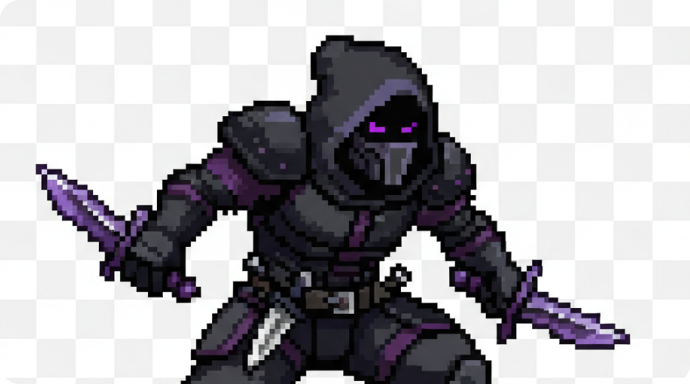
Beyond Generation: Filmora's Complete 16-Bit Character Enhancement Suite
Your 16-bit character creation journey doesn't end with AI generation—it's just the beginning. Filmora offers powerful tools specifically designed to elevate your pixel art characters:
- AI 16-Bit Style Enhancement: Automatically refines pixel consistency, optimizes color harmonization, and enhances character details while preserving authentic 16-bit aesthetics with Filmora's AI color palette.
- Premium 16-Bit Visual Effects with Professional Control: Transform characters with retro-inspired filters, adjust pixel density, apply classic game aesthetics, control sprite animation frames, and add subtle visual effects for that authentic game-ready finish.
From Static to Animated: Bring Your 16-Bit Characters to Life
From Static to Animated: Bring Your 16-Bit Characters to Life
The most captivating 16-bit characters aren't just visually impressive—they move with personality and charm. What if your pixel art character could walk, jump, or perform special moves with authentic retro animation? Filmora's AI Image to Video feature transforms your static 16-bit character designs into animated sprites with Nano Banana Pro technology, creating game-ready animations that capture the essence of classic gaming.
- 🎮 Game Development Ready - Animated 16-bit character sprites can be directly integrated into indie game projects, saving developers countless hours of animation work.
- 💼 Portfolio Enhancement - Animated pixel art characters add dynamic elements to design portfolios, game design proposals, or digital art collections.
- 💕 Character Development Made Easy - Transform a single character design into multiple animation cycles with walking, running, and action sequences—perfect for visualizing character concepts.
- 🎨 Creative Storytelling - Create 16-bit character scenes that flow seamlessly between actions and environments, with authentic pixel-perfect transitions that evoke nostalgic gaming experiences.
FAQs on AI 16 Bit Character Generator
How to Create 16-bit Style Characters
Using AI Generator in Filmora?
Generate nostalgic 16-bit pixel art characters with AI prompts in Filmora - perfect for retro gaming videos and pixel art animations.
Step 1 Activate AI Image Generator

Step 2 Create 16-bit Pixel Art Characters

Step 3 Export and Use Your 16-bit Characters

-
Step 1: Activate AI Image Generator
Open the latest version of Filmora, start a new project, and navigate to "Stock Media", then select "AI Image" from the Media panel. -
Step 2: Create 16-bit Pixel Art Characters
Choose the appropriate AI model, then enter your 16-bit pixel art character prompts, and click "Generate" to create authentic retro-style pixel characters. You can upload a reference image for style guidance, and click Generate to create your personalized 16-bit character designs. -
Step 3: Export and Use Your 16-bit Characters
After generating your pixel character, preview the image, download it, and drag it to your project timeline. Enhance your 16-bit character with Filmora's retro effects and pixel art tools, then export to use in gaming videos, animations, or social media content.
Step 1 Open the Filmora App on iOS or Android
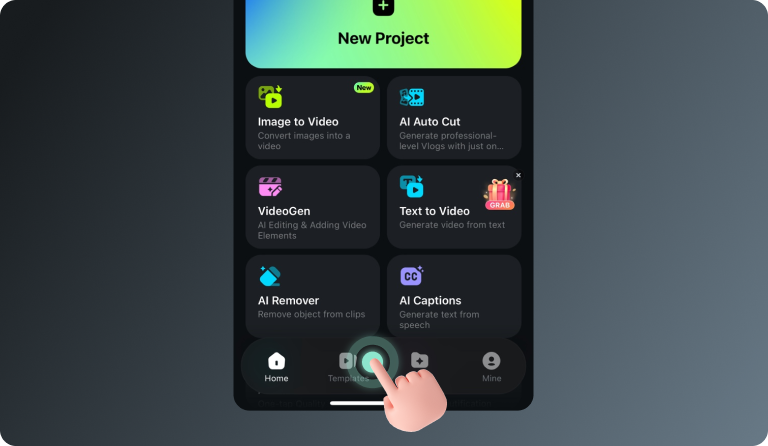
Step 2 Tap Templates and Find the Nano Banana Pro Collection
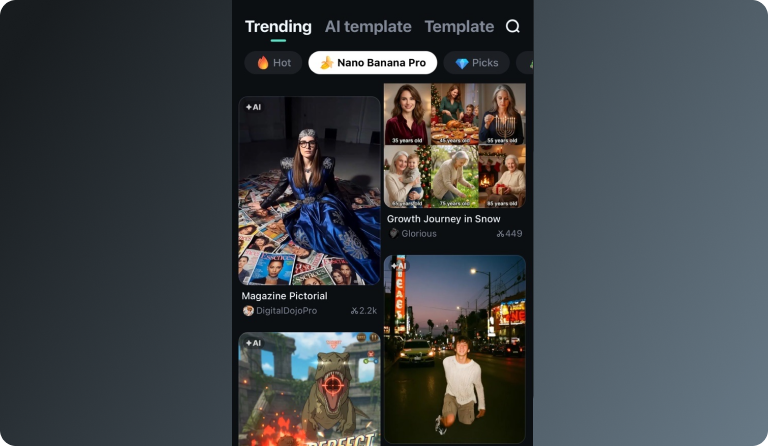
Step 3 Choose a Template and Create Your Video
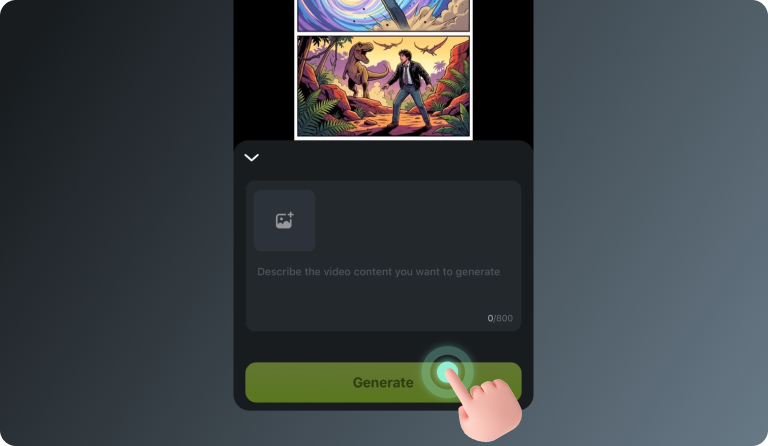
-
Step 1: Open the Filmora App on iOS or Android
Launch Filmora on your mobile device. Make sure you’re using the latest version to access the newest templates and AI features. -
Step 2: Tap Templates and Find the Nano Banana Pro Collection
Go to the Templates tab and scroll to the Nano Banana Pro category. Here you’ll find a variety of trending styles designed specifically for the Nano Banana Pro gameplay videos. -
Step 3: Choose a Template and Create Your Video
Select a template you like and tap Use. Enter your prompt or upload a reference image, then let Filmora generate your Nano Banana Pro–style video automatically.
Discover More Than Just
a 16-Bit Character Generator
Go beyond creating simple pixel characters. Generate detailed 16-bit heroes, enemies, and NPCs with authentic retro shading, colors, and sprite-style animation. Transform basic prompts into AI-generated 16-bit pixel art characters ready for games, concept art, and creative projects.








