

 100% Security Verified | No Subscription Required | No Malware


 ChatGPT
 Perplexity
 Gemini
 Claude
 Grok
Grok
Premiere Pro is one of the most popular video editors today, but many beginners say it can feel a little overwhelming at first. Still, if your timeline looks a bit plain, using motion graphics templates for Premiere Pro is one of the easiest ways to give your video a professional touch without starting from zero.
The good news is, you can find motion graphics templates Premiere Pro free from plenty of reliable websites, and most of them are super easy to tweak once you get the hang of it. The tricky part is usually finding the right style, installing those .mogrt files, and learning how to edit them properly.
That's exactly what this guide is here for. Scroll down, and let's make your project look amazing.
In this article
Part 1. Where to Find and Use Motion Graphics Templates in Premiere Pro
Motion graphics templates in Premiere Pro, also known as MOGRTs, are pre-made designs that you can easily customize to create animated titles, transitions, or any kind of dynamic visual. They save a lot of time because you don't have to build everything from scratch.
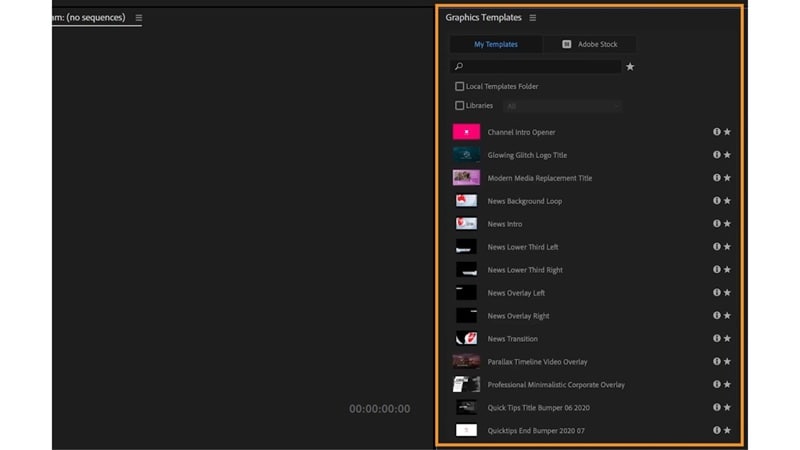
You can find them right inside Premiere Pro by opening the Graphics Templates panel and switching to the My Templates tab. From there, it's all about dragging, dropping, and adjusting until it fits your style.
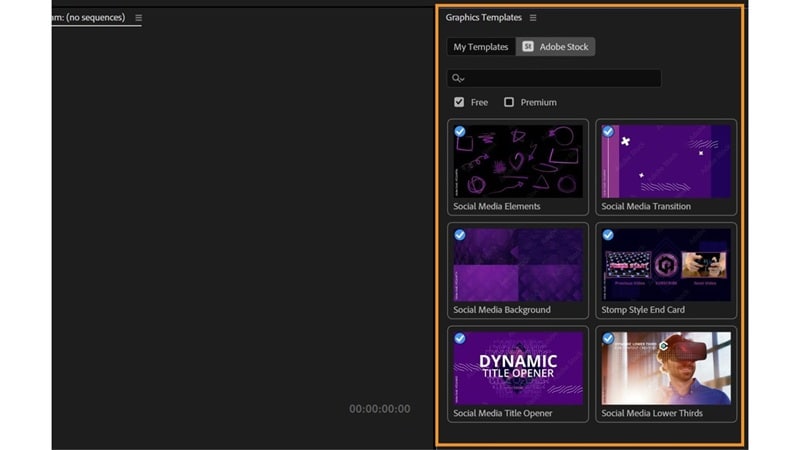
Premiere Pro also gives you direct access to Adobe Stock, which offers thousands of Adobe motion graphics templates ready to use. Just click the Adobe Stock category inside the panel, and you'll instantly find a variety of polished motion graphics designed by professionals. You can browse, preview, and license them without ever leaving the app.
Creative Ways to Use Motion Graphics in Premiere Pro
These templates come in all kinds of designs that can instantly lift your edit from simple to cinematic. Below are some creative ways to use them and bring extra movement and personality to your videos.
Titles & Lower Thirds

These motion graphics templates for Premiere Pro help you introduce names, places, or short details in a way that feels natural and polished. They work especially well for interviews, tutorials, or corporate videos where you want your visuals to stay organized and easy to follow.
Animated Transitions

With these, you can easily create stylish cuts using effects like glitches, slides, and cinematic fades. They bring rhythm and energy to your edits, making your video feel more like a finished production rather than just stitched clips.
Callouts & Infographics
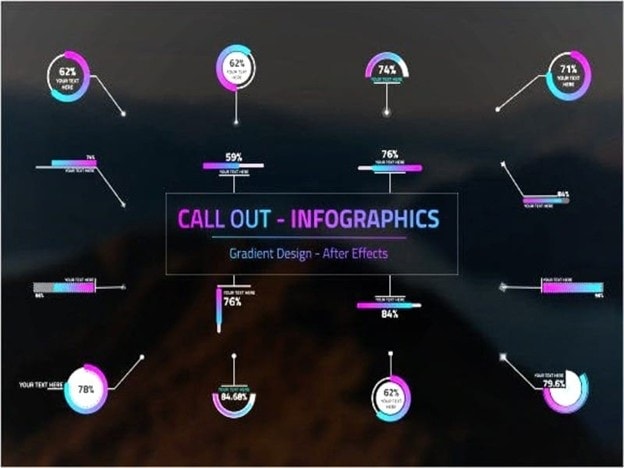
Callouts and infographics are great for highlighting key details or breaking down data in a way that's easy to follow. You can add animated pointers to emphasize products, features, or stats while keeping everything clean and professional.
Logo Reveals & Intros

These motion graphics templates for Premiere Pro highlight your brand using motion, light flares, or shape effects that leave a lasting impression. You can keep it simple with smooth fades or go bold with particles and glow effects.
Part 2. Download Premiere Pro Motion Graphics Templates Online
If the built-in options are not enough, there are many trusted sites where you can download motion graphics templates for Premiere Pro in both free and premium versions. These platforms offer flexible designs for all kinds of projects, from business videos to tutorials and creative edits.
With just a few clicks, you can find templates that match your style and give your videos a more refined and professional feel. So, let's explore them right now!
1. Motion Array
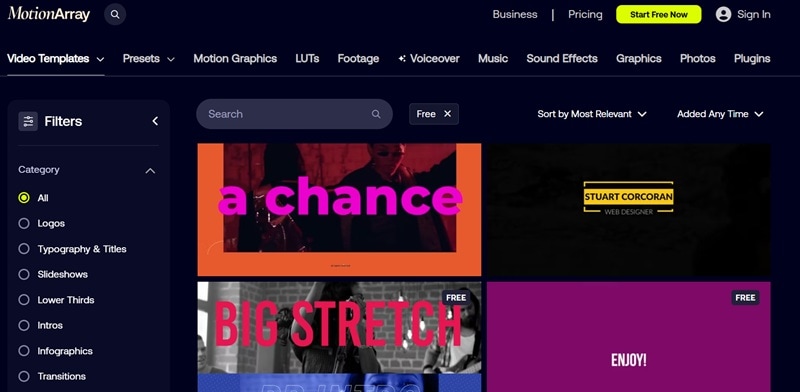
Motion Array is a one-stop creative shop that currently sells thousands of motion graphics for Premiere Pro templates, such as titles, transitions, and intros. It has a huge library filled with both free and premium templates that fit almost any editing style or purpose. One great example is the Minimal Title Pack, which features smooth typography animations perfect for YouTube content or business videos.
License: Free templates come with a royalty-free license, while a paid plan gives you unlimited access to professional materials you can use in your projects anytime.
2. Jitter
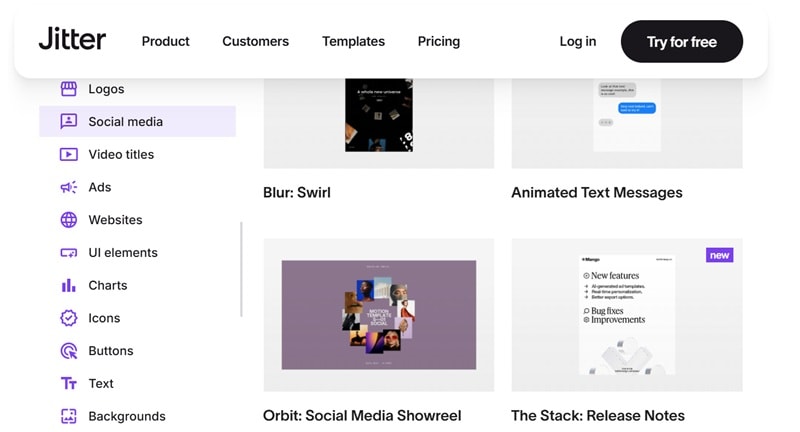
Jitter provides clean and modern motion graphics templates for Premiere Pro that are perfect for social media videos. Everything is designed to be simple and easy to adjust, with quick controls for fonts, colors, and animation timing right in your browser. A popular pick is the Social Media Text Animation Template, which helps creators produce eye-catching posts that stand out in any feed.
License: Free templates have an attached credit, and on-premium users have access to the extended rights to commercial projects.
3. Mixkit
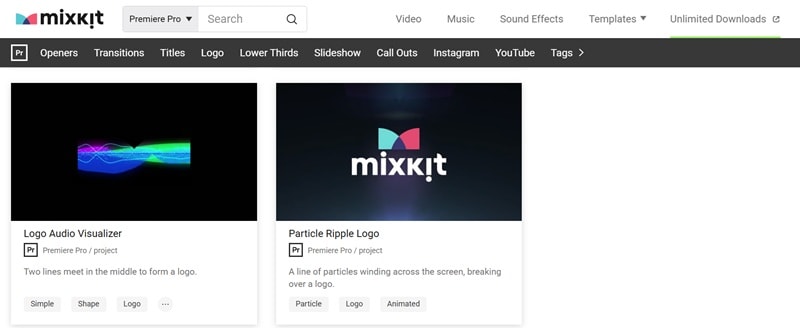
Mixkit provides a hand-selected collection of totally free motion graphics templates for Premiere Pro, created by professional designers from Envato. You can explore a wide variety of title animations, transitions, overlays, and logo reveals that work well for everything from social media edits to commercial projects. One standout example is the Particle Ripple Logo template, which features a smooth burst of glowing particles forming your logo.
License: All assets come under a free license, allowing unlimited personal and commercial use without registration or subscription.
Part 3. How to Use Motion Graphics Templates in Adobe Premiere Pro
Motion graphics templates usually come as .mogrt files, and adding them to Premiere Pro is surprisingly simple once you know where to look. You can follow along easily, even if you're just starting out.
Guided by tutorials from Mogrts on YouTube, here's a quick way to install and start using these motion graphics templates for Premiere Pro in your projects without any hassle:
Step 1: Download your chosen template from one of the sources mentioned earlier.
Step 2: Open the Graphics Templates panel.
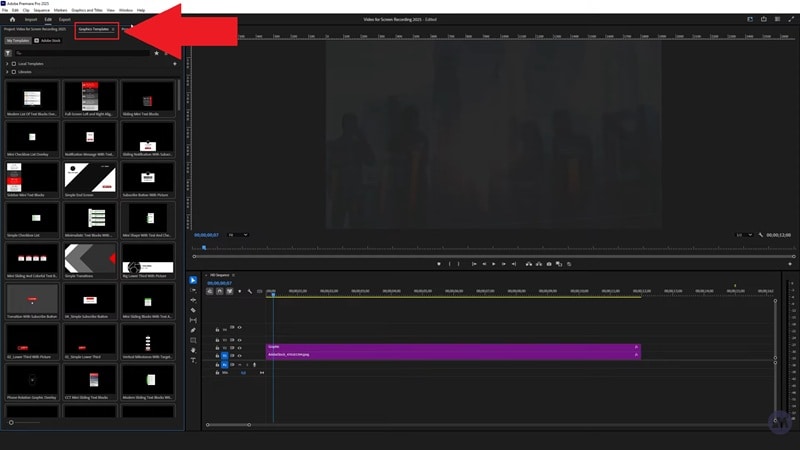
Step 3: Click the plus (+) icon to install your template, then select the .mogrt file. Once added, it will appear under My Templates.
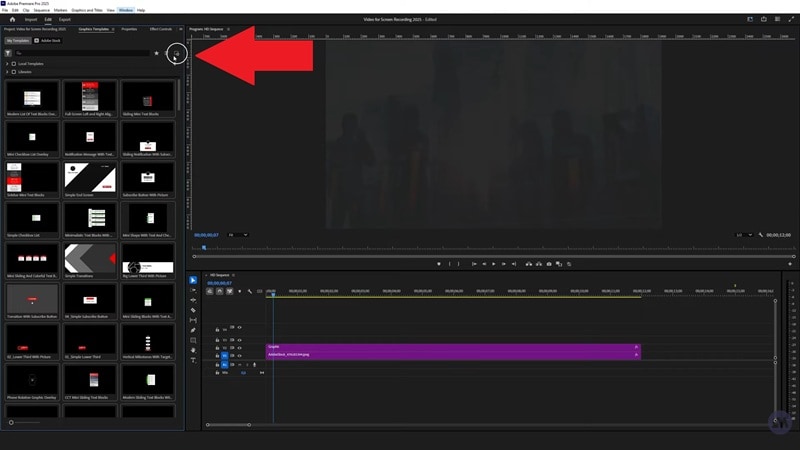
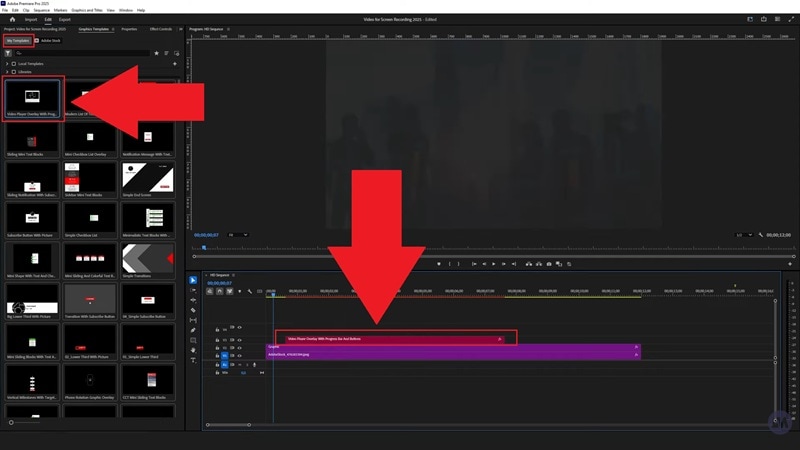
Step 4: Drag the template onto a video track above your footage to place it in your project.
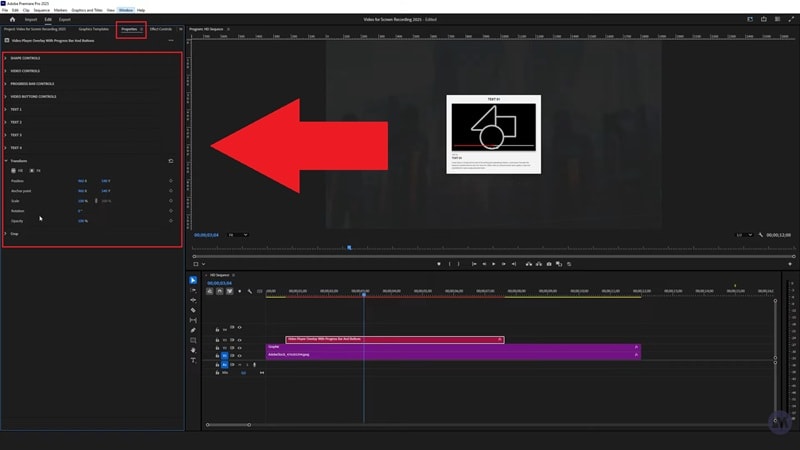
Step 5: Select the clip and go to the Properties panel to customize it. You can adjust the text, colors, fonts, and size to match your video's look and feel.
To maintain consistency, have a visual standard in place before using templates, such as typeface, tone, and animation behavior. Store the common settings as presets to be used in the upcoming projects.
This is an intuitive workflow enabling creators to easily add Adobe Motion Graphics Templates to their own pipeline, creating professional-quality motion without having to learn and apply a lot of knowledge related to animation.
Part 4. Find More Motion Graphic Templates Built into a Video Editor
While the motion graphics templates for Premiere Pro work beautifully, the editor itself can sometimes feel heavy and time-consuming. It gives you total control, but that control comes with endless panels, long render times, and a learning curve that can slow your creative flow.
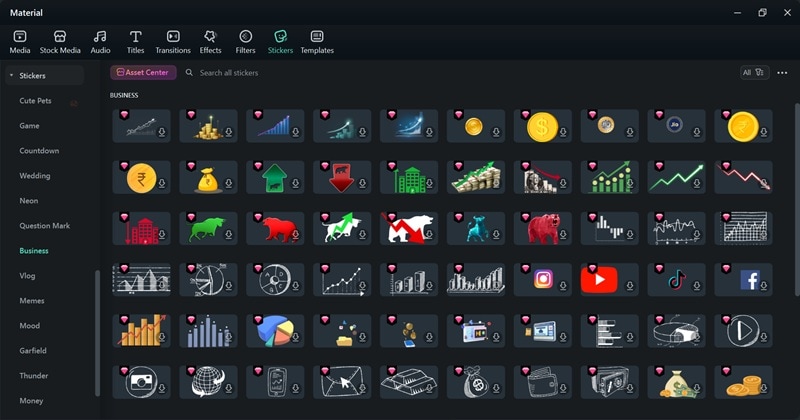
If you want fewer moving parts, a lighter learning curve, and quick stylized looks, Wondershare Filmora is a strong alternative. It packs a big built-in library so you can add polished graphics without juggling multiple panels or apps.
Why Filmora is the Smarter Solution
- Extensive Library: Filmora includes hundreds of built-in titles, transitions, overlays, and motion graphics that are ready to use straight from the editor.
- Deep Customization: Each template can be personalized with your own fonts, colors, and movement styles, giving your videos a unique touch without the technical struggle.
- Third-Party Integration: Filmora also supports professional plugins like Boris FX and NewBlue FX, giving you advanced motion tools similar to what you'd find in high-end editors.
- Efficient and Lightweight: Even on mid-range systems, Filmora previews complex effects and motion graphics without freezing or lagging.

 secure download

Premiere Pro vs Filmora: Comparison
When it comes to motion graphics templates for Premiere Pro versus Filmora's built-in library, both have their strengths. To get a clearer picture, take a look at how they stack up side-by-side in the comparison table below.
| Feature | Premiere Pro | Filmora |
| Library Access | Templates, Adobe Stock | Large built-in pack of titles, callouts, transitions, overlays |
| Ease of Use | Powerful but panel-heavy; deeper learning curve | Very straightforward; edit controls are front and center |
| Speed to First Result | Medium; install, place, then customize | Fast; drag, type, tweak, done |
| Advanced Control | Deep if you own/know After Effects | Deep enough for most edits, simpler interface |
| Performance | Heavier with complex templates | Generally lighter and smoother previews |
| Best For | Editors who want granular control and AE-level depth | Creators who want fast, great-looking results with less setup |
Verdict:
- Filmora offers a wider range of pre-created transitions, such as zoom, glitch, and light VFX, which can be used by creators who want to achieve instant impact but do not require any technical expertise.
- The MOGRT ecosystem that is presented in Premiere Pro, on the other hand, is all about the power to exercise control to an extent that no other tools can match, allowing an editor to create complex, bespoke animations with a professional touch.
secure download Conclusion
Motion Graphics Templates in Premiere Pro fill the industry gap between creativity and productivity. You can either use free motion graphics templates in Premiere Pro or you can consider using premium Adobe Motion Graphics Templates. These tools will enable you to create movie visuals that will connect with audiences.
However, Premiere Pro can sometimes demand more time and technical effort than most casual creators prefer. For those who want a smoother experience without sacrificing quality, Filmora offers a practical alternative. Its built-in motion graphics, ready-to-use effects, and easy editing tools let you create eye-catching visuals faster, while still keeping everything stylish and professional.
