Explore Halloween Text Templates and Title Effects
Preview Spooky text effects, Scary text effects, and Horror text effects with metallic, neon, smoky, vintage, gothic, and glowing styles
Loading more Halloween Text...
 Category:
 Duration:
 Aspect Ratio:
Create Memorable Halloween Titles With Filmora
Explore Halloween typography, Halloween title effects, and animated Halloween text for different moods and formats. Filmora lets you customize title styles, refine text readability, and animate words with spooky reveals and cinematic effects. Use Filmora's text animation tools to create eye-catching Halloween intros, social videos, and festive title sequences.
Choose Halloween Text Styles That Set the Mood
Choose Halloween Text Styles That Set the Mood
Start with a title style that fits your Halloween theme. Gothic lettering and distressed textures work well for horror stories, while glowing text and bold animated titles can bring energy to Halloween party videos. Filmora's text animation tools help you customize title presets and create a visual style that matches your footage.
- Choose gothic, cracked, smoky, or distressed lettering for eerie horror scenes.
- Use glowing orange, neon, or bold decorative titles for Halloween parties and social content.
- Adjust font styles, colors, outlines, and shadows to keep your titles consistent with the overall theme.
Customize Halloween Titles for Clear, Striking Text
Customize Halloween Titles for Clear, Striking Text
Make your Halloween titles stand out by adjusting the wording, font size, spacing, alignment, and color. Keep your message readable against dark backgrounds, busy footage, or glowing effects. Filmora's AI Copywriting can help you brainstorm short Halloween hooks, event announcements, and captions before styling them into animated titles.
- Keep title wording concise so viewers can understand the message at a glance.
- Add outlines or shadows to improve contrast against detailed or moving backgrounds.
- Use consistent capitalization, spacing, and color combinations across your Halloween video.
Animate Halloween Text With Spooky Reveals
Animate Halloween Text With Spooky Reveals
Bring Halloween titles to life with animated reveals, glowing text, flickering effects, and dramatic motion. Use Halloween text animation to build suspense in horror intros or create energetic title sequences for seasonal promos. Combine animated titles with video effects and sounds from Filmora's AI Sound Effect Generator to create a more immersive viewing experience.
- Use quick impacts, glitches, and flickering reveals for suspenseful horror titles.
- Try slow fades, smoky reveals, and glowing animations for an eerie atmosphere.
- Sync text movement with sound cues and scene transitions, keeping animations short enough for easy reading.
Frequently Asked Questions About Halloween Text
How to Add Halloween Text in Filmora
Choose a title, replace the wording, and customize Halloween text in three simple steps inside Filmora.
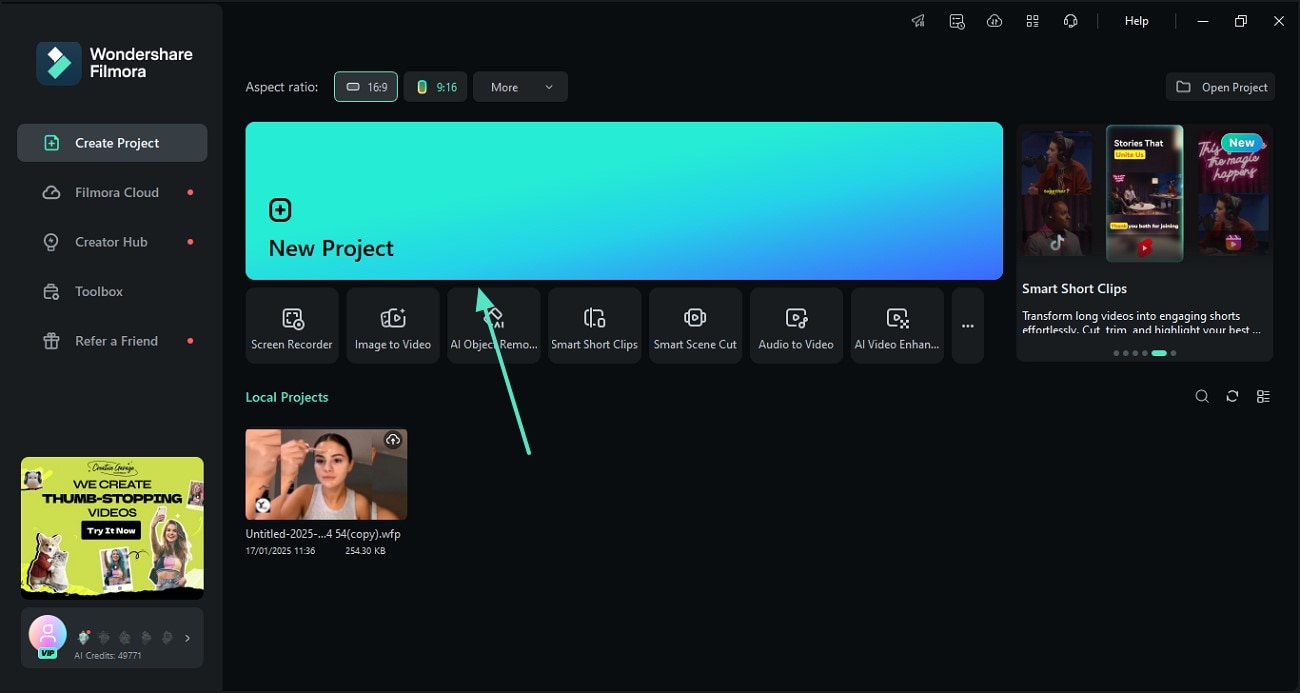
Step 1 Import Video and Open Titles
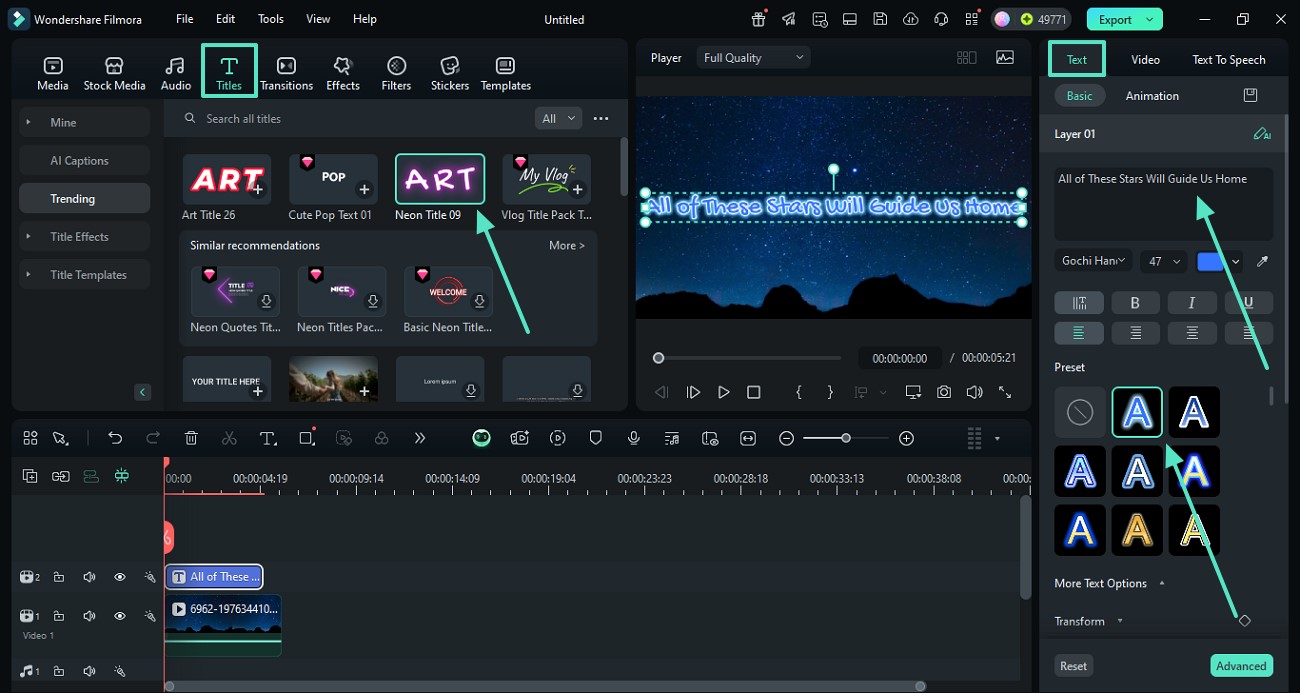
Step 2 Choose a Halloween Title Template
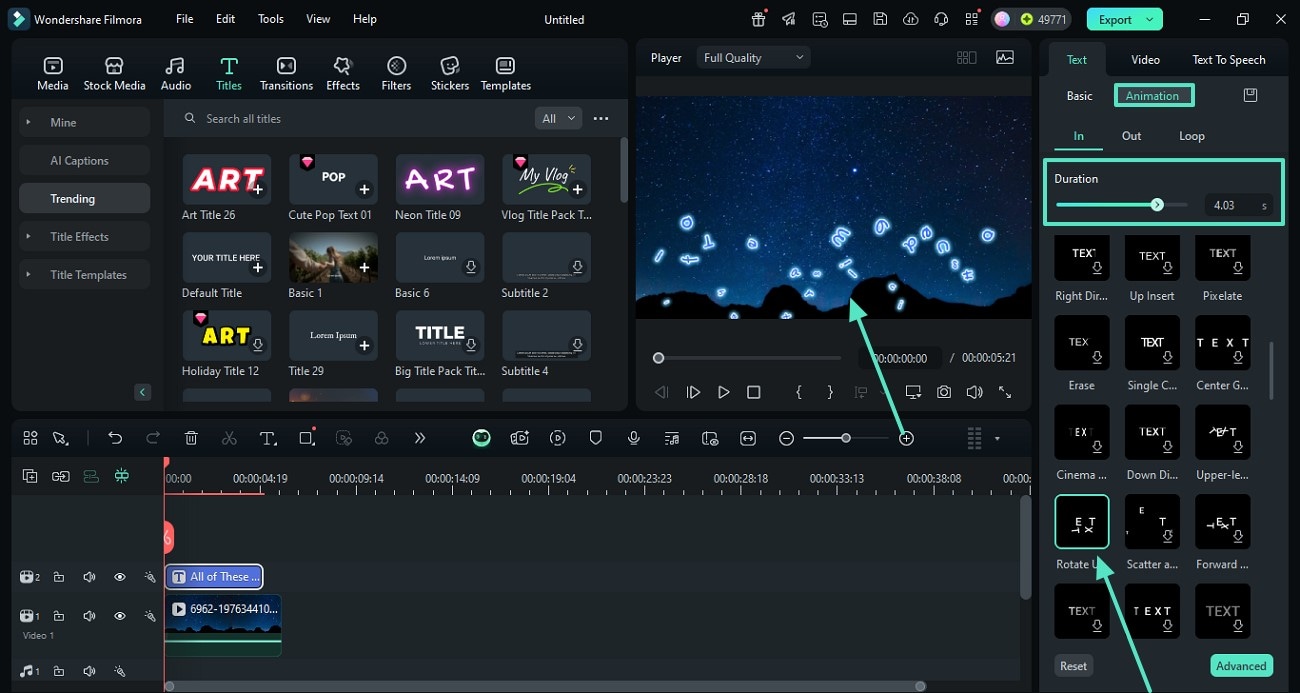
Step 3 Customize Text and Animation
-
1: Import Video and Open Titles
Import your video, place it on the timeline, and open the Titles panel to browse text styles and animated title presets. -
2: Choose a Halloween Title Template
Preview the Halloween title templates, then download and drag your preferred design to a track above the footage on the timeline. -
3: Customize Text and Animation
Replace the sample wording, then adjust the font, color, size, outline, position, duration, and animation before previewing the finished title.