
Multi-Frame Templates & Scene Ideas
Explore ready-to-use split-screen templates for travel, dance, reaction, tutorials, and more
Loading more multi frame templates...
 Category:
 Duration:
 Aspect Ratio:
Multi-Frame Video Templates: Designed for Lightweight Creators
New Multi-Frame Video Templates are pre-configured with split-screen layouts, media slots, animations, playback rhythm, and overall visual packaging. Users don't need to build a timeline from scratch or manually adjust complex parameters — simply select a template, replace the media, and export a dynamic multi-frame video with professional-grade effects.
Typical use cases: Multi-camera performances (dance/singing/interviews), tutorial/knowledge content (screen recording + host), before/after comparisons or product reviews, reaction videos or duet-style co-creations, and gaming/streaming highlights with multi-zone layouts.
Replace Media Without Rebuilding
Replace Media Without Rebuilding
No need to delete template sample media or rebuild the split-screen structure. Simply click on a media slot and replace it with your own photo or video. The operation is intuitive and significantly shortens the path from template selection to project completion. Template presets — including layout, animation rhythm, transitions, and visual effects — are all preserved.
- Direct Replacement - Intuitive slot-based replacement, no timeline rebuilding.
- Preserve Advanced Animations - All keyframes, masks, and motion parameters stay intact.
- Zero Learning Curve - No need to learn keyframing, masking, cropping, or motion parameters.
Professional Quality, Less Effort
Professional Quality, Less Effort
After replacing media, the template's pre-configured split-screen layouts, animation rhythm, transition relationships, and visual effects all remain intact. Users get professionally designed dynamic split-screen results without ever touching keyframes, masks, cropping, or motion parameters. What You Replace Is What You Get — preview the final effect instantly after each media swap.
- Preset Animations - All motion, rhythm, and transitions are pre-configured.
- Instant Preview - See the final result immediately after media replacement.
- Consistent Quality - Every template delivers a polished, professional-grade look.
Faster Editing, More Control
Faster Editing, More Control
Filmora's video templates provide a unified, high-quality visual framework, while media replacement preserves room for personalized expression. Even when different users apply the same template, they can generate content that fits their own themes — by swapping in their own people, scenes, products, or photos. The result is efficient creation without sacrificing individuality.
- Unified Framework - Consistent high-quality visual packaging across all templates.
- Personal Expression - Swap in your own media to tell your unique story.
- Versatile Scenarios - Perfect for travel, dance, reaction, tutorials, comparisons, and more.
Frequently Asked Questions About Multi-Frame Video Templates
- multi-camera performances (dance/singing/interviews)
- tutorial/knowledge content (screen recording + host)
- before/after comparisons or product reviews
- reaction/duet-style co-creations
- gaming/streaming highlights with multi-zone layouts
How to Use Multi-Frame Video Templates in Filmora
Create professional split-screen videos in just three simple steps — no technical skills required.
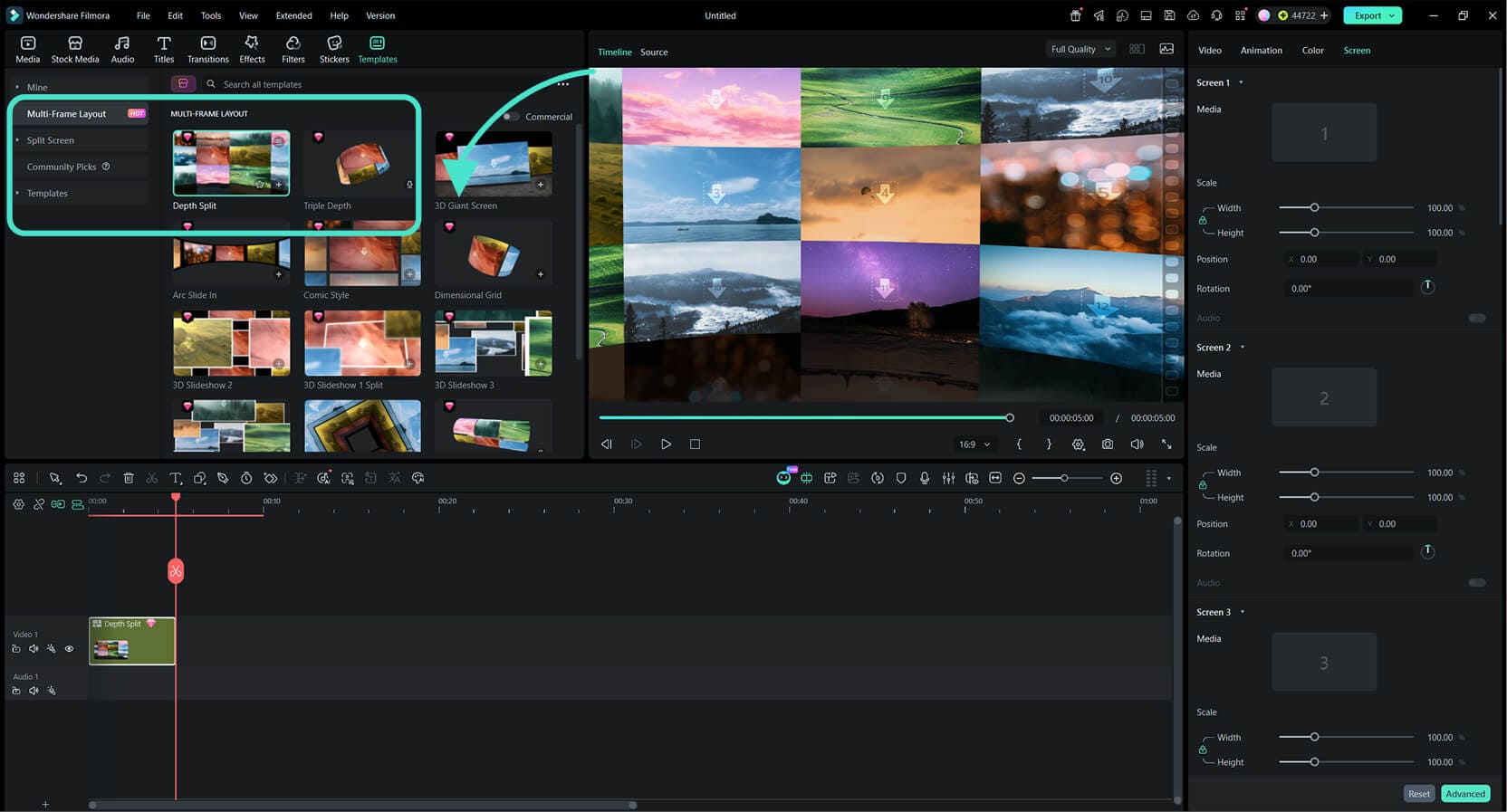
Step 1 Select & Enter a Template
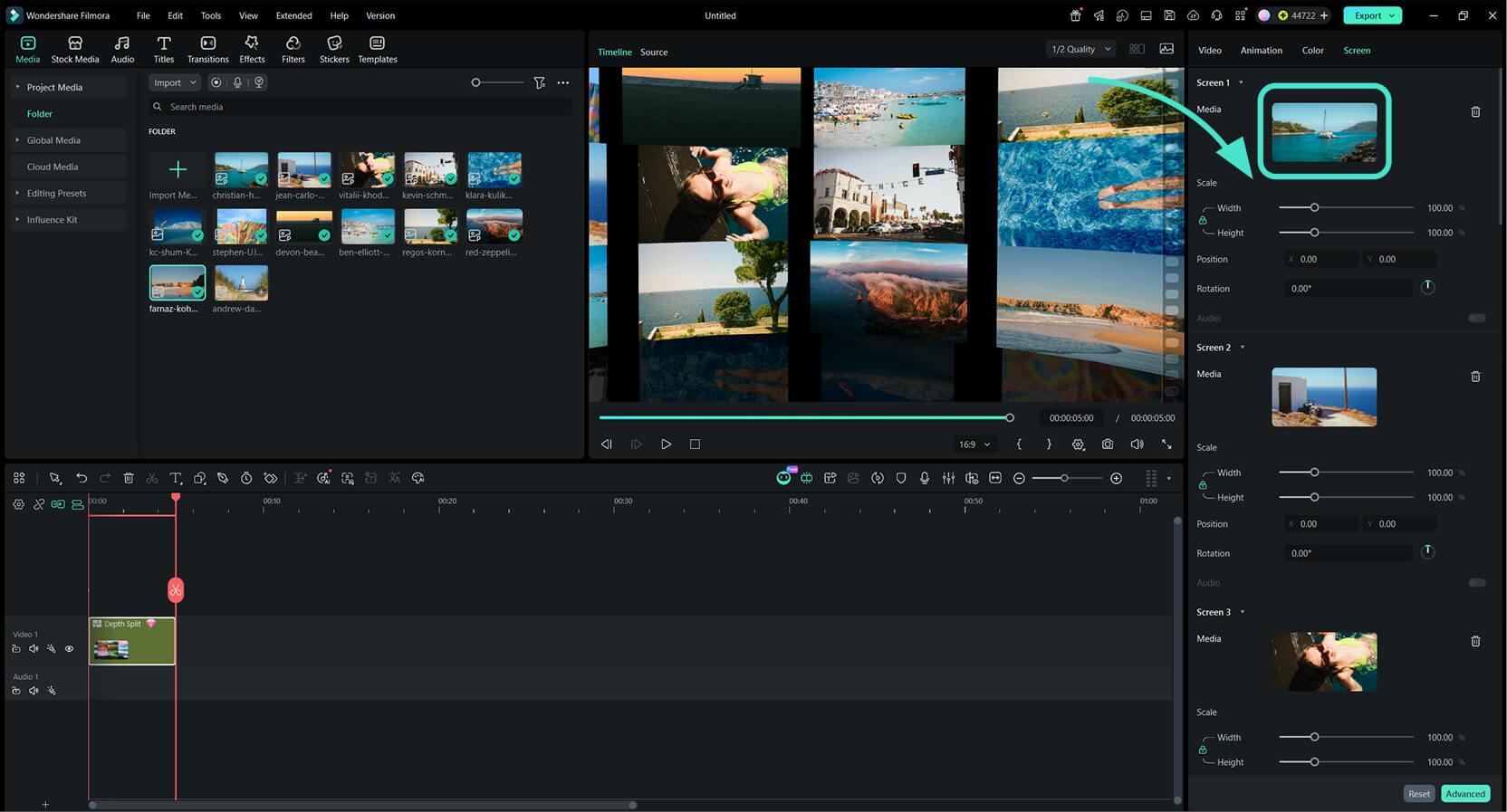
Step 2 Replace with Your Media
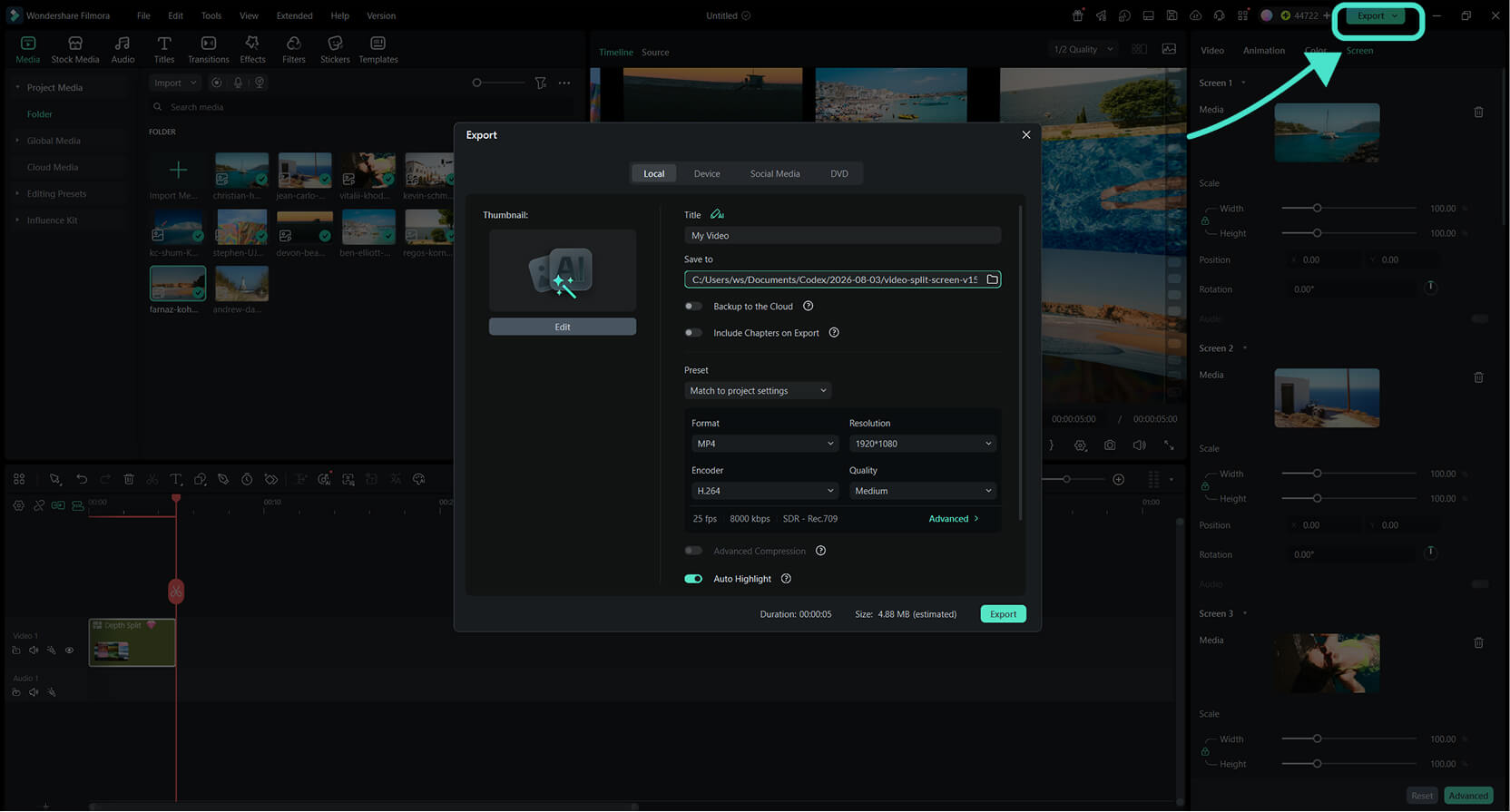
Step 3 Preview & Export
-
1: Select & Enter a Template
Go to Templates → Multi-Frame Layout, browse the collection, and pick a template. Click to enter the editing interface with pre-arranged media slots. -
2: Replace with Your Media
Click on any media slot and replace the sample photo or video with your own. The template's layout, animations, and rhythm are all preserved. -
3: Preview & Export
Preview the final effect instantly, make any fine-tuning if desired, then export your professionally styled multi-frame video.
