


 TL;DR:
Adobe Express is a free, watermark-free online video editor that remains a practical choice in 2026 for beginners creating quick short-form social media clips, but creators requiring advanced editing control should consider Wondershare Filmora.
● The free tier operates directly in web browsers, Android, and iOS, but specific features like video background removal and premium stock assets are locked behind a $9.99 per month Premium plan, which is already included for existing Creative Cloud subscribers.
● Editing inside Adobe Express relies on a simple scene-based structure with very basic audio controls, meaning it struggles with timeline management for long videos and is strictly optimal for short promos, TikToks, or school presentations.
● Wondershare Filmora serves as the recommended alternative for Windows, macOS, and mobile users because it replaces the scene-based layout with a full multi-track timeline and provides deep AI audio denoise, smart scene cuts for long content, and AI text-to-video generation.
Ask AI for a summary
 ChatGPT
 Perplexity
 Gemini
 Claude
 Grok
Grok
Adobe is such a well-known name in the creative world, and over the years, Adobe has kept upgrading and expanding its tools. One of the biggest moves is introducing an online free video editor called Adobe Express.
For budget-friendly editors, this sounds like great news, so it makes sense that many are curious about this new Adobe Express video editor and whether it actually delivers.
So, in this review, we’ll dig into what Adobe Express online can really do, who it’s best for, and whether it’s worth using in 2026.
Part 1. A Quick Snapshot of Adobe Express Video Editor
Before getting too deep into video editing in Adobe Express, it helps to step back and see what this tool really is at a glance. This quick overview should make it easier to tell whether the Adobe Express video maker is something that actually fits your workflow:
| Feature | Overview |
| Editing Features | Templates, trim, split, text, filters, and transitions |
| AI Features | Auto captions and background removal |
| Ease of Use | Beginner-friendly with a drag and drop layout and no learning curve |
| Performance & Speed | Runs smoothly online for short videos with fast previews and quick exports |
| Value for Money | Free to use with no watermark, with a paid plan for premium assets and extra features |
Part 2. Free or Paid? Let’s Talk About the Price Tag
Adobe Express works right in your browser and on mobile for both Android and iOS, so it’s easy to start using right away. And yes, Adobe Express is free. You can use Adobe Express for free to edit your videos, and export them without a watermark.
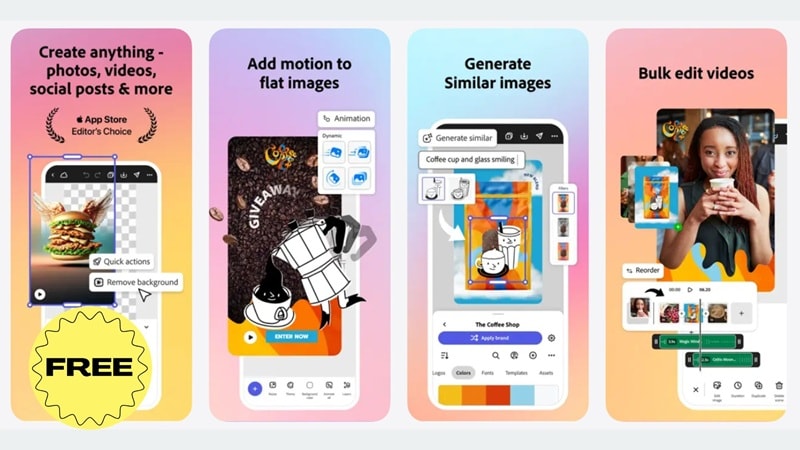
Here’s what you get with the free version:
- Create and edit videos online.
- Export videos with no watermark.
- Use basic templates and editing tools.
- Perfect for quick edits and simple projects.
If you want more, there’s also a paid option. Adobe Express pricing starts at $9.99 per month for the Premium plan. The Adobe Express price unlocks:
- More video templates.
- Premium stock photos, videos, and music.
- Extra design and editing tools.
One thing worth noting is that Adobe Express Premium is already included if you have Creative Cloud Pro, Creative Cloud All Apps, or certain Single App plans. So if you already pay for Adobe software, you might already have access without realizing it.
Part 3. What You Can Actually Do with Adobe Express
Adobe Express video editing keeps things simple and convenient. Since it works online, you do not need to download Adobe Express or install anything on your computer. And inside the Adobe Express online video maker, you will find a few core features that cover most basic needs, and we will walk through them one by one below.
Extensive Video Templates That Save You Time
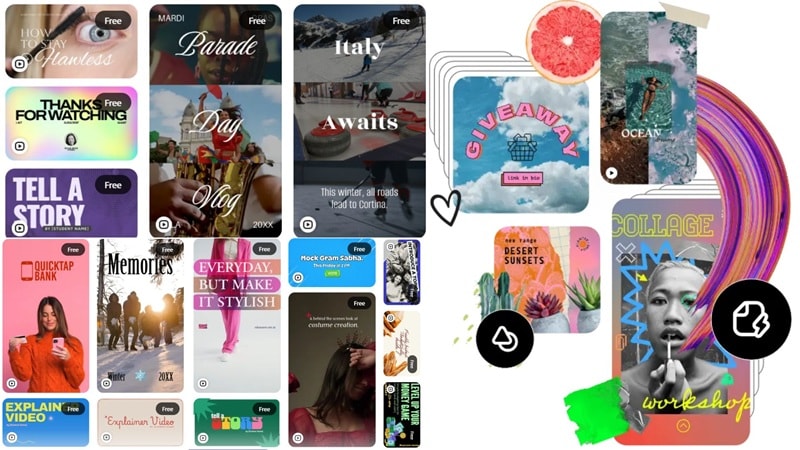
One of the most well-known strengths of Adobe Express free video maker is its wide range of video templates. After you upload your clip, you can choose from ready-made layouts for TikTok, Instagram, YouTube Shorts, promos, and presentations. These templates make it easy to get a polished look fast without designing everything from scratch.
Built-In Elements and Stock Media
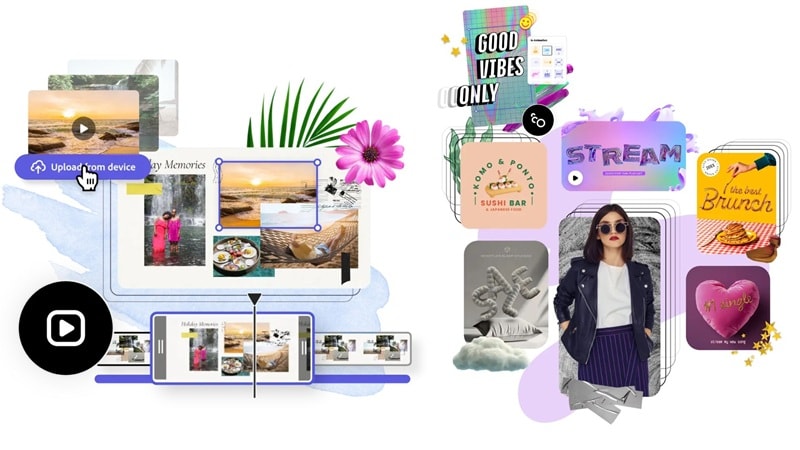
Other than Adobe Express video templates, you can also choose from tons of royalty-free stock images, videos, icons, text styles, and audio tracks right inside the editor. You can also upload your own photos, clips, and music if you prefer using personal content. This makes Adobe Express online video maker feel like an all-in-one toolbox.
Reliable Basic Editing Tools
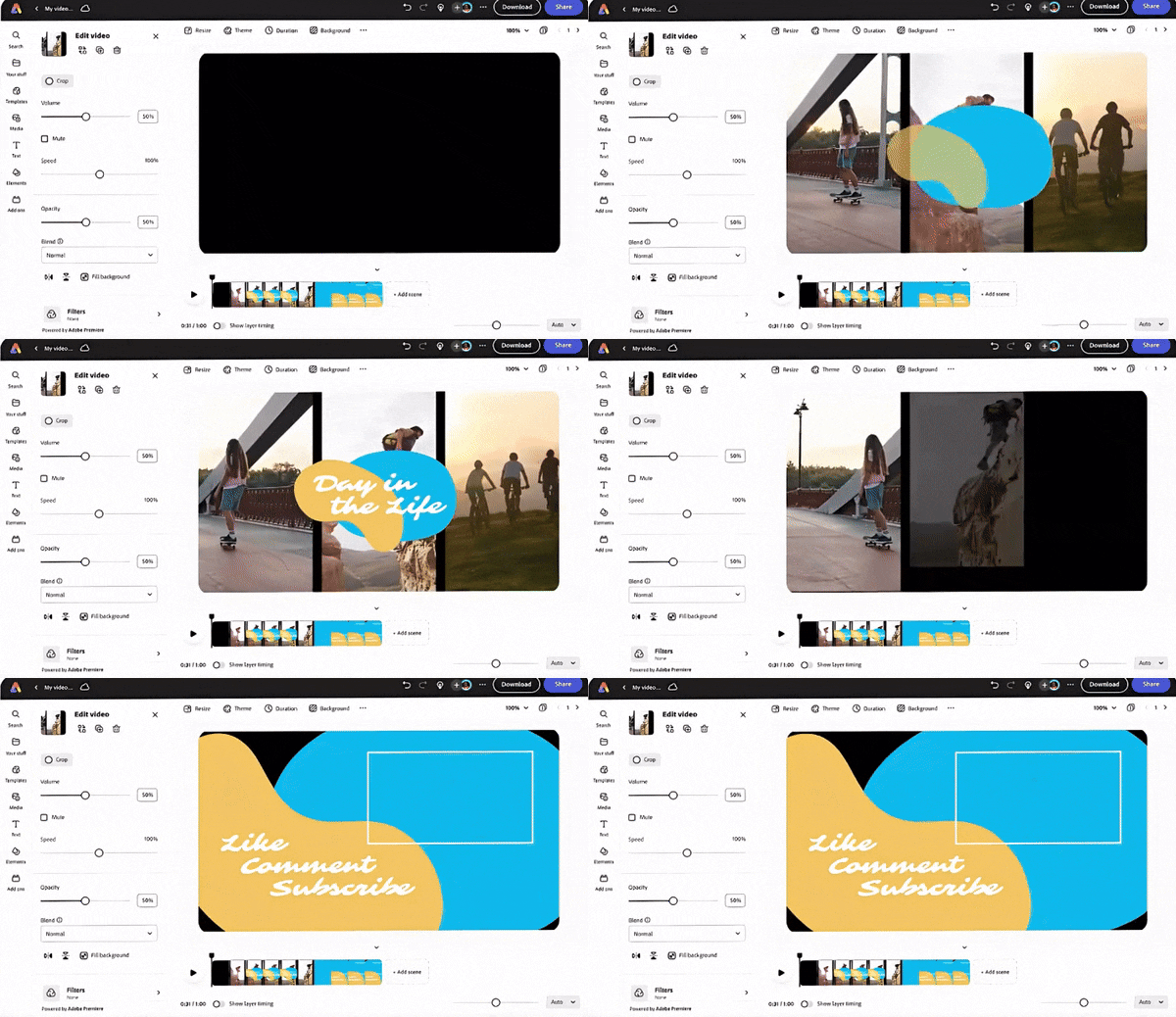
Editing video on Adobe Express is practical since you get all the essentials you’d expect from a simple video editor. You can split clips, trim scenes, adjust playback speed, apply filters, tweak colors, add text, and insert transitions. It’s not built for deep editing, but for everyday content, it gets the job done.
AI Features That Actually Help
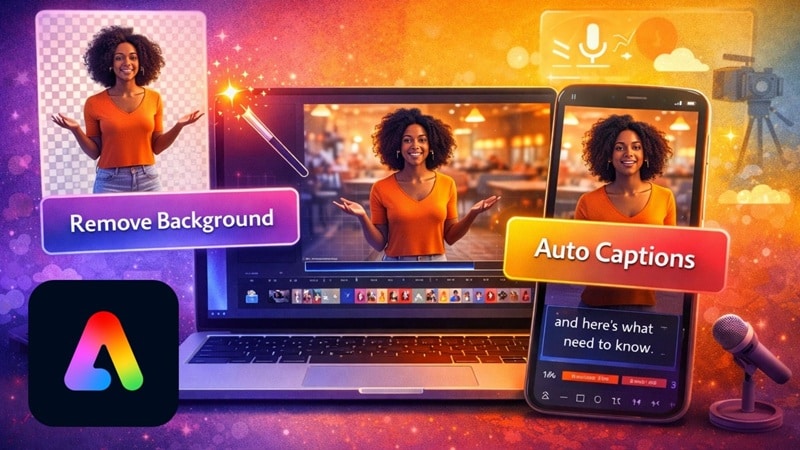
To help create a video, Adobe Express does have a fair share of AI tools. You can remove backgrounds from videos, add captions instantly, and even generate AI images and AI templates for creative designs. These features are especially helpful for social media creators who want fast results with minimal effort.
The four features above cover the core of what Adobe Express video editing is really about. Once you get the hang of those, using the editor feels pretty straightforward. If you want a quick walkthrough, there’s also an official Adobe Express video editor tutorial on YouTube that shows how everything works step-by-step.
Part 4. The Pros and Cons of Adobe Express
Like any video editor, Adobe Express has its strong points and its limits. Below, we break down the pros and cons of editing video on Adobe Express so you can see clearly whether its strengths make up for what it lacks.
- Totally Free: Adobe Express is free to use, and that part really matters. You can edit videos, export them, and share your work without dealing with watermarks.
- Ideal for Basic Needs: Adobe Express video editing works best when you need something fast. It handles basic cuts, text, and templates well, which makes it a good fit for social media posts, promos, and short clips.
- Integrated with Other Adobe Tools: If you already use Photoshop or Illustrator, Adobe Express fits right into that workflow. You can move designs, images, and brand assets into your videos without extra steps, which makes everything feel more connected.
- Web and Mobile Access: Since Adobe Express online runs in a browser, there is no need to download Adobe Express for Windows or Mac just to get started. You can also use it on Android and iOS, which makes editing on the go surprisingly easy.
- Lack of Advanced AI Editing Features: While Adobe Express does include some AI tools, they feel limited compared to newer video editors. This makes the overall AI editing experience pretty basic.
- Some Tools Locked Behind a Paywall: Even though Adobe Express is free, not everything is unlocked. Background removal and certain assets require a paid plan, which can feel limiting once you start relying on those features more often.
- Weak Audio Tools: Adobe Express does not give much control over sound. You can add music and basic audio, but there is no real mixing or fine-tuning, which can be a downside for more polished videos.
- Not Great for Long Videos: Adobe Express video maker is clearly built for short-form content. It works well for quick clips, but long videos start to feel cramped and harder to manage once timelines grow.
Part 5. Who Is Adobe Express Really For?
After looking at the pros and cons, it becomes pretty clear that Adobe Express is not meant for everyone. It works great for some people and specific situations, but it can feel limiting for others.
To make things clearer, let’s break down the types of users and use cases where Adobe Express video editor really shines and where it makes the most sense to use it.
Ideal Users
- Editors on a Budget: People who want a free video editor with no watermark.
- Beginners: Anyone new to video editing who wants something simple and clean.
- Social Media Creators: TikTok, Reels, Shorts, and promo content makers.
Ideal Use Cases
- Simple Social Media Posts: Quick videos for Instagram, TikTok, and YouTube Shorts.
- School Projects: Easy presentations and explainer videos for students.
- Marketing Clips: Short promos, ads, and announcements for small businesses.
Part 6. Need More Power? Meet Wondershare Filmora
Now that we’ve dissected every bit of Adobe Express, the real question is, is it enough? For basic needs, it certainly does the job. But once you want more control, deeper editing, or smarter AI tools, it quickly starts to feel limited. In such cases, switching to a more complete editor makes sense.
And among plenty of Adobe Express alternatives, Wondershare Filmora shines like no other. It’s a full AI video editor that also keeps things beginner-friendly. Just like Adobe Express, Filmora offers plenty of templates and a rich media library, but it goes way further with advanced AI tools, multi-track timelines, and more creative freedom.
 Secure Download
What You Get More with Filmora
1. Instant AI Videos
Filmora makes it easy to create AI videos in seconds. With tools like AI text to video, AI audio to video, and AI image to video, you can turn ideas, images, or audio into full videos without starting from scratch.
2. Make Creative Elements
Instead of relying only on templates, Filmora lets you create your own elements. You can generate AI stickers, AI music, AI sound effects, and AI images, which makes each project feel more custom and less repetitive.
3. Richer AI Features
Filmora offers richer AI features that help polish your videos. Tools like AI Color Palette, AI video translation, AI video enhancer, and AI video beauty filter give you more control over how your videos look and feel.
4. Deep Audio Editing
Audio editing in Filmora goes much deeper. Features like AI voice enhancer, AI audio denoise, and audio ducking help clean up sound and balance music and dialogue without extra effort.
5. Turn Long Content into Shorts
Filmora is especially useful for creators working with long content. With AI smart short clips and AI smart scene cuts, you can quickly turn long videos into short highlights that are ready for social media.
Secure DownloadAdobe Express vs Filmora: Which One Actually Gives You More Freedom
All the points above really show why Filmora stands out as the best alternative to Adobe Express. Still, it helps to see everything laid out clearly, especially if you are deciding which one fits your editing style better.
To make that easier, let’s look at Adobe Express vs Filmora side-by-side and see where the real differences are. The direct comparison below will show you why Filmora gives you more room to grow.
| Category | Adobe Express | Wondershare Filmora |
| Editing Interface | Simple timeline with scene based structure | Full multi track timeline |
| Learning Curve | Easy for beginners | Easy to start but grows with you |
| AI Video Creation | Unavailable | AI text to video, image to video, audio to video |
| AI Editing Tools | Auto captions and background removal | AI enhancer, AI translation, AI beauty filter, AI color tools, and more |
| Audio Editing | Very basic | Deep audio tools with AI voice enhancer and audio denoise |
| Creative Flexibility | Limited customization | High level of creative control |
| Platform Support | Web, Android, iOS | Windows, macOS, Android, iOS |
| Best For | Quick social media edits | Growing creators and serious editing |
|
Show More
Show Less
|
||
Secure DownloadConclusion
Adobe Express free video maker is clearly built with budget-friendly creators in mind, and after spending time with it, the goal makes sense. Once you look at Adobe Express pricing, its key features, and the pros and cons, it becomes obvious that the Adobe Express video editor works best for simple edits. It keeps things easy, fast, and accessible, which is exactly what many casual editors need.
That said, once your projects start to grow or you want more creative control, a more capable editor like Filmora makes more sense. This AI editor offers deeper editing tools, stronger AI features, better audio control, and a real timeline that gives you more freedom without feeling overwhelming. Compared to Adobe Express, Filmora fits naturally for creators who want to move beyond basics and create more polished videos as their skills grow.
