


 TL;DR:
AIReel is a cloud-based AI video aggregator that allows social media creators to generate short clips using over 13 distinct models like Veo 3.1, SORA 2, and Kling 3.0, though it functions strictly as a raw generation platform rather than a comprehensive video editor.
● New accounts receive an initial allocation of 300 free credits, but these expire exactly 24 hours after sign-in, requiring immediate testing of prompts and models before committing to paid monthly tiers.
● The platform produces short video assets typically within 1 to 3 minutes, but because the generation engine operates entirely on the cloud, users must avoid third-party mod APKs which cannot bypass credit limits and introduce severe security risks.
● Because the interface completely lacks multi-track audio, dynamic captions, and timeline trimming, users requiring precise post-generation editing or long-form production must export their footage into a complete timeline suite like Wondershare Filmora to finalize projects.
Ask AI for a summary
 ChatGPT
 Perplexity
 Gemini
 Claude
 Grok
Grok
A lot of AI video tools these days are what we call "aggregators." Instead of building one single engine, they pull the best tech from different places and put them under one roof. AIReel is exactly that.
Since its launch in 2023, AIReel has picked up over 100,000 users worldwide. It’s sitting with solid 4.3 ratings on both the Google Play Store and Apple App Store, but does that mean it’s the right fit for your creative workflow?
We’re taking a closer look at how the AIReel AI video generator actually handles, what the footage looks like, and if it’s worth your hard-earned subscription money.

Part 1. What Is AIReel? Overview and Pricing
Let's start our AIReel review with a disclaimer: AIReel is not trying to be a traditional video editor. It is built more like a creative launcher for AI videos and images. You bring the idea, image, or prompt, then AIReel helps turn it into a short clip.
Most users access AIReel by visiting their site (https://www.aireel.net/), but there's also an AIReel app on Android and iOS if you prefer to create on your phone.
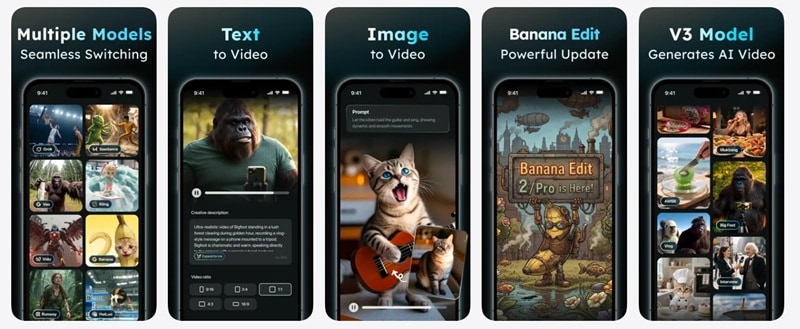
One thing for sure is don't ever try to search for 'AIReel mod' or 'AIReel APK'. It usually leads to security headaches or broken features, and since the app is cloud-based, those "unlimited credit" mods rarely work anyway. Always use official sources.
AIReel Pricing
AIReel uses a credit-based system. New users can get 300 free credits after signing in, but those free credits expire in 24 hours, so it is better to test the tool right away instead of saving them for later. Those credits should be enough for a few short generations, depending on the model and settings you choose.
If you want to keep going, here is how the tiers break down:
| Free | Lite | Pro | Ultra | |
| Monthly Price | $0 | $13.99 | $34.99 | $149.99 |
| Monthly Credits | 300 credits, expires in 24 hours | 3,000 | 10,000 | 20,000 |
| Speed | Standard | Standard | Faster | Fastest |
| Concurrent Generations | - | 2 | 3 | 5 |
| Free Watermark | No |
💡 There's also a 'Credit Pack' pricing, starting from $13.99 for 3,000 credits. Subscription credits reset monthly but expire at the end of each billing period. Separately purchased 'top-up' credit packs don't expire as strictly.
Part 2. Features of the AIReel App and What They Do
When it comes to features, AIReel AI organizes its tools into three main sections: AI Image, AI Video, and AI Effects. Each section has distinct modes for different creative workflows. Here's the full breakdown of what's actually inside the app:
AI Image

AIReel’s image tools are useful when you want to build visual assets before turning them into videos. You can create a fresh image from a prompt, change an existing image, or make style variations from one visual idea.
| AI Image Feature | What It Does | Best Use |
| Text to Image | Turns a written prompt into an image | Concept art, thumbnails, product visuals, character ideas |
| Image to Image | Takes an existing image and changes its style or details | Variations, redesigns, mood testing, creative experiments |
AI Video
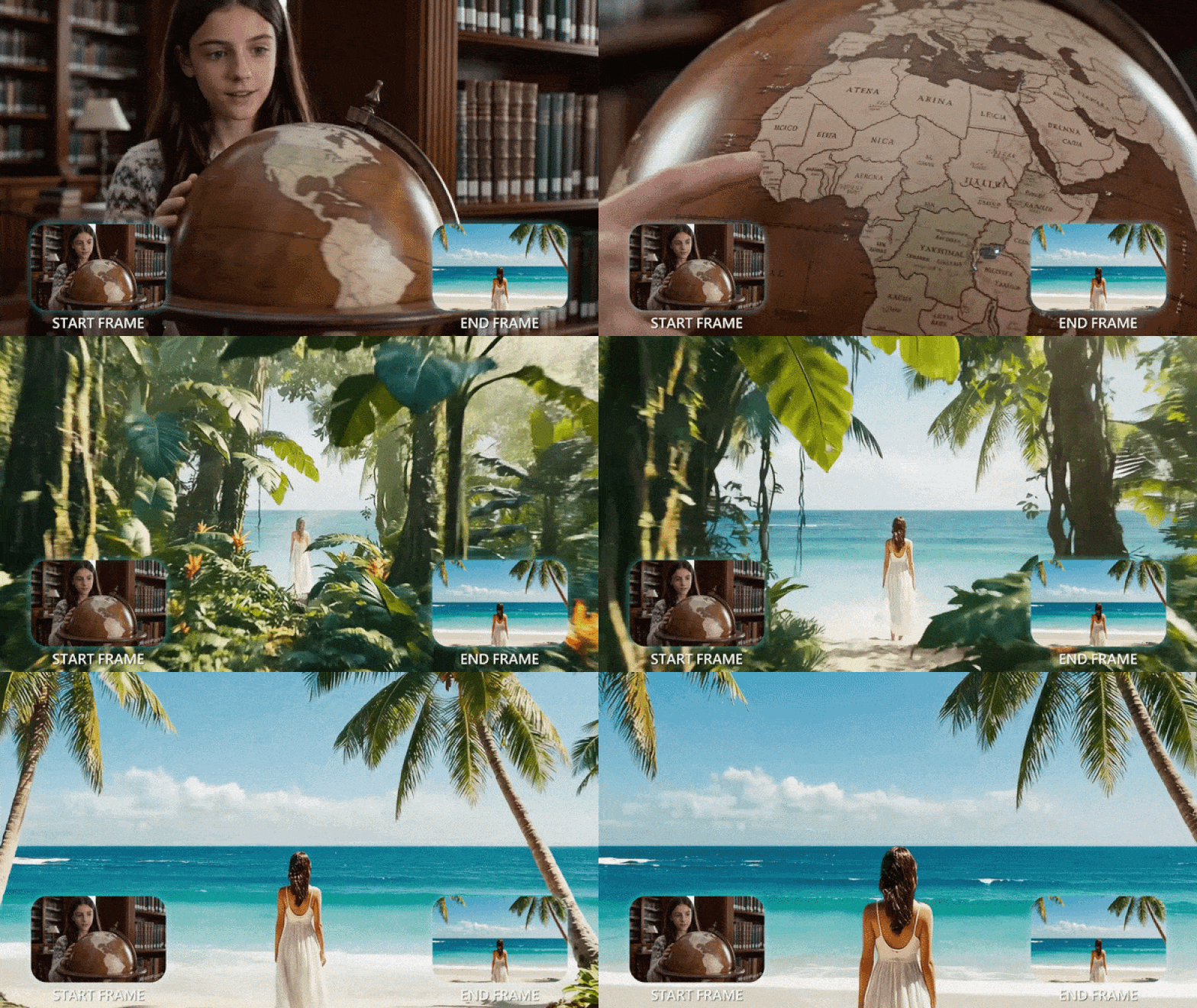
This is the main reason most people will try the AI Reel app. Its video side focuses on turning prompts, images, references, or start/end frames into short moving clips.
| AI Video Feature | What It Does | Why It Matters |
| Text to Video | Creates a video from a written prompt | Good for fast ideas, story scenes, ads, and concept clips |
| Image to Video | Animates a still image | Great for portraits, products, anime images, posters, or brand visuals |
| Reference | Uses references to guide the generated result | Helps when you want the output to follow a style or subject more closely |
| Frames to Video | Lets you set a beginning and ending frame | Better for controlling how a clip starts and finishes |
AI Effects
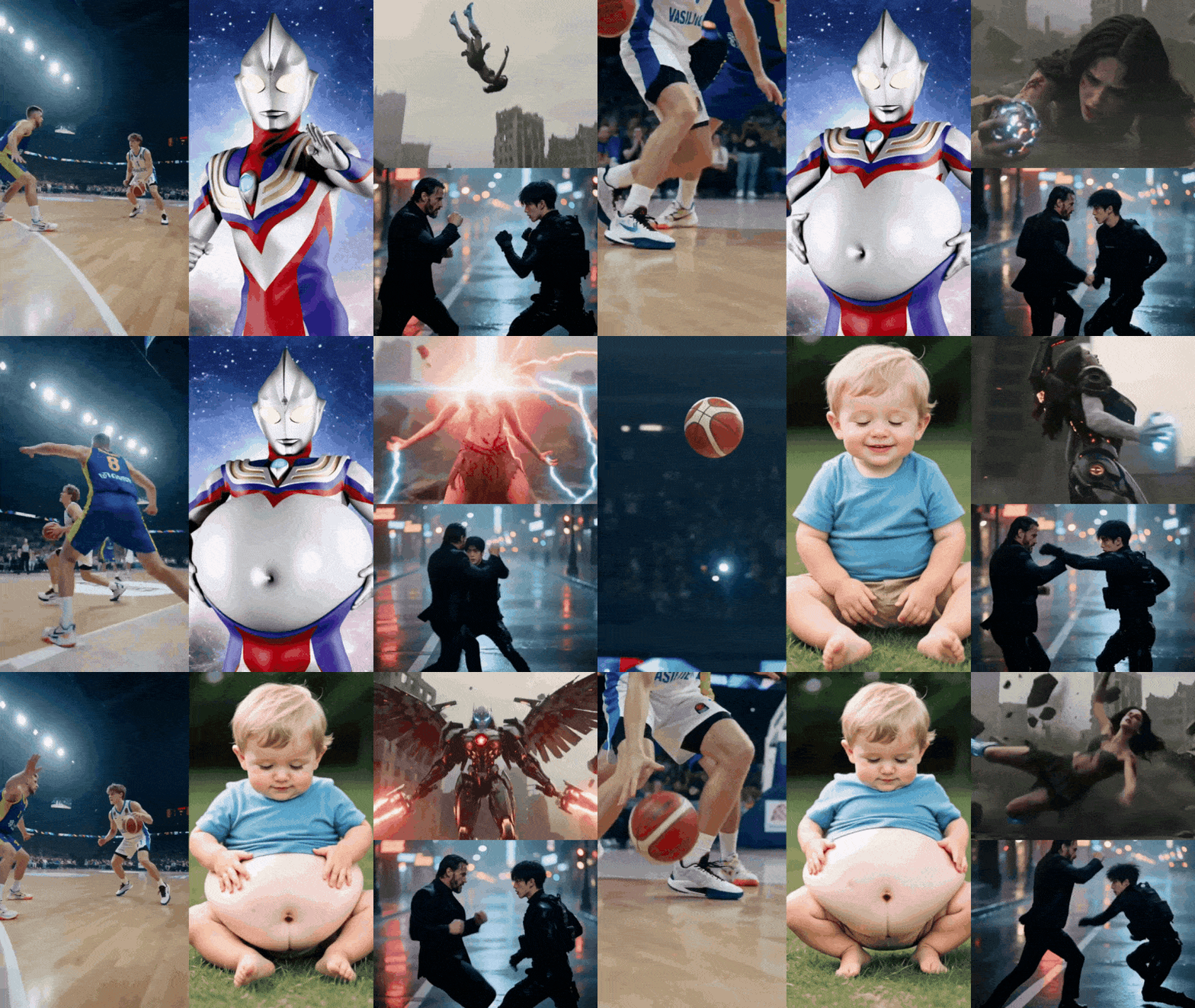
AI Effects are the “easy mode” section. Instead of writing a full prompt from scratch, you pick a template, upload your image, and let the AIReel app apply a ready-made effect. This is useful for quick social content because the format is already built around visual impact.
Here are some standout ones:
- Take on Keanu Reeves: Place your subject in a stylized action sequence inspired by Keanu's iconic roles.
- Dark Pact: A cinematic, dark-fantasy transformation effect with dramatic lighting and atmosphere.
- NBA Arena: Drops your subject into a hyped basketball arena environment with crowd energy.
- Battle Time: Action-cinematic effect with combat-style pacing and visual drama.
- Bullet Time: Matrix-style slow-motion rotation effect. One of the most visually impressive in the library.
- Mecha Transformation: Turns your subject into a sci-fi mech suit sequence.
AI Video Models Available on AIReel
This is where AIReel's aggregator model really earns its value. Rather than being locked into one generation engine, you can swap between 13+ leading AI video models depending on your desired output style, speed, or quality level:
| Model | Description | Accessibility |
| AIReel 3.0 | AIReel's latest in-house model. Balanced performance for I2V. | Free Plan |
| AIReel 2.0 | Predecessor to 3.0. Unlimited on Ultra plan. | Free Plan |
| Seedance 2.0 I2V | High-quality image-to-video, exclusive to Pro & Ultra. | Pro Plan |
| Kling 3.0 / V2.6 | Strong motion consistency; Omni R2V variant for reference-based gen. | Lite Plan |
| Veo 3.1 | Google's video model, known for cinematic quality. | Lite Plan |
| Wan 2.6 / 2.5 / 2.2 | Versatile Chinese model family with solid prompt adherence. | Lite Plan |
| Hailuo 2.3 / 02 | Fast, smooth motion; good for short social clips. | Lite Plan |
| Vidu Q3 Pro | Detailed scene rendering with strong character consistency. | Lite Plan |
| SORA 2 | OpenAI's model, available via AIReel aggregation. | Lite Plan |
| Runway | Cinematic quality with strong style control. | Lite Plan |
| Pixverse | Fun, stylized outputs; great for creative/animated content. | Lite Plan |
| HappyHorse | Newer addition with distinctive motion style. | Lite Plan |
| Grok Imagine | xAI's image model available for text-to-image generation. | Lite Plan |
Part 3. How to Use AIReel to Generate Images & Videos
Using AIReel is pretty straightforward once you understand the credit system. The main thing is not to burn your credits on random prompts. Start simple, test small, and only move to higher-quality models once the idea is clear.
See the guide below to learn how to use the AIReel AI video generator to create short clips:
Step 1. Log In to AIReel
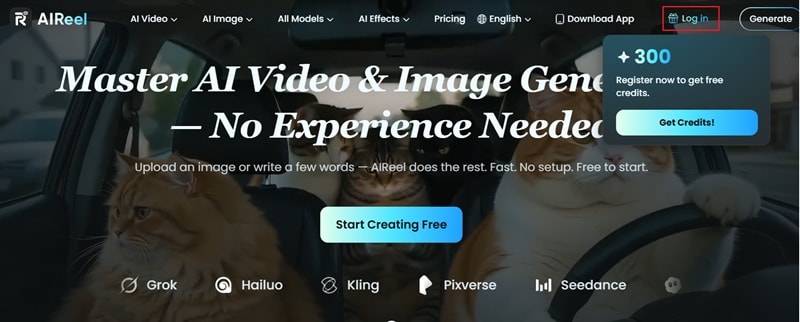
Visit https://www.aireel.net/ to open AIReel online. Click Log in and sign in with your account so you can access the main creation tools and available credits.
Step 2. Choose a Mode and Upload Your Photo
On the main AIReel workspace. Choose the feature you want to use, such as Text to Video, Image to Video, Reference, or Frames to Video.
For this example, select Image to Video. Then, click the picture icon and upload the photo you want to animate.
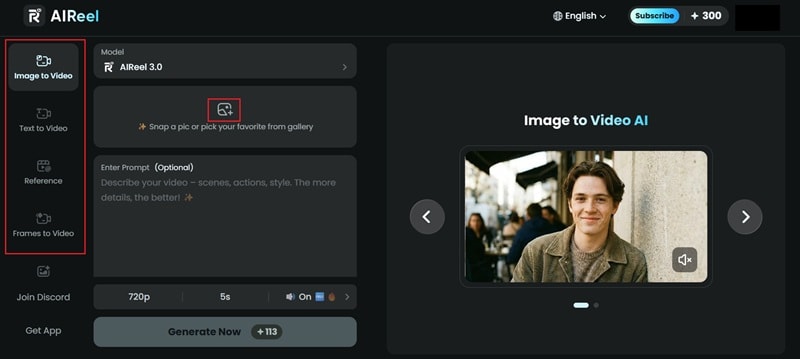
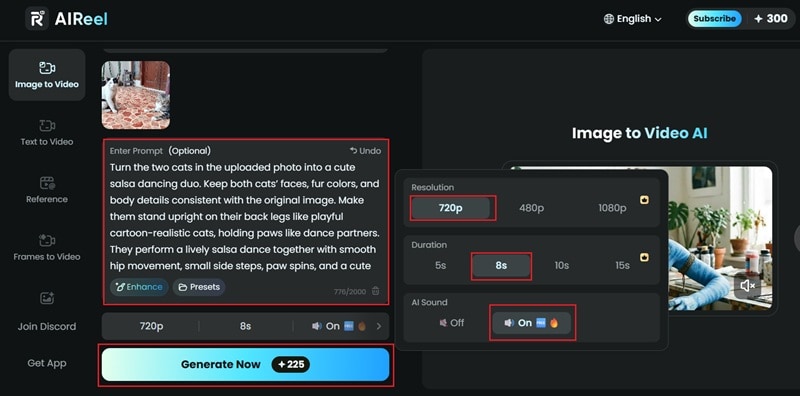
Next, choose your preferred AI model from the options above the prompt box. Write your prompt, then set the resolution, adjust the duration, and turn on audio if you want sound included. Once everything looks good, click Generate Now.
Step 3. Preview and Download the Result
Once the video is ready, click it to preview the result. If you’re happy with how it looks, click the download icon to save the video to your device.
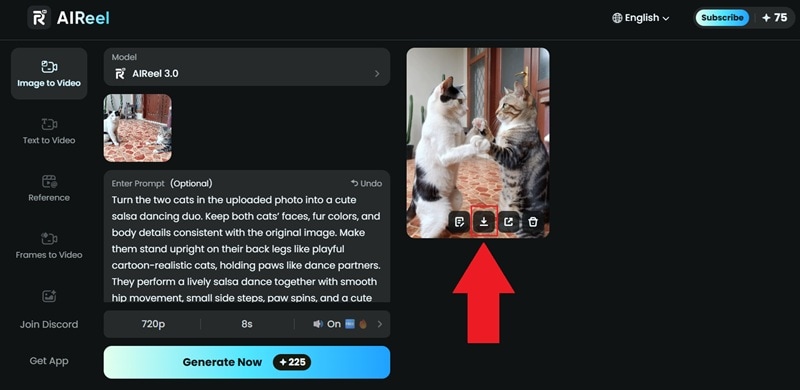
In just a few steps, AIReel AI video generator can turn a still photo into a short animated clip. The result can look surprisingly good, too, especially when you use a clear image and a detailed prompt. See how it turns out below:
Part 4. AIReel Review: User Experience & Performance
Benchmarking an AI video generator isn't just about output quality, it's about whether the whole experience holds up when you're under a deadline, experimenting rapidly, or trying to build a repeatable workflow.
So, after spending some quality time with the AIReel AI tools, here is the honest breakdown of how it feels to use AIReel.
| Category | Score | Reasoning |
| Interface & Ease of Use | 8.5/10 | The workflow is beginner-friendly. You choose a mode, add a prompt or image, pick a model, and generate. |
| Performance | 7.8/10 | Generation speed is solid for a multi-model aggregator. Still, quality depends heavily on the model, prompt, moderation, and credit settings. |
| Value for Money | 8/10 | The 300 free credits are a huge win for casual users. However, paid use can get expensive if you regenerate often or use credit-heavy models. |
| Overall Impression | 7.8/10 | AIReel is a useful AI video playground for fast social clips, but it is not a full editing solution. Best for generation, not final production. |
Pros and Cons of AIReel
- Multi-Model Access in One Place: You can test several popular AI video models without opening separate platforms.
- Beginner-friendly Workflow: All their main features are easy to understand even if you have no editing background.
- Genuinely Fast Generation: Most clips are ready in 1–3 minutes. It is quite impressive even during peak hours.
- AI Effects Are Surprisingly Fun: The template-based effects produce high-quality, shareable clips with zero prompting. Very useful when you want something quick and trendy.
- Not a Full Editor: You still need another tool for timeline editing, captions, audio mixing, transitions, and longer videos.
- Quality Is Model-Dependent and Inconsistent: Output quality varies wildly between models and prompts. Managing expectations takes some trial and error.
- Free Credits Expire in 24 Hours: If you sign up and don't use them immediately, they're gone. A 7-day window would make far more sense.
- Some Restrictions Feel Strict: User reviews mention blocked prompts, model limits, or outputs that do not follow the original request.
Who Should Use AIReel?

AIReel fits certain workflows extremely well. It's genuinely built for:
- ✅ Social media creators who need fast, visually engaging short clips for Reels, TikTok, or YouTube Shorts.
- ✅ Content marketers running A/B tests on ad creatives.
- ✅ UGC creators who want to experiment with different AI styles and models before committing to a full production workflow.
It's less well-suited for:
- ❌ Professional video producers who need timeline editing, granular editing tools, or layered effects after generation.
- ❌ Long-form creators who need a full timeline workflow.
- ❌ Editors who need precise control over video length, transitions, or exact scene timing.
Part 5. Complete Your Workflow: Generate & Edit AI Videos with Filmora
AIReel is built for one thing. It generates videos fast and gets them out the door. That works well until you need to do more with the footage, such as trimming a clip, adjusting audio, adding captions, layering effects, or fine-tuning a scene before publishing.
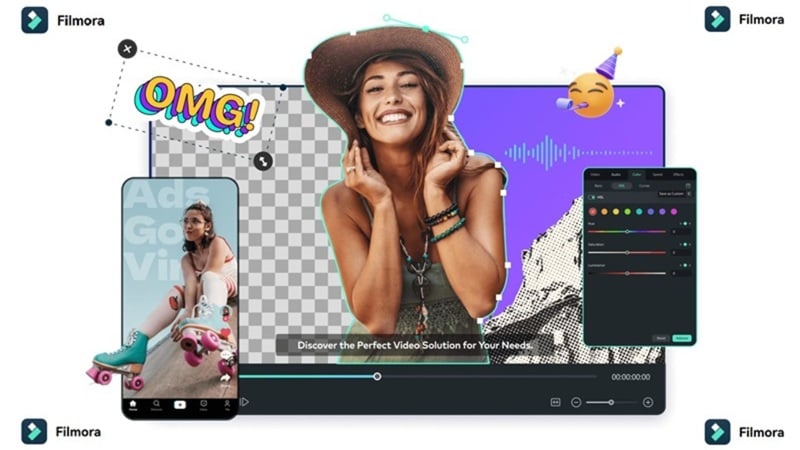
None of that happens inside AIReel. The platform has no timeline editor, no audio controls, and no post-generation editing layer. Once the video is generated, that's your output. For a lot of quick social posts, that's completely fine. But if editing control matters to your workflow, you'll need to pair AIReel with something more capable, like Wondershare Filmora.
 Secure Download
What Is Filmora?
Filmora is an AI video editor that works on both desktop (Windows and Mac) and mobile (iOS and Android). Unlike AIReel AI video generator, which stops at generation, Filmora gives you a full creative suite: a timeline editor, multi-track audio, effects, templates, and its own AI generation capabilities powered by models like Veo 3.1, Seedance 2.0, GPT Image 2, and more.
The key difference: in Filmora, you can generate AI footage and immediately edit it, all in the same project, without switching tools or exporting halfway through your workflow.
What’s Inside Filmora
| Filmora Feature | What It Helps You Do |
| AI Video Generator | Generate videos from text, images, or audio, then continue editing them on a real timeline. |
| AI Image Generator | Create image assets for intros, thumbnails, scenes, background visuals, or social posts. |
| AI Music & Sound Effects Generator | Generate background music or sound effects that match your video's mood and length. |
| AI Extend | Extend short AI clips so the footage feels less abrupt and more usable in a longer edit. |
| AI Mate | Get editing assistance, ideas, and workflow help while building the project. |
| Dynamic Captions | Add animated captions or subtitles that match spoken content and social video pacing. |
Secure DownloadWho Should Use Filmora Alongside AIReel?
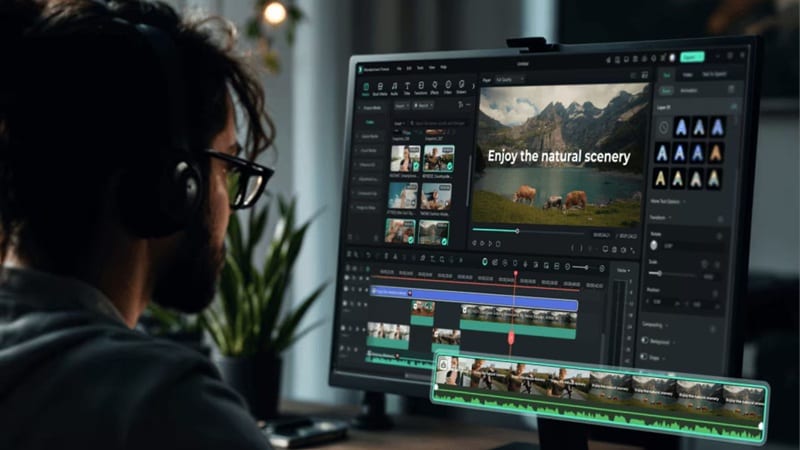
Filmora makes the most sense when you need to do more than just generate. Specifically, it's the right tool if you:
- ✅ Want to edit the AI-generated video after it's created: trim, cut, rearrange, or refine it.
- ✅ Need to layer multiple clips, images, or audio tracks into a single cohesive video.
- ✅ Want to add voiceovers, music, or custom sound effects alongside your generated footage.
- ✅ Work on longer-form content where raw AI generation isn't enough on its own.
- ✅ Need animated captions or subtitles synced precisely to speech.
A practical workflow would look like this:
| Step | Tool |
| Generate quick AI visuals or short clips | AIReel |
| Choose the best outputs | AIReel |
| Import clips into a timeline | Filmora |
| Add captions, music, sound effects, and transitions | Filmora |
| Export a polished final video | Filmora |
Secure DownloadConclusion
AIReel AI video generator is a solid choice if you want a fast, beginner-friendly way to create AI videos from text, images, references, or templates. Its biggest strength is model variety. However, the lack of any post-generation editing is a real limitation worth knowing upfront.
If your workflow extends beyond generation: trimming clips, mixing audio, adding captions, or building longer-form content, pairing AIReel with Filmora fills that gap cleanly. Filmora's AI video generation (via models like Veo 3.1 and Seedance 2.0) lets you create footage directly inside an editor, while its full timeline, AI captions, audio tools, and AI Mate assistant handle everything after the generation phase.
FAQs
-
Is the AIReel mobile app the same as the web version?
Mostly, yes. The core generation features: Image to Video, Text to Video, Frames to Video, AI Effects, are available on both platforms. The web version at may surface model options or settings slightly sooner than the app when new features roll out. Your credits and creations are synced across both via your account. -
Is the AIReel app free?
AIReel is free to start. New users can get 300 free credits after signing in, but those credits expire in 24 hours. For more generations, you will need paid credits or a subscription plan. -
Does AIReel charge credits for failed video generations?
No. According to AIReel's official FAQ, credits are not deducted for videos or images that fail to generate. Only successful outputs consume your credit balance. -
How long does AIReel take to generate a video?
Generation time varies by model and server load, but most short clips (5–10 seconds) complete in 1–3 minutes. Premium models like Seedance 2.0 or Veo 3.1 may take slightly longer. Pro and Ultra subscribers benefit from faster generation speeds and priority queue access, which meaningfully reduces wait times during peak hours. -
Does AIReel support multiple languages?
Yes, the prompt box understands most major languages, though English usually gives the most accurate visual results. The official website is also available in other languages like Spanish, Korean, Italian, and more.
