


With so many AI video generators launching every month, it can be difficult to figure out which ones are actually worth trying. As a creator, choosing the wrong platform could mean wasting time on slow workflows, inconsistent results, or limited creative control.
Among the growing list of tools, Morph Studio stands out by offering an all-in-one platform for Morph Studio AI video creation, from text and images to existing footage. But does it really live up to the hype? In this review, we'll test its features, performance, and Morph Studio video generation capabilities to help you decide if it's the right AI video tool for your projects.
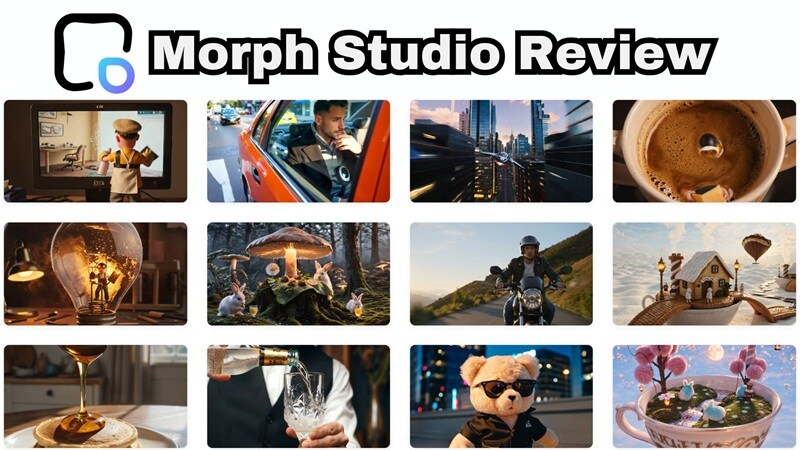
Part 1. Morph Studio At a Glance (Overview)
To keep it simple, you can think of Morph Studio as an AI creative suite built around two connected spaces: an Immersive Space for quick, prompt-based generation, and an Open Canvas where you can lay out, arrange, and connect multiple generations into a bigger, more structured project.
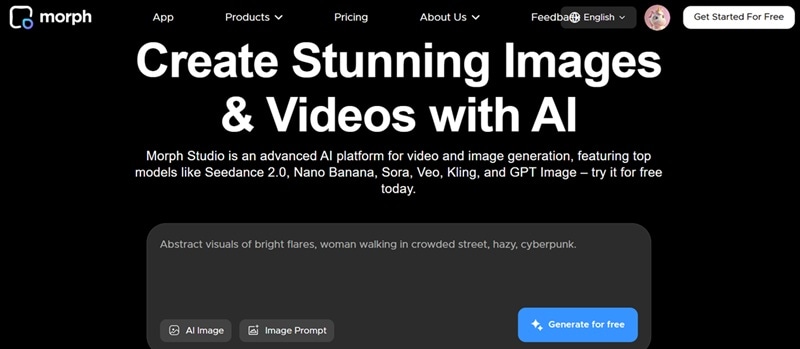
One reason Morph Studio AI image and video generators have been getting attention is the number of cutting-edge AI models it supports. Some of the standout models include:
- Seedance 2.0
- Nano Banana 2
- Seedream 5.0
- GPT Image 2
- Veo 3.1
Worth flagging upfront: Morph Studio is entirely web-based. There's no desktop or mobile app, so everything happens through your browser, whichever device you're on.
Part 2. Morph Studio Pricing Breakdown
When it comes to pricing, Morph Studio operates entirely on a credit-based system. Once you sign up, you'll receive:
- 75 free credits every month.
- An extra 25 credits by following Morph Studio's official X (formerly Twitter) account.
That gives new users up to 100 credits to experiment with different AI models and creative tools before deciding whether to upgrade. Once you're ready to go beyond that, there are three paid tiers to choose from: Basic, Pro, and Premier.
Morph Studio Pricing (2026)
| Feature | Free | Basic | Pro | Premiere |
| Monthly Price | $0 | $12 ($8.40 annual) | $35 ($24.50 annual) | $90 ($63 annual) |
| Monthly Credits | 75 | 3,000 | 12,000 | 40,000 |
| Video Models | 2 models only | 10+ top models | 10+ top models | 10+ top models |
| Asset Retention | 90 days | Unlimited | Unlimited | Unlimited |
| Commercial Use | No | Yes | Yes | Yes |
Part 3. Morph Studio Capabilities: Features Deep Dive
When you first step into the dashboard, you’ll quickly see that Morph Studio isn't just a simple prompt bar. It bundles a massive collection of micro-tools that can be neatly categorized into three primary creative pillars. Let’s break down what each section can do for you!
1. AI Image Tools
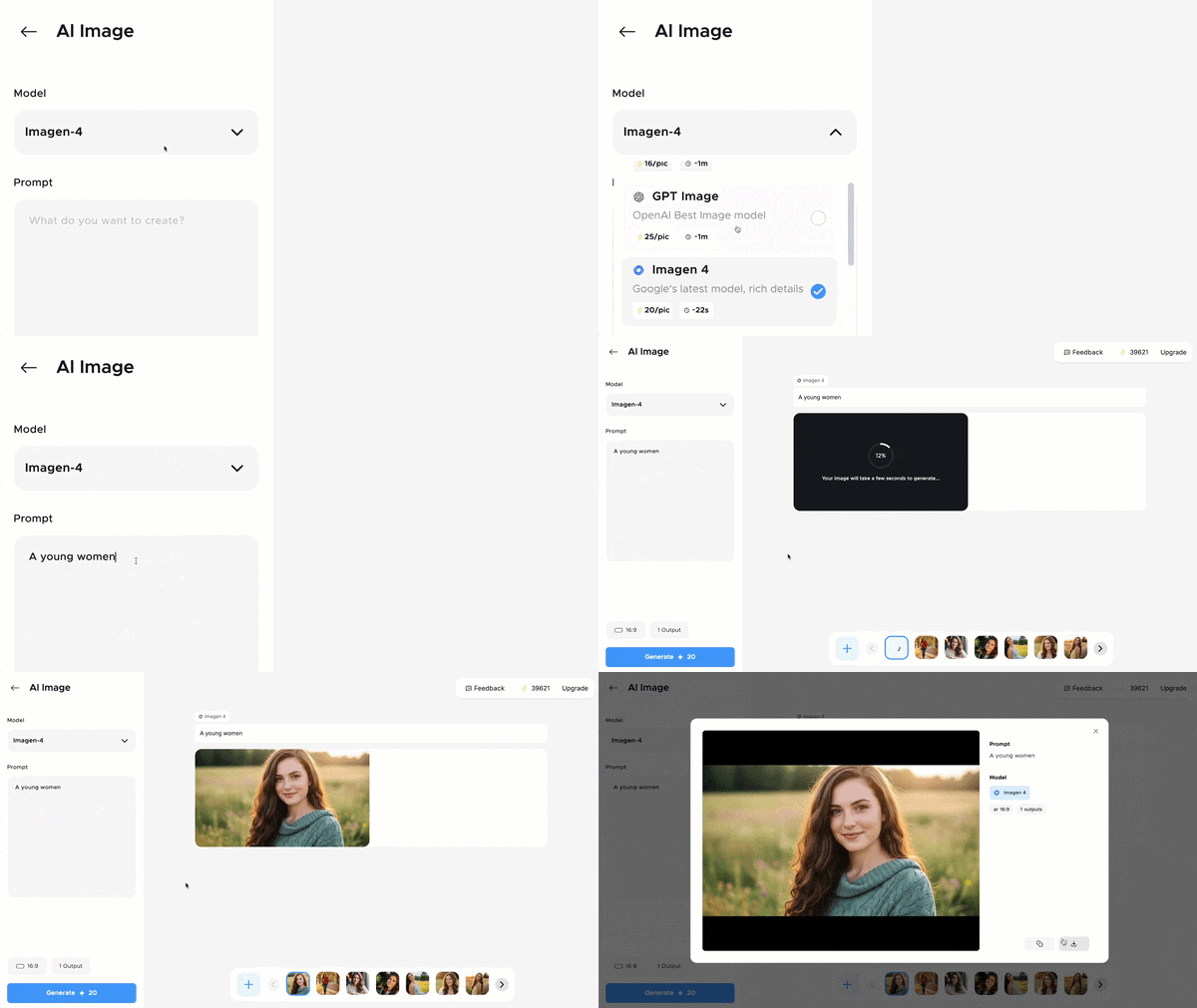
The image toolkit inside Morph Studio acts as your visual starter kit. It covers your standard text-to-image and image-to-image generation, plus a handful of specialty tools like an image upscaler, background remover, AI face swap, hairstyle changer, watermark remover, and even a logo and headshot generator.
2. AI Video Tools
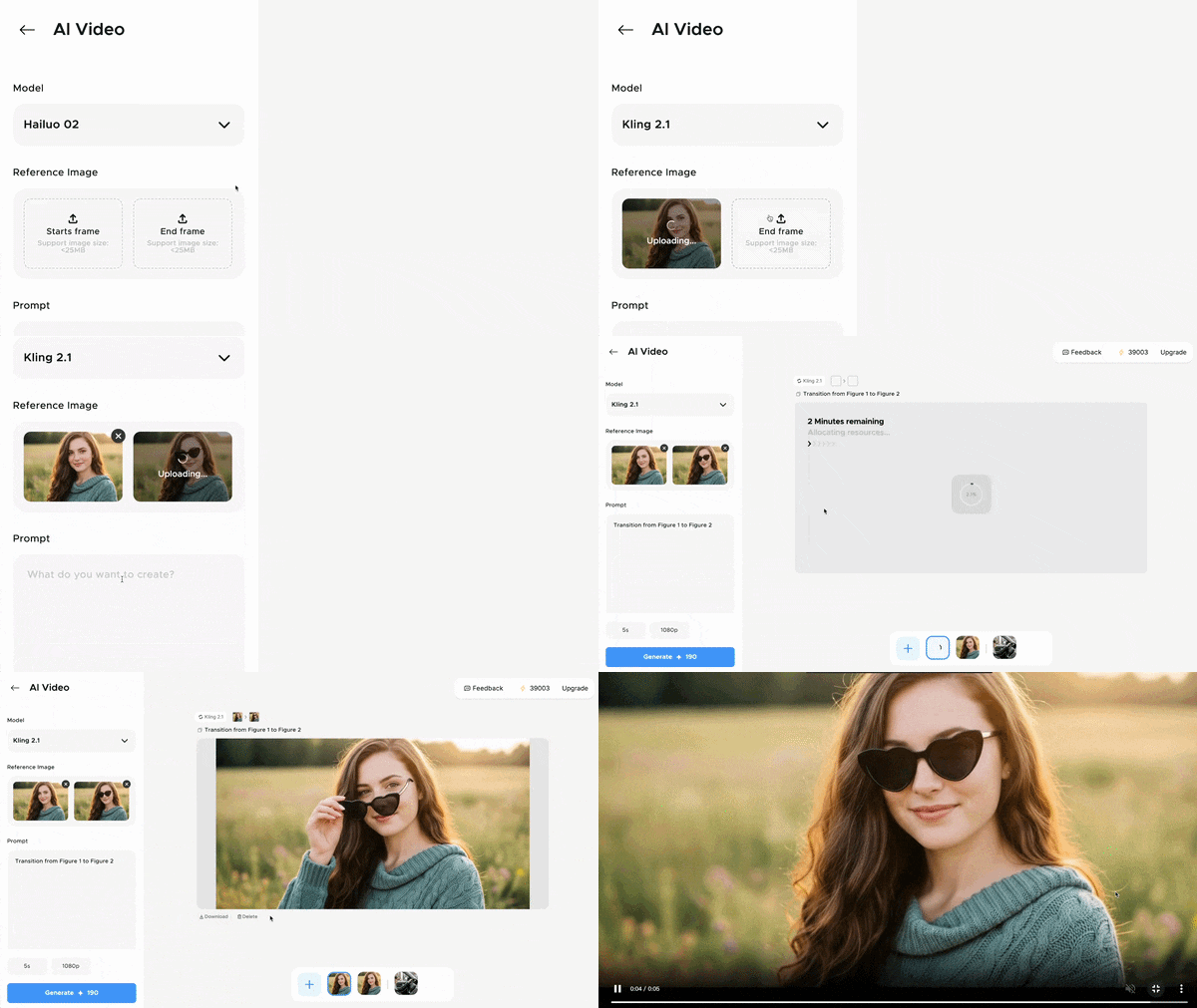
This is the heart of the platform: an AI Video Generator that works from either text or image prompts, backed by that long list of premium models we mentioned earlier. With Morph AI image to video, you can generate short clips by uploading the first and last frames.

Plus, there's also a video upscaler, AI Motion Control for directing camera movement, and Morph Studio Video to Video Style Transfer, which can reskin your footage into up to 8 different artistic styles.
3. AI Audio Tools
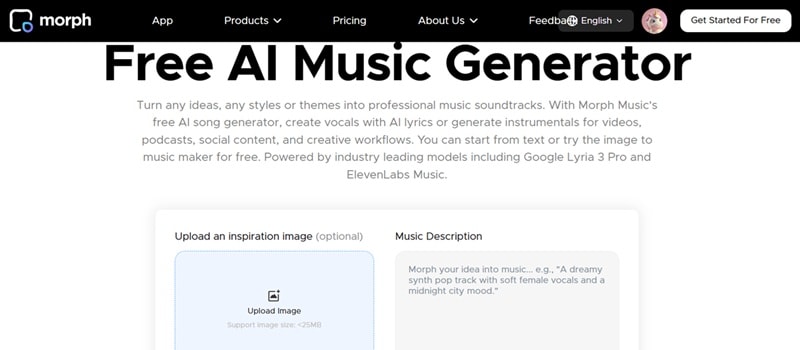
Rounding things out, Morph Studio includes AI Voice for generating voiceovers and an AI Music tool for composing original background tracks. It's not the deepest audio suite out there, but it's a handy way to finish a project without exporting to yet another platform just for sound.
Part 4. Testing Morph Studio: Step-by-Step Tutorial
Since the free plan provides 75 credits right off the bat, let's put the platform to the test! Follow along with this quick Morph Studio AI tutorial to create your very first animated scene from scratch.
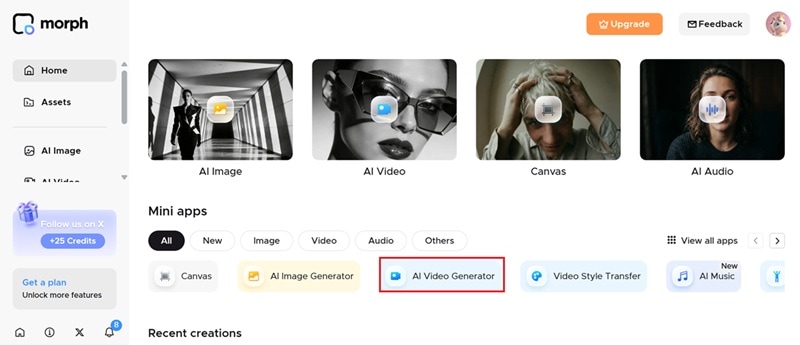
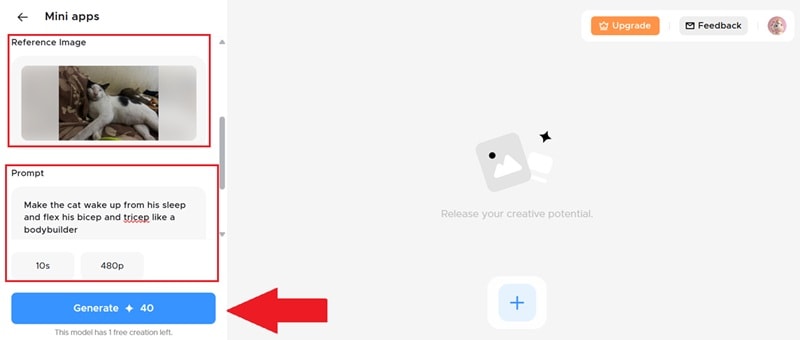
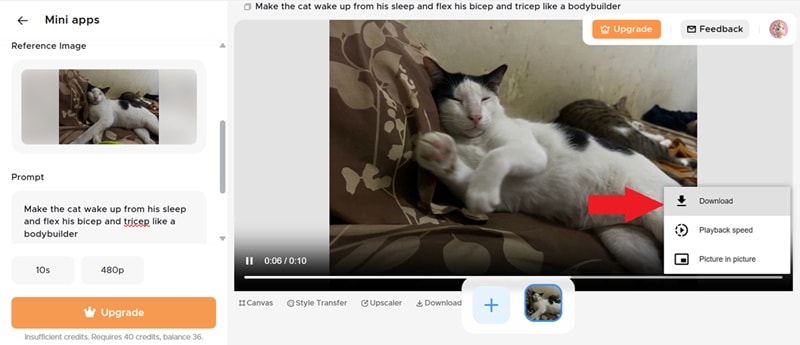
See the result of the Morph Studio AI video below:
Is It Worth It? Our Pros & Cons
Based on everything above, we've got a clearer picture of where Morph Studio earns its keep and where it comes up short. Here's the balanced rundown so you can weigh it against your own needs.
- Generous Free Plan Starter: Giving users 75 monthly credits (plus 25 extra via social follow) lets you thoroughly test the tool before spending a dime.
- Super Easy To Use: The clean dashboard and drag-and-drop infinite canvas make storyboarding feel natural even for complete beginners.
- Unified Model Aggregator: Having models like Veo, Sora, Kling, and Seedance all in one dashboard saves you hundreds of dollars in separate tool subscriptions.
- Impressive Video-to-Video Style Transfer: The motion consistency when converting live footage into stylized art forms is smooth and fun to use.
- Limited AI Models on Free Plan: Free tier users are mostly locked into entry-level models like Seedance 1.0 Pro Fast, while premium powerhouses require paid tiers.
- No Timeline Editing Capabilities: It lacks a traditional multi-track video timeline to arrange clips, trim cuts, or edit audio tracks together.
- Limited Official Guidance: The platform's blog and native learning documentation are quite sparse, leaving users to rely on trial-and-error.
- The Quality Can Be Poor: The AI video produced, especially on the free plan, is not very good. It doesn’t follow the prompt written very well.
Part 5. The Perfect Morph Studio Alternative: Wondershare Filmora
Morph Studio does a lot of things well, but it's far from the only AI video and image generator worth your attention, especially once those cons start piling up. If you want better editing control, stronger consistency, or just a more complete package, Wondershare Filmora is worth serious consideration.
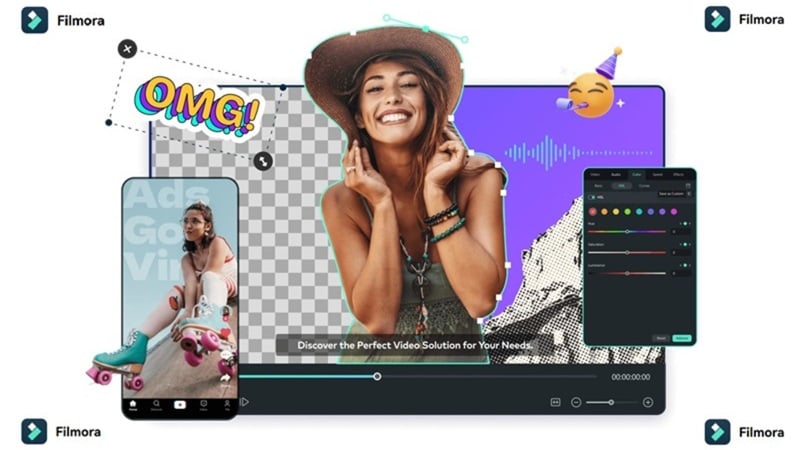
This all-in-one video editor bakes AI video, image, and audio generation directly into its workspace, and it supports plenty of the same heavy-hitting models Morph Studio does, including Veo 3.1, Seedance 2.0, Nano Banana 2, and GPT Image 2.
 Secure Download
Why Choose Filmora?
1. More Creative Methods to Create AI Videos
Filmora goes far beyond standard text-to-video or image-to-video. It introduces flexible creation modes like AI Audio to Video (generating visuals synced directly to your voice track or podcast) and AI Idea to Video, which converts simple conceptual outlines into complete video scripts and scene builds automatically!

2. Professional Editing Timeline
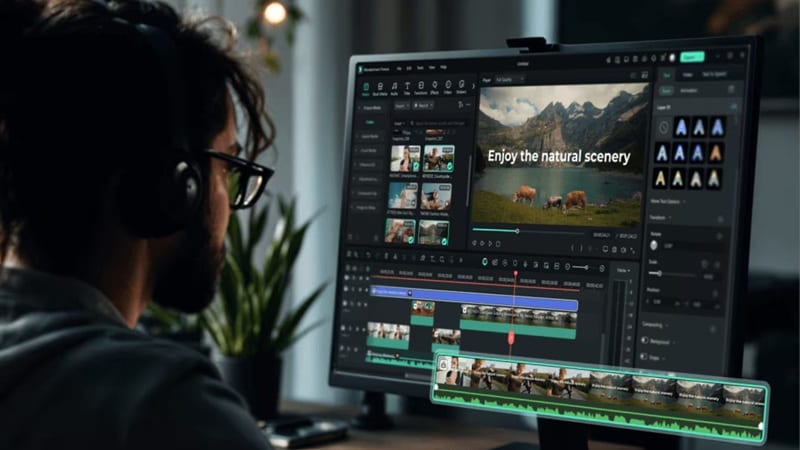
Unlike Morph Studio's canvas-based layout, Filmora gives you an actual multi-track editing timeline, letting you trim, layer, color grade, and stitch together a complete project rather than exporting pieces to another app to finish the job.
3. Generate AI Sound Effects Too
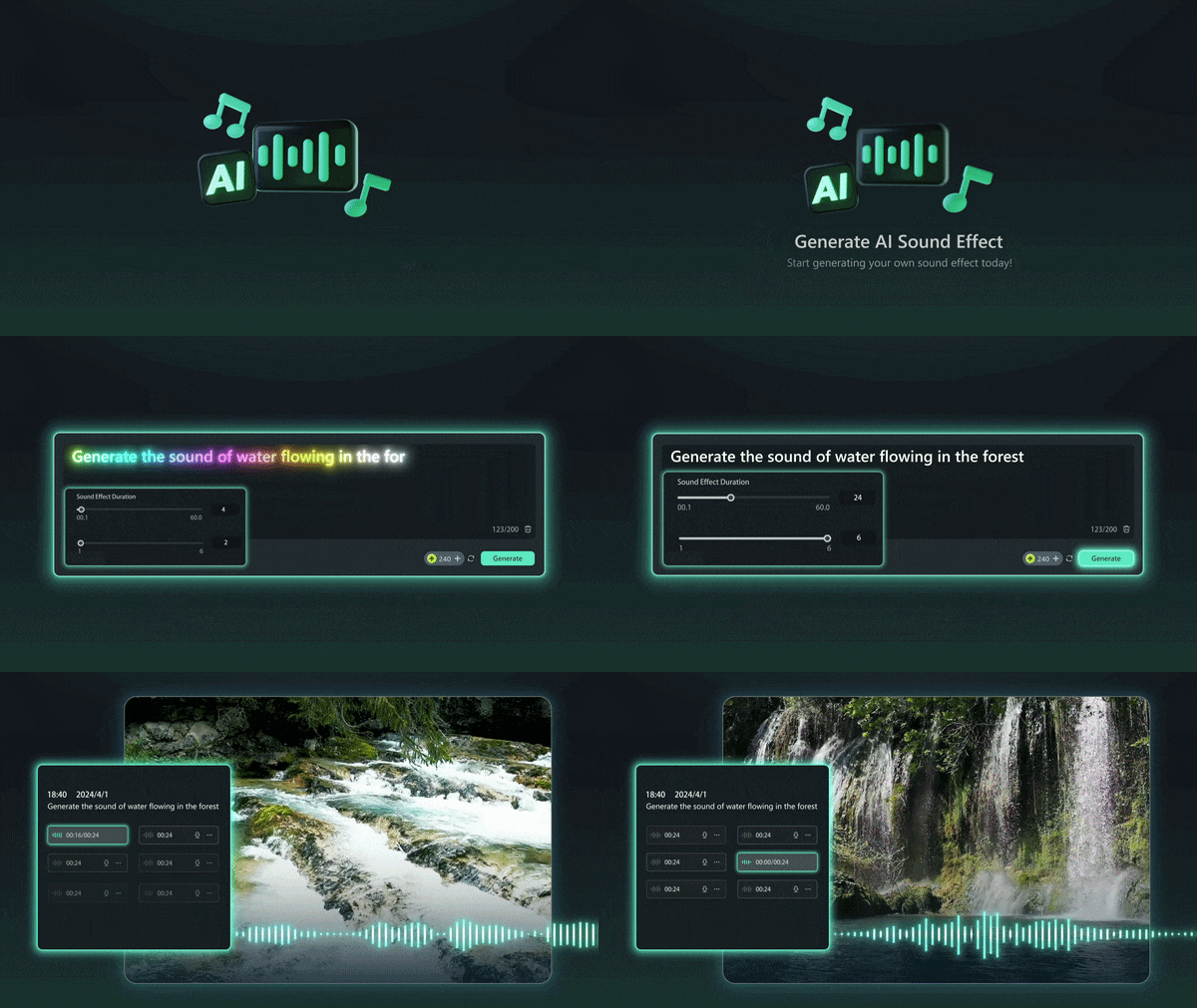
While Morph Studio covers basic AI music generation, Filmora takes audio a step further with its built-in AI Sound Effect Generator. You can add footsteps, ambience, or impact sounds directly to your timeline without hunting through stock libraries.
4. Advanced AI Features
Beyond generation, Filmora rounds things out with tools like the AI Video Extender, Social Content Planner, AI Smart Short Clips, and AI Video Enhancer, giving you a much deeper post-production toolkit than a generation-only platform like Morph Studio.
 Secure Download
Conclusion
Morph Studio delivers a genuinely easy, well-rounded entry point into AI image and video generation, backed by a free plan that's more generous than most competitors offer. The catch is that the free tier only really scratches the surface, and once you dig deeper, the lack of an editing timeline and thin documentation start to show.
If you're looking for a complete creative workflow in one application, Wondershare Filmora is a compelling alternative. Alongside support for powerful AI models like Veo 3.1, Sora 2, Seedance 2.0, Nano Banana 2, and GPT Image 2, Filmora also offers professional editing tools, AI-powered enhancements, and advanced features that help you take your project from a simple idea all the way to a finished video.
FAQs About Morph Studio
-
Can I collaborate with other team members in Morph Studio?
Currently, Morph Studio focuses primarily on individual creator accounts. While you can share generated files, links, or canvas exports manually with team members, real-time multiplayer co-editing features on the same canvas are not fully supported yet. -
Where can I find a Morph Studio AI tutorial for getting started?
Morph Studio's own blog and the model pages on their site cover the basics of getting started, though the tutorial library is fairly limited compared to more established platforms. You can also find plenty of Morph Studio AI tutorial videos on YouTube from other creators. -
Is Morph Studio suitable for beginners with no video editing experience?
Yes, that's actually one of its stronger points. The Immersive Space keeps things prompt-based and simple, so you don't need any prior editing background to get a usable result on your first try.
