According to Adobe's 2025 Creators' Toolkit Report, 72% of creators frequently make content on mobile, while 75% expect to produce even more mobile content in the following year. Riding this shift, mobile apps are stepping up their game to handle complex VFX, and Motion Ninja is one of them.
Promising a range of creative tools for free, this Motion Ninja video editor sounds appealing, but is it actually worth using? Let's take a closer look at its features, pricing, compatibility, and limitations to find out.
Part 1. Behind Motion Ninja: An Overview of the Mobile VFX Editor
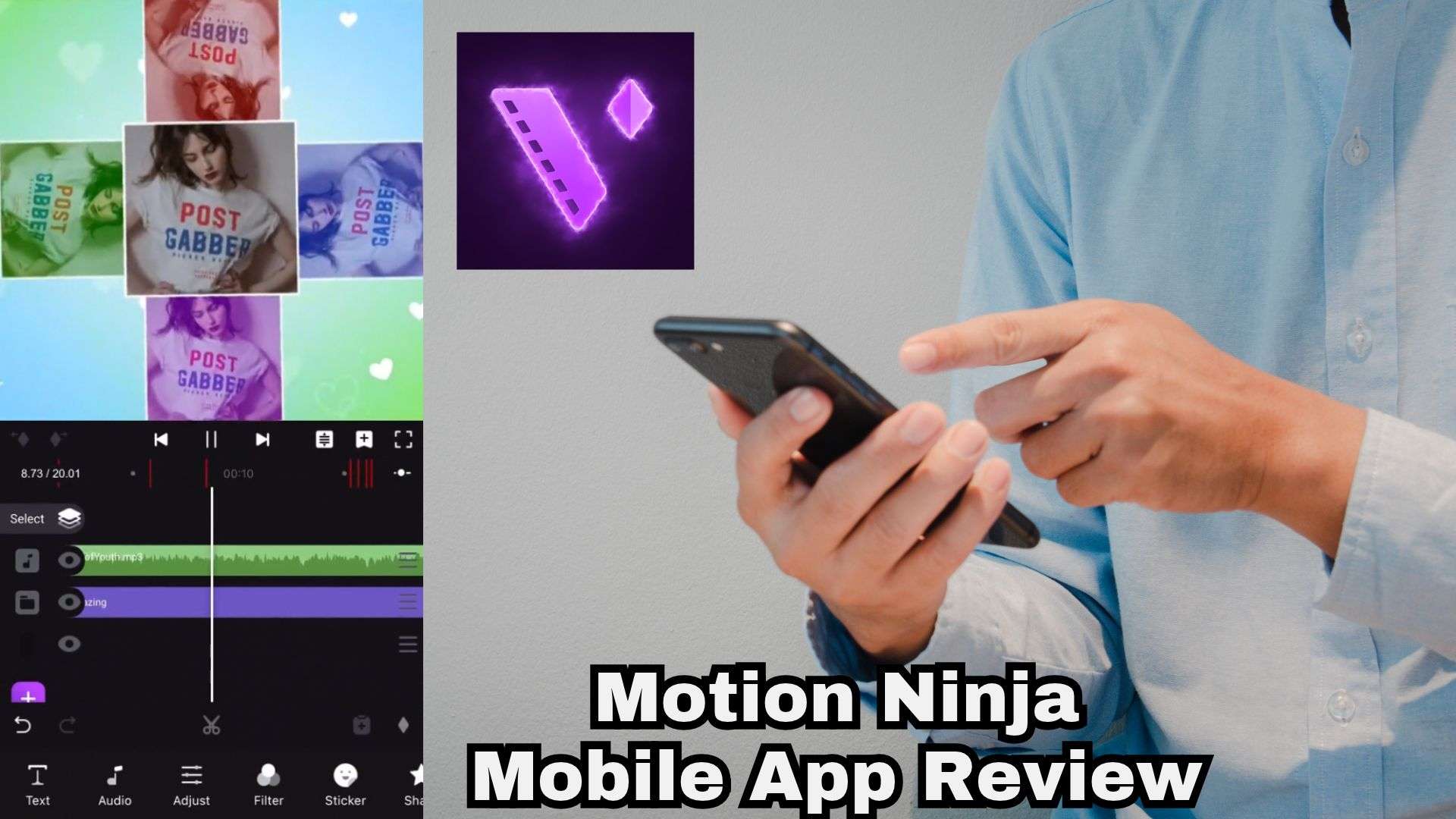
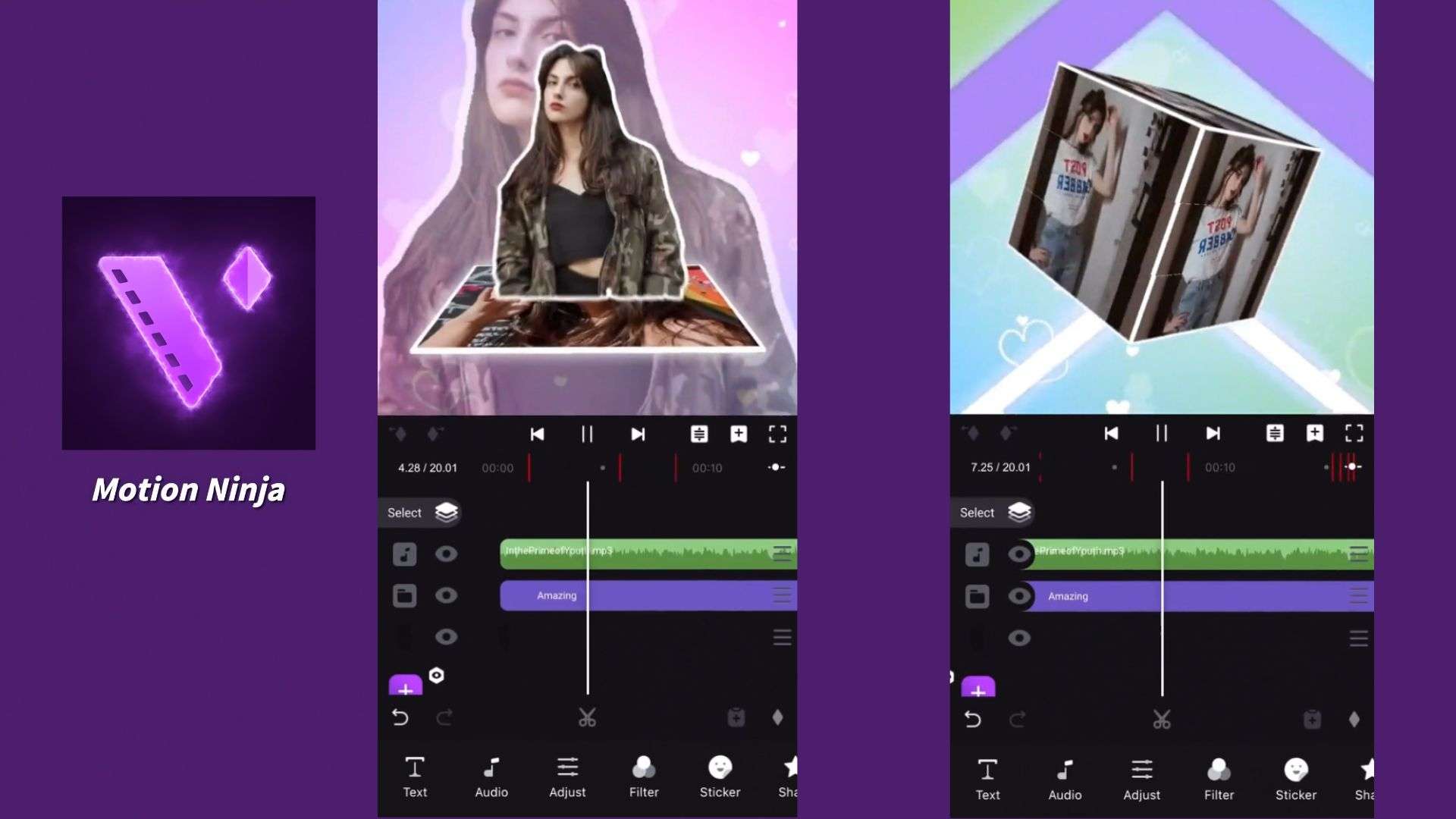
Some mobile editors are built for quick social media videos, while others give you more room to experiment with animation and visual effects. Motion Ninja app belongs to the second group. It's specialized in visual effects (VFX) and motion design, so the Motion Ninja editor brings tools like keyframe animation, velocity editing, and 3D compositing to your phone.
Unlike massive corporate software suites, this Ninja editing app was built by an independent developer. So, its updates roll out at their own pace. Right now, the Motion Ninja iOS version sits at Version 4.8.5 (last updated February 28, 2025), while the Android build is still hanging out at Version 4.1.8 (last updated June 25, 2024).
Is Motion Ninja Free?
Yes! Getting your hands on the Motion Ninja free version won't cost you a dime. The free version gives you access to various editing tools, including timeline controls, animation features, and effects. However, if you want to unlock the full Motion Ninja Pro toolkit, remove export watermarks, and grab every single transition and filter, you will need to upgrade to VIP.
| Purchase Option | Price |
| Monthly VIP | $3.99 |
| Yearly VIP | $14.99 |
| One-time Purchase | $17.99 |
| Forever VIP | $24.99 |
|
Show More
Show Less
|
|
What Is Motion Ninja Used For?
The app Motion Ninja leans heavily into flashy visuals and beat-synced timing rather than simple vlog trimming. It has carved out a dedicated fanbase. Here are five types of creators who may get the most out of it.
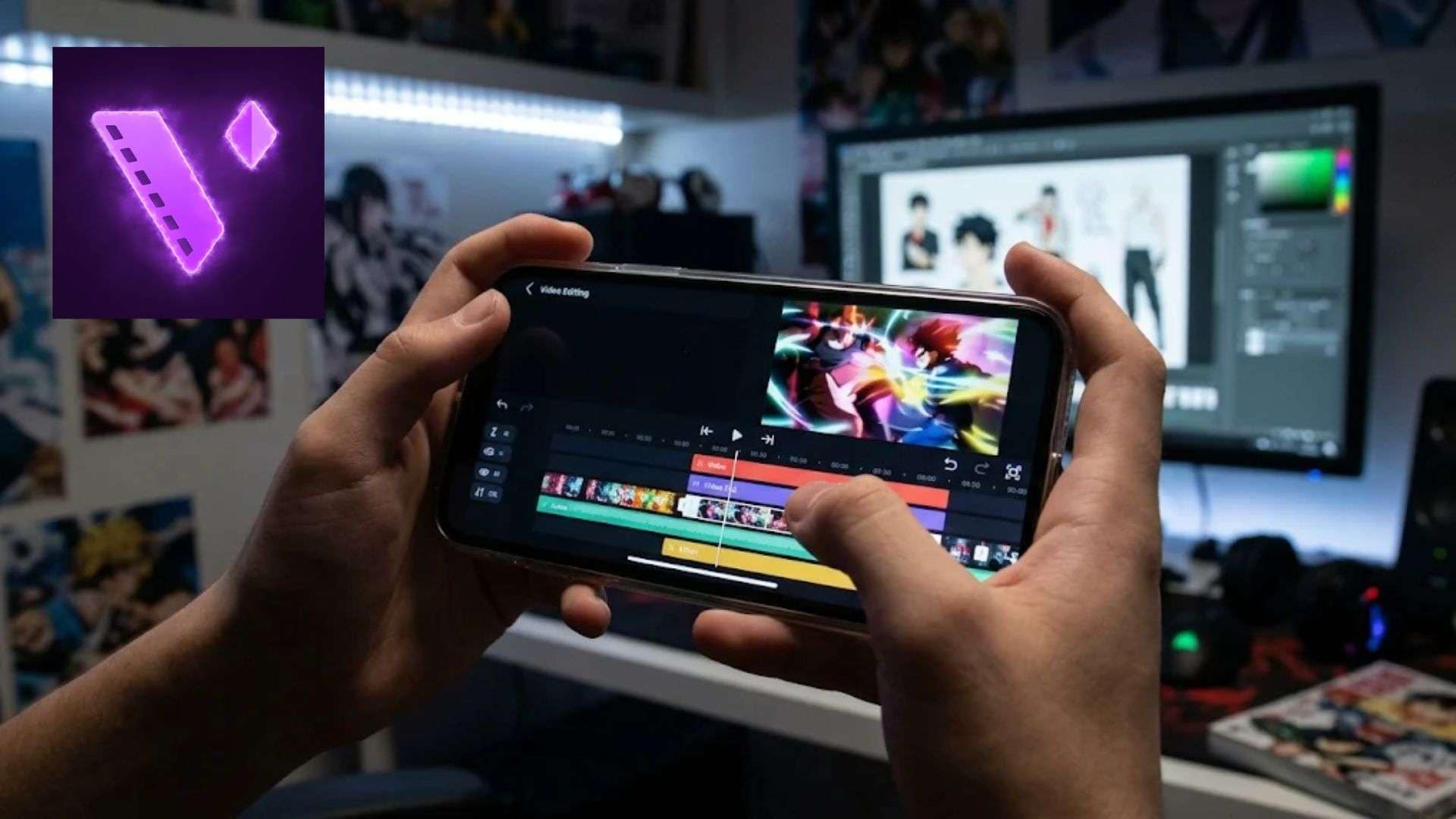
1. AMV Editors: Create anime music videos, character edits, animated transitions, and beat-synced effects.
2. Fan-Edit Creators: Make velocity edits, cinematic transitions, and effects-heavy character videos.
3. Social Media Creators: Produce TikTok videos, Instagram Reels, and YouTube Shorts.
4. Gaming Content Creators: Create gaming montages, highlight reels, animated overlays, and synchronized effects.
5. Photo Animators: Users making still photos move or applying 3D depth/moving photo effects.
Part 2. Where to Get Motion Ninja (And Why You Should Avoid Mod APKs)
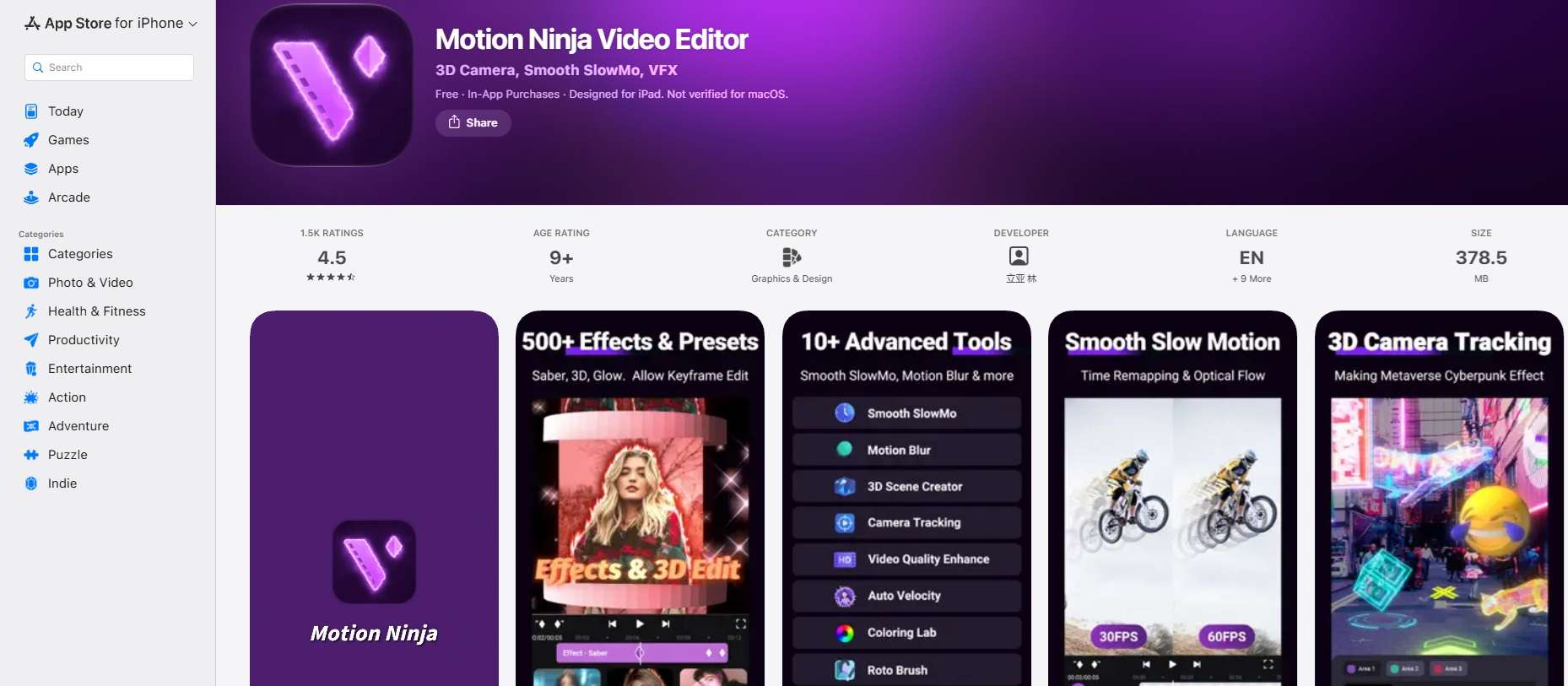
Access to Motion Ninja app download is pretty simple. The only official places to get it are Google Play Store and the Apple App Store. Everything else is somebody else’s copy.
Now, if you do a quick web search, you are going to stumble across dozens of third-party websites promising a Motion Ninja Mod APK without a watermark, a Motion Ninja Pro APK, or even a Motion Ninja Mod APK old version to bypass paywalls. You might also spot shady links claiming to offer a Motion Ninja download for PC or a direct Motion Ninja Windows installer.
The truth is, there is no official Motion Ninja PC version, and there is no official Motion Ninja online web editor. Those third-party installers and Motion Ninja video editor Mod APK files are unofficial, unverified, and frankly not worth the headache.
Why Third-Party APKs Are a Bad Idea
- Risk of malware, keyloggers, and spyware hiding inside modified APK files.
- Potential account bans or device instability.
- Lack of official security updates and missing bug fixes.
Part 3. Core Features of Motion Ninja Video Editor
Motion Ninja's appeal isn't just the ability to put clips together. The toolset leans hard into motion graphics rather than basic trimming and captions, which is exactly why edit-heavy creators like it. Let’s have a look:
Keyframe, Slow-Mo, and Auto Velocity
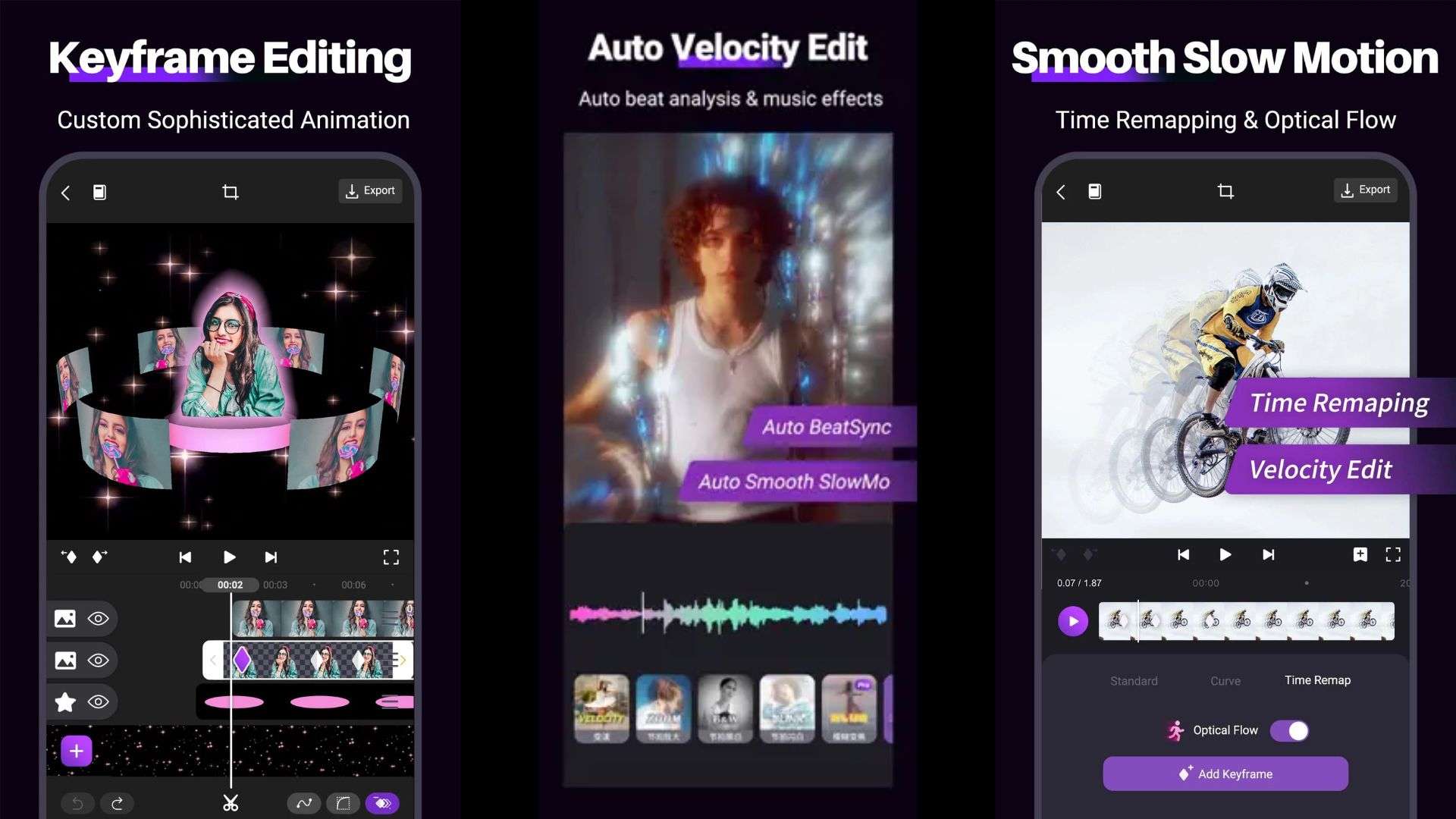
In Ninja Motion video editor, you can add keyframes to almost anything: scale, rotation, opacity, filters, and masks. Each parameter gets its own motion speed graph you can reshape. To make your content more engaging, pair it with custom speed curves and time remapping for those slow-fast-slow velocity edits.
VFX and Filters
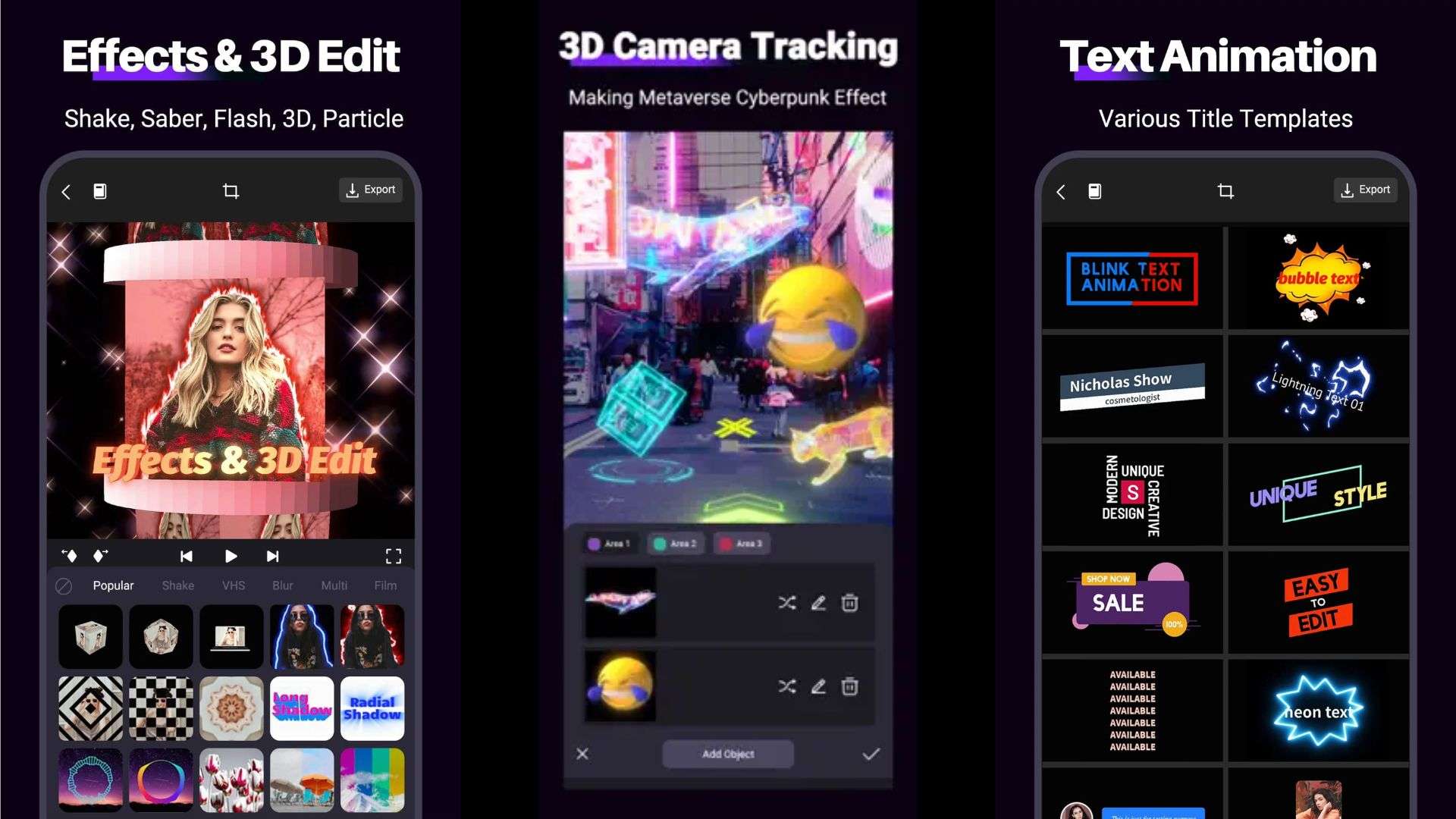
The effects library inside Motion Ninja Premium covers glow, motion blur, particle effects, 3D camera tracking, and sky replacement. The Android app advertises 100+ preset effects, while the iPhone version counts 500+ effects and keyframe presets. The iPhone also gets 3D text, models, and a 3D scene camera.
AI Cutout, Motion Blur, and Color Grading
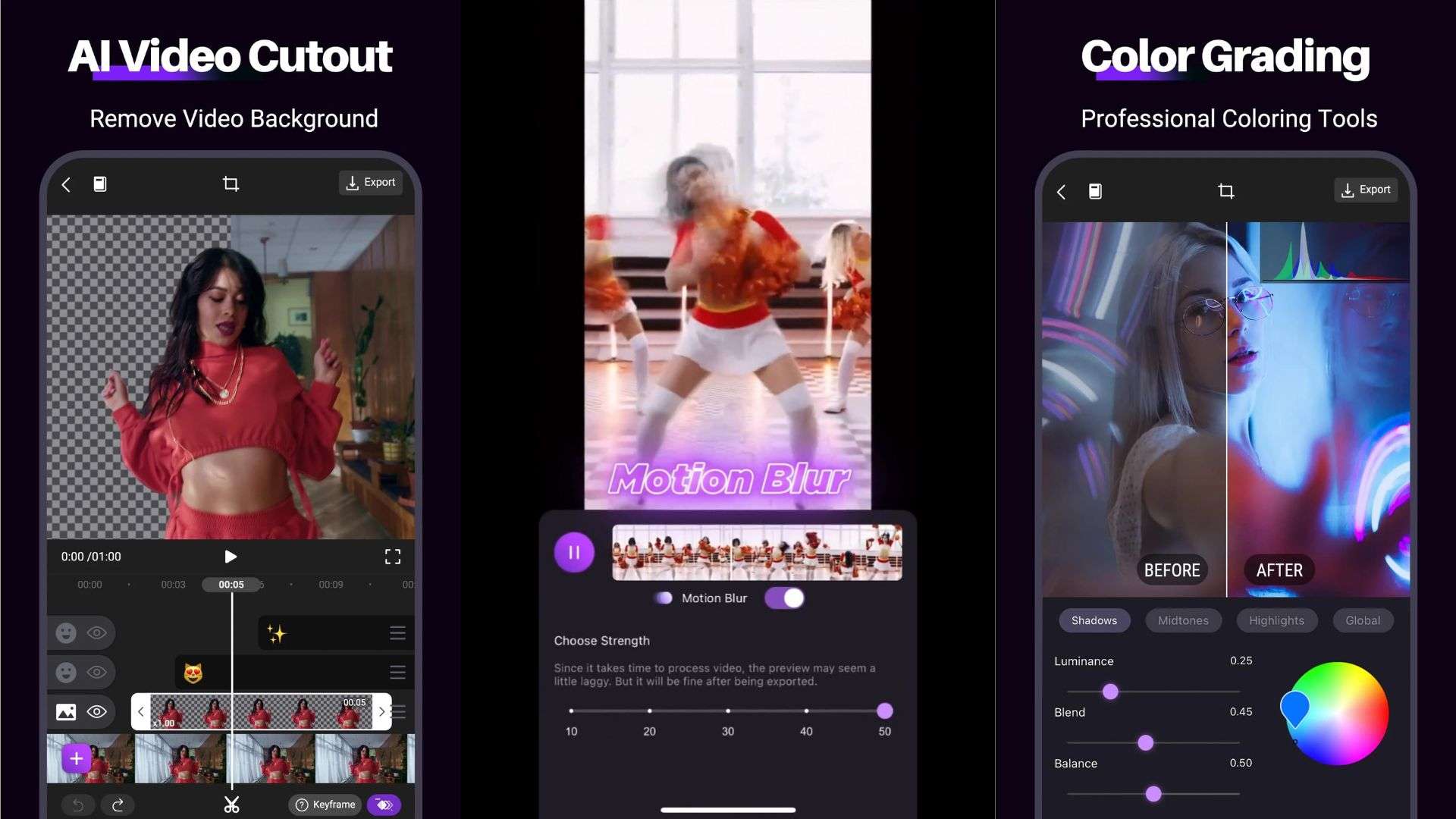
Motion Ninja video app allows you to easily key out green screens or isolate your subject using AI. For aesthetics, you can also make your content more cinematic with motion blur features, as well as color grading by playing around with the palette.
Part 4. Is Motion Ninja Good Enough? Pros and Cons Evaluated
Like any tool, the Ninja Motion app has its ups and downs. Its mobile-first approach brings real advantages and real compromises. Let's weigh the good against the frustrating so you know exactly what you are getting into.
- Generous Free Functionality: Keyframes, multi-layer editing, and base effects cost nothing, so you can learn the app properly before deciding to pay.
- Flexible Speed Control: The combination of custom speed curves and Optical Flow gives creators more control over their edits. You can experiment with slow-motion sequences to make your edits look clean and fluid instead of choppy.
- Versatile Masking Engine: Shape masks with edge feathering make layered composites far less painful than you’d expect on a phone.
- Development Stalemate: Only developed by an independent dev, with updates slowing down significantly. Android hasn’t been updated since June 2024, and iOS since February 2025.
- Battery & Storage Drain: High-res rendering eats processing power and fills your storage fast. The iPhone Motion Ninja download alone is around 378 MB before your first project.
- Export Restrictions on Free Version: Exporting without a watermark or accessing higher resolutions requires the Ninja Motion Pro subscription.
Part 5. Create Motion Graphics Content on PC with Wondershare Filmora
As a mobile app, Motion Ninja does its job well. However, there comes a point where pinching a tiny timeline starts holding your creativity back. Plus, with the Android build lagging behind on updates and running a Motion Ninja video editor for PC through Android emulators often causing frustrating crash loops, forcing a mobile app onto a computer just isn't the move.
In that case, it’s smarter to use a tool built for desktops that offers the same kind of capability and more, like Wondershare Filmora.
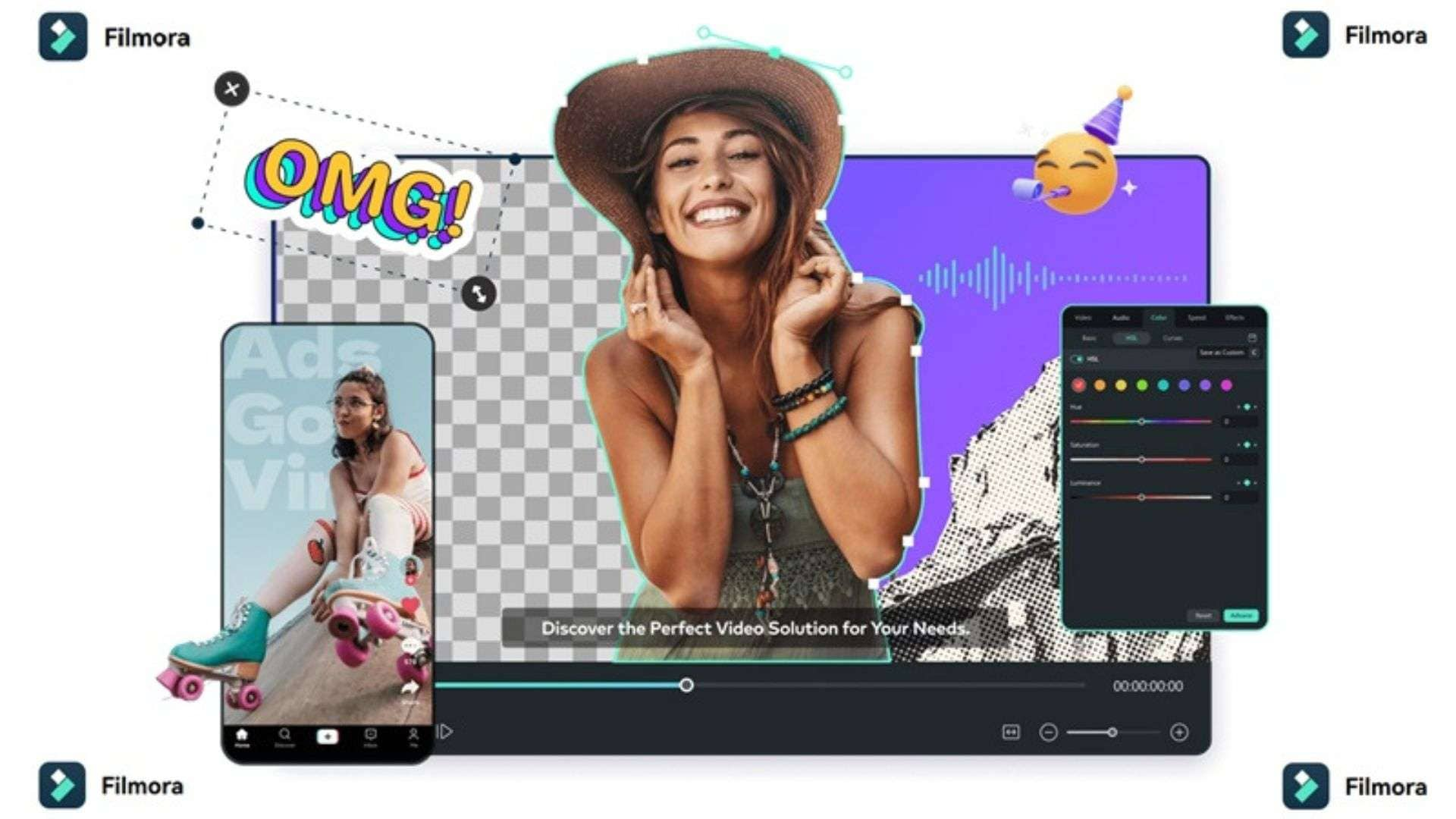
The nice thing about Filmora is that you can combine traditional editing controls with AI-assisted tools. You still have control over your timeline and creative decisions, but certain tasks, such as isolating a subject or enhancing footage, can take less manual work.
What Makes Filmora a Good Choice for Motion Graphics?
1. Keyframe Animation & Graph Curves
You’ll have full desktop control over every parameter, with customizable easing curves so movement speeds up and settles exactly the way you want.
2. AI Camera Tracking
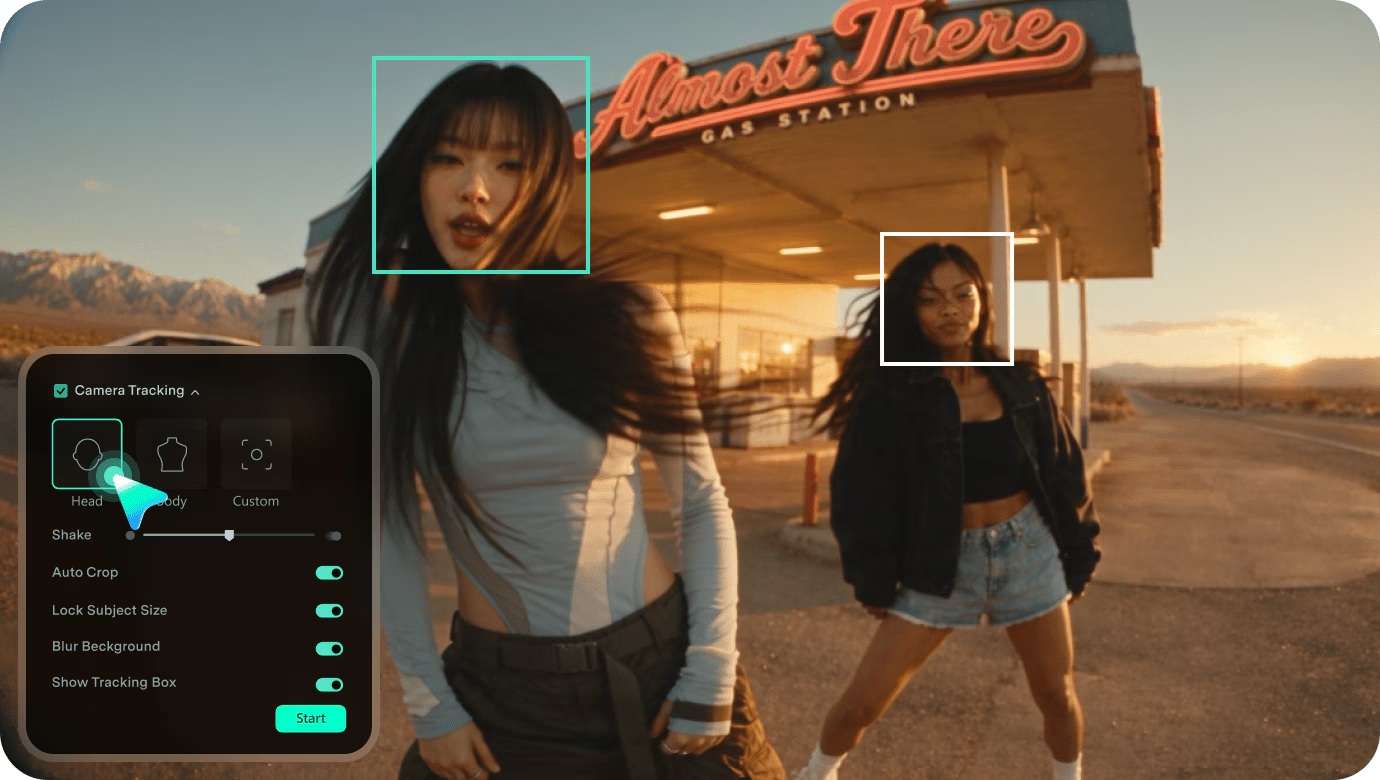
Follows a subject through the shot and keeps it framed, so punch-ins and reframes don’t need frame-by-frame babysitting.
3. AI Smart Cutout / Motion Tracking
Smart Cutout isolates a subject automatically, and Motion Tracking lets you pin text, graphics, or stickers to something moving across the frame.
4. Pen Tool for Motion Graphics
Draw custom vector shapes, complex masks, and bespoke animation paths directly on your preview screen for total creative freedom.
5. Built-In Library for Motion Graphics
Tap into a massive library of drag-and-drop VFX, beat-synced transitions, kinetic typography, and LUTs that render fast on desktop hardware.
 Secure Download
Conclusion
After considering all factors, we can say that the Motion Ninja app is useful for creators who enjoy AMVs, fan edits, velocity effects, and keyframe animation. Its free tools make it easy to start, while Pro purchases unlock additional content and options. However, the dated update history, demanding effects, and small-screen timeline may not suit every project.
So, when you are ready for bigger screens, faster rendering, and zero battery anxiety, moving your workflow to Filmora makes the difference. You keep all the fun motion graphics, keyframe curves, and tracking tools you love, backed by smooth desktop performance and time-saving AI features.
FAQs
-
Will running Motion Ninja through an Android emulator on PC perform as well as native desktop software?
Almost never. Motion Ninja PC download is nonexistent, so an emulator such as BlueStacks has to run the Android app inside a virtual phone on your PC. That adds an extra layer between the app and your hardware, and effects, optical-flow slow motion, and high-res exports are exactly the heavy jobs that layer slows down. -
Does Motion Ninja Work Without an Internet Connection?
Yes, for the most part! Once you have downloaded the app, you can import local videos, cut clips, set keyframes, and export your final edit completely offline. You will only need an active internet connection when browsing or downloading new cloud-based effects, stickers, fonts, or music tracks from the in-app asset library. -
Can You Transfer Motion Ninja Projects Between Android and iOS?
Unfortunately, no. Project files are stored locally on your device and are tied to each operating system's specific file structure and app version (especially since iOS is on Version 4.8.5 while Android remains on 4.1.8).